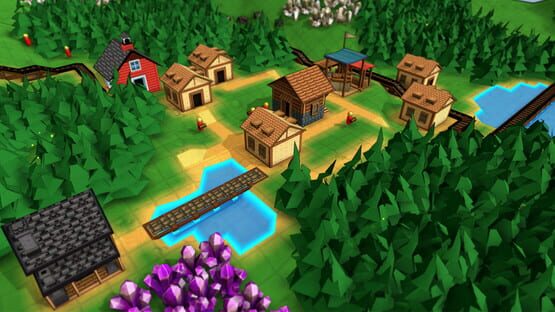

Factory Town
2.2.8 Patch Notes + Factory Town 2 Announcement!
- Added button to minimize these additional game buttons on the home page
I wanted a way in-game to let players know that I'm working on a sequel. (You can permanently minimize this section if you don't want to see it.)
Speaking of which, here's the store page for the sequel so you can wishlist it!
https://store.steampowered.com/app/3312130/Factory_Town_2_Paradise/
This discussion post has some more details about what is changing between FT1 and FT2:
https://steamcommunity.com/app/3312130/discussions/0/603025381169088817/
Announcing Factory Town 2: Paradise!
Estimated launch date is loosely in late 2025, but definitely could get into 2026 based on how development goes. It now has a 'Coming Soon' page on Steam so you can wishlist it and get a notice whenever it releases!
https://store.steampowered.com/app/3312130/Factory_Town_2_Paradise
Also answering questions over on the Discord: https://discord.gg/factorytown
Cheers!
Erik
2.2.7 Patch Notes
- Fixed bug: game becomes unresponsive if you built an overground pipe connector on the same tile as a road, had no pipes coming out of the connector, and fed water into the connector from underground
2.2.6 Patch Notes
- Fixed bug: Timer logic blocks would not properly save and restore the ‘repeat’ parameter
- Added extra protection against unwanted screen scrolling that might be occurring from other plugged-in input devices
2.2.5 Patch Notes
- Fixed bug: Clicking to create blocks would sometimes create two with a single cursor click
- Can use the Rotate key (Default: R) to change the orientation when drawing an L-shaped path
- Fixed bug: Some text input fields (e.g. custom rule set parameters) would not update the stored value immediately upon exiting the text field, causing changes to be lost/ignored in some cases
2.2.4 Patch Notes
- Fixed bug where primary action button would stop responding when using a hybrid-input setup like Steam Deck
- Allowed smoother transition between gamepad and mouse input devices
- Added fix that should stop Airships from disappearing on certain systems with non-English locale settings
2.2.3 Patch Notes
Misc Improvements
- Selection panel for all rail cars now combines Rail Control, Signal Tags, and Inventory on a single menu tab when selected, to avoid excess clicking
- Steam Locomotives now have the ‘Add Boxcar’ (and similar buttons) moved from Rail Control onto a dedicated menu tab
- Reorganized selection panel: ‘Name’ property moved from 'Status' tab to ‘Misc’ tab. This allows the Status tab to be hidden in most cases. For Sign Posts and Message Boards, this text property is called ‘Label’ and appears on the main configuration tab.
Bug Fixes
- Top-left menus were overlapping for some players
- Underground resources that were underneath a water tile would have a yield of zero and never regenerate
- ‘Grow Grass’ and ‘Cut Grass’ commands did not display the 'Increase' and 'Decrease' cursor tool size buttons
- Placement direction arrow would not appear when moving or copy/pasting worker units or rail cars
2.2.2 Patch Notes
2.2.1 Patch Notes
- OmniTemple default selection tab is now ‘Construction’, until construction has been completed - then it is the ‘Offerings’ tab
2.2 Patch Notes
Performance Improvements
The rendering system has gotten a major rewrite, allowing for massive framerate speed-ups. This especially affects end-game towns where players had hundreds or thousands of buildings, vehicles, rails, and conveyor belts.
This also greatly improves performance for the green 'preview' blocks that appear when players are copying and pasting large groups of objects, or dragging the cursor to plan out long pathways.
Improvements to Airships
Instead of navigating the sky as if it were a grid, airships can float directly to their target. They won’t collide with objects in between. They will do their best to visually fly above terrain, structures, and buildings, but ultimately are not blocked by world objects. This has a number of benefits:
- Airships are easier to use and more efficient as a transport option
- Loading times are improved, as air-based navigation does not need to be calculated
- Airships that have their route blocked will no longer cause large framerate hiccups as they search the entire map for a valid path
- Airships will no longer interfere with other vehicles like trains
Misc Improvements
- Copy/Paste/Move now works on trains as well as groups of worker units. This process will copy item filters, signal tags, and assigned worker tasks. (Note: you can double-click to select an entire train)
- When the Tutorial window is minimized, player can re-maximize it by clicking on the tutorial progress bar shown in the upper left hand corner
- Numbers in the billions can be displayed without truncating
- Added new video preference: Particle Effects (enables or disables particle effects on trains, train cars, air shrines, and logic block transmission)
- Better highlighting of potentially linked Mechanical Rail Tiles when placing Steam Engine
- Item Generator’s default menu tab is the Inventory panel where you can set the item filter
- Added new language: Brazilian Portuguese
- When assigning worker commands, hovered buildings will no longer show their town network highlights (this was causing a distracting flicker effect when choosing items to pick up or drop off)
- Copy/Paste of buildings will now display preview placements in a blue tint to reflect when they can connect to water (similar to current behavior when placing single buildings)
- Can activate controller mode by pressing a controller start/menu button
- Changed grass texture
- Can navigate into and out of the Campaign Select button grid using D-pad navigation
Balance Changes
- Modified a few rules on Campaign 1 map (including on files in progress): Infinite Consumption rule is no longer active. This was causing a confusing situation where water would never ‘overflow’ a target house and therefore was much more difficult to distribute to other houses (since things like Splitters aren’t available in this stage). Instead, Goods Consumption has been increased to 150% (as a way to make sure players can still earn coins rapidly). On this campaign map, grain consumption speed has also been increased, and water consumption speed has been decreased.
- Increased max block radius of Air Shine’s “Boost Worker” effect from 4 to 7
- Item Generator can now produce Steam Power, Mana Power, Fire Power, Water Power, Earth Power, and Air Power
Bug Fixes
- Copy/Paste of workers and rail units was not transferring properties like Item Filters
- Menu for issuing worker commands would not be formatted correctly when targeting a building that has no items to pick up
- Changing a building’s recipes after building an elemental crystal booster would fail to create a proper output slot for depleted crystals in the building and would break the booster functionality. (Buildings that were saved in a broken state will be fixed on map load)
- When selecting a worker dropoff location, if the player targeted a non-chute block structure, the game attempted to navigate on top of the structure instead of showing that it is an invalid target
- Negative numbers did not apply the correct abbreviated format
- Logic Lamp lighting was applied even if ‘Object Lights’ preference was off, potentially causing performance issues
- Creating grabbers on buildings that only stored packed items would not create the correct automatic filter settings, and would appear with a question mark icon. (Legacy filters with incorrect settings will be automatically fixed on file load)
- Unlock notification for certain path structure types would appear immediately after creating any building in some campaign maps
- Smoke particles would play from Steam Locomotive even when powered by entirely by Magic Rails
- Fixed text display errors for some languages in text input fields
- Selecting a house happiness category from the house detail panel would not update the displayed category in the house status panel
- Removed useless button on Worker selection panel
- Filter configuration for Mana Transmitter allowed application of regular items (crops, tools, etc) instead of restricting to charged Mana Crystals
- Was possible to place multiple Fish on a tile using Farming/Mining tools, resulting in duplicate fish resources that were not removable until save & reload
- Copy / Paste of building groups did not constrain assigned workers to available workers, so it was possible to exceed available workers
- Performing copy/paste on a single selected building would not paste certain properties like ‘assigned workers’ even though these properties were transferred when copying groups of buildings
- Preview for placement of Farm Tiles would highlight in blue as if connected to water when in fact they were one tile too far away from a water source
- Trains could appear in a jumbled order when moving them to a position where the tail end wrapped around a track corner
- Crafting Time was appearing as an input for many instantaneous upgrades
- XBox One controller did not have default mapping for ‘open game menu’ or ‘pause’. These mappings are applied when loading the new version
- Barrier gates would update their state even when the game was paused, causing timing issues