

Flashing Lights: Police Fire EMS
Hotfix - Port area adjustments (MacOs only)
Fixing Port area missing materials and terrain adjustments
UPDATE NOW LIVE | Optimisation, Fixes, New Port Area
Thank you for your patience over the last couple of months whilst we addressed optimisation and crashing issues. We have worked hard on improving the overall stability of the game and fixed a number of issues while we're at it.
We have also updated a variety of areas around the map. Starting with the Eastern parts of the City,
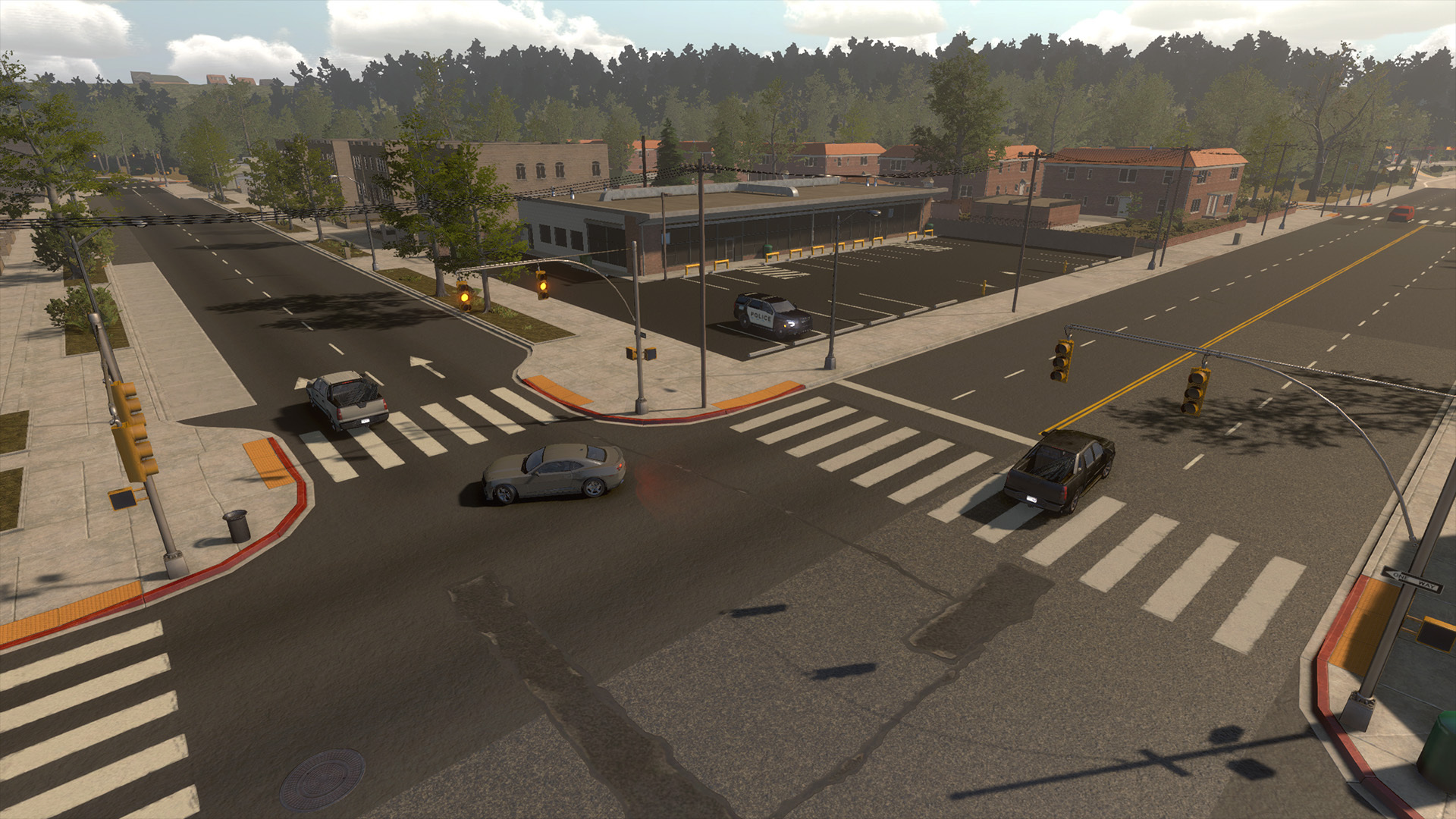
and the Port Area.

We have also added traffic to more rural areas of the map, and updated lighting effects.

Full Patch Notes
New
- Traffic added to Cod Town, Beach Town, City Marina, City East and rural asphalted roads
- City East updated
- City East departments, can use them, but not set as spawn points yet
- Port area updated
- Lighting effects improved
- Minimap and full map UI updated with new areas
- Dust particles added when driving on dirt roads
Optimizations
- Memory improvements
- Map loading speeds improved
- Traffic and pedestrian waypoint finder improved
- Traffic spawner logic with further distance
- Environment/road objects mesh cleaned up
- Reduced game size on disk
Fixes
- Character no longer freezes when spawning at Cod Town
- Vehicle texture mods should load now correctly
- Vegetation adjusted across the map, also added to Cod Town, City Marina and City East
- Road/highway mesh fixe
- Terrain fixes
- Reflection probes added around map
- Mod.io updated
- Christmas Holiday props removed
What's Next?
We are now hard at work developing a tutorial for the game and fixing more bugs leading up to our V1.0 launch. Don't worry though, there will be more exciting content and updates following version 1.0 as well.

Mac Hotfix 4th Jan 2023
Hotfix - Build 191222-1
UPDATE NOW LIVE | Official Mod Support, World Update
Hello all,
We are excited to launch a major update for Flashing Lights today, which introduces official modding support! For a long time mods have been a key part of the community, so we're excited to now make browsing and installing mods much more accessible. For now, supported mods are textures and sounds only, but we are looking into expanding the types of mods supported in the future.

We have over 150 community-created mods already up and running available to browse and install right now in-game, including custom uniforms, vehicle skins and sirens, so take a look once you've updated! (And if you're interested in creating and uploading mods yourself please visit our guides section on mod.io!) Take a look at Flashing Lights on mod.io to see the full selection of mods so far!

To install mods, simply hit the 'Mods' button in the main menu, click 'open mod.io browser', browse available mods, click 'subscribe' on the desired mods in order to download them, and then (back in the mods section of the main menu) click on the 'assign mods' button.
https://store.steampowered.com/app/605740
The update also includes a world update, with the City Marina and City East areas updated, a refreshed diner, and a number of new interiors all added throughout the open world. We've also done some additional background work to optimise loading for this update. As previously announced, we did a lot of optimisation work earlier in the year, and we will also continue working on optimisation next year.
We want to give a big shout out to the existing Flashing Lights modding community who have been making and sharing mods long before today's update, especially our modding support team on the Discord, the team behind FLMods.com and everyone who has created mods over the years.

Please note: Unfortunately, we have run into issues regarding modding support on Mac OS. We are doing our best to get these addressed as soon as possible. However, this may take some time and we hope to have further updates on this soon. You can still open the modding area and browse the mods, but these will fail to install.
Full Patch Notes
New
- Modding support through Mod.io in-game browser. Currently supports all emergency player vehicles and character textures and siren sound effects
- Browse mods via the web page or ingame browser (Main Menu > Mods), click 'subscribe' on the mods you wish to install and they will be downloaded, then use Assign Mods Menu to enable mods for in-game use
- World update (City Marina updated; refreshed Diner returns to the city; more buildings optimized and updated with interiors; City East area updated)

Fixes
- First time map loading improvement after role and character selections
- Invisible buildings fixed near city police station
- Various decal fixes on roads
Happy Holidays!
- Added optional Christmas hat for players
- Christmas tree added at City Central Park
- Introduced a chance of dropping a present when placing cones or road flares
- You can now toggle on/off a snow camera effect with the chat command /snow
What's Next?

We hope you'll join us as we move into an exciting 2023 for Flashing Lights! Take a look at the roadmap above for an idea of where we're heading, including v1.0 launch and beyond.
A big happy holidays to everyone who celebrates, and a happy new year!
Thanks,
The Flashing Lights Team

UPDATE NOW LIVE | Playable Civilian Sandbox Option + NPC Outfit Variety
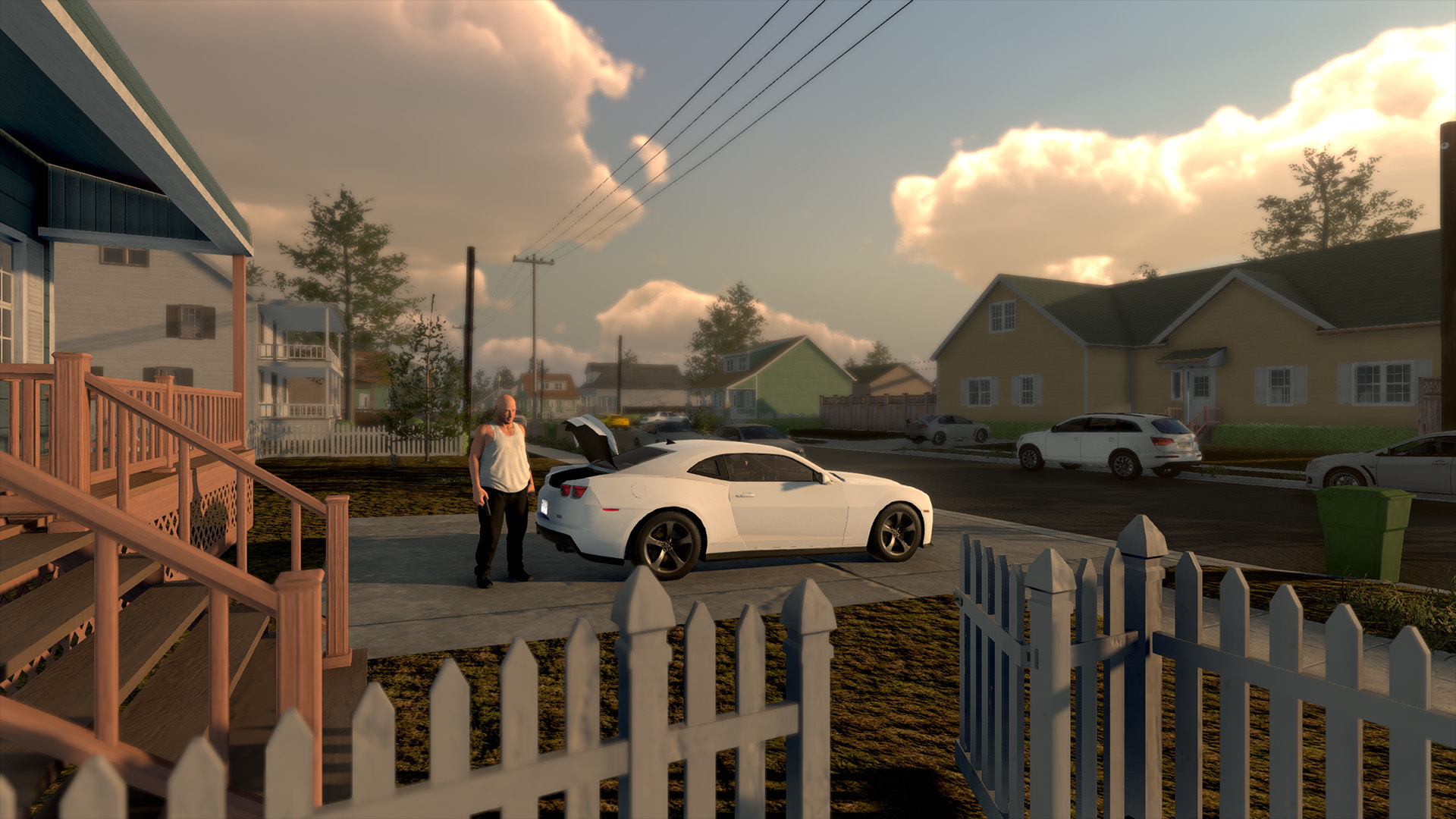
We have a new update for you today, which adds a new option to the sandbox menu: the ability to play as a civilian.
Playable Civilian Sandbox Option
We've added a new option to the sandbox menu, which we think those of you who are into role-play will especially enjoy: the ability to play as a civilian!
When playing in single player, you can play as a civilian via the sandbox menu. In multiplayer, the host can play as a civilian via the sandbox menu too, but if you're a client in another player's game, you will need to be invited to play as a civilian. To do this, the host will need to access the sandbox menu.

When playing as a civilian you can select your character model, drive your own civilian car and be equipped with a gun.
We've also added a selection of outfit variants for NPCs, ensuring the same NPcs aren't always wearing the same colour clothes!
Full Update Notes
New
- Additional outfit variants for pedestrians
- Play as a civilian option added to sandbox menu
- Host can now invite players to play as a civilian character through the Sandbox Menu. When starting a server, the host has to set Sandbox Menu to "ON" if they wish to enable the civilian option
- Civilian players have a gun and can attack other players or AI
- Civilian players can reload ammo by interacting with their vehicle trunk
- Police players can use weapons and a taser against civilian players
Fixes
- Animation fixes for Vehicle Search, Drunk Run and Sit in Vehicles
- Sound effects added when player gets hit by a weapon or a taser
- UI added above minimap to indicate sandbox menu key
- Boxed ambulance steering adjustment
- Ambulance van steered slightly to the right
- Players changing roles could duplicate name tags in players list UI
- Switching to/from freecam in Cod Town could break environment props spawner
- Updated CCTV images with the new pedestrian variety for Shoplifting call [ID 1000]
What's Next
Our focus now shifts to the December update, and we're especially excited about the modding support! Please note that we've moved the tutorial from December to Q1 - Q2 2023 on the roadmap to give the feature more time.
Thanks,
The Flashing Lights Team
UPDATE NOW LIVE | Sandbox Update, EMS New Callouts + Equipment, Optimisation
Hello all,
We have just launched a major new update for Flashing Lights, which includes the EMS revamp and new content we've been working on, optimisation and some substantial additions to the sandbox menu. Thank you to everyone who has jumped onto the recent unstable versions and helped us to refine and improve the EMS content and optimisation.
Before we dive in, we want to mention that Flashing Lights is now available at a 50% discount, for one week only!
https://store.steampowered.com/app/605740

Sandbox Menu
We've added tons of fun new options to the sandbox menu, designed to allow you to make as much chaos as you could ask for. These new options include low/high gravity, fast player run speed, increased vehicle bounciness, amplified vehicle physics, a pedestrian spawner, and an item spawner.

Don't worry if this isn't your thing! When starting a multiplayer game you're able to decide whether or not to allow the sandbox menu, and when browsing for multiplayer games to join, you're able to see whether or not the server has the sandbox menu enabled.
To access the sandbox menu in-game, F6 is default key. If F6 does not bring up the menu, you may need to manually assign the key or reset all inputs to defaults.
Optimisation
We heard you loud and clear, and so we decided to bring forward some of our planned optimisation work. Game performance should now be notably better for some of you, depending on your specs. Let us know how you get on!

EMS Revamp + Callouts and Equipment
We're excited to have revamped and expanded on Flashing Lights' EMS content! You can now play numerous new callouts including Diabetic Emergency, Respiratory Failure, Allergic Reaction, Nausea and Chest Pain incidents. We've also added new medications, an oxygen mask, the ability to perform a blood glucose test, and an ambulance van - as well as updating textures for stretchers, fracture kits and defib models.

Full Update Notes
New
- Ambulance Van for EMS
- Stretcher now holds Medic Bag, Defibrillator and Fracture Kit that can be picked up by players
- Reorganized Med Bag
- EMS treatment UI
- New medications
- Oxygen Mask
- Blood Glucose Test
- Player spawn points at rural towns
- New departments at Cod Town and Beach Town
- Radio chatter background audio for police vehicles (default toggle F4, might need to manually map it in settings)
- New EMS missions:
Diabetic Emergency [ID 3004]
Respiratory Failure [ID 3005]
Allergic Reaction [ID 3006]
Nausea [ID 3007]
Chest Pain [ID 3008]
- New Sandbox menu options:
Pedestrian move speed
Traffic speed
World physics (gravity, bounce factor)
Player move speed
Player vehicle physics

Fixes
- Runtime and first time map loading optimizations
- Pedestrian spawning at suburbs
- Sometimes player could not move after respawn
- EMS treatment multiplayer sync improvements
- Stretcher model and texture updated
- Fracture Kit model and texture updated
- Defib model and texture updated
- EMS trunk reorganized
- Added toggle clothes in Defibrillator menu
- Fixed an issue with returning to Med Bag menu after applying neck collar and bandages
- Using "Move to stretcher" command broke the treatment if patient was not ready to be moved in some cases
- Possible neck injury was showing on all patients
- Patients didn't despawn when calling EMS AI transport outside of waypoint areas
- Traffic AI could respawn stopped and with driver outside after being part of Officer Needs Assistance mission
- Adjusted traffic advisor lights on SUV1 cars
- Adjusted mirror lights on sedan cars
- Visual update for buildings (Commercial signs)
- Additional map decal/props updates and fixes
- Ground phasing through highway roads
What's Next
We have plenty of new content and enhancements coming your way! Please note that due to moving forward the all important optimisation work, we have had to move back the rest of the October update. More sandbox mode options, animation fixes and AI pedestrian outfit variety will no longer launch this month - but they're still on the way. Keep an eye out for more news!
We can't wait for you to jump in and play today's new update. Let us know what you think!
Thanks,
The Flashing Lights Team
Unstable Branch | IV Procedures
Thank you to all who tested the update yesterday and reported some issues!
To access the unstable branch you can do the following:
- Load up Steam and head to your library
- Right click on Flashing Lights and then select "Properties"
- Head to the Beta tab and in the drop down select "unstable_test_branch" (no password needed)
- This will then download the new update for you
Patch notes:
Build 211022-1
New
- IV treatments added to some unconscious, hit and run and gun shot wound missions
Fixes
- EMS patient in sit pose had random rotations
- Using "Move to stretcher" command may break the treatment if patient was not ready to be moved
- Neck collar didn't spawn
- Missions 3005, 3006, 3007 and 3008 didn't come up on random dispatch messages
- Air tank on stretcher was hanging in air
- Another traffic spawner optimization
Have a lovely weekend!
Unstable Branch Update | New EMS Missions
IV procedures are in progress and will be updated soon.
To access the unstable branch you can do the following:
- Load up Steam and head to your library
- Right click on Flashing Lights and then select "Properties"
- Head to the Beta tab and in the drop down select "unstable_test_branch" (no password needed)
- This will then download the new update for you
Patch notes:
Build 201022-2
New
- Reorganized Med Bag
- New medications
- Oxygen Mask
- Blood Glucose Test
New EMS missions:
- Diabetic Emergency (ID 3004)
- Respiratory Failure (ID 3005)
- Allergic Reaction (ID 3006)
- Nausea (ID 3007)
- Chest Pain (ID 3008)
Fixes
- Added toggle clothes in Defibrillator menu
- Return to Med Bag menu after apllying neck collar and bandages
- EMS next procedures steps hidden until one is done
- Possible neck injury was showing on all patients
- Treatment steps now showing up on non-mission patients (hit/shot)
- Ground sticking through highway roads
Unstbale Branch Update | New EMS Missions
IV procedures are in progress and will be updated soon.
To access the unstable branch you can do the following:
- Load up Steam and head to your library
- Right click on Flashing Lights and then select "Properties"
- Head to the Beta tab and in the drop down select "unstable_test_branch" (no password needed)
- This will then download the new update for you
Patch notes:
Build 201022-2
New
- Reorganized Med Bag
- New medications
- Oxygen Mask
- Blood Glucose Test
New EMS missions:
- Diabetic Emergency (ID 3004)
- Respiratory Failure (ID 3005)
- Allergic Reaction (ID 3006)
- Nausea (ID 3007)
- Chest Pain (ID 3008)
Fixes
- Added toggle clothes in Defibrillator menu
- Return to Med Bag menu after apllying neck collar and bandages
- EMS next procedures steps hidden until one is done
- Possible neck injury was showing on all patients
- Treatment steps now showing up on non-mission patients (hit/shot)
- Ground sticking through highway roads