Who Received An Upgrade In The FM22 Main Winter Update?
The Main Winter Update is usually a big moment in every year for Football Manager fans. It’s a time when January transfers are registered and the ratings of thousands of players across the world are adjusted based on their performances through the first half of the season. We’ve dug through our database to pick out 10 of the best players who got a Current Ability upgrade in the Main Winter Update. Visit The Byline on The Football Manager Website to see who they are.
10 Teams To Restart Your Journey With In the Main Winter Update
Many Football Manager players take the opportunity to start a new career when the Main Winter Update drops. January transfers and the real-life fortunes of clubs around the world open the doors to a whole new variety of adventure. Visit The Byline on The Football Manager Website to see a list of 10 of our favourite new challenges for you to take on.
Which team are you planning to use in the Main Winter Update?
10 Deals You Might Have Missed From The January Transfer Window
You might have thought that this year’s January transfer window was pretty quiet, bar an interesting Transfer Deadline Day. There was, however, some really clever business done across the footballing world, including several moves that definitely warrant the FM seal of approval.
What is the best January transfer you have made in FM?
Using Versus mode in FM22: A Guide
Versus mode is back, giving FMFC members the opportunity to challenge each other for the ultimate online bragging rights after returning as part of the FM22 (PC/Mac) Main Winter Update.
Never played Versus mode before when it was a part of Football Manager Classic or Football Manager Touch? Want to know how to get the most from this exciting, new multiplayer experience? This guide will walk you through absolutely everything, from how to get started to all the different competitions you try and where to go if you get stuck.
What is Versus mode? Versus mode allows players to test themselves and their teams against other managers in a head-to-head environment to prove their Football Manager skills to their friends and the world. Players can export their favourite teams from Career mode to use in Versus mode or choose a team from any of the playable leagues. Versus mode is a streamlined game mode which can be played online, as a hotseat game, or as a single player experience against the AI.
Signing in or Signing up to FMFC As we mentioned at the top, the new-look Versus mode is an exclusive for our FMFC members. If you’re already a member, you can head down to the next section to find out how to start playing.
If you’re not yet part of the FMFC squad, you can sign up here or from the FM22 start screen. As soon as you’ve registered, you’ll be able to access Versus mode in FM22.
How to access Versus mode from the FM22 start screen When you load up FM22 (Steam/Epic/Windows Store), you’ll see a panel at the bottom that prompts you to sign in (or sign up) to FMFC. Click on that and enter your details – once that’s done, your account and game will be synced.
At this point, you’d take the same approach as you would with starting any other game. Click on Start a New Game and then select the bottom-right title for Versus mode – this was previously greyed out and marked as ‘Coming Soon’. Of course, if one of your friends has already set up a challenge that they’re waiting for you to accept, select Join Online Game from the start screen and use the search bar.
What game options are available with Versus mode? Upon entering Versus mode, you’ll be able to work with the Competition Creator to create a custom competition to suit you and your friends. There are four main options at your disposal: - Knockout (for 2-32 teams) - Group Stage and Knockout (for 8-32 teams) - League (2-20 teams) - 1 vs 1 (2 teams)
Once you’ve created or joined a game, you’ll receive a Welcome Pack including a competition preview and the relevant Cup or Group draws. When the final whistle has gone, you’ll have the quickfire option to play again or the chance to create a brand-new competition.
Regardless of whether you’re battling from bragging rights with your friends or honing your skills in some practice games with the AI, the streamlined game and match flow in Versus mode means you’ll be to focus solely on playing matches.
Can I use the team from my current save? Absolutely, that’s one of the great things about Versus mode. You and your friends can take your teams from 20 years in the future, packed full of newgen Wonderkids, and prove who’s really the better manager. In order to do this, you’ll need to load up your single player career beforehand and export your team. Doing this also exports your current tactical setup with that team, so there’s no need to do that separately. Then, once you’ve loaded up Versus mode, you’ll be able to import the team you’ve put hours into developing.
There’s no limit to the number of teams you can export, so you could pit a couple of different teams from over the years or across different saves against each other in a league format.
Do I need to be online to access Versus mode? It is possible to play Versus mode offline, although you will have had to log in to FMFC before going offline to retain access. Likewise, as you would expect, the functionality is slightly reduced when playing offline. While offline you’ll be able to access Versus mode, set up and play a competition against either the AI or a local hotseat manager.
Is there PvP matchmaking available in Versus mode? Yes. Log-in via FMFC and then click Start a New Game. Once you’ve selected Versus mode from the panel of options, click the Join Game tab. From there you’ll be able to choose ‘Quick Start 1v1’ which will match you with any other FMFC member looking to play a one-on-one match.
Best practice for online matchmaking is for you to use open lobbies. If you opt for friends only or password protected lobbies, your choice of opponents will naturally be more limited. With open lobbies you’ll be able to pick up and play whenever you want.
Is Cross-Play Available for Versus mode? Yes, you’ll be able to challenge other FMFC members across Steam, Epic, the Windows Store and GamePass. However, this is only possible with FM22. There is no Versus mode cross-play available with Football Manager 2022 Xbox Edition.
Am I limited to what teams can be used in Versus mode? Every club side available to you in a single player career is active and playable in Versus mode but you cannot select national teams.
What should I do if I have problems logging in to FMFC/accessing Versus mode? As a first step, consult our dedicated FMFC FAQ.
If the information listed there doesn’t solve your issue, please contact out support team – https://fm22.info/SupportTicket.
What do I do if I can’t find an opponent to play against on Versus mode? Check out the Game Requests page on our forums (https://community.sigames.com/forums/topic/563023-versus-mode-game-requests/) or Steam (https://steamcommunity.com/app/1569040/discussions/1/) to find other FMFC members on the lookout for a challenge.
What happens if I get connection problems while using Versus mode? Please contact our support team - https://fm22.info/SupportTicket.
Versus mode returns to Football Manager for FMFC members
Versus mode is back, giving FMFC members the opportunity to challenge each other for the ultimate online bragging rights.
Since its launch in November 2020, FMFC, the Football Manager members club, has offered exclusive access to feature news, competitions, events and even the opportunity for members to appear in the game. With the new-look Versus Mode, members can now compete against one another in a variety of tournament formats.
Formerly part of Football Manager Classic and Football Manager Touch (PC/Mac), Versus mode joins Fantasy Draft and Online Career as one of the three exciting multiplayer game modes available in Football Manager 2022 (PC/Mac).
Versus places the focus solely on playing matches, empowering managers to test themselves against each other in competitive tournament settings. Whether you’re playing in a 10-team league or gearing up for a one-on-one, winner-takes-all match-up, you can take your treble-winning side of 2030 and pit them against the superstar squads assembled by your friends and other FMFC members.
It’s the closest thing to an ‘instant play’ mode available in FM22, allowing you to also test out tactics and players against the AI.
Look out for more FMFC exclusives coming soon. Not a member yet? Sign up here.
How to Access Versus mode
To start playing Versus mode in FM22, you’ll need to use the sign-up/sign-in panel on the game start screen to sync the game up with your FMFC account.
Once you’ve logged in, you’ll be able to jump straight in to Versus mode and start putting your skills to the test. For more info on how to make the most of your Versus mode experience, check out our dedicated support blog.
Note: We’re aware that a delay arises when another manager joins a game as a spectator. We’re working on ways to rectify this and hope to release a fix in the Final Winter Update. As always, your feedback is essential to help us improve your experience – if you find any other issues please log them on our community forums. We will also be gathering wider feedback from FMFC members in the coming weeks via a dedicated Versus mode survey.
FM22 Main Winter Update Now Live
The Main Winter Update for FM22 (PC/Mac) is available now, with this initial refresh including updated squads following the conclusion of the January Transfer Window.
The Main Winter Update is also now live for FM22 Xbox, FM22 Mobile (iOS/Android) and FM22 Touch (Nintendo Switch™).
More than 4.4m database changes are incorporated within the Main Winter Update, including changes to player data based on their performances in the first half of the season.
Even more excitingly, the Main Winter Update brings with it the return of Versus mode for PC/Mac gamers. You’ll need to be an FMFC member to access Versus - log in via the FM22 start screen to get started and compete against your friends. More information on Versus mode’s return and how to get the most from it is available on The Byline.
This update also contains fixes and improvements across multiple areas of the game. All gameplay adjustments will take effect in current careers, although you will need to begin a new save to take advantage of the data updates.
Changes in the 22.3 update included (but are not limited to): - Tweaks to inside wingers/forwards and how often the cut inside with the ball when attacking - Tweaks to how Dynamic Youth ratings work, including some rebalancing and allowances for smaller nations to receive boosts within realistic parameters - A number of stability and crash fixes - Format structure and rule changes for nations including, but not limited to Argentina, Belgium, Brazil, Croatia, England, Norway, Russia, Switzerland, USA and Wales - Added ‘Last Match Analysis’ to be viewable after one match is played, rather than having to wait for three matches - Added an option to remove 3D eyebrows when using photofit face so that you can have just the eyebrows from the photo - Fixed freeze when adding teams to club continental competitions
Most updates of this nature should download automatically but if yours doesn’t, just quit and relaunch Steam or the Epic Games Store to prompt it to do so. If you’re playing via the Windows Store or Game Pass, you may need to manually search for the update – more information is available here.
The Final Winter Update follows in a few weeks, covering data from windows that closed in February, including MLS and China.
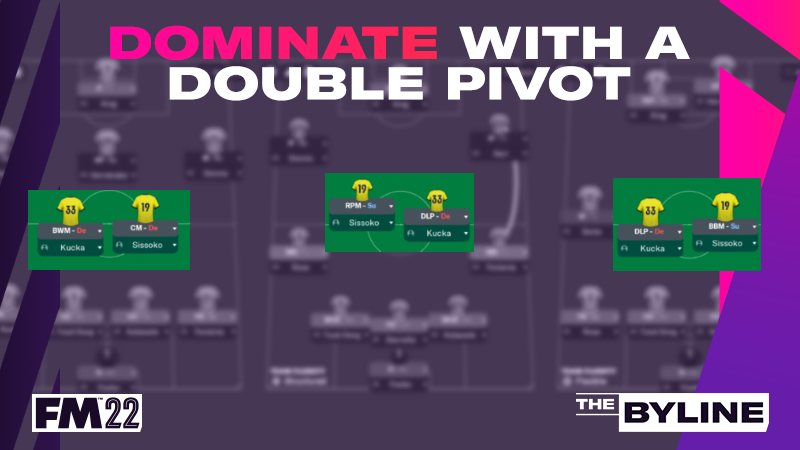
Choosing The Right Roles When Using A Double Pivot In FM22
There's arguably no position more important in football than central midfield. It's extremely tough to win matches without controlling the middle of the pitch; therefore, it's imperative that your midfielders perform the correct duties to suit your tactic and dominate the opposition.
A common way to do that is with the 'double pivot', a term used to describe two central players who sit at the base of the midfield to offer protection for the defence. Choosing the right roles to use in your double pivot will depend on what you want them to achieve, but there are several ways to use them successfully.
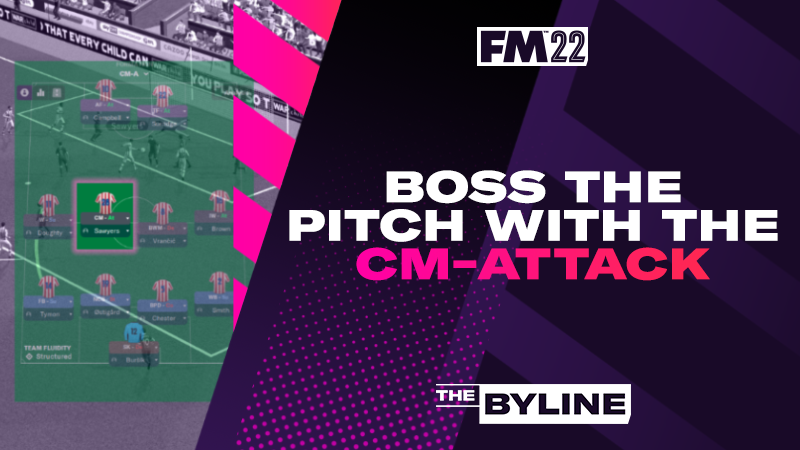
Building Around A Position: Using The CM (Attack) In FM22
The Central Midfielder (Attack) has been getting a lot of love from our community this year and that’s no surprise. It’s an industrious, versatile midfield role that adds another strong goalscoring threat to your starting lineup.
Get 20% Off Football Manager 2022 Across All Platforms
Earn the plaudits this transfer window by picking up Football Manager 2022, now 20% off across all platforms.
The sale period runs until 6pm GMT on Thursday, February 3rd, although timings vary by territory and platform (see table below for full details).
Put your recruitment skills to the test and complete transfer deals for global superstars and wonderkids that’ll make your club world-beaters this season.
*This is the end time for the European region. The sale in the Americas region ends at 07:59am GMT on 04/02/2021. The sale in Korea and Hong Kong ends at 3:59pm GMT on 03/02/2021.
Tips to Rule Transfer Deadline Day
When Football Manager’s "In The Studio" feature showcase was released, something ‘Mr Transfer Deadline Day’ himself, Fabrizio Romano, said was quite striking: "Sometimes players are untouchable in June and on Deadline Day they're available on loan".
Until now, common Football Manager wisdom said that you do your business early. Sign pre-contracts in January, make some smart deals that look like bargains in June and watch the world go crazy as the window draws to a close. That’s all changed now though, with Football Manager 2022's new Deadline Day feature opening up new possibilities.