

Force of Nature 2: Ghost Keeper
Development Blog
https://www.fon-game.com/
Introducing Force of Nature 2: Prologue & Updated Soundtracks!
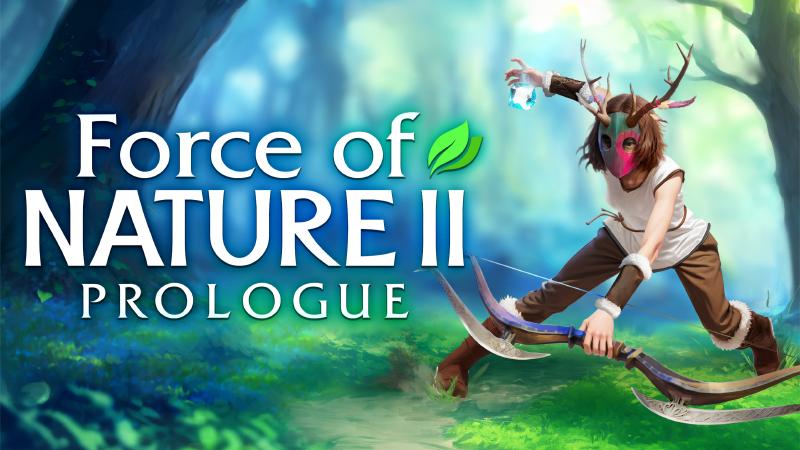
We've got not one, but TWO exciting news to share today! 🎉
First off, we're thrilled to introduce Force of Nature 2: Prologue! It's the perfect opportunity for all you eager adventurers to dip your toes into the captivating world of our game before diving headfirst into the main experience. Whether you're a seasoned veteran or new to the franchise, this is your chance to get a tantalizing taste of what lies ahead.
What can you expect from the Prologue?
In Force of Nature 2: Prologue, you'll get to explore a mesmerizing world filled with mystery and wonder. Explore the first world of the main game and experience the game's mechanics firsthand. Uncover its secrets as you gather resources, construct impressive homes and structures, cultivate bountiful farms, forge powerful weapons and armor, tame and care for animals, and unravel the enigmatic Force of Nature stone. And that's just the tip of the iceberg!
Updated Soundtracks
But that's not all! We've also given the game's soundtracks a glorious upgrade. Over 20 tracks have been revisited and improved, ensuring that your journey through the world of Force of Nature 2 is accompanied by the perfect harmony of music.
https://store.steampowered.com/app/1316230/Force_of_Nature_2_Ghost_Keeper/
Christmas update
To help you get even more in a festive mood, we have added Christmas decorations to the game and added a small quest where you can earn yourself a unique and rare gift: a potion to redistribute your skill points. So be sure to use it wisely!
We're also happy to announce the release of even more related content: soundtracks and a digital artbook, where we've collected a variety of sketches, photos and more! All which are used in the game.
https://store.steampowered.com/app/2247910/Force_of_Nature_2__Collectors_Pack/
We certainly hope you enjoy this exciting new content to the fullest!
Happy Holidays everyone!
Halloween Update for Force of Nature 2: Ghost Keeper
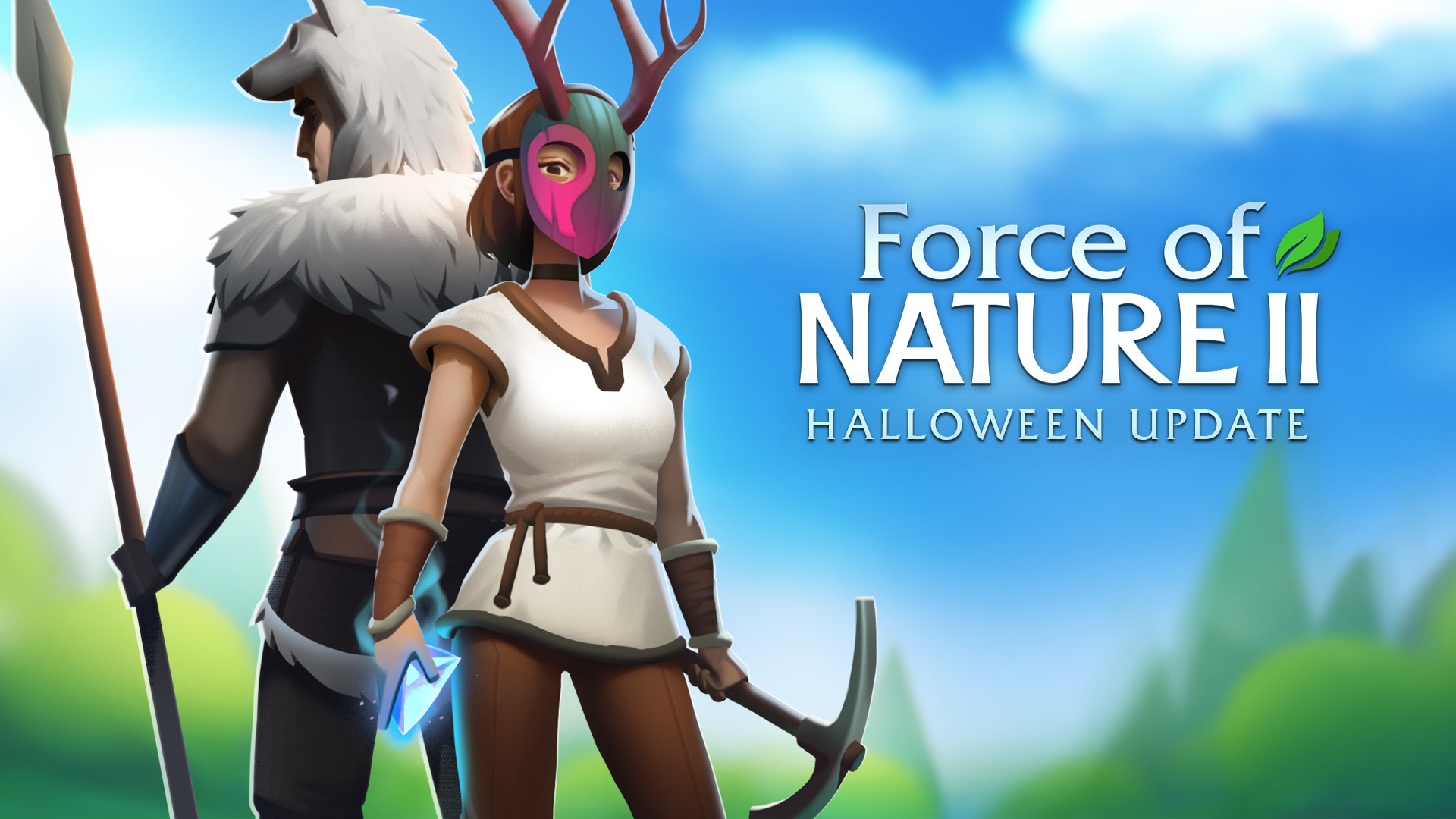
Join us for the ultimate Halloween in-game event on October 25, 2022 for Steam Scream Fest with plenty of spirits, spooky decor, sweet treats, and more!
New Quest
Partake in a special holiday quest featuring ghosts! You must go through a number of ghosts to “kill” them and, when you’ve killed a certain amount, you will receive an exclusive pumpkin helmet as a spooky reward!
New Seasonal Decor
Looking to add some ghoulish glamour to your home? We have some spooktacular Halloween decorations you can use that include:
- A ghostly scarecrow
- Bush that looks like a witch
- Halloween style environmental objects
New Interactive Items
We’ve also included a few gourd-themed interactive items such as:
- Pumpkins for players to throw
- Pumpkin juice
- Pumpkin pie
We hope that this in-game event, decorations, and interactive items help you to ring in Halloween!
INTRODUCING FORCE OF NATURE 2 - CO-OP
It has been quite a while since the last update has launched, but today that changes! A lot of things have happened around the world that forced millions of people to make adjustments to their plans, including our team. The process of working on updates - multiplayer included - was therefore indefinitely suspended.
INTRODUCING FORCE OF NATURE 2 - CO-OP
We have now been able to pull ourselves together and are finally able to provide the highly awaited updates we have promised we would deliver. I am very glad that the network mode in Force of Nature 2 is cooperative as of today, because this will allow people to connect from all over the world, communicate and play together to achieve common goals. Find each other and unite! Ultimately, cooperative games bring us closer and make the world a friendlier place.
Update/patch notes:
* Added a cooperative multiplayer mode. Similar to the first game (Force of Nature), the way you start an online session is by inviting friends through Steam. The game supports up to 4 players. You can either create new worlds to play on with your friends or play on existing ones.
* Added 2 new playable characters. You can now choose one of 4 heroes.
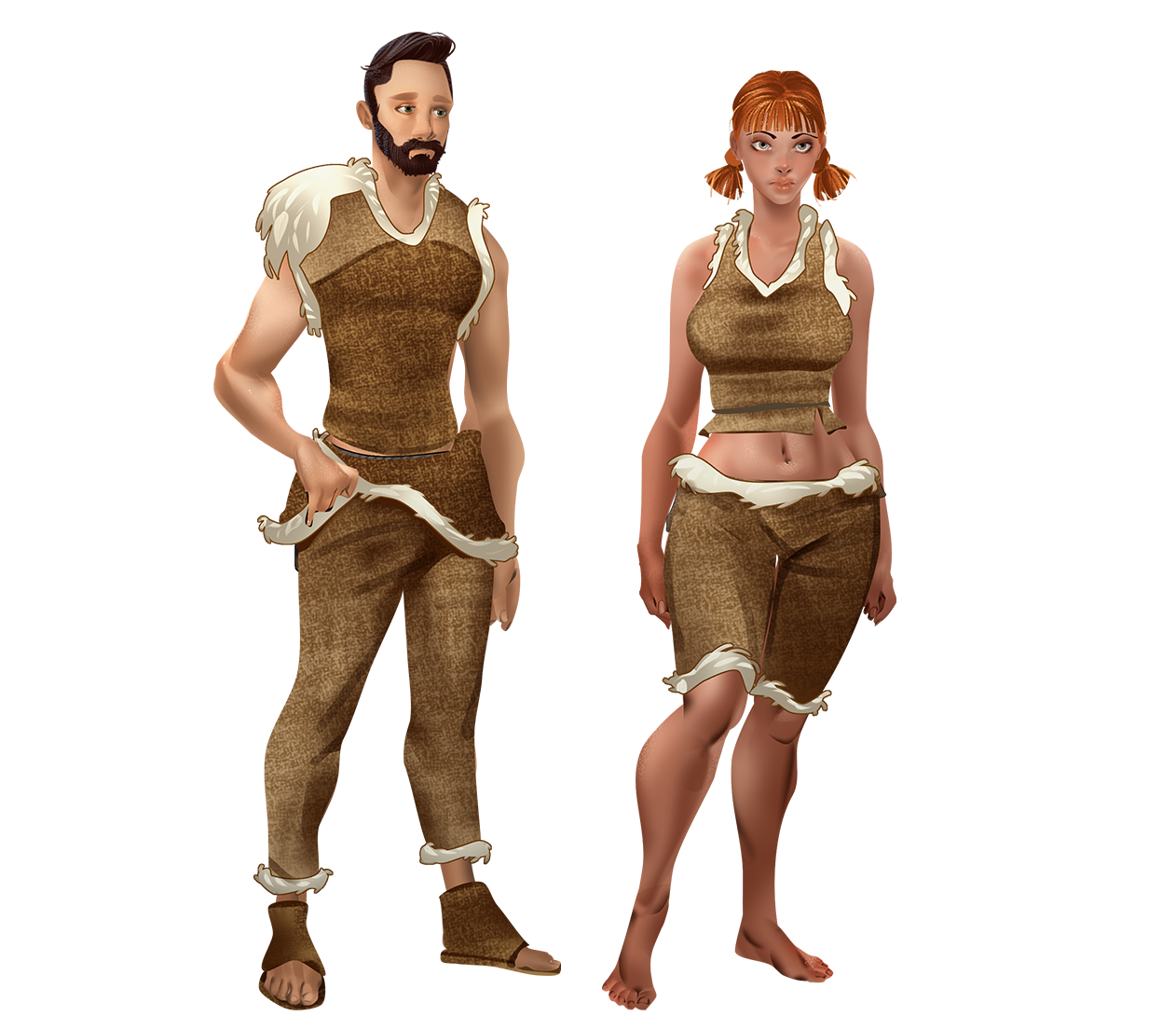
* The previous two heroes have been given a graphic overhaul.

While working on multiplayer, we also worked on creating new content:
* Added iron and copper mines. They can be placed in the Canyon and are used to mine metals.


* Unique storage for the following resources: stones, logs, and sticks. These storages can only house one specific resource; they are quite simple to create and visually display the current amount stockpiled.


* Stone gargoyle. Acts as a second level of the scarecrow.

* New wooden and stone floors. You now have 4 wooden and stone floors to choose from to add variety to your home.


* A set of hedge decorations - hedges, arches, fences, and animal figures. You know what they say, “the grass is always greener on the other side” but not this time! Now, you can make your own place as green and aesthetically pleasing as you want.


* BBQ, Clock, and Fountain.


* Added sunflowers as well as pink, yellow, and cyan roses for the decorative seedbeds.


I hope you will enjoy this new content along with your friends
https://store.steampowered.com/app/1316230/Force_of_Nature_2_Ghost_Keeper/
Dev Blog
The difficulty here was in a wide variety of closely intertwined mechanics. Synchronization of all these processes had to be done very carefully so as not to break anything. There were significant changes of code and - in order to make sure everything works correctly - I gradually uploaded these changes to Steam (I combined such changes of the mechanic with small updates and with new decorations). Because these changes can potentially break the game, I always try to update in the morning and regularly check the mail/Discord/forum in Steam during the day to see if there are bug reports. On several occasions, there were some bugs indeed, but they were quickly detected and fixed.
Constructions
As I wrote earlier, for multiplayer I had to make virtual images of all locations in order to be able to synchronize environmental objects between players if the players are in different locations. But I didn't have to do this for buildings, because such a scheme has already been implemented for them. Even in singleplayer, ghosts can work with some constructions while the player is traveling around the world, so I needed these buildings to be in memory all the time.
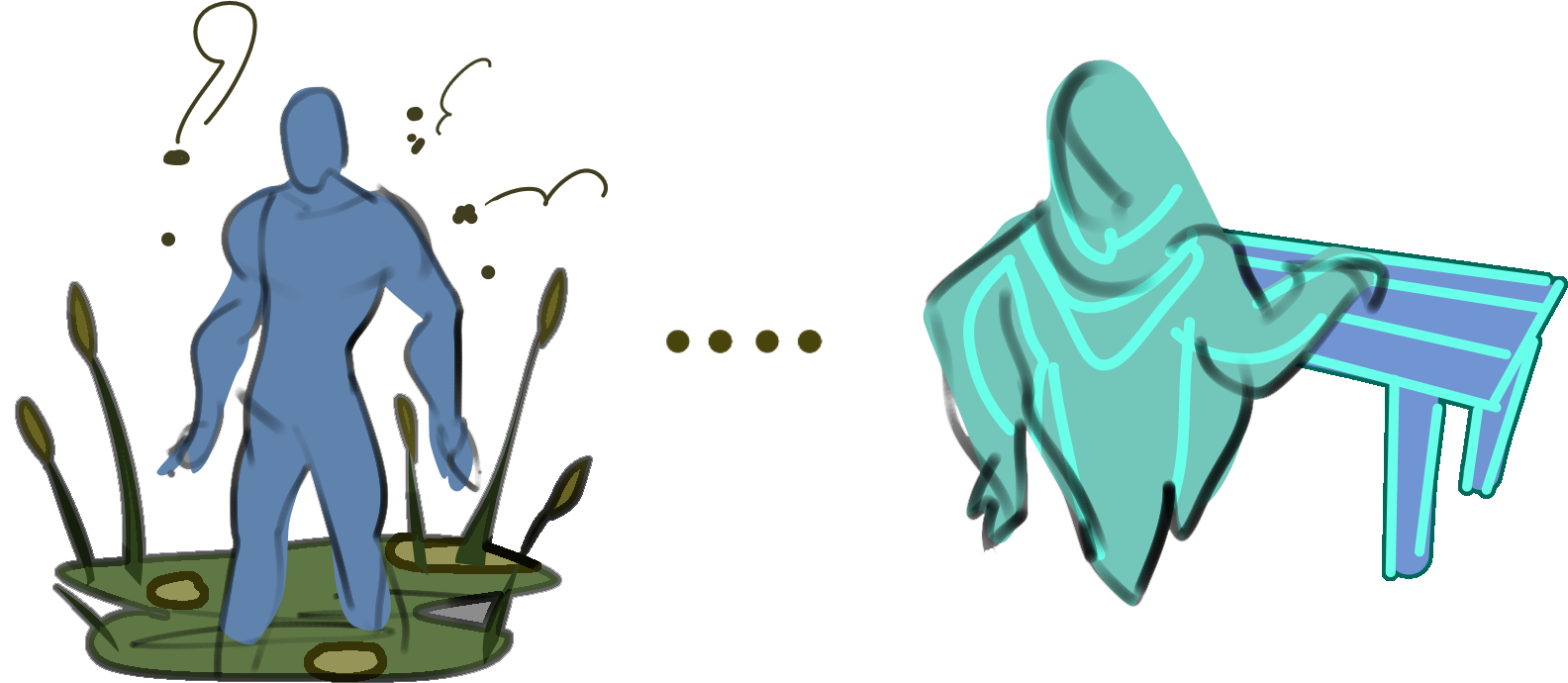
Therefore, data on everything built by the player (i.e. position, state, items inside, etc.) is constantly stored in the computer's memory within virtual copies of all constructions. This data storage architecture turned out to be very useful when implementing multiplayer. Because the image of each building is already in memory (even if the location itself with this construction is not loaded now), and each construction has an unique ID, this greatly facilitates synchronization; everything works exactly the same way as with the objects of the environment (bushes, stones, and items on the ground). The only difference is that, instead of virtual worlds made specifically for synchronizing environmental objects, I use virtual worlds made for ghosts. Therefore, the opening/closing of windows and doors, changing the mannequin's poses, and the inscriptions on signs and portals were all implemented quite quickly.
Chests and other storage units caused far more trouble. I had to significantly refine the system of resolving collisions between players' actions to avoid, for example, such situations: several players simultaneously click on an apple in the chest and it goes into everyone's inventory. Now, this system can also resolve conflicts of territories. For example, if two players want to build a construct on the same piece of land at the same time.
Crafting and building
All crafting takes place on the server computer. Clients process only their own manual crafting. Everything that happens on the tables, building of new constructions, growth of plants on seedbeds, etc. is processed by the server. I had to completely redo the way of measuring time intervals for crafting. In singleplayer, when we teleport between worlds, the whole game is paused; time stops and all crafting freezes. In multiplayer, this behavior is unacceptable because if the server player teleports to another world and is currently loading another location, other players should still see that crafting on the table continues. There was also a lot of work with resolution of conflicts. Conflict resolution was especially difficult when using tables with built-in storages and when planting on seedbeds with the use of fertilizers that lie in a fertilizer storage. The difficulty here is that one player can start crafting from items that are on the table and, at this moment, another player can take some resources from this table into their own inventory. Additionally, if one player plants flora with fertilizers then the other player takes these fertilizers from the storage. These tasks are not very difficult, but I had to think a lot on taking these possible scenarios into account.

These two videos demonstrate the synchronization of using constructions, crafting, and building:
[previewyoutube="_2ptBNkeiEc;full"]
[previewyoutube="1oLOUAL1XIY;full"]
Feeding animals and controlling ghosts
Synchronization of feeding animals was even more difficult, especially automatic feeding when the animal itself eats from the trough. In addition to resolving all possible conflicts with the animal itself and the trough's inventory, I had to take into account the ability of the animal to reach the trough. Troughs are designed in such a way that if animals don't have direct access to them, they will not be able to take food from there. And again, this becomes a problem if the server player is in another location. In singleplayer this was not a problem; the availability of the trough could not change while the player was in another location. Therefore, when the player changed the location, each animal simply remembered the list of troughs to which it has access. In multiplayer, availability can change. While the server is fighting monsters somewhere in the swamps, the client can open some gates and make the trough available. All such moments require additional synchronization.
Ghosts had the apotheosis of various mechanics interweaving; their synchronization was the most difficult moment in the whole game. Ghosts are characters, so their animations and position need to be synchronized. They also participate in crafting, they can be controlled, you can talk to them, they have their own settings (priority of work), they can interact with the story and progress, have scenario items in the pouch, etc. Ghosts are the only characters in the game, besides the main character, who can move around locations. Individually, these tasks would not be difficult, but here they all occur in one character. Therefore, when synchronizing each individual ability of the ghost, I had to keep all of their other abilities in mind so that everything worked smoothly. All of this took about two weeks and a lot of my nerves.
Now, the good news. The list of tasks I gave earlier has already been fully implemented. The last thing added to it was the synchronization of monsters, bosses, scenario events, and the magic sphere. There is still one point I forgot to include in the list initially: synchronization of the minimap. In addition, I'm going to record a new trailer that demonstrates multiplayer capabilities. The game will need to be thoroughly tested and perhaps its balance will be slightly changed for several players.
Happy Valentine’s Day!
We want to wish you a happy Valentine’s Day and therefore we would like to give you a magnificent bouquet of flowers! We have added a decorative flower bed, in which you can grow roses.
Whether it is a significant other, a family member or a close friend - appreciate what you have in each other on this special day.
I am also delighted to inform you that you will soon be able to play the game together!
Much love, from The Force of Nature team
Dev Blog
Synchronization of audio and video effects
Let's start with the attacks. The concept of an "attack" in the game is quite complex. Each attack has a lot of parameters - preferred target (what we click on), host of the attack, damage (physical / magical / poison), weapon material, effects (poisoning, slowing, burning, pushing, stunning, etc.). If it's an arrow, then we have to factor in its appearance and flight path; same with a boomerang or fireball. All of these effects do not have a save/load code, because they are not saved when you exit the game. Instead of creating code for writing/reading all possible effects (there are lots of them), I use a simple and logical step - I send only a link to the weapon as an inventory item.
I've already implemented the sending of inventory items. The attacks of each monster are also already implemented through weapon items (i.e. each monster does not just store the damage it deals, but a link to a full-fledged item which is the same as the sword or spear that our main hero uses). The only exceptions to separate weapons include swamp water, a volcano's vent in the bowels of the mountains, and cannons that guard the pirate boss. For multiplayer, I had to rewrite their code a bit and create a "weapon" for each of them to fix it.
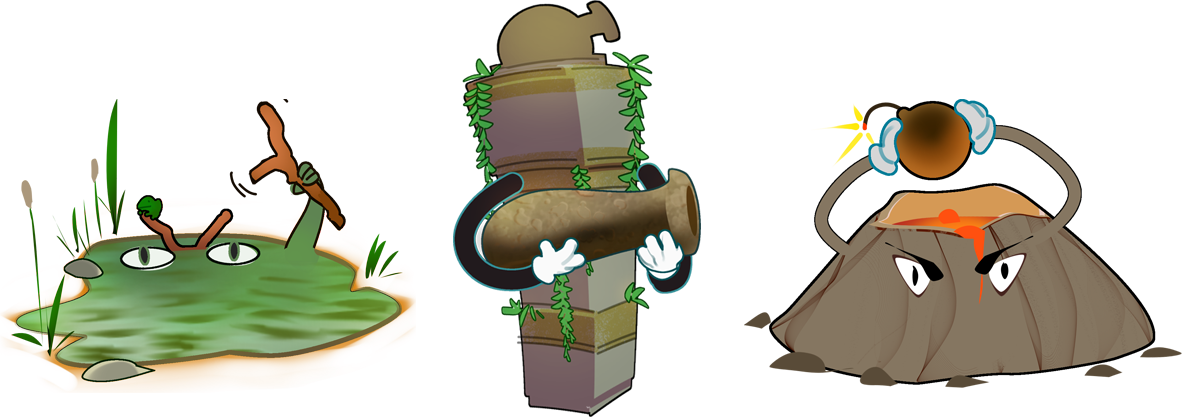
To synchronize the flight of an arrow, stone, needle, dart, fireball, etc., I don't transmit the position of these items for every frame. I calculate the parameters of the equation of the parabola along which these items will fly, and transmit only these parameters. Other players, having received them, can easily launch the ammunition along the same trajectory. However, the other players’ client doesn't try to determine the collision of the item with anything. It simply moves the arrow along the parabola until it receives a signal from the first player that the movement should be stopped and the item itself removed. The boomerang is synchronized in a similar way, but the trajectory there, of course, is more complex and the number of parameters is greater.
Synchronizing sounds, sparks, explosions, and other one-time effects is the easiest. You just need to tell other players at which point to play certain effects. To be able to transmit a link to the effect, I made a script that automatically scans all game files, gives each file a unique number and places these numbers into the dictionary, which allows it to quickly identify each file by its code.
Synchronization of effects and sounds was one of the most pleasant tasks - there were no difficult moments, and the result was very noticeable! We can already see how other players are running around the map, interacting with the environment, cutting down trees, shooting arrows, using magic, etc. At this stage, I posted the second demo video. You have already seen it, but I will duplicate it here:
[previewyoutube="AS0AH9JPu84;full"]
Jumping between locations
The world in the game is divided into several locations. Moving players around these locations is not a problem. Going to another location, the player simply sends a signal to the server, the server redirects it to the other clients, after which they hide the corresponding character. The difficulty lies in the fact that locations are randomly generated when entering for the first time. If one of the clients goes to a location where no one has ever been before, that location must be created. This is what happens in a single-player game.
So what's the problem? In programming, it’s called RAM fragmentation. When the program works, it often allocates some pieces of memory, then releases, then allocates again, and so on. Then, over time, RAM becomes like a colander - small pieces of allocated and currently used memory are distributed throughout all available space. When we need to allocate memory for a new and very large chunk, the system understands that this chunk cannot be taken and the program crashes with the error "not enough memory." Although, there would be enough free memory in total for this piece.

This problem exists only in 32-bit operating systems. For 64-bit systems, the address space is so large that we will not be able to fill it with garbage. In the first part of the game, I encountered this problem because - in the early stages of development - I did not think about memory fragmentation. To generate a world, you need to allocate several fairly large chunks of RAM for the geometry of the level, its textures, grass, etc. If a player played for a long time in a ready-made game, then exited the menu and tried to start a new game, there is a high probability that the game would crash. To avoid this, I had to do a trick that - when trying to start a new game - the game asks the player to restart the application. As a result, RAM for the application was renewed and the game had a large chunk of memory without garbage.
In the second part of the game (as I mentioned above), each location is generated when you first enter it, so I needed to protect myself from the fragmentation problem. To do this, when I start the game I immediately allocate several large memory buffers for future map generation and then use these buffers, if necessary. To prevent these pieces of memory from being idle during the main game, the game uses them to store some information about the currently loaded level - height map, textures, and grass. Subsequently, it turned out that there was no sense in supporting 32-bit systems anyway and, as there is no problem for 64-bit systems, this approach turned out to be unnecessary.
In the online game, it became a significant problem. If the client goes to a new location, then the server needs to generate this location, meaning it needs to free up memory buffers for this. But it uses them for the location that was currently loaded. Therefore, I had to significantly redo the memory management.
That's it, see you in the next post!
Happy Lunar New Year!

Hello everyone,
The Steam Lunar Sale is right around the corner and the Spring Festival starts shortly after. If you still haven't tried the game, you will have a great opportunity to get the game with a 20% discount! In a couple of months, I am planning to release an amazing and long awaited update that will add multiplayer to the game. This can be a great opportunity to bring your friends on board.
In addition to the upcoming sale, I have some other great news! I worked closely with our friends from Mulbity Localization Group and we are happy to announce that the game will now support the Simplified Chinese language! With the upcoming multiplayer, I hope that we can bring a lot of people into our community. Having additional languages will help to open horizons to other people looking to try out the game, so let’s welcome them with open arms.
Thank you everyone for all of your support and feedback. If you enjoy the game, please make sure to leave us an honest review.
I wish everyone a happy holiday season!
Dev Blog
https://www.fon-game.com/force-of-nature-2/
In the past, I’ve described the process of launching the game in Co-op mode and improving the synchronization of players' positioning and animations. Read on to learn more.
Interaction with the environment
I decided to synchronize environmental objects (i.e. trees, bushes, items lying on the ground, plants that can be gathered, and so on). In general, the synchronization of these objects occurs according to the same scheme:
- Firstly, we define the entire set of events that can occur with the object. For example, for an item on the ground, this is picking it up and dropping out, for a tree - dealing damage to it and cutting it down, for a plant - gathering it.
- For each event, it's necessary to create a data packet which includes the indication of the object and the operation on it.
- Send this packet to all other players.
- When receiving a packet, resolve an object, an operation, and perform this operation with the object.

What happens next? An apple is added to player A's inventory and information is sent to the server (this was already mentioned in the previous post). However, the apple must be removed from the ground so that no one else can pick it up. Therefore, player A forms a data packet, places the apple in it, and writes the operation "update quantity" (equal to zero). Player B, having received this packet, will understand that the apple just needs to be removed, and will do it. Everything is quite simple, but this scheme does have its difficulties.
Regarding simplicity, there are not many objects in the environment and include a tree (in the game a bush is also considered a tree), a stone, a plant, an item, and a decoration (which includes barrels, boxes, fences in the first location, and so on). There are not many actions that can be done with these simple objects.
The second item listed above has one difficulty - you need to be able to point other players to a certain object (a particular tree or a specific bush of wheat). The need to point to specific objects will be useful later in synchronizing other game elements like effects, attacks, and animals. This means that we require a universal mechanism and so, each object or other element in the game must have a unique ID.
During the initial map loading, the server assigns these identifiers to all objects and - when the client connects and requests a map save - the server sends these IDs along with other data. Clients should also be able to assign IDs to new objects and the events they generate themselves. At the same time, IDs must not be duplicated, otherwise there will be confusion. To generate unique, unrepeatable identifiers, there is a ready-made, simple, and secure solution - GUID (Globally Unique Identifier)
https://en.wikipedia.org/wiki/Universally_unique_identifier
With just one line of code I can generate such identifiers, but their size is 16 bytes. Since the links to the objects will have to be sent constantly, I decided to go a more complicated route by using unsigned integers of 8 bytes as identifiers. Session number is always stored in the first 4 bytes, and the ID itself is stored in the remaining 4 bytes. Every time someone connects to the game, the server gives them a session number which will increase by one each time. Even if the same client connects to the game, exits, and connects again, they will receive a different session number. 4 bytes for identifiers within one session is enough even if you generate events and items 100 times every second continuously for a year.
In order to send a data packet to other clients (point three of the list), each such packet is sent to the server where it is copied and sent to all other clients. I wrote about the ways of sending packets in my previous post. Afterwards, one of the Factorio developers wrote to me. If you’re reading this, hey! And hello to all other developers who have been brought to my blog!

So, he told me that the network communication schemes I wrote about are called Star (when all messages pass through the servers) and Mesh (when each client sends messages directly to other clients). Based on experience, he also advised me to use the Star model instead of Mesh. Additionally, he told me about some of the subtleties of the Internet and the specifics of sending messages via Steam API. Thank you very much, kind man! Now, what was I talking about? Oh yes! The Star scheme is used to send the package to all clients for environment packets.
There are no difficulties in receiving the packet, resolving the object by ID, determining the operation, and performing this operation. However, there is another significant point, which (I think) is a big problem for almost all online games: What happens if two players simultaneously click on an apple to pick it up?

If you leave everything as it is, the apple will slide into the inventory of both players, leading to a simultaneous message sent to the server that the apple should be hidden. The apple will be removed, but a total of 2 apples will be added to the players' collective inventory. To resolve such conflicts, we have to make an object locking system. Before picking up an apple, each player sends a request to the server to allow the operation with the object. The server sends a positive response, while noting that the apple is currently in use. If someone else asks the server for permission to do something with this apple, the server will deny them. After the player (the one who had received initial permission to work with the apple) picks it up, they immediately send a message to the server that the work with the apple is finished.
After all this was implemented, players could already see the interactions of other players with the environment. At this stage, I posted the first video demonstrating these capabilities. I will post it again since it corresponds well to what I’ve described. Keep in mind that it is an old video which you may have already seen.
[previewyoutube="QEDONkcxgaQ;full"]
Now let's check the task list:
- Lobby - Done!
- Starting the game and setting up the connection - Done!
- Auxiliary tools - Done!
- Synchronization of heroes - Done!
- Interaction with the environment - Done!
- Synchronization of audio and video effects - Done!
- Jumping between worlds - Done!
- Synchronization of constructions - Done!
- Synchronization of crafting and building - Done!
- Synchronization of monsters - Half done
- Synchronization of quests and scenario events - Not ready
- Testing and balancing - Not ready
Since I first wrote this list, I realized that there are 2 more tasks that should be implemented - synchronization of the minimap and the weather. However, these are not very large tasks and, in total, will take no more than a week. All together, it should take about a month of work. However, for greater reliability, I’m estimating it will take around 2 months. In total, the expected release date of the multiplayer at the moment is mid-March.