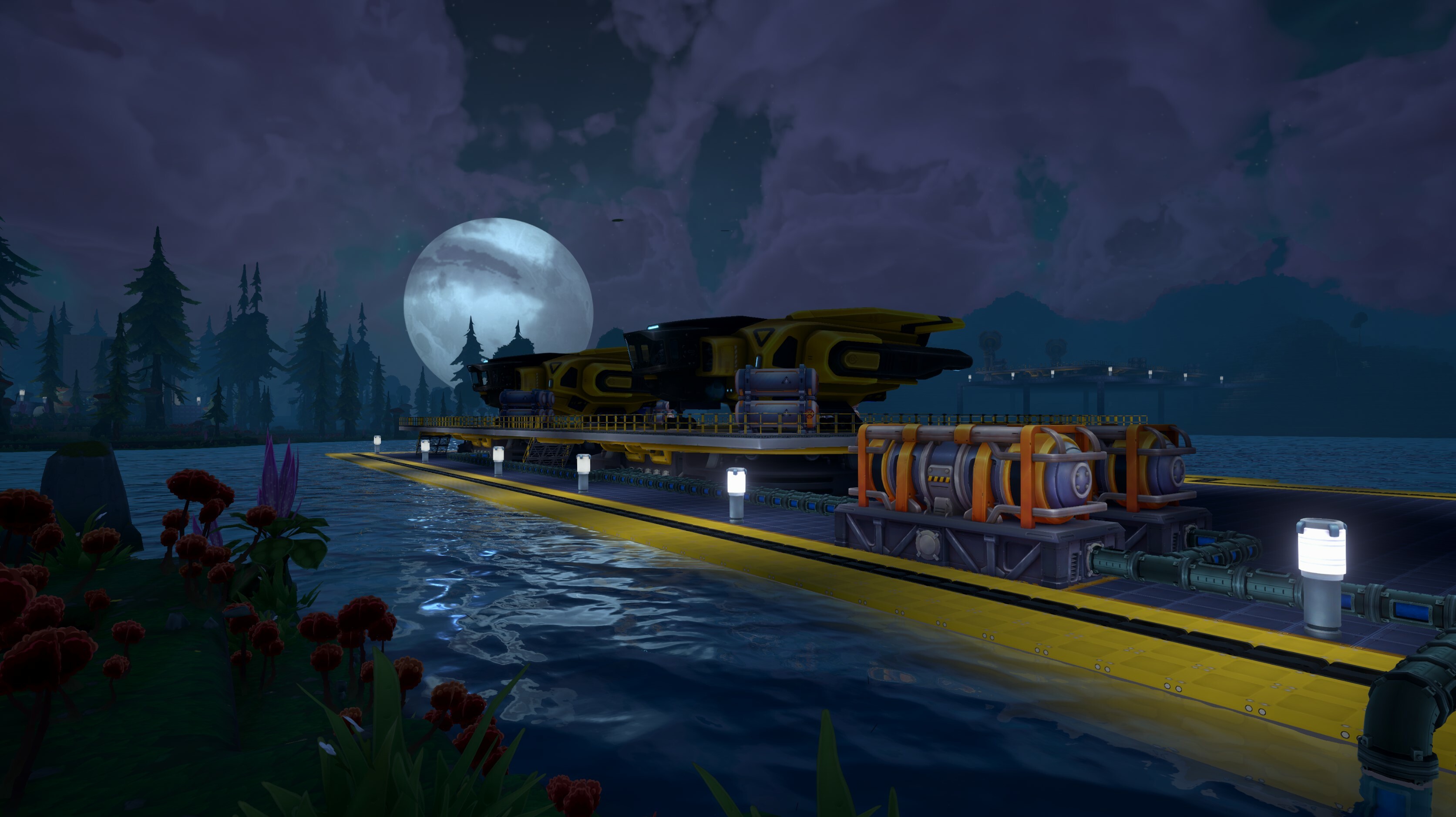
The time has come: Update 1 “Cable & Creations” is finally here! Upgrade your advanced processes and gain unprecedented control over your factory operations with the new Data Cables, or expand your creative horizons while delving into Steam Workshop with the addition of mod support. Endless possibilities will be there waiting to be explored!
Watch the Update overview video on our YouTube channel!
Patch Notes:
Changes:
New data cable system that allows you to remote control machines and build advanced logic. Consists of five new building types: Data Cable, Data Processor, Data Evaluator, Data Sources, Data Memory
New world gen settings: Configure Frequency & Richness for every resource type (ore patches, ore veins & reservoirs)
New Decor Pieces
2 new 3x3x1 wall decor
Plain wall blocks (solid color, no texture)
Outside and inside corner (tall, upright orientation) for 1x2 slopes
New 1x2 slope stairs
Stairs now tintable
New 1x2 slope railing
Railings are now tintable
1x2 slope modular windows
1x2 slope wedge modular windows for vertical/horizontal walls
Modular window edge pieces (round and sharp edge)
Modular 1x1 strut support blocks with 1x1 and 1x2 slopes (tintable)
New portable light (works without LVG or HVG)
New smaller size pole light
New large 3x3x3 industrial ceiling light
New tier 2/3 escalators.
New power pole art
New liquid cargo ships.
Added Steam workshop support.
Added new mod management menu.
Critters now spawn in the world.
You can now press E to zoom in on screen panels.
New door art.
Doors are now tintable.
Jetpack bob is now also disabled in demolition mode.
Max field of view is now 140.
Improved framerate when rendering batteries.
Improved framerate when rendering solar panels.
Drill sound no longer comes out of just one ear.
Add warning if currently configured mods do not match the save file/server you are joining.
Cargo ship pilots now animate.
Added server browser.
Increased saturation of Xenoferrite texture to further differentiate it from Ignium.
Rebalanced fuel:
Liquid Fuel 100 -> 500
Ignium Fuel Rod 100,000 -> 400,000
Coked Ignium 4000 -> 5500
Ignium Ore 10,000 -> 12,500
Portable Fuel 15,000 -> 16,000
Rebalanced fracking (Liters/Minute):
Ignium Vein 5 -> 150
Mineral Rock Vein 5 -> 150
Technum Vein 5 -> 150
Telluxite Vein 5 -> 150
Xenoferrite Vein 5 -> 150
Fixes:
Fixed an issue where if you ran a dedicated server and a regular game on the same pc, clicking resume in the launcher could cause you to resume the incorrect game.
Fixed issue where tooltip on sky platform frame would not disappear when closing the frame.
Fixed an issue that could occur on connect if the transfer rate of the dedicated server exceeds the transfer rate of the client.
Fixed an issue where the conveyor balancer might not work correctly after loading a save file.
Fixed rendering of drill/tablet/laser in different fields of view.
Fixed an issue where screen panels could incorrectly prevent interaction with objects that were near them but not directly behind them.
Fixed an issue where the cardinal directions on the compass were not being properly localized.
Fixed an error where the snap mode didn't snap properly for building/terrain blocks at negative coords.
Fixed gears not updating on the deluxe office table.
Fixed an issue where loaders could rarely stop working when using certain recipes.
Cargo ship pad screen panels now display the station names case-sensitive.
Modding:
You can finally add mods to your game and
Added Steam workshop support.
Added Foundry Mod Kit which is a unity project which lets you import your own prefabs/models/textures/materials.
In today's FOUNDRY Friday I am going to shed light on one of the core features of our upcoming update, the data cable system.
In case you’ve missed it: Update 1, Cables & Creations, launches on the 13th of August and you can find an overview here, or watch the new Update First Look Dev Stream on our YouTube channel.
What is the Data Cable System?
First I want to broadly summarize what data cables are and what you can do with them. Generally speaking, the data system can be used to programmatically interfere with many different machines. Think of data cables like Ethernet. They allow you to read data from various machines (for example read the contents of a logistics container), and to process such data (arithmetic, logical and conditional operations), the results of which can be used to control machine behavior (for example to disable a machine based on a certain condition).
It is hard to speak of it in abstract terms, but it is a lot easier to understand when we’re looking at examples. Therefore the next section will cover how the system looks in terms of gameplay elements, so that you can get a better understanding, and then we are looking at a few examples.
Finally I want to mention that this is an advanced gameplay system that isn’t forced onto players. It is optional and not required to complete the game. For the more sophisticated players however there are opportunities to further improve your factories and make them behave the way you desire.
Gameplay Mechanics, Part One
The core of the system is a new item, the data cable. It is a one voxel sized object that represents a data cable, when built next to each other they automatically merge together and form a data network. Similar to the way pipes work, but you don’t need to manually select the shapes (like curves, T-crossings, …) to build the cable networks you want.
All supported buildings have a data cable connector (will be highlighted as soon as you have the data cable equipped), that in the same way automatically connects to any adjacent cable.
Once a machine is connected to a data network you can configure it on a special interface opened through the handheld tablet and let it behave the way you want it to, for example configure a battery to broadcast its charge percentage.
Data networks are made of signals, and a signal is made of two things, the signal type and the signal value. In FOUNDRY there is a signal type per game item and on top of that there are a bunch of custom signals representing letters, numbers and colors. Some of you might have seen similar systems and will immediately know what's up, but for the ones of you that are reading something like this for the first time: Stick with me, it’s less complicated than it sounds, I promise!
Example: Disable a loader or belt depending on item count in a container
Once a logistics container is connected to a data cable network it will automatically broadcast all its content. Let’s assume it contains 200 Biomass, that means it will broadcast a signal of the type “Biomass” with a value of 200.
If the same data network is connected to a conveyor belt or loader, we can set the “enable based on condition” setting and tell the machine to only operate if a certain condition is true. An example would be to configure that the machine only operates if there are more than 100 Biomass items in the logistics container.
Example: Turn off lights based on time of day
Solar panels can broadcast the sun angle in degrees (0-359), this then can be used to configure lights so that they are only enabled during certain times of the day. Conserves power and might look better!
Note: Because of their size not all lights have a data cable connection, however transformers can also be disabled should you have your lights on an isolated building wall or ceiling.
Example: Generators that only run when your batteries are low
Batteries can broadcast their charge rate in percentage (0-100), this can be used to tell back-up generators to power up so that your factory doesn’t run out of power.
Stretch–goal: If you keep the condition simple (charge rate below 20%) the generators would most likely circle rather rapidly between an on and off state as they would raise the charge rate above the threshold and then after they shut down it would quickly fall below the threshold again. However, through advanced logic you could set it up so that those generators should start as soon as the charge rate falls below 20% and only stop once the charge rate is back up above 80%.
Example: Make a light switch
We have custom data system interaction objects, like buttons, levers or static data sources. Use a lever to make your own light switch, all you need to do is link the lever to the lights you want to remote control and configure the signals accordingly. In that case that means you pick a signal your lever should broadcast and tell the lights to listen to it.
This signal-type based logic allows you to connect multiple lights to the same data network and potentially use different levers with different signals to control different lights without the need of having multiple data networks.
Data System Buildings & Data Manipulation
Together with the data cables this update will also bring a few related machines that can be used to further interact with the data system.
Data Processor The data processor allows arithmetic and logical operations on signals. It supports the basics like add, subtract, multiply and divide, but also more advanced operations like modulo or logical AND, OR and XOR.
It comes with an optionally configurable condition so that you can easily set up something like “subtract 10 if value is above 20”.
Data Evaluator Use this to check for various conditions, basically a “if-then”-behavior. Supports all regular comparison operators like equals, non-equal, smaller, smaller or equals, and so on.
Data Sources Data sources are objects that broadcast one or more configured signals. There is a static signal source that will constantly broadcast the signals, a lever-version that you can interact with in world space and a button that will only pulse the configured signals once.
Data Memory Cell The memory cell listens to a certain signal on an input network and will indefinitely store the last non-zero value, which can then be broadcast on the output network. It can listen to a reset signal which will reset the stored value as soon as the reset signal is present (not zero).
Gameplay Mechanics, Part Two
I know that many of you want to know the specifics and limitations of that system, so this paragraph is for our technically versed user base:
Data networks are updated 60 times a second, once per game tick.
On a network all signal types are constantly present with a default value of zero, which makes it hidden in the UI.
Signal values are whole numbers in the range of a 32 bit signed integer.
Signals values are additive, multiple machines broadcasting the same signal will have their values summed up.
Data manipulation buildings do not require power as the result of breaking data systems because of missing power would be too frustrating.
For certain buildings and operations there are advanced signal types like “Each” or “Any” that can be used to perform bulk-operations.
Yes, you can build those types of things...
More to come
This is the first iteration of the data system and there are more features planned, we have quite a few ideas for more data system buildings. A few examples would be screens that can display certain signal values, a way to create your own notification system (for example to receive a notification when an ore patch runs out of ore) or more creative use-cases like creating your own light shows.
We feel that the current update has a good feature-set to make this into a meaningful addition and we’re looking forward to hearing your feedback and to see what you will build with this system.
We are happy to announce that the new FOUNDRY update with a cool name "Cables & Creations" is coming next week, August 13th! Upgrade your advanced processes and gain unprecedented control over your factory operations with the new Data Cables, or expand your creative horizons while delving into Steam Workshop with the addition of mod support. Endless possibilities will be there waiting to be explored when Cables & Creations come together in this update.
Watch the devs showcase the content of the new update this Wednesday (August 7th) at 18:15PM CEST on our YouTube channel and Paradox Twitch!
While the full patch notes will be revealed upon release, here is the list of the highlights:
Data Cables
Revolutionize your production lines with Data Cables. Connect and transfer data between machines, build your own logic and streamline your production process by setting precise conditions for machine and logistic operations.
Mod Support
Customize your production lines in ways you couldn’t have imagined before with community-made content. The Steam Workshop offers a treasure trove of creativity to expand your factory.
World Generation Resources Settings
Customize your experience and adjust the quantity and richness of ore to suit your playstyle, ensuring that each new world you create is perfectly balanced for your needs.
Liquid Transport Ships
These vessels move essential materials and are specialized in transporting liquids and gases. This addition ensures that your factory's liquid resources are managed with the same efficiency as your solid items.
New Decorative Blocks
Add flair to your factory with new decorative blocks. Whether you're building for function or aesthetics, these new blocks help make your creations stand out.
Utility Buildings
Benefit from more lighting options and faster escalators to move around your factory quickly, improving navigation and management.
Better Screen Panel Accessibility
Easily read and interact with controls on your machine panels even in dense factory configurations or on small screens with the improved screen panel accessibility.
Quite a lot of stuff, right? If you want to know what else we are working on, check the roadmap video we released recently!
We revealed our Roadmap a while ago, but we never properly commented on the content of it — and now it's time to fix it! Watch the video on our YouTube during which the developers will talk about their plans for every specific feature and what is the reasoning behind each of them:
Don't forget to subscribe to our channel for more cool video content!
For this Foundry Friday I wanted to talk about the upcoming Steam Workshop support along with a some of the modding tools that we will be releasing in the next update. But before we get into the details, there's one 'mod' that we've made to the Foundry team that I'm extremely excited to share with you...
We are extremely proud and honored to have Erkle join the Foundry Team! For those of you who've been following the modding channel on discord, you'll already be aware of all the cool mods Erkle has been creating for the game such as the tweaks and blueprint systems. Given how familiar Erkle is with modding Foundry, teaming up just made sense. Now lets talk about some of the modding tools we're adding this update...
Steam Workshop Support
The first thing to mention is that we're adding Steam Workshop support to Foundry. This means you can now share/download all your favourite mods through the workshop. There's also now an in game mod menu where you can manage your mods:
Game Tweaks
The next thing to talk about is that we've(Erkle) integrated Erkle's game tweaking system directly into the Foundry. Some of you who've been following the modding channel on the discord have already been using this sytem to make tweaks of your own. For those of you who are unfamiliar with the tweak system, it lets you create/edit recipes, research, items, machines etc just by creating a few simple text files. Here is an example of a tweak that changes the machinery parts crafting recipe so that it now produces 4 items instead of 1: CraftingRecipe: _base_mic_i: output_data: - identifier: _base_mic_i amount: 4
Foundry Mod Kit(Early Access)/Foundry Asset Packs
The last thing two things I wanted to talk about are The Foundry Mod Kit and the Foundry Asset Packs. The Foundry Mod Kit is a Unity project which lets you bring in your own new assets such as new textures/models/materials into the game. The Foundry Asset Packs allow you to download Foundry game assets into the Mod Kit to use as a template which you can then change/replace/kit bash as you please.
Here's an example where I've downloaded the Assembler I Asset Pack into Unity:
And then with the help of our art director(Jason), we created a new Erkle themed assembler called the ErkleFab. The ErkleFab uses new materials/model/animations while still reusing the screen panels from the base game:
And here it is in game:
Here's another example I used to test the mod kit where I've taken a modular sci fi base building kit from the Unity Asset Store and turned it into a mod. You'll notice that the sci fi lights actually affect the voxel lighting system and the new sci fi doors have new models/materials while still using the existing door switches from the base game:
The SciFi base building kit, the ErkleFab along with many of Erkle's other mods such as the blueprint mod will be available on the Steam Workshop as part of this upcoming update.
A big thanks goes to Zirus, Jason and Erkle who've done a lot of work to put this whole system together! We're all very excited to see what kind of mods you guys create!
Thanks for listening! -Cheerio
Check out the roadmap to find out about other planned features!
Greetings Founders! I’m trying really hard to make that stick
We have been hard at work on the next update, tinkering away on systems, recipes and buildings - as well as a few surprises. But, I wanted to take some time to show how we have addressed a very common piece of usability feedback, the almighty screen panels.
The Problem
As you know, Foundry features a world space UI on many of our machines, adding a sense of immersion and context as you interact with these devices. It’s a great mechanism for allowing you fine grained control of a building, even as your factory grows in complexity. We have done a ton of work to make these world space interfaces performant and scale with your builds- but in many dense configurations (or when playing on small screens like the Steam Deck) it can be difficult to both read and interact with these panels. Even more common, is that a friendly loader blocks you from getting right up against the panel.
The Solution
It’s hard to take credit for this solution, because it was directly suggested numerous times in feedback reports and on the game's official discord. When looking at a screen panel you can now press interact (E) to open up a screen space representation of the UI. This UI is consistently placed in the center of your screen and does not block other screen space UI interactions, like moving around your inventory.
This new UI space panel has much larger, more readable, text. Your mouse opens at the center of the screen each time, and the UI is consistently placed/sized, which means configuration movements will be consistent between panels. And for those prone to it, you also have a locked camera rotation helping reduce nausea.
Right now we have the interaction set so you need to look at the panel to interact with it. We did this because a few buildings have multiple panels, but it may be possible to tweak the system so you can interact with the panel simply by targeting the larger building. We are still unsure if the context of having interacted directly with the panel is worth the loss in usability of being able to sloppily interact with the building. I’m really looking forward to hearing different thoughts on how this should be rolled out.
Quality Of Life
We have received tons of feedback on how to make the minute to minute experience of Foundry better, but we are always looking for more. What’s the one thing you wish we would fix/improve/rework in Foundry to have a better time? Let us know in the comments or on the official discord.
Cheers, -Mark
Check out the roadmap to find out about other planned features!
DevBlog #56 | Foundry Fridays: More Content Previews
Hello everyone!
For today’s FOUNDRY Friday we continue to look into some of the smaller things we’re working on. We are also working on larger features, but it’s too early to talk about them. However at the end of the post I’ll share a work in progress screenshot of a larger new system and it’s for you to guess what it could be.
New Colorizeable Doors
We have done a polishing pass on all three doors to make them look better. On top of that we have added color tool support so that they fit better together with the other decor pieces.
New Lights
We have added two new lights. One is a smaller light pole, it becomes available after completing the first “Lights” research.
The second light is a late game light, which does not require power because of its in-built fuel rod and energy cells. It’s more expensive, but it’s great for lighting places that have no power available.
Art: Escalators + Liquid Cargo Ship
In the past FOUNDRY Friday we have mentioned liquid cargo ships and faster escalators, and today we’re ready to share pictures of the finished models and textures.
What are we working on?
Here is a picture of a new system that is work in progress and I’m not going to further comment on it. Feel free to speculate about it until we will reveal it soon - maybe on the next FOUNDRY Friday.
This wraps up today's post. I'm looking forward to reading your guesses about the mystery screenshot above.
Until next time, - mrmcd
Check out the roadmap to find out about other planned features!
Two weeks ago I asked you about your thoughts regarding making robot production more prominent and adding deeper commerce features. We received a lot of feedback and I want to thank everyone who contributed. We’ll further refine the plan based on the feedback to ensure the best possible path forward. I’ll get back to you on that topic in the future, but for today it’s time to talk about a few other things we’re currently working on. We’ll start with one change that has already shipped two days ago, and the other things will become available in future updates - most likely with the first big content update.
Cargo Ship Changes
Last Wednesday we shipped - pun intended - an update that changes how cargo ships behave. Instead of them waiting at their start pad until the target pad becomes empty, they now take off immediately once their take-off condition is met and queue in the sky at the target pad. On top of that we increased the speed of the cargo ships by 25%. Given that cargo ship throughput was one of the most called out issues, we wanted to ship this change as soon as possible. We’ll now evaluate feedback and if necessary make further improvements to the system.
Cargo Ships for Liquids
I initially thought that pipelines are good enough (and realistic) for long distance liquid transportation, but due to heavy community requests we have decided to add tanker cargo ships that are able to transport liquids.
Ore Customization
For future game starts you’ll be able to modify settings about the ores. There will be options to adjust the richness of ores (the amount of items per ore patch/vein) and the frequency (how many ore patches/veins will be spawned in the world). This will allow you to adjust the game experience to your liking. Gradually we will expand this customization system with other settings (an example could be the amount of lakes or mountains), but for now we’re sticking to ores and reservoirs.
Better Escalators
Our current escalators are fun and they are useful to move a little bit faster while walking on them, but let’s be real about it, for fast travel they weren’t fully worth it compared to the jetpack and its speed upgrades. The intent was always to provide a tool to allow for locomotion infrastructure- and they need to move you at a useful speed for that to work. So we added two more tiers and made them fast, really fast. Looking forward to your reactions!
Balancing Improvements
Some of you sat down with the calculator and correctly pointed out that advanced energy items (like fuel rods) aren’t as valuable as they should be. Therefore we’ll make it a priority to improve item fuel values for the next bigger update. Besides that we continue to monitor other balancing values and may adjust numbers where needed.
FOV Improvements
We were surprised at how many players chose to play at high field of view. Playing on a high FOV introduced a few issues with the visuals of the handheld items. We have improved how those are rendered and they should look better in future. This also allows for an even higher maximum FOV setting.
Thank you for reading, those are just a few things about what's coming for the next update and we’ll expand the list on future FOUNDRY Friday posts. As you can see many of those things are based on feedback, therefore our whole team would love to hear all sorts of suggestions about what you’d like to see added to the game.
See you next time, - mrmcd
Check out the roadmap to find out about other planned features!