

FPV Freerider Recharged
Input system update
This will be most noticeable on Windows machines. Now you should no longer need to set up special endpoints for radios such as the FrSky Taranis etc.
You should now be able to simply use a standard default model setup on your radio (which is especially helpful on some radios which does not have a screen).
After updating you will probably need to go through the Calibrate Controller procedure in the simulator again. Sorry for this inconvenience. (It is inevitable since the internal workings of the input system is now completely different).
If you have previously needed to use a model with modified endpoints, it is now recommended to going back to using a standard default model setup. That will most likely give the best calibration.
Minor update
- Cleared up some new paths and areas in the forest map
- Minor fixes
Update - Expo Settings
- Ability to choose the amount of deadzone - large, medium, small, off (in the main menu)
Update - Level Editor
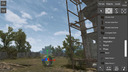
FPV Freerider Recharged now includes the full level editor, allowing you to create your own sceneries and tracks.
Other changes in the latest version include:
- Completely new Self-Leveling mode (Angle mode - set maximum tilt angle)
- Rates showing as degrees per second on the custom settings screen
- Adjusted the Preset rate values
- Yaw now also has expo
- Four expo curves in total (Expo1, 2, 3 and Linear)
- Square gimbals on the touchscreen controls (meaning full stick throw in all directions)
- Changes to the flight sound
- Hotkeys for flightmode: U,I,O (Self-Leveling/Acro/3D)
- Optimized the Factory level a bit
- Groundeffect simulation
(See the user manual page 7 and onward for some info on how to use the level editor).