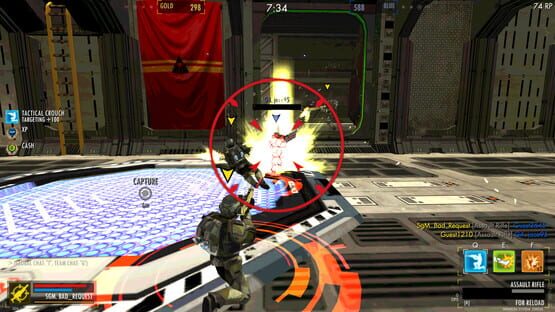

Freefall Tournament
Account Linking Tool is Available
Sorry for the delays we had some last-minute bugs to squash...
We believe this tool is solid, but if you encounter any problems please do let us know and we will dig into the database to sort it out!
Instructions are as follows (we'll pad these out with some screen-shots early next week):
How to link your Y8.com Freefall Tournament account so you can play that character with Steam.
1. Login to WebGL version of Freefall Tournament i.e Y8.com account
2. Select the Settings menu option
3. Press the "Account Transfer" button
4. Select the "Link to Steam" button
5. Enter the Profile name of your Steam account and press Confirm
6. Write down the secret code that is generated
7. Exit the Y8.com version of the game
8. Start your Steam version of the game
9. Press the "Account Transfer" button
10. Type in the secret code that you wrote down and press Confirm
11. Exit the Steam version of the game
12. Your account is now linked, when you play via Steam you will access the same character that you have on Y8.com
NOTES:
- Upgrades, Equipment and Skins on the Steam account will be lost by performing this link (you are linking an entirely different account to your Steam version of the game!) Be sure you really want to do this before hitting that final Confirm button!
- Any Experience, ZCash or Slugs you had in your Steam account are automatically added on to your linked character
External link to the same instructions with screen-shots
Ranked rooms and account linking tool update
These will allow you to play with players at a similar level to your own progress, which should make for more exciting battles with less drop-outs by casual guest accounts.
We are hoping this new feature will be enjoyed, and we welcome any and all feedback!
The eagerly awaited Account Linking Tool has been completed and will enter QA testing tomorrow. We are currently on track to launch it by the end of the week.
Players with WebGL accounts will be able to link them to Steam and play with their favourite old character. Any experience, z-cash, or Slugs gained or purchased on Steam will be added to the linked account, however equipment will not be copied across due to technical limitations with the database structure.
Mac release of Freefall Tournament
The server system will also provide a more reliable game service when one of the regional servers has problems. The game will now attempt to connect you even if the most local server is not available.
This may result in higher ping times than you would normally expect when you are rerouted to a more distant server because your local server is down.
We always attempt to repair any server problems within a few minutes of the problem occurring, so if you find the increased ping time is unacceptable - please wait a few minutes then try again to change region back to your local server.