We would like to apologize for the confusion regarding the usage of the DLC Starter Package after purchase.
Here are the steps on how to purchase and use the DLC packages:
1. Once you have purchased the DLC Package, log-in to the game.
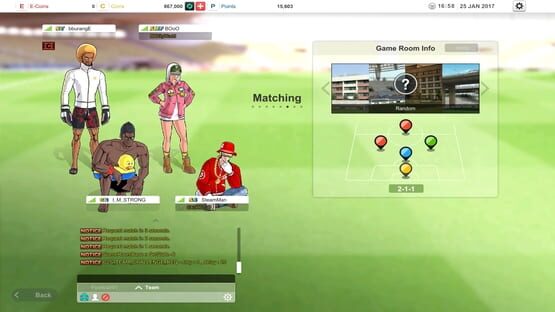
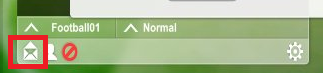
2. Check and receive the package items in the Game Mail Box located below the chat section.
3. Once you have received the package in your Mailbox under the Gift Received tab, Click on the package and select which character you wish to receive the DLC Package
4. Click on “Accept” the package will be marked as “Received”.
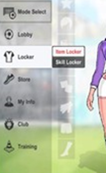
5. Go to your Locker and select the Item Locket tab.
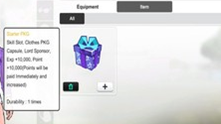
6. Open the Package by clicking the [+] button.
7. Once you have opened the package, you will receive the items contained it. You may able to use it by clicking the [+] button.
Enjoy your DLC Package!
Do not forget to check your item locker once you have received it from your Mailbox.
Thank you for your unending support!
No Control, Just Play'
-FreeStyle Football Team
[Complete] Temporary Server Maintenance February 24th, 2017
Greetings Footballers,
Servers are back online!
You may launch the game and enjoy playing FreeStyle Football!
We would like to inform you all that we will have a temporary maintenance
due to the 3rd day attendance reward on February 24th, 09:00~ 09:30 (UTC)
You will not be able to access the game during the maintenance.
=======================================================
■ Date : February 24th, 09:00 ~ 09:30 (UTC - 30min)
■ Effect : Unable to access the game
■ Details : The 3rd Day attendance Reward (Chocolate Ties):
- Unable to wear female characters
- Correction of item stat