Crew Tournament mode has been updated with improvements to the crew system.
Participate in the tournament with your crew members and enjoy exciting matches!
Note: - Participation is limited to 3 individuals from the same crew. - A maximum of 2 teams can enter one Crew Tournament. - There is only one tournament open, consisting of 16 rounds.
Crew Tournament Schedule: 10/27/2023 06:00 ~~
To know more about the tournament schedule, please check the link below:
1. The Button for [Crew Tournament Open] will be visible on the main screen of the Crew. 2. Upon opening the tournament, a room is generated automatically. - Throughout the event, a single round takes place in a room. 3. Recruit fellow players and assemble a team. - In the waiting area, all three members from the same crew team must be present, and only the room leader has the authority to apply for participation. 4. If all team members, except the room leader, consent to participating within 10 seconds, participation is confirmed in the order it was received. 5. All teams participating will compete simultaneously. 6. The games persist until the Crew Tournament concludes, iterating through game progress, game completion, and round completion.
- Leaving the crew, deleting a character, or dissolving a crew does not erase ranking record data. - Within the Ranking page, a Crew tab has been introduced in the Tournament section. - In the Crew Ranking page, a Tournament Ranking tab is now available. (Rankings are determined by aggregating the TP Points earned by each crew.)
On the lobby screen, you can view the details of the winning team from the Crew Tournament.
a) Requirement: After the conclusion of the Crew Tournament, the ranking is updated, and the insignia of the first-place crew is showcased. (In typical tournaments, the Crew Tournament airships are exhibited at random.)
Channel: FS Channel Details: The crew emblem and name are visible for viewing.
Rewards:
You can use the lettering feature to specify text and color. When setting lettering for the first time, it's free, but for subsequent lettering changes, you'll need to consume lettering items. Lettering outfits have unique marks for identification. You cannot set duplicate lettering for different lettering outfits (case-insensitive for alphabets). Magic Pens can be obtained from the Tournament Shop.
Lettering Items
- Use 1 Lettering Item to apply lettering one time. - Lettering Items are shared within the account, and you can have up to 999,999,999.
How to Apply Lettering Step 1. Go to Locker and click on the lettering function of the Lettering Item. Step 2. Select a lettering outfit and change the lettering and color settings. Step 3. Click the “Apply” button to save settings. * An error notice will pop up when clicking on unequippable lettering outfits. * View options can be changed to show only the outfits without the character.
1. Lettering Settings - You can use English, Korean, and Chinese characters as well as numbers for lettering. - Special characters and spaces cannot be used. * You can enter up to 12 characters. * Banned words or names of the lettering outfits themselves cannot be used.
2. Color Settings - You can select one of the displayed colors.
3. Lettering Trial - Hover mouse over a lettering outfit to see the lettering trial button. - Press the button to try the lettering function.
- Freestyle 2 Team
October Updates and Improvements
Hello Ballers,
We would like to share with everyone about the improvements that have been made during the month of October 2023.
Please check the following details regarding the latest changes and updates.
Character Symbol Unlock Ticket
New item has been released which you can get as rewards from certain events (i.e Festival Lumi's Attendance Event)
Notes: 1. This item is intended for account sharing. 2. When you use this item, a symbol representing the reset will be sent to your gift box.
Freestyle Level Up System Improvements
In this update, it is easier to manage and level up your desired Freestyle!
Check out the Freestyle - Management section.
A "Freestyle Level Up" button will be available once you meet the crafting conditions of your desired Freestyle.
- Click on the "Freestyle Level Up" button and select the desired number of level-ups. - You can set the units up to the maximum possible level-up value depending on the currencies you have. (Freestyle, Points, Freestyle Training Tickets)
An exclamation (!) mark will appear and the "Quick Level Up" button will be available once you meet the crafting conditions for Freestyles you don't own yet.
Note: - Freestyle level up count is 999 as a maximum number. - You can only create and obtain one Level 5 Freestyles
Shop Update
Big Joe of Lollipops Character Coupon is now available in the Shop - Freeticket Shop section.
Here's a sneak peek of Big Joe of Lollipops. Check this awesome preview!
~ Freestyle 2 Team
October Crew Tournament Schedule Update
Get ready for an epic showdown on the court!
It's time for our Crew Tournament Basketball, where teams battle it out on the court for glory. Let's cheer on our talented crews as they shoot for victory and showcase their skills in this high-energy tournament!
Tournament Date: October 27, 2023
Mechanics: - The tournament will be conducted as a one-time event in a 16-team knockout format. - Three members from the same crew can participate together. - Up to 2 teams from the same crew can participate in a single match.
Rewards:
You can use the lettering feature to specify text and color. When setting lettering for the first time, it's free, but for subsequent lettering changes, you'll need to consume lettering items. Lettering outfits have unique marks for identification. You cannot set duplicate lettering for different lettering outfits (case-insensitive for alphabets). Magic Pens can be obtained from the Tournament Shop.
- Freestyle 2 Team
October Tournament Super League
Welcome to our Freestyle 2 October 2023 Tournament Super League!
Conquer the court by defeating many of the best teams and receive exciting rewards!
Tournament Information
- The super tournament will be held three (3) times on October 28, 2023.
One (1) time per each server as a 16-round tournament.
Super Tournament Schedule:
- Players can participate in other servers (Asia, EU, NA) regardless of the server focus time.
Example During Asia Server Focus Time Tournament - Players in the Asia Server that are participating in the event may earn the Special Rewards. - Players playing on the other servers (NA or EU) will not be able to earn the Special Rewards. - Coin Rewards will still be distributed regardless of server and tournament focus time. - The player's location or country does not matter, only where the player is currently logged in the server.
Participation Conditions - Bronze rank or above in the Ranked Game - The tournament consists of a 16 rounds, and a total of 48 players can take part.
Rewards
1. Coin Rewards The tournament will be open to ALL Server Regions and can earn Coin Rewards.
2. Special Rewards Players who are participating in the Tournament during the FOCUS TIME of each server are eligible to be rewarded with Special Rewards.
*The personalized uniform reward for the winner will be distributed individually. *The character name will be engraved on the back of the uniform.
Outfit Preview
Conqueror's Gown
Super Conqueror Frame
Winner’s Personalized Uniform
(Lettering functions can be applied in this uniform.)
Exclusive Tournament Outfit
Lettering Outfit and Magic Pen added to Super League Tournament Rewards
Lettering Outfit Preview (M/F)
Additional Details about the Lettering Outfit
- You can obtain lettering outfits from the Tournament Shop - You can use the lettering function to write your own text and select colors! - When using the lettering function, You can make the first change for free. Afterward, lettering items will be required to make changes. - Lettering outfits are divided into tops and bottoms. - Outfits with a "Pencil" icon on the bottom left can be used as lettering outfits.
a) Top: Jersey
b) Bottom: Leggings Shorts, Regular Shorts
* Before using the lettering function, the basic settings are as follows: Text: FS2, Color: White, Stroke: Black * An error notice will pop up when clicking on the lettering function on unequippable outfits.
Lettering Items
- Use 1 Lettering Item to apply lettering one time. - Lettering Items are shared within the account, and you can have up to 999,999,999.
How to Apply Lettering
Step 1. Go to Locker and click on the lettering function of the Lettering Item. Step 2. Select a lettering outfit and change the lettering and color settings. Step 3. Click the “Apply” button to save settings. * An error notice will pop up when clicking on unequippable lettering outfits. * View options can be changed to show only the outfits without the character.
1. Lettering Settings - You can use English, Korean, and Chinese characters as well as numbers for lettering. - Special characters and spaces cannot be used. * You can enter up to 12 characters. * Banned words or names of the lettering outfits themselves cannot be used.
2. Color Settings - You can select one of the displayed colors.
3. Lettering Trial - Hover mouse over a lettering outfit to see the lettering trial button. - Press the button to try the lettering function.
Important Notes: - Rewards will be distributed after the event ends. The schedule will be provided separately.
- Duplicate participation will be not be considered for multiple rewards. If a player participates multiple times in the tournament, the player will be rewarded with only the highest rewards they achieved during the tournament.
- Character selection coupons will be sent after the winning team is determined, and participants can specify their desired characters through separate 1:1 inquiries.
- Choose 1 reward (Premium Sub Att x100 or Character Coupon x1) and contact our support team at steam_support@gamekiss.com
Premium Character Reward List:
- In case of match failure or disconnection due to PC/network issues, it will be considered as a loss.
- If a system error occurs during the finals, the match may be held again at a later time.
- Any other issues that arise will be addressed promptly, and any changes or updates will be communicated through notices.
- FreeStyle 2 Team
Resell Shop
Never had the chance to get the previously released Item Ball Items?
We got you covered! Join our Resell Shop Event now!
Event Period:
2023/10/18 00:00 ~ 10/24 23:59 (PDT)
Event Mechanics:
- Acquire tickets by playing regular matches daily - A user can get a maximum of 3 Resell Tickets a day per Character - Rare Items acquired can be duplicated - Daily acquisition limit will reset at 00:00 (Server Time) - Tickets can also be obtained via ticket purchase section - Items acquired will be sent in the locker section - Tickets expires once the event ended - Ticket cost per draw may vary for each Outfit category
Resell Shop Items Preview:
~ Freestyle 2 Team
Ferris Wheel For Free!
The Ferris Wheel offers exciting prizes for everyone to claim! Use Stamps to receive that day's reward!
Event Period: 10/18 - 10/31 23:59 (PDT)
Stamps are earned everyday by playing a few matches.
Missed a day? Worry not! You can get Bonus Stamps based on the days you have failed to play on.
- Freestyle 2 Team
2023 FreeStyle2 2nd Half RoadMap
Greetings Ballers!
We're thrilled to present some exciting changes for the second half of our 2023 Roadmap, outlining the goals and plans of the FreeStyle2 team.
Get ready to embark on this exciting ride with us! This presentation promises to provide you with a comprehensive look into our development journey.
Check out the full roadmap below to discover what's in store for the year ahead. Your feedback and support mean the world to us as we continue to grow and evolve.
Thank you for being a part of our incredible journey and we hope to see you soon in the court!
-FreeStyle 2 Team
Boost on! FS2 Grand Prix
Get ready for an exciting gaming event brimming with energy and excitement!
Welcome to the FS2 Grand Prix, where champions emerge, and unforgettable heroes are born.
**Obtained Booster Fuel will disappear after the event ends.
Nitro Fuel:
Small Dashboard
- When you use Boosters, the speed on the small dashboard will be determined randomly from 10 to 80 km. - The speed will be determined at equal probabilities from between 10, 20, 30.... 80 (total of 8 speeds)
Big Dashboard
- The 3 numbers determined on the small dashboard will be added and displayed on the big dashboard. - The grade of rewards to be received will be based on the sum of those speeds. - Obtained rewards will be sent to your Gift Box.
Booster Draw Preview:
Animation On
Animation Off
Booster Draw Rewards List
- Hyper Booster -
- Using Boosters will increase the Hyper Booster gauge. - Using the x10 will increase the gauge a little more than using x1s.
Hyper Booster Activate -When the Hyper Booster gauge reaches 100%, the Booster will activate automatically.
Obtaining Rewards - You can obtain 5-20 random rewards while Booster is activated.
Hyper Booster Rewards Preview
Hyper Booster Rewards List
Outfit Reward previews:
Romantic Street Outfit (M/F)
Danger Warning Outfit (M/F)
~ Freestyle 2 Team
Friend Neo Draw Sale
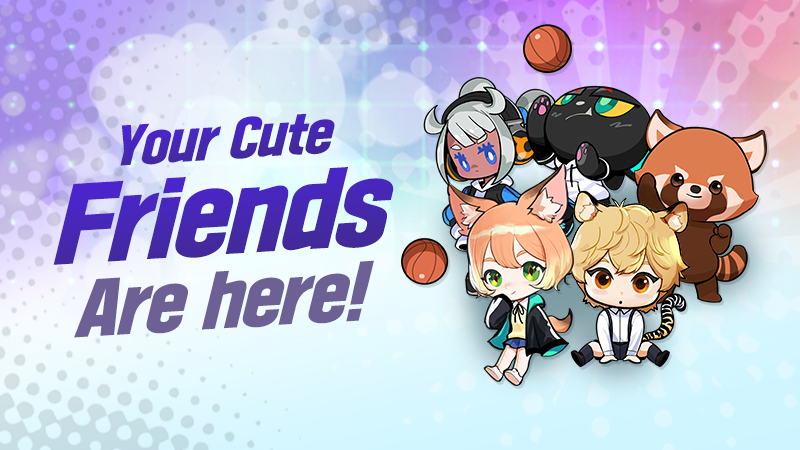
Ever thought of having a cute companion while showing those awesome moves? Try charming Neo, one of our newest Friends in the court.
Event Period:
2023.10.11 ~ 2023.10.24 23:59 (PDT)
Friend Information:
Help tip & Reward list:
When you buy seed of love, it will accumulate a mileage point where you can exchange it for wonderful items. The more seed of love you purchased, the more mileage points you can accumulate.
Reward List:
Mileage Shop:
Thank you for your continued support.
- Freestyle 2 Team
Premium Marathon
We should hurry to secure a reduced price on the final product!
This time, you can purchase the FS2 7.7.7 Package, which includes Premium Sub-Attribute, Sub-Attribute Changer, and Prism Card.
To maximize the discount, participate in 3on3 or regular matches for Mission 1 and 2 during the event.
Following the tips makes it easier to finish the line!
TIP 1: - During the event period, 2 missions will be progressed simultaneously.
TIP 2: - Discounts apply the highest rate between two missions. If they are the same, the 1st discount will be applied.
TIP 3: The set product can be purchased only once. If you purchase it you can't participate the event anymore. You cannot purchase the product when the event ends.
** Received Gifts can be found in the locker room.