1. Channel Link: 2. Freestyle 2 Account ID: Note: You can only apply for one Freestyle2 ID! 3. Character Name(s): 4. (Optional) Discord ID: 5. (Optional) Additional Information/Message:
And send it to our Support Team email address: steam_support@gamekiss.com
After our team receives your application, an internal review will be processed and we will let you know of the results!
We look forward to your applications!
- FreeStyle 2 Team
Incredible Store (Gacha)
True to its name, the incredible store has incredible items in it!
Head on over to the Incredible Store Page and check out the various Packages!
Event Period: 5/3 00:00 ~ 5/17 23:59 (PDT)
Purchase Rubies and use it to Draw from the Incredible Store!
You can choose to purchase Rubies by itself or by the amazing packages that we have prepared!
Check it out!
These is how the event works when you draw:
These are the reward that you can acquire:
- Freestyle 2 Team
My Pick Event
Win prizes that's decided by none other than you! Participate now in our new My Pick Event. Get to choose from a variety of prizes and pick those you truly desires.
Event Period:
2023/05/03 00:00 ~ 05/17 00:00 (PDT)
Event Mechanics:
1. From the PICK! PICK! are on the right, pick you reward. 2. Once you select the rewards that you want, you can begin the gacha. 3. If you are having a hard time picking what you want, click the "Auto Select" 4. The selected rewards can be canceled and re-selected at anytime 5. The obtained items will be sent to your gift box. You cannot use the purchased currency when the event period ends.
Let me guide you on how this thing works. First, pick your desire items from your right.
These are your choices and take note that every ball type has a limited number of items.
Better think it carefully before placing those items.
Before you can play the Gacha Machine you need buy first the Pick Coin. See the prices below:
There are two types of placing your desired items on the Gacha Machine:
Manual Selecting
Auto Selecting
(Take note that you must wait for 5 seconds before you can click the auto select button again)
Legend Wish Box, 2nd
This Wish Box allows you to select one(1) from the Legend Grade My Pick Rewards
1. Fx Blindfold 4* 2. Fx Dark Gentle Giant 4* 3. Fx Like a Bird 4* 4. Fx Under Leg 4* 5. Lady First/Long Range 360 Two Hand Slam 4* 6. Poppin J/Elevation 4* 7. Rim Crazy 4* 8. Gentle Giant/Rabbit Foot 4* 9. Spiral/Windmill HoneyDip 4*
Rare Wish Box, 2nd
This Wish Box allows you to select one(1) from the Rare Grade My Pick Rewards
1. AllStarW Mover 2. Rare Clothing Item Mover 3. Fx Blindfold 3* 4. Poppin J/Elevation 3* 5. Fx Under Leg 3* 6. Spiral/Windmill HoneyDip 3* 7. FreeStyle Ticket x 1000 8. Real Random Outfit Box
Real Random Outfit Box contains:
- FreeStyle 2 Team
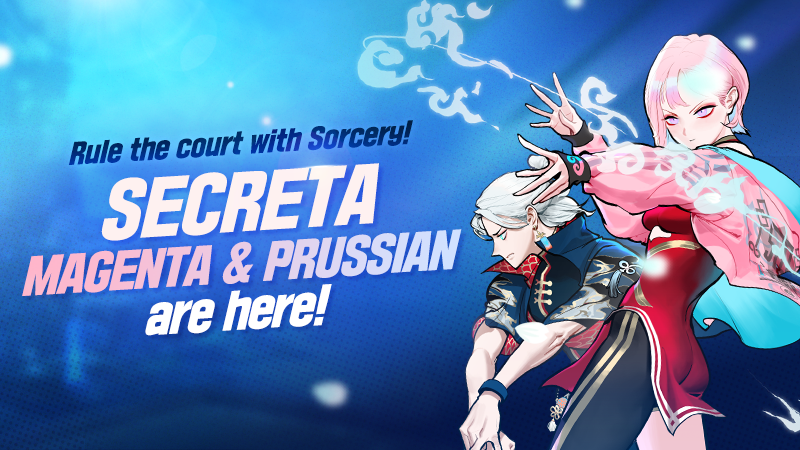
Secreta Magenta and Prussian are Here!
Prussian and Magenta have entered the world of FreeStyle2! Although they both have different stories, we can say that they're both valuable members of Team Secreta. Prussian was born with an extraordinary talent, while Magenta was just living an ordinary life. However, everything changed when the sorcerer took Magenta to team Secreta where her second life began as a sorceress.
If you want to know more about these two Secreta members, make sure to check all the information below.
*Prussian Unique Effects: - SECRETA Prussian: Extended Attribute +10 - Talent in Sorcery: Buff Attributes - training point + 30 - Talent in sorcery : motion selectable
*Magenta Unique Effects: - SECRETA #Magenta: Extended Attribute +10 - Talent in Sorcery: Buff Attributes - training point + 30 - flower chain : motion selectable
Abilities:
Abilities per Position:
Buff Details: 1. Press Space during a match to obtain a buff. 2. Buff effect lasts for 20 seconds. 3. There are no limits to how many times you can use the buff. 4. Once the buff ends, the buff gauge will slowly fill up over 30 seconds. 5. Different buffs will be obtained depending on offense/defense turns. 6. The personal buff ability will be applied
How to set buff attributes: 1. You can check and change the buff attributes from the “Player Info > Character Buff Settings” tab. 2. 3 attributes can be selected for offense and defense each. 3. Same offense/defense attributes will not stack when buff effect is applied. * Buff attributes may be adjusted partially during balance updates.
Skills:
Illustrations:
Motions:
- When creating a Prussian & Magenta character, 11 magic point will be given, and you can select the motion of the character by consuming the possessive magic point. - If you change the motion after creating a character, you need the item 'prussian X magenta Motion changer'. (**Free for the first time only) - You can select the motions corresponding to the magic point (11) you have among the 'First Class Gear Sealed Old Tome'. - First Class Gear Flower Chain' is a character-specific motion that does not consume magic points when selected. - "First Class Gear Sealed Old Tome" is a character selection motion that consumes magic points when selecting. - The selected motion is set to the default motion for the character.
- Characters from Team Secreta can select motions through their special gear. - Motions can be selected upon creating a character. - Check selected motions from the “Player Info > Character Buff Settings” menu.
Character Motion Selection: 1. You can use Magic Points to select motions. 2. Selected motions will be set as default motions for the character. 3. If you don't have enough Magic Points, you won't be able to select any more motions. 4. Selected motions can be changed anytime by using the "PrussianXMagenta Motion Changer" item. (Go to Player Info > SPC Buff Settings)
Motion Details:
* [11] Magic points will be given when creating Prussian & magenta characters.
Prussian and Magenta Ceremony ~
Flower Chain Motion: Block, Diving Catch, Jump Shot, Long Dunk
Long Layup, Rebound, Short Dunk, Short Layup
Old Tome Motion: Block, Diving Catch, Jump Shot, Long Dunk
Long Layup, Rebound, Short Dunk, Short Layup
Don't miss the chance to add this amazing SPC to your collection!
- Freestyle 2 Team
Roll the Dice
Take a leap of faith! Throw out your dice and hope for a good number!
Finish laps around the map to acquire different special rewards!
Roll the Dice is back!
Event Period: 4/26 00:00 ~ 5/16 22:59 (PDT)
Event Mechanics:
Collect Dice by Logging in and playing games to travel around the Event map!
Complete a set number of laps to acquire exclusive rewards!
*Note: A total of 11 Dice can be acquired per day. Maximum acquired Dice from logging in: 1 Maximum acquired Dice from playing Matches: 10
Rewards List
Want some awesome prizes?
- Freestyle 2 Team
Infinite Enhancement Machine
Infinite Enhancement Machine is back!
Do you have what it takes to challenge the Infinite Enhancement Machine?
Test your mettle on this event!
Event Period:
04/26 00:00 ~ 05/16 23:59 (PST)
Event Mechanics:
Enhance any of the available items in order to acquire them! Enhancing at certain levels will add stats to the items as well as making the item duration permanent.
Enhance Fuel is needed in order to enhance. It can be bought at the Event Page for 15 GKash each.
Once you have acquired enhancement fuels, you can then proceed with the enhancement process.
- Item(s) can be enhanced by pressing the Enhance button and using fuel. - Upon successful enhancement, the user period or attributes will be increased depending on the grade. - Specific attributes can be selected after obtaining a successfully enhanced item. - Compensation reward will be granted for failed enhancement depending on the grade. A "big failure" can also occur, which will reset the enhancement grade.
You can check the enhancement details and information here.
~ Freestyle 2 Team
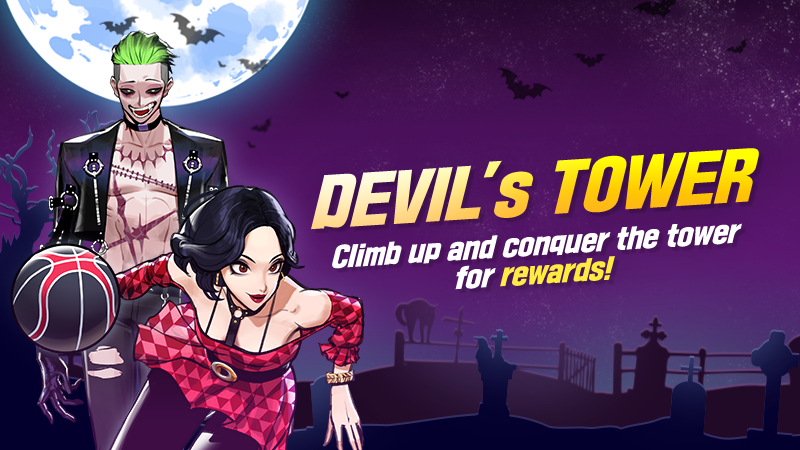
Devil's Tower
Here comes the Devil's Tower!
There are specific requirements for this event but there's no need to worry.
To participate, make sure to follow the guide and instructions that we'll be preparing down below.
What's important is that you'll be able to obtain rewards from each level, and there's a chance to reach the highest level as well.
Event Duration: 4/19 00:00 ~ 5/3 23:59 PDT
Event Mechanics:
Devil's Tower Help 1. Purchase Stamina and climb the tower. 2. Climb the tower to randomly obtain the items allocated to the levels. 3. Climb up more levels at once to obtain more 'bonus steps'. - You can climb additional levels depending on the amount of bonus steps. - Moving 1 level does not grant bonus steps. 4. Upon reaching the final level, you will randomly obtain one of the rewards set with the same probabilty. 5. Receive the final level reward to go back to level 1. 6. Upon reaching the final level again, you will randomly obtain one of the remaining rewards. 7. If you obtain all of the level rewards for the first round, the rewards will be replaced with a fixed list of normal items. 8. From the second round, the list of items will be fixed and set with the same probability. (Same items may be obtained again).
Devil's Tower Inventory Help 1. Devil'sTower rewards are sent to the inventory by default. 2. You can select a character and send all items collected in the inventory. 3. If you want to send different rewards by character, you need to change settings so that the items will be 'directly sent to the gift box' before starting the event. 4. Please note that the settings will take effect after they are applied.
How to participate in Devil's Tower:
Step 1: Purchase the event resource “Stamina” to challenge the Devil’s Tower.
Step 2: Use the purchased stamina to play the gacha and obtain the reward from each level. Step 3: You can draw 1, 10, 30, or 50 times. Step 4: Obtain rewards from each level and reach the highest level!
Bonus Steps - Bonus Steps add a certain amount of stamina. - Additional chances may be granted based on the number of draws. - Bonus Steps may be granted when drawing 1, 30, or 50 times.
Event Reward Distribution Notice - Obtained rewards can be sent to the Adventurer’s Inventory (backpack) or gift box directly. - You can set where to send the rewards to from the event page.
[Devil’s Tower Event Reward Distribution Settings Screen]
Obtaining through Backpack - Up to 8 obtained items will be displayed in the Adventurer’s Inventory (backpack). - You can select a character and “send items to inventory”. - If the rewards are left unclaimed until the event ends, the items will be sent to the gift box.
[Devil’s Tower Adventurer’s Inventory Screen – Storing in Backpack]
[Devil’s Tower Adventurer’s Inventory Item Distribution Screen]
Distribution to Gift Box - Obtain items will be sent to the gift box immediately. - You can view up to 8 items obtained through the Adventurer’s Inventory.
[Devil’s Tower Adventurer’s Inventory Screen – Sending to Gift Box]
Devil’s Tower Reward by Level - Up to 5 rewards are placed on each level, and you can randomly obtain one of them. - After you receive the reward on the final level, you will go back to the first level and play again. - After you have claimed all 5 rewards on the final level, “level 0” will be unlocked where you can randomly obtain one of the rewards placed there. - The Card Option Changer item obtainable through the Devil’s Tower event allows you to change the sub attributes of the Allstar Cards (offense/defense).
> When you reach the final level, you will return to level 1 and play again. > Rewards you obtain on the final level cannot be obtained again. > Once you have obtained all rewards on the final level, you will randomly obtain one of the rewards from level 0.
** Note: Click the link below for more information about Card Option Changer: https://freestyle2.joycitygames.com/news/notice/16800
- Freestyle 2 Team
Lottery Event
Apply now and get a chance to win our newest SPC!
More applications, more chances to win!
Event Period:
04/19/2023 00:00 ~ 04/25/2023 23:59 (PDT)
Event Mechanics:
1. Winners of those who applied will have a chance to get the featured prize. 2. Each account can only apply ONCE per day 3. Entry resets at 00:00 PDT. 4. Once the event ends, 5 lucky winners will be chosen. 5. The SPC Coupon will be sent directly to the winners' Gift Box.
There is now an item that allows you to select and change the sub attributes of Allstar World Cards.
Introducing the all new Card Option Changer!
Available in the Devil's Tower Event
How to use:
- Applies only to the Allstar offense/defense cards that belong to the character who owns a Card Option Changer. - All of the first, second, and third sub attributes can be changed. - Only Allstar Offense/Defense World Cards (Basic, [N], [Z]) can be used. - You may use the Card Option Changer at your Locker Room
Please check the table below for the list of available attributes you can obtain using Card Option Changer
!!Note!! **Only the offense/defense cards of the character that owns the item will be shown. **Item will be used upon changing the attribute and one more will be required to change the attribute again. **Only the types of sub attributes that are obtainable from "Sub Atts" can be set.
- Freestyle2 Team
FREE2LAND
Greetings! Welcome to FREE2LAND!
We have prepared various events in our FREE2LAND!
Complete quests to acquire coins that you can use to exchange for rare items!
Note: Make sure to hit the "receive" button to acquire the coins after completing the mission! Just by logging in and playing several matches, you will automatically be part of the event!
Accumulated number of matches played & Login time Event has a corresponding coin rewards!
Guess the last Digit mission
Guess your opponent's last score digit by clicking a specific number on the selection provided. For non-VIP players, you can only choose 1 number and 3 for VIP members. Don't forget to hit "Save".
Coin rewards for prediction: 10 Coins for successful prediction and 1 Coin for failed prediction.
Maximum coins that a player can acquire per day is 100.
Predictions will remain the same throughout the event unless you decided to change it.
You can exchange coins for various consumables! Just visit the Event Shop.
Ferris Wheel Event is back! Login and Play to get stamps to claim the reward for the day!
Unlock Event:
For every team/individual match you finish or every hour you stay logged in, you will earn Box Keys.
10 Keys for every match (Maximum 10 Games per day) = 100 20 Keys for every hour logged in (Maximum of 5 hours per day) = 100
Total of Box Keys that can be acquired per day: 200
- Box Keys can be used to Open or Upgrade the Box - Each Box has a corresponding rewards and you can get one of the items listed randomly.
** Once you have chosen specific box, the box level will reset to the lowest Box Grade.
** You won't be able to claim any rewards after the event period so make sure to spend Box Keys on time!
Wait, there's more! If you have collected a huge amount of FS2 Coins, you may also use it to redeem S+ Rewards!
Don't forget to check your Mission Progress to make sure that you have received all FS2 Coins for the day!