We would like to inform everyone about the latest update for Freestyles.
We know that these freestyles will help our ballers produce better strategy and playstyle.
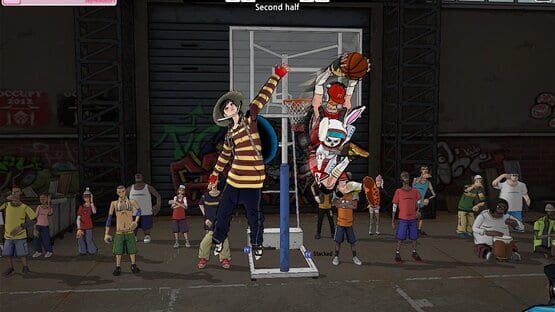
To know what a FreeStyle is, here's a screenshot as a reference.
You can equip up to three(3) FreeStyles at once
Draw up to 100 skills using Tickets or Exchange Frestyle tickets into Training Tickets!
Set Options
Obtain and activate additional set options by equipping 3 Freestyles with the same set options
Set List
Newbie & Returnee Exclusive Event
Hello there, Newbies and Returnees!
These are the events and awesome rewards waiting for you!
Note: Users who created the account starting from September 14, 2022.
1. Astria Inc. Character Draw
Want to get your hands on one of the Astria Inc. members?
Now here's the chance you surely don't want to miss!
REMINDER:
Exclusive for Newly created accounts and Returnees only.
A user is eligible to purchase only ONCE PER ACCOUNT.
Note: Users who did not logged in for 30 days are only eligible for this event.
Event Period:
9/14 00:00 ~
Event Mechanics:
Step 1: Purchase Fox Fire (event ticket) by pressing the [+] button. * Get a discount if you purchase a large amount of items at once.
Step 2: Use your purchased Fox Fire to participate in the 'Oracle's Golden Lamp' event.
Step 3 : Exchange Mileages for various items via Mileage Exchange Button. You can obtain more mileage by attempting larger number draws.
Elias and Charlotte
Event Help:
Fox Orb rarity reward items:
- Use your Event Ticket to participate in the Astria Inc Event
- Rewards may vary depending on the Fox Orbs that you have pulled on every draw
Fox Orb Exchange Shop:
2. My Pick Event
Event Period: 09/14 00:00 ~
Win prizes that's decided by none other than you! Participate now in our new My Pick Event for New Users!
Get to choose from a variety of prizes and pick those you truly desires.
Event Mechanics:
1. From the PICK! PICK! are on the right, pick you reward. 2. Once you select the rewards that you want, you can begin the gacha. 3. If you are having a hard time picking what you want, click the "Auto Select" 4. The selected rewards can be canceled and re-selected at anytime 5. The obtained items will be sent to your gift box. You cannot use the purchased curreny when the event period ends.
Let me guide you on how this thing works. First, pick your desired items from your right.
These are your choices and take note that every ball type has a limited number of items.
Better think it carefully before placing those items.
Before you can play the Gacha Machine you need buy first the Pick Coin. See the prices below:
In every draw, you will receive a Mileage Coin to exchange various items.
There are two types of placing your desired items on the Gacha Machine:
Manual Selecting
Auto Selecting
(Take note that you must wait for 5 seconds before you can click the auto select button again)
- FreeStyle2 Team
Draft System Update
Here comes a better twist for our Draft System!
How to Participate
Step.1: Once Draft Season is running, players can participate in the Draft event by choosing one of the Draft Characters or player's originally owned characters.
- At the end of the Draft Season, the new season will be a fresh start after the end period. (View Results) - Characters in the character growth mode can also participate. - If you participate in the draft with an existing character, you cannot receive STEP level compensation.
Step.2: Increase the STEP level through daily, weekly, and season quests during the season.
Step Level:
- You can increase the STEP level with the experience you gain while participating in the draft and completing the quest. - At the end of the draft season, the available rewards vary depending on the STEP level.
STEP Level Up Ticket
- Not available using points
Draft Pass Ticket
- Available using points
Result Reward Changer
- Available using points - Once user reached Lv.6, User can obtain character randomly, by buying this result reward changer user can draw the character once again
Details
- Quest has different attainable experience values by difficulty level. - The same mission cannot be duplicated. - Weekly quests are initialized every Monday at 00:00. - If you use the draft pass ticket item, you can proceed with the season quest. (Applies immediately when purchasing draft pass ticket items.) - Draft result rewards are only available for the end (View Results) period. - Draft compensation will be paid to the locker room. - Transformation and parts characters will be paid with all of their abilities or items in possession. (However, Draft Golden, Violet, Cabernet, Nari, and Alazak will be paid with only parts without transformation.) - All character compensation will be paid with a change ticket, and characters will be randomly changed among characters that can be obtained by step level when using the change ticket. - You can raise the STEP level by 1 when using the SETP Level Up Ticket item. (The experience value becomes 0 when using the SETEP Level Up privilege.)
- FreeStyle2 Team
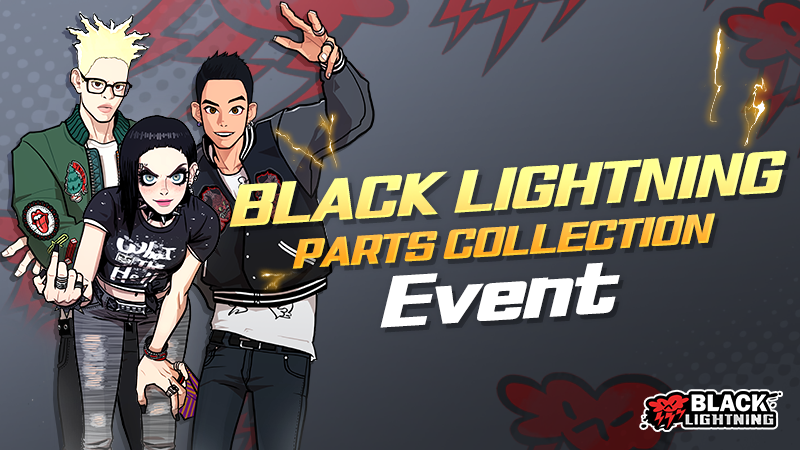
Parts Collection Event - Black Lightning
Don't blink or you'll miss them, Black Lightning team is here to spice things up!
Exclusive Character Parts just for the Team Black Lightning.
Complete the mission to acquire them.
Event Period:
2022/08/24 00:00 ~ 09/27 23:59 (PDT)
Obtain Character Parts by completing the mission designated on each character. Missions will last for 5 weeks so make sure to complete them.
SPC Character Selection:
SPC Selection with Mission:
Select your preferred character whether it is Lyn, Nick or James. You may change your character choice at anytime!
Event Help:
Find more information, reminders and instructions on how to participate in this event at our Event Help.
- Freestyle 2 Team
Newbie Exclusive Event Improvement
Hello there, Newbies!
These are the events and awesome rewards waiting for you!
Note: Users who created the account starting from August 17, 2022.
1. Arcana Character Draw
Want to get your hands on one of the Arcana members?
Now here's the chance you surely don't want to miss!
REMINDER:
Exclusive for Newly created accounts and Returnees only.
A user is eligible to purchase only ONCE PER ACCOUNT.
Event Period:
8/17 00:00 ~ 09/13 23:59 (PDT)
Event Mechanics:
- During the event period, users can choose between the 3 Team Arcana Members. - Users can only purchase ONE Coupon PER ACCOUNT (Choose wisely!) - You may view the character's information by clicking it - Each Character Changer Coupon will be on sale for 8,880 Gkash - Users will have to use a regular Gkash to purchase
Wondering how a Character Changer Coupon works?
Click the hyperlink below in order for you to know more about it!
Character Changer Coupon Mechanics
You may also check each Team Arcana Member' information by clicking the links below:
Golden Introduction Violet Introduction Cabernet Introduction
2. My Pick Event
Win prizes that's decided by none other than you!
Participate now in our new My Pick Event.
Get to choose from a variety of prizes and pick those you truly desires.
Event Period:
05/18/2022 00:00 ~~ 09/13 23:59 (PDT)
Event Mechanics:
1. From the PICK! PICK! are on the right, pick you reward. 2. Once you select the rewards that you want, you can begin the gacha. 3. If you are having a hard time picking what you want, click the "Auto Select" 4. The selected rewards can be canceled and re-selected at anytime 5. The obtained items will be sent to your gift box.
You cannot use the purchased curreny when the event period ends.
Let me guide you on how this thing works.
First, pick your desire items from your right.
These are your choices and take note that every ball type has a limited number of items.
Better think it carefully before placing those items.
Before you can play the Gacha Machine you need buy first the Pick Coin.
See the prices below:
There are two types of placing your desired items on the Gacha Machine:
Manual Selecting
Auto Selecting (Take note that you must wait for 5 seconds before you can click the auto select button again)
In every draw, you will receive a Mileage Coin to exchange various items including the Legendary SPC Coupons and Character Parts.
Oh did we mention that Legendary SPCs are included?
Luck will play a big role on this so better make every coin counts.
Now that you have finished picking your items whether you choose them manually or automically.
It's time fo play the Gacha Machine. Goodluck mate!
- Freestyle 2 Team
Prediction Mode
Unveiling one of our updates for this year!
Participate in our Prediction Mode to take your gaming experience to the next level!
Event Period:
2022/08/17 00:00 ~ 09/13 23:59 (PDT)
Event Mechanics:
Step 1. Exchange your Free Tickets for Cheering Sticks via Currency Exchange page.
Step 2. From the Match list window, select any available Match you want to Cheer for.
Step 3. After selecting the Match, choose between "HOME" or "AWAY" Team. Whatever side you think will win.
Step 4. Set the amount of Cheering Points (Sticks) you want to bet.
Note: You only have 60 seconds to cast your bet!
Step 5. Once the match is over, you may now proceed in claiming your rewards. Most recent match will be displayed on the main screen.
Note: Obtainable amount of Cheering Points will vary depending on the Cheering ratio.
Step 6. On the match result tab, you can obtain repayment points and watch the replay.
Step 7. A certain fee needs to be settled prior to claiming your rewards.
In any case the game ends abruptly, all points will be refunded and there's no fee that will be charged.
Step 8. You may use your Repay Points to exchange for Free Tickets.
•The player selected as the cheering target will receive reward after the match ends!
•If the match ends abruptly, any used points for cheering will be returned to you.
- Freestyle 2 Team
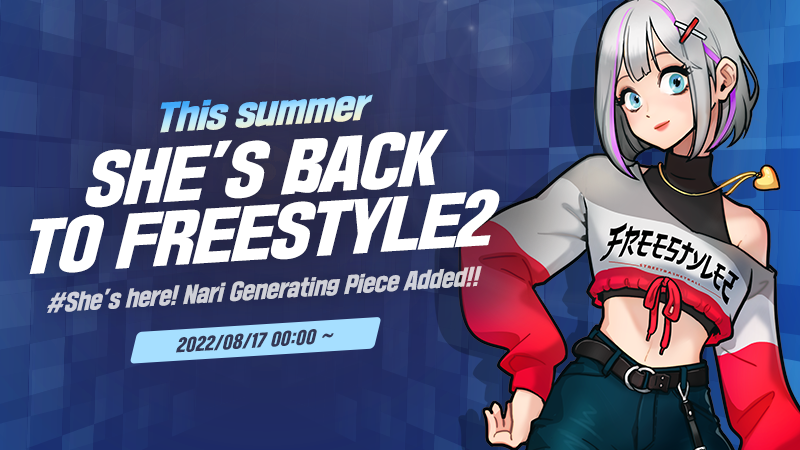
Nari Generating Piece
Nari is back!!
The long wait is over! Nari Generating Piece is now added to the DIY Character Creation!
Nari Generating Piece:
Character Creation Guide:
- Creating Nari will consume 1 Character creation piece and 2500 character creation chip.
**Character creation chip can be obtained by disassembling character pieces (1 character piece = 1 creating chip)
- Purchase Generating Pack via Ingame shop or by clicking the (+) sign beside the item.