Sorry for being a little late getting the Xmaslogs out. :p
We are really happy that we have nearly finished the Chinese localisation, which should be complete this December.
Few fixes and tweaks for you all to enjoy.
Changelog
Beta 3.3.9
Additions
Animation
Blueprint Loading
Localisation
Modding
Changes
EMP
PID
Fixes
Missiles
Modding
Beta 3.3.10
Additions
Chinese
Changes
EMP
Helium
Inventory
Fixes
BUGS
Stable 3.3.8 Mega Update!
What is up Depthians!! xD
Before we set sail into the depths of this MASSIVE update list/post/wall of text, we feel that we need to point out a few things first.
If you start to see a black screen when you launch the game, please remove mods.
Our merch is on sale with 50% off until the end of January !! Check out Borderwise upload here if you want to see the merch. [previewyoutube="oa9KK14JXh4;full"]
We updated to unity 2020.3.22 and due to this the FTD boot-up process now begins in the launcher and is more multi-threaded and concurrent, so it should take less time to boot the game up.
FTD now uses Steam Multiplayer and the Data Relay Network. The old networking system is no longer available. Joining friends is much easier now and NAT punch through and port opening should no longer be necessary. We have fixed numerous multiplayer issues, however, there may be still some left, so as always feel free to poke us with them on our bug tracker page. https://brilliantskies.customercase.com/forums/bug-tracker
As we have updated to one of the most recent Unity engines, you may see that your lighting in-game has changed. This has confused some players that were on Beta into thinking the graphics/textures have changed which is not the case.
So if you can see that your lighting is duller or brighter in-game, you will have to pop back into your options and set the levels to your liking.
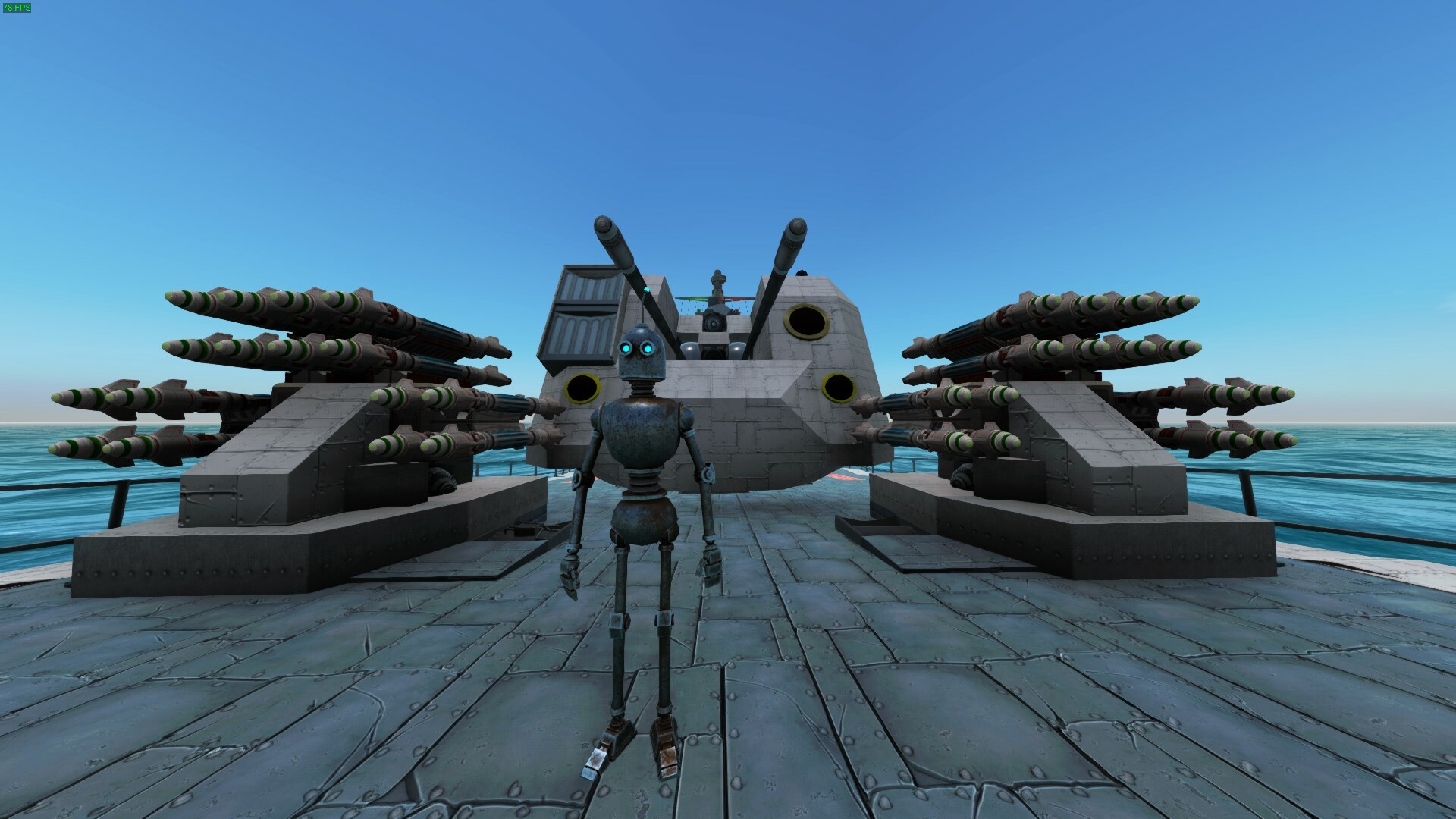
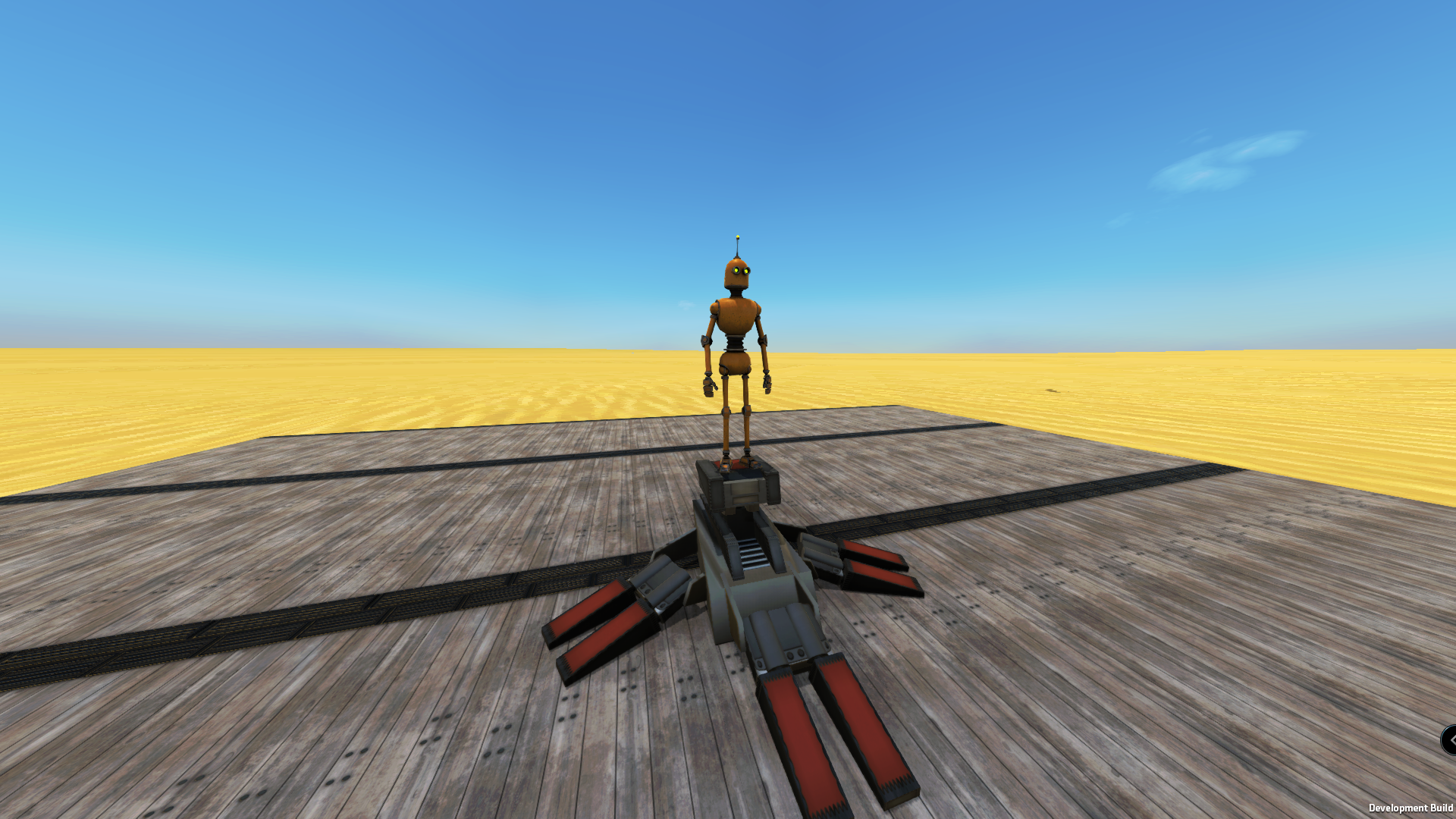
We have also released an alternative avatar, the Droid! This also comes with an animation block where you can animate him manually or through the breadboard. You can swap avatars by hitting Z and checking the avatar tab.
We have heard your prayers and added the full set of corner slopes for applique.
However, time to get to the bulk of this update... Diplomacy! As well as some more new features.
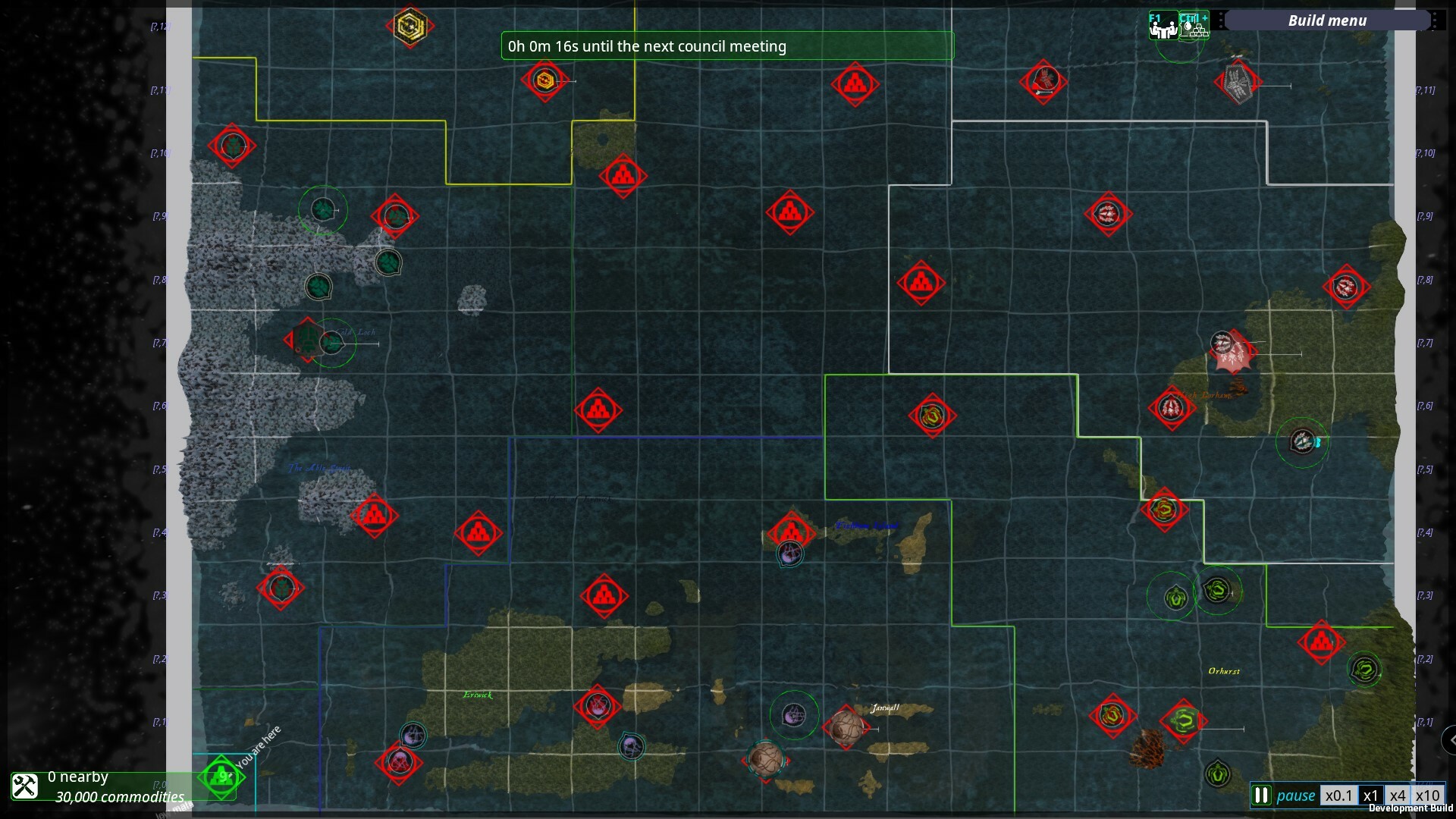
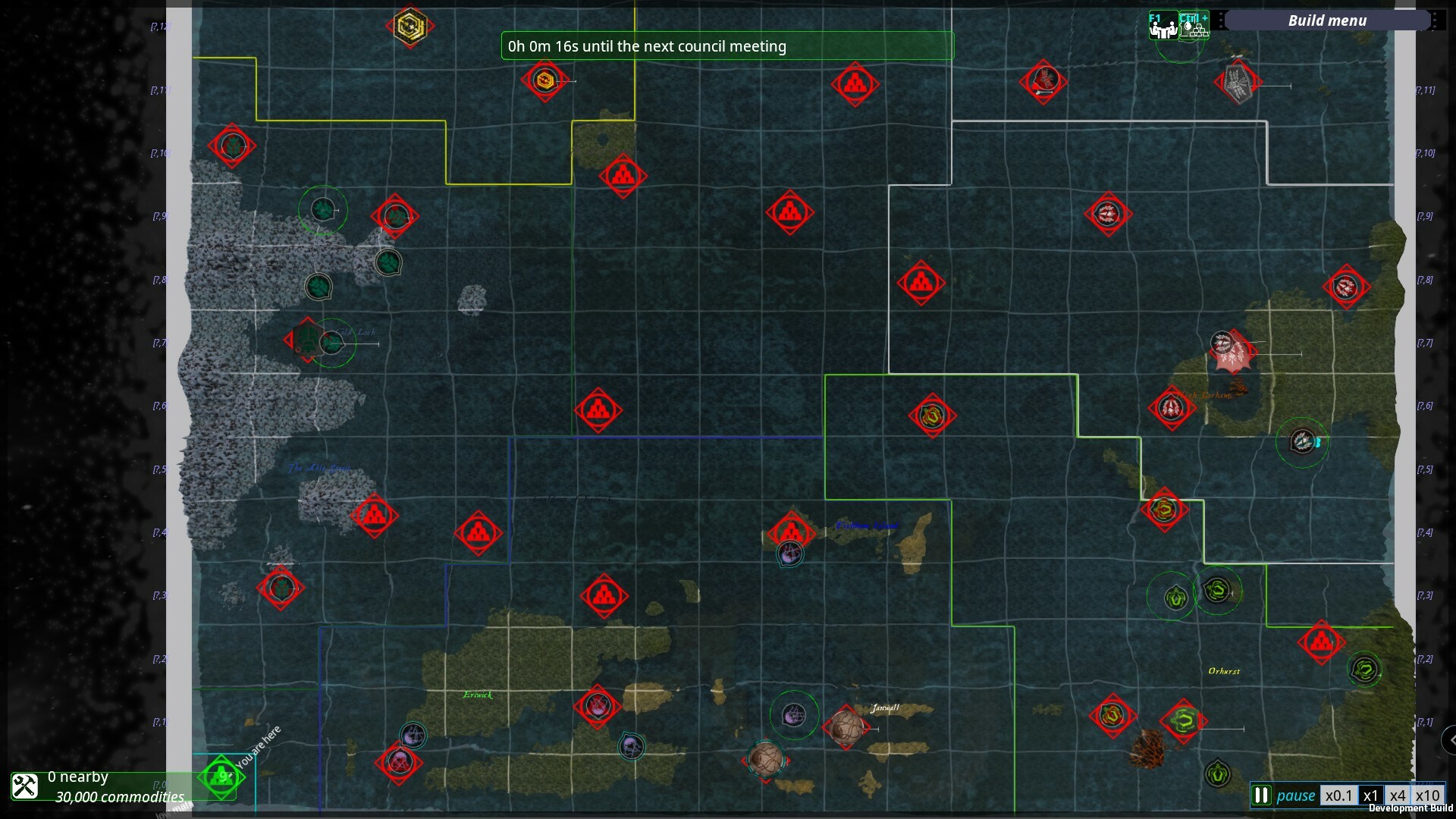
When you first set out on your campaign run, and pop into map view you will see a timer.
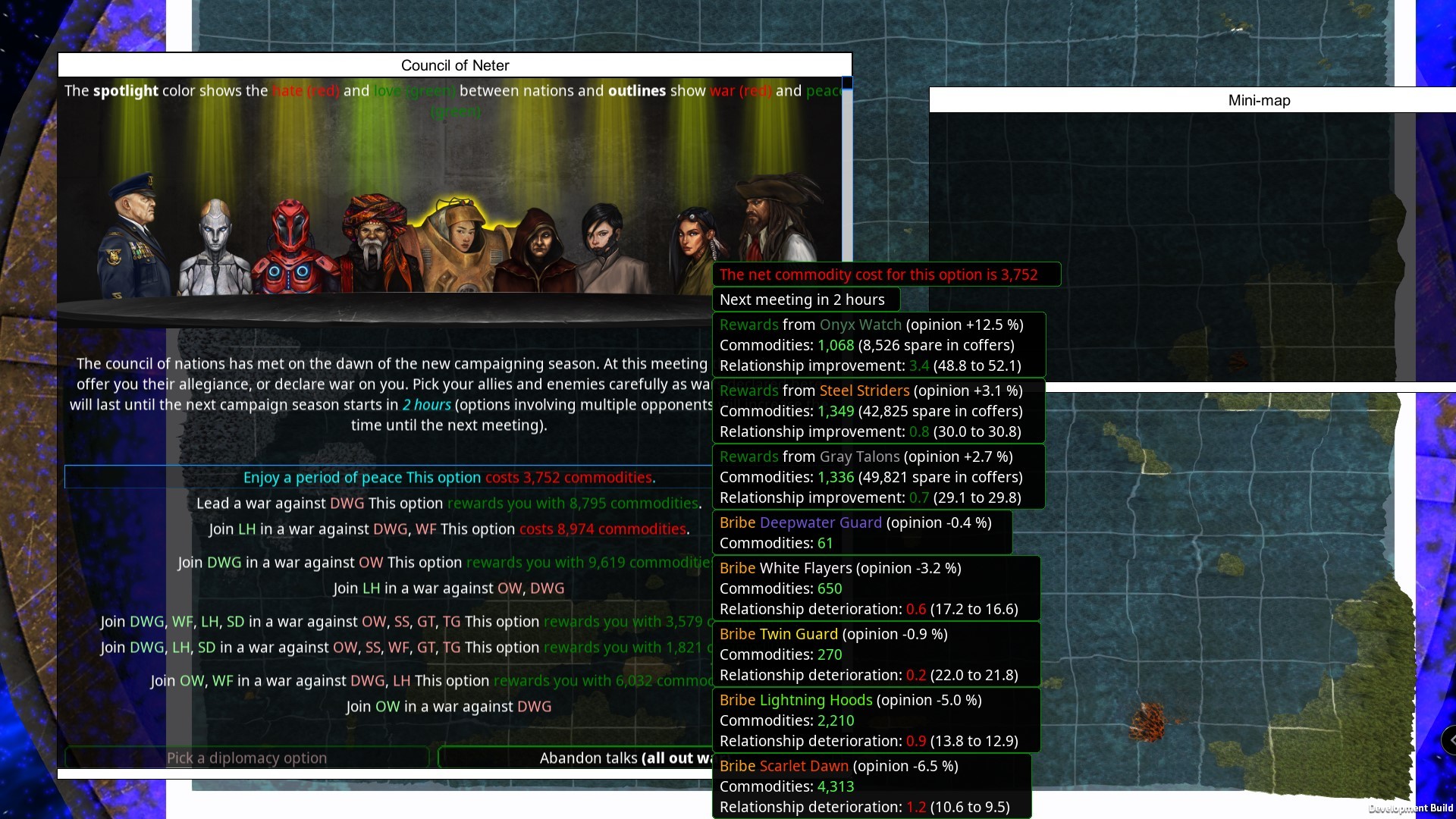
This timer will be running after each council meeting where you will decide who to go to war with or make peace with for the duration shown in this UI “until the next campaign season starts in X hours”. Each option lists out the changes in the relationship with the factions and all the options will be different each time while keeping in mind that the stronger you get the more factions you will be at war with! In this screenie, we can see that we can have total peace for 2 hours at the cost of 3,752 commodities.
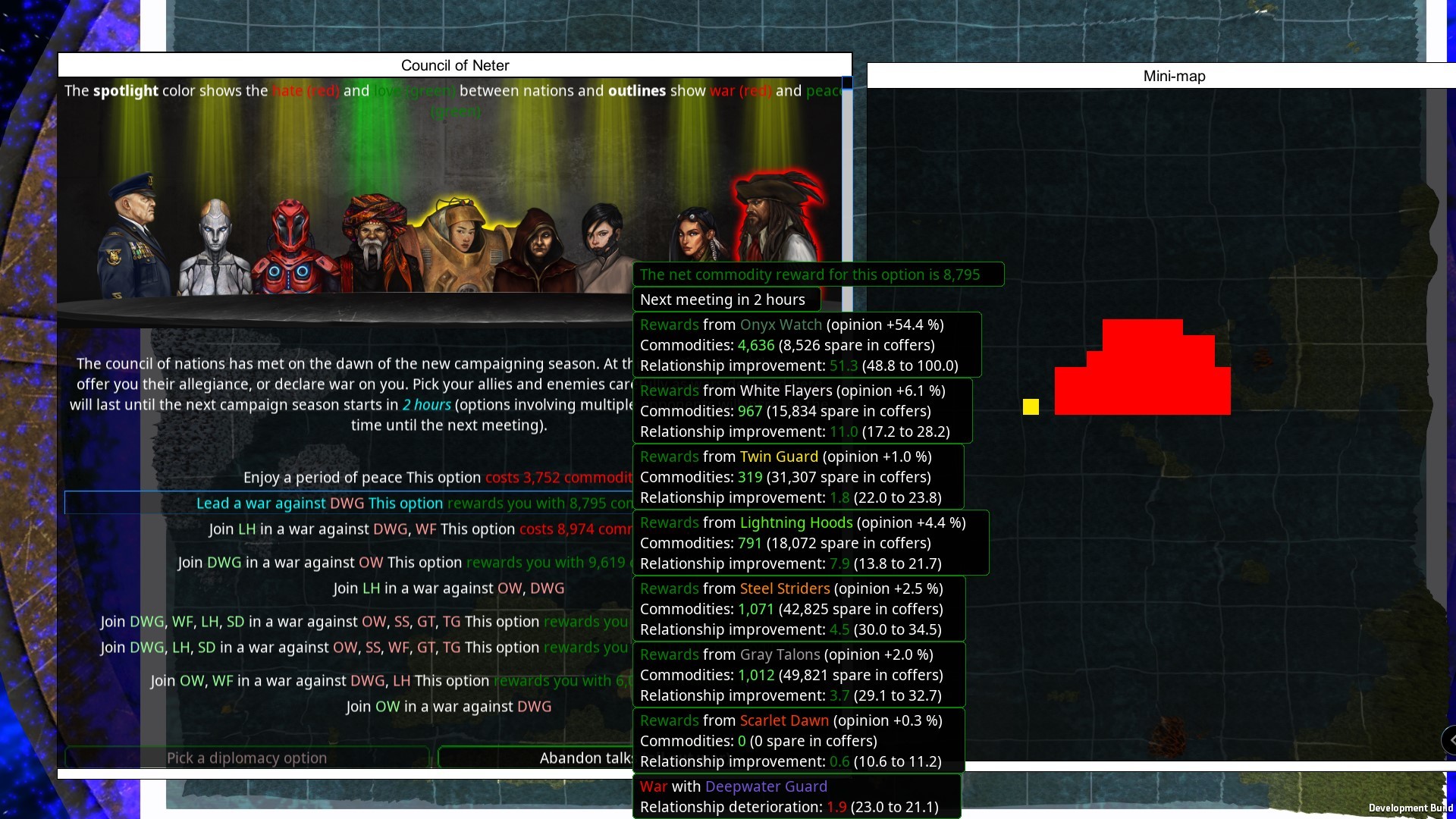
Some options will have rewards like the second example below, we can go to war with the DWG, have peace with all the other factions, and have a sweet little reward in commodities. Commodity rewards/costs are affected by the difficulty level that you select. Please note that there may be some factions that simply do not want to have peace with you! So you cannot keep bribing them for world peace each meeting.
You will also see a mini-map showing you the territory where the factions are. In this case, it’s showing us our territory in yellow and the DWG territory in red as they will be our enemy should we choose this option. So remember that with more enemies and fewer allies you will get more commodities and with higher difficulties, you will get fewer commodities.
The AI is has had another upgrade too, such that allied factions will be working together and better grouping.
You will also be able to have a secret meeting as your fleets will trigger a ‘secret emergency meeting’ when they stay near allied/neutral resource zones, or inside non-border tiles of neutral factions, for more than 120 seconds. In a ‘secret emergency meeting’, the offending nation and all their allies declare war against the player’s faction.
Another sweet addition to this update is the clampy feet, which will help us make mechs without the need for thrusters to assist.
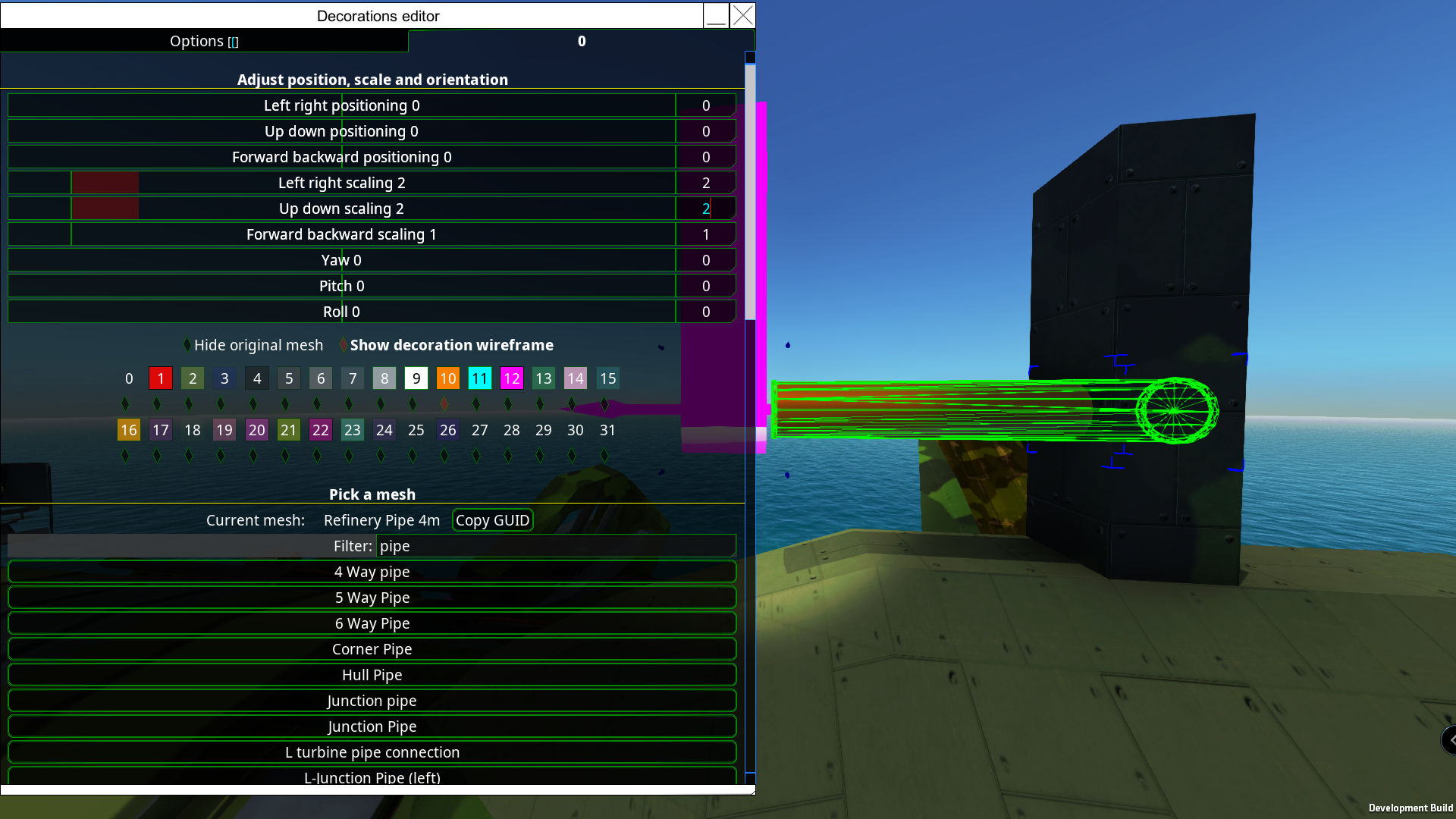
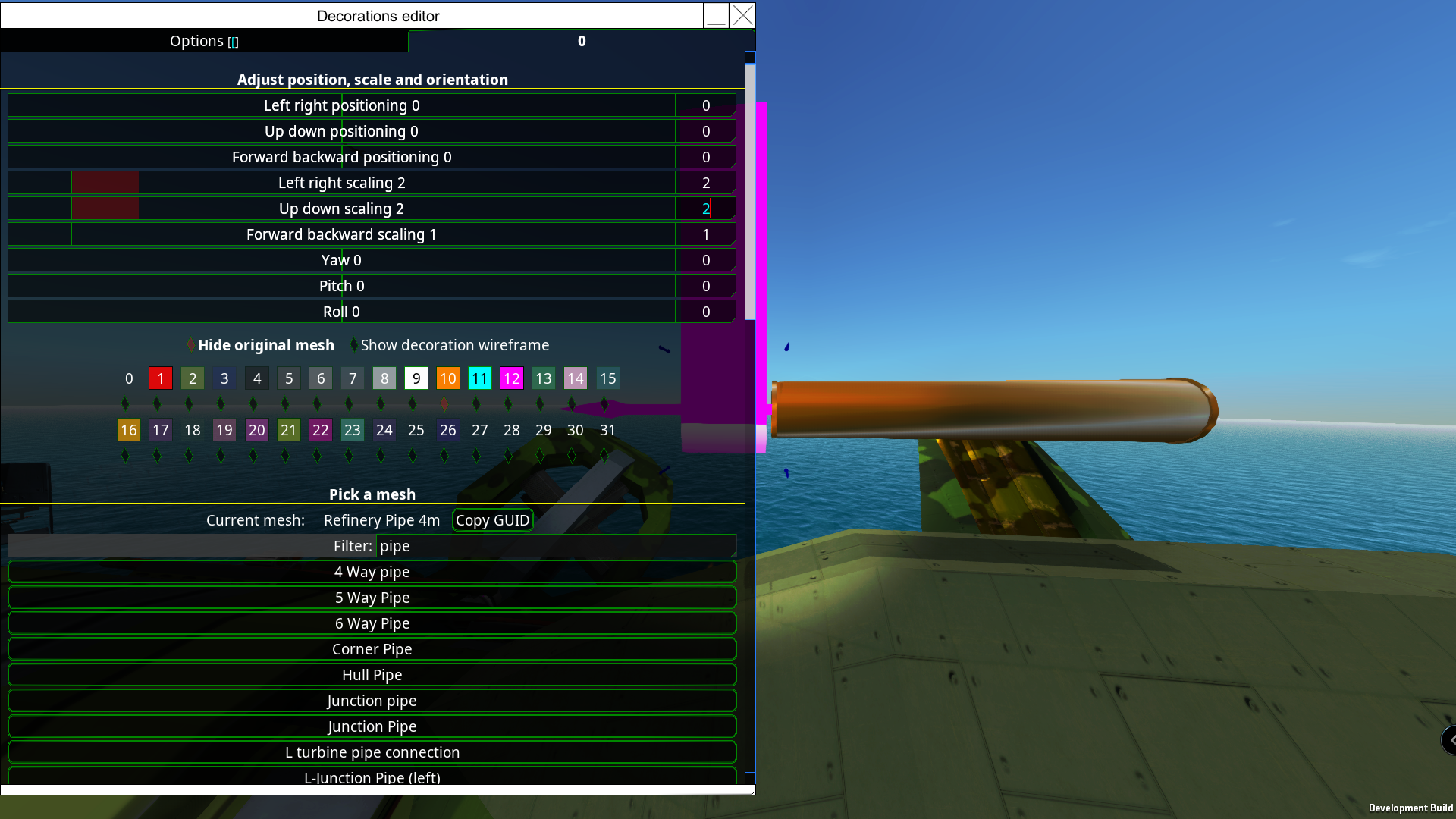
We have also added new features to decorations that allow you to hide the block that the tether is created on. Let’s say you had a fancy pipe decoration, and you also set its color within the decoration UI which is also a new feature. However, it’s being covered by the block that it’s tethered to, as you can see in the first screenie.
Simply click “Hide original mesh” and poof that nasty block that was covering your beautiful spam of decorations is now gone, but not really gone as its collision mesh is still there and will ofc take damage, die, and fall off. We can also turn off that noisy wireframe too which is another sweet addition brought to you by our ever awesome Weng! (but it was all my idea I swear!)
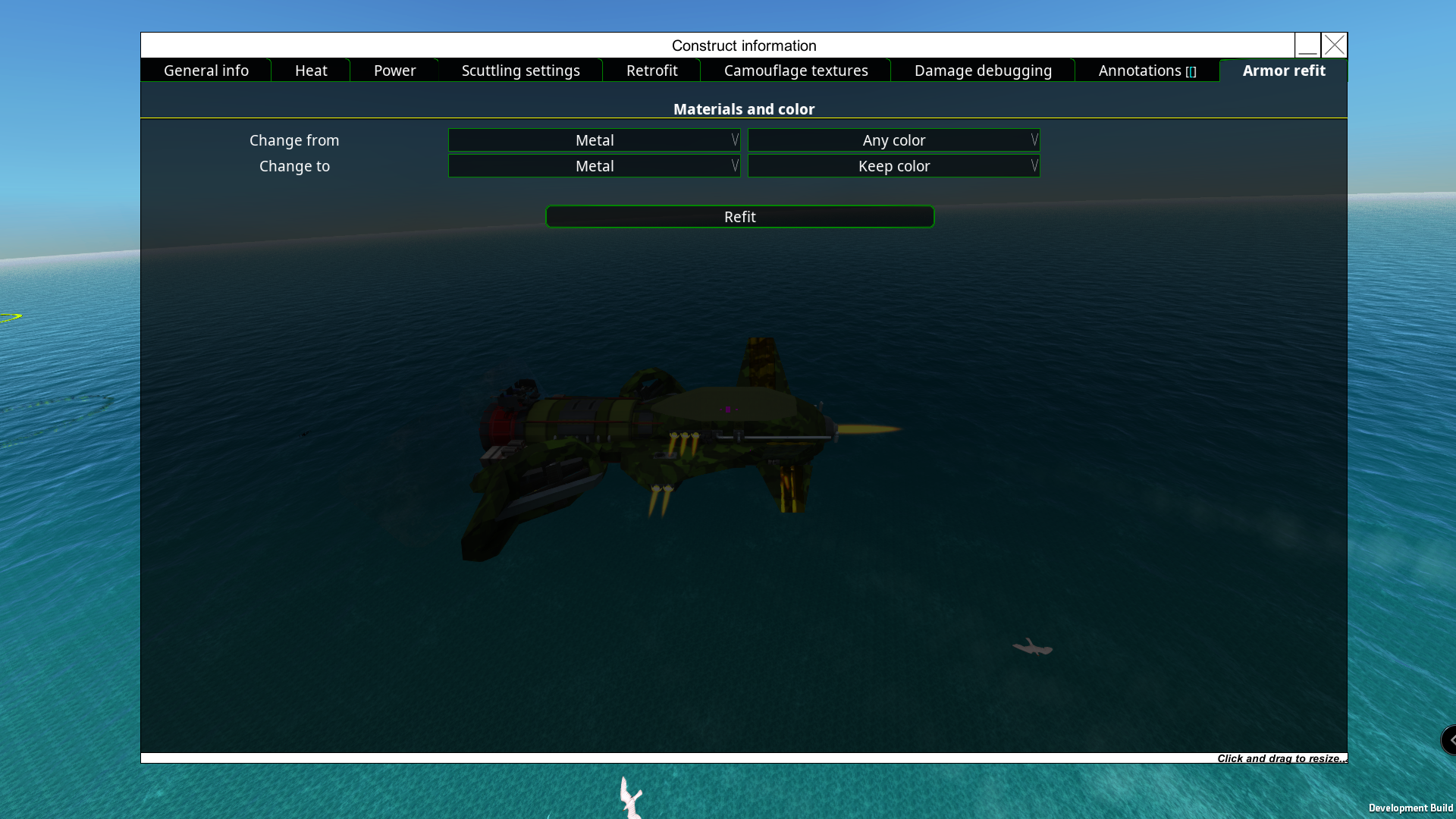
The V menu / Construct information UI has had a few tweaks, and as you can see we can now swap block types. Select which material you want to change from EG Alloys with a specific color or “Any color” which would select all Alloy blocks and change them to all metal if you wish.
We have some new additions such as a suspension spring mesh for our wheels (visual only), and before you roll off your seats with excitement we also have anti-roll bars for our land constructs!
Note that the center attachment point of the wheels is in line with the roll bar.
If this has not got you all hot and steamy, yes you guessed the next poor pun is about steam fixes and tweaks xD
Before you decide to separate my hands from my keyboard, we have separation blocks 1x1, 3x3, and also a 1x1 docking station! xD
You will need to set a few parameters before attaching the drone via the separation block as the options you choose will be saved to the drone that is attached, and any future changes you would need to detach the drone first before they take effect.
Before we get into the settings we “should / could” use a docking station on the mothership per drone. This will help us align the drone’s attachment block to the mothership’s attachment block, and let’s not forget that most motherships may be on the move which is why the docking station would be needed as the separation block currently only has a 10m range. We may also need an origin block on the drone as the docking station pulls from the center of mass of the drone, so by installing an origin block the dock will use that as its center point. The origin block can be placed anywhere deep inside the hull, just make sure that it’s inline and behind the attachment (red blocks in pic).
Firstly hit "Q" on the separation block and choose how you want the drone to be detached. In order for our drone to have its attachment point flush with its hull and also for the mothership, we need to select "Attached and in front", else you will be notified that the drone cannot be detached. You will need to decide if you want your drone to use its propulsion while attached, from "Extra". You will also need to state whether you want this to be rebuilt once detached or not by ticking "Permanently remove", this gives you the option to rebuild the “missing” blocks from the mothership allowing you to keep spawning multiple copies of the drone, which will be built by Rambot or repair drones, not tentacles. We also suggest giving the drone a name in the "Vehicle Settings" of the separator control UI.
Some things to note:
We have also updated and basically redone the CIWS system, and before you panic, any old values from your previous constructs will be transferred to the new system.
The new system works with weights if a projectile is within a weight range that you specify or not within “Main ruleset”, we can also set weights for the target that is firing those nasty projectiles at your construct from the “Locked target ruleset”. However, I think the most epic part is that you can now visually see what your CIWS is prioritising from your settings.
The red circles mean they are the highest prioritised missiles, while grey is ignored, green has the lowest weight. Other projectiles have colors in-between showing their relative weight. The red line is the currently targeted projectile.
We have also integrated a mod from the Steam workshop by Cappycot, which tweaks up the cinematic camera and a few other things.
Now for the insanely long changelog! As this covers 6 Beta updates Steam could not handle its immense and epic content so I'll leave a link to the main site which you can view here: https://fromthedepthsgame.com/stable-3-3-8/
Beta 3.3.8
What is up Depthians!
Quick and cheeky little update
Fixes
Bugs
Beta 3.3.6
What is up Depthians!
Some more bug fixes and tweaks :)
As always with any release, if you do see something not quite right then please send us a bug report here: https://brilliantskies.customercase.com/forums/bug-tracker
Please send us an example blueprint showing only the components needed to replicate the issue. If it is a campaign issue send us a save file shortly before the problem shows its self. You can find the save file here: C:\Users\YourUserName\Documents\From The Depths\Player Profiles\PlayerProfileName\Saves.
Changelog
Additions
Camo
CRAMs
Changes
Campaign
Dediblades
Diplomacy
Ducts
EMP
Missiles
Options
Fixes
Avatars
Bugs
Beta 3.3.5
What is up Depthians!
Another round of bug fixes, however, we have also released an alternative avatar, the Droid! This also comes with an animation block where you can animate him manually or through the breadboard.
We have also added the corner slope blocks for the applique slopes !! YES, the others will be added too for each size of our applique slopes.
Changelog
Additions
Avatars
Blocks
Fixes
Bugs
Removals
Propulsion
Beta 3.3.4
What is up Depthians!
Some more bug fixes from the tickets you good peeps have been sending in xD
You will see that your lighting has changed in-game. Unfortunately, you will have to pop back into your options and set these up to your liking. We are currently gathering info from people on Discord, but feel free to leave a comment in Reddit or Steam with a link to your lighting settings and a screenshot of a construct/s in morning/afternoon/evening/night. We are trying to find a common ground to set as a default setting.
Changelog
Changes
CRAM
Ducts
Fixes
Bugs
Ducts
Beta 3.3.3 !
What is up Depthians!
As always, back with more fixes and goodies.
We are happy to point out that From The Depths, now uses Steam Networking so this should resolve some issues people had in the past, but as always please send us any bugs here: https://brilliantskies.customercase.com/forums/bug-tracker . Leave us a small example blueprint if its component related rather than the full 1 million volume construct :p. Please also include the output log.
If it's campaign issues send us the save file hopefully shortly before the issue happens and all the info needed to recreate any of the problems you encounter. Save files can be found in C:\Users\YourUserName\Documents\From The Depths\Player Profiles\PlayerProfileName\Saves.
Additions
APS
Missiles
Changes
APS
Armor refit
Beta 3.3.2
What is up Depthians!
Another round of bug fixing, tweaks, and some additional features.
We shall explain any functions/features etc fully in the stable release, however, please feel free to ask about anything in the notes that you feel needs explaining.
We would also like to point out that we updated to unity 2020.3.22 and therefore the FTD boot-up process now begins in the launcher, and is more multi-threaded and concurrent, so it should take less time to boot the game up.
FTD now uses Steam Multiplayer and the Data Relay Network. The old networking system is no longer available. Joining friends is much easier now and NAT punch through and port opening should no longer be necessary.
We have fixed a number of multiplayer issues, there may be still some left so as always feel free to poke us with them on our bug tracker page.
New buttons in armor refit tool: refit 100 and refit 500 blocks
campaign
You can now trigger a diplomacy meeting if you have no enemies (or your enemies are dead)
CRAM
Added idle elevation option in the CRAM settings UI
New option in the fusing box: hollow-point tip conversion. Switches kinetic to impact damage, at the conversion rate used in APS
Multiplayer
It is now possible to join lobbies through the Steam friends list if you are in the main menu
Joining a lobby through the Steam friends list without the game running will start up the game and join the lobby if possible
Planets
You can now include a zip file of imagery with your planet when you upload it to the steam workshop. If your planet is called Mine.planet then make a zip file called Mine.zip and put into it files with names such as #mytag.jpg and #anothertag.png. You can use these hashtags for the diplomacy portraits.
Targeting
New slider for target prioritization card: bonus priority multiplier for the current target
Changes
Adventure
Adventure mode now allows 3rd person camera as per other modes
APS
AP modifier for soft heads up from 0.8 to 1
AP modifier for soft parts except flak up from 0.1 to 0.8
HE, frag, and EMP damage up by 10%. Also affects HEAT and HESH. Flak damage up by ~5%
Health modifier for soft heads up from 0.5 to 0.9
HP head switched from 1 AP and 1.2 kinetic modifiers to 1.2 AP and 1 kinetic
Penetration depth fuse speed modifier up from 1 to 1.1, same as solid bodies
Shaped charge and squash heads are now fast (1.6 speed modifier, instead of 1.45)
Shell health up by 25%
Speed modifier for slow heads up from 1.3 to 1.45
Blocks
Most blocks can now be placed on fortresses and structures. This is to make separators work, was also requested for testing parts.
Campaign
Diplomacy meeting timer no longer advances during combat
In council meeting mode there is no longer relationship damage from moving in neutral territory belonging to someone you are not at war with.
Salvage increases its pick-up radius massively after two hours to de-clutter the map and keep the economy going.
CRAM
Gauge increase component costs up from 10 to 12
Hardener pellets cost up from 120 to 150
HE, frag, and EMP pellet cost up from 150 to 180
Health for each HE/EMP/frag payload packed up from 3 to 3.6
Kinetic damage for each hardener payload packed up from 10 to 16
Kinetic damage for each HE/EMP/frag payload packed up from 4 to 5
Material cost and recoil for each payload packed up by 20%
Packer costs up from 20 to 25
Payload compactor cost up from 20 to 25
Shell power for each HE/frag/EMP payload packed up from 18 to 22
Engine
FTD boot-up process now begins in the launcher and is more multi-threaded and concurrent. It should take less time to boot the game up.
FTD now uses Steam Multiplayer and the Data Relay Network. The old networking system is no longer available. Joining friends is much easier now and NAT punch through and port opening should no longer be necessary.
Now using Unity 2020.3.22, instead of Unity 2017.4.25.
Fuel engines
Exhaust tooltips now show the full name of the part, instead of the generic ‘Engine exhaust’
HEAT
HEAT base metric up to 10/9 the old value
HEAT damage up to 8/7 the old value
Final spalling metric now scales with TOTAL_ARMOR^0.47, instead of TOTAL_ARMOR^0.5 (lower loss against lots of armor)
Missiles
Damage done down by 10%
Reinforced body health modifier down from 2 to 1.6
Remote guidance now has a base error, up to 8m along each axis. Signal processor reduces base error by 50% (also affects error from not having enough GPP)
Modding
Most constant files use plain fields instead of expression bodies
Multiplayer
You will now only take ownership of nearby weapons if you actually have their weapon slot selected
PAC
Damage done for 1 energy used up by ~4.5%
Piercing AP up from 50 to 60. DAMAGE
AP stays the same (except the 4.5% buff all PACs get)
Projectiles
All projectiles lose power as they are damaged, down to 20% when they reach 0 health. HE/frag/EMP/HEAT/HESH get their base power reduced, kinetic/impact damage lose AP
Sensor scrambler
Error added to remote and Lua missiles is 12
(INTERFERENCE_STRENGTH/20000)^0.45 meters. Interference strength can go over 20000 from multiple scramblers
Interference strength and radius is the same for missiles as for detection components
Material cost up from 100 to 200
Sound
Changed simple lasers to use the sound of standard continuous lasers
Steam
Armor for M and L turbine parts up from 20 to 30
Boiler controllers generate heat again, temperature scales with OUTPUT^0.8. Medium boilers run cooler than smalls, large boilers than mediums for the same output.
Large boiler armor up from 20 to 30, output up from 22500 to 24000 (capacity and material use follow the increase)
M boiler controllers can be attached to M boilers from any direction, including the sides
Max kinetic loss for S crank parts up from 140 to 180 (translates to ~5% lower max output)
Small boiler armor down from 20 to 15, cost up from 10 to 20
Fixes
AIO LWC
Fixed AIO LWC not using processing power for attached remote missiles
APS
Reducing length of a propellant casing also reduces material cost
Armor refit
Armor refit tool stops if there are not enough materials in the campaign (so doesn’t remove blocks/get stuck when trying to place something in a position with all neighbors removed)
BUGS-1142
Fixed fins possibly adding an upwards force higher than gravity for missiles not under thrust
BUGS-2433
Fixed campaign favorite build menu types going out of the bounds of their panel
BUGS-2791/2822
In mouse, build mode blocks larger than 1x1x1 get the proper offset in every orientation
BUGS-3162
‘Warp now’ button in the warp drive UI now only warps up to the set target distance
BUGS-2889
Custom jet engines and steam jets not output the proper force with a power scale below 1
BUGS-3196
Particle cannon UI label improvement
BUGS-3198
Airplane idle thrust works as it should again
BUGS-3205
Fixed direct connections from boilers to pistons and turbines ignoring attachment points
BUGS-3217
Fixed force from gravrams and warp drives being lower at low game speed
BUGS-3230
Fixed APS barrel recoil tooltips not updating on caliber change
BUGS-3263
Wheels with a negative power scale and negative drive now do not ignore the wheel speed caps
BUGS-3296
Impact damage can now possibly spread to every cell next to a block larger than 1x1x1 (checked the 6 cardinal directions from the origin of the block before)
BUGS-3329
Following review, blocks have their mesh shown or as a general block as appropriate in the build marker.
BUGS-3337
All detection parts have drag blocker removed. All detection drag set to 0.2 from 1. This should make creating planes and subs easier.
BUGS-3373
Advanced cannon ammo intakes do not show no space in rack messages during normal operation
BUGS-3378
Fixed being able to use multiple mantlets with a single advanced cannon
BUGS-3402
Fixed some cases where fuel engines do not distribute exhaust gases between multiple exits. A pipe section is only obstructed if all possible exits are obstructed
BUGS-3424
Fixed pressure readouts for some special steam piping setups
BUGS-3433
Fixed the tooltip for advanced cannons with a shell loaded but no intakes showing 1 available intake
A vehicle will only go into the ‘too damaged’ destruction state if it has actually been damaged (to avoid slow-building mega vehicles from being destroyed) (affects Obelisk mode multiplayer).
BUGS-3448
You can no longer teleport using the teleport avatar item when in a chair or being carried by out of play force
BUGS-3210
STL export has funky position and rotation. Now fixed. If the vehicle has an origin block that will be used
BUGS 3160
AI UI maneuver screen now displays correctly at small window sizes
BUGS-3214
Helispinner UI now shows the yaw and roll rotation settings and the default resting spin rate sliders
BUGS-3453
Fixed resource zone description typos
BUGS-3404
Youtube is working again
BUGS-3442
Fixed a bug where broken decorations on APS barrels (and some other places) can stop systems from working
CJE
Exhaust bonus for custom jet generators is reduced if the exhaust is blocked
Decoys
Radar decoys no longer have an attachment point facing up. This was a bug
Feet
Clampy feet should now properly disconnect when killed
Fortress
Optimization of the power management for the Sky fortress turbines [BUGS-3282]
Frags
Fixed frag trails being connected to a faraway point on spawning
Impact
Impact damage now looks for a different block to start from if the original was already destroyed on another thread
Lasers
Fixed some laser setups using less power than they should at low game speeds
Missiles
Ejector meshes are now the correct size, centered, and aren’t floating.
When missiles take damage their HE damage is reduced using the standard scaling, instead of simply being divided
Multiplayer
Fixed campaign resource cap not being constant in multiplayer
Fixed chat text getting highlighted/selected for no reason
Fixed clients not rendering harpoon lines
Fixed control inputs not being synchronized for fortresses
Fixed custom axes not being synchronized in multiplayer
Fixed various crashes in multiplayer
PAC
Fixed explosive mode damage after attenuation not using HE scaling (range0 damage was simply multiplied by attenuation loss)
Separators
Fixed separators breaking steam engines both on the separated vehicle and the main vehicle
Fixed separators not working in multiplayer
Steam
Fixed crank generator and propeller labels being switched in the block stat overview
Beta 3.3.1 - Diplomacy
What is up Depthians!
We are pleased to kick off the long-awaited diplomacy update to beta! As well as numerous bug fixes, tweaks, and some new features.
Let us try and be diplomatic about this update and start there :p
When you first set out on your campaign run, and pop into map view you will see a timer.
This timer will be running after each council meeting where you will decide who to go to war with or make peace with for the duration shown in this UI “until the next campaign season starts in X hours”. Each option lists out the changes in the relationship with the factions and all the options will be random each time while keeping in mind that the stronger you get the more factions you will be at war with! In this screenie, we can see that we can have total peace for 2 hours at the cost of 3,752 commodities.
Some options will have rewards like the second example below, we can go to war with the DWG, have peace with all the other factions, and have a sweet little reward in commodities. Commodity rewards/costs are affected by the difficulty level that you select.
You will also see a mini-map showing you the territory where the factions are. In this case, it’s showing us our location in yellow and the DWG territory. So remember that with more enemies and fewer allies you will get more commodities and with higher difficulties, you will get fewer commodities.
The AI is also undergoing another upgrade too, such that allied factions will be working together and better grouping.
You will also be able to have a secret meeting as your fleets will trigger a ‘secret emergency meeting’ when they stay near allied/neutral resource zones, or inside non-border tiles of neutral factions, for more than 120 seconds. In a ‘secret emergency meeting’, the offended nation and all their allies declare war against the player’s faction.
On to a frequently requested feature is better feet to make mechs without the need for thrusters to assist, and we are happy to say YES! However in this current beta they are still being worked on! So remember Clampy Feet = WIP.
We have also added new features to decorations that allow you to hide the block that the tether is created on. Let’s say you had a fancy pipe decoration, and you also set its color within the decoration UI which is also a new feature. However, it’s being covered by the block that it’s tethered to, as you can see in the first screenie.
Simply click “Hide original mesh” and poof that nasty block that was covering your beautiful spam of decorations is now gone, but not really gone as its collision mesh is still there and will ofc take damage, die, and fall off. We can also turn off that noisy wireframe too which is another sweet addition brought to you by our ever awesome Weng! (but it was all my idea I swear!)
The V menu / Construct information UI has had a few tweaks, and as you can see we can now swap block types. Select which material you want to change from EG Alloys with a specific color or “Any color” which would select all Alloy blocks and change them to all metal if you wish.
Changelog
Additions
AI
Armor refit
Blocks
Breadboard
Campaign
Clamp foot
Control
Decorations
Laser warners
Lua
Power Priority
Separator
Steam
UI
Changes
ACB
Campaign
CJE
Decorations
Ducts
EMP
Fuel engines
Loading
Missile
Separator
Steam
Visuals
Fixes
BUGS
Camera
Campaign
CRAM
Docking station
Drag
Drills
Editor
Performance
Power priority
Separator
Steam
Undo/Redo
Visuals
Weapons
Beta 3.3.0!!
What is up Depthians!
Before we get into all the goodies, I feel that I need to share the following.
As most of you probably know by now that Nick’s daughter is seriously ill, which is why there has been such a long gap between updates and I am sure you would agree that family comes first. So far the news has been positive and treatment is underway.
With that out the way let us spring into action and go over this update, as we have some new additions such as a suspension spring mesh for our wheels (visual only), and before you roll off your seats with excitement we also have anti-roll bars for our land constructs!
Note that the center attachment point of the wheels is in line with the roll bar.
If this has not got you all hot and steamy, yes you guessed the next poor pun is about steam fixes and tweaks xD
So before you decide to separate my hands from my keyboard, we now have the separation block! xD Which is truly awesome yet needs some explaining for the current beta.
At the moment we have 1×1 separation blocks and you will need to set a few parameters before attaching the drone as the options you choose will be saved to the drone that is attached, and any future changes you would need to detach the drone first before they take effect.
Before we get into the settings we “should / could” use a docking station on the mothership per drone. This will help us align the drone’s attachment block to the mothership’s attachment block, and let’s not forget that most motherships may be on the move which is why the docking station would be needed, as the separation block currently only has a 10m range. We also need to ensure that the attachment blocks are not surrounded by other blocks (for now) and we may also need an origin block on the drone as the docking station pulls from the center of mass of the drone, so by installing an origin block the dock will use that as its center point. The origin block can be placed anywhere deep inside the hull, just make sure that it’s inline and behind the attachment (red blocks in pic).
Firstly decide if you want your drone to use its propulsion while attached. You will also need to state whether you want this to be rebuilt once detached or not, this gives you the option to rebuild the “missing” blocks from the mothership allowing you to keep spawning multiple copies of the drone, which will be built by Rambot or repair drones, not tentacles. We also suggest giving the drone a name in the Vehicle settings of the separator control UI.
Some things to note:
We have also updated and basically redone the CIWS system, and before you panic, any old values from your previous constructs will be transferred to the new system.
The new system works with weights if a projectile is within a weight range that you specify or not within “Main ruleset”, we can also set weights for the target that is firing those nasty projectiles at your construct from the “Locked target ruleset”. However, I think the most epic part is that you can now visually see what your CIWS is prioritising from your settings.
The red circles mean they are the highest prioritised missiles, while grey is ignored, green has the lowest weight. Other projectiles have colors in-between showing their relative weight. The red line is the currently targeted projectile.
We have also integrated a mod from the Steam workshop by Cappycot, which tweaks up the cinematic camera and a few other things. This is still a WIP so more additions and tweaks are on the way, therefore everything can be subject to change.
Currently, it:
We are also in the process of updating some textures at the moment, such as the AI blocks and fuel engine are WIP textures in this beta.