

Frontier VR
60% off to celebrate Rolling Line's release!
It's a model train game for PC and VR, with custom track building and a big New Zealand theme.
https://store.steampowered.com/app/754150/Rolling_Line/
Frontier is the first VR game (and Steam game) I ever made, and if you played it back on release, then I can't thank you enough for helping support my game development, and I could have never made it to this stage without your early support!
If you enjoy the style of my games, then you might also enjoy the game I made after Frontier, Echo Grotto:
https://store.steampowered.com/app/705870/Echo_Grotto/
40% off to celebrate the launch of Echo Grotto!

Our next commercial game has just been released!
It's called 'Echo Grotto' and its a cave system exploring game with a similar art style to Frontier.
You can find Echo Grotto on steam here:
http://store.steampowered.com/app/705870/Echo_Grotto/
And to celebrate the launch of this game Frontier will be 40% off for the next week!
Enjoy!
Tiny Update: Easter's over + tweaks

Today's update simply removes the Easter content from startup, but you can still play the Easter mode by shooting the egg on the menu then loading up a scene!
Some other tweaks in this update are:
- physics object movement is more fine tuned.
- your position and rotation is automatically set when you load a scene (much like in the tutorial, but now it's in every scene!)
Enjoy!
Easter update! Easter egg hunt mode

Happy Easter!
Today's update adds a bunch of colorful Easter eggs to all of the scenes!
Most are just scattered around but some are a bit more hidden.
Cracking the eggs will spawn in a little surprise!
Easter mode will be on automatically when you launch the game during Easter weekend, but you can play as normal by simply going back to the menu scene and shooting any of the location signs. you can also re-enable Easter mode by shooting the egg on the menu scene.
Enjoy!
Update! Demo mode + icon signs + interaction update

Today’s update features a few minor fixes and tweaks (mainly around interaction) as well as a new ‘demo mode’ option on the menu scene.
Demo mode will allow you to play through all of the scenes in an endless loop (removes the ability to go to the menu scene, and instead each scene has two signs leading to the other two scenes).
This game mode is designed for public demos but is also great for showing someone the game (as they can freely visit each scene in any order, and can’t accidently end up on the menu).
If you want to leave demo mode you can either shoot yourself in the head (yes) or just reload the game.
Also included in the update are icons for the scene signs instead of text, makes them a lot more subtle.
In terms of interaction tweaks, physics should be a lot more snappy now. Guns also now have a bit of kickback when you shoot them. You also now have physics on your empty hands!
Hope you all enjoy the update!
Update - Hunting rewards

Today’s small update adds a few cosmetic rewards to each scene for shooting certain animals e.g. shoot deer for deer antlers, bison for horns, snakes for snake skin etc.
There are also a few fixes to the debug player from the last update.
Update! Tutorial and keyboard + mouse debug controls

Today’s update adds a proper tutorial to Frontier!
Now when you launch the game you can choose to play a tutorial that will guide you through the basic controls and the different input modes.
You can set whether the tutorial splash screen shows on startup with a new sign on the main menu scene. If you turn off the splash screen you will simply show up in the desert as before when launching the game!
This update also includes debug player control using the keyboard and mouse.
If you don’t have your vive connected you can press Enter/Return (or zero) in the game to play with simple first person mouse movement.
Use left and right mouse in this mode to interact with things.
You can also change your position much like before by shooting the ‘cheats’ bucket and pressing T (instead of the menu button on the vive controllers).
This debug player is more for development purposes, but it’s still pretty neat to see the game in 1080p running on a desktop.
Hope you all enjoy the update!
Update! Dynamic day/night cycle
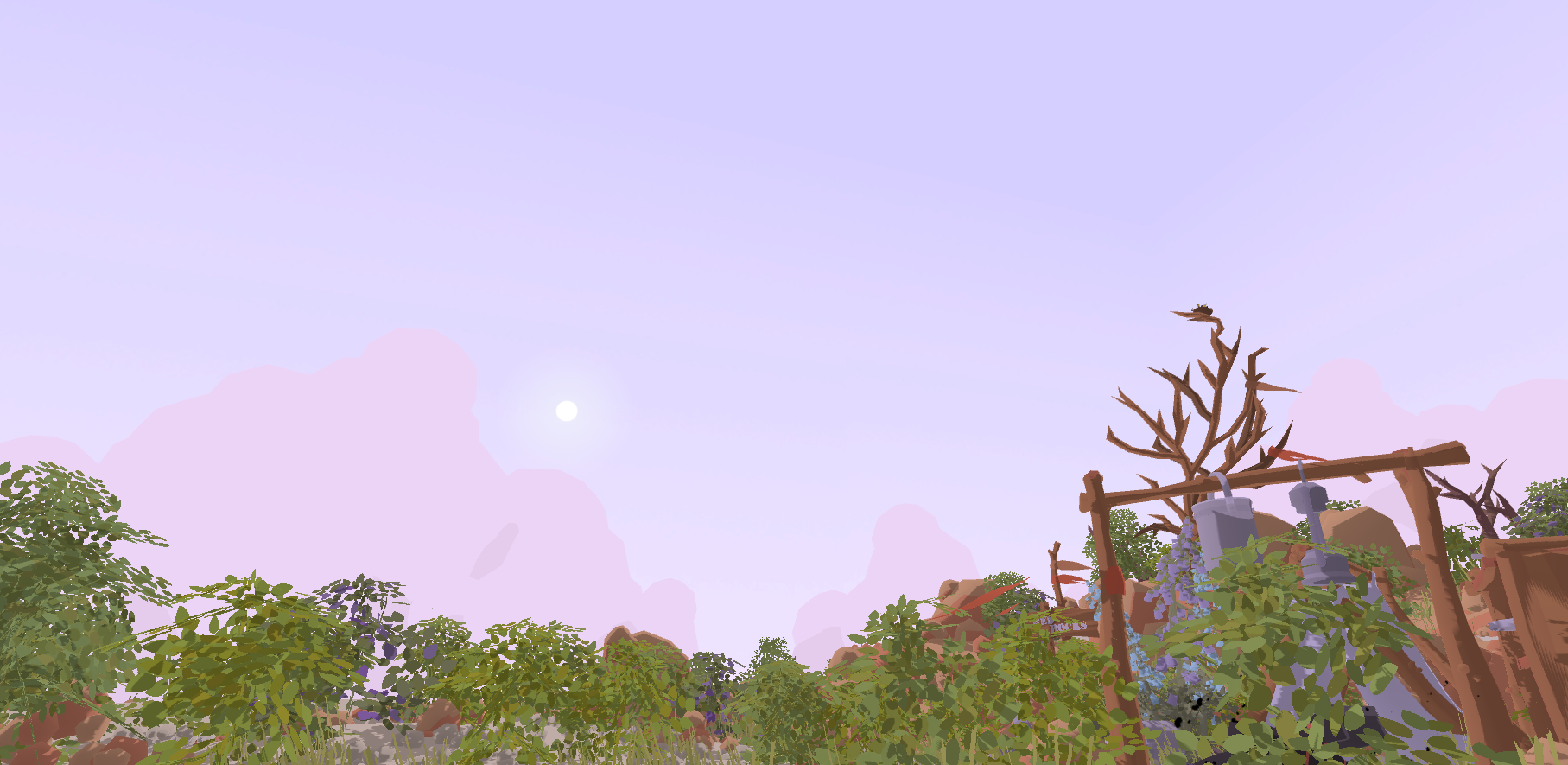
Today’s update brings in a full day/night cycle to Frontier!
Time will now naturally progress, and there’s a new setting sign on the menu for the time progression speed.
If you set the time progression to “Still” then the sun will behave much like the old system, where the sky will stay at a set time.
You can still shoot the sun/moon to switch between time of day!
This update also includes a few minor fixes and optimizations.
Hope you enjoy the new update, and thank you to all of you for playing and supporting the game!
Update! Passive mode + more quality settings

We’ve released a small update today, mainly focused on the menu scene.
This update includes:
- Passive mode added: from the menu scene you can now play ‘passive mode’ which lets you play through the game without the ability to kill any animals. You won’t be able to find any of the usual guns, but instead you will get a special wooden toy gun, which can be used to shoot signs/fire etc but cannot harm animals! This is perfect for letting younger children play!
- Large animal ragdolls now despawn once out of view.
- More diverse settings: you can now choose between a lot more options for shadow quality and maximum objects.
- New texture quality setting: you can now change the texture resolution for foliage. Note that both shadow quality and texture settings will take effect once you move to a new scene!
- Menu scene signs re-make: most of the signposts on the menu have been re-made.
Hope you enjoy the new update!
Update! - campfire, bunny ai, revive animals and more!

Thank you for all of your feedback so far!
We’ve added a bunch of new features in today's update:
- Kindle the campfire: you can now light the fires in each scene by shooting them, and can stoke the fire by throwing in a stick (which are littered throughout the scene). Fires will die out over time, but you can always just shoot them again if it goes out! (and you can re-use sticks after a small wait).
- Revive animals: if you drop a ragdoll into the campfire (when it’s lit) you will bring it back to life!
- Ragdolls are persistent: ragdolls stay in the scene (until you kill enough enough animals of the same type, at which point ragdolls will be re-used, you can change the maximum amount on the main menu using the “maximum objects” option).
- More bunny animations: bunnies now turn around and have more idle animations.
- Mirrored “hands”, to represent left and right.
- Various other small fixes and improvements.
We recommend trying out the campfire at night (shoot the sun to change time of day, and shoot the lantern to turn it on/off).
We have a bunch of other features planned, like a ‘peaceful’ mode, tutorial and more unlocks for your camp site! So stay tuned for more updates.
Hope you enjoy the new features!