Real location downloading is more stable and faster.
New star size: XXS
FWsim - Update 4.0.1.5
Fix: FWsim now always uses your high-performance graphics card (instead of onboard graphics)
Several bugfixes
Performance improvements
Updated Italian, Spanish and French translations. You can contribute to FWsim translations by clicking the Help menu.
FWsim now displays a correct waveform if you load 24-bit audio files.
Announcing FWsim v4
With FWsim v4, planning your shows is now much faster & easier!
Show Editor Improvements
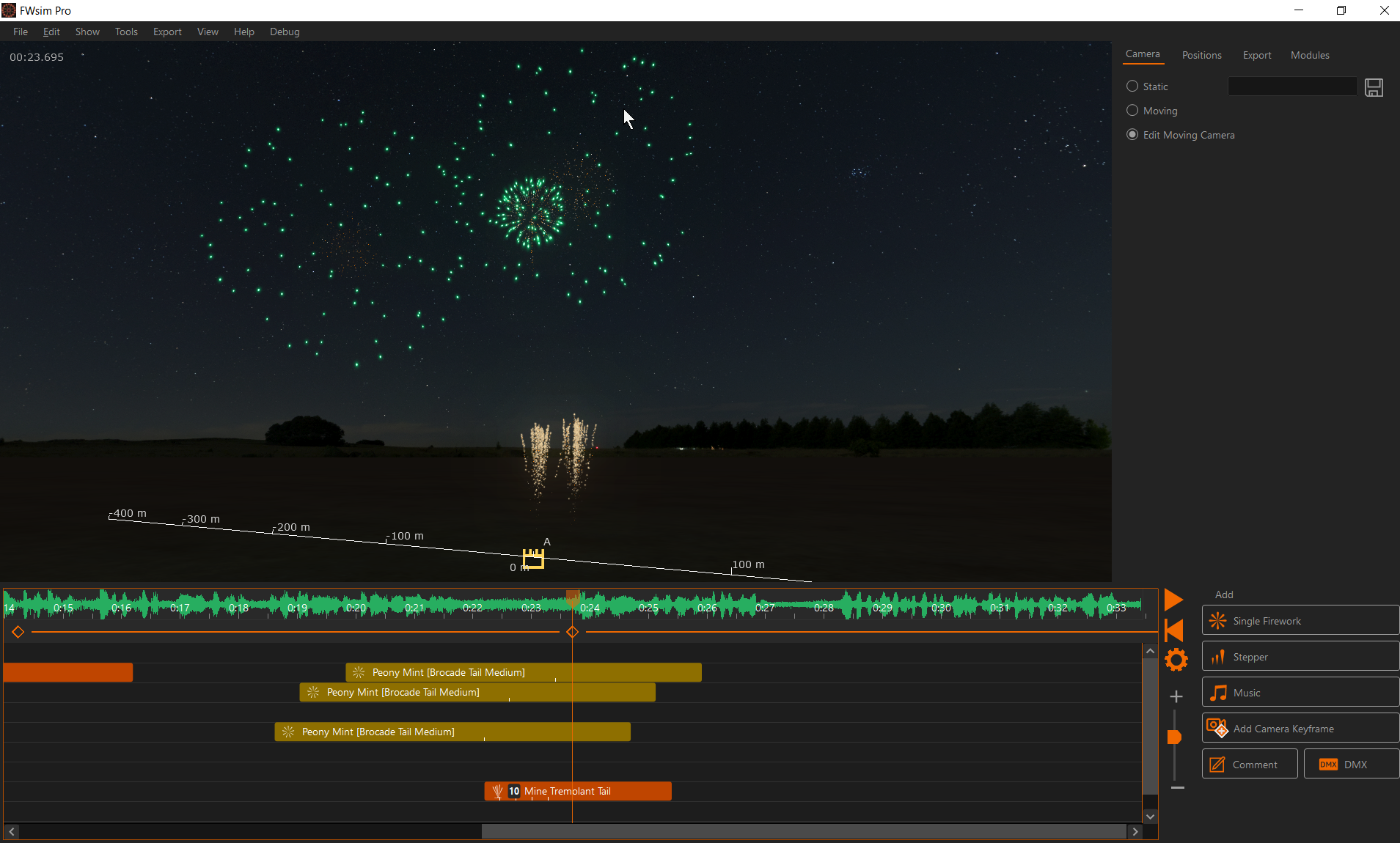
➜ Better display of positions, with 3D cylinders - so you can better see where the positions actually are in 3D space ➜ Put steppers through multiple positions (this allows you, for example, to run a stepper in a circle) ➜ New “Fly Around” camera controls - more efficient & intuitive ➜ Comfortable angle selection in 3D window ➜ Select position first, then add cues ➜ Select multiple positions to add multiple cues ➜ In position setup mode, you can select multiple positions and move them together ➜ Stepper renamed “Sequence” ➜ Toolbox made smaller, so you have more space for your timeline ➜ Now using the CTRL key to select multiple items in the timeline, instead of SHIFT (to match the Windows standard) ➜ When pasting, cues are pasted onto the position that is selected in the 3D window ➜ You can copy shots from a single position, and paste them onto multiple other positions
Effects Improvements
➜ More effects available ➜ Some old effects, which were of lower quality, are now hidden ➜ Adjust gravity for stars ➜ New types of blinking ➜ More colors available ➜ Can now attach ascent effect components to rockets
Let us know how it goes! We look forwards to seeing what you make with it.
Create better 3D worlds with the Water Removal Tool
Hi FWsim fans!
In 2023, we added a feature to load Google Earth 3D scenery into FWsim (avabile under Show -> Scenery -> "Real Location").
We also added a water system, allowing you to add water to the scenery (available under Show -> Scenery).
Usually, this works really well: set the water height correctly, and it blends in nicely with the Google Earth data
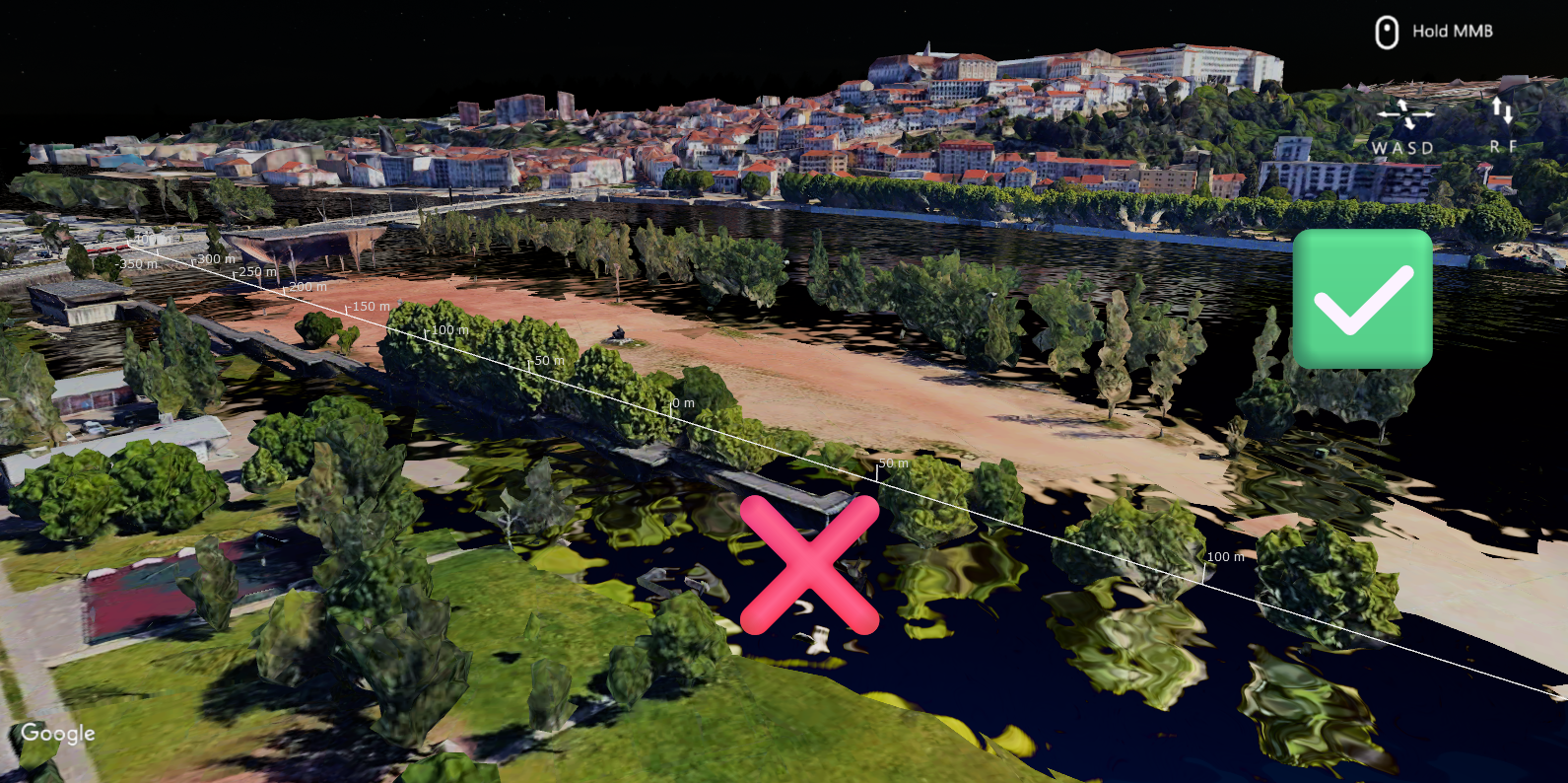
However, in some locations there is a "spillover" effect, where water enters areas that should be dry:
Here's how to solve this:
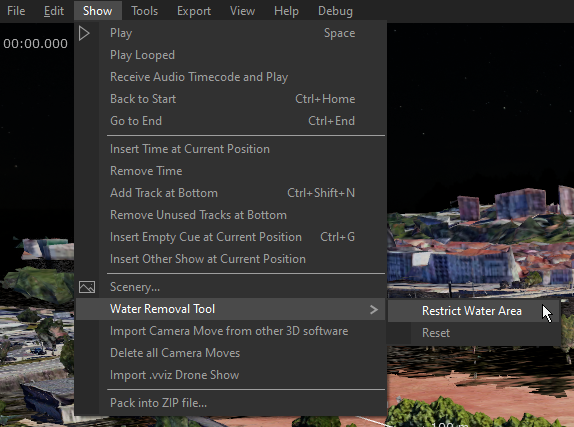
1. Open the Water Removal Tool from the menu bar
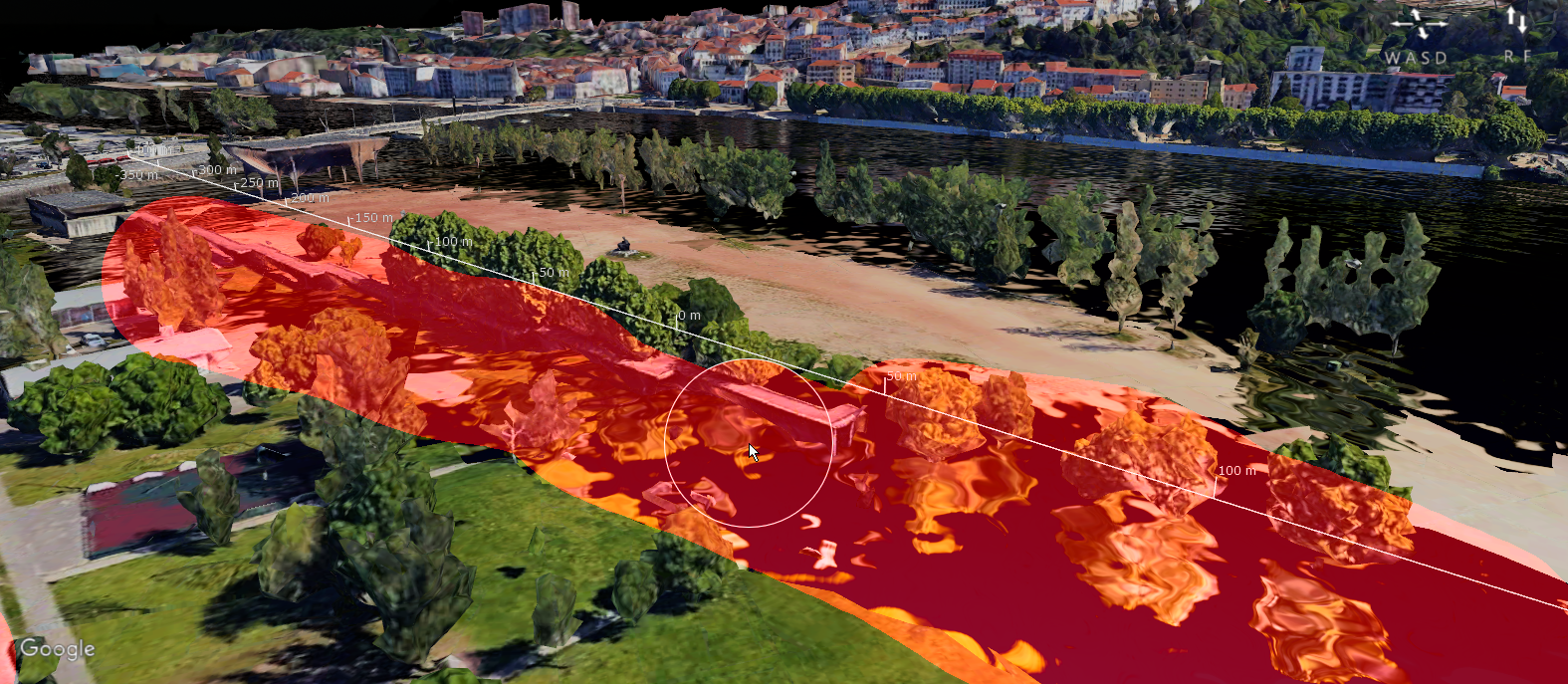
2. With your mouse, you can now erase the water. (Use the mouse wheel to make the brush bigger or smaller)
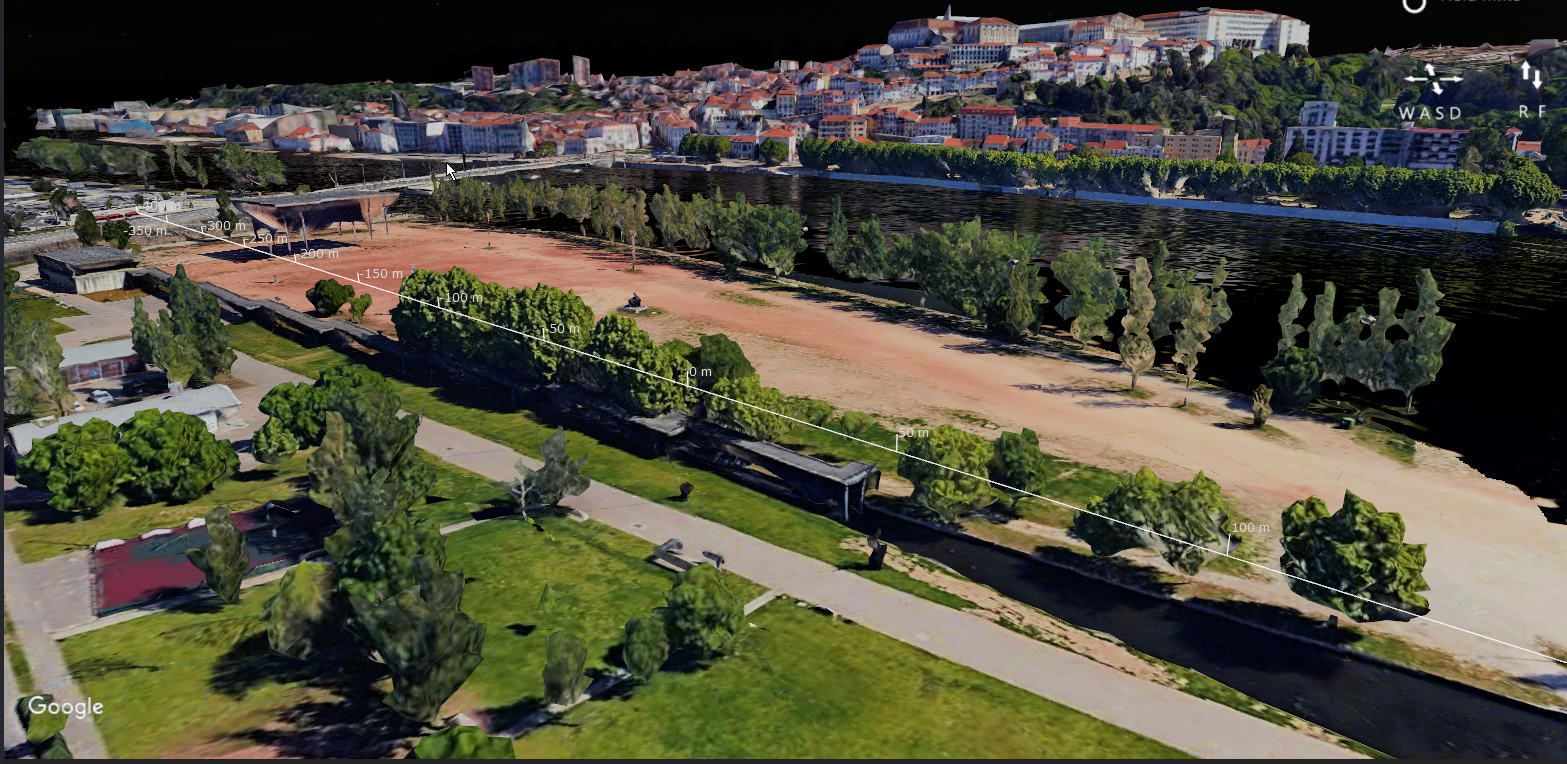
3. Close the window, and the changes will be saved. Your environment will now look correct.
New Crackling Types, Strobing Ascent Effects
Popping Flowers (Crackling) can now be adjusted in a much more granular way
Ascent Effects can now have strobing
57 different kinds of crackling already included
FWsim Full Release - Available Now
Dear Fireworks Fans,
we are excited to announce the full release of FWsim - Fireworks Display Simulator on Steam, today!
Since our launch on Early Access back in 2021, FWsim has improved a lot. To celebrate the full release, we are now making it even better with the addition of:
Completely new graphics
Load the entire world in 3D, thanks to data from Google Maps*
Water, which you can add to any existing show, and combine with Google Maps data
Multi Color Changes
Mortar Sparks and Explosion Sparks
Microstars
Easier placement of fireworks on buildings
*) Please note, we rely on external data for this feature. There is a risk this might stop working in the future - but we will do our best.
A few words from the developers:
Lukas (Lead Developer): "I am very grateful to everyone who has been using FWsim over the years. I would especially like to thank our users who sent in lots of feedback over the past weeks. Keep creating great shows, you are awesome!"
Marcus (Head of Fireworks Design): "FWsim has been with me since 2010 and I am therefore very pleased about the development in recent years. We are proud to see such great shows from you every day and are very grateful for your feedback! We want to make FWsim the best fireworks simulator available. Look forwards to our next updates :)"
- The FWsim Team
FWsim Full Release: Water, Real Environments, New Graphics, and more
On November 3, we are leaving Early Access and officially launching on Steam. Check out the new trailer:
List of new features in this release
Completely new graphics
Load the entire world in 3D, thanks to data from Google Maps*
Water, which you can add to any existing show, and combine with Google Maps data
Multi Color Changes
Microstars
Easier placement of fireworks on buildings
*) Please note, we rely on external data for this feature. There is a risk this might stop working in the future.
Want to try the new update right away?
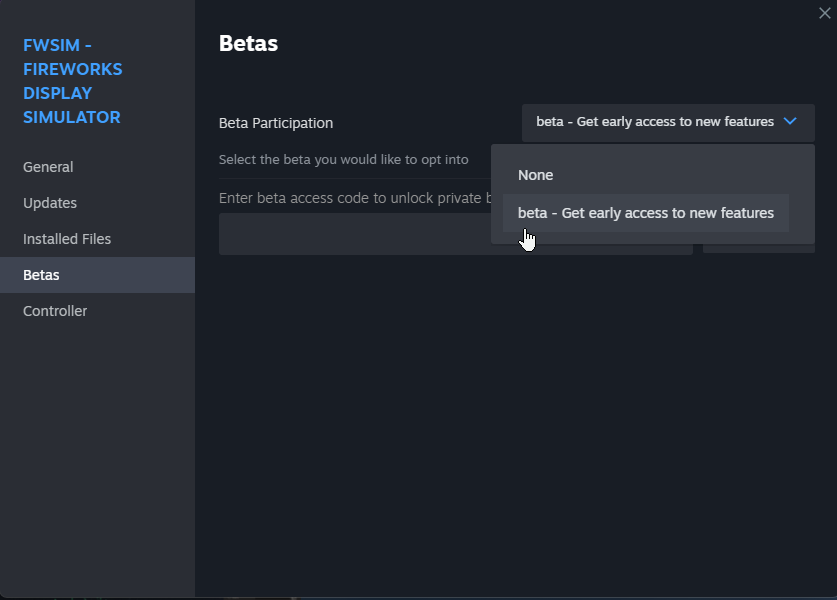
You can check out the new version right away, even before the official release, by switching FWsim to the beta branch in your Steam client:
Keep in mind we are still working on it, there's a few bugs we still need to fix.
If you try it out, please leave your comments below.
The Entire World in 3D - FWsim 3.5 Beta 1
Dear FWsim Community,
we are excited to announce this beta update with the following features:
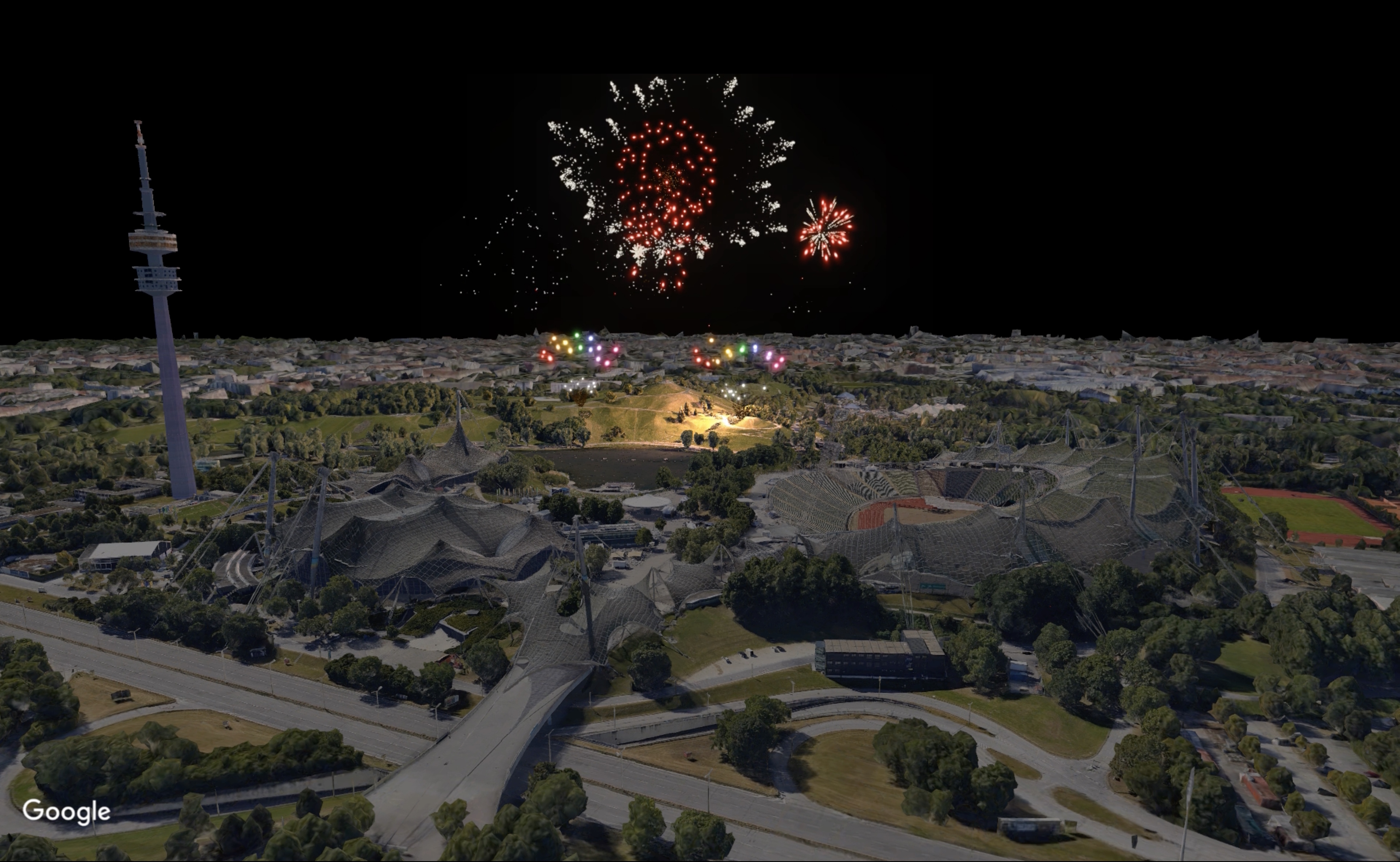
Loading the entire World in 3D
FWsim could load 3D models in the past. But if you wanted to simulate a real place, you might face challenges. You’d either have to make your own 3D models or try to find the desired building models online. Yet, typically, you’d only find isolated buildings, not the entire landscape.
The latest version, FWsim 3.5, solves this problem. Now, you can launch fireworks anywhere in the world, in 3D. It not only provides the location you want, but also includes the entire surrounding area.
Our data is provided by Google and consists of 3D terrain (hills and mountains) for the entire surface of the earth. It also includes 3D buildings for thousands of cities. The data is downloaded on request. Please note, since we rely on an external data provider, there is a risk this feature might stop working in the future.
Here’s how to use it:
Find the geographical coordinates (latitude and longitude) in decimal degrees, for example 51,503° / 0.00° for a location in London. To get coordinates, simply open Google Maps and right-click on the point you want:
Open an existing show in FWsim or create a new one.
Click Show → Scenery, and select the “Real Location” option.
Enter your coordinates and click “Load”. Please make sure to use the right decimal separators. For example, if your Windows is set to German number format, you need to enter “51,50178” whereas on an English computer you would type “51.50178”.
Depending on the location you load, your camera might be below the terrain. If you don’t see anything, move your camera upwards.
If you would like to preview interesting locations, or find out how good the data is at certain places, please use Google Earth.
Better placement of Fireworks on Buildings
In previous versions of FWsim, it was difficult to place fireworks on buildings. In this version, this is much easier and more intuitive.
How to activate the Beta
Please right-click FWsim in your Steam Library, and select “Properties”. There you can choose to participate in the beta:
Show us your work!
We look forwards to seeing what you do with the new features. You can post your shows here in the discussions, or at the FWsim community forum.
FWsim 3.4.1 - Lancework, Better Performance
FWsim 3.4.1 is now available! Here's what's new:
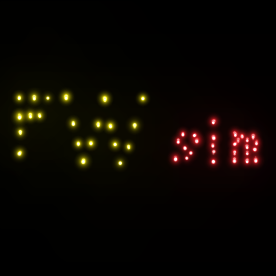
Lancework FWsim 3.4.1 comes with a new Lancework effect type. Lanceworks are pieces made from wood, with glowing dots arranged in shapes or letters. You can create Lancework through the Effects Editor, and draw your own shape:
Improved Performance, Reduced Memory Usage We switched to a newer version of the Microsoft .NET Framework, which should give better performance. We also managed to reduce memory usage.
In our quest for better performance, we also changed the way the light falls onto the environment. It should now run faster.
FWsim 3.4: Dark Mode, Fullscreen, Better Camera Controls, New Effects Samples
FWsim 3.4 is here, and we are excited to tell you about it!
[previewyoutube="Dm7XGZGxFpw;full"]
New Dark Design (you can go back to the old design by disabling “Dark Mode” in the preferences)
Improved Camera Animation System
Saving and Loading of camera positions
Topdown Camera View
Improved “Create New Effect” dialog with many more sample designs to choose from
Fullscreen Mode available (press ALT+ENTER to go fullscreen)
Preferences are now easier to navigate
When snapping in the timeline, we are now showing indicators to indicate what snapping