I've been busy working on a heap of changes to the game and today It's finally ready.
With this new update I'm calling the Glory Edition, I've gone through the game from top to bottom and improved almost every UI, interaction and system in the game. These quality of life improvements I feel have added another level of polish to the game and overall improve the gameplay experience.
Tweaked all UI elements to improve their design, animation, sound, interactivity and usefulness
Added new data-rich UI's to give you more insight into your settlement (resource generation, population breakdown, financial information)
Revised gameplay mechanics, giving you more control over how your dwellings collect resources and upgrade
Improved settings, giving you more control over how the game performs
Updated sound design, with more intuitive feedback when using the UI / interacting with the game
A heap of bug fixes, including some visual ones, performance ones, sound ones and a few sneaky rare ones that used to cause crashes
Dwelling Upgrade Mechanic changes
Previously when a dwelling had all of it's resource it would automatically upgrade. While this worked fine, it also meant you had no control over when that upgrade happened. With this patch you'll now have to press the update button manually, letting you control when your building upgrades.
This is a major change to the flow of the game, but one that brings the game more in-line with other survival games such as Anno.
New Building Interactions
I've added a few new ways in which you can interact with your buildings, including a Multi-Building Action UI and a new Right Click Context Menu
New Multi-Building Actions UI
This new UI sits at the bottom of the screen. This lets you enable Move Mode, Delete Mode or Upgrade Mode
Move Mode
Enables selecting an existing building and moving it elsewhere, left click to select the building you want to move and left click again on an open spot to confirm (or escape / right click to cancel)
If you try and drop your building on an existing space you'll get a message letting you know it's gonna work and to choose somewhere else.
Delete Mode
Enables bulk delete mode, click on buildings one after the other to delete them. This is perfect for mass removing roads (or dwellings if you're feeling vindictive)
Upgrade Mode
Upgrade Mode, click on multiple dwellings back to back to upgrade them to the next level. You can click on any dwelling, but only if it has the resources required will it upgrade.
These new actions should help you easily upgrade dwellings, delete a section of road or move buildings around. All of these actions generally can be done by selecting a building (or right clicking it) and choosing the same actions.
After playing other games like Anno, I really appreciate having a move and delete tool, so I'm hoping my take on it improves your enjoyment.
Right Click Context Menu
New context menu shown when you right click on a building. This menu gives you quick access to select the building, upgrade it, delete it or move it. A simple UI to speed up your gameplay
Right click on a building and when you're done either right click again, press the close button or select something else to dismiss it
New Building Icon System
Added a new Icon System to show information above each building and how its operating. This info should tell you at a glance what's happening and highlight any issues your buildings are running into.
Status Icon
Shown when a building is having issues (e.g. no access to civic services, no workers, limited resource collection and so on). Generally you'll see this when there's something wrong
Production icon
Shown when your Industrial Buildings and Civic Service Buildings create their resource, a little icon of that resource is quickly shown and hidden.
Dwelling upgrade icon
Shown on dwellings that are ready to be upgraded. This should help highlight which of your dwellings is ready to be improved.
These icons can be enables/disabled under gameplay options if you prefer
New UI - Residential Breakdown
This helpful UI will let you see your population at a glace. Press the new button in the top right of the game to open this system up
The summary page gives you a quick breakdown of the number of residences in your settlement, along with their income and other important data.
Clicking on one of these summaries will open the details tab for that respective type, letting you see all dwellings. You can then click on each dwelling to get important information about it, including if it's ready for an upgrade, the amount of resources it currently has and what citizens it holds.
While you can get this info by hovering over your dwellings or selecting them, having this single UI should help you more easily track down issues and highlight when buildings are ready for an upgrade, I'm hoping you guys find this one useful.
New UI - Resource Breakdown
This new UI will give you information about your resource generation and consumption across your settlement. When toggled you'll see a layout like below, showing the resources your settlement can create on the left and a summary on the right
Selecting a resource will give you a breakdown of all industrial buildings that generate and consume that resource, for example you can see how many units of livestock are needed to supply the demand for your meat industries.
This UI should help you see at a glace the balance of your industry buildings.
Building Tooltip Adjustments
The tooltip that's show when you mouse-over a building has been improved, I've given it a once over and improved its functionality to make it even more useful.
Productivity Info / Resource Generation Progress
Shows industrial building productivity percentage, so you can see at a glace how well your building is working (low productivity generally means it's not getting it's resources in a timely manner)
Also I adjusted how the resources production bars are displayed in the UI.
When watching an Industrial Building / Civic Service building, a small progress bar shows how long until that resource is created. Previously this was updated every second, with this change it now updates every frame so the progress animation appears smoother
Improved Help Section
When hovering over a building, an adjusted help section will be shown at the bottom of the screen, showing you what actions you can perform, for example when hovering over a dwelling you can see that pressing shift will highlight that dwellings occupants
Shift button - Show Related Elements
Added a new feature when hovering over buildings. When you press SHIFT, the game will now show information about related buildings and people. In the example below, pressing shift shows you where they are sending and receiving their resources
When used on a dwelling, shift will show all people belonging to that residence
When used on a civic service building, shift will show all dwellings in range who will be getting that service
When used on an industrial building, shift will show a range of information such as all its workers, related industries that it collects from and delivers to, along with the path it's agents will take
This new system should help further outline exactly what a building is doing, along with where it's agents are and what's happening.
Building System Improvements
I've gone through the building system and re-worked a heap of elements. Overall the building placement system should feel smoother, be more responsive and have less glitches overall.
Smooth rotation / movement
Placeholder buildings should now smoothly rotate and move towards your mouse cursor, compared to them directly snapping in previous versions.
Existing building error handling
placing a new building on an occupied spot now shows an error animation, sound and a temporary warning message.
More consistent building
when building small buildings around bigger buildings, sometimes the game would trigger an error because of overlap detection (thinking you're trying to select the bigger building), this has been fixed and the underlying build system improved to be more reliable.
Multiple buildings preserve rotation
when placing multiple dwellings one after the other, the new dwelling will copy the rotation of the previous one instantly (prevents dwellings from being created and visually snapping to a road, it spawns with that correct angle in mind)
Other noteworthy changes
Removed colliders from trees and other scenery (which would sometimes block your mouse cursor as it thought you were selecting a tree instead of a building)
Removed the building replacement system. Previously you could build a new building on-top of an existing building, when doing that you'd get a popup asking for confirmation. With the new move and delete system this isn't needed
Fixed an issue with placing large buildings (e.g. 2x2 tiles or 3x3 tiles) near the edges of the map. When places on the right most edge or top most edge, sometimes you could push the building out of bounds.
Fixed an issue with African civic service buildings, a few of them were listed in the wrong category (listed as religion instead of culture etc), this has been fixed
New Game Settings
I've had a look at the games setting system and added in some new features and quality of life alterations
UI Scaling Support
Now you can choose to scale the whole game UI up and down. Give it a go and see what percent works for you
V-Sync Support
Added in V-Sync option which is enabled by default. Previously v-sync was always enabled, but having the options here just makes sense
Building Icons
New building icons have been added to the game. These display on-top of each building and give you a visual indicator when there's an issue with your building, or when it produces goods or when it's ready to be upgrades.
These can be individually enables/disabled to match your playstyle
Setting Saved Notification
When changing settings, a little settings updated notice will appear on the right hand side of the menu, to confirm the setting has been changed
Updated Campaign Menu
I've re-design the main campaign menu to make it more intuitive. Instead of having all the scenarios in one long horizontal scroller, you now select the scenario on the left and it's info appears on the right
All Resources UI
The all resources UI (that you toggle) has been adjusted so these resources are broken down into 'types', so when you're playing a scenario with multiple types e.g. both Roman + African resources, these resources will be separated instead of being combined in a single large list.
Date Changes
Date display has been changed in-game, previously it showed the date of the scenario e.g. 01/01/0045 , this wasn't helpful so it's been adjusted to show the number of days since the scenario started + the number of weeks remaining.
In other parts of the game, generally I've swapped from a "you've spent X days" to a "You have X days remaining" approach. This feels more in-line with expectations (you have X days to complete the scenario for the Senate)
Financial Breakdown UI Changes
This UI has been improved to help streamline the information shown. Previously when viewing the income or expenditure tabs, you'd see a long list of buildings separated by categories and sub categories, now these elements are collapsed and need to be toggled to see as below.
This should help improve readability greatly. For example instead of seeing 50 dwelling line items when the UI opens, you'll only see it when you toggle the 'Residential' section, leaving the UI less cluttered.
In addition, buildings that are not currently contributing 'income' or 'expense' are shown in these breakdowns, previously if a building was not contributing it just wasn't shown, while that worked it also meant you couldn't see dwellings that were currently not contributing because their occupants didn't have jobs. With this change you'll see all buildings that CAN contribute and if they don't currently they list their value as 0.
Help Dialog Adjustments
The help dialog which shows once you dismiss the advisor (on selected scenarios) has been adjusted. I've added small videos here instead of images to further highlight elements you should focus on. These videos feel better compared to static images.
Dwelling Browser UI Tweaks
The single building browser (which is opened by clicking on the '?' button when viewing a dwellings building card) has been adjusted.
Previously this used a full vertical scroll UI to show all 4 levels of the dwelling. This has been adjusted to use a new tabbed layout, making reading this information much easier
Camera Adjustments
The camera has been adjusted to smoothly zoom in and out now, compared to instantly jumping as you zoom. Use the mouse-wheel as normal or even the '-' or '+' keys on your keyboard to zoom in and out
In addition, when using the middle mouse button to pan across the map (holding middle mouse + move), the speed should now be consistent regardless of how fast you drag your mouse.
UI Elements / Updates
Almost all UI elements have been adjusted in some way, with most of the changes involving streamlining their appearance, animation and interactions.
Most UI popups with lots of information have been adjusted to use 'tabs' and 'containers'. This new tabbed design also animates, showing and hiding its related content section when you interact with it
Cursor icon now changes based on content, showing movement, deletion, info or similar things when you play the game
When viewing the Scenario in game. The time elapsed UI has been replaced with a time remaining UI. Instead of saying how much time you've used of the scenario, it now counts down to list the time you have left
Added a fancy 'Full Screen Blur Effect' that's triggered on most UI elements. When you open a menu, the gameplay behind will now blur out of focus.
Several UI cards now respond when hovering over them, for example swapping out their background color to show they're being interacted with
Buttons (such as the main circular ones) now have a pulsating interaction animation when selected, along with an animation swapping out their background color on hover. This should help visually indicate when a button is focused / selected.
All UIs should animate in and out in a similar manner now
UI's updated so that their main 'Heading' is now the same size
All UI's now have a 'Close Button' in the top right of the UI, in the same position and size
Advisor UI now has a close button, players can press that or the standard dismiss button to jump into the gameplay
Help Dialog UI (shown on some scenarios) can be dismissed either with the dismiss button or a new close button, to keep the UI consistent.
Temporary notifications now are handled better, they can be triggered in quick succession without their animation looking broken
Several industrial and civic service buildings have had their icons adjusted to make them more consistent
Fixed single dwelling UI to fix a white transparency issue (an incorrectly displayed image)
Current senate missions UI now animate when focused on, these missions have been slightly re-styled also
Sound Adjustments
I've gone through almost every UI element and part of the game to improve the sound system. Overall buttons and UI elements should make sounds when hovered over / interacted with and gameplay elements such as selecting people or buildings should also play corresponding sounds.
Almost all buildings and people now will have selection and hover sounds, the idea being when you're interacting with anything it should make a subtle sound
All buttons and icons that are interactable should now make a sound when they're hovered over
All items in the settings menu (e.g. the dropdowns / buttons / checkboxes) should make sounds when hovered over / interacted with
Notification messages now play a sound when they're triggered (and the sound is based on if it's a good, negative or neutral message, distinguishing sounds when you run into issues)
Many sound effects (like building, pressing buttons or toggles etc) will have a variable pitch (so it's not always the same sound effect over and over)
Fixed long standing 'button click issues' where when you started a scenario, several 'click' sounds could be heard, these phantom clicks finally have been removed and my sanity restored
General Gameplay changes
Press space to pause/resume gameplay (can still use 1/2/3/4 shortcuts to change game speed where possible)
Dwellings previously started spawning in people even when they had no road connection. In this update until a dwelling is connected to a road no people will be spawned in (and a warning message is displayed)
Fixed a bug where when a dwelling was deleted (and its people destroyed), it never updated any business they were assigned to. This meant industrial buildings had workers listed but these workers no longer existed (so these buildings would fail). This has been corrected so when dwellings get destroyed all buildings are corrected!
When there are no menus, build mode or other UI's open, you can now press the Escape key to open the main menu
What's Next?
I'm planning a few other things I want to work on, but this update covers a whole heap of areas I always wanted to polish up, I'll keep you guys updated with what I cook up next
Achievement Update / Hotfix
Hey guy
This quick update today addresses some issues with Steam Achievements. After looking through the system that handles the unlocking of achievements I've found a few bugs that were preventing the following achievements from unlocking reliably
Campaign
Grand Income Stream (4000 denari a month income)
Exceptional Income Streams (7000 denari a month income)
A Watchful Eye (50+ Roman security civic service buildings in total)
Sandbox
Sandbox Adventure (15m playtime in sandbox)
Advanced Sandbox Play-through (30mplaytime in sandbox)
Sandbox Empire (45m+ playtime in sandbox)
Financial Preparation (50,000+ denari reserves)
Advanced Finances (100,000+ denari reserves)
All of these achievements should now be unlock-able and should happen naturally during your campaign or sandbox play-throughs.
I'm always on the lookout for BUGS so feel free to start a new thread in the Discussion Forum if you run into anything strange.
Cheers
Upcoming Content Update
Hey everyone
I just wanted to put out a quick update about the game and how it's coming along
I've been working on a range of updated systems and buildings and the plan is to provide a more detailed update in the next few months with my progress.
I wanted to push out additional content sooner but I've been dealing with health issues that I'm trying to resolve. I'll be trying to stick to the yearly roadmap but things may be slower as I work through my recovery.
As usual though, if you have issues or run into bugs please create a ticket on the Steam general discussion forum and I'll look into it. I'm pretty confident that I've squashed a heap of bugs across the campaigns and it should be playable end to end! I check this forum generally once a day so feel free to reach out!
Cheers
Upgrading Glory of Rome (32 bit to 64 bit)
Hey everyone
Currently the game is running as a Windows 32 bit application via Steam. While that's worked for a vast majority of the users, I've still had reports that some people are running into memory issues.
Originally I thought the 4GB ram limit for 32 bit applications would be fine, however as you play into the late game, the app I've noticed can get very close to the 4GB limit. Even when you finish one scenario and move on to the next, there is still an increasing memory overhead.
Going forward I'm going to be transitioning the app to a 64 bit release. This will remove the memory constraints and make it much less likely to crash. This will be happening sometime over the next few weeks. It will also make it much easier for me to maintain memory wise as I've had to re-design several key systems to keep within the 4GB memory limit.
I've looked into the user numbers and an overwhelming majority are already on a 64 bit system, so compatibility will be fine. This update should hopefully resolve these ongoing memory issues and overall be a more stable experience.
Overall you shouldn't notice any gameplay differences with this new version, it should all just work as normal.
Cheers
Introducing Grand Civic Projects!
Hey everyone
With todays update comes a brand new building type for the game. The introduction of Grand Civic Projects. These multi-stage development projects require you to leverage the collective skills and resources of your settlement to see them to completion.
Grand Civic Projects
These new buildings are massive multi-stage constructions that require a range of workers, resources and dependent buildings to operate. Throughout the Roman campaign you'll be tasked with the development of a series these projects, each of which will see you create a glorious monument to the Empire.
How do they operate?
Unlike other buildings you're familiar with, these projects aren't just set and forget. You'll need to place the foundations of the project and work through multiple stages of construction.
With each stage of development the civic project requires an ever expanding list of resources, workers and building requirements to upgrade. You will need to provide wood, stone, marble, pottery and other resources in large quantities to facilitate their growth.
What projects will I be building?
Across the 3 new scenarios introduced, you'll be creating the following projects, each of which will require an extensive industrial presence to power
The Grand Arena
The first civic project, the Grand Arena. You'll be building this in Scenario #7 and will require a range or raw and refined goods. This project is the easiest of the 3 you'll build and should serve as a good intro in these projects and how to generate resources
The Pantheon
A large temple complex to venerate the Gods. You'll be building this in Scenario #10 and will take a wide range of refined goods and labour to upgrade
The Imperial Palace
Residence of the Emperor and vital administrative building for major settlements in Roman cities. This massive project is one of the hardest projects, requiring a large volume of both refined trade goods, food and luxury goods. You'll build this in Scenario #14
What's the right time to build?
Laying the foundations for these projects are expensive, costing between 1000-2000 Denari. In addition, each stage of the development process will incur a considerable monthly upkeep cost, a fee that increases as you develop the project further.
To be able to afford the outlay and upkeep costs of these projects you'll need to have considerable financial reserves and have a strong industrial and residential presence to boost your monthly income. Building the foundations of the project too early without the economy to back it up will almost always lead to failure, while leaving it too late may leave you with insufficient time to get it completed!
Start by creating all of the usual resources for your citizens and once you have a reasonable amount of monthly income you can place the foundations.
Resource needs, labour and dependent buildings
Each stage of the development process sees the demands of the project grow, getting harder and harder with each level as it grows to completion.
These projects are massive and represent the biggest public works that were undertaken in the Empire. As such the labour demands for these buildings, along with the amount of resources will increase with each stage. As you upgrade these projects you will be expected to provide not only larger quantities of resources, but more diverse refined trade goods as well.
To fuel these projects you will need several resource generating buildings, along with multiple refineries to create the goods you need. Each stage of the project will require dozens, if not hundreds of resources and it's your job to ensure they flow directly to the project.
New Scenarios
These projects take the forefront in three new scenarios in the Roman campaign. These scenarios have been mixed in with the original scenarios, being introduced once you've gotten the basics of city building down-pat.
The scenarios are in position 7, 10 and 14. These new scenarios should automatically be unlocked for play if you have completed the older relevant scenario. For example, the new scenario #7 where you build the Grand Arena will be unlocked if you beat the old scenario #7 (which has moved into the #8 spot in the list).
Along with these buildings, you'll need to grow your settlement sufficiently and generate strong financial reserves and a powerful industry!
New Features & Improvements
Along with this update comes a series of new optimisations and some behind the scenes groundwork for new features.
Financial Bailout from the Senate
If your current financial reserves fall in the negative and you have a negative monthly income, the Senate will provide a single one-off financial bailout to help get you back on track.
When you receive this payout the Senate will check back within 3 months. If you are still in debt they will relieve you of your position and you'll fail the scenario. In addition, if after this 3 month period you fall into debt the Senate will immediately remove you from office.
This mechanic should act as a 1 time warning to help you get back on track.
Faster Movement & Pathfinding
As part of the update, citizens overall should move a little faster around the city. This should help resources get to where they need to go.
Also, the pathfinding (the thing that calculates how does X citizen to get Y location) has been adjusted. Previously sometimes you might have found citizens take the long way to get to a building. I've adjusted this so delivery/collection agents should try and find the shortest path possible (without crossing through another building to get there)
Roman Industry Update
As part of the update several Roman industries have been updates to produce their goods faster. Here are some highlights
Mason should produce Refined Stone / Refined Iron a few seconds faster
Winery produces wine faster
Reduced mil production time
Timber mil is faster and produces more items
Wool weavers speed adjusted
Carpenters produce furniture faster
This change should help create more complex resources quicker. Many production buildings now require more raw resources, but produces more refined goods at a time. This should cut down on the wait time for resources. For example the Mason produces 2 units of Refined Stone every 7 seconds requiring 4 units of Stone.
UI Updates
Several parts of the game UI have been polished. This includes the left hand side main build menu, ensuring the font is more consistent across multiple UI panels and overall trying to adjust the spacing and layout to make the game feel more polished.
Build menu / buttons
Primary build menu items (such as dwellings / industries etc) will now toggle their background color when interacted with (the same as all other buttons in the game)
Buttons that open up other UIs (such as clicking on a resource to find more info about it) will now correctly toggle their background when the UI closes
Single Building UI updates
When clicking on a single building to get more information about it, the UI has been updated to make it more consistent.
The messages component (showing important info about the building) has been updated, it now hold 10 messages instead of 5 and the messages that are shown will highlight in gold important aspects of the message.
Changes to Achievements
Three new achievements have been added to the game for the corresponding new scenarios. Beat the new scenarios to unlock them!
Next Steps
I'm really happy with how this update and the civic projects overall have turned out. I hope some of you like these new projects and how you have to continually expand to keep up with production.
I'll be balancing and tweaking the content post launch and will be looking at the forum in case anyone finds any bugs.
Hope you all have fun!
Camera Perspective Mode, Performance Improvements and new Settings
Hey guys
I've been busy behind the scenes further refining the game. With this update I've introduced a series of new changes and optimisations that are worth highlighting
Foreground Item Detail Setting
In the previous update I added a setting to let you control the number of items that appear in the background. With this update I've added another one to control the foreground items. With this setting (under display > performance) you can control the amount of detail the foreground has. You can use this setting in combination with the background setting to greatly improve performance.
Setting your foreground detail to medium or lower can help you boost performance
Camera Perspective
I've been working on adjusting the camera so now you can either set to Side Perspective (the default 45 degree angle) or Top Down Perspective (a semi 2D top down view).
You'll be able to switch to either mode by changing the setting under the General tab. Visually there's still a bit of improvement to come for the new top down mode, but it's fully functional and should give you a new view to play with if you're so inclined.
Switching to the new Top Down Perspective can give you a unique look at your settlement.
Various Model Changes
I've been looking at ways to optimise performance on low end machines and with this update comes a series of changes to some of the meshes / buildings in the game.
Most of the buildings / models in the game now have 2 models of detail. A Close up model for when you're relatively zoomed in and a lower detail model for when you're zoomed out. The game will switch between these automatically to improve rendering performance (as generally when you're zooming out you will render more objects, so switching them out to lower poly models will help bolster performance)
Visually you shouldn't notice any drastic changes as by the time you've zoomed out you couldn't see the precise details of the models anyway.
Zooming out you can faintly see the model switch to it's low poly version
Most of the low poly models have significant savings compared to their high quality counterparts. With almost all models being switched out, there should be a positive performance boost with almost no visual degredation.
Comparison of high and low poly assets for the huntress statue. Switching out dozens of models can easily save hundreds of thousands of polygons
Other Changes
Here's some other quick things that have changed
African / Gaul senate missions now require 30% elapsed game time before they will start to trigger, giving you more time to get your settlement running before the Senate will contact you
Game camera adjusted to provide a more stable position, the camera will now always be in the same position on each map (beforehand there were very slight elevation differences, meaning the DOF looked stronger / weaker on selected maps)
Several resource descriptions have been updated (and more coming)
Series of spelling / gramma fixes. There's heap of text in the game so it's a slow process
Graphical Settings & Performance Overhaul
Hey everyone
I've decided to bring forward some performance optimisations and new settings. I've been looking at ways to further optimise the game and starting with this update, you'll have a few more tools at your disposal.
Some people that they've had issues with late game performance in some of the end game scenarios. While my recent update helped to improve RAM usage across the game, these new optimisations today should provide you several ways to customise your performance.
New Graphical / Performance Settings
The settings menu (now accessible mid-game and on the home screen) will give you a range of new options to customise how the game operates.
Background Item Detail
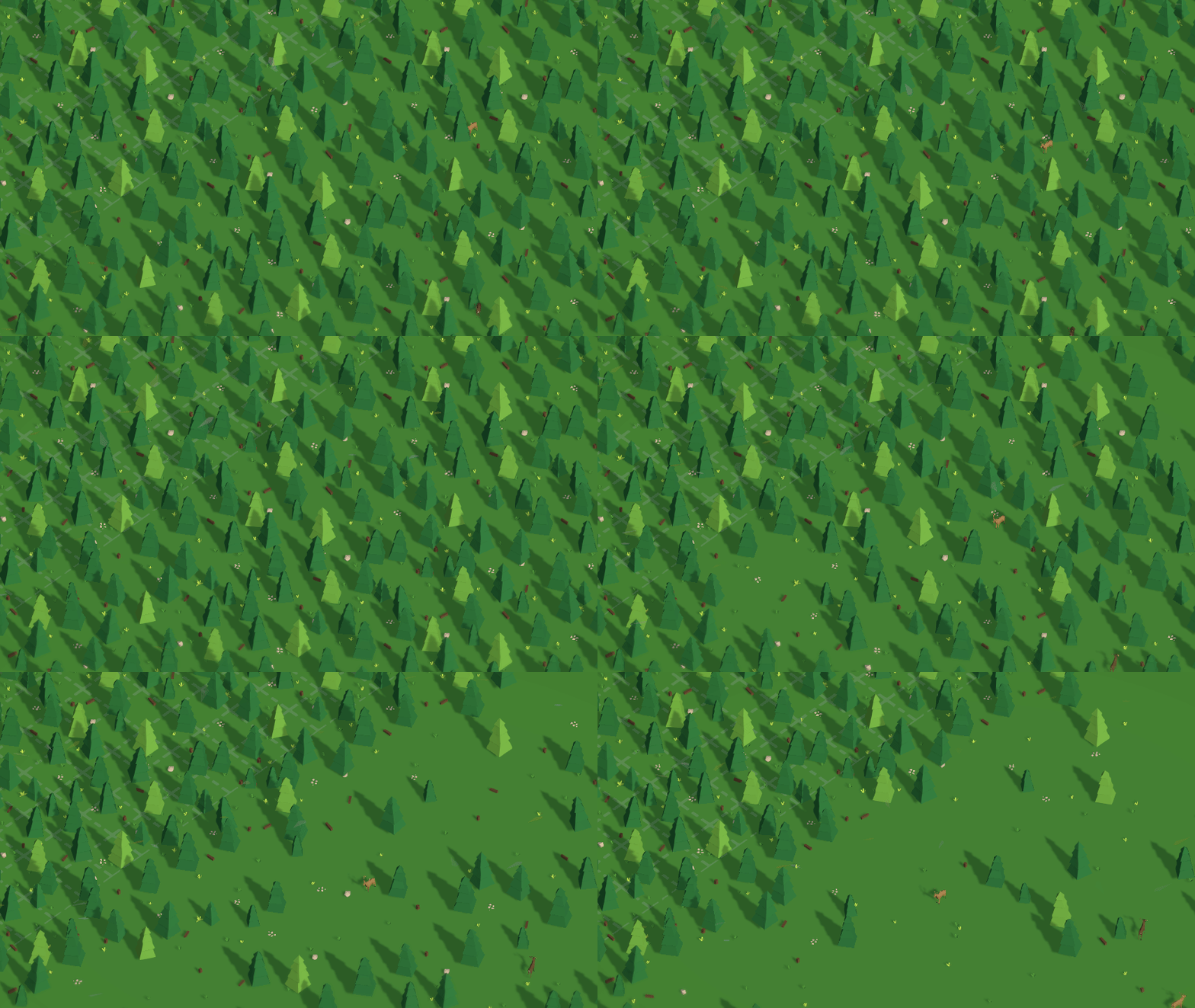
This setting adjusts how many items are used in the background of the game map. These include trees, bushes, grass and other set dressings used to make the background more lively. Changing this will hide a portion of the background items, for example setting this to Very Low will hide 75% of the items, greatly increasing performance on low end PCs. (note this only affects the background, not the foreground where you actively build your settlement)
Reduction in background detail from Very High to Very Low.
Anti-Aliasing Support
Coming with this update is the addition of AA support. previously I had issues getting AA to work reliably across the various cameras, but now it's managed to sort it out. You can choose from differing levels of MSAA (Multi-Sample Anti-Aliasing) and no AA.
You'll notice a subtle difference in quality between High and Low AA and their performance impact is only slight. Overall the new AA greatly improves the look of the game (as so many objects are low poly in nature and looked a bit blocky without it)
MSAA High and No AA. Notice the smoothness on the trees and parts of the road. You can right click and view the larger image to see the drastic improvement.
Sky Object Detail
With each map a series of clouds, birds and other animals will spawn continually. I've added a new setting that lets you control the amount of these items. While rendering 30 clouds and 30 birds might not be overly performance heavy, this setting will give you the flexibility to limit the amount of items that can spawn on the gamemap.
Switching from Very High to Very Low reduces items by around 80%. You can see several clouds and birds vanish when toggled.
Shadow Settings
A while back I looked at introducing smooth shadows and ran into issues. With this release I've been able to get them to work and now you can control them via a new setting. You can set this to either Smooth Shadows, Hard Shadows (the old setting) or No Shadows. I'd leave this on soft or hard shadows but reducing them all together can improve performance.
Switching from Soft Shadows to Hard Shadows and then finally No Shadows.
Disable Animations on X citizens
As your cities start to get massive, you'll start having hundreds of citizens all over your settlement. Each of these citizens is connected to an animator and it controls what animation they use (either an idle state, a walking state or a carrying state)
With this new setting, you can control if you want to disable animations once you reach a certain citizen threshold. When this threshold is reached, your citizens wont animate anymore and will appear to glide around. While visually it might not be the best, this new setting will only be triggered when your city gets to the nominated size (or not at all if you turn it off). When you start getting 600, 700 or 800 citizens, visually it wont be very notable if animations are switched off.
When triggered, all citizens will stop their animations. New citizens spawned will be in their idle state. You can disable this or set it to a higher threshold and the animations will start again
Background Particle Effects
Each map has a continuous particle effect, used to simulate grass, snow and leaves blowing in the breeze. While it's not overly taxing on the GPU. I've added the ability to turn this off if you prefer. Disabling this will have a minor performance impact but might be helpful if you're struggling.
You can enable and disable the background particle effects to gain a slight amount of performance.
What's Changed for the Gauls?
Overall, I've updated a range of models to reduce the rendering load. Even though the game is mostly low-poly, when you start to have 50+ buildings they can all add up, reducing your performance.
Updates to Dwellings
All of the main dwellings have been edited to reduce their poly count. The reduction is around 20%. Visually you shouldn't notice much of a difference.
Before: 4400 Vertex, After: 3200 Vertex. A great reduction of polygons with minimal visual differences.
Scenery Updates
Each of the Gaulish buildings have been updated to reduce the amount of visible objects via extra culling. Visually there's not much to show here, but performance should be improved when you start stacking dozens and dozens of buildings on screen at once.
Other Changes
Random assorted bits that have changed in this update
Middle Mouse Panning
You can now middle mouse pan across the game map. Hold down the middle mouse button and you'll move in your targeted direction. The velocity of the movement is based on how fast you move your mouse.
What's Next?
These optimisations and new settings should help address some of the issues people have been seeing with their framerate. I'm continually looking at ways to optimise the game and will release new updates when I make further progress.
Feel free to create a thread in the discussion forum if you are having issues. I want as many people to enjoy my game as possible so reach out if you need help!
Cheers
Upgraded Performance & Optimised RAM Usage
Hey everyone
I've been following up on some reports of crashes and decided I'd bring forward some performance optimisations that I've been planning. Basically as you build larger cities you'll notice that the performance can dip. There's a lot of factors involved here but here's a quick summary
Additional GPU load as hundreds of people and thousands of items are drawn on the screen (even if they're low-poly there can be thousands of things shown at once)
CPU usage caused by the citizens of the city and the coordination of their tasks.
Memory usage, as the scene gets bigger more things need to be stored in memory
All of those combined can negatively impact the performance.
Released today is a series of performance optimisations targeting RAM usage. While not the most exciting thing, this update drastically reduces the amount of RAM the game requires and that should help address some of the crashes I've been hearing about. This reduction in RAM overall should help with large scale cities.
RAM Usage Before
Before, the average RAM usage for the assets in the game were roughly 750MB to 800MB. This includes the models, audio, textures and other associated data
With each added building the ram usage would creep up, both from the new models and any new associated people.
Ram Usage After
I've performed a series of key optimisations and have brought the total RAM usage down from 750MB to 335MB.
This significant drop should greatly improve the stability of the late game. When you start the game and being a scenario your ram usage should be about 600MB to 700MB. Slowly increasing with the size of your city.
Optimised Audio
Most of the advisor dialog and senate missions were switched to stream their audio directly instead of holding it in memory. Functionally there should be no difference in the quality of the audio. A significant saving when there are hundreds of audio files in the game. This streaming may take up a little more CPU usage but I'm going to monitor it.
Optimised Textures
This is a big one. Behind the scenes a lot of the UI is created from a series of stacked JPG images. This update I've gone through all of the most heavily used assets and converted most of them to be 512x512 tillable images. This means that instead of using a giant 2048x image for some of the larger UI items, I can just tile these smaller images, using much less ram.
Other textures were also optimised so that only the correct sizes are used. During development it was common to have them in larger sizes and just downsize them on the fly, but that takes extra memory. So with this update they've been sized exactly to whats needed.
Overall you shouldn't notice visually any changes.
Optimised Models
Models are the primary part of the game. There's hundreds of buildings (and thousands of models) that come together. As part of this update I've gone through the top 20% of the largest models and optimised them further.
Visually they will still retain their semi low-poly aesthetic, but behind the scenes I've cut down the polygons considerably. For example some of the dwellings had 25% of their polygons removed to cut down on memory usage. Since most buildings wont ever be seen close-up, these changes have helped cut down on ram.
Further Optimisations
I've got plenty more planned optimisation wise for the game. I want the performance to get to a stage where we can have 1000+ models on screen and running at 60 FPS. For that to happen I need to investigate all areas of the game and make sure that when I find improvements it won't impact other parts of the game (e.g optimises the CPU and GPU usage but then loads way too much in RAM, ruining the performance gained here!)
Support Forum
Please contact me on the support forum if you have game crashes, bugs or other issues with the game. I want everyone to be able to enjoy my game so if you have concerns please create a new support ticket and try and outline any steps / information / screenshots you can.
I check the forums at least once a day so please reach out if you have issues!