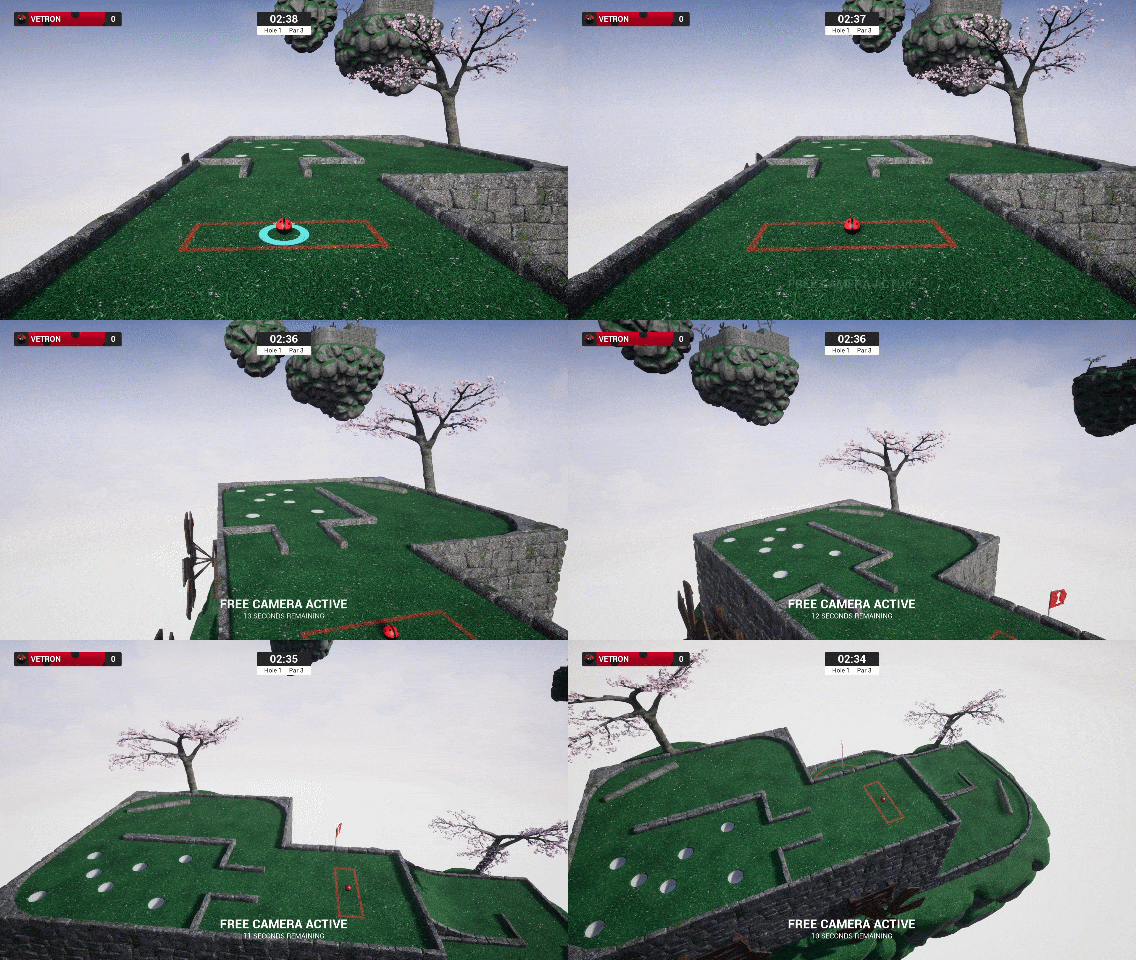
Todays update is mostly quality of life with a few bug-fixes thrown in too. Included is the ability to pause the game when playing solo, see-through some close camera blocking obstructions like trees, and use free camera while spectating.
Pause
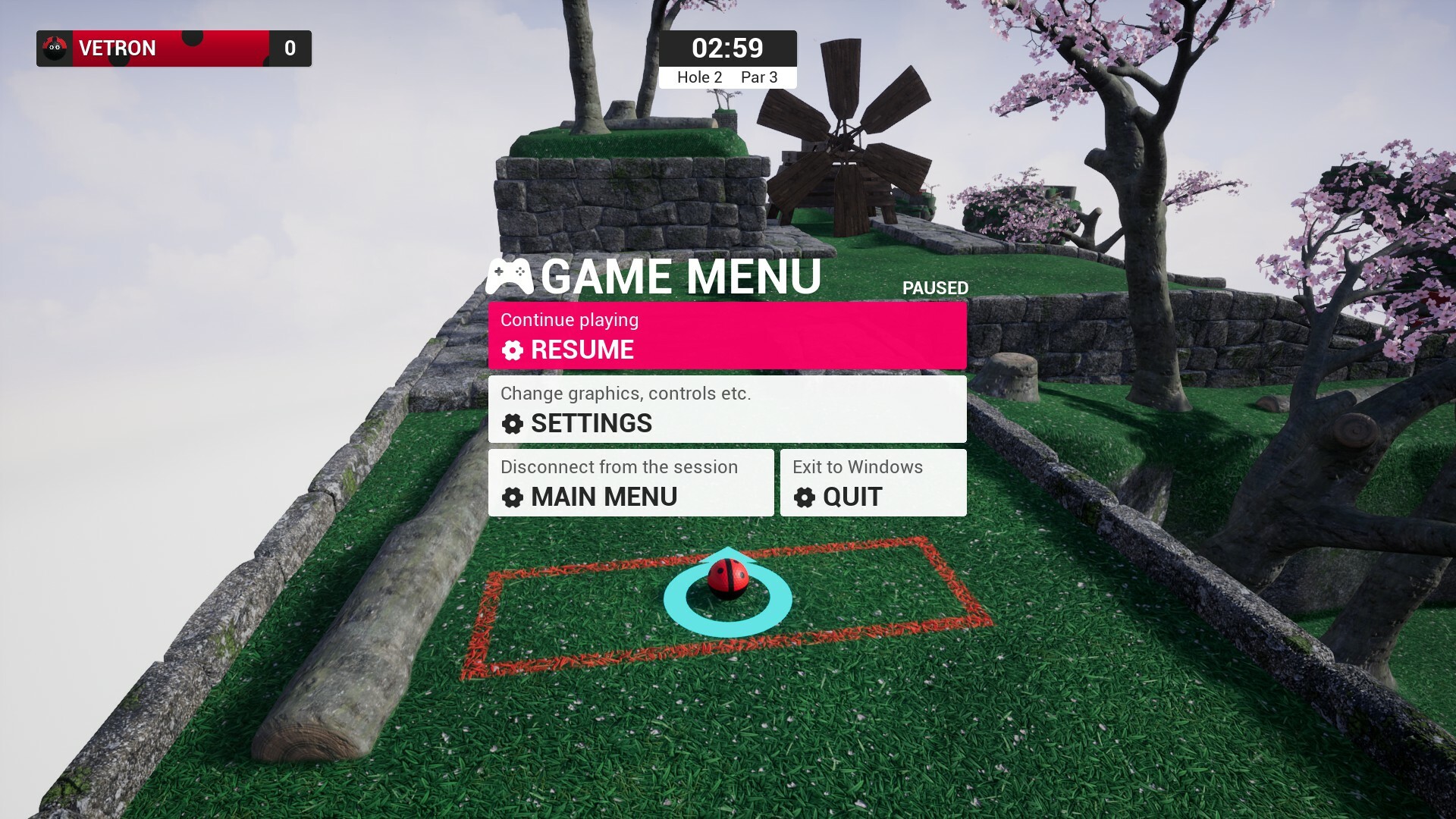
While playing solo in any mode and proceeding to open the game menu it will now pause the game, and visibly show in menu subtitle ‘paused’ like in the screenshot above. Only the element of the game 'pausing' is new, the interface was already present. If you are in game with other people, this cannot be paused and it instead say, ‘not paused’. Should a player join the game via either being public or you are inviting them, while the game is paused, the game will un-pause.
Free Camera while spectating
When spectating other players, typically it will follow the current active player but instead you have the option to activate free camera and fly around the level without restriction. When its a local players turn in hotseat mode the camera will be returned as normal. When not playing hotseat the text will just say 'Spectating' as you are not focusing on a specific player, however in hotseat as only one player may be active it will always display the active player.
Proximity Dithering
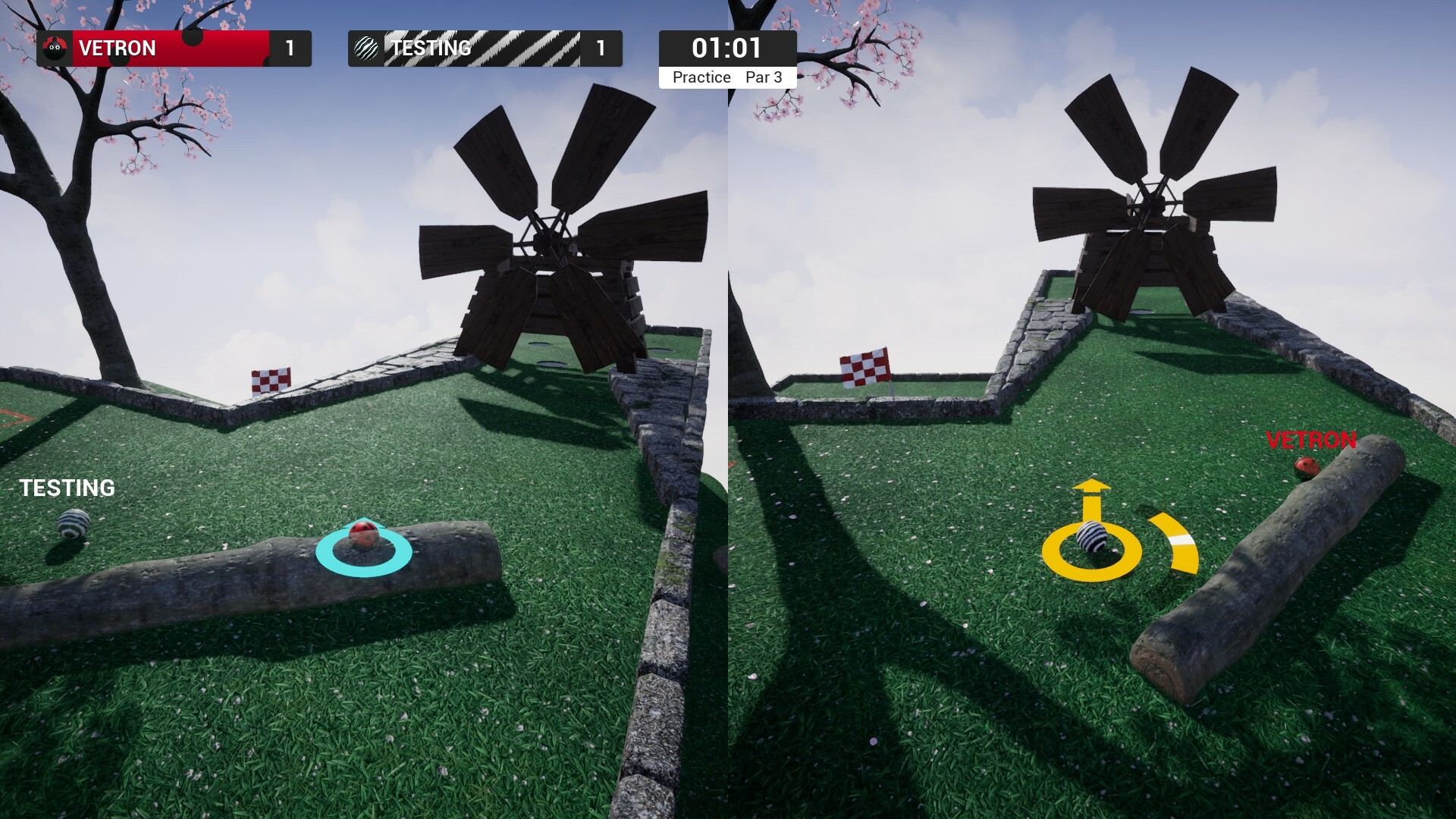
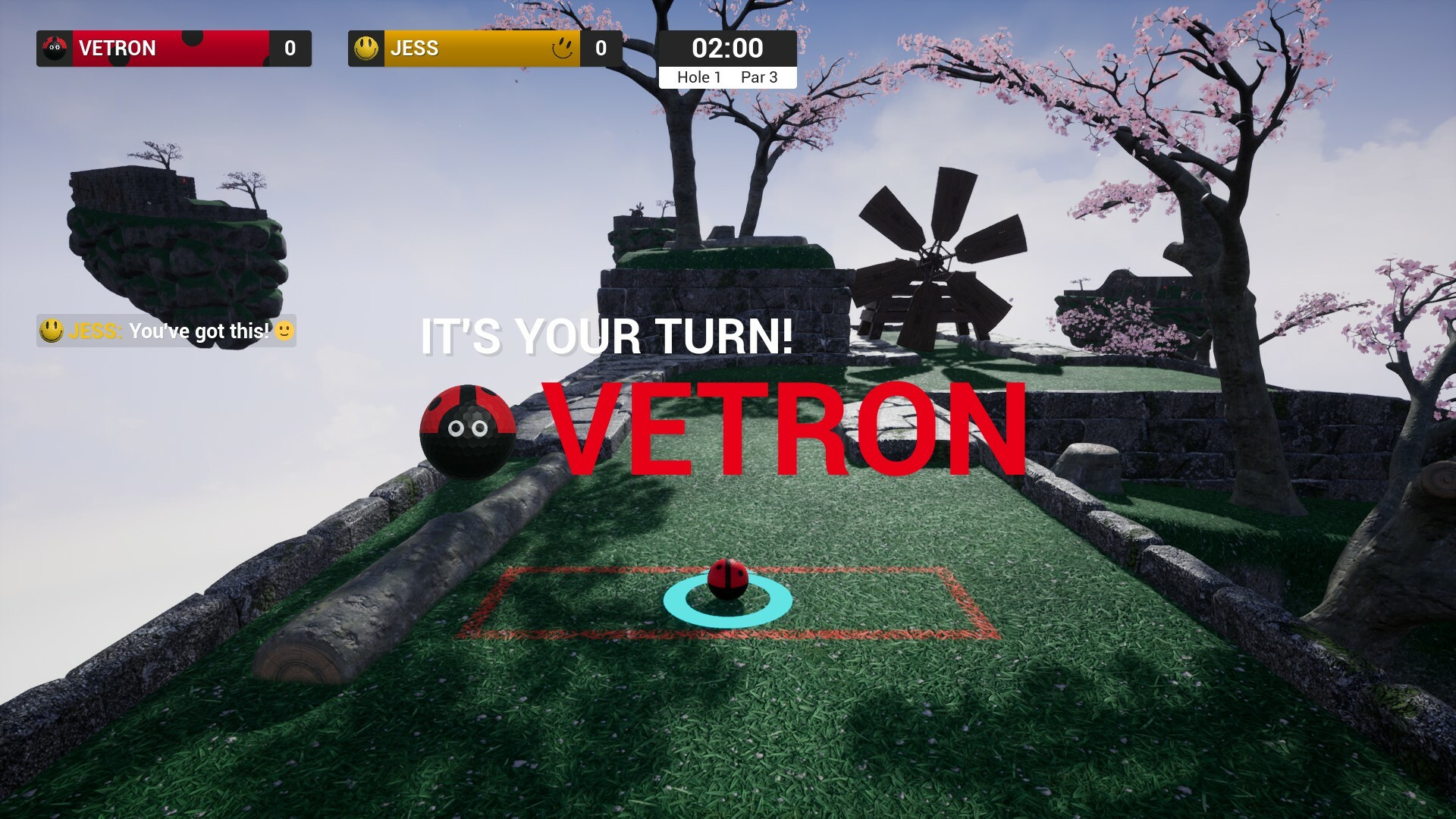
What you are looking at in the picture above is a specifically set object type such as the tree appearing translucent as your camera is close it it and its obstructing your view. Currently the only other mesh type supporting it is those red fences but I may look into other objects should any prove problematic. If you don't like the effect you can disable it under graphics settings, given theres typically no more than four or five trees per island the performance benefit of disabling would be very small even on low end systems.
There are a few other changes in the full patch notes below so please check those out. If you are enjoying playing the demo then please add the game to your wishlist :)
Added proximity dithering effect if your camera is in proximity to the base of a tree or one of the fences. This effectively lets you see through these meshes when really close to them.
Added graphics setting option to disable proximity dithering. Given the number objects that use this is small (trees and fences) I would say the performance gain from disabling would be minor at best, however the option is present regardless.
Added ability to pause the game. Way this works is if you are playing in any mode solo, when you open the game menu it will pause the game, and visibly show in menu subtitle ‘paused’. If you are in game with other people, this cannot be paused and it instead say, ‘not paused’. Should a player join the game via either being public or you are inviting them, while the game is paused, the game will un-pause.
Added various blocks to prevent the game menu opening during holeout. You can open the game menu however while spectating.
Fixed an instance where the new rotation replication of previous update wasn’t correctly handling instances where balls where spawning at exactly zero rotation. This occurred only in hotseat and only on a handful of levels, notably ‘Time To Reflect’.
Added ability to activate free camera while in spectating.
Environment
Fixed a collision problem on ‘One Hill Over’ due tree proximity to the track.
Fixed fences obstructing camera on ‘Gentle Swing’ and ‘See You On The Other Side’.
Added change to collisions on movers so they don’t obstruct free camera, or regular camera.
Interface
Fixed a visual error for the scoreboard break down when looking at it from an early round. This did not effect any of the actual handling of placement, your simple score, or the final reported result.
Discord Server
Be sure to check out the official discord server with channels for Golfing In Aether and my other various projects.
Golfing In Aether Update Released [Alpha 1.8.4]
Todays update fixes a few more issues found in testing as well as introduces optional on-screen player names.
On Screen Player Names
I wanted to give the option for these as I see it commonly suggested for other games. I always like to keep things minimalistic and not have the screen over-crowded, so this isn't just functionally floating text, theres quite a bit of added behavior to both fade out the names over a distance of 7 meters, as well as follow various other rules to just help in keeping things tidy. These names are enabled by default, you'll find the option to disable these in game settings. If you encounter any issues with player names please let me know.
There are a few other changes in the full patch notes below so please check those out. If you are enjoying playing the demo then please add the game to your wishlist :)
Added player names. These are visible up to 7 meters and will fade in or out based on varying conditions.
Added game settings option to turn player names on or off. They are enabled by default.
Added an ‘Inspect’ feature to the practice leaderboard menu which will let you view a players Steam Profile. Works via standard Steam API’s so usual privacy options apply.
Fixed an issue with applying game settings while in split screen which could affect the field of view.
Fixed when disconnecting a local player, you would have a low field of view.
Environment
Fixed a blocked hole on ‘Pick A Hole’ due to recent update.
Fixed a small missing wall piece on ‘Gentle Swing’.
Discord Server
Be sure to check out the official discord server with channels for Golfing In Aether and my other various projects.
Golfing In Aether Update Released [Alpha 1.8.3]
Todays update continues on with various fixes and tidy-ups, but also introduces a new early game level and some additional environment sounds.
Spin Cycle
This is a slightly different take on the vertically orientated windmills found in recently added level “What Goes Around...” with you being required to trick-shot your way to hole-in-one. Overall this level is a relatively simple one and can be found in the early game. Its designed to introduce the mechanic more-or-less without other hazards to really contend with.
Environment Improvements
I’ve added a few more sounds such as for the ‘plop’ sound when you fall in the water, and the ‘hit’ sound effect of impacting the wooden windmills. In addition to there’s been various mesh tidy-ups where minor stuff like gaps were found.
There are a few other changes in the full patch notes below so please check those out. If you are enjoying playing the demo then please add the game to your wishlist :)
Added improved replication for rotation which will also affect ghosts. Because this involves recording data differently, existing leaderboard ghosts will not take advantage of this behaviour, but as these will be reset soon enough, I figured it was best to leave these as is with additional support for them. In the release game only the new rotation values will be stored.
Added graphics option to disable planar reflections found on water.
Added improvements to ball stopping behaviour by factoring in floor normal. If the surface is essentially flat and the ball is at a very low speed about to stop it will stop much quicker rather than the previous what felt like a half a second wait for it truly stop at times.
Environment
Added sound effect for impacting wood constructions – e.g. water wheels, windmills, fences etc.
Added sound effect for impacting rocks.
Added sound effect for landing in water.
Added performance optimization to water plane.
Fixed a section of water lacking planar reflections on ‘mind the gap’.
Fixed assorted alignment issues with water on various levels.
Fixed a missing rock on ‘What Goes Around…’.
Fixed red fences blocking camera.
Fixed a gap on ‘Getting Tee’d Off’.
Fixed some ground pieces not lining up with walls correctly on ‘Gentle Swing’.
Fixed vertical orientated windmills physical material having its restitution set a little high.
Interface
Fixed release references from ‘Fall’ to ‘September’.
Discord Server
Be sure to check out the official discord server with channels for Golfing In Aether and my other various projects.
Golfing In Aether Update Released [Alpha 1.6.1]
This is small update with fixes following on from yesterday’s update before I start on the next major update. I’m not aware of any outstanding issues at this point so do mention them to me either in a comment, on the discussion forum, or on discord as I can get them hotfixed right away.
If you are enjoying playing the demo then please add the game to your wishlist :)
Fixed incorrect rich presence being displayed on the main menu. It was saying “Waiting for players” rather than Main Menu. All other rich presence appears to be correct.
Interface
Fixed when playing as a remote client to an online server, your local players, when disconnecting, wouldn’t be removed from the HUD.
Added a backend performance improvement to removing local players via the HUD. Instead of the widget being rebuilt, only the selective part is removed. This is very minor gain, but still a tidy up to an early made element.
Discord Server
Be sure to check out the official discord server with channels for Golfing In Aether and my other various projects.
Golfing In Aether Update Released [Alpha 1.6.0]
Today’s update brings several usability and quality of life improvements to the game, notably additional camera modes (including free camera), the ability to name sessions, and reserve slots for friends.
Free Camera
This camera mode allows you fly around the level to help you check out any extra shortcuts or just how to reach the goal if the opening sequence wasn’t sufficient. You can control this camera with either the mouse, keyboard or gamepad and it is compatible with all game modes.
When playing casual, competitive, or race game preset a timer for how long you can use free camera is enabled per round. This is 1/6th of the overall round timer, which works out to 20 or 30 seconds if 2 or 3 minutes respectively. You can disable this timer for custom games, and practice mode does not have this limit.
Top Camera
With this camera you get a higher angle view to help you see at times when your camera is backed into a tight space or against a wall. A good example of its use is on the level “Hole in Fun” where if you are against the wall just before the flag its pretty hard to take your shot.
Please give feedback if you have any ideas on how this can be improved based on any specific level design you encounter as I will be happy to revise it more over time.
Session Naming & Reserved Slots for Friends
You can now set a session name via the custom session menu. By default, the players platform name will be present so you don’t have to rename the session if you don’t wish to. The name you enter will be saved and recalled for next time.
An extra step has been made to ensure this menu is seamless when you are playing using only a gamepad and thus you can activate an onscreen keyboard just as you would when creating a local profile to name your session.
An additional setting in this menu is the ability to reserve slots on the session to only your friends. As friends join, they automatically take these slots first. Servers will not appear to non-friends when all public slots have been taken in the session browser. A good use-case here is if you are playing a public 16-player game, you can reserve 4-8 slots for your friends and still be playing a public 8-12 player match until your friends join.
Please let me know if you find any issues, however small or minor as these can be hotfixed. If you are enjoying playing the demo then please add the game to your wishlist :)
Added higher quality version of the no depth ball (the ball you see behind walls). Even though small, there is a performance cost to this as with everything, so it will only be applied when effects are set to highest. The reason for adding this is because without this in especially shaded areas your ball looks a little flat. Only the players ball has this, other players are rendered differently.
Added a triggerable top camera via “B” controller button and “V” key for keyboard (both of which are remappable in settings). This raises the camera up high to help your view clear obstacles. You can also rotate/zoom the camera and make use of the focus flag when in this mode.
Added a triggerable free camera via “C” key or “Left Thumbstick Button” this detaches your camera from your ball and will let you explore the level.
Added option for free camera time restriction to session settings. When enabled this will restrict camera usage to 1/6th of the game time, so for 20 seconds when 2 minutes and 30 seconds for 3 minutes etc. The timer is enabled by default for all game preset types, but not practice mode.
Added additional inner deadzone values in 0.01 increments between 0.15 and 0.2 to the gamepad settings menu and local settings menu.
Added various backend improvements to the gamepad settings menu.
Added ability to name sessions in the custom session’s menu. By default, the text will be filled out with your player’s name as current and when you change it, it will be saved and stored for next time you create a session.
Added gamepad onscreen keyboard to name session with same behaviour as on the create local profile menu.
Added ability to reserve session slots for a chosen number of friends. These slots will get automatically taken once a friend joins. If only friend slots remain the server will not be visible to non-friends in the session list (it will be as if full etc.).
Added session filter option for the free camera timer.
Fixed an issue with finding competitive sessions in the join menu.
Fixed an issue where a remote player disconnecting during hotseat play wouldn’t update the active players list and result in getting stuck in turn for that remote player.
Added rich presence state for “Waiting for Players”.
Fixed focus flag not working in hotseat for local players.
Customization
Fixed an issue with the faceplate for Melon not showing up on leaderboards.
Environment
Added improvements to the sloped hole areas so on the non-sloped outskirts the ball will stop quicker (ball will behave as if it was on the ‘flat hole’ parts of the track in these areas).
Added some tweaks to “Crazy Golf” level to decrease the number of orbits leading up to the ‘hole in one’ hole.
Fixed placement of some petals on “Stroke of luck”.
Interface
Added improvements to hole out animations so they make greater user of the vertical space (noticeable when in vertical split screen).
Added confirmation prompt on the choose profile menu that you wish to return to the previous menu when pressing B on gamepad. A prompt for mouse doesn’t appear as its way easier to knock B button during normal menu usage than it is to specifically click on the back button. This prompt is also skipped for the practice menu.
Added improvements to various back-end button icon behaviour reducing operations when a keymapping is changed.
Added Free Camera movement settings to gamepad and local settings menu.
Added Free Camera and Top Camera Remapping options for both gamepad and keyboard.
Added Focus Flag remapping option for both gamepad and keyboard.
Fixed the session filter game preset not being checked on start-up.
Fixed game settings icon not matching settings menu.
Fixed some incorrect strings on the waiting for players menu.
Fixed some incorrect strings on the session browser menu.
Fixed waiting for players menu sometimes giving the incorrect current player count despite showing the correct number of player widgets.
Fixed inputs to select next or previous player on spectating screen conflicting with quick chat. The input has been moved to bumper buttons, which is consistent with scoreboard.
Discord Server
Be sure to check out the official discord server with channels for Golfing In Aether and my other various projects.
Golfing In Aether Update Released [Alpha 1.5.1]
This is a small update following on from Sundays that brings a few fixes to minor issues found, various quality of life improvements to the scoreboard podium menu, and a curve adjustment to how shot power is handled.
Shot Power Changes
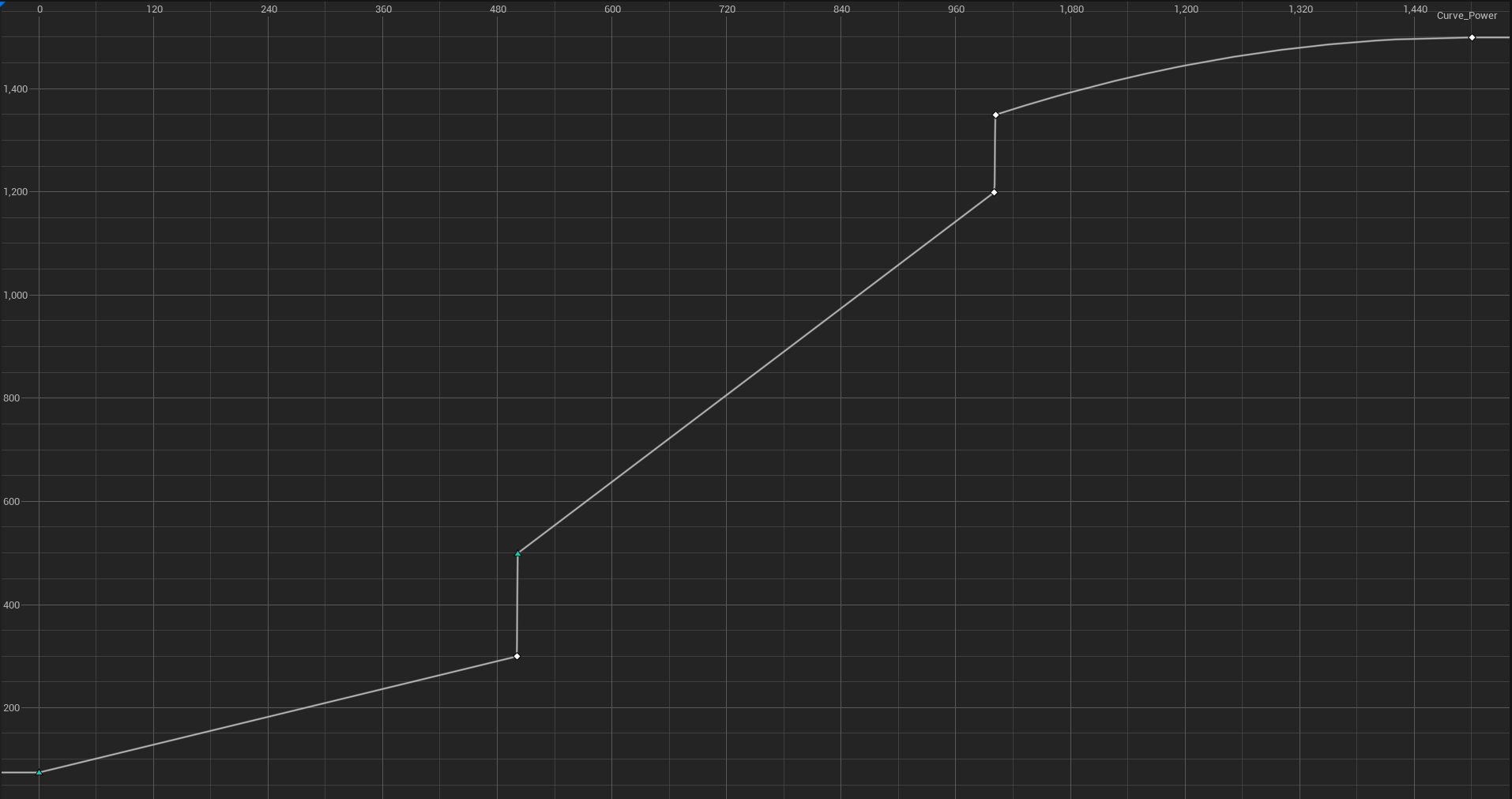
What I've done here is separate power curves per power grouping on the power meter. Essentially if you were to divide up the 3 sections into 5, with 15 being most power then previous ‘10’ on the meter would give 13 power now, and ‘5’ would give ‘3’.
The goal behind this is to give more usable range on the meter for the extremes so you have more fine control for both those long shots, and the very short putts into the hole. A minimum power value of ‘0.75’ rather than 0 is also worked into the curve, so the absolute smallest value you can move is still actually useful. Previously it would take very little power applied and the ball would be moving either very little or not at all, and for highest values it was max or nothing for some shots.
Please give feedback on what you think of this behavior.
Improved New Game Menu
An adjustment of the recently added join menu is slotted in as an extra step after picking either "Public" or "Invite Only" on the New Game menu. Here you can then pick a game preset matching permission settings you picked. You can of course still setup a game as you like via the custom menu, this just gives you a quick and easy way to start a game with choice over game type.
Melon Ball
This is your typical watermelon look with option to still change color as you wish. A matching faceplate is available, and icon is also available for discord rich presence.
Improved Podium & Scoreboard
I've done a bunch of tidy ups here to make the Podium a little better. There is added text to say your over or under par score and I've adjusted the size of the podiums in general to fit slightly longer player names in.
The scoreboard in general will now say "Practice" rather than "Hole 1 of 1" when in practice. Also the title of the current level will be included on the subtitle.
Please let me know if you find any issues, however small or minor as these can be hotfixed. If you are enjoying playing the demo then please add the game to your wishlist :)
Added separate power curves per power grouping on the power meter. Essentially if you were to divide up the 3 sections into 5, with 15 being most power then previous ‘10’ on the meter would give 13 power now, and ‘5’ would give ‘3’. The point of this is to give more range on the meter to the extremes so you have more fine control for both those long shots, and the very short putts into the hole. A minimum power value of ‘0.75’ rather than 0 is worked into the curve, so the absolute smallest value you can move is still actually useful.
Fixed an issue were new game was using ‘easy’ by default instead of normal.
Added new game session preset menu as a next step after choosing either a public or invite only session. You can access custom session settings via a button on this menu too.
Customization
Added Melon customization in multiple colors and with faceplate.
Fixed some split patterns being seen differently by other players.
Interface
Fixed white squares appearing in placeholder buttons on choose profile menu when in dark theme.
Added change to practice quit button. When clicking with the mouse you’ll no longer get a confirmation prompt.
Added change to scoreboard title when in practice, instead of ‘hole 1 of 1’ it will simply say practice.
Added level title to a subtitle on scoreboard.
Added additional info to Podium such as “3 under par” or “2 over par” etc.
Added change to size of podiums to fit slightly wider player names.
Fixed an issue relating to initial counter when in race mode on scoreboard.
Discord Server
Be sure to check out the official discord server with channels for Golfing In Aether and my other various projects.
Golfing In Aether Update Released [Alpha 1.5.0]
Alpha 1.5 brings support for both online and local hotseat play (realtime/splitscreen was already supported) as well as a new competivive game preset. You can now find all three game presets under the newly added join menu.
Hotseat turn-based play
This makes players in your session play in turns rather than realtime at the same time. This is available for either local or in online play, you can also take your local players into online sessions.
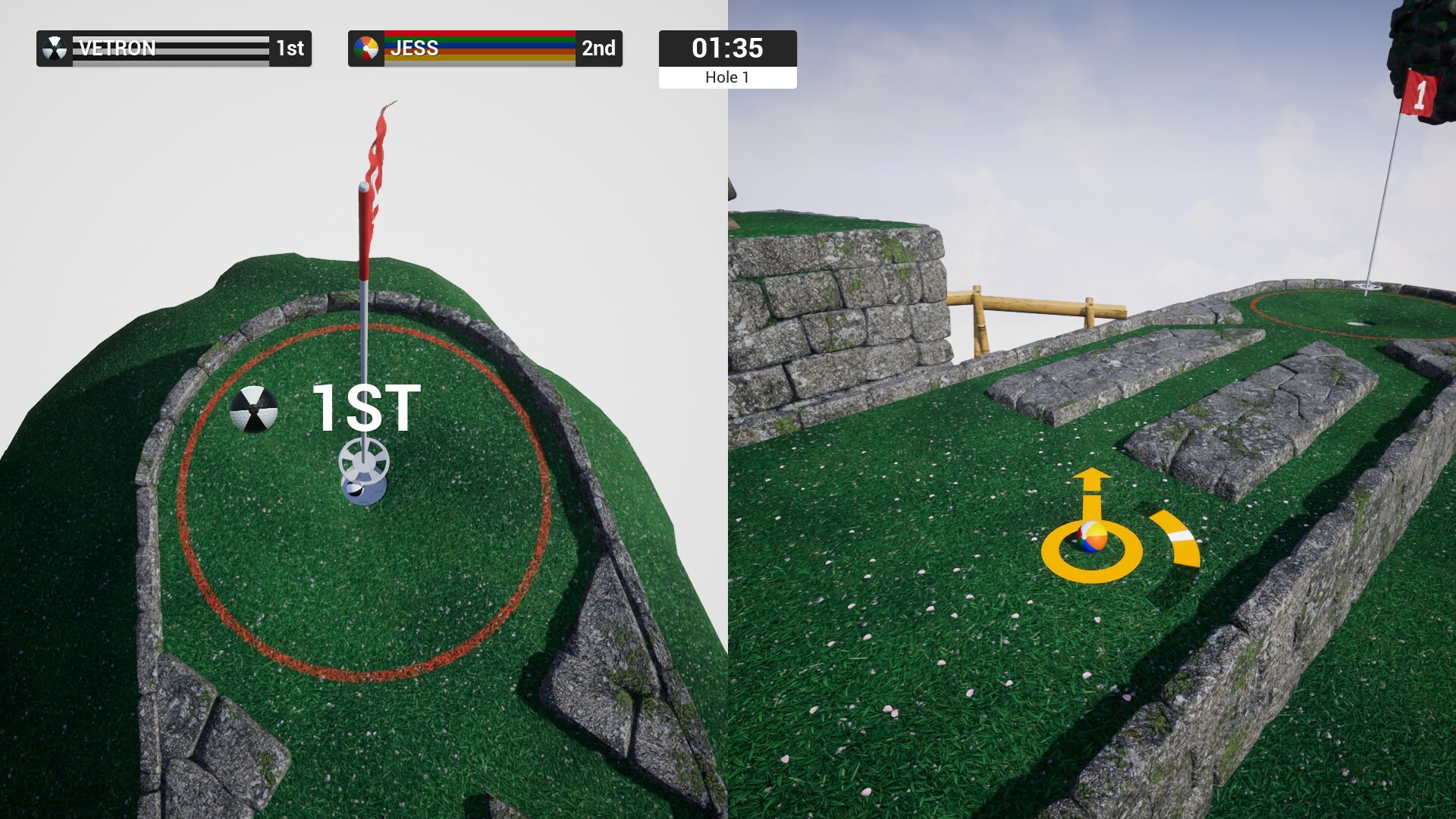
The way this works is you will always be in a 'specating' mode until its your turn. Upon taking your shot and waiting for your ball to come to a stop, the next player in queue will take their turn and you will watch them while you wait. This continues in a cycle until its your turn again. The order of play is firstly for the initial hole purely random, but from the next round onward its determined by score order. This means the leading players will always play first giving the advantage to players trying to catch up.
Quick Chat gains some improvements for this mode in mind when playing locally. When split-screen is disabled (such as this mode, and any state during regular) a local players chat will appear on the main screen with a indicator of who is 'chatting'.
New Join Menu
On this new menu you can see each of the game presets and pick one to quick join if a session is available. If no sessions are available of that preset type you will be prompted if you wish to create one. If you wish to see all sessions as previous then a button for that is present on this menu also.
New Level "Stroke Of Luck"
A new early game level has been added which takes you to trying to trick-shot through a windmill to reach the hole-in-one; if you fail you'll fall down a fallback hole left with a potentially awkward shot to reach the goal. Good luck ;)
New Customizations
Check out the new Swirl pattern, and Split pattern is back after being reworked! Each of these designs come in a full selection of colors, faceplates, and icons for rich presence.
Existing customizations Pool and Smiley Face have been updated and will recieve faceplaces as part of this update.
And all the other stuff...
There are so many minor quality of life improvements in this update, to name a few this would be the undo-shot behavior and improved out-of-bounds handling for practice mode, prompts added to several menu's, and the ability to vote skip on scoreboard. Be sure to read the full notes below as there is lots in there I simply haven't mentioned in this blog post.
Let me know of any feedback you have about the additions in this update and if you are enjoying the game please don't forget to add it to your wishlist.
Added turn-based play mode part of the competitive preset. You take it in turns to take a shot then spectate the next players shot. Order of play starts out as random for the first hole and then for following holes based on placement on the scoreboard at the end of the previous round.
Added “Stroke of Luck” early game level.
Added various backend optimizations to the sequence state.
Fixed a state mismatch that could occur as a result of poor timing when joining a session.
Added improvements to spectator camera reset behaviour when camera is transitioning pipes.
Added improvements to session timer refresh rate to support turn-based mode of play.
Added various improvements to the hole out camera focus behaviour.
Added various improvements to how field of view switching is managed when it comes to split-screen games focusing on a single screen such as the scoreboard.
Added improved handling of the player 1 ball during sequence. This ball will now be visible, other players including local will not. During hotseat the first player in queue to take their turn is visible.
Fixed one of the two holes on “Mind The Gap” not granting shortcut XP.
Added skip ability to the wait times on scoreboard. This works by requiring a majority of players to press the X button including the host. When this happens, the timer will be at max 10 seconds, including time already elapsed. If all players vote to skip this will be instantaneous.
Added ability to undo your shot in practice mode when playing solo; instead of the typical reset method of checkpoint and then back to the tee, the ball will be placed at your previous position with no penalty added. (For leaderboards, if you are taking more than one shot it’s unlikely you will be anywhere near the top, so this won’t impact those).
Added change to the choose profile menu so that if you have previously not chosen a profile for players 2 – 3 you will be displayed the create local profile option first rather than the primary profile. This is to highlight the feature better as some appear to have missed it.
Added additional difficulty level of “Easy”. All “Normal” levels will be renamed “Easy” in practice. When selecting difficulty for a session, easy simply means levels will have the sloped hole etc. Normal and Hard remain as before. Easy will be the default difficulty of the race game mode.
Fixed an incorrect rich presence issue when playing race game mode.
Fixed a rare instance it was possible to enter more than one hole at once logically.
Fixed incorrectly assigned ‘shortcut’ xp on one hole on mind the gap.
Fixed resetting while transitioning a hole would lead to the reset ball still believing it was in a hole.
Fixed logic issue involving resetting and tee state that can occur as a result of timing.
Fixed logic issue involving detecting end of stroke taken and riding a water wheel.
Added extended validation checks to scoreboard setup.
Added backend optimization to ghost replay handling for leaderboards.
Added improved behaviour to all settings menus so settings get checked to see if they’ve been changed before applying. This reduces any unnecessary I/O events occurring and ties into the new confirmation prompt added to check if you want apply settings without spamming you when you haven’t actually changed anything.
Fixed instances where the ‘spectating’ player widget wasn’t updating the remote players stroke count correctly.
Fixed instances where upon leaving a pipe such as on level “Crazy Golf” the camera would be through the wall.
Added improvements to local player disconnect behaviour by reducing unnecessary functions being called after a player is removed.
Added out of bounds behaviour change when playing solo in practice mode. When in this mode it will be as-if you have pressed the reset button (using new undo shot behavior), rather than continue on with time / state like in normal mode. There is little reason not to reset manually at this point and it saves you an extra button press.
Fixed an issue where incorrect focus was applied to hole out camera.
Added another quality pass to pipe exit camera behaviour to ensure is no inadvertent camera collisions. This will make things even more seamless and smooth.
Engine
Added update to Unreal Engine 5 version 5.0.3 from 5.0.2.
Customization
Added “Swirl” Customization in assorted colors.
Added revised “Split” customization in assorted colors. This has been reworked to be inline with how other patterns are handled, it now features a faceplate and more colors.
Added faceplate for the pool and smiley face balls.
Added memory optimization for the beach faceplate, reducing required by 50%.
Added various backend improvements for improved memory handling.
Added improvements to pool and burger customizations so that text color is handled correctly for quick chat.
Fixed various small issues with faceplates such as incorrect tiling/seamless behaviour on scoreboard.
Environment
Fixed a small wall gap on “Crazy Golf”.
Fixed a small wall gap on “See You On The Other Side”.
Fixed a small alignment issue with a wall on “Getting Tee’ed Off”.
Added edit to one of the bird sounds which had a reverb that didn’t fit the sparse tree environment it was placed in.
Added improved collision accuracy to standalone rocks.
Fixed a small wall gap on “Mind the Gap”.
Interface
Added new join menu where you can pick from each of the session presets. If no sessions are found you will receive a prompt asking if you wish to create a session).
Added improvements to Quick Chat in local play. When a split-screen disabled state is active, local players will be able to open the chat on the primary screen providing no chat is open at this time. This helps with the “Waiting for players” and Scoreboard menus. Hotseat will take advantage of this for most gameplay. An indicator of which player opened the chat during this state is visible.
Fixed incorrect descriptions on the Custom Session menu.
Fixed description not updating when navigating the session filter menu with a gamepad.
Fixed wording of “Pause menu” to be “Game menu” in settings when accessing while playing.
Fixed context of Main Menu button in the Game Menu.
Fixed an issue where the hole out menu wouldn’t allow mouse click-through.
Fixed an issue with the power accuracy meter where if not in use there was a tiny blue fuzz on some resolutions.
Added improvement to the appearance of the HUD following sequence. The HUD will now fade in for the duration of a second in the final second of sequence.
Added slight increase to the width of stat faceplates as this was inconsistent.
Added confirmation widget to several menus for actions such as checking you want to quit, checking you wish to apply settings, or checking you wish to leave a session and return to main menu etc. Some actions such as mouse clicking on the quit button on main menu do not produce a confirmation prompt while pressing gamepad button back does; this is by design as its easier to accidently knock the B button on gamepad vs it would be to click that element
Fixed a handling issue relating to player controllers in some scoring widgets.
Fixed instance where level title could be present in memory twice.
Added various tidy-ups to sequence widgets backend memory handling.
Added improvements to garbage collection when ending a session / returning to main menu which will free up small amounts of memory.
Fixed overall HUD colors option not working correctly in the local settings menu.
Fixed incorrect button prompts in the local settings menu.
Fixed an instance where the local settings menu wouldn’t exit correctly.
Added improved behaviour for some category options such as overall HUD colors and overall graphics quality.
Discord Server
Be sure to check out the official discord server with channels for Golfing In Aether and my other various projects.
Golfing In Aether Update Released [Alpha 1.4.1]
This is a small update following on from Wednesdays that brings fixes, a new race game mode, additional level "Behind The Tee" and a new Beach ball customization.
Race Game Mode
This plays in the same way as the classic game mode, but instead of the focus on strokes you get points depending on which order you finish in; 4 points being awarded for 1st, 3 for 2nd, and 2 for being in the remainder of the top five. You get 1 point for any other position. Late join players will start with 1 point per round they didn’t play to close the gap.
As far as leaderboards go these will be unaffected by the game-mode differences and will remain unified when playing this mode; with XP calculated as previous. The changes will be only reflected in the session scoreboard with a new set of hole-out animations more focused instead on place.
This is an early implementation so if you have any feedback or encounter issues let me know.
New Level "Behind The Tee"
This level is designed for the early game so an introductory level of difficulty. That being said im still looking forward to what creative routes you find when it comes to setting a leaderboard score.
Beach Ball
This is the classic beachball look with options for the traditional six color version and then various individual colors mixed with white. You'll find matching faceplate for this as well as icons for use in rich presence.
Please let me know if you find any issues, however small or minor as these can be hotfixed. If you are enjoying playing the demo then please add the game to your wishlist :)
Added “Race” gamemode where the number of strokes you take doesn’t matter, its all about who finishes first. The scoring works by you receive a point based on your place and the highest score wins.
Added new level “Behind The Tee”.
Added improvements to how levels are ‘randomly’ chosen by adding a few rules prior to the shuffle such as the first level of previous game can never be the same and neither can the hard stage found on levels 3, 6 and 9. This helps rule out chances where by sheer random chance you end up with the same prominent levels chosen.
Fixed an issue with action mappings not being recalled correctly upon profile creation.
Customization
Added new “Beach” design based on the classic beachball look. Colors include traditional 6 color version and then various individual colors mixed with white. This will replace the previous split design.
Added improvements to several faceplates to make them draw at a better resolution.
Customization
Added slight improvement to rounded corners physical collisions so ball tracks them better.
Fixed an issue with a wall mesh on “Pick A Hole”.
Interface
Added change to Level info to only display the hole number and not par when in Race mode.
Fixed hearing double sounds navigating left or right with gamepad in the Custom game menu and session filter menu.
Added “Strokes Taken” stat to scoreboard when in Race mode to replace the under par stat.
Fixed Quick Chat for local players appearing on screens where split screen is force disabled (i.e. where screen focuses on player one).
Discord Server
Be sure to check out the official discord server with channels for Golfing In Aether and my other various projects.
Golfing In Aether Update Released [Alpha 1.4.0]
Alpha 1.4 is a quality-of-life update that introduces features that I believe will improve online play especially; ‘Waiting for players’ screen, Quick Chat, and activity messages for joining / leaving.
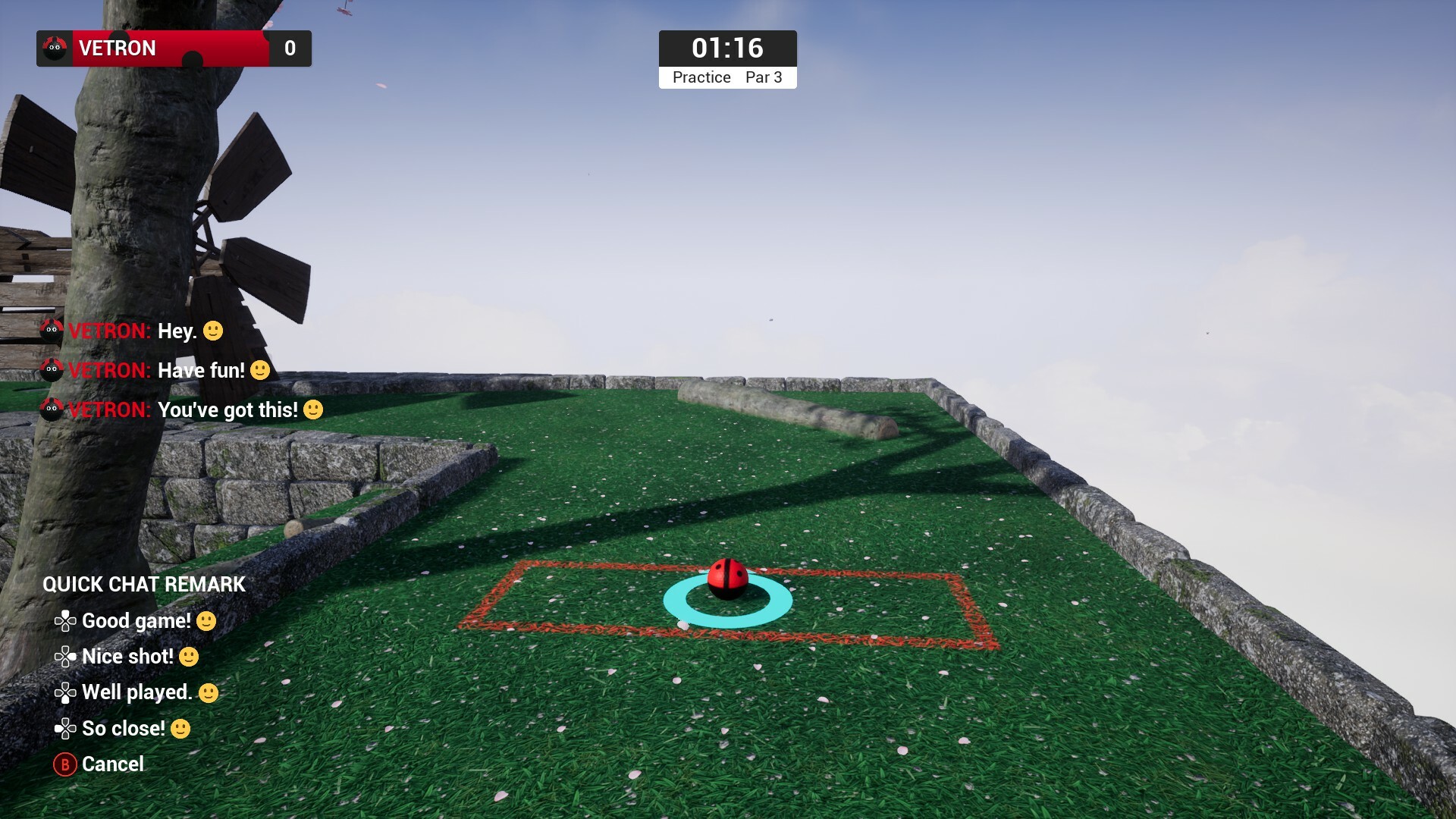
Quick Chat
This comes with around 80 messages to choose from including variations to give some added personalization. You can reach it via d-pad buttons, each controlling a category; three of which are pre-defined as well as one for free choice where you put any message. Each player in split screen can operate this chat independently on their own screen as well as choose the variations on messages as part of their local profile settings (open the game menu via start while playing as a local player and go to settings).
For desktop users you have the 4 slots accessible with number keys but also have the option of accessing a search (5 key). As you type in this it narrows down the choices (up to three) that match what you’ve entered. You can use the number keys to then select a choice or just press enter if satisfied with the first option. This means you have full access to every single quick chat message.
You'll find the options for what you can put in each Quick Chat slot under Game Settings. Local players will have similar settings under their Local Settings menu. Please make suggestions if you think I’ve missed a variation or message that you’d like to see.
Waiting for Players
On this screen the host can choose to start the game after waiting for as long as they want for any players to join. You can also invite players and see who has joined so far. There will be extensions to this menu over time once the other gamemodes and their graphics are developed.
New Customizations
Finally, I’ve added two new customization options: Bowling and Stripe. The stripe does replace the previous single stripe option as it wasn’t very good or particularly distinct. Both of these come with full color options, matching faceplates, and rich presence icons.
Let me know of any feedback you have about the additions in this update and if you are enjoying the game please don't forget to add it to your wishlist.
Added wait for players screen that slowly pans through the level while you wait for the host. This only appears at the start of the game just after hosting so you have a chance to send out invites or let other people join before you start.
Added on-screen messages for when players join or leave the session.
Added Quick Chat system accessible by either D-Pad or Number Keys (1-4).
Added Quick Chat search function for keyboard only via the 5 key.
Added Quick Chat options to Game Settings. This lets you pick variant of the message in each slot.
Added new control mapping for zooming in and out to X and Y buttons on gamepad to accommodate the quick chat being added to d-pad.
Added zoom in and out to remapping options in settings.
Added power increase and decrease remapping options in settings.
Added several back-end changes to initial profile creation in regard to handling inputs.
Fixed an issue where the monarch ball customization wasn’t showing up in leaderboard entries.
Fixed an issue where entering the choose profile menu from Create Public or Invite Only game, then returning to the main menu, followed by the settings menu was showing incorrect context on the return to main menu button.
Added improvements to reset button by ensuring camera movement is instantaneous so there is no longer a movement conflict if you are moving the camera immediately by a large amount.
Customization
Added ‘Bowling’ ball customization in various custom colors.
Added new 'Stripe' design to replace the previous one, this employees a zebra-like effect and comes in various custom colors.
Added changes to the order of which customizations appear in the menu.
Interface
Added new control scheme for moving page on scoreboard to Bumper Left or Right on gamepad and Mouse thumb buttons 1 and 2. This is to accommodate the quick chat.
Fixed an issue with appearance of HUD color options in the Local settings menu.
Fixed a padding issue with player name on Choose Profile menu that’s noticeable when running splitscreen.
Fixed some context highlighting issues when readying up in the Choose Profile menu.
Fixed some alignment issues in the Choose Profile Menu.
Fixed an issue with remapping gamepad since recent update.
Fixed an issue with focus being lost upon remapping in the keyboard & mouse menu.
Discord Server
Be sure to check out the official discord server with channels for Golfing In Aether and my other various projects.
Golfing In Aether Update Released [Alpha 1.3.1]
Todays update focuses on quality-of-life improvements after I spent the day going through some menus ensuring everything controls well; specifically targeting gamepad menu and choose profile menu with a few others also seeing improvements.
Please let me know if you find any issues, however small or minor as these can be hotfixed. If you are enjoying playing the demo then please add the game to your wishlist :)
Fixed an issue where gamepad glyths were not being stored correctly in gamepad settings.
Added PS5 monotone style button Gylths and renamed existing to be PS4 etc. A dark variant has been added too.
Added switch monotone style button Glyths with a dark variant added as well.
Fixed an issue where pressing the input button on gamepad menu when not highlighting a button remap could cause a problem.
Fixed the default selected widget in Gamepad settings being handled incorrectly.
Fixed an issue with customization from creating a new profile being incorrect.
Added ability to edit an existing local profile via pressing Y or equivalent on controller. You cannot edit the primary profile here as name is taken from Steam and you have a full set of options in the settings menu making this action redundant. This option is contextual, so will only appear when you can actually edit a local profile.
Added additional category for applause sounds splitting off from interface as part of freedom of choice to disable some elements.
Interface
Fixed Input remapping button icons not reacting to Glyth changes.
Fixed the visualization widget for controller thumbstick missing since recent update.
Added new glyths for playstation controller bumper buttons when mapped.
Fixed a sound feedback issue where potential for more than sound to play occurred when navigating some menus.
Added detection method for if a controller is used, if so then controller glyths will be used, if not, then keyboard buttons will be displayed instead.
Fixed an issue relating to the gamepad thumbstick visualization not respecting inversion mode correctly.
Added additional Glyths option to gamepad menu, this will force either gamepad or keyboard Glyths always, or automatically switch between.
Fixed an issue with the icon for sounds menu having weird alpha masking.
Discord Server
Be sure to check out the official discord server with channels for Golfing In Aether and my other various projects.