You will have noticed a new update go live today - this has been something that Logitech and ourselves have been working on for quite some time.
TRUEFORCE™ is a brand new high definition force feedback technology that links straight into GRID’s in-game engine. Using GRID’s physics and audio in real-time, you’ll be closer connected to the track than ever before. If you’re using a TRUEFORCE integrated device such as the new Logitech G923 wheel, you’ll feel every kerb, the roar of your car’s engine, the terrain of the track, or the traction out of a corner through the wheel as if you were in the car yourself.
Take a look at this promo video introducing the new Logitech G923 with GRID’s very own Fernando Alonso:
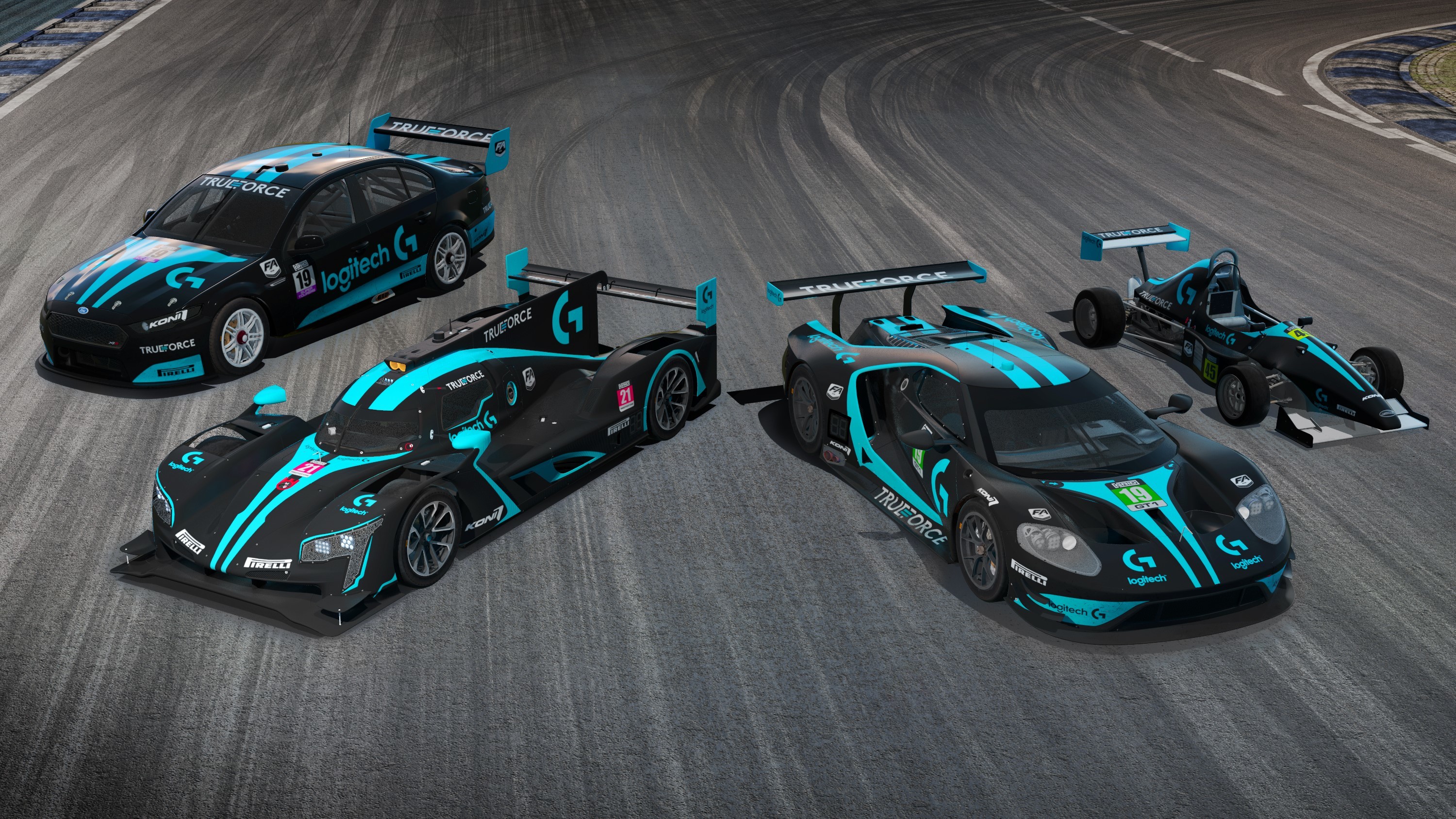
[previewyoutube="hYNqcVRYwds;full"] As well as this update adding TRUEFORCE integration, you’ll be treated to five new Logitech-branded liveries for the Ford GT LM GTE, Cadillac DPi-V.R, Jedi F1000, Ford Falcon FG-X Supercar, and the McLaren M8D.
We can’t wait to see what GRID players taking advantage of this new update have to say about this totally new way of playing the game.
Don’t forget to follow @gridgame on Twitter, Facebook, and Instagram for all the latest GRID news.
Patch Notes - 02/06/20
Below you will find patch notes for the most recent update to GRID. Please ensure your game is updated in order to have access to these additions/changes.
Patch Notes - 02/06/20
Fixed an issue where finishing in 1st place in Hot Lap, places players in last place for the race
Other minor bug fixes and tweaks
For any future technical assistance with GRID, please head to the official Codemasters Forums.
Post-Season 3 - Patch Notes
Below you will find patch notes for the most recent update to GRID. Please ensure your game is updated in order to have access to these additions/changes.
Post-Season 3 Patch Notes
Game performance should now reflect that experienced pre-Season 3
Updated the Koenigsegg Agera RS audio
Updated the Koenigsegg Jesko dashboard texture
Updated dials on some Ferrari cars
Fixed an issue where livery colours would be incorrect than those selected
Fixed an issue where wing mirrors would disappear and reappear on AI vehicles controlling the Porsche 911 GT4
Fixed an issue where cars would occasionally spawn on top of each other in multiplayer
Fixed an issue where AI would not retire from the session when terminally damaged
Fixed an issue where ‘Driver Level’ grid order wasn’t displaying correct position on the starting grid in Multiplayer
Fixed an issue where ‘Driver Level’ grid order was not taking into account prestige
Fixed a crash when accepting multiple invites consecutively
For any future technical assistance with GRID, please head to the official Codemasters Forums.
Track Day Hypercars - Season 3 - OUT NOW (Patch Notes)
Below you will find update information for GRID dropping alongside the release of Season 3. Please ensure your game is updated in order to have access to these additions/changes.
GRID Ultimate Edition/Season 3 Players
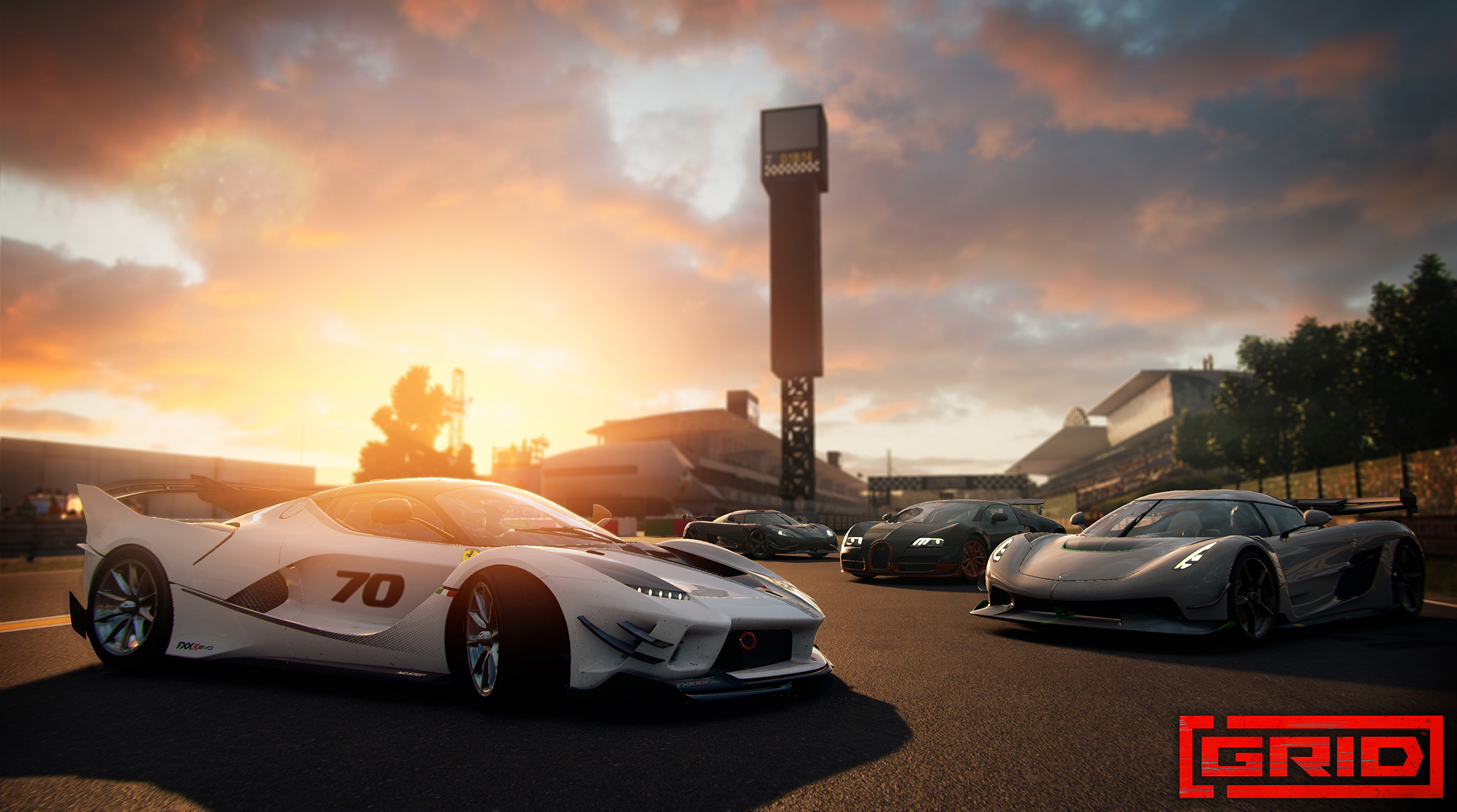
Four Hypercars - Welcome the Ferrari FXX-K Evo, Koenigsegg Jesko, Koenigsegg Agera RS, and the Bugatti Veyron 16.4 Super Sport.
33 Career events - Two new threads (Invitational Favourites and Track Day) as well as a new Ravenwest Showdown
Nine new achievements/objectives - New objectives (tied to new achievements) can be found here: Player Profile > Objectives > All > Seasons
14 liveries
Six livery patterns
Five player cards
Five player banners
All GRID players
Two bonus cars - Available to all GRID players, the Honda NSX-GT and NISSAN GT-R Racing Car (GT500 Spec)
Loan Car - The Bugatti Veyron 16.4 Super Sport is available as a loan car for all GRID players in Multiplayer
Suzuka Circuit - Fly to Japan with this new circuit featuring three layouts and three reverse layouts - playable in all nine weather/time of day conditions
Quality Changes
Multiplayer/Freeplay currency rewards increase - Payouts for Freeplay, Private Lobbies, Public Lobbies, and Quickmatch have been substantially increased.
Various AI tweaks have been made on both cars and tracks. Players should notice that simulated AI times are more realistic
Bug Fixes
General
Fixed an issue where the total distance driven would sometimes reset to zero
Fixed an issue where terminal damage may reset split times, causing impossible lap times
Fixed an issue where players may not have been able to retire after terminal damage in Time Attack.
Various UI/text issues resolved
Various stability fixes
Achievements/Accolades/Statistics
All ‘Overtake’ objectives now include actions such as ‘Slingshot’ and ‘Clean Pass’ in their totals
‘Distance driven on two wheels’ has been changed to ‘Time driven on two wheels’ to reflect the objective wording
Fixed an issue where the ‘Track Day GT Hoarder’ objective would not unlock
Fixed an issue where the ‘Reach Player Level 99’ accolade would not unlock
Fixed an issue where the ‘Show Off’ achievement would unlock incorrectly during Time Attack
Multiplayer
Fixed an issue where terminal damage during a race would cause a user’s finishing time and position to be random
Fixed an issue where if a player with zero flashbacks remaining had terminal damage during a race, the race would never end
Fixed an issue where names of drivers/cars in leaderboards were shown in black
[previewyoutube="Pzbc8KnEVSs;full"] Following on from the Hot Hatchbacks and Track Day Supercars, we’re kicking into overdrive with six dream drives, multiple customisation additions, nine new achievements/trophies, a new circuit, and massive credit reward boosts for Freeplay and Multiplayer modes.
There’s only one word suited to describe the new cars available in the Track Day Hypercars pack - Fast. Included in Season 3 are the Ferrari FXX-K Evo, the Koenigsegg Agera RS, the Koenigsegg Jesko, and the iconic Bugatti Veyron 16.4 Super Sport. The Bugatti Veyron 16.4 Super Sport will be available as a loan car for all GRID players in Multiplayer.
Additionally, Season 3 brings with it two bonus cars, available for those with any version of GRID. The Honda NSX-GT and the NISSAN GT-R Racing Car (GT500 Spec) can be purchased with in-game currency to race in Multiplayer and Freeplay modes.
As with the previous updates, Season 3 brings with it another new track. Loved by drivers and fans alike with its snaking corners and old-school aesthetic, players will be heading to Japan to get to grips with the Suzuka Circuit. Regardless of the six routes they choose, each of the nine weather and time of day conditions will be at the disposal of all GRID players.
GRID Season 3’s other features include 33 new Career events, 14 liveries, six livery patterns, and ten player cards and banners.
Finally, after community feedback and rigorous testing, there have been substantial changes to Multiplayer and Freeplay modes. Changing with Season 3, credit rewards for competing in these modes have increased by up to ten times their previous amounts, allowing for a greater incentive for Multiplayer and Freeplay.
Season 3 can be purchased separately on each digital storefront after April 15th. GRID Ultimate Edition players will automatically get access via game update.
Take a deep-dive into everything about Season 3 📕 https://bit.ly/GRIDS3Blog
Community Update - Patch Notes
As discussed last week, we have been working hard on some community-requested features in GRID. As always, thank you for your feedback and ongoing support. We hope you enjoy these changes - after all, you asked for them!
Bugs
Features
Once you have driven with a vehicle it will have built up scratches and dirt, changing your livery will automatically clean your vehicle, entering into the garage and finding the vehicle you were using will give you the option ‘Clean and Respray’ in the tooltips at the bottom of the screen, press the right trigger button and this will clean your vehicle. This can also be done in the vehicle select menu screen as well.
Note – The vehicle can only be cleaned if you own it
This will give you stats for the following:
- Distance Driven - Career Events Completed - Total Drafting Time - Cars Overtaken - Distance on Racing Line - Good Corners Taken - Total Gear Shifts - Total Air Time - Distance Driven on Two Wheels - Total Drift Distance
For any future technical assistance or feature requests with GRID, please head to the official Codemasters Forums.
Car Tuning in Multiplayer, More Community-Requested Additions in Next Update
Hey everyone,
Whilst Season 2 for GRID has only just hit the track, we’re already looking towards the future – and looking at how to keep up the pace with GRID by listening to you, the players. On top of headline-grabbing content like new cars and circuits, we’ve continuously made tweaks and additions to the game that directly address hot topics within our community.
Ahead of the next Season of content will be a free update for GRID. Alongside the usual technical tweaks and optimisations, we’re adding a clutch of new features that are the result of feedback and requests for players. Let’s dig a little deeper into what’s just around the corner in this update, shall we?
First up, in the next update we’ll be adding an area in GRID’s profile section, that allows each player to view their own in-game statistics and accolades. Included in this area will be the total distance you have driven in the game – something that’ll come in handy to track that infamous ‘Around The Globe’ Achievement/Trophy we devilishly included…
Next up: Cleaning your car. Whilst all cars in GRID are intentionally slightly scuffed and scratched in areas, to show their battle scars and the game’s action-packed nature, we’ve heard the requests to give your garage a squeaky-clean look. So, before each race event in the vehicle select menu, you’ll have the option to clean your car, if you wish.
We’ve also spoken to plenty of GRID racers about the game’s car tuning options. Whilst the feedback around the variety and accessibility of the tuning system has been great, players have asked to have this option in Multiplayer, as well as the single-player modes. From the next update, all players will now be able to adjust their car’s tuning setup, whenever they’re in Skirmish. It’s another way for all players to prove their worth against the world and adds some more depth into the Multiplayer experience.
Speaking of Achievements and Trophies, we have some more good news. We’ve heard the requests from players to add more of these based around post-launch content, and are working hard to add extra Achievements/Trophies to GRID, for all platforms, when the next Season of content drops. These new achievements would be split up to cover all three of GRID’s Seasons, so you’ll have scenarios and objectives to hit based around the new cars and circuits added to the game since launch. Closer to the new Season’s drop, we’ll have full details on this addition.
Each of these additions are the continuation of prioritising player feedback to further improve GRID – the driving factor behind other new features, such as Session Search the option to extend race lengths in Career mode. That’s alongside 10 cars, two circuits, and other new additions since launch.
Got any thoughts about the new features? Keep chatting with us and other GRID players on our social channels, the Codemasters Forums, and GRID’s official Discord.
GRID Season 2 Coming February 12 - Track Day Supercars
Hey team - we've kept you waiting long enough to find out what's coming to Season 2 for GRID, so let's jump straight in, shall we?
GRID’s next slate of post-launch content takes things up a gear, with Season 2 and the Track Day Supercars pack, launching February 12 on Xbox One, PS4 and PC. Six new cars, built for both beauty and speed, drop into GRID, alongside another Career mode expansion and the addition of a world-renowned circuit. Ultimate Edition players receive the full slate of content, and there’s plenty of additions that are free for all players, too.
So, let’s take a look at what’s coming next to GRID...
Track Day Supercars - Four New Cars
Season 2’s line-up of new cars is a stunning selection of exotic, powerful, ground-breaking machines, crafted by the world’s most famous manufacturers.
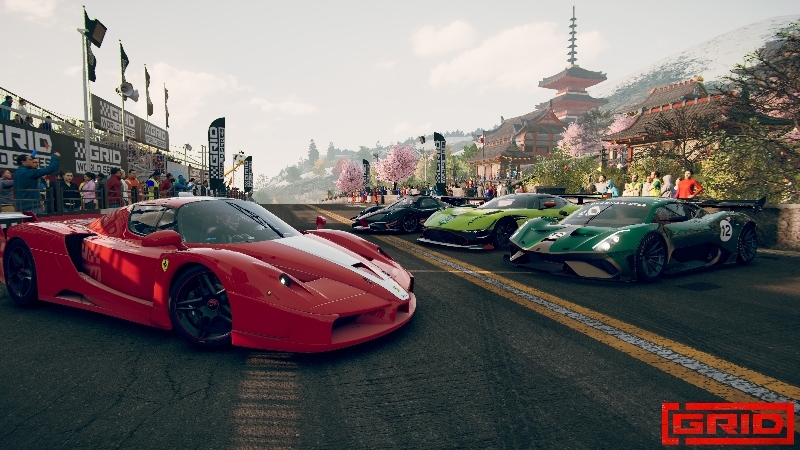
Ultimate Edition players receive access to the Ferrari FXX, Aston Martin Vulcan AMR Pro, Brabham BT62, and the Pagani Zonda Revolución. In Multiplayer, the Pagani Zonda will be available to race as a loan car for all players.
Two Bonus Cars
But that’s not all – the Track Day Supercar pack includes two more cars, available to everyone. Good luck taming the Ferrari 599XX Evo, and the Ford GT Heritage Edition – two more automotive monsters that dominate both the road and the racetrack.
New Circuit: Red Bull Ring
We’re once again adding to GRID’s list of circuits in Season 2, with a venue that’s been a staple of world motorsport championships for 50 years. This is Austria, and this is the Red Bull Ring.
With its relatively unchanged layout since 1996, the Red Bull Ring is known for creating dramatic racing, with huge braking zones and overtaking opportunities galore. Find the uphill apex at the Niki Lauda Curve, soar up the mountainside, and dare to brake later than the rest into the intimidating Turn 2.
Infield, shorter, and reverse routes of the Red Bull Ring are also included, with each route playable in all weather conditions. The new circuit is available to all GRID players in Career, Free Play, and Multiplayer.
New Career Expansion
Finally, Season 2 brings a further expansion to Career mode, with an extra 33 events using the Red Bull Ring and four Track Day Supercars. Ultimate Edition players can find the events in the new tab, from the Career menu. Experience our hand-picked selection of races, with two new threads, fresh Showdown events, and the latest Ravenwest Motorsport challenge.
As always, with a new season for GRID comes more technical improvements and community-requested additions. The headline in this area for Season 2 is the option to extend the length of races in Career mode - full details on this addition, available for all players, is on the Codemasters Forums. This follows the recent free addition of Session Search to Multiplayer - a public lobbies system that allows players to search and enter sessions created by others.
Sound like enough to Get Your Heart Racing? Be a GRID Ultimate Edition player to receive not just all of Season 2 and the Track Day Supercars, but all Season 1 – Hot Hatch Showdown content, and any future additions to GRID. The Track Day Supercars pack, consisting of the four exclusive cars and 33 Career events, will also be available to purchase separately on the Steam store.
For now though, get ready for six new supercars, a world-famous circuit, and much more with Season 2 of GRID.
Adjustable race length in Career - coming in Season 2
Hey all,
After listening to your feedback and testing ideas, I can confirm that the option to adjust the length of races in Career mode will be included in the Season 2 update.
From the main menu screen, if you head to Options > Gameplay > Difficulty, you can find the new option to adjust race lengths in Career. It is set as default to x1, which is the usual race length. You will now have the option adjust the race length x2, x3, x4, or x5.
The multiplier applies to each individual race - so if you're participating in a three-race event within Career, and each race is usually three laps long, applying the x5 multiplier will mean each race is 15 laps long.
This option will be available on all platforms when the Season 2 update is downloaded, including Steam. We're pleased to address another much-requested feature from you, the GRID community, and are looking forward to seeing you take advantage of the new feature!
Time to get ready for some marathon Career play-throughs...
Thank you 🙂
Public lobbies coming January 13 - 'Session Search' walkthrough
The new Session Search option in GRID is a new addition to Multiplayer, coming in a free update. It allows players to search for and race in bespoke lobbies that have been created by other players.
Session Search includes filters and other options for the player, meaning you can search for exactly what kind of race session you want to jump into. Session Select will be available from the first Multiplayer menu in a new third tile, alongside the existing two options, Quick Match and Custom Match (previously named Private Match).
The TL;DR version of how It works is this: if you’ve played a recent Codemasters title that includes public lobbies, you’ll be familiar with the system we’re adding to GRID. 😊
Once players enter Session Search, you can adjust six different filters to narrow down your lobby search. These filters are:
Show in Progress – Dictate whether or not your searches include lobbies that are currently racing
Discipline – Choose to only show lobbies using Race or Time Attack events, or all
Vehicle Class – Choose to only show lobbies using a specific vehicle class, or leave it open to all
Hot Lap Qualifying – Choose to include or exclude lobbies that are include a Hot Lap Qualifying session
AI Drivers – Choose to include or exclude lobbies that have enabled AI drivers to feature in races
AI Skill Level – If AI drivers are enabled, use this option to include/exclude lobbies with certain AI skill level options
Once you adjust these filters and begin the search, a new screen will appear, collating the live lobbies that meet your search requirements. In list format, the screen will show you the key features of each lobby, which are:
Host – The name of the player hosting the lobby
Event Card – This shows the session’s category, vehicle, each track in the event, and the game type
Players – The number of players already in that lobby
Progress – What stage of an event the lobby is currently at (Skirmish, Qualifying, Race)
Round – Shows how many rounds the lobby consists of, and which round is currently in progress
Track – The circuit that players in the lobby are currently racing on, or about to race on
AI Drivers – Number of AI opponents included in races
AI Skill Level – If AI drivers are include, this shows their chosen skill level
Damage Level – The chosen damage level for the lobby
Terminal Damage – Outlines whether or not terminal damage is active
Flashbacks – The chosen number of Flashbacks allowed in races
Hot Lap Qualifying – Shows if a Hot Lap Qualifying session is included in races
From this screen, you will also be able to view the profile of the lobby host, and refresh the screen to search for more sessions. All the above allows you to narrow down your search and jump into session that best suits what kind of racing experience you’re looking for in GRID.
For players creating race lobbies, you will still have the option of adjusting the visibility of your session. When creating your lobby in Custom Match, setting the visibility to ‘Public’ will ensure that your session is viewable to all players in Session Search.
Once players have entered a lobby, the process is the same as Custom Match: at the end of the event you can choose to exit the lobby and find a new one, or stick around and let the lobby host create another session.
Thank you to everyone for their feedback on public lobbies, which we’re pleased to bring into GRID in the form of Session Search. Jump in, enjoy, and let us know your thoughts. 😊