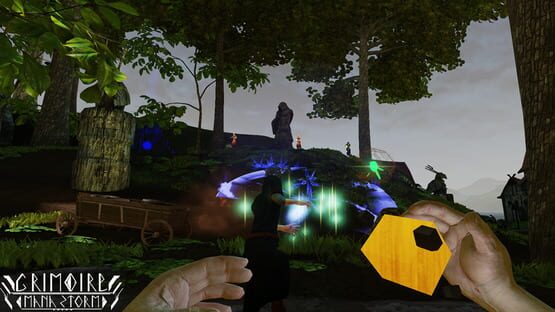
Devblog #37: Thanks for your support and a new look for Quarry!
As the new year begins we would like to thank all of you for the positive feedback and support. Thank you so much for being with us through 2015 it really means a lot to us! We have some very exciting things planned for this year along with the final release of the game.
To kick off the new year we have released v0.9.7.0 which includes a whole new look for both Conquest and FFA Quarry. It is a great feeling to finally replace another batch of placeholder art! Along with the art changes I have also made significant changes to Quarry’s layout and pacing. Fighting around the middle point should now be much more interesting with a variety of verticality, cover, and paths. As always I would like to encourage everyone to send their feedback both positive and negative!
In addition to the map changes we are also working on fixing bugs, finishing the spell customization system, and another major feature. I’ll have another DevBlog with details on all of this as soon as possible. Thanks again to all of you who submitted bug reports, suggestions, and other feedback. With your continued support 2016 will be a great year for Grimoire!
Patch Notes v0.9.7.0 - January 11th 2016
ALL OFFICIAL SERVERS WILL BE DOWN FOR 5-10 MINUTES WHILE UPDATING
Features: Significant changes to Conquest/FFA Quarry’s layout and environment art. Various minor bug fixes and balance changes.
Maps: FFA - Sanctuary - Removed one of the teleporters.
- Repositioned various spawn points.
- Layout changes to the middle to balance high ground.
FFA - Quarry - Large amount of layout changes.
- Replaced placeholder environment art with final art assets.
FFA - Ruins - Reduced Bloom (Spell effects were too bright).
Conquest - Quarry - Large amount of layout changes.
- Replaced placeholder environment art with final art assets.
- Fixed collision blocking certain paths.
Conquest - Slums - Various cosmetic changes.
- Added a damage volume to large fire near the middle.
Balance: - Changed the required capture time from 3 -> 5 seconds for the final Conquest control point.
- Reduced damage of Nature 3 (Call Wisp) from 30 -> 27
- Changed Fire 4 (Meteor Storm) starting Height from 2000 UU -> 1000 UU.
- Changed Fire 4 (Meteor Storm) projectile damage from 40 -> 30
- Changed Fire 4 (Meteor Storm) projectile speed from 1500 -> 800
- Added Momentum Transfer to Fire 2 (Fireball) and Fire 4 (Meteor Storm)
- Increased the cooldown on the Trap utility spell from 18 -> 20 secs
- Increased the cooldown on Earth 4 (Lodestone) from 30 -> 35 secs.
Patch Notes v0.9.6.0 - December 5th 2015
ALL OFFICIAL SERVERS WILL BE DOWN FOR 5-10 MINUTES WHILE UPDATING
Features: New art and layout for Conquest Temple. Balance changes to various selectable spells.
Maps: FFA - Sanctuary
-Players should no longer get stuck on random meshes around the map.
-Life’s rabbit form will no longer instantly die if it enters the water on the bottom of the map.
-Added a sound to the map’s three teleporters.
FFA - Ruins
-Fixed lighting under the center area.
-Players should no longer get stuck on random meshes around the map.
Conquest - Temple
-Changed the map’s layout in many areas.
-Replaced all placeholder environment art except for the middle building (coming soon).
From now until Dec 1st Grimoire will be 25% off as part of Steam’s Autumn sale! Patch v0.9.5.4 introduced a brand new FFA map called Sanctuary and next week there will be another patch updating the environment art on Conquest Temple. These map updates represent a big step as we replace the game’s placeholder art. Along with the new patch you will also notice a few maps temporarily disappear from the rotation as we update their art as well. Interested in checking out Grimoire but don’t have the spare cash? Follow us on twitter for a weekly key giveaway each Saturday to a few lucky followers!
Sanctuary is a new FFA map that has been influenced by one of the greatest Unreal Tournament maps of all time DM-Deck! Building on a basic layout I have made significant changes and adapted it to work better with Grimoire’s spells and game mechanics. This map introduces the first use of Teleporters in FFA and also builds on the health pot system found in FFA_Ruins.
A few weeks ago we introduced you to a new look for the Conquest map Slums using final art assets. This week’s patch will follow that path by bringing updated art to Conquest Temple! While there are still some areas that will see future work (Mostly the actual Temple building itself) this represents a big step in not just the map’s art but also in some much needed layout changes. These changes will help to balance some of the more overpowered areas of the map and should help especially with some excessive flanking.
In addition to work on the game’s maps we are also making great progress with on-hit decals for combat spells, bug fixing, sound effects, character model clothing animations, and tweaks to spell balance. As always please let us know how you like the new changes and of course bug reports are always welcome.
-Brent
Patch Notes v0.9.5.4 - November 14th 2015
ALL OFFICIAL SERVERS WILL BE DOWN FOR 5-10 MINUTES WHILE UPDATING
Features: New map FFA_Sanctuary and various upgraded spell effects.
Maps: FFA - Sanctuary (NEW)
-Features a large amount of vertical play, health pots, and teleporters.
Bug Fixes: -Keybinds menu is once again working from Main Menu as well as ingame.
-Added DirectX (June 2010) installer which should fix issues Win10 users were having.
-Fixed visibility issues with Nether ultimate.
-Fixed a bug that was causing FPS drops.
Misc: -Adjustments to Fire’s spell effects
-Adjustments to Nether’s spell effects.
-Updated spell effect for Arcane Barrier.
Devblog #35: Steam Free Weekend, Major update, and sale!
Didn’t get into the Overwatch beta? No problem, we’ve got you covered: Starting today (Oct 29) at 10 AM PST Grimoire will be free to try on Steam! For those not familiar: Grimoire is a fast paced skill based class shooter with magical multiplayer tactical combat. We have taken inspiration from our favorite games and created an excited new take on the shooter genre. Incinerate your enemies with fire, freeze them with ice, teleport above or behind them, block their spells with powerful shields or simply smash them to pieces with gigantic boulders! Grimoire will also be on sale all weekend for 25% off so if you like the game please consider supporting its development by purchasing a copy (or four).
This week’s update is a big one and new features include a new FFA map set in ancient ruins, an art upgrade to our Slums environment set, tons of new sound effects, six new character models, directional damage indicators, and Steam trading cards! While Grimoire is still in development this update represents a major step towards finishing the game and we would like to thank our awesome community for their support and patience. Especially all of you that participate in our weekly Dev playtests. Thank you!
Patch Notes v0.8.5.0 through v0.9.5.0 - October 29th 2015
Features: New map FFA_Ruins, Art update to Conquest_Slums, various new sound effects, 6 new character models, voice chat, and Steam Trading Cards!
Maps: FFA - Ruins (Previously FFA_Haylow) -Fixed areas where players were getting stuck on certain meshes along the ground.
-Health potions should now be more obvious (Lighting + movement)
-Added some background cosmetic elements.
-Performance tweaks in various places (FPS should now be 20%-30% higher)
-New sound effects added.
Conquest - Quarry -Various layout changes to the middle control point area.
-Started replacing old “Slums” art meshes with new ones.
Tutorial -Fixed a few minor bugs.
-Performance tweaks with lighting
-Added new background music.
Conquest - Slums -Large number of layout changes.
-Most old “Slums” art replaced with newer versions.
-New sound effects added.
Bug Fixes: -Magnus Life/Nature class is now displaying the correct materials.
Misc: - HUD based directional damage indicators: Players can now see where they are taking damage from by an icon around the crosshair.
- Voice chat: Press “B” to chat with your team in Conquest or your enemies in FFA.
- New sound effects for death, hit, point captured
- New character models added for each class.
- New character models are accented with their team’s color to make it easier to tell friend from foe.
- Changed Earth’s 3rd spell.
Devblog #34: Trading cards and a new FFA map!
I am very happy to announce that we now have trading cards in Grimoire! There are six total cards (one for each class), five backgrounds, five badges, and four emoticons for players to earn. If you aren’t familiar with how Steam trading cards work here are the basics: Steam trading cards come in a set that you can collect and then craft into a badge. Once you craft a badge you will get a random emoticon and profile background.
Below you can see a preview of the great work Justin did in creating all of these. This week is a great time to jump back into the game to see our latest changes and collect the cards while also trying out the newest map.
The newest Grimoire map is called FFA_Ruins and some of you may find it familiar from our Dev playtests on the blockout version of it. This is our first final art and layout FFA map and I’d like to give a huge ‘Thank you’ to everyone who helped test and design this map. With your feedback and help I think it turned out pretty great. As always please let us know on the forums or email if you have any feedback, comments, or concerns!
-Brent
Devblog #33: Sound Design - Part III
This week I have decided to briefly go over the process in creating the ambient sounds for the Slums level.
So What Exactly Do You Do When You Design Sound?
Sound design involves taking sounds you have recorded or sounds specifically purchased from libraries and creating entirely new sounds with them. I try to record sounds as much as possible when I can, but in Grimoire: Manastorm’s case I am going to libraries pretty often due to time constraints. There are also often times if you are freelancing sound design that you just can’t get access to certain sounds such as a heavy explosion or what not. To simplify the process, it usually involves taking 3 to 5 different sound sources and using pieces of each. There is a bunch of equalization (cutting frequencies 90% of the time!) and processing with delays, reverbs, flangers, phasers, etc involved.
Designing the Slums Level Ambience
Ambiences can be very difficult to create, especially in regards to a multiplayer game. The ambience needs to not stick out quite as much as it would in a single player game. However, you still want to the ambience to show some character and to give the level some life. Since this is a multiplayer game there will be a lot of sounds going off that I can’t exactly control. Due to this, I have to really watch the different frequencies that the ambient sounds are hitting. And in just like any other ambience I cannot have anything sticking out too heavily or overpowering sounds in the forefront. I also need to figure out ways to keep sound asset sizes small and yet at the same time figure out ways to have them appear to be occurring at random times so the player doesn’t get annoyed or tired of them. You can usually accomplish this by having one or multiple basic loops going nonstop and also by having individual very short one shot sounds that randomly choose from a bank when to play.
In the overall picture of audio I try to think of everything I design as background, middleground, and foreground (very similar when designing music). Ambiences are no different in this situation. While the ambience itself may be described as a background when compared to spells being cast or voice over (foreground), the ambience also has it’s own background, middleground, and foreground elements layered within.
For this first pass of the Slums ambience I have used multiple different wind sources, night-time insects, flies buzzing around the ears occasionally, and different short drones in the distance. You also hear a church bell off in the distance and the faint sounds of a fire which are both one shot sound sources coming from a specific point on the map. Since this is just the first pass, there is still a lot of equalization and cleaning up to be done. For example, I will likely end up cutting out more bass frequencies from the above ambience since many of the spells need to be bass heavy. Another solution would be to just cut out one of the heavier wind sources entirely to create more space. Designing anything is usually a lot of trial and error over time. You begin with a basic sketch and add and subtract until you get to a point where you realize “Hey, this is actually pretty good!”
I’ll be doing Grimoire: Manastorm devblogs a lot more frequently now as I have a lot of time freed up. In the next devlog I’ll show final passes for the Slums and the Ruins maps.
-Daniel
Patch Notes v0.8.4.4 - September 1st 2015
Features: Directional damage indicators and voice chat!
Maps: FFA - Haylow (Blockout stage)
-Changes to some ramps and added four new small paths.
-Health potions nerf: Heals for 20 and respawns every 20 seconds.
Bug Fixes: -Magnus Life/Nature class is now displaying the correct materials.
Misc: - HUD based directional damage indicators: Players can now see where they are taking damage from by an icon around the crosshair.
- Voice chat: Press “B” to chat with your team in Conquest or your enemies in FFA.