
[dynamiclink href="https://store.steampowered.com/app/16900/GROUND_BRANCH/"][/p]

Ground Branch
SUMMER SALE: Save 15% on GROUND BRANCH
[dynamiclink href="https://store.steampowered.com/app/16900/GROUND_BRANCH/"][/p]
Build Update #058: V1035 Hotfix #5
Patch notes
- [p]Fixed in-game bug reporter (Report Bug screen) failing to submit[/p]
- [p]This was caused by a domain change in our bug tracker, which required the URL to be updated accordingly. Sorry, folks![/p]
- [p]Added network logging to investigate potential server performance issues[/p]
- [p]Updated bomb location in northern container on Depot to be accessible in Defuse game mode[/p]
- [p]Fixed DLSS Super Resolution drop-down menu being duplicated when returning to the Settings menu[/p]
- [p]Updated UMP45's model and animation assets to fix iron sights[/p]
[/p][p]Have a great rest of the week![/p]
Build Update #058: V1035 Hotfix #4
We have another V1035 hotfix for you, including fixes for City crashes and sound issues, Intel Retrieval bugs, and the "bum rush" feature (where the last remaining enemy AI rush the player in Terrorist Hunt) not working.
We have also added a new SVD variant, hooked up the AOR-2 pouches and more. Keep reading for the full scoop.[/p][p][/p]
Patch notes
[p][/p]Gameplay
- [p]Put in a temporary workaround in Intel Retrieval to make laptops pick-upable without hacking (may have some alignment issues causing the laptop to appear in odd places near the expected placement, such as under a box instead of on it); other modes such as Uplink may still have issues (work in progress)[/p]
- [p]Improved equipment-switching logic relating to restoring the correct previously equipped left/right item when re-equipping (work in progress)[/p]
- [p]Fixed issues with Tablet raise ability sometimes not working[/p]
- [p]Improved controller-to-mouse input remapping for UI navigation[/p]
AI
- [p]Fixed up AI behavior for "bum rush" in Terrorist Hunt (TH) and "extraction mayhem" in Intel Retrieval (IR): after getting down to the last few terrorists in TH, and after taking the laptop in IR, all remaining enemy AI will once again swarm towards the players and/or extraction point (if applicable); the behavior remains a work in progress[/p]
- [p]Adjusted AI grenade usage: reduced frequency, increased verification distance, rebalanced smoke grenade usage, and added checks to avoid friendly fire[/p]
- [p]Tweaked AI logic to reduce passive behaviors and increase frontal engagement[/p]
- [p]Improved AI responsiveness and reduced hesitation when closing distance with enemies[/p]
- [p]Fixed AI sprinting sideways when engaging targets[/p]
Sound
- [p]Fixed crashing and other audio issues in City[/p]
- [p]Adjusted voice handling for AI room tones and Spatial Audio Volumes (SAVs)[/p]
- [p]Fixed HRTF channel configuration to restore expected audio playback[/p]
- [p]Improved volume behavior for grenade explosions[/p]
- [p]Fixed voice starvation and room tone playback inconsistencies[/p]
Inventory
- [p]Added SVD-90 sniper rifle: a variant of the classic SVD with black polymer furniture (the original SVD was renamed SVD-63)[/p]
- [p]Tweaked weight value for SVD-63 from 5.3 kg to 4.3 kg (the new SVD-90 variant is a little lighter: 4.0 kg)[/p]
- [p]Added AOR-2 skin to pouches[/p]
- [p]Radio pouch skins are now restricted to Black, Tan, Ranger Green and OCP to reflect real-life counterpart and highlight the pouch in most situations (this logic may be applied to other pouches in the future)[/p]
UI
- [p]Refined controller modifier tooltip messaging[/p]
- [p]Fixed interaction bugs relating to controller navigation and button modifier presentation[/p]
- [p]Extra validation added to Modding menus, and new prompts to suggest saving of server mod list if user navigates away[/p]
- [p]Updated SVD-63 icon with more consistent version created from more recent asset[/p]
Visuals
- [p]Improved support for matching pouches when changing platform skins[/p]
- [p]Updated Plate Carrier (MPC) skins:[/p]
- [p]All MOLLE sections now have the secondary skin color applied to them (where applicable, as some skins have camo applied to the MOLLE)[/p]
- [p]OCP now has the camo pattern also applied to MOLLE (instead of tan)[/p]
- [p]M81 now uses a more accurate color scheme, with olive drab as the secondary color (instead of tan) and camo no longer being applied to certain parts of the vest[/p]
- [p]MOLLE applied at an angle near armpit area now has the camo pattern follow that angle[/p]
- [p]Tweaked color of the stitching, bungee cord and snap fastener of some skins[/p]
- [p]Corrected visuals and collision on Box Truck asset[/p]
- [p]Eye material fix on dead SWAT characters[/p]
Modding
- [p]Fixed issue where listen server host (Host Game option) would not sync mods unless local mod list was enabled[/p]
- [p]Listen server hosts (Host Game) no longer send Inactive mods to clients, causing unnecessary mod subscriptions[/p]
- [p]Mutators menu now displays expected content on opening (rather than broken mutators)[/p]
Build Update #057: V1035 Hotfix #3
Patch notes
General
- Fixed issue with player characters (and sometimes AI) not ragdolling properly after death, and instead freezing in place when killed
- Fixed destructing doors to only destroy attached actors that take damage or which are decal actors
- Rejigged internal stuff relating to Breaching Charge, M67 Frag, MK13 Flashbang, smoke grenades and the big bomb (Defuse game mode), so that the effects replicate properly to all clients on a server
- Fixed broken debug camera (Ctrl + Home)
- Fixed crash relating to audio occlusion
Gameplay
- Fixed Default Post-ADS Weapon Position setting (Settings › Gameplay › Combat) not applying correctly
- Campaign mission now tells you when AI teammates are killed
- Updated input action bindings for controller modifiers to set the consume input property to false (this allows the key bound to modifier to be bound to an action not bound to the player controller, while still being used as a modifier)
Inventory
- Fixed suppressor socket bug — all appropriate weapons should again be able to equip suppressors (sorry)
Audio
- Fixed Breaching Charge audio not playing (was only playing tail)
- Adjusted attenuations of multiple objects
- Switched spatialized sounds to audio objects to get better spatialization
- Removed superfluous random spatial sound from City audio
- Replaced spatial sound actor system with spatial audio volume tag system
- Fixed a few external volumes’ room tone not playing
UI
- Added proper icon for NVG Counterweight (formerly "Counterweight", which used the Headset icon)
- Updated GB skin for the T-Shirt: changed display name from "Ground Branch" to "GB Logo", and updated skin icon
- Reduced space between consecutive game messages (the ones that pop up centered at the lower half of the screen)
Visuals
- Server and client random animations synced properly
Modding
- Added GBBarrelComponent::SetVelocityModifier() to enable changing velocity modifier at runtime in barrel component blueprints; a value of 0.0 or less resets it
- Custom gameplay tags should now be packaged "in the clear" rather than in mod paks
Have a great rest of the week!
Build Update #056: V1035 Hotfix #2
The changes hopefully speak for themselves below. Among a lot of other fixes and additions, we've managed to fix the AI freezing after being killed in the middle of a grenade throw.
We do have more fixes on the way, so consider this as another intermediate delivery for your appreciation while we wrap up the rest.
Patch notes
General and gameplay
- Improved controller input logic:
- Fixed Ctrl, Alt and Cmd modifiers being swapped around
- Controller modifiers can be used without requiring native modifiers keys to be pressed; and non-gamepad actions bound to modifier keys are prevented from firing unintentionally
- Created AxisToActionKeysMap to associate axis keys with non-axis action keys (e.g. axis key Gamepad_RightX to non-axis keys, e.g. Gamepad_RightStick_Right & Gamepad_RightStick_Left)
- Created AxisHasActionKeyHandledByAction(): finds non-axis keys associated with supplied axis key; returns true if IsKeyHandledByAction() call with that non-axis key is true
- Fixed Ctrl, Alt and Cmd modifiers being swapped around
- Changed method of placing laser dot so as not to pass through inventory items (may have knock-on effect on Rangefinder and possibly other elements; this is a work in progress)
- Some general bug-fixes relating to characters dying
Maps
- City: patched some holes in the vault walls, and removed old UE4 default navmesh
- Compound: fixed a railing that could not be shot through
- Creek: blocked off edge of the map to stop players vaulting over the boundary
- Depot: increased draw distances of many large props, vehicles, rocks and containers
- Power Station: removed buildings from FX sublevel that shouldn't have been there; added distant fighting sounds and rocket impact sounds; removed debug command accidentally left bound to L key
- Small Town: Fixed nav mesh (was causing AI to fail); adjusted HLODs and increased draw distances
Inventory
- Fixed MK24 CAP pistol magazines having incorrect capacities: standard magazine now holds 8 rounds, and extended magazine now holds 10 rounds
- Added AOR-2 skin for Plate Carrier (JPC), Plate Carrier (MPC), Battle Belt and Gun Belt
- Updated OCP substitute/attachment skin priorities (tans first, greens later)
UI
- Updated mouse scroll behavior in Customize Operator menus to scroll one line per wheel increment
- Updated Server Browser list columns:
- Tweaked column widths to fit longer map/mission names
- Improved alignments and clipping behaviors to prevent text overflow issues
- Changed Server is empty. string to No players. to save space and prevent clipping
- Tweaked column widths to fit longer map/mission names
- Added filter to remove '.' from any build names and to convert backslashes into forward slashes (some short names had periods in them, which made for bad filenames)
- Added mod count / search result count to Server Browser details widget and in-game mod browser widget; if 50 search results are found, it displays a special text indicating that more may have been found (Steam returns pages of max 50 results by default)
- Build names should now correctly display the abbreviated names for belts
Audio
- Fixed LVAW missing mechanical audio layer
- Tweaked some voice lines
- Rockets in Power Station now use a new system for moving the apparent audio source with the moving object (rocket), taking into account realistic sound delays
- Fixed a bug in powered items (e.g. ceiling fans, arcade machines) where the associated sound didn’t play when it should
- Increased amount of virtual voicing at one time (that is, allowing more concurrent sounds)
- Conversion settings updated for further optimization and to convert some stereo sounds to mono
Modding
- Added support for mod specific gameplay tags from .ini files (Mod Kit build to follow)
- Updated MK23 test mod to use mod-specific gameplay tags
- Updated firearm customization screen to support numbered sockets for InvItem.Socket logic (will allow easier time adding attachment interfaces like M-LOK or KeyMod — work in progress, may not be working fully)
- Updated socket tag encode and decode logic (added support for multiple socket tags; added support for numbered tags)
- Updated stack check on rail attachment class to only block red dots and iron sights from attaching to a non-optic rail (will allow support for red dots with rails to allow lasers etc. to be attached)
- Updated sight components to add support for iron sight and front sight post to be on attachment together (allows for things like iron sights on top of older ACOG)
- Made Server Browser always force mod sync, even if all required mods are installed (previously this did not take into account that some mods may need mounting and unmounting)
AI
- Updated AI grenade actions; fixed AI freeze when killed during grenade throw bug
- Reduced chance of retreat with smoke grenade occuring
- Increased requirements for retreat to happen at all (increased minimum distance, and lowered morale threshold)
- Miscellaneous AI bug fixes
Visuals
- SUV and pickup truck: disabled affect translucent lighting on the spotlights
- Updated Field Jacket assets to improve rolled sleeve effect (faded camo)
- Updated Plate Carrier (MPC) assets to allow AOR-1 and AOR-2 skins to have camo pattern applied to MOLLE
- Color-corrected Battle Belt skins (AOR-1 and OCP) to darken excessively bright tan areas
- Hooked up missing muzzle effects for AS Val / VSS Vintorez family
Known issues (new to this release)
- Both the MK24 CAP and M1911A1 pistols are temporarily missing suppressor sockets
Enjoy the weekend, folks!
Build Update #055: V1035 Hotfix #1
Patch notes
General bug fixes
- Fixed dedicated servers not advertising mod lists properly
- Possible fix for NVIDIA Ansel crash
- Stopped aborting the game when finding unknown gameplay tags and started logging them instead
- Adjustment to character movement action which may in some cases allow laptop interactions more easily (laptops that cannot be interacted with remains a work in progress)
Maps
- Power Station: Reset the north offset so that north in-game is aligned with north on the map
- Compound: Removed debug level accidentally included in-game; loading times should be significantly decreased
Inventory
- Fixed bug with "Apply to Attachments" checkbox (in the item customization screen), where enabling the box for a belt would also impact the headgear and platform, and so on
- Fixed risers and offset not allowing attachment of things that aren’t sights; you can once again mount lights and lasers on risers and offset rails, for instance
- Updated AOR-1, Flecktarn and Tan skins to add FDE as a possible substitute
- Fixed reticle brightness not working for the Kobra EKP-8 sights
- Updated rate of fire for AS Val family to 900 rounds/min, and for VSS Vintorez family to 800 rounds/min
Audio
- Fixed various enemy voice lines not being spatialized — they should no longer sound like they are right next to the player
Other
- Quick Create mod widget now adds build number tag to Workshop metadata (e.g. "V1035") and mod metadata for asset/modkit mods now includes a build number (set and saved during mod upload) — so, in the future, mods can be more easily filtered based on build number used to create the mod
- Added checkbox to in-game mod browser to view only current game version mods (e.g. V1035), and slightly changed mod search logic
- Fixed Target App screen being visible on top of smoke in various Training areas
Have a good week, everyone!
Build Update #054: GROUND BRANCH V1035 now live!
As extensively previewed and discussed over the past months, V1035 features many improvements to GB, from art upgrades and a revamped customization UI all the way to a campaign mission demo that offers a "vertical slice" of the experience we're aiming for: a mission with a briefing and intel details, multiple objectives (including assassination and demolitions) and AI companions — all accessible via a brand-new interface from which players will be able to play many more missions in the future.
Launch Sale: GROUND BRANCH is 10% OFF!
To celebrate the launch of V1035, GROUND BRANCH will be on sale with a 10% discount for 1 week. Enjoy!
https://store.steampowered.com/app/16900/GROUND_BRANCH/
Without further ado, let's go over the release notes for V1035.
💡 For a more comprehensive and technical list of changes since V1034, see the patch notes for CT Update #01, CT Update #02 and CT Update #03.
⛔ WARNING: Outdated Mods
Please note that mods from V1034 may crash or otherwise cause issues on your V1035 GROUND BRANCH client, as well as V1035 servers. We recommend that you disable all mods until they are updated to V1035.
Release notes
Gameplay Ability System (GAS)
As explained in our Intel Reports on the road to this release, most of the systems in GROUND BRANCH were rebuilt with GAS — the Gameplay Ability System. While this has caused unfortunate delays, we're now over the bump with a more flexible and performant system that offers better control over the complex interplay between characters, inventory, animation and game events.
💡 Due to virtually every system of the game having been converted to GAS, a few bugs may remain undiscovered or unfixed in areas that previously worked. We'll be listing all known issues at the end of this post. No show-stopping bugs should be present, and we aim to fix all remaining GAS-related bugs in upcoming point releases (V1035.X).
Operations menu and campaign mission demo
When you first launch V1035, you might notice the new Operations option on the main menu — right below Training. This option will take you to our new interface for viewing and selecting campaign missions (to be included and expanded in the future) via hotspots around the globe. This is also where you'll find our first campaign mission demo — "Silent Reach" — set on map Depot.
As the video shows, the new interface features a world map for hotspot selection featuring news items, a background briefing for available hotspots, a mission-specific briefing with intel details and images, and of course the mission objectives.
💡 The menu also tracks mission progress for both single player and co-op.
This new demo represents a first pass on campaign missions — it is meant as a "vertical slice" of our projected gameplay experience, featuring AI teammates (admittedly very basic ones at this point) that can receive various types of orders, as well as multiple objectives (including demolitions, scouting/searching and high-value target assassination) and even a simple cutscene at the end (which can be skipped in single player or by the online host).
- The mission demo can be played either with 3 AI teammates, or up to 3 Steam friends.
- The mission demo normally acts like a session launched from the Host Game menu, and the Invite menu ([Esc[ › top menu) can be used to invite players via Steam.
[*]If a human player enters a round with you, no friendly AI characters will be spawned!
- From that point onwards, even if all other players leave, your game will be considered a co-op game for the purpose of "scoring" and no AI teammates will ever spawn.
- Single player and co-op have separate completion statistics that are tracked.
Controlling your AI team
Although the friendly AI and its control interface are still rudimentary, your teammates can be ordered to:
- Fall In — Orders your team to regroup with and/or follow you. This is their default movement setting.
- Hold — Crouch and hold position.
- Move & Clear — Move to where you're currently pointing and take out any threats.
- Take Cover — Find nearby cover and crouch next to it.
- Go Loud — Take out any hostile contacts on sight. This is their default fire discipline setting.
- Go Silent — Do not engage unless spotted or shot at. The team will call out any contacts.
- Breach — Not functional yet.
💡 To issue orders to your AI teammates, use [Mouse Thumb Button 1[ or [K[. These defaults can be changed in Settings › Controls › Keybinds › Other (at the bottom of the list).[/quote]
New item customization UI
The user interface (UI) for item customization has received a particularly big overhaul.https://youtu.be/4ZbiXT0Z1Nk[TAG-105]
Here's the rundown:
- Weapon and attachment categories are now selected via checkboxes, which now also allow filtering Headgear and Top types (more categories can be added to other slots as required!).
- Right-clicking the checkboxes allows multiple categories to be selected. If no categories are selected, all items will be displayed.
- Scrolling through attachments should be much faster, as sights are now grouped into subcategories (Accessory, Iron Sights, Red Dot and Scopes) and more items are shown simultaneously.
- Attachments that have more than one skin are now grouped together, with skins being selected via a drop-down menu — this reduces menu clutter considerably.
- Platforms and belts can now also be equipped with pouches of different skins than the parent item, selectable from similar drop-downs.
💡 Magazines and belt boxes can no longer be removed from weapons in the customization screen — only replaced with different options.
Other UI changes
- The Tablet has had a small visual update, particularly in the Roster section: callsigns and player names are now both shown simultaneously, and team elements are more cleanly organized.
- Spin boxes, where you can drag a slider or manually enter a value, have been updated so that arrows on either side now make sensible adjustments to the number. The slider has also been made less sensitive to small misclicks.
- Combo boxes (aka drop-down menus) will now close the menu when clicked a second time, as would be expected, without having to click off of them or selecting an option.
- Text chat (default [T[ and [Y[) has received a small visual update for legibility, and will now only allow the character limit (128 characters) to be input. It also has a new little slide-in animation.
[*]Global text chat now includes a visual indicator for when the author of the message is a server admin or game host.
- The Roster screen ([Esc[) also now includes indicators for admins or hosts, as applicable.
[*]The Modding menus (mod lists in particular) have had a UI pass and should be a little nicer to use.
- A lot of the pre-existing UI has had another design pass, as is customary: icons were added and updated, and various elements were tweaked for better contrast, alignments, legibility, flavor, and consistency across menus.
Gameplay changes
Mag check
Mag checks have been overhauled — the days of re-inserting a magazine that you know is empty are gone.
Hold the Reload key to keep the mag out as long as desired. While holding the Reload key, tap it once for a retention reload or double-tap to dump the old magazine.High and Low Ready
Changing weapon positions can now be interrupted before the transition is complete. Players can also start firing before the weapon is fully in the Ready position (it only needs to be close enough).Ladders
Ladders now require an interaction press (default [F[) to exit the ladder, to prevent accidentally presenting yourself as a target at the top (by triggering the climbing animation before you’re ready).
Ladders also have a bigger interaction radius now, so you don't have to be as close before being able to start a climb.
[h3]Enemy AI options
Enemy counts can now be randomized “a little” or “a lot” in the quick mission modes (Terrorist Hunt, Defuse and Intel Retrieval) using a new mission setting on the Ops Board. Higher enemy counts will be randomized more than smaller counts, hence the non-numerically specific options. The 50 AI limit won’t be exceeded.
Day vs. night spawns for the enemy AI should also create further gameplay variation depending on the time of day.Ballistics
Ballistics have received a moderate update: while most of it was under-the-hood, you should notice a bigger difference in bullet drop and travel time between different rounds at medium/long ranges.
Damage was also slightly modified in the process, but should be largely unchanged.💡 Please note this is not our health and armor update yet!
Water and movement
Water volumes now impact player movement depending on how deep you are in the water.Object interaction
Interactions with laptops (for Intel Retrieval and Uplink) have been improved, and a “magic hand” animation was added for such interactions.New inventory items
The following items and skins have been added to GROUND BRANCH:PRIMARY WEAPONS
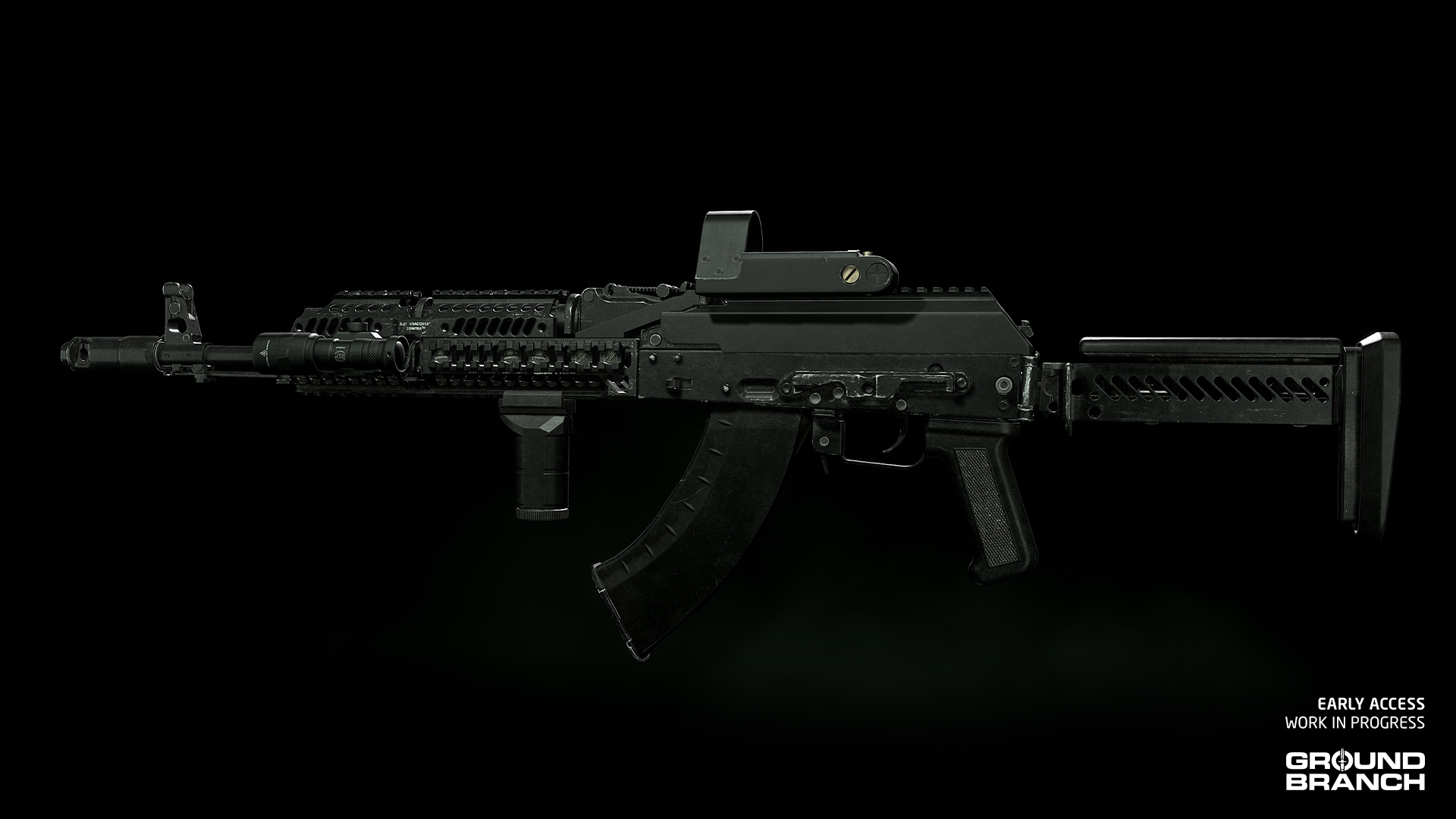
New assault rifle: AK-103 Alpha
A modernized AKM with plenty of aftermarket accessory rails.Ammunition: 7.62×39MM
Feed system: 30-round magazines
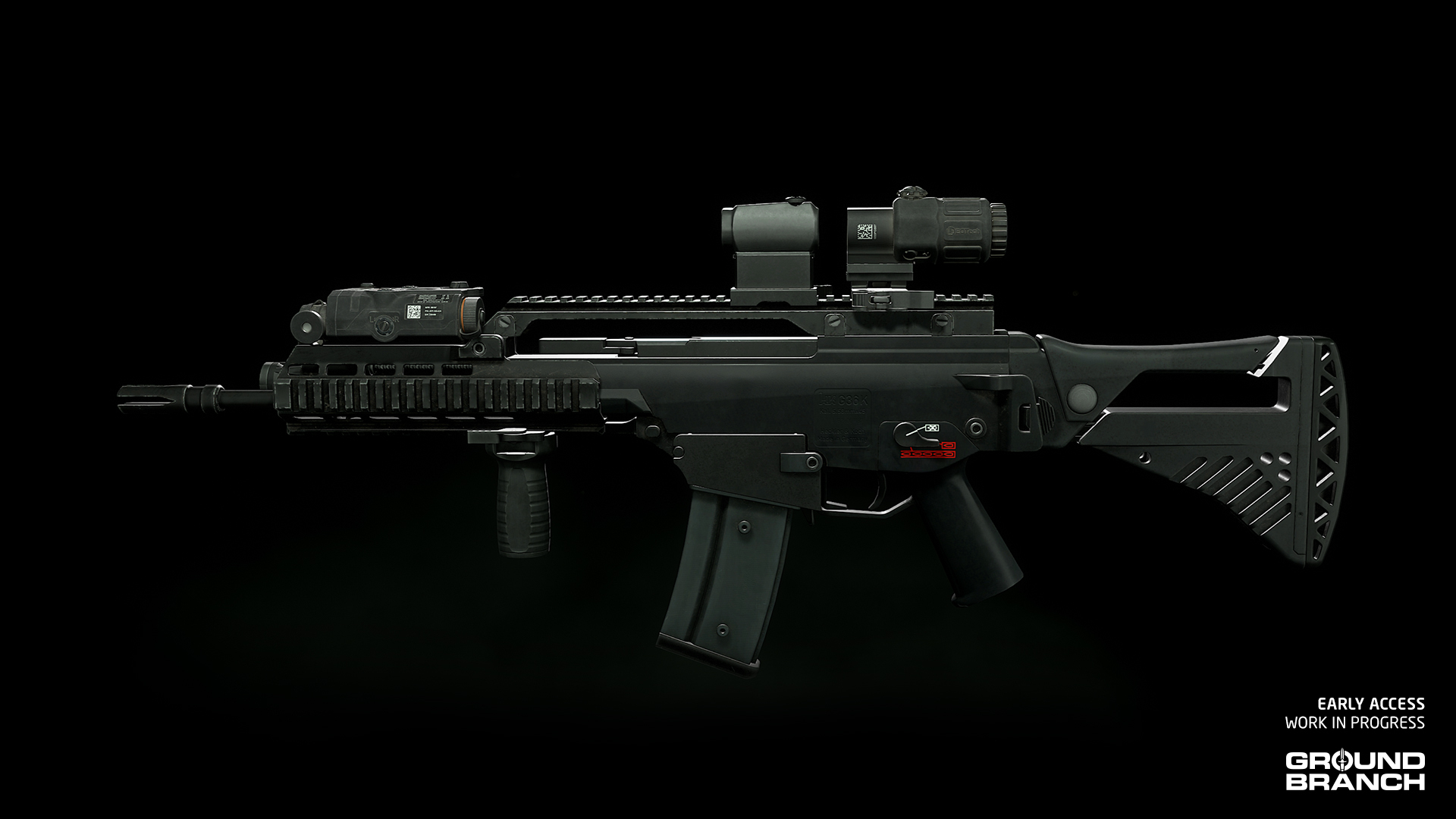
Fire modes: Semi / FullNew assault rifle: G36K Custom
A modified G36K carbine with accessory rails and a custom stock.Ammunition: 5.56 NATO
Feed system: 30-round magazines
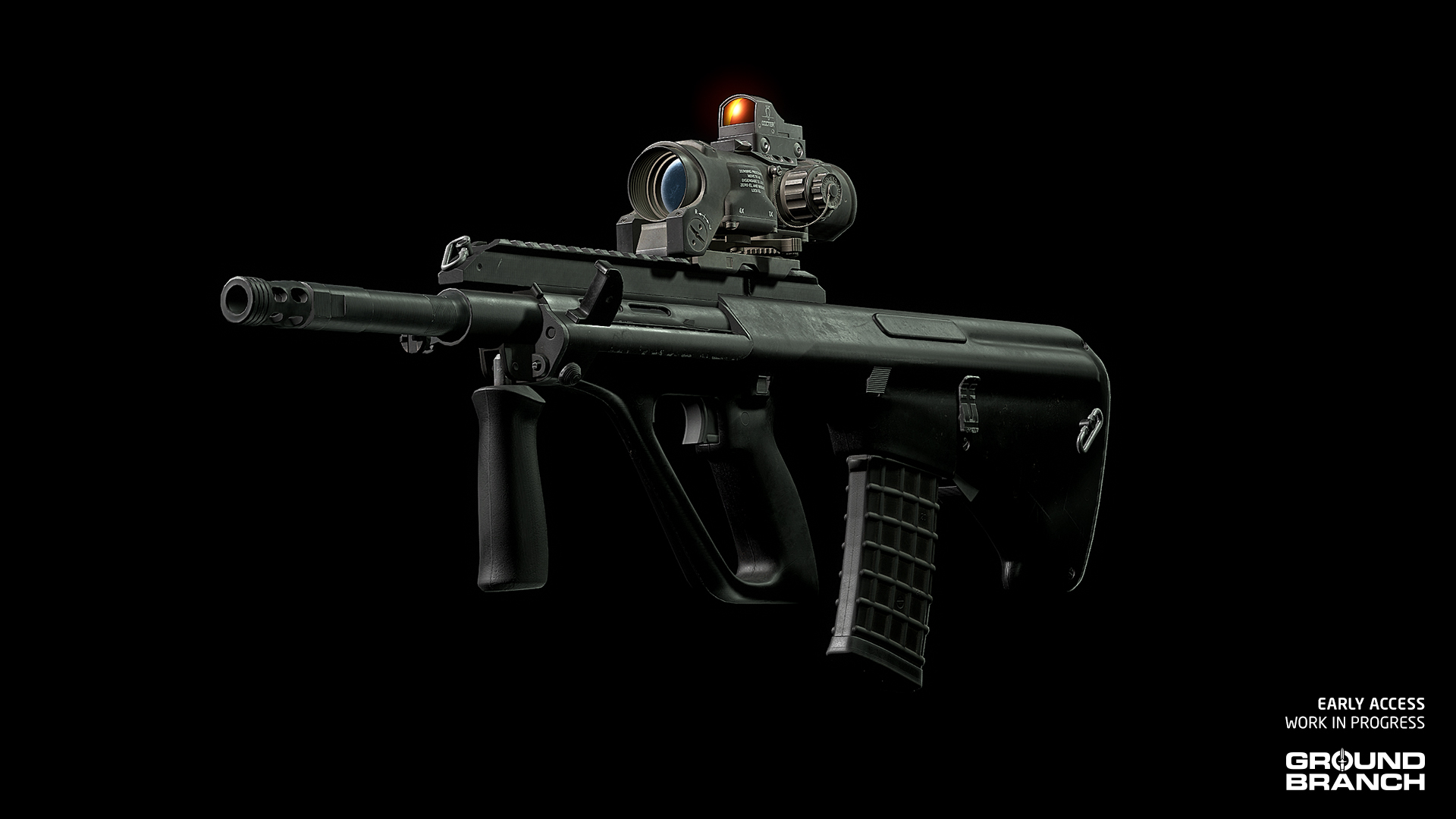
Fire modes: Semi / FullNew assault rifle: AUG A3
A modernized version of the classic bullpup assault rifle. The built-in scope is replaced with a "flat-top" accessory rail, and a small offset rail is also present on the right side.Ammunition: 5.56 NATO
Feed system: 30-round magazines
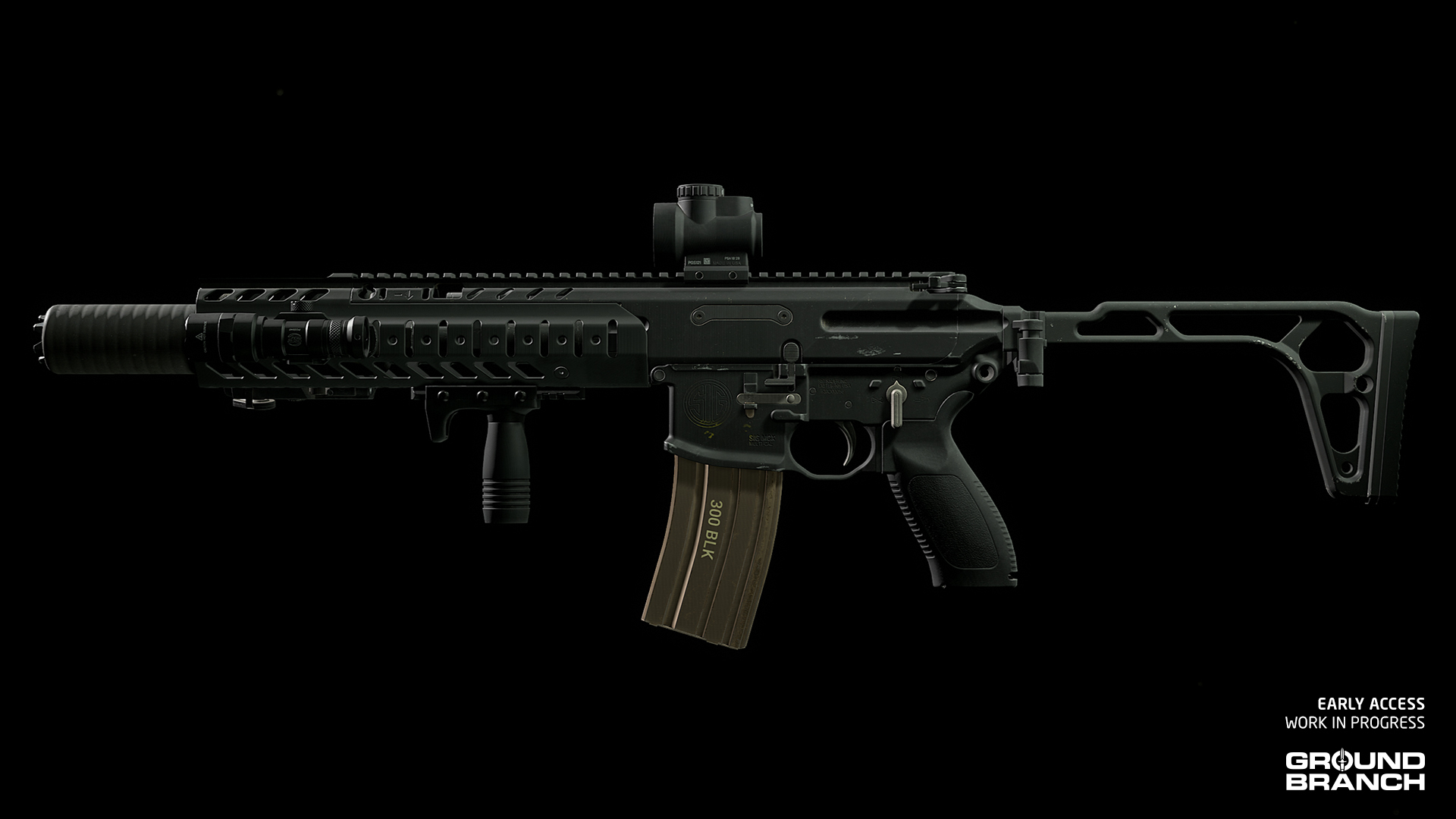
Fire modes: Semi / FullNew assault rifle: LVAW
An AR-15-pattern carbine with an integrated suppressor firing subsonic .300 BLK rounds, this weapon was designed to take over the MP5SD's role. Its name is an acronym for Low Visibility Assault Weapon.Ammunition: .300 BLK
Feed system: 30-round magazines
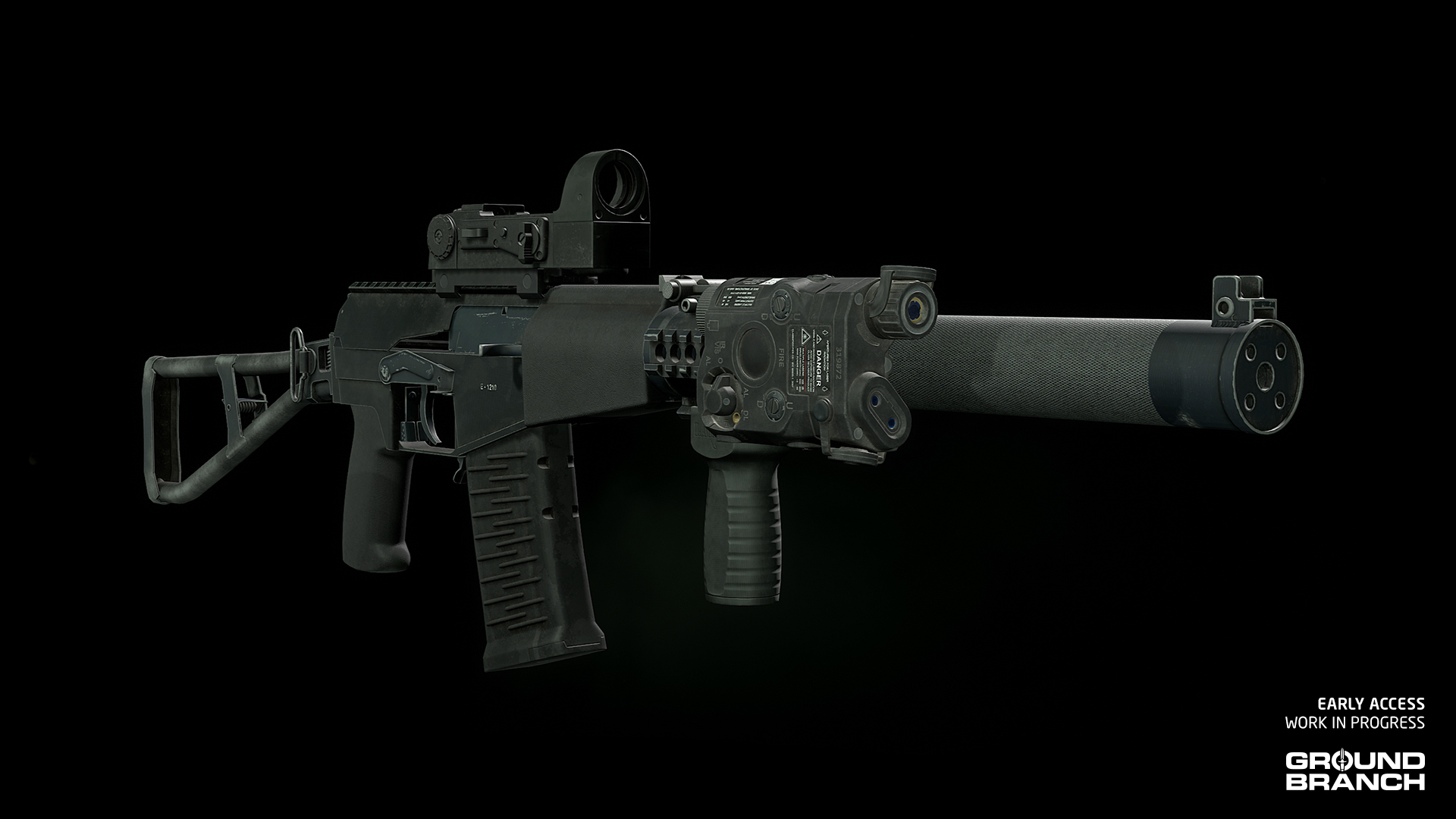
Fire modes: Semi / FullNew assault rifles: AS Val and ASM Val
These are integrally suppressed Soviet assault rifles firing subsonic rounds. In addition to the classic AS, the modernized ASM version (pictured) is available with accessory rails on top of the receiver and around the suppressor.Ammunition: 9×39MM
Feed system: 10- or 20-round magazines
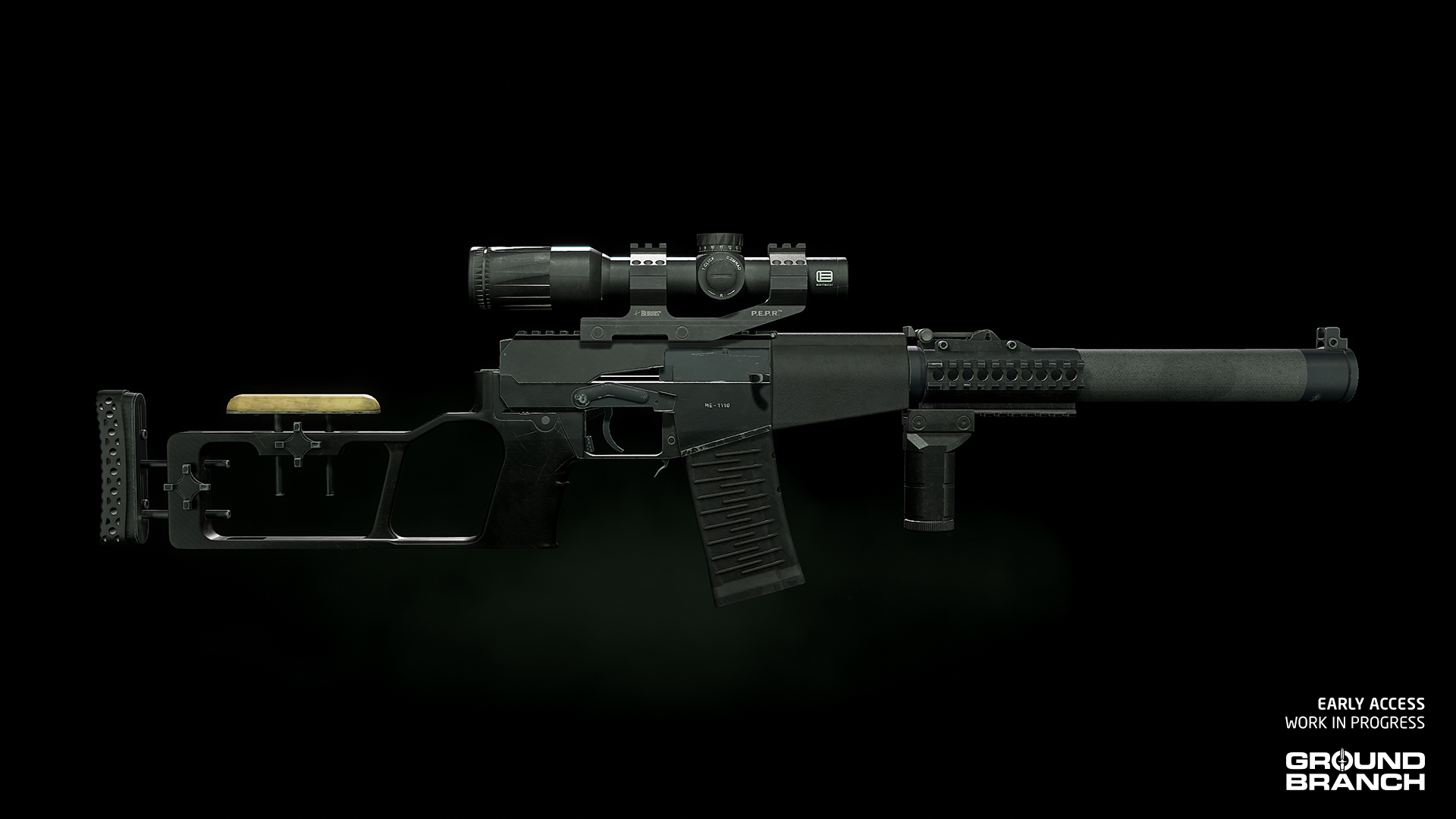
Fire modes: Semi / FullNew sniper rifle: VSS Vintorez and VSSM Vintorez
These are "sniper rifle" versions of the AS assault rifles (above) fitted with fixed, precision-oriented buttstocks. Similarly, the "M" version (pictured) is modernized with a new stock and accessory rails.Ammunition: 9×39MM
Feed system: 10- or 20-round magazines
Fire modes: Semi / FullSECONDARY WEAPONS
New pistol: MK24 CAP
Seen here with the DBAL-PL, suppressor and 12-round magazine
This compact semi-automatic pistol firing .45 ACP rounds from 10- or 12-round magazines has been added to the armory.ACCESSORIES / EQUIPMENT
New pistol attachment: DBAL-PL
The DBAL-PL provides a combined spotlight and laser beam for pistols, both visible and infrared (IR); in accordance with the design of the real-life device, the laser and light can only be toggled in unison.New scope: PSO-1M2-1
The PSO-1M2-1 is a version of the PSO-1M2 available only for the AS/VSS series of weapons with a specifically designed reticle.New red dot sight: OKP-7
The original OKP-7 sight, which is mounted via side dovetail rail, is now available for AK platforms.New red dot sight: Kobra EKP-8-02
A side-mounted version of the Kobra sight is now also available for AK platforms.New red dot sight: MRO (Raised)
A version of the MRO with a raised mount is now available.New IR strobe: MS2000
The MS2000 IR strobe makes a return (a new model for it is also on our list). It is functionally identical to the Manta model. Available in 3 pouch colors: Black, Tan and OD.New equipment: M4 SLAM
The M4 SLAM explosive charge makes its first appearance in v1035, but for now only as a set-piece in the campaign mission demo (Main Menu › Operations). The charge is automatically carried into the mission, so there's no need to add it to your loadout. Likewise, there is no need to equip a detonator.
To place the charge, find a suitable spot on either mission target — indicated by a glowing red mesh — and follow the prompts.💡 If you choose manual detonation, make sure to trigger the explosion from a safe distance or spot!
💡 The M4 SLAM may eventually be made available as a motion-detecting vehicle mine or manually-detonated explosive.
New equipment: Chemlight
Chemlights are now available. They're useful for marking positions and providing limited illumination.
To drop a chemlight on the ground, select it from Equipment (default [4[) and press Fire/Throw (default [Left Mouse Button[).
[quote]💡 Your character will automatically spawn with 10 chemlights — there's no need to add them to your loadout.
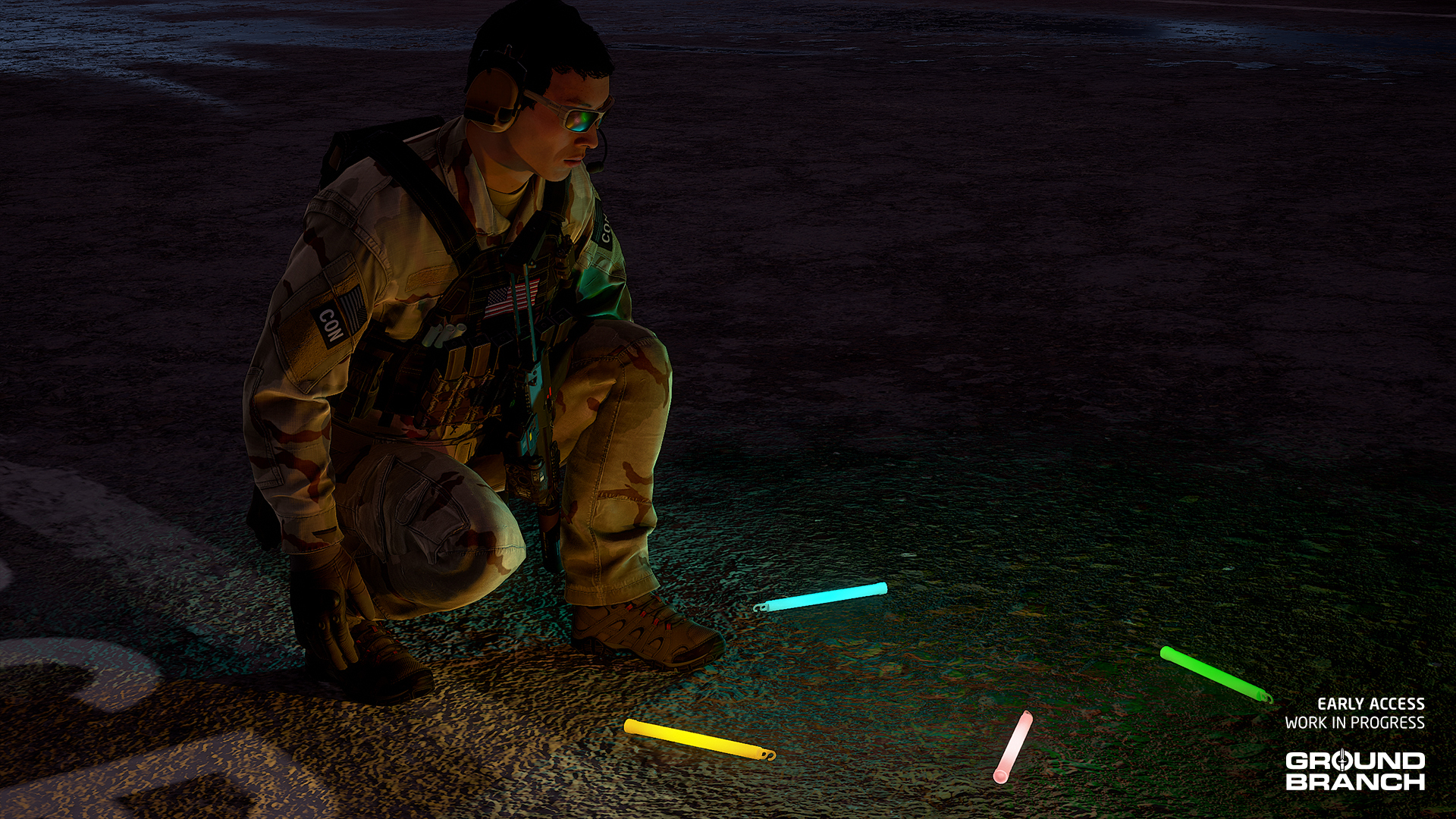
💡 Chemlights will match the color of your current team element (Alpha, Bravo, Charlie or Delta).
CLOTHING / GEAR
New top: Softshell Jacket and Softshell Jacket (Hood)

The Softshell Jacket can now be selected for your Top slot. It comes in two versions — one regular and one with the hood exposed — and 4 different skins: Gray, OCP, AOR-1 and AOR-2.
Based on the second generation (aka Block I) of the “Level 5” softshell jacket that is part of the seven-layer Protective Combat Uniform (PCU) system, this item is a breathable, stretchable, water-repellant and windproof garment.
New masks: Balaclava A/B/C/D

The regular Balaclava (eyes exposed only) was remade and renamed Balaclava A.
We've also added variants Balaclava B (eyes and nose exposed) and Balaclava C (eyes, nose and mouth exposed), which are essentially different ways of wearing the same balaclava, as well as a separate "three-hole" model called Balaclava D.
💡 Balaclavas will hide your Facial Hair selection even if the mouth area is exposed. This will be addressed in a later update.
New pouches: 12x 12ga 00 Buck and 7.62 NATO (FMJ)
Pouches for loose cartridges — currently shotgun shells (12-gauge 00 buckshot) and M24 sniper rifle rounds (7.62 NATO) — can now be manually placed on your platform and belt.
This essentially fixes an issue in V1034 and earlier where ammo for these weapons could only be carried with the modular "Primary Ammo" pouch.
SKINS
- Various attachments have received a new FDE skin.
- Vertical Grip B has a new Olive Drab skin (in addition to FDE).
- The T-Shirt has a new GROUND BRANCH logo skin.
- AOR-2 was added for Helmet (HC/Cover) and Helmet (AF/Cover).
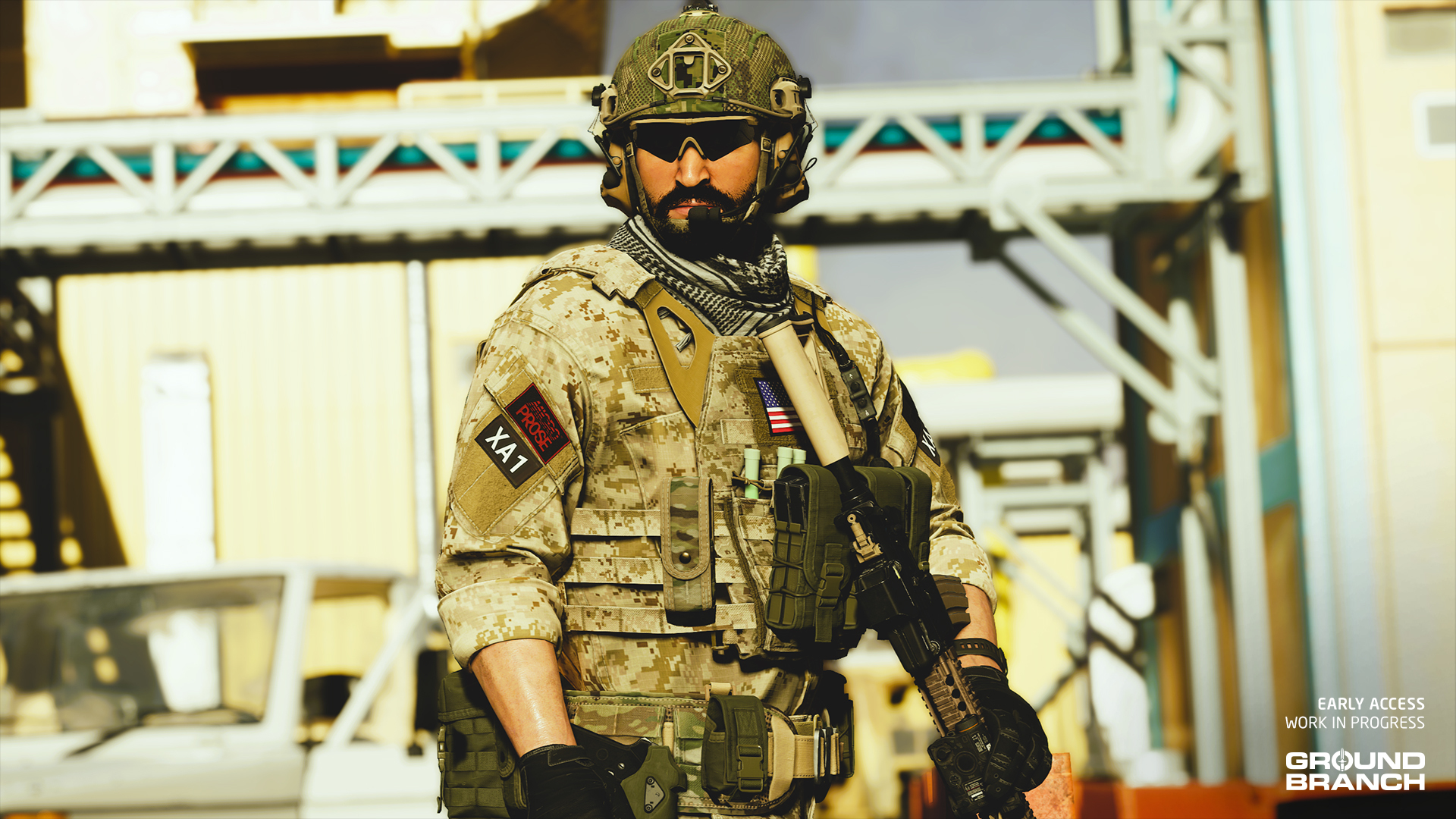 New AOR-2 helmet skin and individual pouch skins
Enemy AI and assets
Hostile AI (and in relevant respects, also friendly AI) have had a number of tune-ups and other improvements and changes:
New AI behaviors and systems
- AI may now throw frag grenades at players in some cases.
- AI that feel under pressure may throw a smoke grenade to cover a retreat.
- AI will now see and investigate flashlight beams and laser pointers (WIP).
- AI can be blinded temporarily by flashlights pointed at their faces at close range (WIP).
- AI have new idle animations, which can be explicitly selected for idle AI by a mission designer if desired. It is intended to expand the range of idle animations over time.
- AI movement overall has had various tweaks and changes.
- A widespread AI rout/flee will be initiated by certain game events, like covering fire from a helicopter during the campaign mission exfil sequence.
- The AI patrol route system has had an overhaul, so patrolling AI should be more unpredictable and cover their routes more thoroughly.
- Enemy AI spawn points now have optional day and night states, so some missions will have different distributions of enemy AI depending on the time of day.
- A number of single player missions (including Compound, Depot and others) have been updated to incorporate these new day and night spawns. In Compound, for example, you are much less likely to see enemy AI patrolling fields during the night, and more likely to see idle enemy AI in houses. (There is a new “Sleep AI” state available, but it is not currently implemented. In the future, we envisage having AI sleeping in beds. At least until you start making some noise…)
- The HVT (high-value target) in the mission demo is the first of a series of new AI archetypes — a type of AI with its own set of rules — which will populate missions for more variety and specialized behaviors from V1036 onwards.
New AI visuals and audio
- Some existing factions (e.g. Russian PMC) have been adjusted and expanded with more kit variety, and whole new factions have been added, including Western PMC, Insurgent and Cartel. Some original factions (such as Riot) have been retained and tweaked for now, but may in due course be retired or replaced.
- Idle animations were added to enemy AI, confering a generally more natural feel before bullets start flying.
- New enemy faction voice lines have been brought into the game. Currently we have a whole new set of lines for the new Cartel faction, and a new set of lines for the Russian PMC faction. These are in Mexican Spanish and in Russian, respectively, adding a little more authenticity and flavor to the game. (Other factions will receive their new voice lines in V1036.)
New and updated maps
V1035 features one entirely new map, one full map remake and a couple of significant map updates.
Ranch

Ranch makes its debut in V1035. The map is situated near the US border in Mexico, and is home to a notorious cartel leader.
The expansive estate includes a garage, stables and various other outbuildings, in addition to a sprawling house complex. It is a fairly large and open map, so move carefully!
💡 A whole new set of quick missions has been created for Ranch. PvP missions covering the whole map are tailored more towards full server loads (8v8). The map is a good fit for DTAS, since spawns should be relatively random, and most areas are well-covered from most other areas of the map.
Power Station
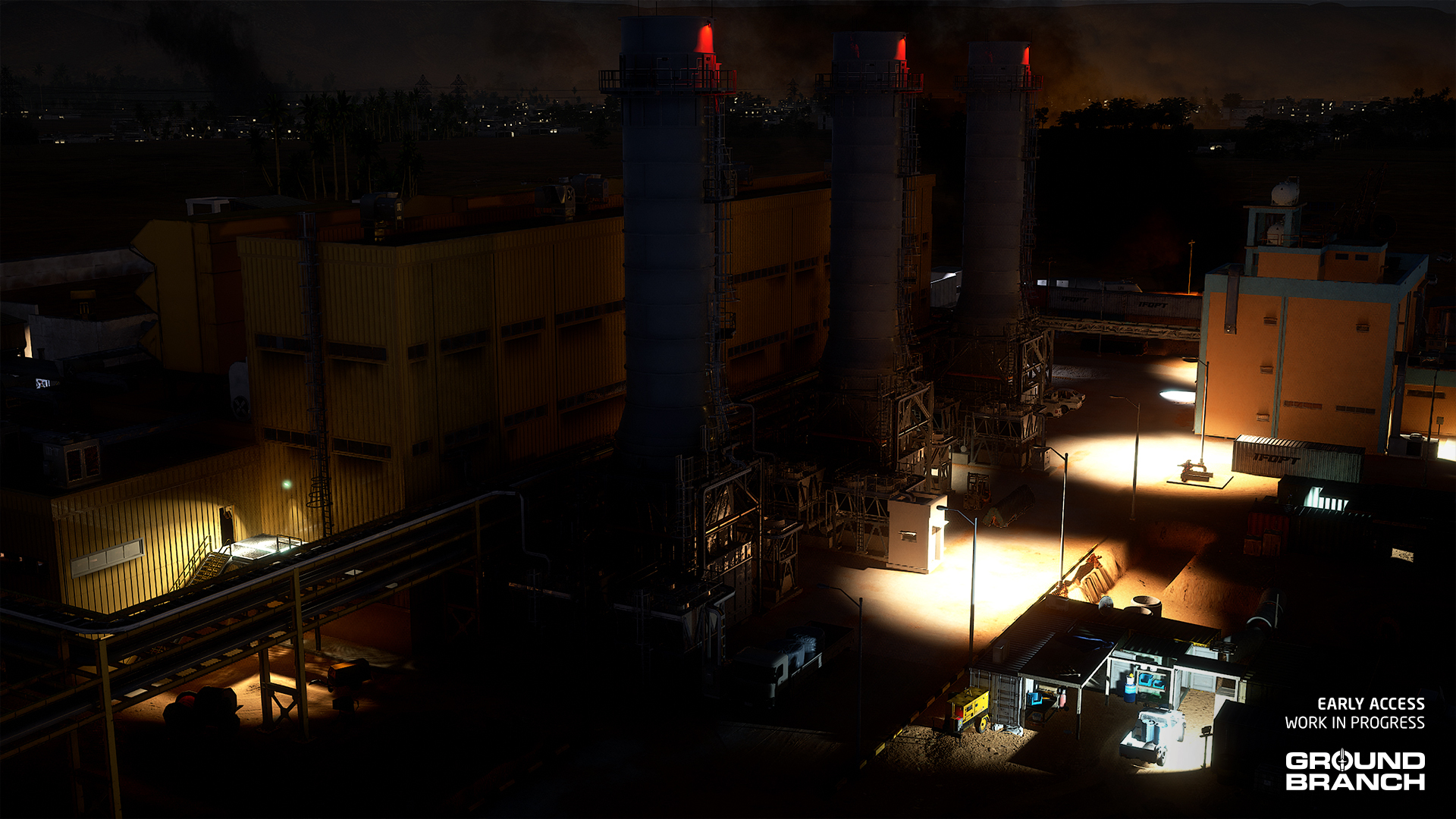
Power Station was remade from the ground up for V1035. Though the overall layout is fairly similar, it has been expanded considerably and offers more complexity.
The map is now set in the Libyan desert, with a ferocious civil war taking place in the distance. There are new outbuildings, lots more cover around the place, and a whole new cafeteria complex to explore and get sniped from.
💡 Power Station quick missions have been entirely redone for the updated map. Some new variants have been created.
Depot

Depot has had some changes in lots of places to make it fit in better with the narrative and gameplay of the new campaign mission, and also just to look nicer. You will now find military and camping equipment in various parts of the map — with a focus on the village and compound areas.
Small Town
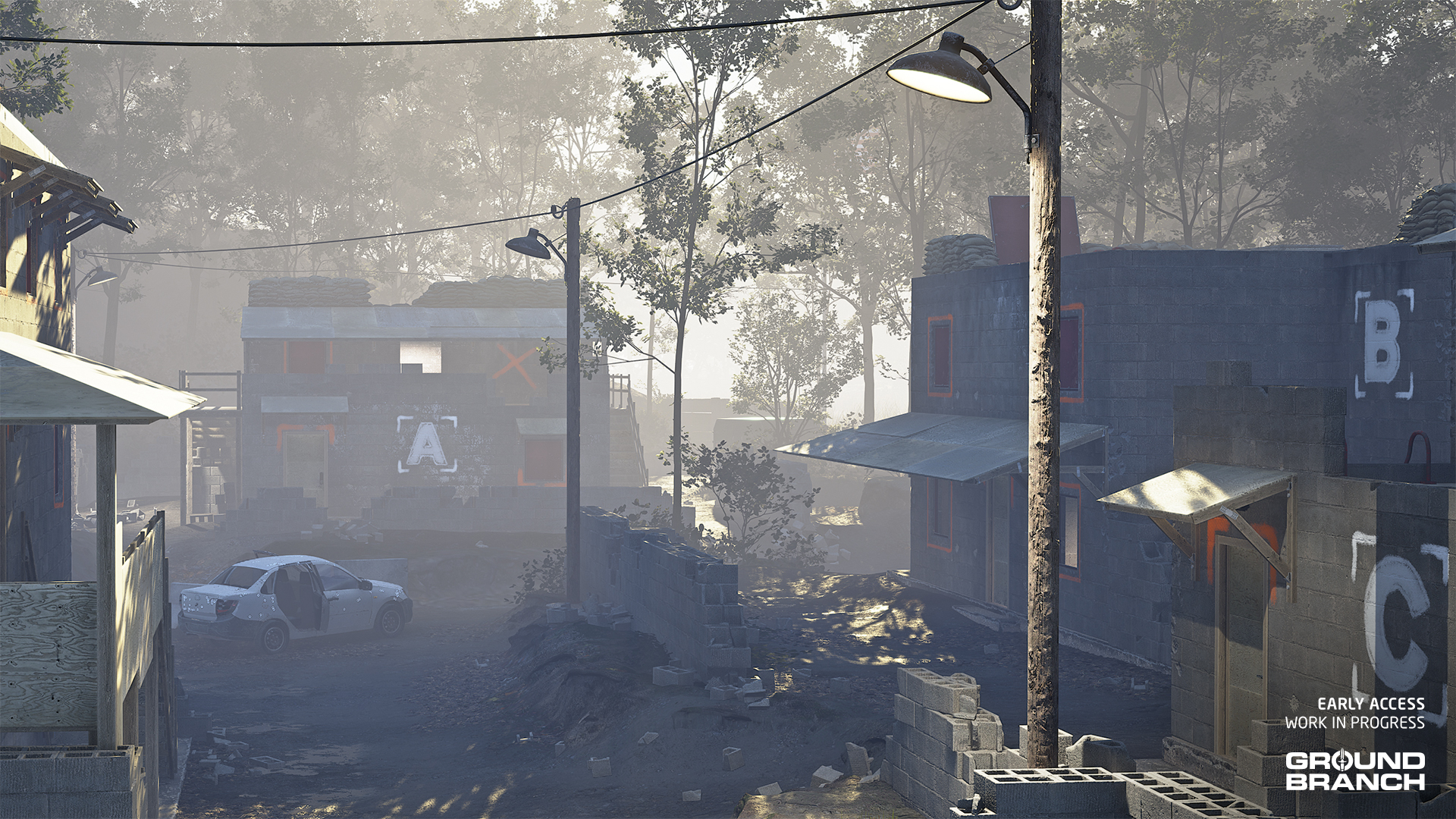
Small Town has had a little face lift to add a little more character and variety to buildings. Foliage was also updated to offer a little less coverage and look more properly scaled.
It should otherwise play similarly, with the exception of a few new points of cover and concealment.
Art and visual updates
V1035 features a number of updates to art and visuals, from individual models to environments.
Updates to lighting, fog and other map-related changes
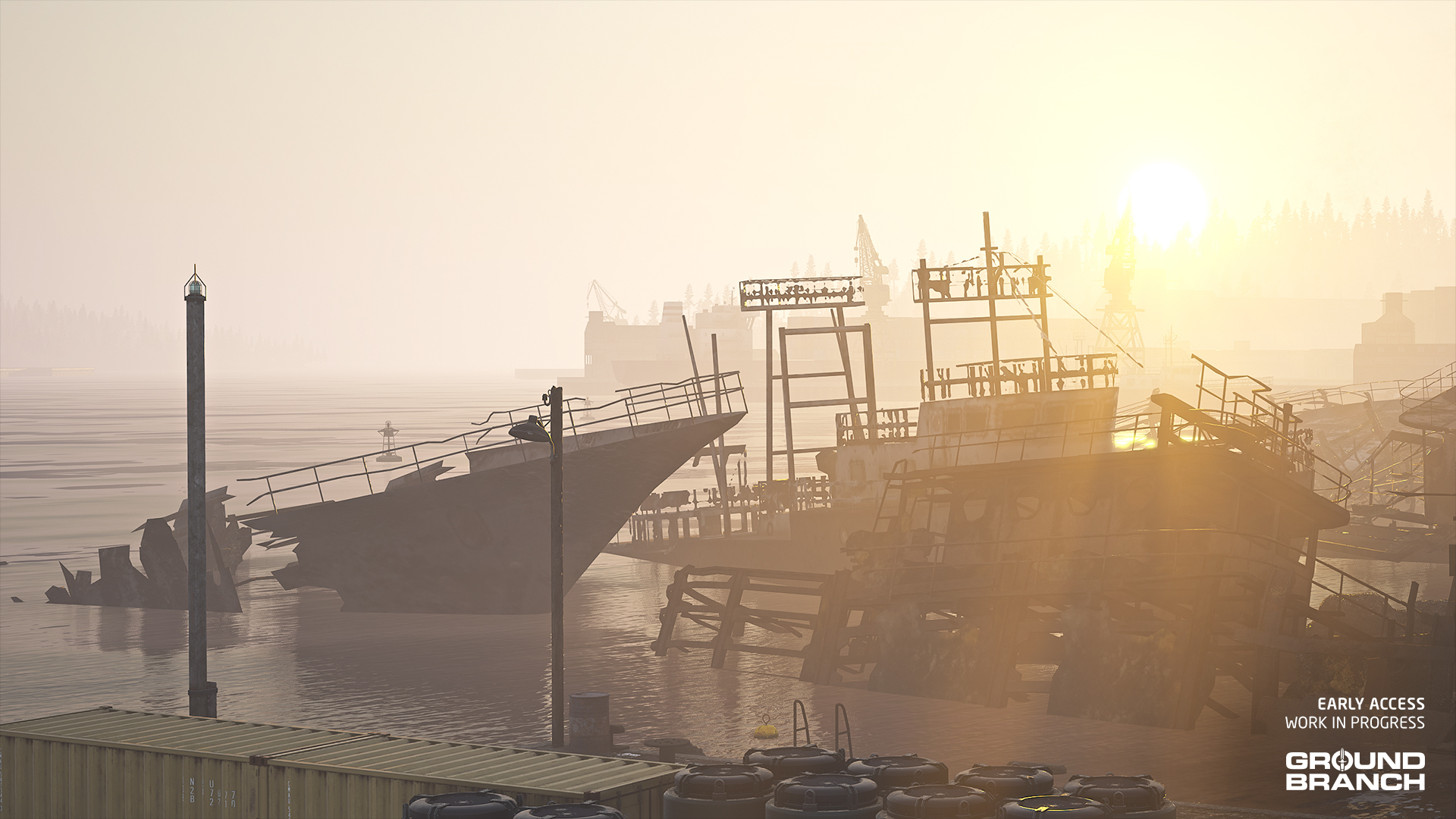
An art and optimization pass was done in several maps. Here are the main changes:
- The “time span” system has had an update, whereby dawn and dusk extend much longer into the day, providing more satisfactory transitions into and out of night.
- Fog in-scattering color and other properties have been added to the palette of environmental customizations for our level designers to use, leading to more characterful lighting. Depot, for example, has had a big lighting tweak.
- Lots of assets and foliage have been updated with new models and materials.
- New use of HLOD (hierarchical level of detail) optimizations in various maps to improve graphical performance.
- Grass blades have been upgraded with more natural wind movement on Depot, Storage Facility, Ranch, Small Town and The Farm.
Updated inventory assets
A number of inventory items have been updated with new models, textures and/or art fixes.

- Field Jacket — This new model replaces the old ACU Coat and its very unpopular popped collar with a more conventional style and upgraded texturing. It is available in all the same skins and styles as the previous model, with the addition of tucked-in variants.
- AN/PVS-31A — The old dual-tube night vision goggles have been replaced with the more appropriate AN/PVS-31A. Functionality and versions (GP for green phosphor and WP for white phosphor) remain unchanged.
- M110 and M110K1 — Both sniper rifles have received entirely new models and textures.
- MK25 — This pistol has received a brand-new model and fresh high-res textures by Cody Cudmore (aka ParallaxGameStudios).
- MK17 CQC and MK17 DMR — Another Cody creation, both rifles were upgraded with improved and higher-res texturing. Various shading issues and incorrect materials for the FDE magazine were fixed, and the DMR variant has also received a new aftermarket buttstock for variety.
- UMP45 — New model and textures.
- MPX SBR — New model and textures.
- MP7A1 — New model and textures.
- 1P78 Kashtan — New model and textures.
- OKP-7 (Rail) — New model and textures. We've added (Rail) to the name suffix to differentiate it from the new (AK-only) side-mounted OKP-7.
- Kobra EKP-18-1 — New model and textures. See Inventory additions for new Kobra sight (EKP-8-02).
- MRO — New model and textures.
- Tac Light (X300) — New model and textures. Now also available in FDE skin.
Tech and VFX
The various new items of kit mentioned above have all had relevant particle effects created and implemented. In other developments:
- The NVG system has had another tweak, and now IR lasers are finally visible through the AN/PVS-22 UNS night vision scope. IR illuminators are a work in progress — unfortunately they cannot be realized with the same method.
- There are new effects for underwater grenade explosions and smoke.
- The new campaign mission demo cutscenes also feature a variety of new special effects — no spoilers!
- The Power Station remake includes a lot of new VFX assets for the distance effects.
Animations
Various animations have been updated and some new ones have been hooked up. Main changes include updated animations for the MP7A1, MP5 series, G3A3, UMP45, M110 / M110K1, PMM and AR-15-pattern rifles (M16A4, M4A1, MK18, HK416D and variants).
All new weapons and items (listed earlier) have of course also received new animations.
Miscellaneous animation updates[TAG-690]
- New mo-cap and other animations done — and some existing animations cleaned up — for enemy AI.
- Mag-check-into-reload animations for all magazine-fed weapons.
- Completed and/or polished ragdoll death animations for stand, crouch and prone positions.
- Added missing shotgun animations.
Audio
The more significant changes in audio — not listed elsewhere — include:
- Ranch has had a lot of work put in to set up environmental sound effects. This level of attention to detail will be rolled out across other maps in due course.
- Depot has had an environmental sound overhaul, and new sound effects for the new cutscenes.
- Walk footsteps should now be properly audible — previously the clothing rustle was the only sound playing.
- Attenuation changes on all surface types for walk/run/sprint footsteps. This should make other enemies footsteps more present in the mix and fade out naturally instead of cutting off.
- First person player footsteps have been lowered in the mix.
💡 There has been some backend work on the audio — for instance, to upgrade to a version of the Wwise middleware that no longer requires the manual pre-loading of sound banks.
Modding
The GROUND BRANCH Mod Kit has been updated for V1035 and is now in the hands of modders for testing, but there are some remaining issues that will need to be fixed in a point release.
In particular, things like custom magazines and custom ammo may not be fully functional at this point, but otherwise mods from V1034 should be good to go to be recreated in the new Mod Kit.
There are some new details that need to be handled to update mods and we do not have the documentation ready just yet, but we'll be working on that shortly.
Some more modding and Mission Editor information for the enthusiasts:
- There are no new modding types planned per se for V1035, as we will need to focus on getting the existing systems back up and running as they should. However, some groundwork has been laid in V1035 for more flexible systems for modding weapons and kit, and so on.
- It is not intended that campaign missions will be moddable — not just yet, anyway. However, you can explore some of the new tools in the Mission Editor for campaigns. Click the Campaign tab at the top-right after starting the editor to view. The new mission objective system is relatively open-ended, and new objective types can be added using a single Lua script (and any in-game assets that may be needed).
- New controls have been added to the server mod list menu to facilitate bulk operations such as adding all active local mods to the server list, and clearing a whole list. A new gameplay setting (in Modding) allows the local mod list to be used automatically as the server mod list in a listen server (the Host Game option).
- The selection of AI loadouts and mission meshes have been overhauled with quicker picker dialogs. The range of mission meshes has been increased.
- Modding menus have had a quality-of-life pass. There is, for example, a new gameplay setting to use local mod lists for listen servers, instead of having to make a separate server list (although that process is also streamlined).
Known issues
These are issues we were not able to fix yet, but that we considered not worth holding off the release for. They will hopefully be fixed in a point release relatively soon:
- DX12 and DLSS + overlays may cause a crash-to-desktop (CTD) during gameplay (this is on NVIDIA 40-series graphics cards — use DX11 if experiencing multiple crashes).
- Prone movement is currently limited to the "walk" crawl speed; fast crawling (default hold [Shift[) is currently not working.
[*]The friendly AI and its control system are not fully iterated: AI teammates are known to not always react appropriately to their surroundings, get in the way of players, bunch up and so on.
- Characters may be sent flying when killed, seemingly at random.
- Dead characters may also replicate impact animations when living characters are hit.
- The enemy AI's detection of player lasers is a work-in-progress (WIP) and may have some rough edges.
- Modded listen servers should now be joinable in-game without any issues (fixes big V1034 bug), but it may not work yet when joining from outside the game (aka a "cold start").
- Dynamic Take and Secure (DTAS) isn't fully functional in that the flag model does not spawn in the flag carrier's hand and can't be manually placed; it should be fully functional otherwise.
- Clicking the gear icon ⚙️ to customize a different item than your currently equipped one may apply the former item's textures onto the new item.
- Chemlights do not yet have the correct colors in PvP modes — the desired effect is blue and red (depending on the team).
- Music will stop when the player enters the Admin Panel.
- Multiplayer bots are currently broken.
- Hostage Rescue is not available as it is still in the process of being converted to the new Gameplay Ability System (GAS).
- Weapon mods and other asset mods made with the V1034 Mod Kit will likely not work until they can be updated with the V1035 Mod Kit. Missions, game modes and other non-asset mods may also need updating for V1035. In the future we might filter by build version, but in the meantime you can search for "V1035" tags in the Steam Workshop, or "1035" in the mod title/text.
- The hammer of some pistols have an incorrect rotation applied, which may cause clipping with the body.
This has been Build Update #054!
Thank you for reading the release notes for V1035. And if you participated in the Community Test, have an extra "thank you" for your help getting this release out!
We hope you enjoy this release, and stay tuned for our point releases to wrap it all up nicely.
💡 There has been some backend work on the audio — for instance, to upgrade to a version of the Wwise middleware that no longer requires the manual pre-loading of sound banks.
[*]The friendly AI and its control system are not fully iterated: AI teammates are known to not always react appropriately to their surroundings, get in the way of players, bunch up and so on.
Helping us test V1035? Make sure to grab today's Community Test build!
It's difficult to identify an overall theme for this update other than, basically, "we fixed a whole lot more stuff". We've closed the gap considerably towards a V1035 release, and are starting to accept that one or two more things will be better dealt with in a point release — so we are getting pretty dang close to V1035.0.
V1035 Mod Kit now available
A public test version of the V1035 Mod Kit is now also available. It simply replaces the existing V1034 one, and should update automatically for you. At this stage, weapons themselves seem to work fine in V1035, but ancillary things like custom magazines, sights, attachments, pouches and so on will need a little more love — likely in a point release. For now, weapons can be made usable by switching them temporarily to use stock ammo and magazines etc. Documentation will follow, but for now you should be able to figure out quite a bit from the example mods and tooltips on gameplay tags and such.
💡 For those unfamiliar, the GROUND BRANCH Mod Kit can be downloaded at the Epic Games Store here, and documentation is available in the Wiki.
Contents
- How to join the V1035 Commmunity Test
- Dedicated servers
- Reporting bugs
- General notes
- Known issues
- Patch notes
- Sign-off
How to join the V1035 Commmunity Test
If you'd like to join the Community Test, follow these steps:
- From your Steam Library, right-click GROUND BRANCH and select "Properties…"
- Click Betas on the left-hand menu
- Enter code GB1035LimeGreen into the text box and click "Check Code"
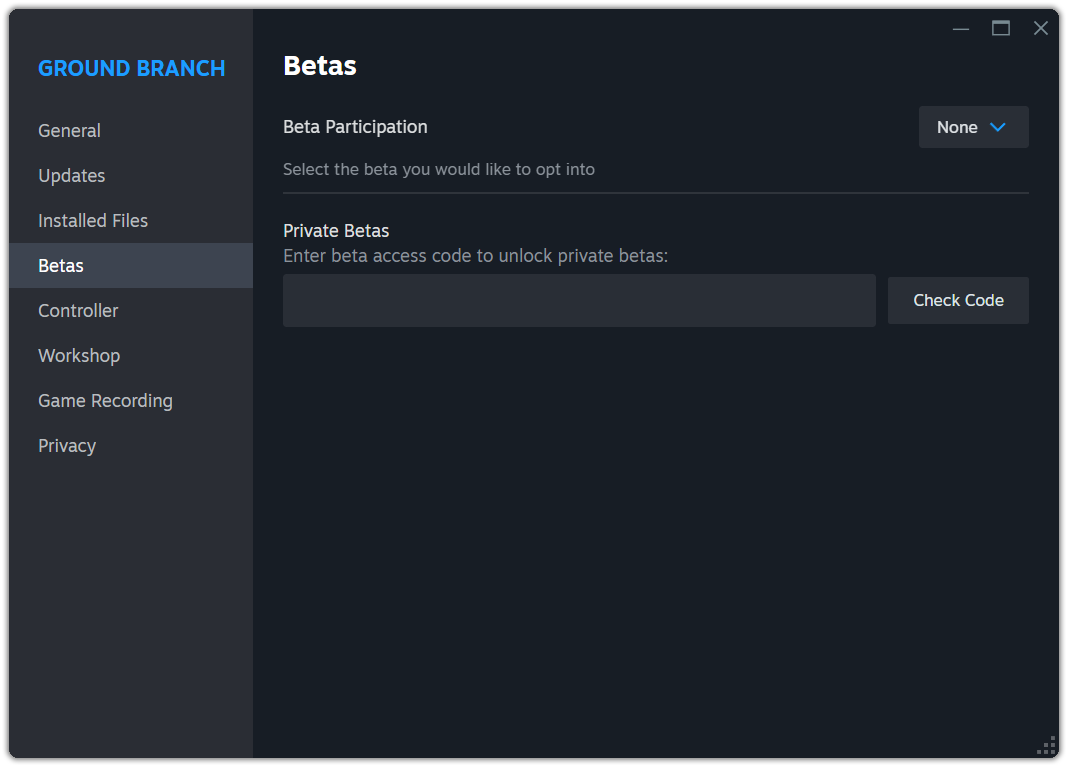
💡 Steam should begin downloading the latest build in the communitytest beta branch. (If it doesn't start automatically, manually select it from the drop-down menu.)
💡 If you wish to return to the regular branch of the game, simply select "None" from the drop-down menu in the top-right. It's a pretty big download, so keep in mind that switching back and forth between the Community Test and regular branches can be time-consuming — especially on slower connections.
Dedicated servers
For installing V1035 CT on dedicated servers, the login details are as follows:
-beta communitytest-ds
-betapassword CommunityTestDS1035
If you stick those into your server install scripts, or ask your server provider nicely to do so for you, you should be able to get your V1035 CT dedicated server up and running. If you have any problem setting up a server, please do make yourself known in the #server-support channel in our official Discord server. We would also like to send a word of thanks to our server partners and other server providers for their prompt assistance in getting these servers running.
Reporting bugs
Please do continue to send all crash reports when you get a crash, and to use the in-game bug reporter where possible — press [Esc] while in-game, click the "Report Bug" button in the top menu, and follow the instructions. This is the best way for us to figure out those pesky bugs and to get them fixed.
For more general feedback and overall vibes, you can talk to us on our Discord server, or the Steam forums.
General notes
- Patch notes for new CT updates will be posted directly on Steam, so stay tuned — we may release new builds fairly regularly.
- You will not be able to play online with people using a different branch of the game (though most active players do tend to migrate to the CT branch).
- Weapon mods will not work until they are updated with the V1035 Mod Kit, which is now available. Patch and mission mods should still work, but custom missions might need a review.
- The Depot mission demo (Main Menu › Operations) and its friendly AI are meant as a "tech demo" or "vertical slice" of the core gameplay and not necessarily representative of final quality. Friendly AI are planned to become available in more game modes in the future.
- Rubberbanding is unfortunately still (for now) a common issue on dedicated servers (DS), though we'll keep working to solve this. We recommend server owners to restart their servers periodically (every 3–4 hours) to mitigate this issue. Listen servers are currently the more stable option.
- Hostage Rescue is not available as it is still in the process of being converted to the new Gameplay Ability System (GAS).
- Bugs are very much expected, and this is the whole point of this test after all. A list of known bugs is provided below.
🪲 To report a bug, press [Esc] while in-game, click the "Report Bug" button in the top menu, and follow the instructions.
Known issues
These are issues we're aware of, so please keep them in mind and avoid reporting them:
- DX12 and DLSS + overlays may cause a crash-to-desktop (CTD) during gameplay (this is on NVIDIA 40-series graphics cards — use DX11 if experiencing multiple crashes).
- Prone movement is currently limited to the "walk" crawl speed; fast crawling (default hold [Shift]) is currently not working.
- The friendly AI and its control system are not fully iterated: AI teammates are known to not always react appropriately to their surroundings, get in the way of players, bunch up and so on.
- Characters may be sent flying when killed, seemingly at random.
- Dead characters may also replicate impact animations when living characters are hit.
- Enemy AI flashlight/laser detection is a work-in-progress (WIP) and may have some rough edges.
- Modded listen servers should now be joinable in-game without any issues (fixes big V1034 bug), but it does not seem to work yet when joining from outside the game (aka a "cold start").
- Chemlights do not yet have the correct colors in PvP modes.
- Dynamic Take and Secure (DTAS) isn't fully functional in that the flag model does not spawn in the flag carrier's hand and can't be manually placed; it should be fully functional otherwise.
- Multiplayer bots are currently broken. They will likely return in a point release.
- Music will stop when the player enters the Admin Panel.
- As mentioned earlier: Hostage Rescue is not available as it is still in the process of being converted to the new Gameplay Ability System (GAS).
- As also mentioned: weapon mods will not work until they can be updated with the V1035 Mod Kit.
Patch notes
Gameplay, mechanics and code
- Fixed weapons needing an initial reload on round start
- Updated Tablet to raise up if momentary aim setting is in use and right mouse button (or equivalent) is held down when equipped
- Lots of work under the hood on footstep handling, including:
- Added support for shallow and deep water footsteps
- AI now hear their own footsteps
- Added support for shallow and deep water footsteps
- Tracer bullets rejigged internally; shouldn’t be any visible change
- Rejigged trace algorithm for Rangefinder — measuring should now be fixed
- Updated weapon position-related abilities to improve feel and responsiveness:
- Shooting is blocked and cancelled at start of ability / end of aiming to prevent shooting at full High or Low Ready
- Now possible to cancel out of a position transition to go to another position or get ready to fire
- Now possible to fire as soon as we are close enough to the Ready position
- Shooting is blocked and cancelled at start of ability / end of aiming to prevent shooting at full High or Low Ready
- M4 SLAM charge should now equip a detonator if none is present
- Crashing on exit should now be fixed
- Fixed players and AI sometimes failing to engage with ladder after repeated uses
- Updated 7.62 NATO FMJ round to have a model, so it can spawn a dropped item
- Ejected brass produces impact sounds again when hitting surfaces
- Fixed inventory disappearing shortly after becoming spectator
Maps
- Ranch — Turned double doors in the main house to static meshes and kept them permanently open; fixed bugs
- Power Station — Deleted rogue wall mesh; fixed some ugly DFAO (Distance Field Ambient Occlusion) issues
Inventory and art assets
- Increased texture resolution for MK24 CAP, MK25 and both MK17 variants (CQC and DMR)
- Replaced MK17 DMR buttstock with aftermarket model — just for a little more variety
- Partial clean up for MK17 shading issues (full fix in the next build, hopefully!)
- Fixed PKM belt pouch not dropping properly
- Fixed M4A1 Block II and MK17 DMR not allowing AN/PEQ-15 on mid-top rail
- Fixed missing dump pouches
- Added AOR-2 skin for Helmet (HC/Cover) and Helmet (AF/Cover): chinstraps have different colors/tones as a result, and bungee cord hooks are no longer copper-colored but black; also fixed screws having camo (for camo skins) in the process
- Pouches for loose ammo (e.g. shotgun shells and M24 sniper rifle rounds) can now be manually selected when customizing your vest platform or belt (WIP — needs proper icons)
- Internal changes to Customize Operator screen to make it more mod-compliant
- Deleted thread socket on AUG skeleton (it persists as a mesh socket on the proper gun)
- Added selfie cam sockets to weapons that did not have one
Animation
- General animation fixes
- Added fire selector animations for the AS/VSS family
- Hooked up new pickup animations
- Fixed drop animations
- Improvements to handling of prone animations and transitions — turning in place while prone is now (again) blocked by reloading, switching items and other transitions
- Fixed weapons firing montage, now set by caliber — should fix missing recoil animations
Audio
- Adjusted playback settings to help prevent audio not playing correctly
- Adjusted tail volumes
- Added missing lines for BLUFOR (friendly AI) voice lines
- Updated the attenuation and volumes for all footsteps: running, walking and sprinting
- Modified the EQ for the big explosion sound in final Depot cutscene
- Sounds added for placing M4 SLAM charge
- Added sounds for anti-air vehicles being on fire
- Reverb changes; attenuation changes; voiceline changes
- Adjusted mix for experimental mix settings
- Adjusted SAV reverb fade rate on Depot
- Changes to Experimental mix (Settings › Audio › Audio Mix) to work towards an official final mix
- Updated game mode explosion sound to a more appropriate sound
- Fixed missing explosion sound for the campaign mission demo
- Fixed up missing audio on the charge handle animations for the AUG A3, G36K and UMP45
- Added missing dry fire sound call to GCN_Firearm_Shoot_Dry/DryLast
AI
- Fixed AI getting stuck (still) at the middle of a grenade throw
- Friendly AI will now crouch when ordered to Hold
- Moonlight is now specifically de-emphasized in light level perception, so night is more consistently night-ish in terms of AI not seeing you easily
- Tweaked navblock on Buk AA gun to try avoid AI getting stuck on it
- Set visibility collision on some foliage meshes to use base LOD for more accurate AI traces
- Foliage modifier for AI now used correctly (AI should react better to foliage cover)
- Fixed a bug where AI could detect IR (infrared) lights, such as those from the AN/PEQ-15's or DBAL-PL's IR illuminators
- Changed how lightscale is mapped to AI visibility, to make AI perception more consistent and "fair"
- Fixed an issue with AI firing at perceived actor when being perceived through sound only (a line of sight check was added)
Graphics/VFX
- Time of day VFX (currently only on Power Station) fixed up and tweaked — distant fire has returned to the edges of the map
- Fixed issues with ribbon emitter for the rocket launch trails
- Tweaks to LOD bias (texture quality) for various weapons and attachments
UI
- UseDetonatorToBlow message now decodes correctly when placing M4 SLAM charges (might break some game messages in mods or other game modes)
- Updated drop-down menus to scroll selected index into view
- Fixed inconsistent padding in Report Bug button
- Added progress bar to M4 SLAM charge placement
- Prompt when placing M4 SLAM charge resets to "Place Charge" when planting is interrupted
- Fixed issue in Customize Operator lists where other things respond to the mouse wheel input when you reach the top or bottom of a nested list
Modding
- Added feature where details of unlisted mods are hidden from view in Server Browser, and the Mod Sync button in the server menu ignores unlisted mods
- MK23 and VSS Vintorez example mods fixed up some more for V1035
- V1035 Mod Kit made live for public testing prior to V1035 release
- Now looking up gamemessage_ tokens in game mode .csv files using forced lower case (modded game modes may need .csv files updated to remove any capital letters from gamemessage_ lookups)
- Mission Editor: fixed incorrect mission mesh lookup for container (open) and props list is now sorted alphabetically (as well as walls list)
- Mod Kit subsystem rejigged internally to work better with new asset systems
- Created empty bullet casing particle system in GBCore/Effects folder (for modded bullet types)
Thank you for helping us test V1035!
Thank you again to everyone participating in this test! You are helping us get V1035 into your hands just that bit quicker, and just that bit better. Remember:
- You can report bugs by pressing [Esc] while in-game and clicking the Report Bug button in the top menu. Be as descriptive as you can!
- Please do submit any crash reports you get while playing the community test build (or indeed the main build). These reports are forwarded to us directly and provide additional information on crashes to help us zero in on issues. Reporting issues multiple times is also fine, as this gives us an idea of the biggest problems to solve.
- Although we have a #bug-report channel in our Discord, it is most efficient for us if you can use the in-game bug reporter mentioned above — not least because this helps us jump right to the spot where the bug happened (if it is in a particular place in a map, for example).
- General feedback (i.e. for things that aren't necessarily bugs) is best shared in our Discord and the Steam forums, but please feel free to send it our way however you can.
New V1035 Community Test build now available!
Contents
- How to join the V1035 Commmunity Test
- Dedicated servers
- Reporting bugs
- General notes
- Known issues
- Patch notes
- Sign-off
How to join the V1035 Commmunity Test
If you'd like to join the Community Test, follow these steps:
- From your Steam Library, right-click GROUND BRANCH and select "Properties…"
- Click Betas on the left-hand menu
- Enter code GB1035LimeGreen into the text box and click "Check Code"
💡 Steam should begin downloading the latest build in the communitytest beta branch. (If it doesn't start automatically, manually select it from the drop-down menu.)
💡 If you wish to return to the regular branch of the game, simply select "None" from the drop-down menu in the top-right. It's a pretty big download, so keep in mind that switching back and forth between the Community Test and regular branches can be time-consuming — especially on slower connections.
Overall, we have been working hard to squish the biggest bugs in the first build that we unveiled last week. We have made improvements to picking up, dropping and using all manner of things. The team radios should now be usable without killing your audio, so PvP modes will be a little easier to test now. A whole host of inventory items and weapon attachments have had tweaks to skins, collisions, and more. Besides that, there are a myriad of little bug fixes.
Dedicated servers
What we failed to originally mention in our last announcement were the details for installing V1035 CT on dedicated servers. The login details are as follows:
-beta communitytest-ds
-password CommunityTestDS1035
If you stick those into your server install scripts, or ask your server provider nicely to do so for you, you should be able to get your V1035 CT dedicated server up and running. If you have any problem setting up a server, please do make yourself known in the #server-support channel in our official Discord server. We would also like to send a word of thanks to our server partners and other server providers for their prompt assistance in getting these servers running.
Reporting bugs
Please do continue to send all crash reports when you get a crash, and to use the in-game bug reporter where possible — press [Esc] while in-game, click the "Report Bug" button in the top menu, and follow the instructions. This is the best way for us to figure out those pesky bugs and to get them fixed.
For more general feedback and overall vibes, you can talk to us on our Discord server, or the Steam forums.
General notes
- Patch notes for new CT updates will be posted directly on Steam, so stay tuned — we may release new builds fairly regularly.
- You will not be able to play online with people using a different branch of the game (though most active players do tend to jump on the CT branch).
- Weapon mods will not work until they can be updated with the V1035 Mod Kit, which will be available as soon as possible. Patch and mission mods should still work, but custom missions might need a review.
- The Depot mission demo (Main Menu › Operations) and its friendly AI are meant as a "tech demo" or "vertical slice" of the core gameplay and not necessarily representative of final quality. Friendly AI are planned to become available in more game modes in the future.
- Rubberbanding is unfortunately still (for now) a common issue on dedicated servers (DS), though we'll keep working to solve this. We recommend server owners to restart their servers periodically (every 3–4 hours) to mitigate this issue. Listen servers are currently the more stable option.
- Hostage Rescue is not available as it is still in the process of being converted to the new Gameplay Ability System (GAS).
- Bugs are very much expected, and this is the whole point of this test after all. A list of known bugs is provided below.
🪲 To report a bug, press [Esc] while in-game, click the "Report Bug" button in the top menu, and follow the instructions.
Known issues
These are issues we're aware of, so please keep them in mind and avoid reporting them:
- [NEW] The first magazine for some weapons may fail to store in dump pouch on a retention reload.
- DX12 and DLSS + overlays may cause a crash-to-desktop (CTD) during gameplay (this is on NVIDIA 40-series graphics cards — use DX11 if experiencing multiple crashes).
- Prone movement is currently limited to the "walk" crawl speed; fast crawling (default hold [Shift]) is currently not working.
- The Rangefinder's measuring function may not work as expected.
- The friendly AI and its control system are not fully iterated: AI teammates are known to not always react appropriately to their surroundings, get in the way of players, bunch up and so on.
- Characters may be sent flying when killed, seemingly at random. We could not figure out why yet, so let us know if you find a pattern!
- Dead characters may also replicate impact animations when living characters are hit.
- Enemy AI flashlight/laser detection is a work-in-progress (WIP) and may have some rough edges.
- You cannot currently save full kits — the function of saving kits is not hooked up yet.
- The mission demo does not allow you to use a detonator with the M4 SLAM charge without a Breaching Charge equipped.
- Modded listen servers should now be joinable in-game without any issues (fixes big V1034 bug), but it does not seem to work yet when joining from outside the game (aka a "cold start").
- Chemlights do not yet have the correct colors in PvP modes.
- Dynamic Take and Secure (DTAS) isn't fully functional in that the flag model does not spawn in the flag carrier's hand and can't be manually placed; it should be fully functional otherwise.
- Multiplayer bots are probably broken and will likely remain so while we switch focus to actual friendly AI.
- Music will stop when the player enters the Admin Panel.
- As mentioned earlier: Hostage Rescue is not available as it is still in the process of being converted to the new Gameplay Ability System (GAS).
- As also mentioned: weapon mods will not work until they can be updated with the V1035 Mod Kit, which is not yet deployed. We hope to get this out shortly before the proper V1035 release.
Patch notes
Gameplay/mechanics
- Fixed being unable to drop items
- Fixed bugs relating to picking up items, including firearm being picked up when trying to pick up magazine
- Fixed dead bodies not working properly
- Fixed weapons hanging around (literally) when players or AI die
- Fixed players occasionally getting stuck while prone
- Bug-fixing relating to ladders (and their use by both players and AI)
- Fixed Wristwatch showing incorrect bearing on maps with an east–west minimap orientation (including Ranch)
- Fixed not being able to move when becoming a spectator outside of Ready Room (e.g. in Deathmatch)
- Creating AI in game modes once again applies the specified controller tag to the AI controller (and also the character)
- Improved handling of switching to Detonator
- Fix for missing teammate blips in in-game map (on Tablet)
- Large number of rapidly dropped inventory items prevented from overwhelming the system (by telling those marked for death to die faster if there are too many)
- Increased projectile damage for 7.62 NATO rounds:
- Torso hits should again kill in one shot in most occasions
- Hits to limbs and extremities should kill in 1–3 shots (1 or 2 shots being most common)
- Torso hits should again kill in one shot in most occasions
- Updated internal handling for Laptop and Big Bomb to fix preventing players from locking up while using them, among other things
- Fix for Tablet causing player hands to disappear online as well as occasionally not equipping when expected
AI
- Added several navblockers to Depot, based on locations where AI got stuck
- Updated behavior tree nodes for flashbang, smoke and frag grenade throw to use new GameplayTag for switching (so AI grenades work again) and generally to fix issues with AI freezing when throwing grenades and such
- Improvements relating to AI interactions with ladders
- Fixed friendly AI respawning at boats after death in campaign mission
Inventory
- Under-the-hood changes and bug fixes relating to item skins
- Fixed headgear items duplicating when editing another headgear item while wearing a different one
- Reimported VSS and VSSM Vintorez rifles to fix bad normal maps
- Tweaked patch slot positioning on NVG Head Mount to fix "embedded" look
- Fixed LVAW mag check reload
- PMM eject mag notifies moved a little to better represent the animation
- Rail attachments and rail attachment rules updated to stop sight stacking shenanigans
- Updated collisions on a ton of attachments to reduce unnecessary collision warnings when fitting attachments to weapons
- Updated AUG A3 to split up the top rail into sight and non-sight segments to allow mounting accessories in front of an optic
- Updated MK14 EBR, SDASS shotgun, MK17 CQC and MK17 DMR to ensure rails supported their specific rail attachments
- Added .45 ACP to magazine for default build for M1911A1
- Tweaked magwell component in MK25 for more accurate magazine fit
- Improved rail slot placement, angle and count for AUG A3, MK17 CQC, MK17 DMR and UMP45 to fix inconsistencies and "floating" attachments
- Updated Laser Sight to better fit on rails visually
- New patches: Portugal (Country Flags) and Microprose (Morale)
Visuals
- Fixed several vehicles not using masks correctly in their vehicle glass
- Fixed lower hemisphere desaturation happening the wrong way around with skylight override volumes (where the desaturation got smaller, the less skylight there was)
- Fixed up tile bullet impact system (changed lifetime and size)
- Updated MK25 pistol material for better rendering
- Updated textures for MK17 FDE magazine for more accurate representation (it was using the same normal and ORM maps as the black version, which did not account for the partial paint layer)
Levels
- City — Tweaked skylight overrides in the bank; dirtied/light-polluted the night sky a little
- Ranch — Added blocking volume on top of the auxiliary building roofs; added damaged ranch sign
Audio
- Fixed team radio causing audio crashes and loss of all audio
- Optimized Wwise middleware by setting up playback limits and priorities for sounds
- Improvement to City audio (WIP) — should at least reduce instances of freezing, crashing and breaking
- Replaced the jet sound for the campaign mission cinematic
UI
- Fixed dialog box OK button being squished; OK button now takes up the entire width again
- Reworked Interaction widgets internally so that doors, ladders and item pick-ups use the same system
Animation
- Added new "magic hands" animations for left and right hands for various interactions
- Fixed animation for bringing Binoculars and Rangefinder to face
Thank you for helping us test V1035!
Thank you again to everyone participating in this test! You are helping us get V1035 into your hands just that bit quicker, and just that bit better. Remember:
- You can report bugs by pressing [Esc] while in-game and clicking the Report Bug button in the top menu. Be as descriptive as you can!
- Please do submit any crash reports you get while playing the community test build (or indeed the main build). These reports are forwarded to us directly and provide additional information on crashes to help us zero in on issues. Reporting issues multiple times is also fine, as this gives us an idea of the biggest problems to solve.
- Although we have a #bug-report channel in our Discord, it is most efficient for us if you can use the in-game bug reporter mentioned above — not least because this helps us jump right to the spot where the bug happened (if it is in a particular place in a map, for example).
- General feedback (i.e. for things that aren't necessarily bugs) is best shared in our Discord and the Steam forums, but please feel free to send it our way however you can.
V1035 Community Test is now open!
To hop on and start testing, follow the instructions below:
- From your Steam Library, right-click GROUND BRANCH and select "Properties…"
- Click Betas on the left-hand menu
- Enter code GB1035LimeGreen into the text box and click "Check Code"
Steam will begin downloading the latest build in the communitytest beta branch.
💡 If you wish to return to the regular branch of the game, simply select "None" from the drop-down menu in the top-right. It's a pretty big download, so keep in mind that switching back and forth between the Community Test and regular branches can be time-consuming — especially on slower connections.
General notes
- Patch notes for new CT updates will be posted directly on Steam, so stay tuned — we may release new builds fairly regularly.
- You will not be able to play online with people using a different branch of the game (though most active players do tend to jump on the CT branch).
- Weapon mods will not work until they can be updated with the V1035 Mod Kit, which will be available as soon as possible. Patch and mission mods should still work, but custom missions might need a review.
- The Depot mission demo (Main Menu › Operations) and its friendly AI are meant as a "tech demo" or "vertical slice" of the core gameplay and not necessarily representative of final quality. Friendly AI are planned to become available in more game modes in the future.
- Rubberbanding is unfortunately still (for now) a common issue on dedicated servers (DS), though we'll keep working to solve this. We recommend server owners to restart their servers periodically (every 3–4 hours) to mitigate this issue. Listen servers are currently the more stable option.
- Hostage Rescue is not available as it is still in the process of being converted to the new Gameplay Ability System (GAS).
- Bugs are very much expected, and this is the whole point of this test after all. A list of known bugs is provided below.
🪲 To report a bug, press [Esc] while in-game, click the "Report Bug" button in the top menu, and follow the instructions.
Known issues
These are issues we're aware of, so please keep them in mind and avoid reporting them:
- DX12 and DLSS + overlays may cause a crash-to-desktop (CTD) during gameplay (this is on NVIDIA 40-series graphics cards — use DX11 if experiencing multiple crashes).
- Prone movement is currently limited to the "walk" crawl speed; fast crawling (default hold [Shift]) is currently not working.
- The Rangefinder and Binoculars have animation issues; the Rangefinder's measuring function may not work as expected.
- The friendly AI and its control system are not fully iterated: AI teammates are known to not always react appropriately to their surroundings, get in the way of players, bunch up and so on.
- Characters may be sent flying when killed, seemingly at random. We could not figure out why yet, so let us know if you find a pattern!
- Dead characters may also replicate impact animations when living characters are hit.
- Enemy AI flashlight/laser detection is a work-in-progress (WIP) and may have some rough edges.
- Weapons will remain in the map between rounds (they may fall down or settle in the air).
- You cannot currently save full kits — the function of saving kits is not hooked up yet.
- The demo mission does not allow you to use a detonator with the M4 SLAM charge without a Breaching Charge equipped.
- Modded listen servers should now be joinable in-game without any issues (fixes big V1034 bug), but it does not seem to work yet when joining from outside the game (aka a "cold start").
- Chemlights do not yet have the correct colors in PvP modes.
- Dynamic Take and Secure (DTAS) isn't fully functional in that the flag model does not spawn in the flag carrier's hand and can't be manually placed; it should be fully functional otherwise.
- City map: there are known (considerable) audio/crash issues with this map at the moment. We recommend avoiding missions on it for now.
- The Tablet may fail to load when equipping it online and require multiple key presses. It will also not be "engaged" (framed on the screen) when selected via Equipment menu ([4]), requiring a right-click to view.
- When killed online, players may become "stuck" in the game world and unable to return to the Ready Room or use admin commands. You may need to reconnect to the server to clear this issue.
- Multiplayer bots are probably broken and will likely remain so while we switch focus to actual friendly AI.
- Weapons and items cannot currently be dropped (but they can still be picked up).
- Music will stop when the player enters the Admin Panel.
- As mentioned earlier: Hostage Rescue is not available as it is still in the process of being converted to the new Gameplay Ability System (GAS).
- As also mentioned: weapon mods will not work until they can be updated with the V1035 Mod Kit, which is not yet deployed. We hope to get this out shortly before the proper V1035 release.
Patch notes
Backend
In V1035, we made a big switch to GAS (Gameplay Ability System), which can provide better control over the complex interplay between characters, inventory, animation and game events. It has, however, required a rewrite of a lot of code and many other related changes. We may have quite a few gremlins to catch during testing relating to things that stopped working like they used to, so keep an eye out for them.
User interface (UI)
- A whole new area of UI has been created in the new Operations menu, for launching the new campaign missions via "hotspots". In later versions of GROUND BRANCH, the map will be populated with more hotspots, and each hotspot will feature up to three sequential missions to complete in turn.
- The Customize Operator screens have had a big under-the-hood rework, tying in with a lot of the backend changes relating to GAS.
- The item customization, in particular, has had a very large overhaul: weapon and attachment categories are now selected via checkboxes, which now also allow filtering Headgear and Top types (more can be added to other slots as required!). Right-clicking the checkboxes allows multiple categories to be selected. If no categories are checked, all items will be displayed.
- The Modding menus (mod lists in particular) have had a UI pass and should be a little nicer to use.
- Spin boxes, where you can drag a slider or manually enter a value, have been updated so that arrows on either side now make sensible adjustments to the number. The slider has also been made less sensitive to small misclicks.
- Combo boxes (aka drop-down menus) will now close the menu when clicked a second time, as would be expected, without having to click off of them or selecting an option.
- Text chat (default [T] and [Y]) has received a small visual update for legibility, and will now only allow the character limit (128 characters) to be input. It also has a new little slide-in animation.
- Global text chat now includes a visual indicator for when the author of the message is a server admin or game host.
- The Roster screen ([Esc]) also now includes indicators for admins or hosts, as applicable.
- The Tablet has had a small visual update, particularly in the Roster section: callsigns and player names are now both shown simultaneously, and team elements are more cleanly organized.
- A lot of the pre-existing UI has had another design pass, as is customary: icons were added and updated, and various elements were tweaked for better contrast, alignments, legibility, flavor, and consistency across menus. This is an ongoing process.
Inventory and customization
New primary weapons
- LVAW (.300 BLK) – An AR-15-pattern carbine with an integrated suppressor firing subsonic .300 BLK rounds
- AUG A3 (5.56 NATO) – A modernized version of the classic bullpup assault rifle
- G36K Custom (5.56 NATO) – A modified G36K carbine with accessory rails and a custom stock
- AK-103 Alpha (7.62x39mm) – Essentially a modernized AKM with plenty of aftermarket accessory rails and furniture
- AS Val (9x39mm) – Integrally suppressed Soviet assault rifle firing subsonic rounds from 10- or 20-round magazines
- ASM Val (9x39mm) – Modernized version of the AS with accessory rails
- VSS Vintorez (9x39mm) – Integrally suppressed Soviet select-fire sniper rifle firing subsonic rounds from 10- or 20-round magazines
- VSSM Vintorez (9x39mm) – Modernized version of the VSS with accessory rails and a modular stock
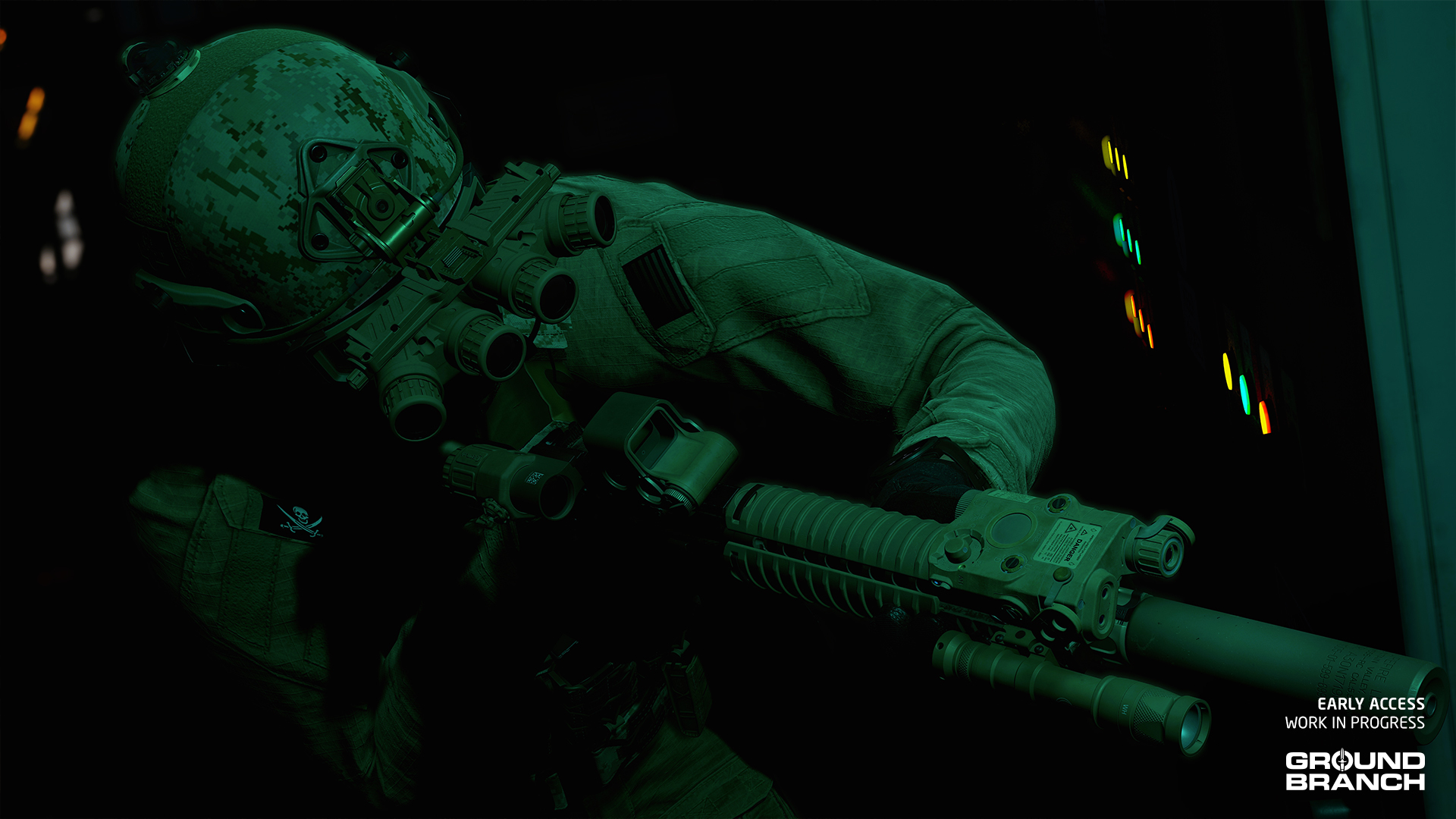
New secondary weapon
- MK24 CAP (.45 ACP) – A compact .45 ACP pistol with both 10- and 12-round magazines available
New attachments and other kit
- The DBAL-PL provides a combined spotlight and laser beam for pistols, both visible and infrared (IR); in accordance with the design of the real-life device, the laser and light can only be toggled in unison
- The PSO-1M2-1 is a version of the PSO-1M2 available only for the AS/VSS series of weapons with a specifically designed reticle
- Added side-mounted versions of the OKP-7 and Kobra (EKP-8-02) red dot sights, available for various AK platforms
- Added raised version of the MRO red dot sight
- The MS2000 IR strobe makes a return (a new model for it is also on our list). Available in 3 pouch colors: Black, Tan and OD
- The M4 SLAM explosive charge makes its first appearance in v1035, but for now only as a set-piece in the campaign mission demo; it may eventually be made available as a motion-detecting vehicle mine or manually-detonated explosive
New clothing/gear options
- New Top: Softshell Jacket (available in Gray, OCP, AOR-1 and AOR-2)
- New Mask options: Balaclava A (regular eyes-out), Balaclava B (nose out), Balaclava C ("face hole") and Balaclava D (three-hole)
- Individual pouches and helmet attachments can have an independent skin from the base platform (WIP)
Updated assets
- New model for Field Jacket (formerly ACU Coat)
- New model for UMP45
- Upgraded MK17 CQC/DMR textures
- New AN/PVS-31A model to replace the old dual-tube NVG
- New model for OKP-7 — now named OKP-7 (Rail) to distinguish it from the standard OKP-7 (which is an AK side-mounted optic)
- New model for 1P78 Kashtan
- New model for EKP-18-1
- New model for MRO
New skins
- Various attachments have received a new FDE skin
- Vertical Grip B also has a new Olive Drab skin
- The T-Shirt has a new Ground Branch logo skin
Maps and environment art
- Ranch makes its debut in v1035. The map is situated near the US border in Mexico, and is home to a notorious cartel leader. The expansive estate includes a garage, stables and various other outbuildings in addition to a sprawling house complex.
- Power Station has had a big visual and structural overhaul in v1035. The layout is fairly similar, although it may take a little while for old hands to figure out how. The map is now set in the Libyan desert, with a ferocious civil war taking place in the distance. There are new outbuildings, lots more cover around the place, and a whole new cafeteria complex to explore and get sniped from.
- Depot has had some changes in lots of places to make it fit in better with the narrative and gameplay of the new campaign mission, and also just to look nicer.
- Small Town has had a minor face lift, to add a little more character and diversity to the buildings. Otherwise it should play the same.
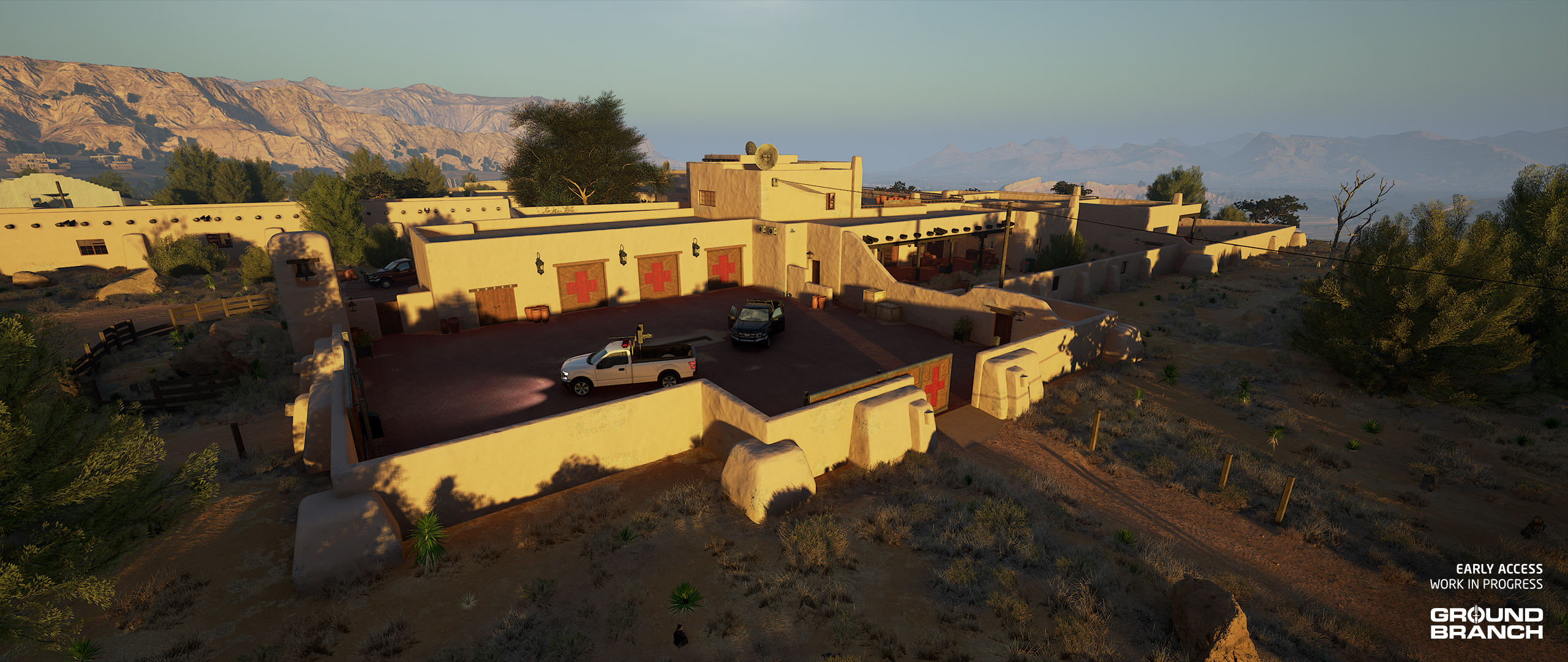
Technical environmental changes
- The "time span" system has had an update, whereby dawn and dusk extend much longer into the day, providing more satisfactory transitions into and out of night.
- Fog in-scattering color and other properties have been added to the palette of environmental customizations for our level designers to use, leading to more characterful lighting. Depot, for example, has had a big lighting tweak.
- Lots of assets and foliage have been updated with new models and materials.
- New use of HLOD (hierarchical level of detail) optimizations in various maps to improve graphical performance.
- Grass blades have been upgraded with more natural wind movement on Depot, Storage Facility, Ranch, Small Town and The Farm.
Missions / game modes
- The new "vertical slice" mission demo Silent Reach on the Depot map represents a first pass on campaign missions, and can be selected from the new Operations menu available from the main menu. A lot of accompanying flavor and lore, and our first custom friendly AI characters have been added with it.
- Campaign missions can only be launched from the Operations menu, and can be played either with 3 friendly AI teammates, or up to 3 Steam friends. The mission normally acts like a Host Game mission, and the Invite menu can be used. If a human player enters a round with you, no friendly AI characters will be spawned. From that point onwards, even if all other players leave, your game will be considered a co-op game for the purpose of 'scoring' and no AI characters will ever spawn. Each type of game has separate completion statistics that are tracked.
- GROUND BRANCH now has some cutscenes appearing at the end of the campaign mission demo. These are skippable in single player and (only) by the host of an online game.
- An entirely new mission objective system has been worked up for the campaign mission(s). It may be that this will at some point be back-ported to "regular" game modes.
- The campaign mission features several new kinds of objectives, including: kill HVT (high-value target); destroy asset (anti-air vehicles); scout location; search for intel; and exfil.
- Enemy AI spawn points now have optional day and night states, so some missions will have different distributions of enemy AI depending on the time of day.
- A number of single player missions (including Compound, Depot and others) have been updated to incorporate these new day and night spawns. In Compound, for example, you are much less likely to see enemy AI patrolling fields during the night, and more likely to see idle enemy AI in houses. (There is a new “Sleep AI” state available, but it is not currently implemented. In the future, we envisage having AI sleeping in beds. At least until you start making some noise…)
- Some existing factions (e.g. Russian PMC) have been adjusted and expanded, and whole new factions have been added, including Western PMC, Insurgent and Cartel. Some original factions (such as Riot) have been retained and tweaked for now, but may in due course be retired or replaced.
- The Deathmatch (Docks) mission for Storage Facility has been updated to move the edge of the playable area to the tunnel side of the waterway.
- The Power Station missions have been entirely redone for the updated map. Some new variants have been created.
- A whole new set of missions has been created for the new Ranch map. PvP missions covering the whole map are tailored more towards full server loads (8v8). The map is a good fit for DTAS, since spawns should be relatively random, and most areas are well covered from most other areas of the map.
- A number of mission bugs and exploits have been fixed up, including a couple on Docks.
Animation
Various animations have been updated and some new ones have been hooked up. Main changes include:
Updated animations
- MP7
- MP5
- G3A3
- UMP45
- M110 / M110K1
- PMM
- AR-15-pattern rifles (M16, M4, MK18, HK416 etc.)
New weapon and item animations
- AUG A3
- G36K
- LVAW
- AS/VSS family
- M4 SLAM
- Chemlight
Miscellaneous animation
- New mo-cap and other animations done — and some existing animations cleaned up — for enemy AI
- Mag-check-into-reload animations for all magazine-fed weapons
- Completed and/or polished ragdoll death animations for stand, crouch and prone
- Added missing shotgun animations
Gameplay
- Mag checks have been completely overhauled. Hold the Reload key to keep the mag out as long as desired. While holding the Reload key, you can tap it once for a retention reload or double-tap to dump the old magazine.
- Chemlights can now be deployed (via the Equipments menu, default [4]). The color of your chemlights will be selected based on your team element (Alpha, Bravo, Charlie or Delta) in PvE, or your PvP team (Blue or Red), as applicable — though see Known Issues regarding the latter. A separate hotkey may be added for quick-deploying chemlights.
- Enemy counts can now be randomized "a little" or "a lot" in the main single player game modes (Terrorist Hunt, Defuse and Intel Retrieval) using a new mission setting. Higher enemy counts will be randomized more than smaller counts, hence the non-numerically specific options. The 50 AI limit won’t be exceeded.
- Day vs. night spawns for the enemy AI should create further gameplay variation depending on the time of day.
- Ladders now require an interaction press (default [F]) to exit the ladder. This prevents accidentally presenting yourself as a target at the top by triggering the climbing animation before you're ready.
- Ladders can now be interacted with from farther away.
- Water volumes now impact player movement depending on how deep you are in the water.
- Ballistics have had an overhaul. While most of it was under-the-hood, you should notice a bigger difference in bullet drop and travel time between different rounds at medium/long ranges. Damage was also slightly modified in the process (please note this is not our health and damage update yet).
- Interactions with laptops (for Intel Retrieval and Uplink) have been improved, and a "magic hands" animation was added.
AI
Friendly AI
- Friendly AI makes a first appearance in the game. For now, they will join you by default in campaign missions launched via the new Operations menu.
- Press your mouse thumb button (if you have it) to select actions for friendly AI to take during the mission. If you don’t have one, or otherwise, you may want to bind this to K. More control options and more refined control schemes are envisaged, but this should get you started in the 1035 preview campaign mission. The control can be rebound in the normal way. It is under “Other” key binds.
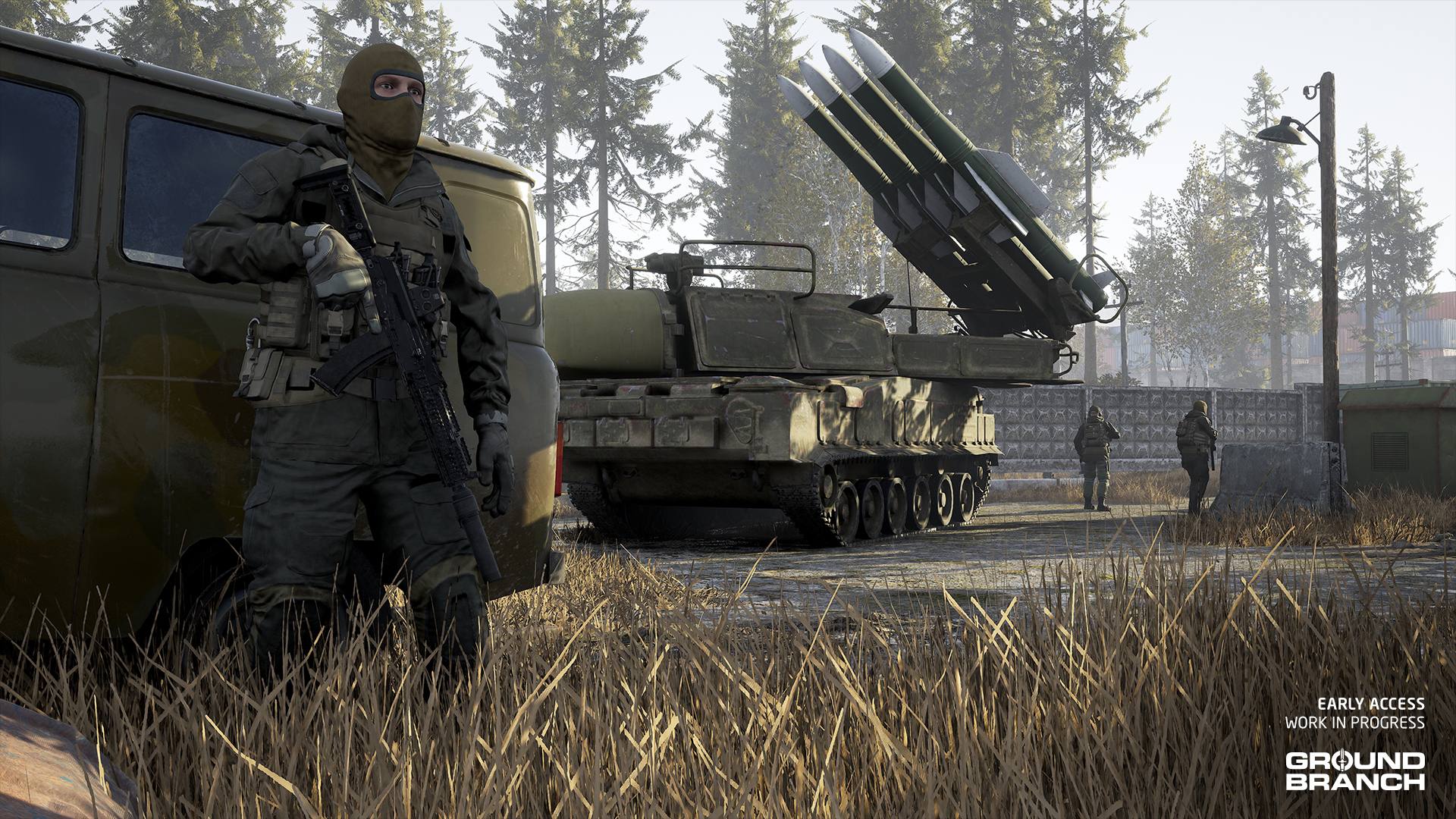
Enemy AI
Hostile AI (and in relevant respects, also friendly AI) have had a number of tune-ups and other improvements and changes:
- AI will now throw frag grenades at players in some cases.
- AI that feel under pressure may throw a smoke grenade to cover a retreat.
- AI will now see and investigate flashlight beams and laser pointers (WIP).
- AI can be blinded temporarily by flashlights pointed at their faces at close range (WIP).
- AI have new idle animations, which can be explicitly selected for idle AI by a mission designer if desired. It is intended to expand the range of idle animations over time.
- AI movement overall has had various tweaks and changes.
- A widespread AI rout/flee will be initiated by certain game events, like covering fire from a helicopter during the campaign mission exfil sequence.
- The AI patrol route system has had an overhaul, so patrolling AI should be more unpredictable and cover their routes more thoroughly.
Audio
There has been some backend work on the audio, for example to upgrade to a version of the Wwise middleware that no longer requires the manual pre-loading of sound banks. Otherwise more significant changes include:
- New enemy faction voice lines have been brought into the game. Currently we have a whole new set of lines for the new Cartel faction, and a new set of lines for the Russian PMC faction. These are in Mexican Spanish and in Russian, respectively, adding a little more authenticity and flavor to the game. (Other factions will receive their new voice lines in V1036.)
- The new Ranch map has had a lot of work put in to set up environmental sound effects. This level of attention to detail will be rolled out across other maps in due course.
- Depot has had an environmental sound overhaul, and new sound effects for the new cutscenes.
VFX
The various new items of kit mentioned above have all had relevant bits of VFX made and attached. In other developments:
- The NVG system has had another tweak, and now IR lasers are finally visible through the AN/PVS-22 UNS night vision scope. IR floodlights are a work in progress — unfortunately they can’t be realized with the same method.
- There are new effects for grenade explosions and smoke grenade activations underwater.
- The new campaign mission cutscenes also feature a variety of new special effects.
- The Power Station overhaul includes a lot of new VFX assets for the distance effects.
Modding
- There are no new modding "types" planned per se for V1035, as we will need to focus on getting the existing systems back up and running as they should. However, some groundwork has been laid in V1035 for more flexible systems for modding weapons and kit, and so on.
- V1034 weapon mods will not work in V1035. We are working to get the mod kit updated for V1035 so modders can fix things up before the release of v1035 proper. Documentation will also follow on what you need to know to fix up your stuff.
- It is not intended that campaign missions will be moddable — not just yet, anyway. However, you can explore some of the new tools in the Mission Editor for campaigns. Click the Campaign tab at the top-right after starting the editor to view. The new mission objective system is relatively open-ended, and new objective types can be added using a single Lua script (and any in-game assets that may be needed).
- New controls have been added to the server mod list menu to facilitate bulk operations such as adding all active local mods to the server list, and clearing a whole list. A new gameplay setting (in Modding) allows the local mod list to be used automatically as the server mod list in a listen server (the Host Game option).
- The selection of AI loadouts and mission meshes have been overhauled with quicker picker dialogs. The range of mission meshes has been increased.
- Modding menus have had a quality-of-life pass. There is, for example, a new gameplay setting to use local mod lists for listen servers, instead of having to make a separate server list (although that process is also streamlined).
General bug fixes and other new things
- The mod sync bug in listen servers should now be fixed — for in-game joins at least. Previously, any more than 46 or so mods would cause failed connections. The limit on numbers of mods active on listen servers is now around 670. Please regard this number as a harder limit.
- Navblocks are working again (as mission actors in their own right, and also as components of other mission actors). AI should be able to navigate properly around mission meshes, laptops, bombs, and so on, as they once did.
- The City helicopter should now behave correctly in multiplayer games (replication method changed).
- There is a new limited bad word filter for player names and text chat. Certain bad words (of the prejudicial variety) are conservatively filtered out so as to minimize the chance of false positives. Bad player names are replaced by generic "OperatorXYZ" names, and censored chat is reported as such to the local player and not forwarded to anyone else on the server.
- Swearing in general (including the c- and f-words) is not affected. We can’t possibly catch all permutations of prejudicial words, but we can at least stop the most egregious bad words. This feature can, if desired, be extended via a mutator mod — perhaps server owners who want to extend the filter can band together and reach out to Matt (Fatmarrow) for help?
- There are new server settings to set a number of bad words and a timeout for counting them, after which a player will get kicked from the server. By default this is not enabled.
Thank you for helping us test V1035!
Take your time to mess around with the new features, but please remember to report bugs and provide feedback so we can get this release ready! To recap:
- You can report bugs by pressing [Esc] while in-game and clicking the Report Bug button in the top menu. Be as descriptive as you can!
- Please do submit any crash reports you get while playing the community test build (or indeed the main build). These reports are forwarded to us directly and provide additional information on crashes to help us zero in on issues. Reporting issues multiple times is also fine, as this gives us an idea of the biggest problems to solve.
- Although we have a #bug-report channel in our Discord, it is most efficient for us if you can use the in-game bug reporter mentioned above — not least because this helps us jump right to the spot where the bug happened (if it is in a particular place in a map, for example).
- General feedback (i.e. for things that aren't necessarily bugs) is best shared in our Discord and the Steam forums, but please feel free to send it our way however you can.