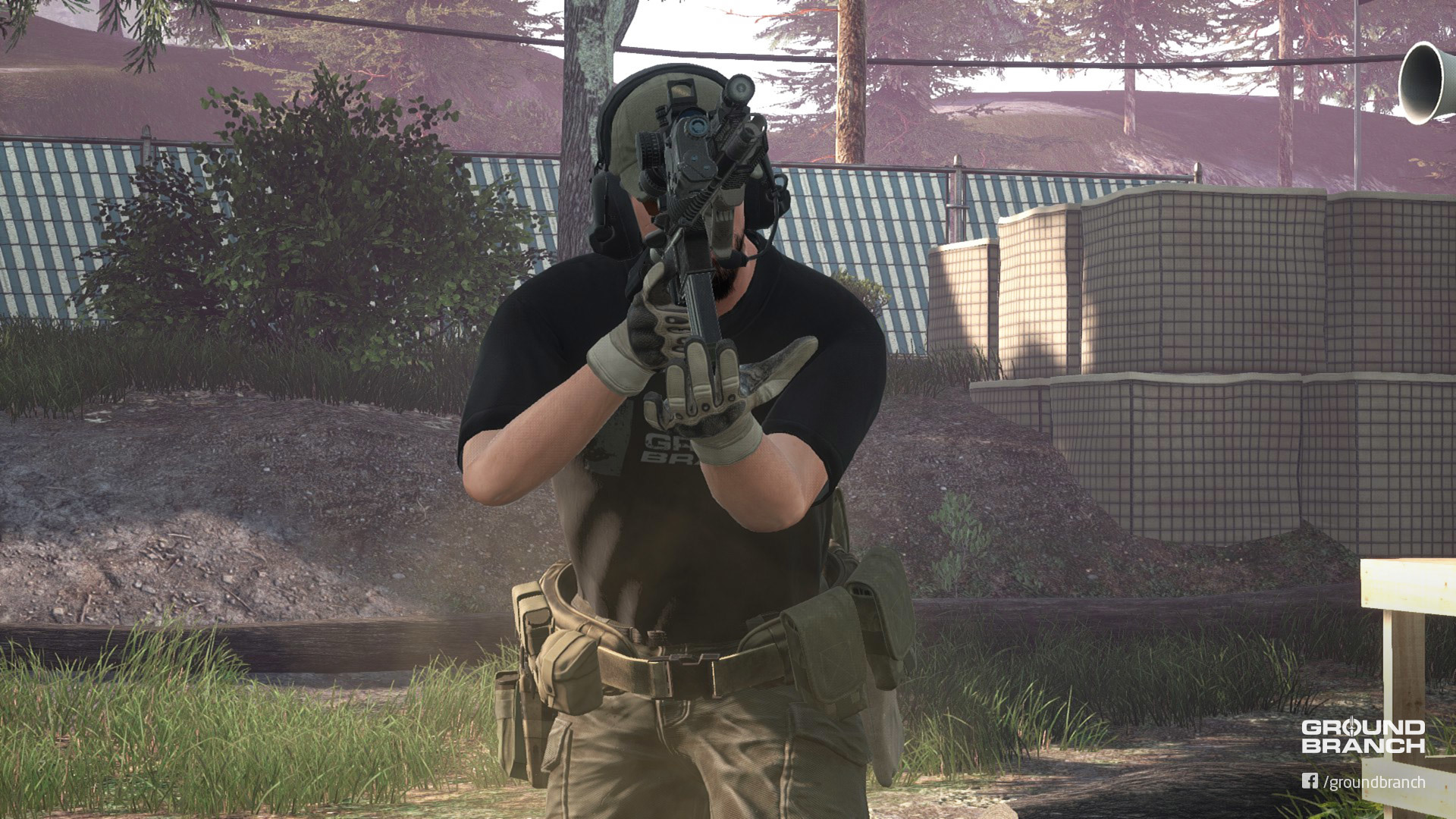
After a lengthy, grueling period of bug smiting since the last UE4 engine update broke way too many things (we're now on UE4.23.1), version 1029 of GROUND BRANCH is finally rolling out.
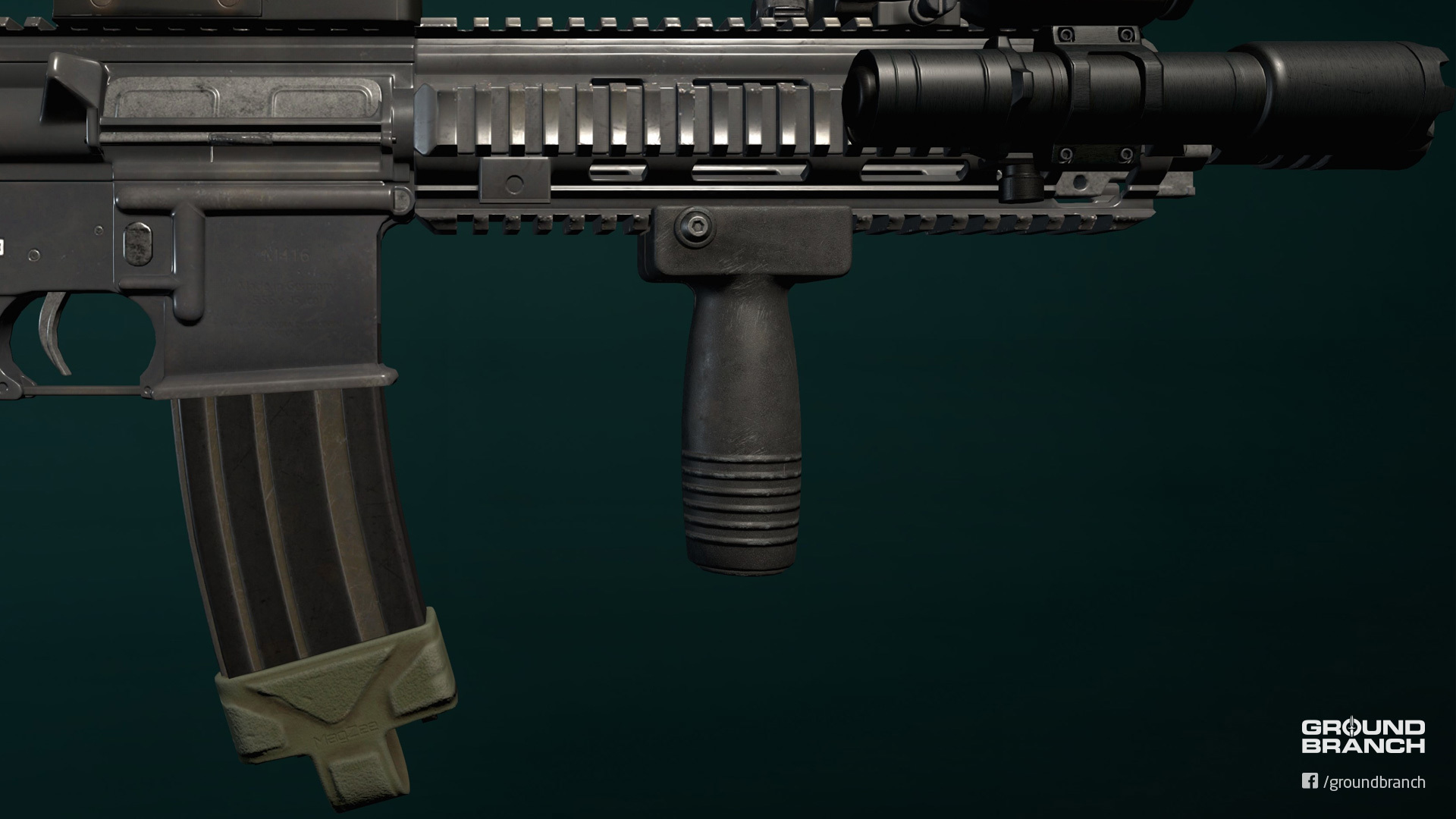
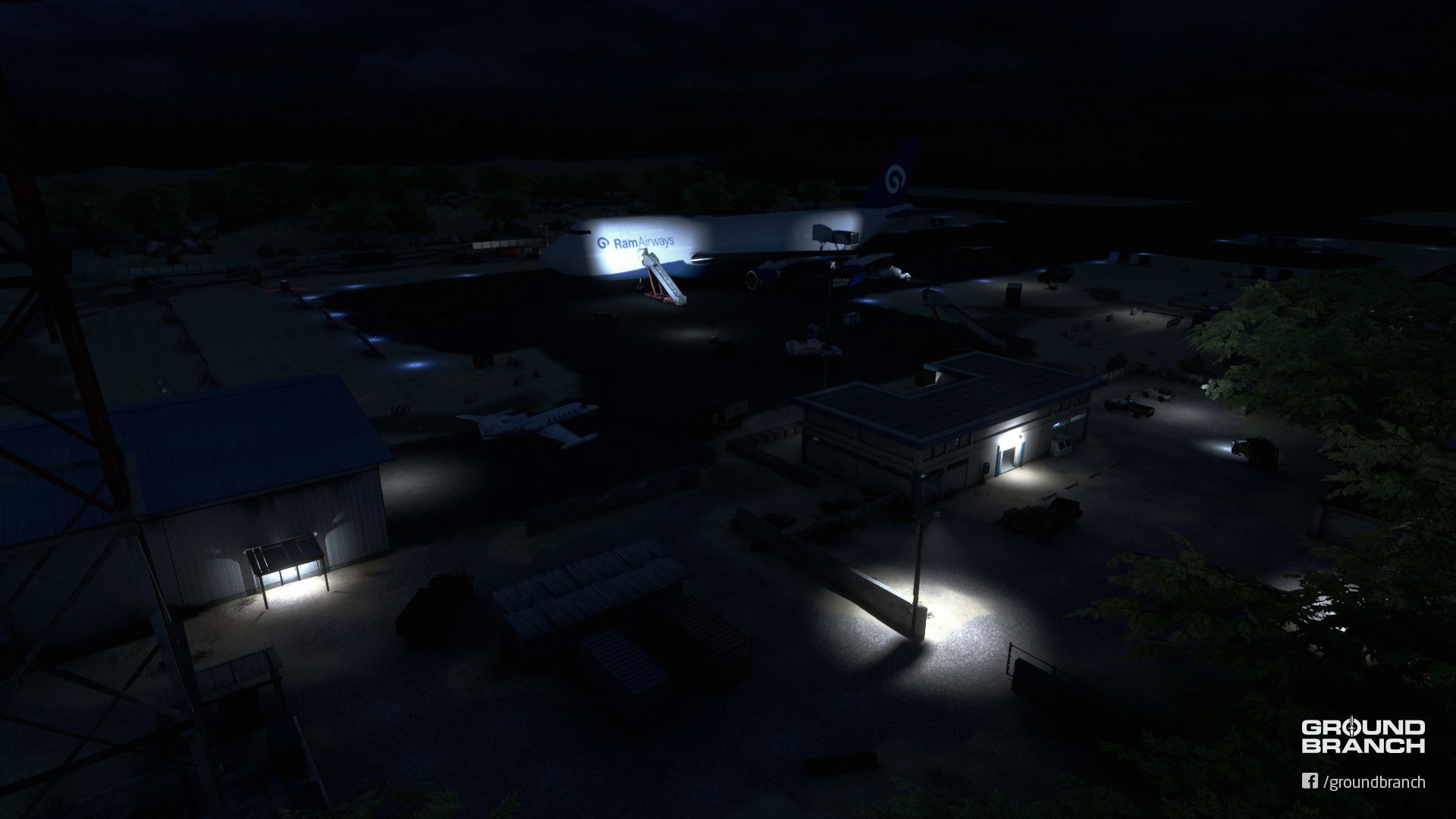
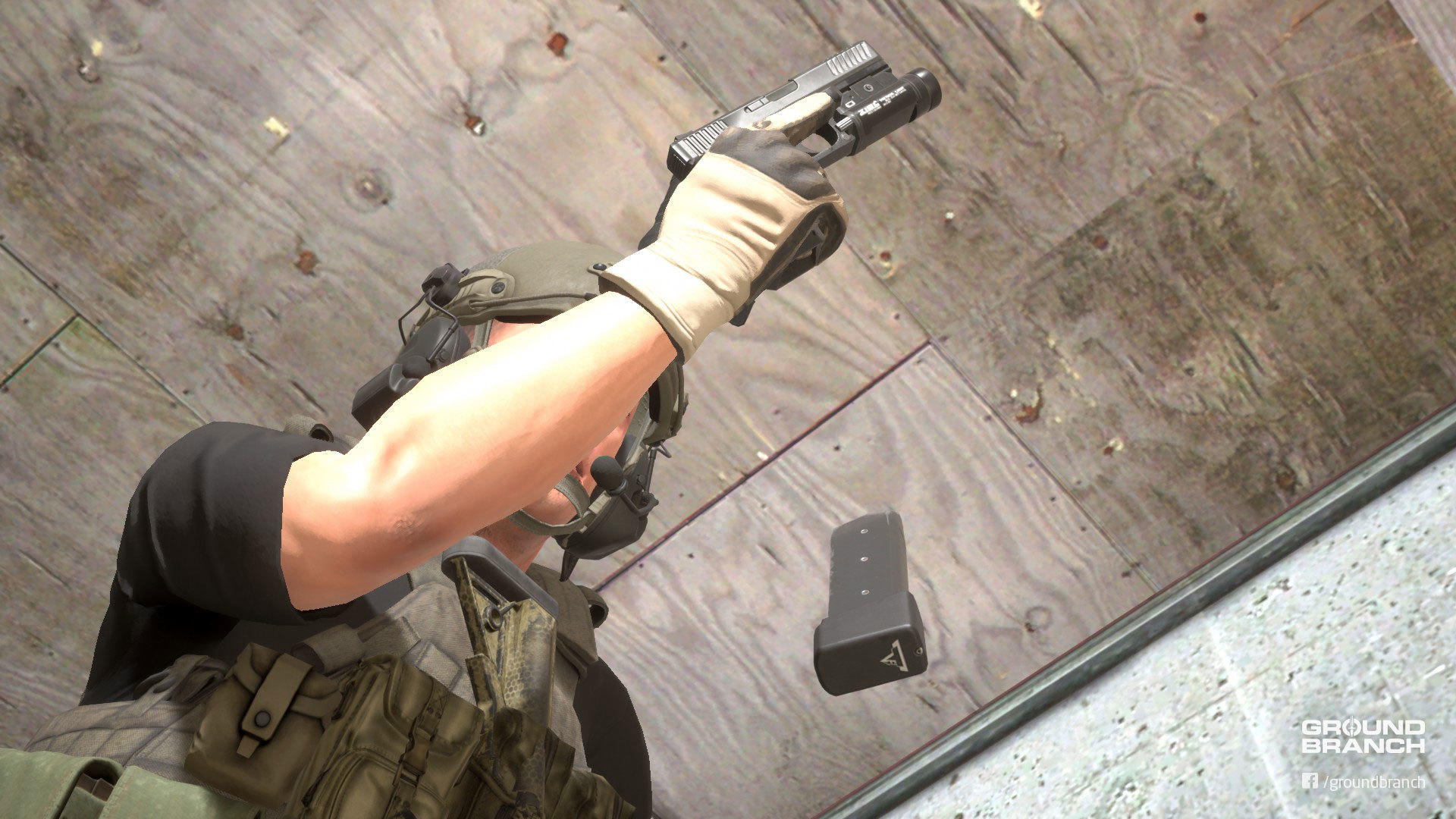
Name of the game for this update is content: We have both added and updated several weapons and attachments, made a few map improvements and rebuilt Depot from scratch with dynamic lighting. But it's not all content—enemy A.I. sight is more complex and no longer spots players in a binary fashion, audio has been added to and improved further, and a first pass on the Mission Summary screen has been implemented, among many other smaller and under-the-hood changes and fixes that you can check out in the highlights below and the raw change log at the end of the page.
Sit tight \ and buckle up, 'cause there's a lot to cover.
🚨 N O T I C E 🚨
Your saved Platform loadouts may have been lost. Make sure you have ammo and grenade pouches equipped on your vest or battle belt before deploying!
BUILD UPDATE #019
Last patch was meant to be the last update to version 1028, but we've decided to put out another hotfix to fix some lingering issues and improve a couple things while version 1029 is in the oven. Build Update #019 here will detail the changes, so keep scrolling for the highlights and raw change log ↓
› Coming from a previous version of the game? Issues with controls, loadouts, assets or settings?
We strongly recommend players coming from an older version of the game to delete all files located in %LOCALAPPDATA%\GroundBranch\Saved\Config\WindowsNoEditor (copy and paste the underlined path onto your File Explorer address bar and hit Enter to go to folder). For those who can afford it, a full reinstall isn't a bad idea either: it may fix broken/missing features introduced in this version, as well as issues with controls, loadouts, assets and settings.
› Update your server!
All dedicated servers must be updated to work with the current version. Make sure yours is updated so players can enjoy the latest version of GROUND BRANCH.
► BUILD HIGHLIGHTS
Mouse sensitivity for the Engaged (ADS) position works again.
Fixed new G33 Magnifier (3x) being off-center.
You can now place most red dot and holographic sights on the closest rail slot to the G33 and still see the reticle; T-1 Micro is the exception, but we'll figure that out.
Corrected issue with the A.I. being able to see through foliage at certain angles.
Cleaned up the code for PvP insertion points for better stability and selection.
Improved randomization for Team Elimination insertion points.
Also cleaned up code for dead bodies and dropped items, which should now consistently stay in the map for the remainder of the game for round-based modes.
Grenade throwing code has been reworked for stability and faster/more responsive throws.
Rebuilt lighting on all maps to ensure everything is up to date. This is the culprit for this update's file size, if you were wondering where to point that pitchfork.
Removed invisible ramp from Nature Area map and mailed it back to Rockstar Games.
Next up is version 1029 (for real this time!) and we're psyched about it. How about you?
► CHANGE LOG
Build version: 1028.3
Client
Steam Build ID: 4244997 Size: 1.5 GB
Dedicated server
Steam Build ID: 4245005 Size: 37 MB
FIXES

* FIXED crash relating to null Blackboard component
* FIXED Engaged sensitivity not being used
* FIXED binoculars not obeying selected aim mode
* FIXED G33 magnifier being off-center and not rendering reticles if too close (fingers crossed)
* FIXED NatureArea ramp by syncing Perforce depot to local depot.
* FIXED UserArena night lighting scenario
* FIXED TE-UserArena missing lighting scenarios
* FIXED URBSurfaceLinkManager::GetLinkedClass() failing due to incorrect name of physical material water (was PhysMat_Water - should have been PM_Water)
    * footsteps, body impacts etc. all work in water now.


CONTENT

* built lighting on all maps to make sure everything was up to date (been a while on some)
* City map
    * changed skylight setting to Stationary so dynamic parts of BPs (vehicle doors, for example) don't render as black
    * cleaned up some lightmap UVs on vehicles
* set Double-Sided Geometry flag on foliage meshes
    * corrects issue where AI could see through foliage at certain angles when they shouldn't


CODE

* updated AGBGameMode::GetBestLateComerInsertionPoint()
    * added IsActive() and ONSAMETEAM() checks against selected insertion points.
    * added brute force method if no selected insertion points are found
    * changed InsertionPointCounts sort to be randomised if two counts are the same
    * will now log a warning instead of randomly picking an insertion point if one isn't found with previous methods.
    * updated all affected Blueprints
* updated BP_TeamElimination
    * changed SetupInsertionPoints from an event into a function.
        * predetermines how many insertion points each team is allowed, compensating for odd amounts by rounding down.
    * randomisation now done in a more brute force method in one pass, using the predetermined values from SetupInsertionPoints().
        * insertion points within appropriate ranges are set to active with team 0 or 1.
        * the left over insertion point (if any) is set to inactive and team 255 (no team).
        * all insertion points have ForceNetUpdate() called immediately.
* updated AGBInsertionPoint::SetActive()
    * if an insertion point is no longer active, it will automatically make sure not one has us selected as an insertion point.

* added checks to AGBPlayerState::SetInsertionPoint() when selecting an insertion point to make sure it is active and on the same team.

* removed AGBGameMode::RemoveDeadBody() - redundant logic since AddDeadBody() runs the same checks before adding new dead body.
* added Max() to various AISettings in GBAIController to prevent possible divide by zero errors.
* updated AGBGrenade
    * changed usage of GetViewRotation()/GetControlRotation() to GetBaseAimRotation() to make things more universal
    * made CheckWantsToThrow() timer value configurable
    * renamed CheckWantsToThrow() to WindupTimer
    * changed default WindupDelay from 0.5 to 0.29 to more closely match animation and make grenade throws quicker.
    * ensured that all timers for a grenade are cleared when it is dropped or the pin is replaced.
    * changed several public functions to protected to prevent using them incorrectly.
    FIXME - logic could still be clearer. Damn industrial blindness.
* removed unused BP_AnimNotify_PostGrenade
* updated GBGameMode
    * delayed dead body / dropped item handling to improve performance when dealing with many instant calls.
    * ensured dead body isn't tracked when leaving ready room
* updated GBWaterVolume
    * disabled bPhysicsOnContact - actually needs actor inside volume before messing with your movement.
    * changed brush component collision to ensure bullet collision against water.
    FIXME - anything hit while inside a water volume will currently be **immune** to bullets :(
* updated NatureArea_Geo to correct placement of water volumes
* removed duplicate primary / secondary ammo listings from Ammunition List when editing platform.
* added icon for MP444 mag.
* changed game mode dead body handling to only worry about players/bots with valid player states.
    i.e. not AI controller NPCs/terrorists, but players and fake players.
* changed game mode dropped item handling to only worry about players/bots with valid player states.
    i.e. not AI controller NPCs/terrorists, but players and fake players.
The second and final hotfix update for GROUND BRANCH Alpha v1028 is now available with general fixes, some cleanup and a little dash of content update. But before we go over this Build Update, gather around the bonfire and allow us to do a little recap.
› Not in the mood? Keep scrolling to Build Highlights ↓
Recap: 1st Early Access Anniversary
August marked the first anniversary of our Steam® Early Access (EA) launch. It was far from a smooth launch, with many players feeling the game wasn't EA-worthy, turned off by the lack of polish and limited content. Others immediately became active members of the community—some even forming units for regular sessions—but, overall, not many stuck around. Regardless of player adherence, however, one word was common throughout the vast majority of reviews: potential. Whether or not players "got it" and kept playing, GROUND BRANCH's potential was clear to most fans of the tactical shooter genre that tried the game.
The decision to release GB to the general public at the time was a very risky one, but the fact that so many players shared our vision and saw the same potential we did was enough encouragement to keep working on it as hard as we could. It goes without saying that the financial support brought on by sales (even if very modest in comparison to immensely more popular games) has greatly helped us along the way, allowing us to purchase development assets, hire contractors and get a little compensation for all the effort we've been putting in. So if on the one hand we might have come out in the open too soon, Early Access has also exposed GROUND BRANCH to a much larger audience and feedback pool, forcing us forward—right out of the "closed doors" development comfort zone—and providing essential funding.
At the time of Early Access launch, we were 5 team members. A.I. programmer Phil Carlisle (aka zoombapup) has since departed the team, with A.I. work since circa October 2018 having been done by Kris. But Early Access has also brought us sound man Mikson straight from the community, and we've just recently secured the long-coveted animator: she goes by toadie2k, is based in Australia, and you might know her from the prolific Arma 3 modding scene. All in all, we feel like we've made steady progress since launch, but things should hopefully pick up pace a lot more from here on out.
In conclusion, we'd like to thank everyone who ever gave GROUND BRANCH a try—but especially everyone who stuck with it and have kept our community alive over the last 12+ months. We truly appreciate your support.
· · ·
How do you feel GROUND BRANCH has progressed over the last year? Let us know in the comments! Also…
Please consider updating your Steam® review! (Or leaving one)
For many players, the decision to buy or pass on GROUND BRANCH lies heavily on customer reviews. The game has changed considerably since EA launch, so make sure you customer review reflects the most recent feature set, stability and content. And, most importantly, your most recent opinion.
We currently hold a "Mostly Positive" rating for All Reviews (recommended by 78% of them), and a "Very Positive" rating for Most Recent (92% approval over the last 30 days). Your review update might make a difference!
· · ·
Are you interested in following development a little closer or interacting with us? You can do that via our Discord, Steam, Reddit, Twitter, Instagram and Facebook presences.
· · ·
› Coming from a previous version of the game? Issues with controls, loadouts, assets or settings?
We strongly recommend players coming from an older version of the game to delete all files located in %LOCALAPPDATA%\GroundBranch\Saved\Config\WindowsNoEditor (copy and paste the underlined path onto your File Explorer address bar and hit Enter to go to folder). For those who can afford it, a full reinstall isn't a bad idea either: it may fix broken/missing features introduced in this version, as well as issues with controls, loadouts, assets and settings.
› Update your server!
All dedicated servers must be updated to work with the current version. Make sure yours is updated so players can enjoy the latest version of GROUND BRANCH.
► BUILD HIGHLIGHTS
Content updates
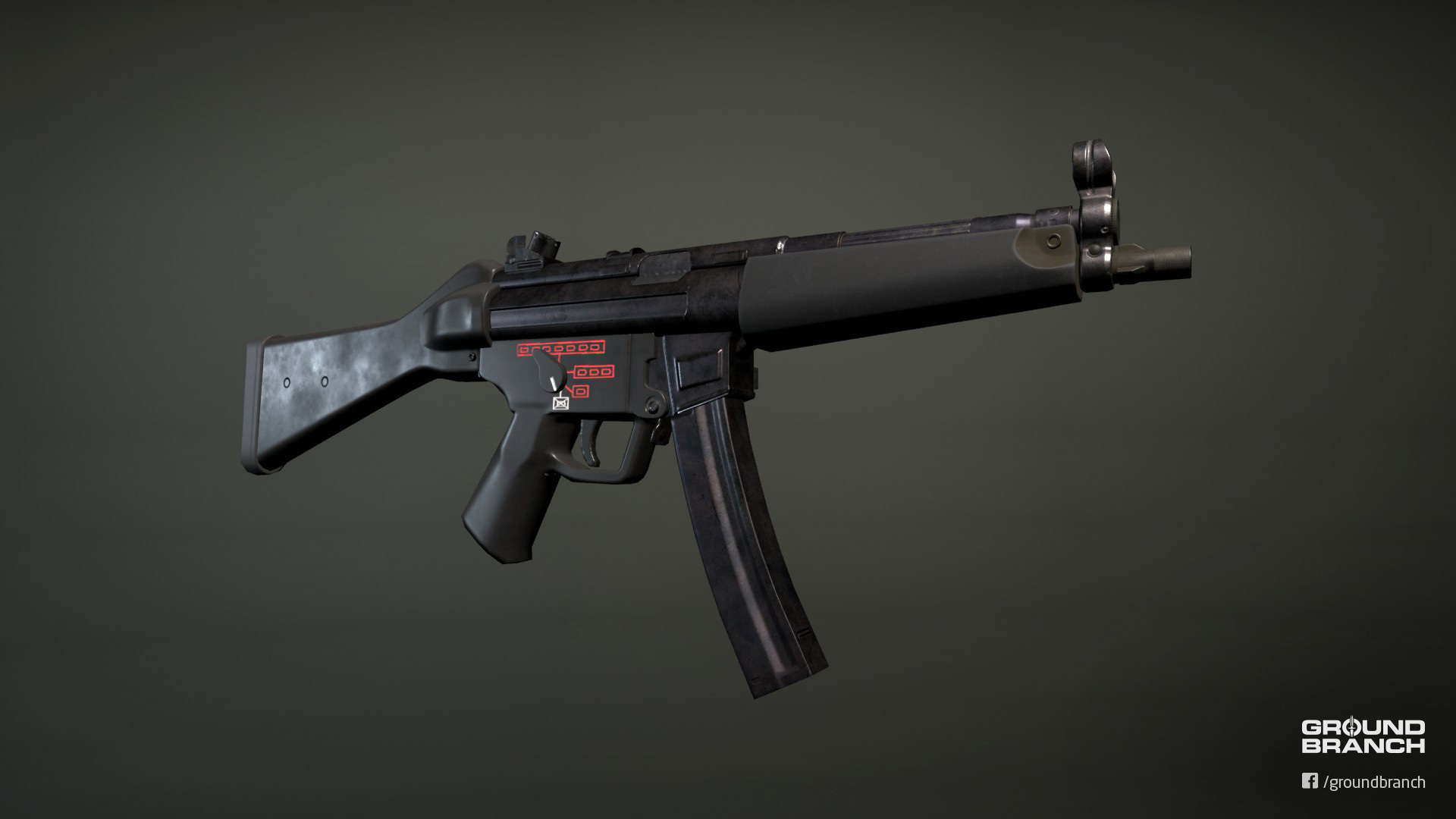
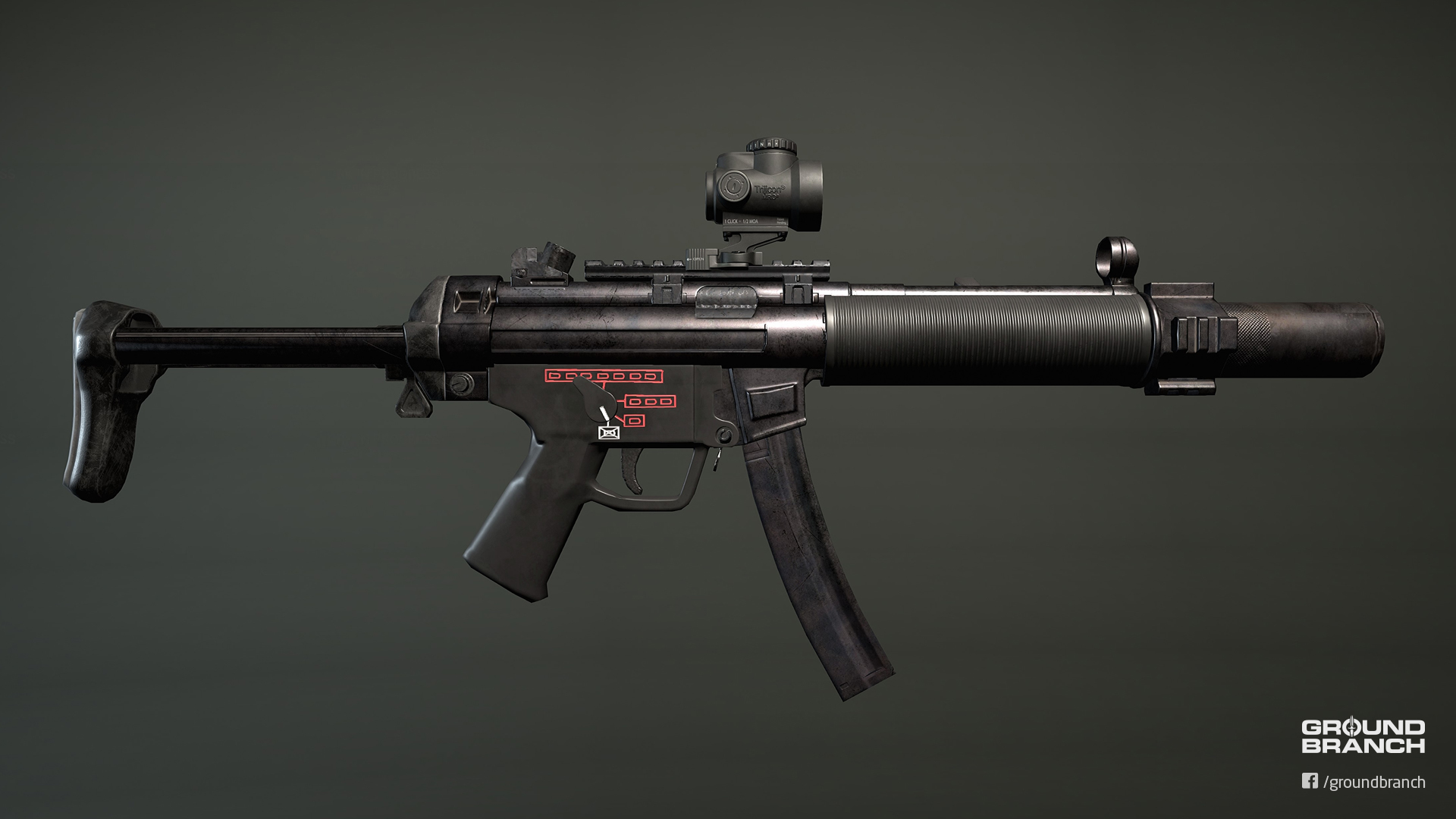
UPDATED: MP5 family
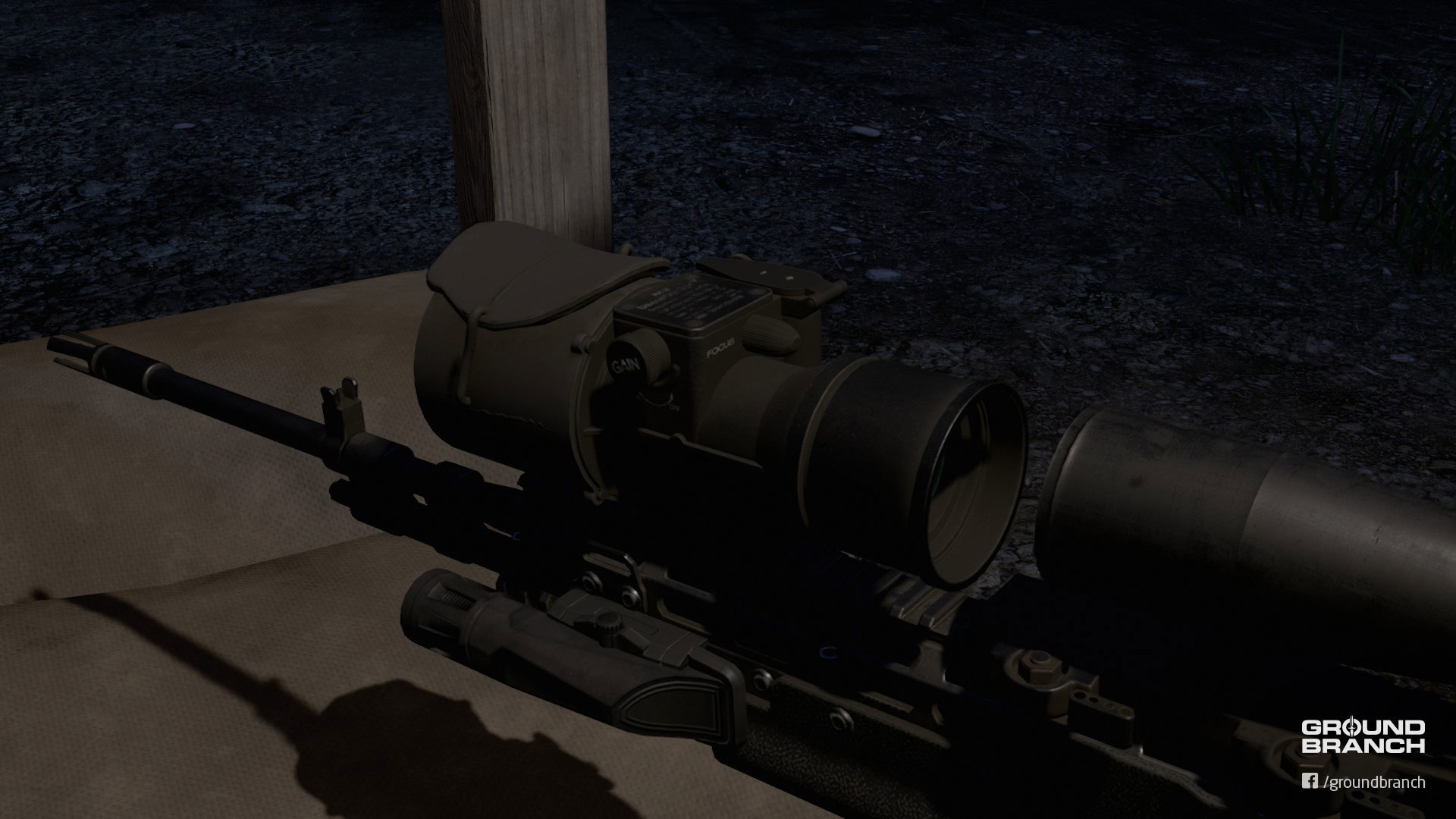
UPDATED: AN/PVS-22 UNS textures
The AN/PVS-22 UNS night vision optic has received new textures that include markings and improved materials.
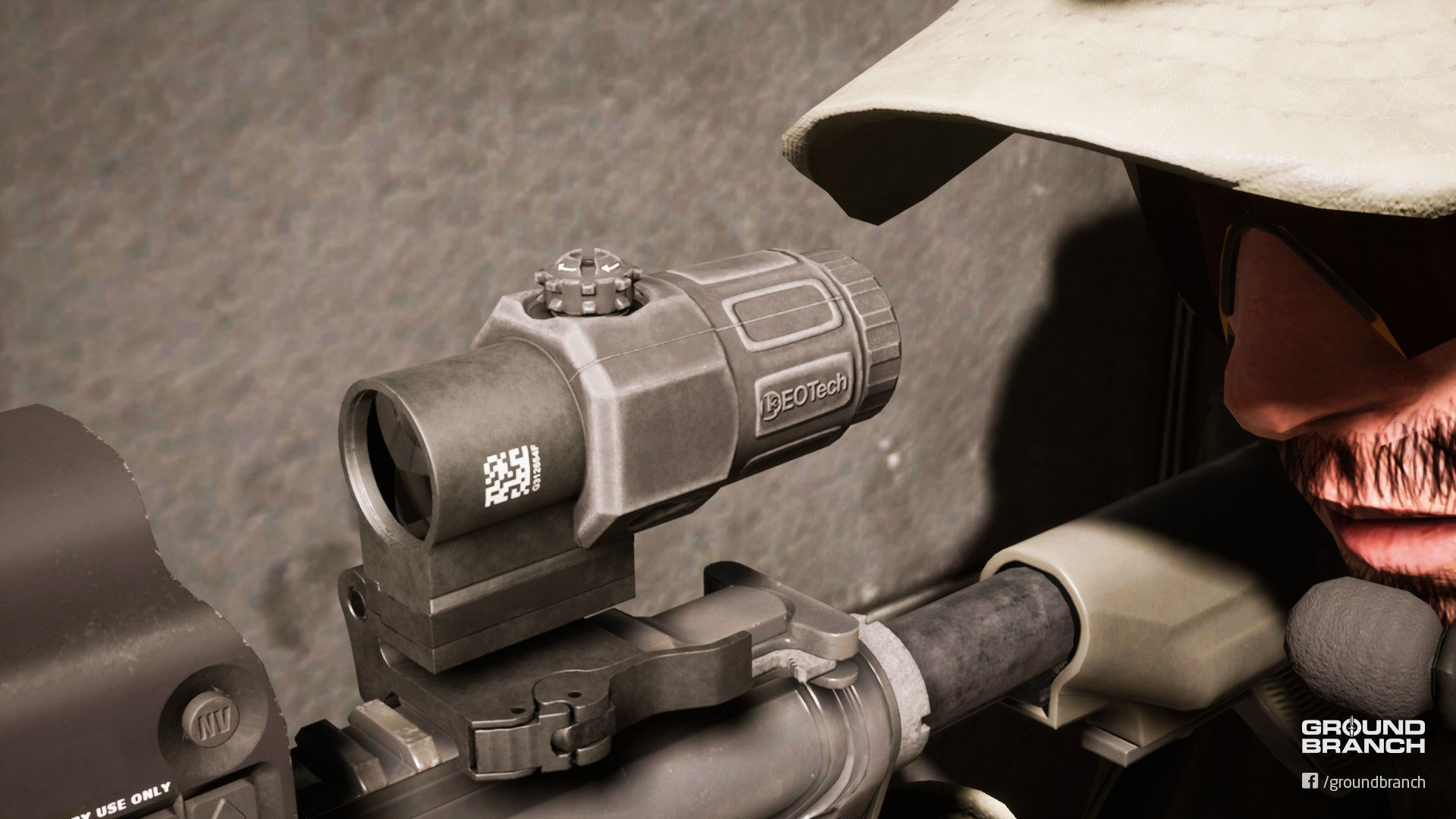
UPDATED: G33 Magnifier model and textures
A new model and textures for the G33 Magnifier have been added. It now features the EOTECH® logo and markings.
KNOWN ISSUE: The front lens has a texturing error, but please remember it's rude to stare.
Optic placement
The placement of optics has been further adjusted to reduce instances of clipping.
› Keep in mind that weapon builds created before this version will not be affected.
Ultra-widescreen support for NVG/Binoculars overlays
The screen overlays for the AN/PVS-15 and Binoculars should now display correctly on ultra-widescreen monitors.
General cleanup and bug fixes
Fixes and cleanup form the bulk of this update. You can read the full list in the raw change log, but here are some of the main ones:
► WHAT'S NEXT?
Version 1029 will be a big gear-oriented content update. Expect a lot of new and updated attachments, a remade Depot map and maybe a taste of the new character assets.
The groundwork for the new character skeleton—which will allow for new, clean animations—continues to be implemented in a separate development branch and is still set to have its first working iteration ready for the big v1030 update.
Stay tuned!
► CHANGE LOG
Build version: 1028.2
Client
Steam Build ID: 4171971 Size: 258 MB
Dedicated server
Steam Build ID: 4171975 Size: 32 MB
FIXES

* FIXED spawn protection actor not removing its "ignore use input" entry
* FIXED GBPlayerController not resetting the ignore use input array when reset on map change
* FIXED ZooKeeper server settings not updating without restarting server when changed at runtime by admin
* FIXED Shooting Range targets not falling consistently
* FIXED Power Station – view through the ceiling when on top of the box in the A tunnel nears the stairs to A hallway
* FIXED Power Station – being able to jump over the fences into the areas considered outside of the map
* FIXED 747 – invisible obstruction in front of car that blocks way forward
* FIXED little crack on the wall on Power Station stairs (east side)
* FIXED distorted texture on Power Station wall near stairs
* FIXED binocular overlay ultra-widescreen support
* FIXED night vision overlay ultra-widescreen support
* FIXED calling switch items on an item you're already switching to
* FIXED grenade switching to primary firearm instead of last used item
* FIXED binoculars not scaling sensitivity
* FIXED hints being displayed behind other widgets
* FIXED being unable to holster sidearm
* FIXED UseOffHand not hiding inventory bar
* FIXED log spam about invalid player states in WBP_GameInfo
* FIXED order in which night vision post process is enabled and overlay is faded in/out.
* FIXED incorrect target hands for dropped firearm and magazine
* FIXED PrevEquipped[X] being cleared incorrectly as item was put away
* FIXED AGBCharacter::PlayNextSwitchItemStage() called equip montage if item still in target hand.
* FIXED AGBCharacter::PickupItem() not clearing equip hand targets
* FIXED possible usage of nullptr in UGBItemDragDropOperation::CreateTargetProxyFromItem()
* FIXED crash in lambda used by AGBPlayerState::OnRep_InReadyRoom() to delay event call
* FIXED crash in IUWorks::StartupModule() due to SteamGameServerUtils() returning nullptr
* FIXED bad logic in AGBGameMode::HasReachedTimeLimit()
* FIXED looping full auto sound when firearm is destroyed while full auto sound is playing
    * changed PostEvent calls to set stopWhenAttachedToDestroyed to 'true'
    * added C++ code to call UAkGameplayStatics::StopActor() when firearm is destroyed
* FIXED AlaskaCedar_Desktop_Branch_Mat blocking bullets
* FIXED Next/Prev Position input working on door even if Use/Interact isn't held down due to overlap not resetting last Use/Interact time
* FIXED grenade showing arc on Next/Prev Position input even if door was being interacted with
* FIXED placement of flashlight handguard on MP5A4 and A5
* FIXED incorrect icon for MP7A1
* FIXED clipping through wall when jumping off ladder in City map
* FIXED 747 windows and doors rendering through wings and other geometry in map
* FIXED gap in City map pub area wall
* FIXED grass showing through City map street
* FIXED MP7A1 grip pose and location
* FIXED magazines taking skin from pouch/platform instead of related firearm (at least with modular pouches)
* FIXED BP_MP5SD5_SuppressorRail bottom rail acting as top rail
* FIXED UGBSightComponent::GetMatchingFrontSightPost() finding the lowest front sight post instead of the front sight post with the closest matching height to the rear sight post
* FIXED grenade arc being adjusted while Use/Interact key is held down
    * stops arc changing while opening door incrementally


CONTENT

* exposed shootable target's take hits variable so can be set per placed target in maps by level designers
* finished off AN/PVS-22 textures
* City map
    * texture usage optimizations
    * downsized a lot of 4k textures that were being used
* reworked flashing light setup on SWAT truck to look a lot better… and actually flash
* adjusted blocking socket on ACOG 6x and M233 scopes to stop clipping
* adjusted AK-74 sight rails to be a bit more forward
* removed development version of User Arena map
* adjusted placement of various optics
* updated MP5 models to be consistent in design, scale and material usage
    * no longer have the MP5_Navy
    * added MP5A4 and MP5A5 versions
* updated G33 Magnifier mesh and materials


CODE

* updated handling of switch items, pickup item and drop items
    * more unified approach that is more brute force in its handling
* added hints for binocular usage – zoom and not working when night vision goggles are down
* updated GBGameMode to make it wait until round stage is WaitingForReady before ending game based on time limit
* added TimeLimit > 0 check to AGBGameMode::HasReachedTimeLimit() to stop it thinking we've hit a time limit when none was ever set (oops)
* changed usage of DetachFromComponent() to ensure UActorComponent::Modify() is NOT called
* removed erroneous usage of TWeakObjectPtr in various classes
    * replaced them with UPROPERTY() versions
    * added additional checks when required
    * should fix crash related to TWeakObjectPtr - can't crash if it doesn't exist
* ensured UniqueId.ToString() uses same logic
    * created UGBGameplayStatics::GetUniqueIdAsString() for those that use PlayerState
 for all others, made sure they followed the same logic
    * should fix crash related to IsValid() error in UniqueId somewhere…
* updated BP_ANPVS_15
    * rearranged logic to fix bug introduced by animation change
    * cleaned up turn on/off play raise/lower animation events
* updated GenerateBuildNumber.bat to use P4_Tickets as password if defined for both login check and change list info
* updated C++ & Blueprints to change references to RoundLength and RoundDuration to RoundTime
* changed "roundlength" entry in DefaultGame.ini to RoundTime
* updated DefaultZooKeeper to add "roundtime" as a valid command
* updated BP_TacLight_MP5 to look for socket on potential parent rather than at the class of the potential parent
* updated GBRailComponent to use different colors to show rail face
    Blue = top
    Orange = bottom
    Green = side
    Cyan = angled
* created AGBGameState::CanChangeLightingScenario() event to allow/disallow lighting change mid-round
* removed unused WBP_StunOverlay
* updated BP_StunAffect to disable itself when destroyed
* changed CanChangeLightingScenario() from BlueprintImplementableEvent to a BlueprintNativeEvent and created native implementation in GBGameState C++
* removed ExampleDeviceProfileSelector from EnabledPlugins array in DefaultGame.ini
* removed additional Tilde (~) key from ConsoleKeys array in DefaultInput.ini
* removed support for MouseSensitivityMagnified2-8 – no longer needed
* added bDisableInputScaling setting to GBPlayerSettings
    * allows you to disable the 2.5 scaling that is done to all input by default
      NOTE: may simply scale mouse/controller sensitivity to compensate later
* added ControllerSensitivityScale variable to GBPlayerController
* scales controller input based on the sensitivity change caused by aiming/using magnified optics
* removed hint time limit constraint
    * hint manager now supports multiple hints and removes any hint of a similar class if another one is added
* moved grenade hints to same location as all other hints
* updated all hints to flow same format
    * heading, then description with button usage, if any
* added support for TeamKillWarning
    * uses hint system to warn the player when they have teamkilled
      NOTE: means it only comes up 3 times before not showing up anymore
Build Update #017 will cover this small hotfix update for v1028, which is mostly focused on quality-of-life improvements for scopes—or magnified optics, as we pedantically call them.
› Coming from a previous version of the game? Issues with controls, loadouts, assets or settings since the update?
We strongly recommend players coming from an older version of the game to delete all files located in %LOCALAPPDATA%\GroundBranch\Saved\Config\WindowsNoEditor. For those who can afford it, a full reinstall isn't a bad idea either and may fix missing features introduced in this version, as well as issues with controls, loadouts, assets and settings.
› Update your server!
All dedicated servers must be updated to work with the current version.
► BUILD HIGHLIGHTS
Scope (re)work
PiP rendering
We've reworked the PiP (picture-in-picture) scope rendering to correct a few issues, including:
Mouse sensitivity scales based on magnification
Mouse sensitivity is no longer set individually per magnification level. It now scales automatically, proportionately to the magnification: the more magnified your optic is, the less sensitive your mouse movement will be.
Other changes and fixes
► KNOWN ISSUES
► WHAT'S NEXT?
We might do a small gear-oriented update within the next couple of months while character work—new skeleton, character assets and animations—is being done on a separate branch for the next big update. We'll keep you guys posted!
▶ CHANGE LOG
Build version: 1028
Client
Steam Build ID: 4113861
Size: 98 MB
Dedicated server
Steam Build ID: 4113864
Size: 35 MB
FIXES


* FIXED placement on Defaults button in WBP_Settings_Gameplay

* FIXED warning in BP_M1014 & BP_SDASS_Martial about bad reload tags

* FIXED being able to kick/ban an admin

* FIXED not seeing kick/ban message as a client that is kicked/banned

* FIXED slightly off-center AK-74 MI iron sights

* FIXED excessive scope shadow when Specter DR was attached too close to camera

* FIXED floating RMR on AccuPower 1–8x


CONTENT


* Reduced red dot reticle size roughly 35% (closer to true MOA)

* Added functionality for magnification indicator ring to rotate based on what magnification is set on the AccuPower scope

* Added 1.5x magnification for AccuPower

* Updated Specter DR to new model

    * 1x–4x lever moves based on setting

* Added variable magnification level handling to BP_Optical_PMII_5_25x


AUDIO


* Added reticle brightness sound effect for non-magnified sights


CODE


* Added check to prevent disabling night vision as a spectator while following

* Updated bullet warn functions to take use a cached subsonic value from the bullet movement component instead of trying to calc it on the fly

* Changed AccuPower reticle mipmap generation to "no mip maps" to hopefully prevent pixelation issues

* Hid Tutorials menu option from front end menu manager

* Removed night vision option from spectator controls when following (no longer doable)

* Reduced AI sight distance from 150 m to 100 m

    * temp fix

* Removed friendly check from bullet cracks/whizzes - watch your fire

* Removed impact check that prevent bullet cracks/whizzes - should hear both apparently :shrug:

* Change bullet warning to be both whizz and crack if crack is an option

* Updated ZKBan class

    * will reload the ban list next login if it hasn't been updated in more then 10 minutes

    * added DefaultBanDuration option to use instead of permanent ban if no ban duration specified

    Defaults to 12 hours if not already set

* Updated the network failure, travel failure and save failed overlays to look glaringly out of place and official to really get the players attention

* Updated all alert/notification messages to be based on WBP_ServerBrowserMessageOverlay at request of Scopey

* Improved server/client mismatch message

* Updated UGBSightComponent::GetMagnificationSensitivityLevel() to return the highest sensitivity level instead of 0 if magnification level is greater than the number of sensitivity levels

* Updated BP_TargetViewer – way old Blueprint

* Removed BP_TargetViewCamera – unused Blueprint

* Magnification levels to calc FOV instead of manually setting FOVs

* Cleaned up sight C++/Blueprints after switch to magnification FOV

* Removed 2–8x magnified sensitivity UI entries from WBP_Settings_Controls – not use in current dev test

* Cleaned up and recompiled BP_FenceMaster Blueprint

    * rebuilt nav meshes and cover on maps using it

* Changed tick update time on BP_AN_PEQ_Master & BP_AN_PVS22 to PostUpdate

* Updated M_OpticalSight_Master to handle scope shadow via material rather then external calculations

* Adjusted scope shadow values used by MI_PMII_Lens
BUILD UPDATE #016: Double Tap
Mondays, huh?
Well, at least we got Build Update #016 with everything you need to know about v1028 of GROUND BRANCH. This is a big one, so sit back and read on for all the highlights and deets. The raw change log didn't fit here on Steam, so head over to our Dev Blog if you wanna check it out.
› Coming from a previous version of the game? Issues with controls, loadouts, assets or settings since the update?
We strongly recommend players coming from an older version of the game to delete all files located in %LOCALAPPDATA%\GroundBranch\Saved\Config\WindowsNoEditor. For those who can afford it, a full reinstall isn't a bad idea either and may fix missing features introduced in this version, as well as issues with controls, loadouts, assets and settings.
› Update your server!
All dedicated servers must be updated to work with the current version.
► BUILD HIGHLIGHTS
Gameplay
New (WIP) damage model
This build brings the first iteration—Phase 1, if you will—of the new damage model that generally ramps up lethality. Kris explains it better than the rest of us ever could, so let's quote him:
[Initially] We added a method that took penetration, internal organs, bleeding and such into account. Unfortunately, it was pretty horrible due to lack of feedback, i.e. it lacked decent reaction animations, bleeding effect, on-screen "messages" for the player.
Quickly replaced it with a temporary measure that bases the damage on the kinetic energy of a round, scaled by how much it penetrates and in what location.
This value is not the correct way to do damage from a bullet, but it ended up with values for the handgun that were similar—2 to 3 shots to the chest—while making everything else more powerful, e.g. one-shots with a decently placed 7.62 mm, shotguns ruining your day etc.
So while the approach we arrived at is not final by any means, the one we're aiming at for the future requires visual feedback in order to work. Nonetheless, this new stand-in damage model beats what we had before, which was essentially a 3-body-shots or 1-headshot affair with no caliber differentiation.
It is important to note that armor has not yet been implemented, so the higher lethality brought on by this new damage model will be partly offset by working armor somewhere down the road.
Reticle brightness adjustment
You can now increase and decrease the brightness of most illuminated reticles. Use [Home]/[End] respectively to increase/decrease brightness. These key binds can be changed under Settings › Controls; they're listed at the bottom of the command list, under "Other".
Known issues
N is for Night Vision
We've moved the NVG toggle from the Equipments Menu ([4[] key) to the [N[] key. You can change that bind to something else under Settings › Controls.
Fire to Ready
Now when you press Fire (default [LMB]) while in High Ready or Low Ready, your primary weapon position will be changed to Ready (shouldered, sights not engaged; aka the "point-shooting" position). This makes it easier for some players to change to Ready, as previously you had to gauge how much you scrolled up or down from an off-target weapon position. It also prevents the silly firing into the air/ground allowed by the previous control scheme. Nothing has changed otherwise: scrolling up once from Low Ready (or down from High Ready) will still bring your weapon to Ready.
Holding the Fire key while in High/Low Ready will ready the weapon and start firing as soon as the weapon and view are aligned.
Auto-Close Ready for Sidearms
Handgun obstructed while aiming down the sights? Your character will now automatically switch to the Close Ready position (pistol held close to the chest and pointed forward) so you can still fire, making sidearms more useful in very close quarters.
Door interaction
Incremental opening Incremental door opening is now done by holding Use/Interact (default [F]) and scrolling up/down, so you can now change weapon positions without accidentally interacting with that stupid door you're getting ready to crack open.
Hell, let's recap that for good measure:
INCREMENTAL DOOR OPENING


› HOLD Use/Interact (default [F]) + [Mouse Wheel]
Pushing doors Walking into doors that aren't fully shut will swing them open/closed.
Pick up that ammo
You can now take the magazine from a dropped weapon by looking at it and holding Use/Interact (default [F]). So tap key to pick up weapon, hold key to pick up magazine. Easy. Intuitive.
Re-equip loadout
When facing a Ready Room locker or training area workbench, hold Use/Interact (default [F]) to re-equip your loadout and restock your ammo and grenades.
Audio
New suppressed sounds
Suppressed gunshot sound effects for the M416Ds, M4A1s, MP7s, MP5s, AK-74M and MK 14 Mod 2 EBR were updated. New suppressed weapon tails were also added for assault rifles, submachine guns/PDWs and sniper rifles/DMRs. Be sure to try them out!
Bullet crack
Supersonic rounds now produce a characteristic "crack" sound when flying past you. Scary, but what did you expect in a firefight?
Content
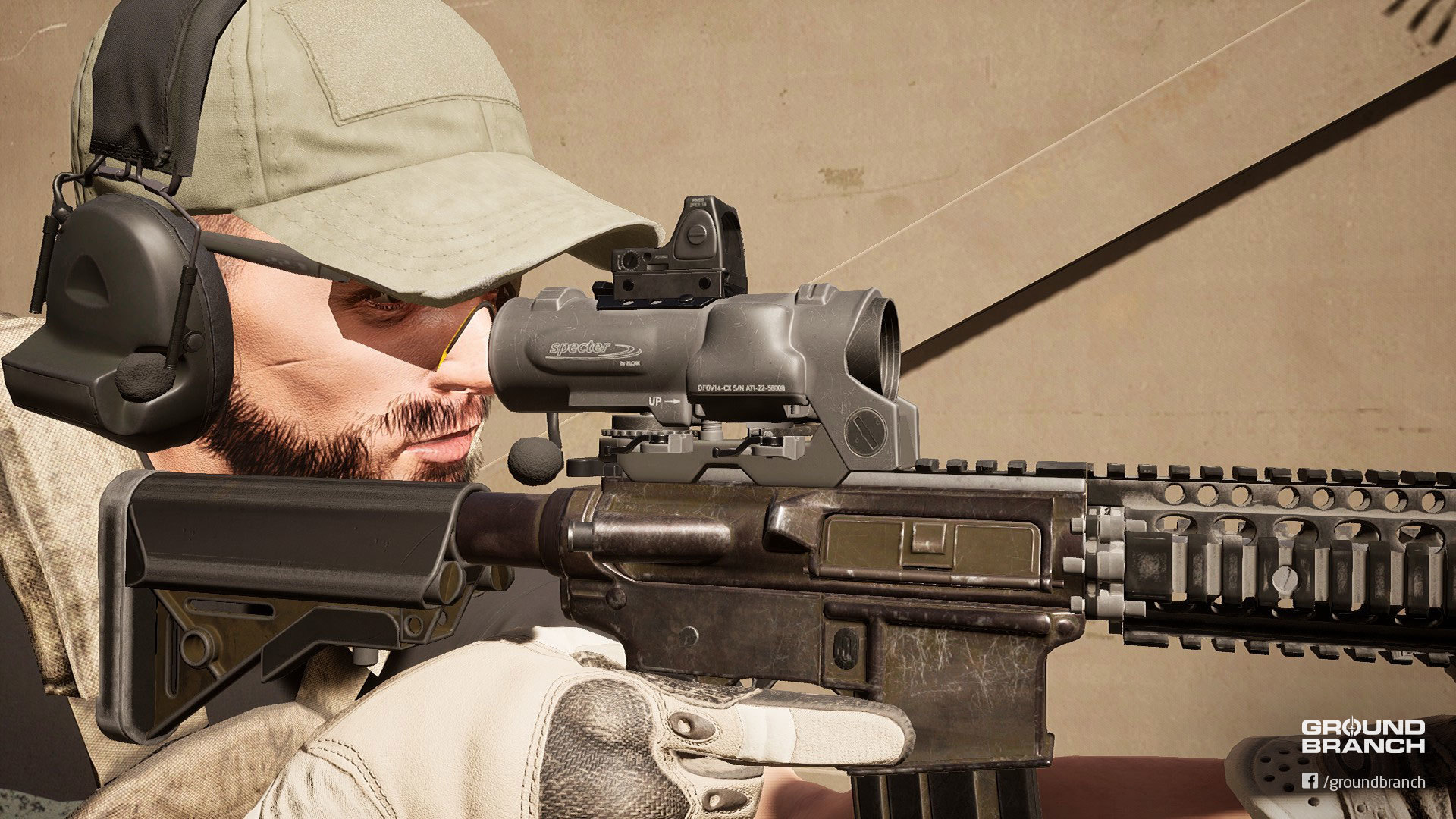
NEW SIGHT: Specter DR 1x/4x
We have teased the model on Instagram way back in January, and now the Specter DR 1x/4x (the DR is for Dual Role) is finally here with variable magnification (you can switch between 1x and 4x on the fly), as well as a Picatinny rail mount on top for secondary red dots. The center reticle dot can also be illuminated and has adjustable brightness.
The Specter DR 1x/4x, seen here with the new RMR model mounted on the top rail
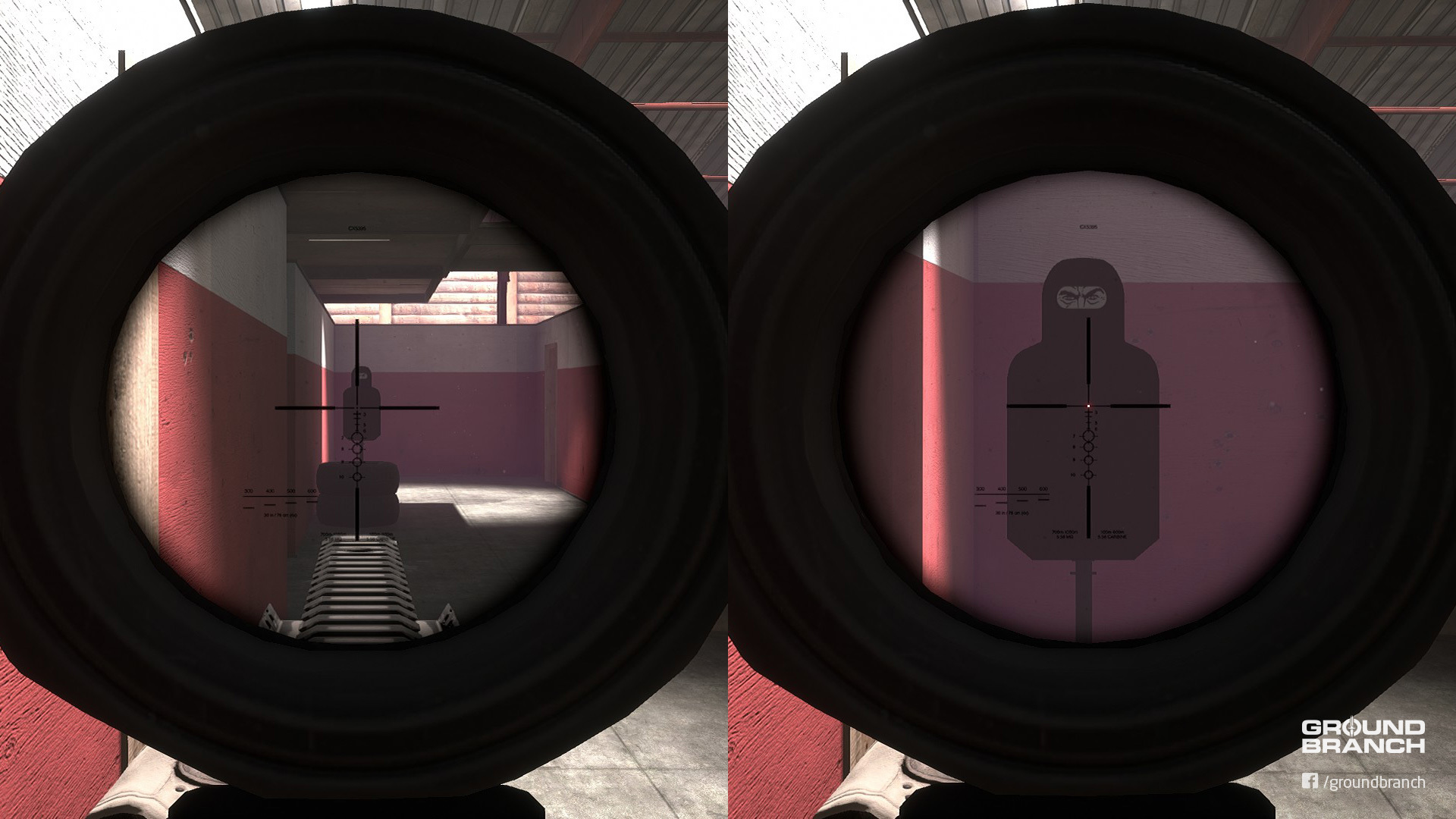
Here's the sight picture:
Left: 1x and no dot illumination; right: 4x and max dot brightness
With the quick zoom switch and illuminated dot that assists target acquisition—plus a top rail to boost—the Specter makes for an incredibly versatile sight. We recommend mounting it close to the eye for better reticle clarity and optimal field of view.
You can alternate between 1x and 4x with [Page Up] and [Page Down]. Increase dot brightness with [Home] and decrease it with [End].


These controls are valid for every sight with similar functionalities. The key binds can be changed under Settings › Controls—they're at the bottom of the command list.
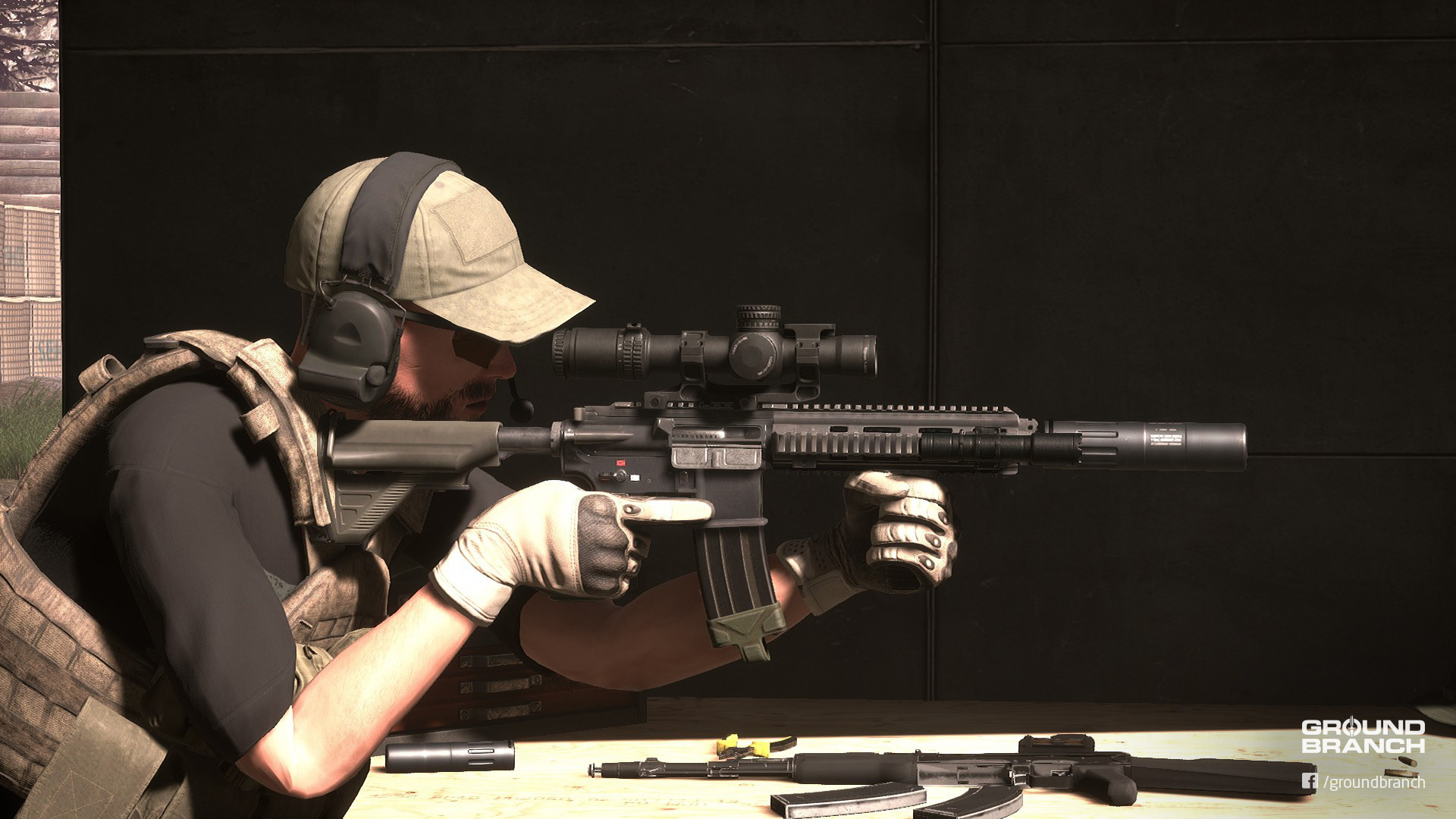
NEW SIGHT: AccuPower 1–8x
Our first true LPVO (Low-Power Variable Optic) is the Trijicon® AccuPower 1–8x. It offers 1x (no magnification) all the way to 8x.
While the real thing offers "fluid" zoom (i.e. you can analogically set it to any magnification between 1x and 8x), our current version offers 1x, 2x, 3x, 4x, 5x, 6x, 7x and 8x in steps—at least until we figure out a more faithful approach.
The reticle's red sections (a center cross and 4 semi-circumferences) can be illuminated with 10 brightness settings. Let's take a look at the sight picture:
Left: 1x with max brightness; right: 8x with illumination turned off
The 1–8x variable magnification makes the AccuPower more versatile and capable of longer ranges than the Specter, but all the different zoom levels you're able to cycle through also make it less agile than the DR's quick 1x/4x switch. To offset that, however, you can mount an RMR (ACOG) on the front scope ring's integrated RMR mount.
Hint: Try binding the increase/decrease magnification commands to [Mouse Wheel Up] and [Mouse Wheel Down] respectively, making sure you add [Alt] as a modifier key for both. That will make [Alt] + [Mouse Wheel] your go-to bind for zooming in/out with all your variable power optics.
Known issues
NEW SIGHT: AN/PVS-22 UNS
Sick of trying to shoot through a scope in a night map and having your NVG's fixed focal range blur out your entire sight picture? We got you covered with the AN/PVS-22 UNS (Universal Night Sight).
See the mystery tube in front of the PM II scope?
If mounted right in front of your preferred magnified sight, this "clip-on" night vision optic essentially turns it into a night vision scope. Pretty damn sweet, right? It is a rather large optic, however, so make sure you have the rail space for it and your magnified sight too.
Here's the PVS-22 in action:
https://youtu.be/AQAhdtgHKb8
Prowlaz quickly demos the AN/PVS-22 in co-op Terrorist Hunt (while sounding clearly aroused, which we can't blame him for)
Notes
In real life, clip-on night vision optics are typically used in sniper and designated marksman roles due to their size and weight. It is likely to follow suit in GROUND BRANCH when stamina and other such mechanics are implemented.
Known issues IR laser beams (as emitted by the AN/PEQ-15) and the Marker Strobe's IR flashing light aren't visible through the PVS-22 when they should. We'll have to figure out how to mask out the effect as it's currently a full-screen "rule" that makes it visible through NVGs.
NEW SIGHT: ACOG 4x32 with RMR Mount
We've replaced the old ACOG 4x32 model with a new one that can fit the new RMR (ACOG) optic on top. Sweet.
NEW SIGHT: MRO
The Trijicon® MRO (Miniature Rifle Optic) is a small red dot sight with a large FOV for quick target acquisition.
NEW SIGHT: SRS
The SRS (Sealed Reflex Sight) is another red dot sight by Trijicon®. Go check it out.
NEW PLATFORM: Battle Belt
The Battle Belt can now be selected in the Platform slot of the Operator Customization screen. Don't worry: it will be made an add-on to the actual vest platforms in the near future, so you won't have to pick one or the other. The Battle Belt can hold up to 7 item pouches.
Because we have no functional armor yet, the Battle Belt has no real disadvantages in relation to vests other than pouch capacity. But we think it might be a helpful hostage/VIP asset to you role-players out there experimenting with custom game modes, plus everyone gets to look a little more casual on the range.
Other gear updates
UI
On-screen hints
In addition to the loading screen tips—which we've added to—pop-ups now show hints for basic gameplay functionalities that players are often left wondering about in GB.
Hints are enabled by default to assist new players. To disable them, look under Settings › Gameplay › Other › Enable Hints and select "No" from the drop-down list.
Usage prompts and highlights
Usage prompts and highlights have a new look, and both elements can be toggled on/off. Usage highlights can be edited for size and color as well. Usage UI customization settings are under Settings › Gameplay › Other.
Quick reminder that you can now take magazines from dropped weapons by holding the Use/Interact key (default [F]).
Grenade arc
The HUD arc showing the grenade's trajectory has been altered and can now be customized under Settings › Gameplay › Firearm. You can pick individual color and alpha (transparency) values for both the arc itself and the predicted impact point marker.
To make either the arc or the impact point marker invisible, simply turn the alpha value to 0 (zero).
Shortcut to edit your weapon/vest/headgear
Editing your current weapon, vest or headgear build should be a little easier with this update. Once you click your current selection, the list should automatically open the relevant category and scroll down to the correct section of your item on the list. Much better.
Miscellaneous
New weapon attachment restrictions
Some attachments have received limitations in order to prevent issues with animations, performance and other underlying systems:
Foregrip placement Foregrips can now only be placed down to a certain position on bottom accessory rails. This was done to prevent the wobbly "spaghetti arm" effect that resulted from the character's support arm being stretched out too far, as well as the issue where he would grip an invisible foregrip placed out of reach. The restriction ensures your character will always grip properly. We may adjust or remove this limitation in the future as we improve character poses and animations.
Sight placement We have limited how far back you are allowed to mount certain sights on certain weapons' top accessory rails. This restriction should prevent sights from clipping through the character's eyes/camera. As with foregrips, this may be changed as new poses, animations and systems make their way into the game.
No more offset scopes You can no longer mount a magnified optic onto an offset rail. A lot of players were reporting sight pictures being tilted when aiming through offset scopes and, because scopes aren't meant to be mounted offset (and wouldn't function correctly in such a configuration), we simply got rid of the ability to do that. See, you ain't gotta fix it if you throw it away. *wink*
Other changes, fixes and additions
· · ·
We hope you enjoy this update! Make sure to let us know what you think in the comments below or in any of our official channels (links at the beginning of this post!). Feedback is very appreciated.
As always, thank you all so, so much for your continued support of this passion project. It means a lot to us.
This is Build Update #015 bringing you the full patch notes for the second—and last—v1027 hotfix before we move on to v1028. (You can check out the previous v1027 patch notes here and here.)
We'd like to take a few lines to thank everyone who got on board the GROUND BRANCH train in the last couple weeks during Steam® Summer Sale 2019 and all the fantastic feedback. Seeing players enjoy the game we've been putting so much hard work into is immensely encouraging, so thanks everyone for keeping the community (and the dream) alive! Rest assured we'll keep doing our part.
› We strongly recommend players coming from an older version of the game (pre-v1027) to delete all files located in %LOCALAPPDATA%\GroundBranch\Saved\Config\WindowsNoEditor. For those who can afford it, a complete reinstall isn't a bad idea either. If you have control, loadout and other such issues, be sure to try these options.
› NOTE: All dedicated servers must be updated to work with the current build.
▶ BUILD HIGHLIGHTS
Crash (and potential crash) fixes
Kris has taken care of the last few new crashes reported since v1027. We appreciate all the reports and patience!
Improved sight pictures
The first-person player camera has been moved forward slightly in order to provide more realistic "eye relief" and a better sight picture, particularly for magnified optics (scopes). This is a temporary solution while we aren't able to tackle the more fundamental issue with character postures/poses not having a sufficiently "tight" shooting stance and thus keeping the camera too distant from the sights, while also avoiding an artificial FOV shift to zoom things in.
The camera should also pull back when free-looking (default [Tab]) to make up for the loss of peripheral vision caused by the adjustment.
This is only a first iteration, so we may tweak things further based on further testing and feedback!
› You can read about the more in-depth changes in the raw change log at the end of this post.
New Vertical Grip model
We've finally replaced that millennia-old Vertical Grip model, which was based on the venerable SOPMOD vertical foregrip by KAC.
"It is kind of bulbous." —John
› Not your favorite grip? Don't worry—we have more coming, and what we don't make, we'll let you.
Engaged Run
We've setup the Engaged Run (holding Run [Shift] while aiming down the sights [RMB]) to use the walk animation once again so it's a stable "combat glide" rather than a wobbly jog.
A.I. fixes
A.I. are once again able to use doors, so be on the lookout.
Enemy placement, navigation and cover use have been improved on both City and 747.
Miscellaneous changes and fixes
747 and City have received another art pass and further cleanup.
Fixed Server Browser displaying "Ground Branch" under Game Mode instead of the actual mode being played. The game mode now also shows up in the loading screen.
Collision box height for the crouched stance has been increased from 40 to 60, fixing the issue with characters getting under objects they shouldn't be able to and having their heads clipping into them.
Server admins can now allow different Spectator settings (e.g. allow spectating enemies and/or free cam) via command line:
SpectateFreeCam <0/1>
SpectateEnemies <0/1>
SpectateForceFirstPerson <0/1>
► KNOWN ISSUES
Lighting seems to be acting up with certain character items, which appear very dark-textured or lit up depending on lighting conditions. We're investigating.
We've had one tester report an issue with online grenade throws not conforming to player settings to revert to the previous item. Changing the related setting had no effect, but it worked normally offline. If you experience the same bug, please make sure you report it!
► WHAT'S NEXT?
We have a lot of exciting stuff planned for the next batch of updates. Although it is too early to officially confirm what will be in v1028, we're starting work on character model and animation updates, environmental sounds and a functional wrist device that will help provide some much needed navigational and team awareness while playing—just to name a few highlights. Hopefully those will be ready for a first iteration soon enough!
—
As usual, thank you all very much for your continued support. Version/file info and raw change log below:
► CHANGE LOG
Build version: 1027(.2)
Client
Steam Build ID: 3993411
Size: 563 MB
Dedicated server
Steam Build ID: 3993415
Size: 34 MB
FIXED


* FIXED misaligned large reflex sight with G33 magnifier

* FIXED falling through world in Aircraft_Takedown map due to getting out of playspace

* FIXED wrong PhysMat on road line decals (Was playing metal sound)

* fixed game mode not showing up in server listing

    * added a 'gm' game tag to the Steam server listing which is compared to known game mode classes to find the correct display name.

* FIXED bad LOD setting on Shooting Range terrain that made it deform incorrectly

* FIXED City - falling through scaffolding

* fixed AI not using doors

* fixed nav and cover issues on TH-747

* fixed nav issues on TH-City

* fixed collision on S_Airport_CateringTruck_Raised.

* fixed collision on S_EntryStairway

* fixed crash related to null game mode class / casting in AGBPlayerController::PreClientTravel()

* fixed possible nullptr in GBGrenade

* fixed crash from potentially null AssociatedItem in AGBDroppedItem::OnRep_AssociatedItem().

* fixed crash due to possible nullptr in AGBGameMode::TimeLimitReached().

* FIXED 747 trees not properly setup to block AI LOS

* fixed items that should be hidden in first person showing up when spectating

* fixed not seeing items on your own dead body

* fixed crash caused by sight component being null in sight group

* fixed crash in AGBGameMode::GetReadyRoomStart() due to null ready room start.

* fixed crash/potential crash in UGBFunctionLibrary::GetMatchingSocketNames() by adding nullptr check to SceneComp.

* fixed crash/potential crash in AGBDirectSight::CanBeAddedAsChild() by adding nullptr check to PotentialParent->GetRootComponent().

* fixed errors/warnings related to DonMeshPainterGlobalActor copying a meshes ChildAttachment array.


CONTENT


* replaced very old and very broken Vertical Grip model with a new one

* 747

    * built out stairs in main building

    * Cleaned up some navmesh errors

* City

    * Changed some level lighting settings that were not properly set to give more consistent character lighting throughout map

* Replaced old map images for Storage Facility and City

* Cleaned up some bad geometry on M16 model

* Widened top sight rail on MI AKs to proper size

* More work on finishing up art for areas inside 747

* Changed PhysMat for wood part of killhouse wall so it using the wood hit effects

* Adjusted G33 collision to keep sights at least 2 rail slots away to solve reticles not being rendered (hopefully fixes it)

* Added proper Physical Materials to a few rock types used in 747

* New map images for 747 and SmallTown maps

* City

    * Remade the bus stop to be more solid for better cover and have some breakable glass

* Cleaned up a few navmesh issues around Depot radio tower spawn


CODE


* added game mode to loading screens.

    * uses the set game mode class, prefix of map. If both fail, falls back to current class set by game state.

* adjusted HEAD_Eyes location to be in line with bridge of nose

    * should make optics generally more usable without the need to artificially adjust the FOV while aiming with an optic.

* adjusted the on-target curves for the AK-74 MIs and MK 48 to correct position for stock length.

* modified animation blueprints to take pitch into account and adjust the position of a rifle when aiming up/down to prevent optic clipping through skull

* updated GBPlayerCameraManager to pull camera back when free-looking to compensate for camera being farther forward and compromising peripheral vision


* added support for setting spectate options via command line

    SpectateFreeCam 0/1

    SpectateEnemies 0/1

    SpectateForceFirstPerson 0/1

* added AI-specific functions to GBUseInterface.

* improved AI placement on City and 747.

* changed size of characters crouched collision height from 40 to 60.

    * fixes issues with characters getting under things they shouldn't and having their head clipping into the meshes.

* updated TH-TerroristHunt to automatically start the round editor is simulating.

    * allows debugging of AI more easily.

* adjusted the FastWalkSpeed used by GBCharacter to force use of non-wobbly walk animation when running while engaged.
BUILD UPDATE #014: Hotfix
Hotfix in the house!
We're fixing the networking issues and broken volume sliders brought in by the previous update, and throwing in a little extra content because why the hell not? "Well, maybe because extra content tends to increase file sizes and you're calling this a hotfix?", you might ask rather sarcastically. And to that hypothetical question, we reply: SHUT UP. SHUT UP AND TAKE OUR CONTENT.
Anyway, the rundown is right after this reminder:
📢 The Steam® Summer Sale goes on: GB is 25% OFF!
The Steam® Summer Sale 2019 has another week to burn and our 25% discount is still on.
You know the drill—grab it, gift it, recommend it, share the news.
Every bit helps us get GROUND BRANCH to where we all want it to be.
› We strongly recommend players coming from an older version of the game (pre-v1027) to delete all files located in %LOCALAPPDATA%\GroundBranch\Saved\Config\WindowsNoEditor. For those who can afford it, a complete reinstall isn't a bad idea either. If you have control, loadout and other such issues, be sure to try these options.
› NOTE: All dedicated servers must be updated to work with the current build.
▶ BUILD HIGHLIGHTS
Networking fixes
Lots of server fixes to address crashes, log spam and various connectivity issues introduced in v1027. Thanks for all the reports!
Fixed audio sliders
Mikson's new weapon sounds are impressive, but they're also pretty loud. If you're not among those of us who gladly risk hearing loss for some extra immersion, you'll be happy to know the audio sliders are fixed. To make gunshots and related sounds quieter, turn down the SFX slider under Settings › Audio.
Adjustable grenade throw
The grenade arc HUD for estimating throw trajectory can now be adjusted in steps for longer or shorter throws by scrolling up/down with the Mouse Wheel. Let us know how it works for you!
NEW MAP: 747 (Night)
WIP map 747 now has a first implementation of its Night version.
› Terrorist Hunt A.I. placement has been improved for both day and night versions.
NEW GEAR: Shotgun Rail Adapter
Now you can rock the M1014 and SDASS Custom shotguns with a tac light or whatever accessories you wanna fit on them. Simply attach the rail adapter, and then place the desired accessory on either of the side rails.
NEW GEAR: Extended Magazines (G22 and PMAG)
As part of our partnership with Taran Tactical, we've added extended base pads for the G22 and PMAG magazines. They're selectable inside weapon customization under "Magazines".
› We'll have reasonable trade-offs for these new items once stamina and other systems are implemented.
Gear
Various fixes for kit items and their usage.
▶ KNOWN ISSUES
▶ CHANGE LOG
Build version: 1027(.1)
Client
Steam Build ID: 3978385
Size: 1.2 GB
Dedicated server
Steam Build ID: 3978388
Size: 50 MB
FIXES


* FIXED crash if player disconnects shortly after being resurrected by admin

* FIXED crash if a PlayerState without a valid player controller ends up in AGBGameMode::DeadOnlyChat()

* FIXED crash relating to GetGameStateSafe

* FIXED "Too many failures to spawn" causing round to end by removing the related timer all together and just brute forcing all players that can enter play to enter play

* FIXED spawning with a firearm on client, but not on server

* FIXED being able to reload/switch items etc. while sprinting

* FIXED run/walk key cancelling lean when stationary

* FIXED AI attempting to shoot early prevent round from chambering, thus preventing further shooting

* FIXED firearms continuing to fire when put away during full auto

* FIXED change firing mode with trigger pulled

* FIXED missing/bad navigation in areas on 747

* FIXED volume settings for WWise not being applied causing them to reset to 100% next time the game loads

* FIXED 747 map bugs

    * Ability to hop over perimeter fence

    * No texture on wall flag

* FIXED City bugs

    * trash clipping through

    * subway wall poking through street

    * top of ladder collision in way

    * subway walls culling out to early

* FIXED bad shipping container UVs

* FIXED player hanging up on top of truck ladder in 747

* FIXED some missing Physical Material settings on a few rock types in Storage Facility

* FIXED TankerShip insertion info section for player names going offscreen

* FIXED lack of collision on 747 playspace boundary that let players get to non playable areas

* FIXED rifle laser sight allowing multiple versions to be attached to same weapon

* FIXED impassable stair section in City scaffolding

* FIXED odd looking fuel tanks on 747 map (missing textures)

* FIXED potential nullptr in various functions related to character appearance and loadouts by adding IsValid(Character)

* FIXED GBFirearm only binding to reload montages OnMontageEnded() delegate on server/offline, preventing clients from being able to reload more then once

* FIXED game and plugin properties that caused Cooker/UE4 to spam "is not initialized properly" in the log

    NOTE: still need to do a pass on the engine ones

* FIXED references to old/non-existent assets causing cooker to spawn "Unable to find package for cooking"

* FIXED (hopefully) assets causing cooker to spam "X imported blah but it was never saved as an export" in log

    * required opening/saving all maps that use various Blueprints :|

* FIXED missing/bad navigation in areas on 747

* FIXED BP_TerroristHunt_SpawnManager spawn point usage randomisation caused by changing from GB to standard BP macro library

* FIXED green tint in black Field (G2) pants

* FIXED unclamped off-target alpha value in GBFirearm::PrevPosPressed_Implementation()

* FIXED typo in WBP_OpsBoard_InProgressButton preventing from being visible when round was in progress

    NOTE: InPorgress != InProgress

* FIXED WBP_LoadingScreen getting none when trying to access to GameState

* FIXED GBGameMode::GetBestLateComerInsertionPoint() always returning a random insertion point

* FIXED round not ending if player logs out in BP_TerroristHunt, BP_Defend & BP_TeamEilimination

* FIXED "RequestAsyncLoad called with empty or only null assets!" spam caused by call to AsynLoad() in BP_Firearm_Master (doh!)

* FIXED AddDefaultItem() being called on character that is being destroyed causing spawned item to be invalid.

* FIXED being immortal when resurrected by admin (lol)


CONTENT


* Added in shotgun rail adapters to allow for flashlights and other accessories to be used

* Modified aspect ratio and camera angle of main menu

* Small adjustments to player scalability settings so shadows don't go completely away on Low setting causing unfair gameplay advantage

* Adjusted vertical grip hand pose for a better fit

    * These will get better when the new character meshes/skeleton is in

* City

    * Cleaned up collision around insertion points

    * Added a few solid low walls around center of map for more cover and to reduce long AI sightline a bit

    * Filled in some visible non-playable areas

* Added first go at night version for 747

* Removed odd refraction from default glass material (RR and Depot mainly)

* Added in new Taran Tactical mag extension version of the G22 and PMAG magazines

* Added PhysMat setting to rocks in 747


AUDIO


* added audio sliders functionality for Wwise and music

* assigned all sound effects to SFX class

* Wwise: added missing MK 14 EBR reload sounds

* Wwise: improved unsuppressed MK 14 EBR, AK-74M and AR-15 shots

* lowered falloff distance for FullAutoPunch layer of unsuppressed gunshots


CODE


* assigned outers to all instances of NewObject()

* added validation checks to various methods involving setting/using an insertion point on the player state

* removed usage of gameplay ability system

    * updated all affected C++ and Blueprints

* replaced usage of macros in GB Blueprint Macro Library with native versions

* removed usage of redundant / pointless macros in GB Blueprint Macro Library

* added ToggleRun option to GBPlayerSettings class

* added Reset() Blueprint native function to GBItem

     * causes pouches to refil with last thing they had in them

     * causes firearms to max capacity if not in the process of reloading

* update BP_TargetApplScreen used in some training maps to use new Refill() method on characters items

* replaced usage of GBResetInterface with calls to native AActor::Reset()

* updated BP_Door_Swinging to take player and doors direction into account when incrementally opening

* updated GBGrenade to allow you to adjust throw range using mouse wheel

* removed log spam about montage replication

* removed log spam about player spawning

* improved AI on 747 by correcting Guard points, Patrols routes and the like

* removed DonMeshPainterGlobalActorSpawnParams from GBGameMode - yet to use it server side

* updated player patch support due to DonMeshPainter update

    NOTE : while updated, they are not enabled

* removed stubbs about player patch from GBPlayerController

* updated RBEventManager

    * changed several parameters from TWeakPointers to normal C++ pointers

    * updated FRBListener struct

        * created IsValid() that returns true if object & function are valid

        * changed optional constructor to take normal C++ pointers instead of TWeakPointers

        * removed == operator

* updated RBSurfaceLinkManager

    * changed Get() from using a mutable default to using a SingleTon added to the root set

    * replaced usage of CachedLinkedClasses variable with simply adding the cached classes to the root set

    Both these changes were done to prevent GC issues

* added "Defaults" button to audio, video and gameplay setting screens

* changed default audio volume levels from 10 to 08

* removed stubb from BP_Handgun_Master

* reduced max throw distance in BP_Grenade_Master

* Updated DedicatedServer.bat with all available maps and game types
BUILD UPDATE #013: Jumbo + SALE (-25%)
It's been 48 days since our last blog entry, and almost 3 months since our last game update, and while we're sorry we kept you all waiting that long, we hope Build Update #013 makes up for it.
As predicted in the last Intel Update, #013 has taken a lot longer than usual due to an engine update and a bunch of new things we've been putting into GROUND BRANCH that simply required the extra time to get implemented, tested, fixed, re-tested and so on. To summarize, this version includes the long-awaited first sound update, a new PvP game mode, new modes for new maps, some obligatory new gear and a sizeable list of fixes we'll go over in a bit.
We cannot stress enough how grateful we are for all you guys sticking around and patiently supporting us while we do our best to put this thing together. As always, thank you so much!
Before we go over the highlights, we figure we should let you know that…
🚨 GROUND BRANCH is 25% OFF on the Steam® Summer Sale! 🚨
We're right on time with this update for the Steam® Summer Sale 2019. If you haven't already, this is your chance to grab GROUND BRANCH with a magnificent 25% discount—our biggest discount yet—or maybe convince a few stubborn friends to join you in the tacticool bonanza. You're now armed with compelling case of a juicy update and a sale launching at the same time, so let's fill up them servers!
› We strongly recommend players coming from an older version of the game to delete all files located in %LOCALAPPDATA%\GroundBranch\Saved\Config\WindowsNoEditor. For those who can afford it, a complete reinstall isn't a bad idea either. If you have control, loadout or other such issues, be sure to try these options.
› NOTE: All dedicated servers must be updated to work with the current build.
› NOTE: Some Controls/Gameplay settings have been reset with this build, regardless of whether you removed config files as suggested. Make sure to reconfigure them to your preferences and sorry for the inconvenience!
BUILD HIGHLIGHTS
Finally, new sounds!
Mikson's diligent work can finally be experienced in-game as the first batch of (mostly) weapon sounds goes public, along with an ominous main theme to kick off soundtrack and ambience work, and several small soundscape adjustments to volume, attenuation and occlusion values.
https://youtu.be/TWPEQUoi4R4?t=21
JustinRed87 aka Cobra493 previews some of the new sounds. Sounds and menu aren't up to date despite the video being recent, but should help you get an idea of where they're headed
Weapon sounds
The following weapons have received their own sound effects, with individual gunshot (with indoor and outdoor tails) and reload SFXs, as well as suppressed versions where applicable (marked with [SD]):
Primary
Sidearms
Why do all weapons sound different than before, then? Well, we're carrying over these finished sounds to the other guns while they're not done, hence the similarity between several of them too. All submachine guns not listed above are now using the MP5N effect as a placeholder, for instance. Similarly, for now all pistols (M1911 aside) are using the MK 25 sounds, all ARs share the MK 18 sounds, the AKS-74U uses the AK-74M sounds and so on.
Keep in mind that this is a first iteration. Mikson will be fine-tuning everything and updating the rest of the armory (and the entirety of the game's sound design) as we go, and you can expect actual reverb and things like individual tails for urban vs. rural vs. forested environments.
› Sounds that were previously demoed, such as the M4A1/Block II effects, are being reworked with newly acquired libraries for maximum fidelity.
Other sound changes
INTEL UPDATE #004: Track
Yes, it may have been a while, but fear not—we're still here, and we're not going anywhere.
This is an Intel Update to fill you in on what we've been up to, what to expect for GB's near future and why the next update is taking longer than usual.
Let's start with the latter. As most of you are aware, BlackFoot Studios are what is considered indie AF (that's short for as f***, in case you're not as down with the kids as we are). That, of course, means limited personnel and, often, limited time as well. In addition to all the regular development obstacles, availability wasn't great for most of us for the past month or so, resulting in an even bigger delay than expected. On the flip side, the next update should be more substantial both in terms of content and fixes, so there's that to look forward to.
Before we continue, let us just say that we're very grateful for all the patience and support coming from everyone despite the sometimes drawn-out progress. Thank you!
New update when?
The original plan for upcoming Build Update #013 was for a big PvP-oriented update featuring a couple new game modes and overall better PvP functionality and gameplay. Due to the aforementioned setbacks, however, we're likely to break it down into smaller updates—both because it's been a while already and because a big update would mean an even longer time without any updates.
Another thing we're considering is incrementally adding in the new weapon-related sounds that Mikson has been diligently developing, which were originally planned for only after the PvP update.
We're still figuring out exactly how we're gonna roll, but read on for an overview of what to expect of future updates…
Unreal Engine 4.22(.1)
Engine updates always take some time, but this one was relatively painless—there's always some tedious cleanup to do, but compared to the last time we did it, it went mostly swiftly. The jump to version 4.22 means a lot of editor-side bug and crash fixes, as well as some rendering improvements you may or may not notice depending on PC specs, video settings etc. Nothing major, but the quality-of-life bonus alone for us should mean less frustration going forward, and that's always a good thing™. Version 4.22.1, which is what we're on now, was a hotfix patch.
Sound design development
Almost all firearm sound assets are done, as Mikson and Kris work out the integration of said assets into the game via Wwise—the middleware also used in Insurgency: Sandstorm's excellent sound design. In case you've missed it, we posted a new little sound demo on YouTube a couple weeks ago:
https://youtu.be/bsf_eZ2NKGw
Mikson has since tweaked these slightly based on valuable feedback, as he'll continue to do with all effects as we get a better idea of how they sound within actual gameplay
We're over the hump when it comes to implementation of the new weapon sounds, but it's important to note that they might still be a couple updates away. Other sounds (like environmental) will be incrementally worked in as we go and added in subsequent updates.
New character assets and swatch system in the works
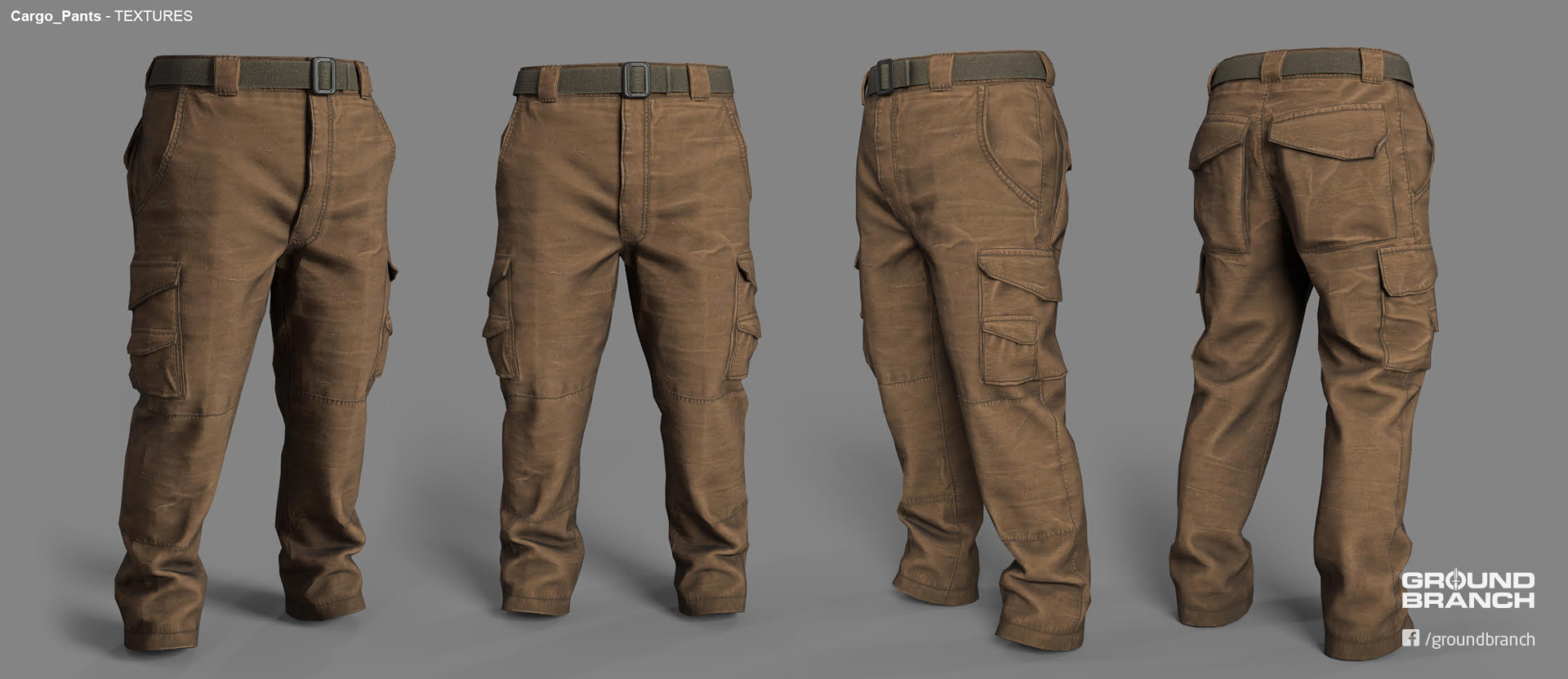
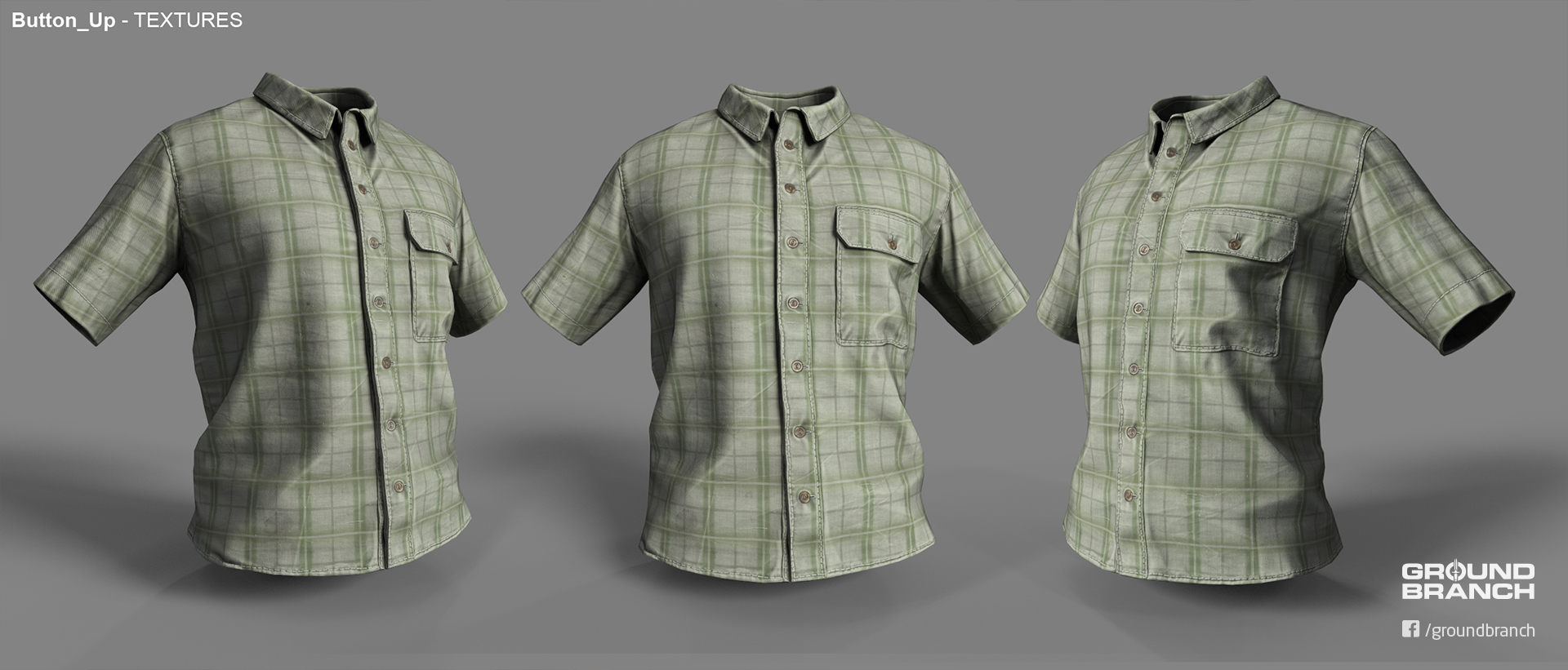
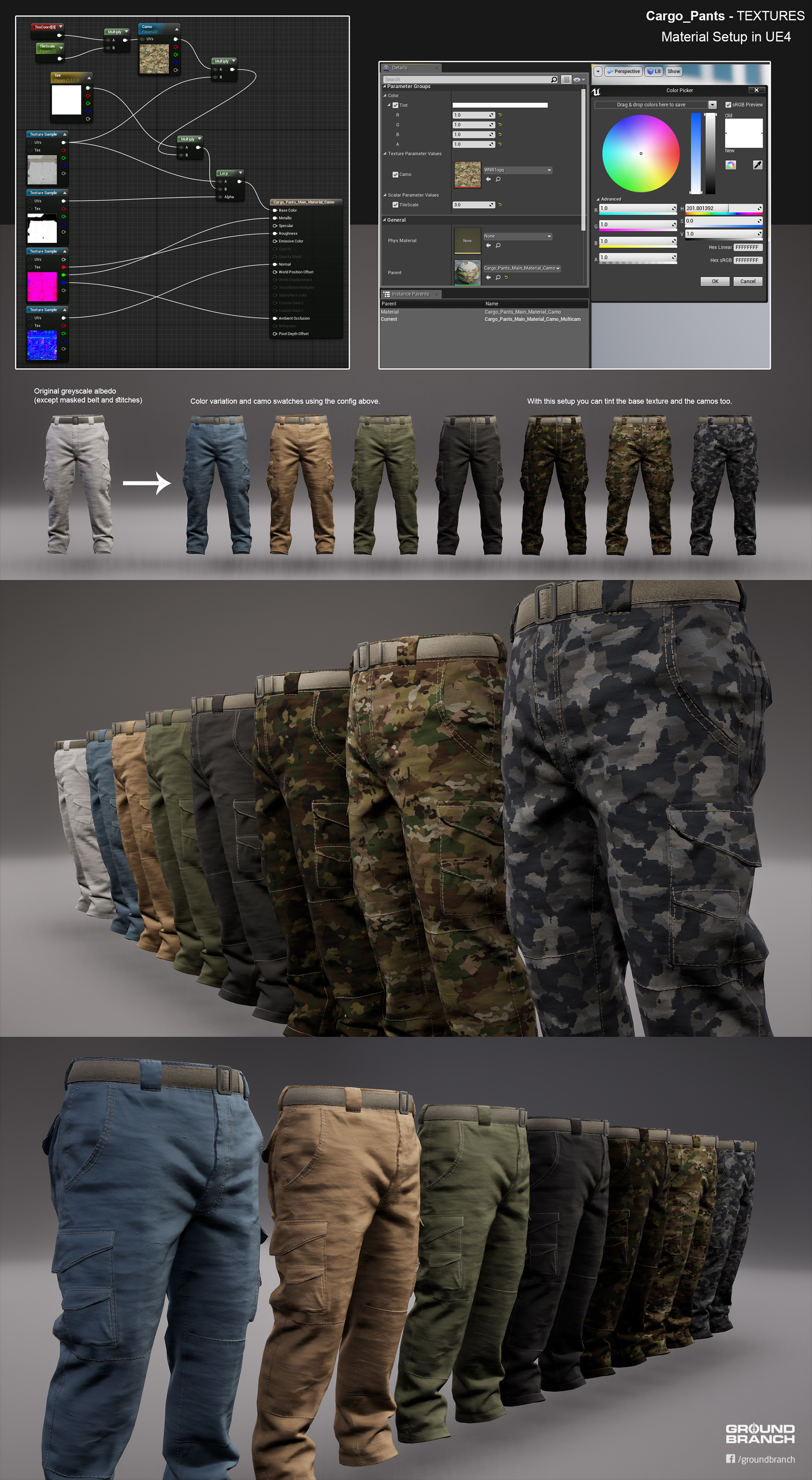
All of our character assets are being redone from scratch, with several new pieces of apparel planned for inclusion as well. Currently on the job is the very talented freelance contractor Pau Peñalver, who has so far put together the beauties showcased below:
Tactical-slash-cargo pants, anyone?
Yes, we know you're so gonna mod a Hawaiian pattern onto this one
"What about them skins, though?", you ask, but with even less regard for grammar. Well, check this out:
These skins aren't final (don't worry, we'll have most of these and more); point is, we're going be able to make the colors/patterns whatever we want (and so will you, in the future)
For the majority out there unfamiliar with UE4, the lovely schematic above lays out a UE4 Blueprint for a swatch system. A swatch system will not only purge skin inconsistency for assets, but also allow us to easily make any color or pattern we want into a selectable skin. Once modding is out, you'll be able to create your own as well. Hooray!
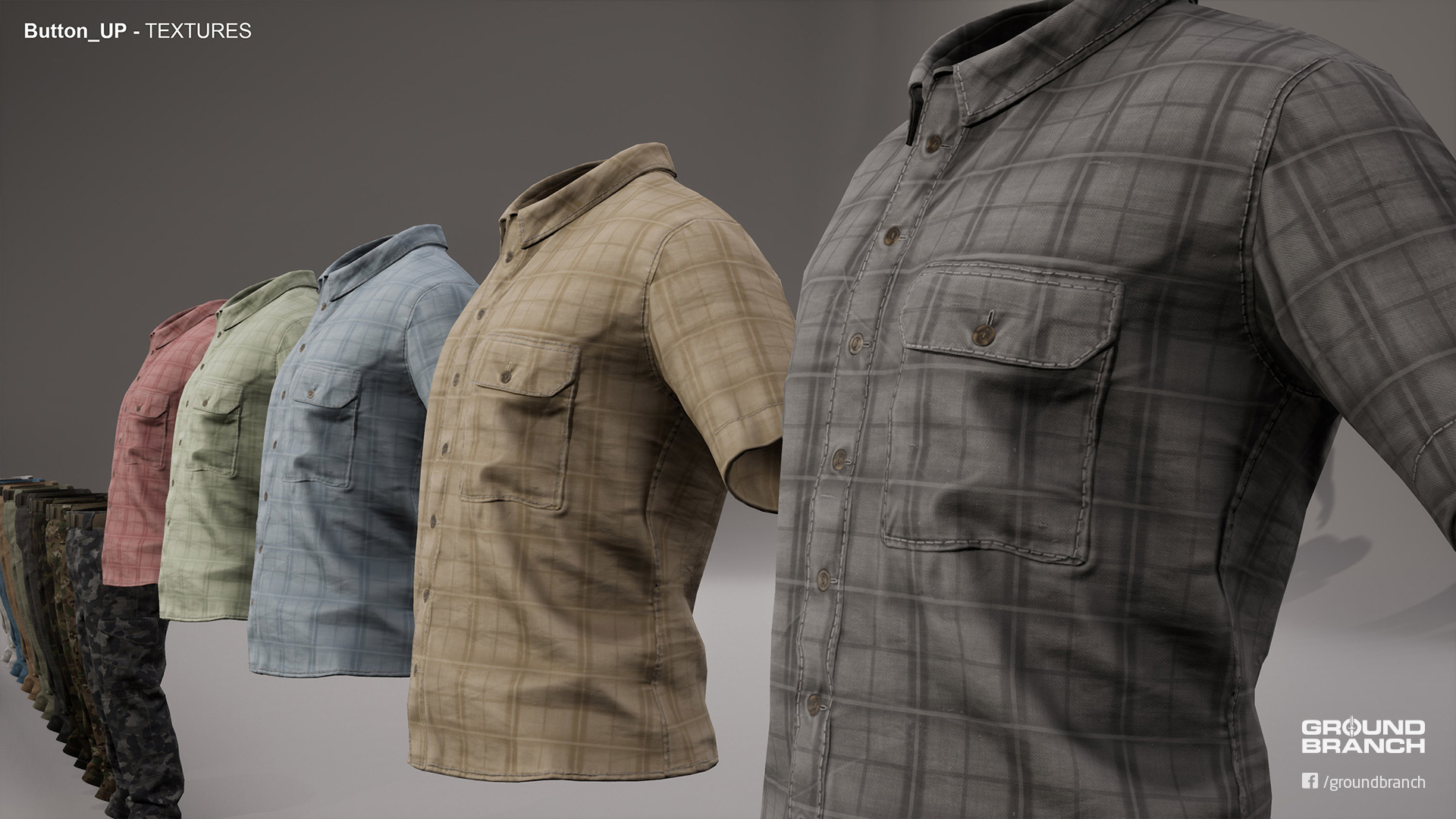
Some basic color variations on that sweet dad plaid
These are only the first couple new assets, but we already have new assault gloves and an ACU-style jacket in the oven. You can look forward to redone (and brand-new) shirts and pants, as well as a fleece jacket, tactical gloves and a variety of footwear, with more apparel to be added as we go.
Map updates
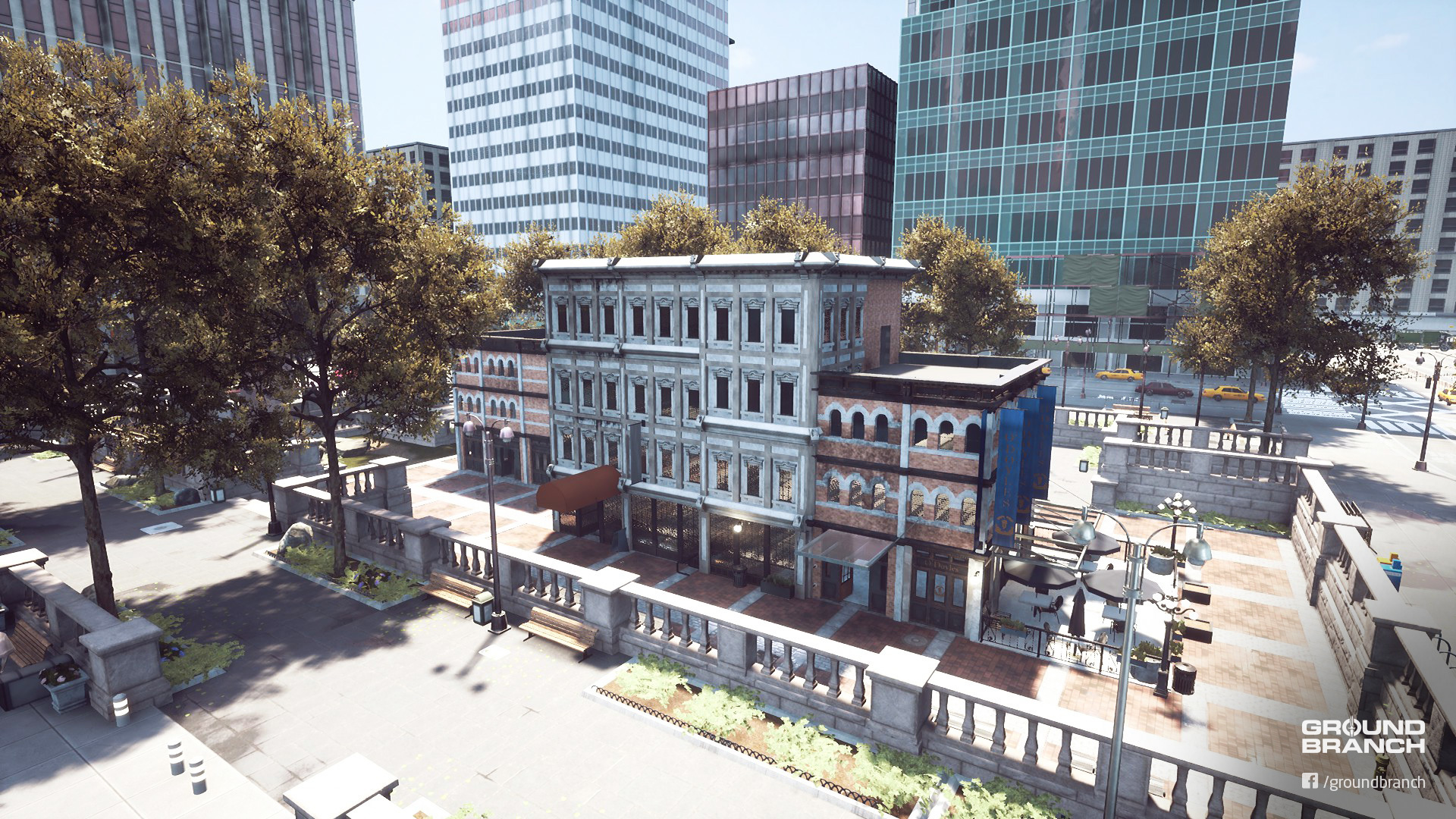
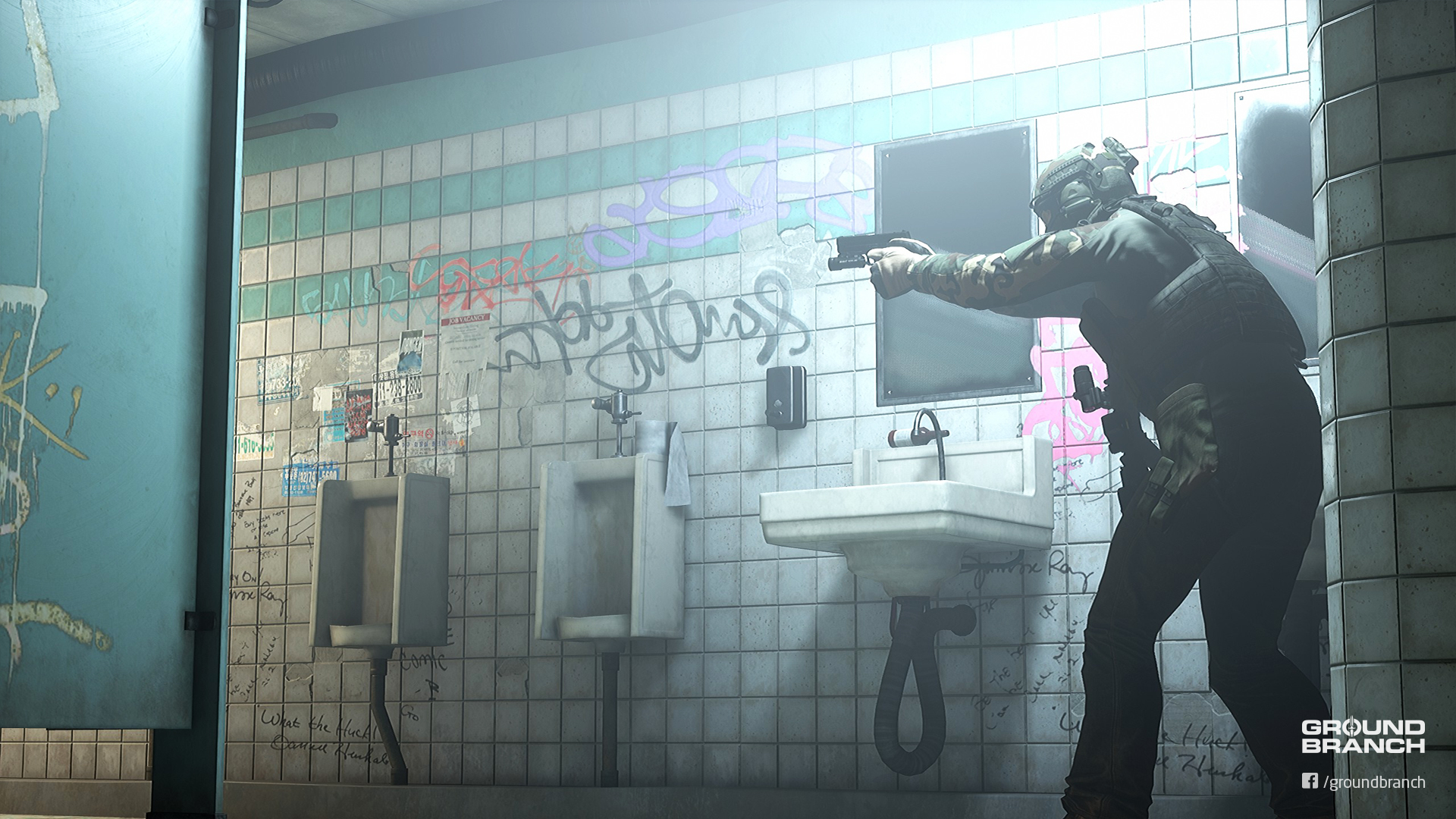
City and 747 have both received extensive updates. 747 now supports Terrorist Hunt, and City will hopefully support it as well by the time the next update rolls out. Here are some previews of what's new:
The central square of City is now home to a multi-story building that is being modeled after a bar/pub
Underground, the metro station now features a cozy, family-friendly restroom (credits: Jeza)
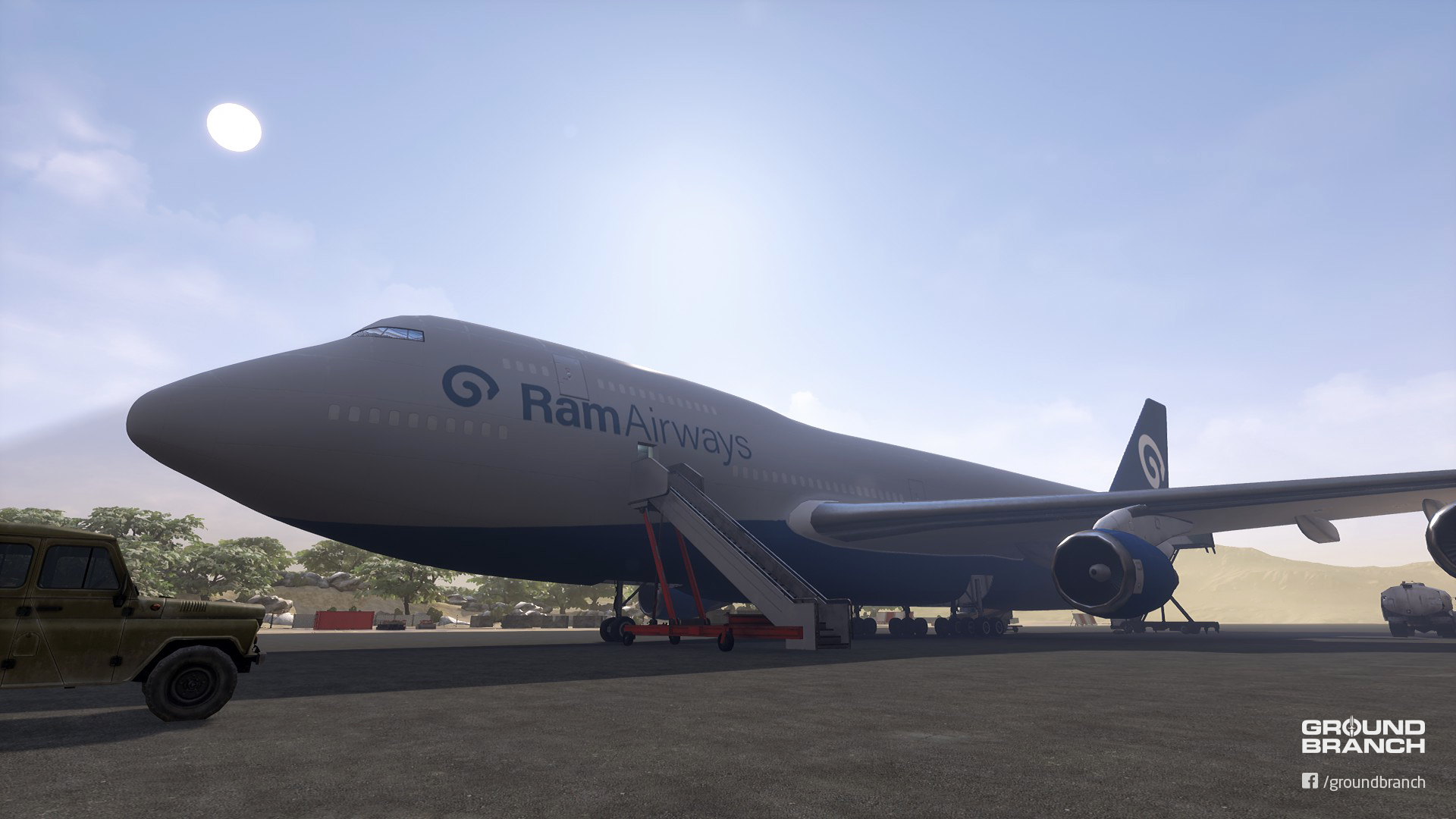
On 747, the aircraft received an exclusive Ram Airways paint job …
… and some buildings were added as backdrop, among other updates (credits: Rangda)
PvP game modes
A couple new objective-based adversarial game modes are being developed and tested out by the team and a small test group. We'd like to have at least one solid new game mode in the next update, with iterations and new modes to follow. More news as it happens!
—
That's all for Intel Update #004. Don't forget to hop into our Discord server if you're looking for pick-up games, support or just some GB talk. We're also on Facebook, Twitter, Instagram and a soon-to-be-official subreddit. Hopefully we'll see you there!
BUILD UPDATE #012: Creep
Another intended hotfix feature-creeped into a proper update, Build Update #012 is here with difficulty level selection (including custom settings) for Terrorist Hunt, a shorty version of that sweet Midwest Industries tactical AK, and the usual assortment of quality-of-life fixes and additions.
Read on as we highlight the cooler stuff, and don't forget to leave your feedback, whether it's in the comments below, forums (BFS · Steam), Discord or any of our social media channels.
› NOTE: All dedicated servers must be updated to work with the current build.
› NOTE: Some Controls/Gameplay settings have been reset with this build. You will also need to set your Player Name again.
BUILD HIGHLIGHTS
A.I.
Difficulty settings and customizable parameters
Terrorist Hunt now has four A.I. difficulty presets: Untrained, Trained, Experienced and Ludicrous. You can also create a custom A.I. difficulty setting by individually modifying each parameter. How you set up the A.I. difficulty depends on the mode you're in. Let's go over them:
Play Offline / Host Game For single player and listen server multiplayer, simply use the "AI Skill Level" drop-down menu when setting up the Terrorist Hunt game. By selecting "Custom", you can modify each parameter individually. For information on what each parameter does, simply hover the mouse over the line and it'll display a tooltip.
› The Center of Mass Bone parameter (which defines what part of the character model the A.I. bots aim for) has 3 "b_Spine" options: b_Spine is closer to the hip, b_Spine2 is near the neck, and b_Spine1 is in between those two points.
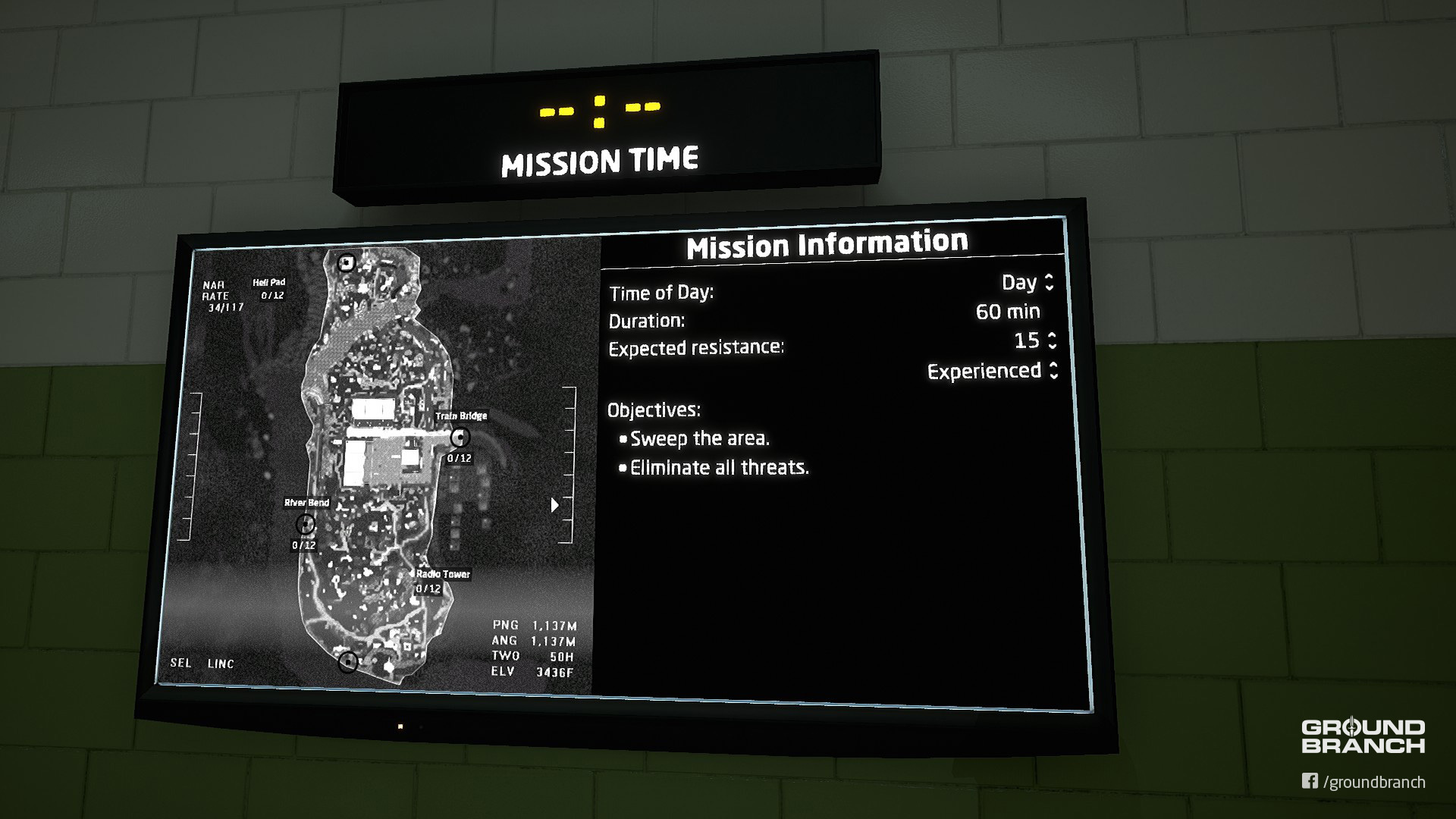
The Ops Board (a.k.a. the insertion selection LED Panel) in the Operations Room has also received some configurable settings:
The map's time of day—as well as the enemy's expected resistance and difficulty level—can now be set directly from the Ops Board. Please note that these options are only accessible to server admins or offline (single player)!
The difficulty level can be set to any of the four presets, as well as "???", which uses the custom A.I. preset drawn from whatever values you set in AISettings.ini (located in %LOCALAPPDATA%\GroundBranch\Saved\Windows).
Dedicated servers For dedicated servers, the server admin can simply use the Ops Board (explained above) or modify the AISettings.ini file manually (%LOCALAPPDATA%\GroundBranch\Saved\Windows).
Distance threshold for aim error
The aim error code has been updated so that the deliberate missing now happens beyond a set distance, controlled by the DeliberateMissDistanceThreshold parameter. Within the set distance, A.I. are not likely to miss. Beyond that distance, the usual deliberate missing (determined by DeliberateMissTime and DeliberateMissBlendOutTime) kicks in.
› Want to disable the deliberate miss property entirely? Simply set DeliberateMissTime to 0 (zero).
It's worth reminding that the default A.I. presets are, as everything else, subject to change. So make sure to share your experience with the presets and custom A.I. values, as it might be useful for further tweaks.
AK-74 MI CQB
Little sister to the AK-74 MI (formerly MWI), the AK-74 MI CQB has been added to the armory. For now, it's essentially a better option for close quarters with no drawbacks. Don't worry: proper stats (range, accuracy, weight etc.) will be worked out in the future for all weapons.
"I like how it's like the AK but smol" —Jeza (also the author of the above screenshot, shockingly)
Controls guide and loading screen tips
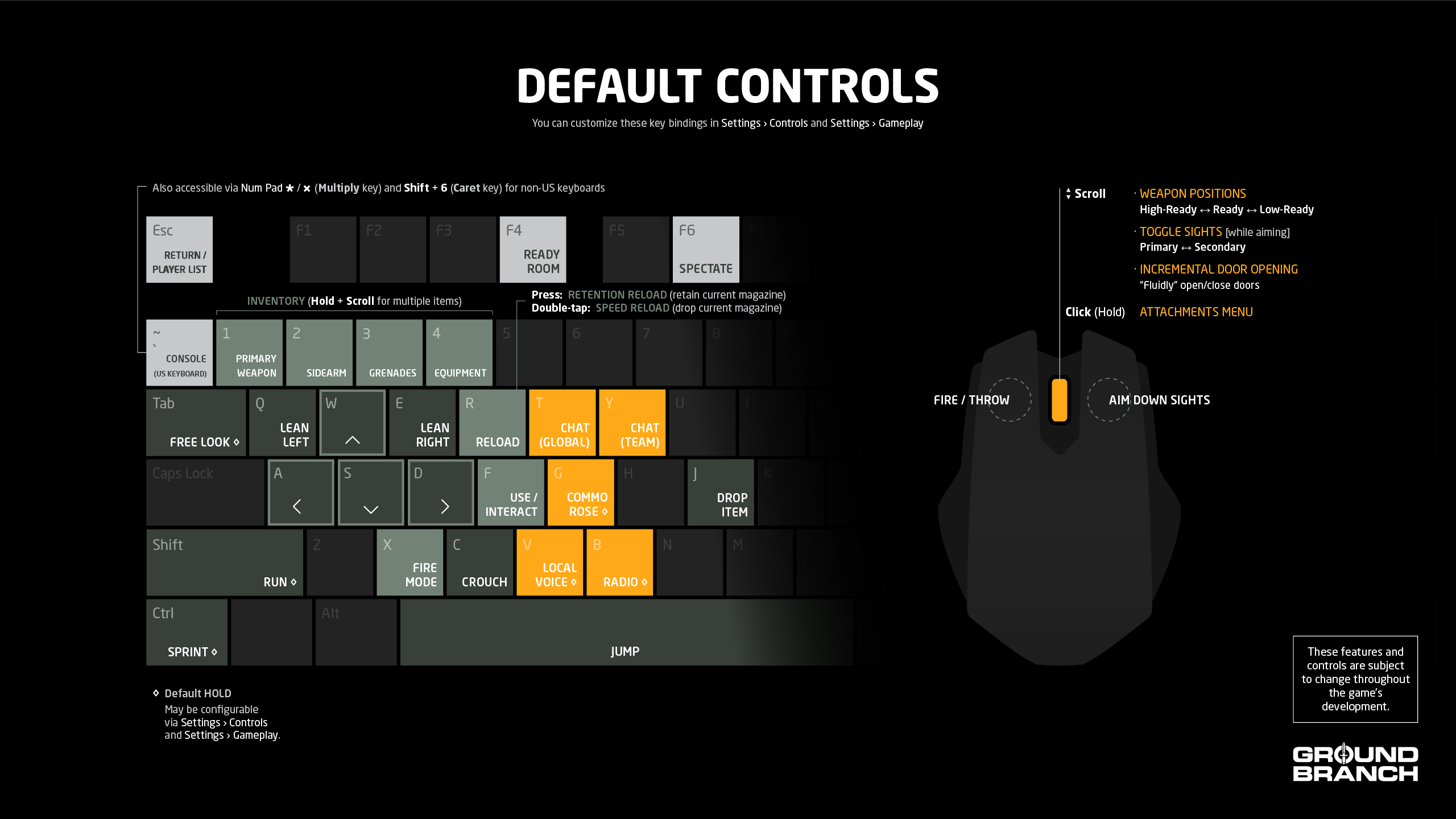
In order to help new players get the grasp of GROUND BRANCH's less conventional controls schemes, we've added a guide for the default controls to the main loading screen. All loading screens now also carry valuable gameplay tips. We'll be adding more tips as we go—feel free to suggest some of yours!
› The default controls graphic might appear distorted on non-standard (16:9) aspect ratios, despite us specifically telling the engine to account for those. Ugh.
Miscellaneous fixes
—
That's it for Build Update #012. Until the next time!
P.S. We'd like to thank Rangda for the badass screenshots he's always providing for the vast majority of announcements and social posts we make. Tier 1 screenies, dude!
CHANGE LOG
Build version: 1026
Client
Steam Build ID: 3679830
Size: 662 MB
Dedicated server
Steam Build ID: 3679833
Size: 33 MB
FIXES


* FIXED radio volume issue on SmallTown

* FIXED bush in Power Station missing proper bullet collision settings

* FIXED Bush in Power Station with bad visibility collision

* FIXED firearms being obstructed by foliage

* FIXED foliage blocking ability to lean

* FIXED various collision bugs in Storage Facility

* FIXED see through boulder in Storage Facility

* FIXED rendering issue with blinking light in Storage Facility tunnel

* FIXED offset rail being restricted to top rails instead of sight & top rails.

* FIXED mouse sensitivity appearing to reset to some other value when changed in UI while engaging a sight.

    * for such a seemingly small change, it required a lot more work then expected :P

* FIXED not being able to add or edit a default zero entry in the settings menu.

* FIXED Always Run not toggling on/off when set and already in game until you hit Run again

    * will still need to release run key if it is set while run key is held down (get over it)

* FIXED not being able to move/rotate in the character editor from the main menu.

* FIXED crash due to destroying ability system component while an ability had it locked.

* FIXED breaching charges being able to kill targets through a wall.


CONTENT


* small tweaks in radio-related assets

* experimenting with new water material in Depot

* slight update to splash screen


A.I.


* updated GBAIController

    * replaced AimErrorPeriod with simpler AimErrorUpdateInterval

        * controls how often we the aim error alphas are changed (random between -1.0 to 1.0).

    * changed target distance aim error from blend to new to instant switch

    * added aim error based on AI movement speed

    * changed target velocity aim error from blend to new to instant switch

    * added distance threshold to deliberate miss code

        * below this distance the deliberate miss is blended away due to being too close.

    * added SkillLevel support

        * added 4 skill level presets to DefaultAISettings.ini (1-4)

        * added defaults for custom skill level to DefaultAISettings.ini (actual custom saved in AISettings.ini in save directory)

* added Difficulty to GBGameMode

    * currently only controls the AI skill level

        1-4 corresponds to the skill level presets.

        < 1 makes it use what ever custom skill level is defined in by default or under save directory.

    * value is replicated on GBGameState for use with UI elements etc.

* updated WBP_TerroristHunt_Settings to exposed all AI settings

    * required some updates to WBP_Config_XXX widgets to allow settings to be instantly saved.


* updated GBAIController

    * exposed ReactionTimeBase and ReactTimeRandom to settings

    * added bBeSuspicious BB boolean that is set when a non-hostile/non-friendly actor is sensed

        * this is a simple quick solution to getting AI to react to explosions, doors etc for now

        * updated to Blackboard and affect behavior trees.


CODE


* modified DamageMeleeWeapon

    * added option to use mutl instead of single trace

    * added list of surfaces to ignore during trace.

* removed unused animation notifier

* updated WBP_InGameMenuManager to use a single C++ function instead of looping through all child widgets :|


* updated GBPlayerSettings

    * changed all settings to config values and class to a config class

    * forced LoadSettings() to reload the config from disk.

    * created ApplySettings() to ensure config values were applied without the need to called LoadSettings() first.

    * changed default zero struct to use PrimaryAssetDataId instead of a string to hold the info about what item to zero for.

    * removed unneeded default zero functions.

    * changed CrouchType & GrenadeSwitchType from enums to int values so they work with UI widgets more easily.

    * updated all WBP_Settings_XXX to reflect changes

* updated GBAIController::InitSkillLevel() to use a full path to the AISettings.ini

* changed "Ridiculous" to "Ludicrous" to describe skill level 4 for AI

* updated UGBGameplayStatics

    * created new functions CanDamageStaticMesh(), CanDamageSkeletalMesh() & SphereOverlapDamageableComponentsSorted() based of functions prototyped in grenade explosion Blueprint.

    * created ConeOverlapDamageableComponentsSorted() based on SphereOverlapDamageableComponentsSorted() that checks that the component origin OR bounds are within a cone.

* created GBCharacter::CanDamageRadial() as a shortcut to call UGBGameplayStatics::SphereOverlapDamageableComponentsSorted() with require skeletal mesh & appropriate bones

    NOTE: reduce bones checked?

* updated GBGameInstance

    * added bShowDefaultControls bool with function to clear it.

    * added OnRemoveLoadingScreen delegate for loading screens to use.

    If not bound, will remove any loading screen present.

* rigged up WBP_StartupScreen to show up on initial load

* created WBP_RandomHint

    * used by start up and loading screens to display hints

    * randomly picks a hint that isn't used until it has gone through all over them, then reset

* fixed initial loading screens defaulting to 1280x720

* re-imported default key map texture at proper resolution

* quick grammar/spelling pass on random hints

* added pulse animation to "Continue" button on WBP_StartupScreen to draw the eye slightly more