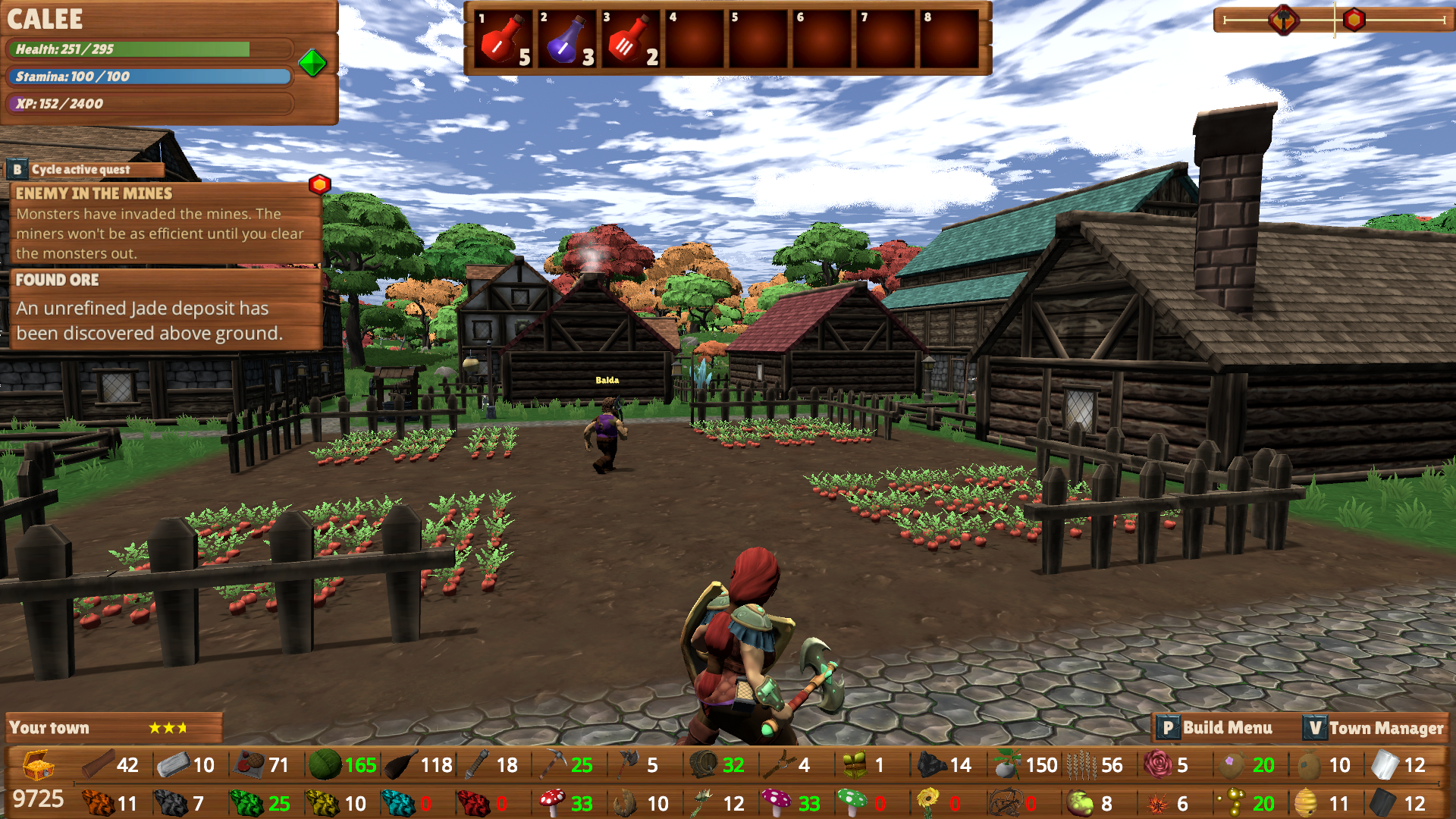
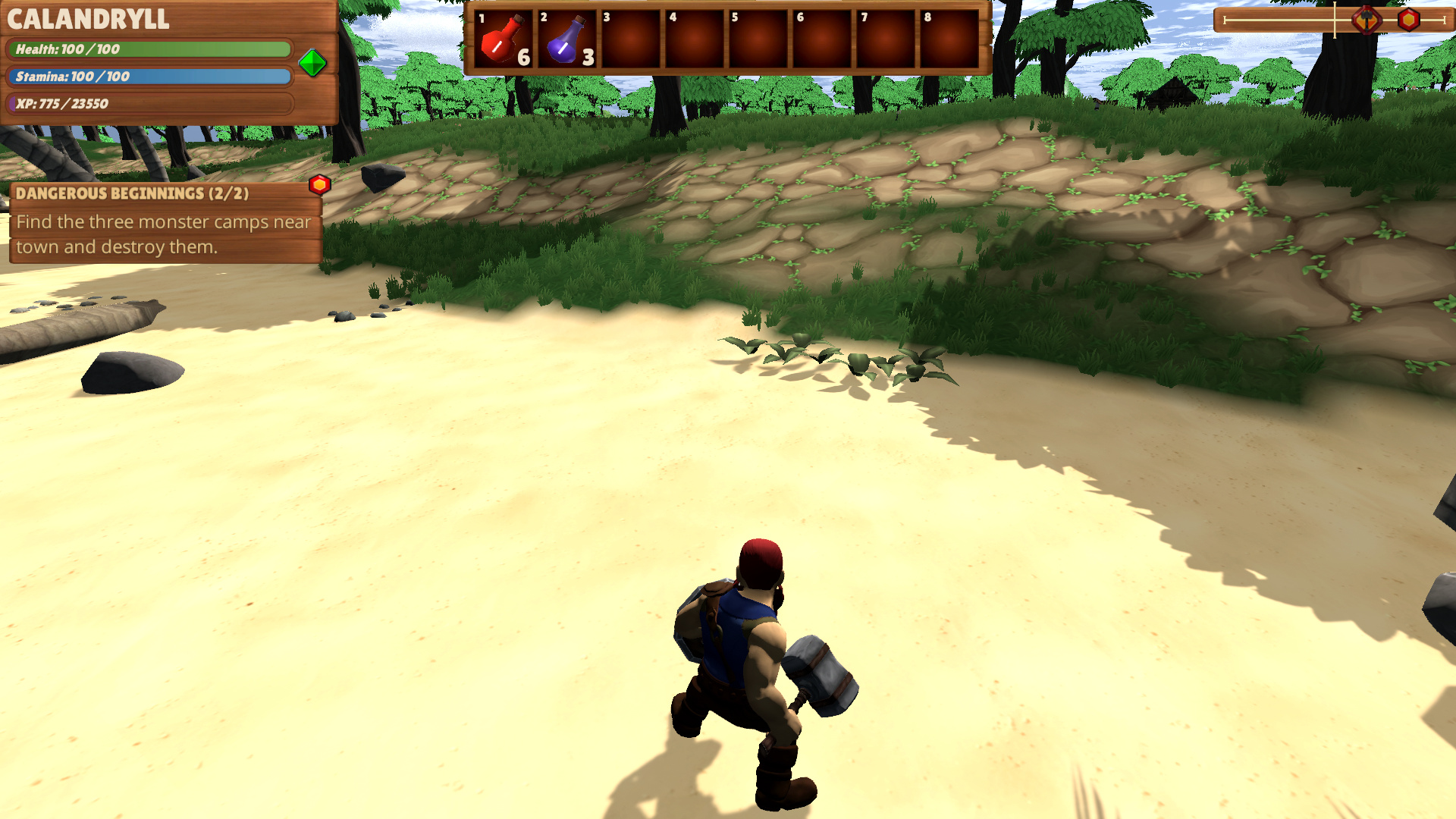
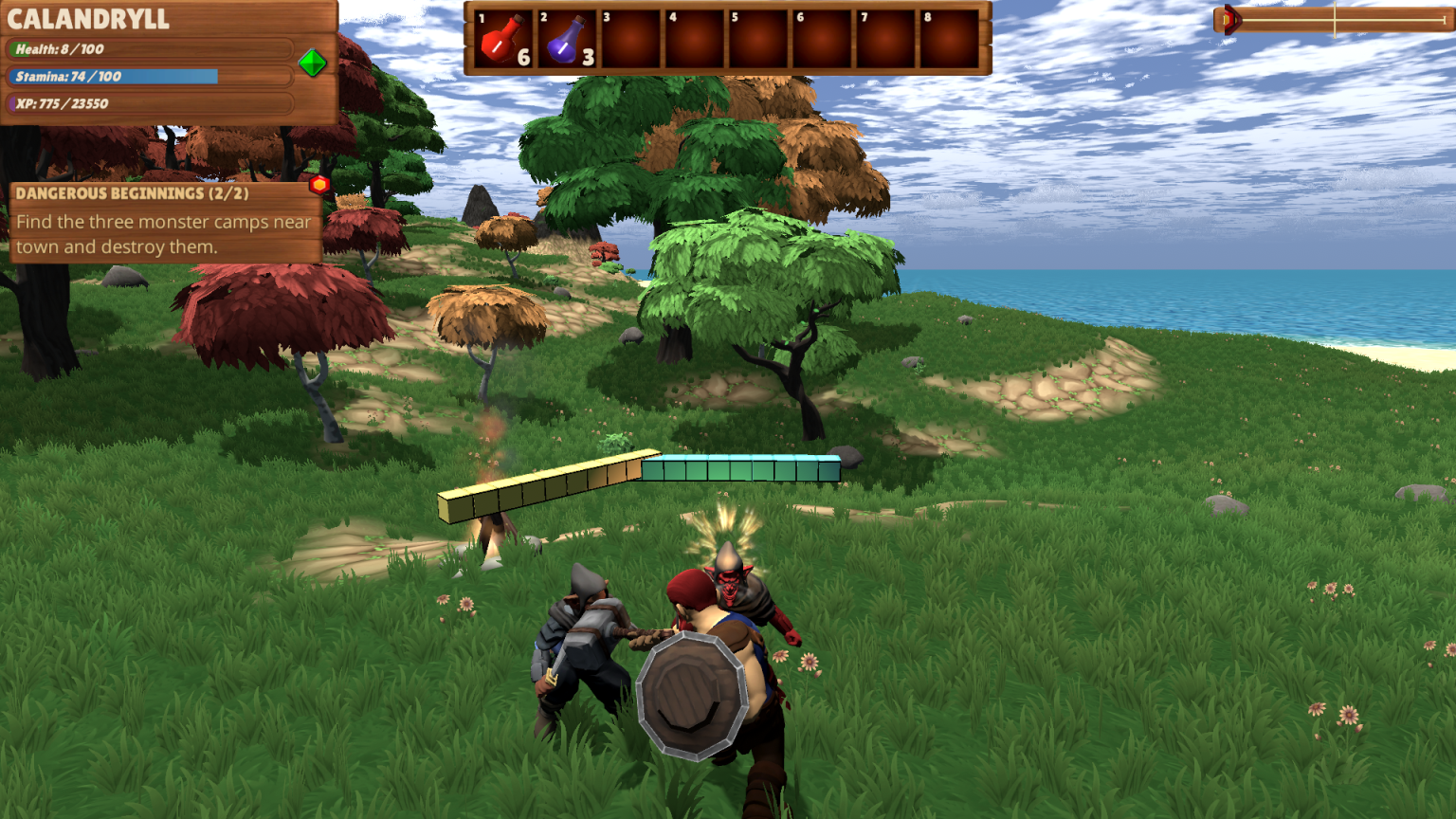
Tonight's build includes some updates and balance tweaks based on feedback in addition to some changes to the new content.
Finished adding the quest that allows you to unlock the Lightning attack. This is the last quest I am planning to add for the content, so that part of the update is basically done!
You now auto-collect logs when chopping down trees. No more having to run around to find them.
Increased the storage capacity in Storehouses for alchemy ingredients from 33 to 64. Also increased leather from 64 to 100.
Fixed a couple of bugs in the fight against the Deep Dweller Boss.
Added the Deep Dweller Boss head trophy as the reward for the quest and increased the gold reward from 100 to 500.
Fixed a bug that sometimes caused Workers to get stuck running in place.
Created new icons for all of the new buildings.
Reduced the volume of the Deep Dweller sounds and the lightning attack hit sound.
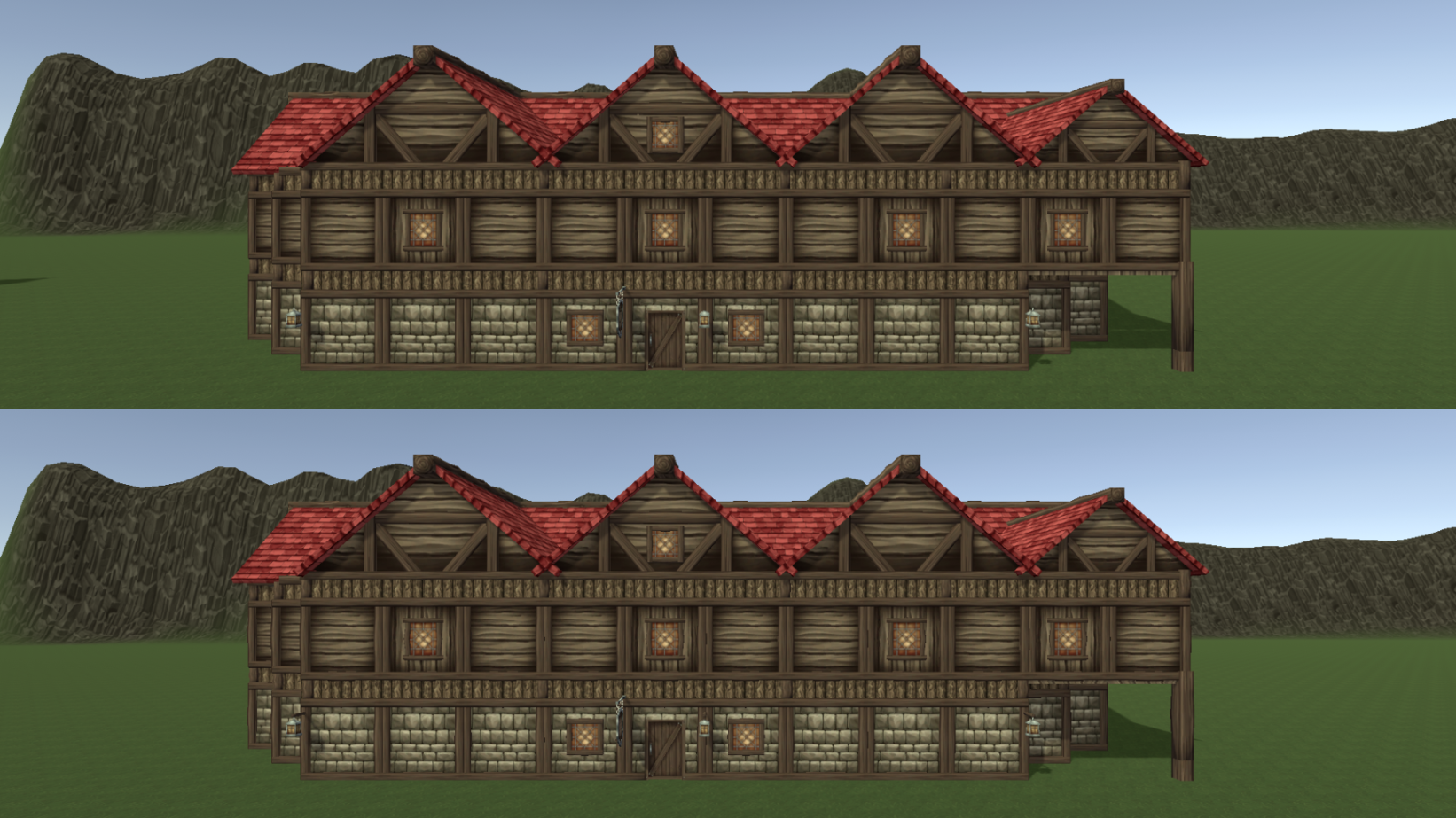
Optimized about half of the buildings. See shot below.
Added a compatibility check when loading a save. Old saves will no longer work with these builds going forward.
One of these Taverns is over 20,000 tris, the other is just over 5,000. Less tris = better performance. Can you tell the difference? :) The lower one is used when you are far away from the building. I'll be doing similar optimizations for the remaining half of the buildings this week.
This build is pretty close to being the 1.0 build. I'm mostly focused on testing and balance tweaks along with optimization at this point. If all goes well, I might release this to the main live branch for everyone to play rather than leaving it on the test branch. More on that in the next few days.
If you would like to check out the new content, you can get it by doing the following:
1. In the Steam Client Library where it lists all of your games, right click on HammerHelm 2. Click Preferences 3. In the window that opens, select the "Betas" Tab 4. Enter the password to download this build - StoryTest2021 - and click Check Code 5. You should get a message that the code is correct 6. Click the drop-down box and select BigUpdateTest
Steam should immediately start a new download with the test client. The new game should be called "HammerHelm [bigupdatetest]". Once the download is complete you can launch the game and you should see "15.3" in the title screen.
Reminder - old saves will no longer work with this or future builds. This is also true once this content is released into the live branch!
To get back to the main build:
1. In the Steam Client Library where it lists all of your games, right click on HammerHelm 2. Click Preferences 3. In the window that opens, select the "Betas" Tab 4. Choose “None” from the drop down 5. Steam should then revert back to the main client
Thank you everyone!
-Jonathan "Calandryll" Hanna jon@hammerhelm.com
My Twitter: https://twitter.com/SuperSixStudios
Discord Channel: discord.gg/soedesco
Beta 15.2 - Fixes
Tonight's build includes some fixes and tweaks based on feedback.
Fixed a bug that caused items to stack incorrectly when using a controller to move items back into your inventory from storage chests and the quick bar.
Updated the Killing Blow description to make it clear that it can occur with any attack.
Updated the combat system to remove the delay between using the Confuse skill and beginning a new attack.
Fixed a bug that caused the music to fail to restart after recovering from being reduced to zero hitpoints.
-Jonathan "Calandryll" Hanna jon@hammerhelm.com
My Twitter: https://twitter.com/SuperSixStudios
Discord Channel: discord.gg/soedesco
Beta 15.1 Test - Champion's Home Customization
Today's update includes the ability to customize the walls of the Champion's Home. There are 8 choices including the starting stone. You can customize each level of the house separately.
Stone and stucco options require a stonemason, the two wood options require a carpenter, and the marble requires the new Trading Post.
There are also four texture choices from the original textures available to Early Access players.
This build also includes some additional updates.
Updated the Stronghold NPCs so they have different hair and beards.
The Deep Dweller Boss can now give himself both buffs at the same time.
Added the Deep Dweller Head Trophy to the loot drop of the boss fight.
Regular Bloodblossom is now stored in the Storehouse rather than Pure Bloodblossom.
Added a sound to opening and closing doors in the town.
If you want to check out this test build you can follow these instructions:
1. In the Steam Client Library where it lists all of your games, right click on HammerHelm 2. Click Preferences 3. In the window that opens, select the "Betas" Tab 4. Enter the password to download this build - StoryTest2021 - and click Check Code 5. You should get a message that the code is correct 6. Click the drop-down box and select BigUpdateTest
Steam should immediately start a new download with the test client. The new game should be called "HammerHelm [bigupdatetest]". Once the download is complete you can launch the game and you should see "15.1" in the title screen.
Again, this build isn't really compatible with current saves so be careful if you load an existing save to check our your town in the new look.
To get back to the main build:
1. In the Steam Client Library where it lists all of your games, right click on HammerHelm 2. Click Preferences 3. In the window that opens, select the "Betas" Tab 4. Choose “None” from the drop down 5. Steam should then revert back to the main client
-Jonathan "Calandryll" Hanna jon@hammerhelm.com
My Twitter: https://twitter.com/SuperSixStudios
Discord Channel: discord.gg/soedesco
Beta 15.0 Test - Town Update and More
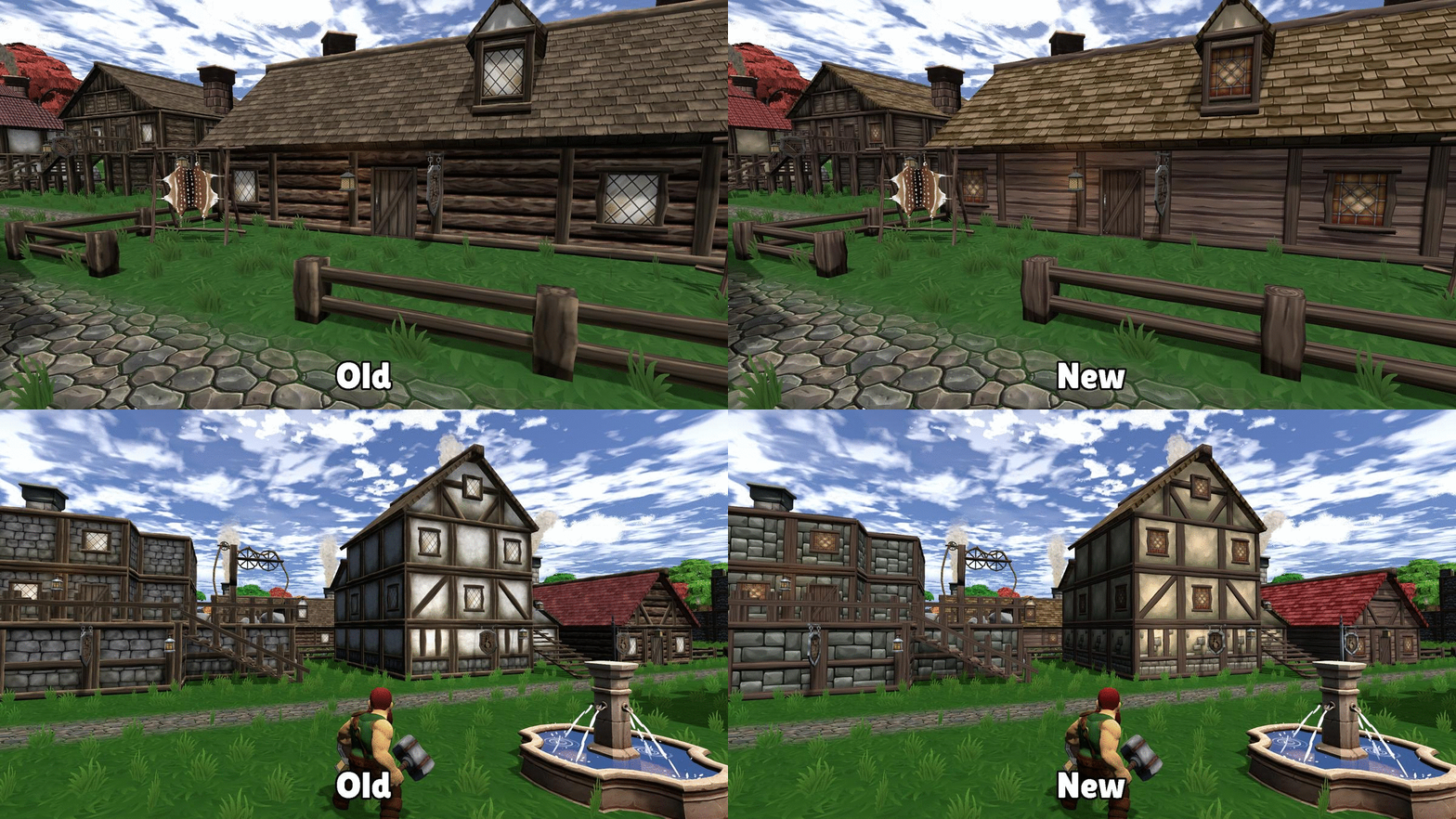
Today's build is a big one and it includes a a full texture update for the entire town! The old graphics didn't really match the game anymore and were always a bit dingy looking to me. The new textures are cleaner and hopefully create a more cozy and inviting look.
This update is pretty close to the 1.0 build as far as content goes. There are still some things I want to do before locking it down, which I will list at the end of this announcement, but the core of what makes up 1.0 is here. Now on to the images!
A quick before and after for the town:
Note everything has been updated, from the walls, to the roofs, even the windows. There are two different stone brick looks (plus the new marble look), two wood, and two stucco. The lanterns and chimneys have also been updated. Even the chimney smoke has been changed!
The walls and towers stone
The Champion's House. I'm probably going to change the champion home upgrade system a bit to allow for all of the new stone, wood, and stucco looks. Maybe even some mix and matching. Maybe. :)
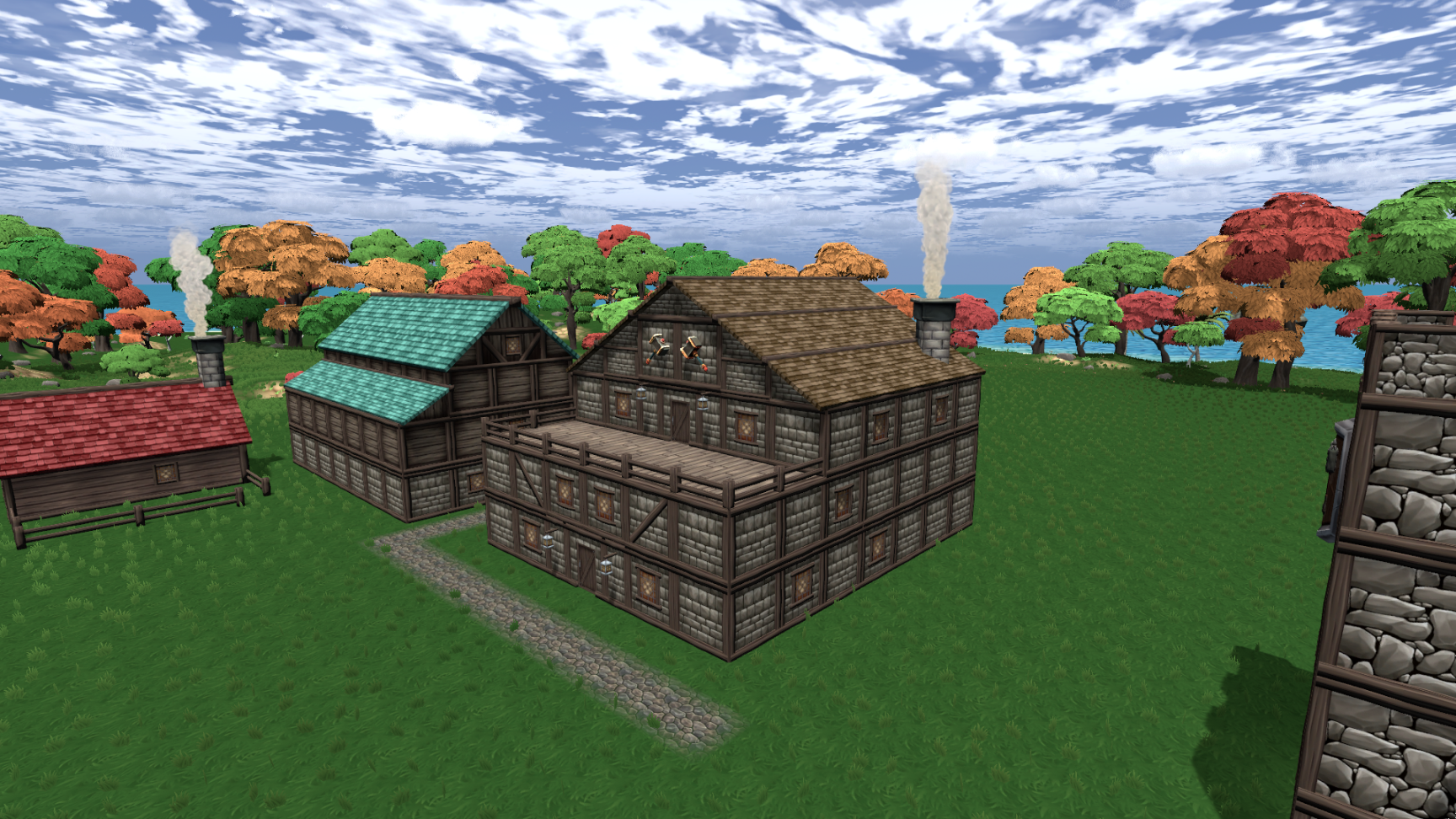
And the new Marble House! Note the roof, windows, and door are different as well.
You can't see it but I've also optimized a bunch of the buildings as well. I'll be doing more of that over the next week or so.
If you want to check out one of your existing towns in the new look you should be able to load your save and take a look. The save won't work for playing and advancing, but you'll be able to look around the town. Just make a back up of your current save so it doesn't get corrupted. Also, the Champion's Home can't change it's look until I update the system to use the new texture. I plan on leaving the original textures as options as part of the Early Access Rewards.
This update also includes a lot more. Next up, a new building management window for things like roof colors and upgrades. I also updated the instructions UI to use larger text and only show commands based on the mode you are in.
Larger Instructions. And the road placement tool is a button now!
The building management UI. You can also move buildings with this UI in addition to the mouse click to pick up buildings and skip this window.
Road Placement Mode. Once again the UI to the right updates to show me the commands I can use in this mode.
One thing to note is I haven't tested the new building stuff with a controller yet. Will be doing that tonight.
The Stone Fountain now has streams of water and a sound effect. I think Nika is going for a drink! (Funny aside, in the test build I sent to Soedesco, I forgot to make the fountain sound a 3D sound, so it played constantly at max volume even from across the map. Oops!)
This build also includes some other changes and updates:
Drawves will never have two negative traits. In the live build there is a small chance of that, but it just never felt fun and didn't create interesting choices. I might migrate this change to the live build today or tomorrow as well.
Added another quest to specifically allow you to get the lightning attack as part of the Stronghold quest. You also get a free skill point to ensure that you can unlock it.
Stone Houses can be upgraded to Marble Houses after finishing the Stronghold quest. You can't directly place a Marble House although I might add that.
Fixed a few things and tweaked a few things related to the Stronghold Quest.
This is what I have left on my list. I may not get all of this done so the usual grain of salt applies. :)
Add a UI to explain all of the rewards from finishing the Stronghold Quest.
Allow customization of Champion Home in the new system.
In addition to the lanterns lighting up, make the windows in the buildings light up at night as well.
Update the Stronghold NPCs so they don't all have the same beard and hair style.
Add some more decor to the Stronghold.
Change up some more of the buildings to use different parts of the new texture.
Add a special ability to the Deep Dweller Boss. Right now I'm thinking he can self buff
both* buffs at the same time. He'd be the only enemy that can do that. And also possibly a big special attack.
Change the storehouse to store regular bloodblossom, rather than pure bloodblossom. This is causing confusion and makes more sense since the Herbalist makes the regular kind.
Add a sound when opening a town building door.
Allow workers who are quarrying stone to sometimes find Marble once you have unlocked it.
Update the rest of the UI to ensure readability.
And of course fix any bugs and continue to optimize the buildings.
Some other things as well, but those are the highlights. Most of the rest of my day today is going to be spent testing this update some more. Then tomorrow I'll work on some of the above tasks.
One last thing is the new content isn't localized yet, so it's all in English. It's set up to be localized though and will be once we finalize the text.
If you want to check out this test build you can follow these instructions:
1. In the Steam Client Library where it lists all of your games, right click on HammerHelm 2. Click Preferences 3. In the window that opens, select the "Betas" Tab 4. Enter the password to download this build - StoryTest2021 - and click Check Code 5. You should get a message that the code is correct 6. Click the drop-down box and select BigUpdateTest
Steam should immediately start a new download with the test client. The new game should be called "HammerHelm [bigupdatetest]". Once the download is complete you can launch the game and you should see "Beta 15 - test" in the title screen.
Again, this build isn't really compatible with current saves so be careful if you load an existing save to check our your town in the new look.
To get back to the main build:
1. In the Steam Client Library where it lists all of your games, right click on HammerHelm 2. Click Preferences 3. In the window that opens, select the "Betas" Tab 4. Choose “None” from the drop down 5. Steam should then revert back to the main client
Would love to hear your thoughts on the new content and the new look!
Thank you everyone!
-Jonathan "Calandryll" Hanna jon@hammerhelm.com
My Twitter: https://twitter.com/SuperSixStudios
Discord Channel: discord.gg/soedesco
Beta 14.8.20 - Food Changes and Fixes
Today's update includes some fixes for bugs reported by the community and a change for how food works.
Fixed the bug that caused the Gazebo quest to fail to advance when getting the Missing Saw. Note if you have multiple Missing Saws after completing the quest after this fix, they will all get cleaned up and removed when you turn in the final quest.
The Tavernkeeper will now always stay at his/her job at the Tavern.
After getting some feedback I also made some changes to how food works. Previously the Dwarves in your town would all eat once a day and consume 10 food each. This would cause a sharp drop in food often resulting in the negative alert about being out of food.
After this change, Dwarves now eat four times a day, consuming 2 food each time. This reduces the total food consumed per day to 8 per Dwarf. Note "hungry" Dwarves will eat 3 food per day and the Dwarf who has the Apple Tree (after you complete that quest) only eats 1 food per day. This change should reduce the chance of a single meal time reducing you to zero food.
In general you'll want to have about one cookhouse per 12-14 Dwarves.
Thank you everyone for the bug reports, suggestions, and feedback! I'm still on track to release the new test build this weekend. I can't wait until you all see it!
-Jonathan "Calandryll" Hanna jon@hammerhelm.com
My Twitter: https://twitter.com/SuperSixStudios
Discord Channel: discord.gg/soedesco
Beta 14.8.19 - Fixes
Tonight's build fixes some bugs found in the main live branch.
Placing roads now correctly requires a Stonemason.
A bunch of fixes to the system that adds quest items to your inventory. Including fixing the Missing Saw quest so it advances when you get it.
Clicking and dragging from an empty Quick Slot will no longer create a white square "null" item.
The cancel button on the controller (B for Xbox) can now be used to cancel building placement.
Fixed a bug that caused placing Stone Towers to get stuck in build mode.
Logs from chopped down trees are far less likely to fall through the world. If they do, they will auto-collect so you always get them.
I'm also working on a pretty big update to the test branch, including something I haven't mentioned yet but I think you will really like! I'm hoping to release it early this weekend.
-Jonathan "Calandryll" Hanna jon@hammerhelm.com
My Twitter: https://twitter.com/SuperSixStudios
Discord Channel: discord.gg/soedesco
Beta 14.9.17 Test - Clothing Optimization and UI
Tonight's test build includes an optimization for clothing hueing and some UI updates.
Tunic Hue Optimization The tunic hueing system is now using something similar to the roof hueing system. Basically this greatly reduces the number of individual textures that have to be loaded into memory for all of the shirt color options. Previously the male and female characters had separate and different color options. With this system they have access to all colors equally. Also added a couple more colors choices.
UI Updates This build has some more of the UI updates I mentioned in the roadmap to help make things easier to read. The biggest change is to the main town resources UI that appears at the bottom of the screen when you are in your town boundaries.
This UI also now shows the amount of white and black marble your town has. The main bar at the bottom is the same height as the previous version while allowing for larger text and the two new resources. There are now 36 resources!
More Skill Effects Effects for when the Lumberjack and Quarrying skills work.
This build also includes some other tweaks and fixes.
Fixed an issue that caused the Goblin Lightning attack to cause damage even though it didn't hit you.
Very low level monsters will no longer carry shields.
Monsters with shields are less likely to block again after stopping their block stance. They were doing it too often and block spamming isn't fun.
Fixed a bug that caused monsters who can self-buff to give themselves buffs over and over again. Cheaters!
If you would like to get the test branch, you can do the following:
1. In the Steam Client Library where it lists all of your games, right click on HammerHelm 2. Click Preferences 3. In the window that opens, select the "Betas" Tab 4. Enter the password to download this build - StoryTest2021 - and click Check Code 5. You should get a message that the code is correct 6. Click the drop-down box and select BigUpdateTest
Steam should immediately start a new download with the test client. The new game should be called "HammerHelm [bigupdatetest]". Once the download is complete you can launch the game and you should see "Beta 14.9.17" in the title screen.
VERY IMPORTANT - You must use a new character even if you created one on the test branch already. The new clothing hueing system isn't backwards compatible.
To get back to the main build:
1. In the Steam Client Library where it lists all of your games, right click on HammerHelm 2. Click Preferences 3. In the window that opens, select the "Betas" Tab 4. Choose “None” from the drop down 5. Steam should then revert back to the main client
Thank you everyone!
Beta 14.9.16 Test - Various Improvements
Tonight's build has a variety of improvements for the new stuff I've added over the past few days.
You can now reset the controller buttons back to the default settings.
The lightning from the Lightning attack will now follow the terrain rather than fly directly at an enemy.
Added the auto-face during combat toggle to the settings screen.
Added an alert when new trade goods are delivered.
Fixed a couple of bugs with opening the Trader's UI.
-Jonathan "Calandryll" Hanna jon@hammerhelm.com
My Twitter: https://twitter.com/SuperSixStudios
Discord Channel: discord.gg/soedesco
Beta 14.9.15 Test - Jumping, World, and Combat Polish
Today's build includes some quick improvements and polish to the combat update as well was some other parts of the game.
Added a button to settings to reset the key binds back to default. I'll be adding a button to do this with controllers as well.
Updated the chance for the killing blow skill to occur. It was happening way too often.
Increased the camera shake for regular attack hits by a little bit and for powerful hits (like the Hammer Power Attack) by a lot.
Updated the riches and luck skills so they don't both happen at the same time.
Polished up the areas of the map where the grass and sand transition (see shots below).
Added an additional animation to handle when the character jumps from a height and hasn't touched the ground before the jump animation ends. Right now the character will run in the air, which looks kind of goofy. Also added some momentum loss when falling. See gifs below.
Old grass to sand transition. So many right angles!
New grass to sand transition.
Old falling jump.
New falling jump.
To check out the test build:
1. In the Steam Client Library where it lists all of your games, right click on HammerHelm 2. Click Preferences 3. In the window that opens, select the "Betas" Tab 4. Enter the password to download this build - StoryTest2021 - and click Check Code 5. You should get a message that the code is correct 6. Click the drop-down box and select BigUpdateTest
Steam should immediately start a new download with the test client. The new game should be called "HammerHelm [bigupdatetest]". Once the download is complete you can launch the game and you should see "14.9.14" in the title screen.
VERY IMPORTANT - make a new character so you can get skill points in the new system - don't use an existing save with this update.
To get back to the main build:
1. In the Steam Client Library where it lists all of your games, right click on HammerHelm 2. Click Preferences 3. In the window that opens, select the "Betas" Tab 4. Choose “None” from the drop down 5. Steam should then revert back to the main client
-Jonathan "Calandryll" Hanna jon@hammerhelm.com
My Twitter: https://twitter.com/SuperSixStudios
Discord Channel: discord.gg/soedesco
Beta 14.9.14 Test - Combat and Skills
This is a big update with a lot of screenshots and gifs, so buckle up! :)
Today's update includes the big update to combat and skills. It also includes the Trading System
Basic Combat
The controls for basic combat remain the same, but there are some updates and changes of note.
The hit particle is now larger and higher up on the monster to be more noticeable. There is also a slight camera shake and some new sound effects for when you hit monsters.
Speaking of getting hit, I've made it more obvious when you get hit as well. A more noticeable camera shake, a bigger particle, and a better sound.
Monster Attacks
Monsters have also learned some new tricks. Including spellcasters giving buffs to their allies and monsters blocking attack with shields. Some enemies can even buff themselves, without the need for a mage. There are ways to counter these abilities that I'll talk about in the Special Attacks section. When a monster gets a buff you will see an effect play on them and an icon is added to their healthbar.
A Goblin Mage casts an attack buff. Note the Goblin Grunt's healthbar now has an indicator to let me know he's got the buff.
Hit by a Goblin with an attack buff. Note that the hit particle matches the buff effect that the Goblin had. And of course the damage is higher! A good reminder to be more careful with this one. The Goblin mage is powering up his lighting attack, which you'll notice is now much larger than the current effect. The camera shake is a bit bigger as well.
These next two shots show the defense buff spell. In the second shot, the defensive buff effect appears on the Goblin to remind me that, while he did take some damage, his protection lowered it.
Special Attacks
So now that monsters can do more, it's only fair that you can too! The new attacks, Lightning, Confuse, and Shield Break are in this update as well!
The four active attacks (Power Attack plus the three mentioned above) are now activated using a menu. When you press the Special Attack key (default R on keyboard, middle mouse button, and B on XBOX controller) you get presented with the UI. When this UI is open, time is slowed down a lot, giving you opportunity to make your choice.
In the above shot all four skills are available since I have learned all of them. However this won't normally be the case as the skill also has to be valid to appear. So for example, if you open the Special Attack UI and a monster is not actively blocking, then the Shield Break icon wouldn't appear. Likewise if your target doesn't have a buff, then Confuse Attack Icon wouldn't appear.
You make your special attack choice with either WASD, the arrow keys, or D-pad on controller.
So what do you do when a Goblin is blocking your attacks with his shield? Take it away from him with the Shield Break attack of course!
Here, this monster has a buff. So when I open my special attack UI, the confuse skill is available.
Hit with the confuse attack, the Goblin loses his buff and is stunned.
And the lightning attack with special guest appearance from one of the new monsters - the Deep Dweller Grunts.
Every special attack has it's own effect and sound to go with it. If you don't have enough stamina to perform a special attack, the menu will not open, and the area around the stamina bar will blink red.
With this update, I wanted combat to be more interesting and give you some more choices, without building something super hardcore or punishing. I'm still balancing some things, especially stamina use, so expect another update or two as I test more.
Other Skills
But there's more! Many other skills have been improved with effects and sounds - replacing the current, flat flying text that I never really liked anyway. These effects also use the same icon as the skill to help reinforce what's happening.
Killing a Goblin and the Killing Blow skill activates, regens my stamina and special attack cooldown!
A goblin reduces me to zero hitpoints, but Second Wind activates and I'm back with 30% of my health!
Opening a treasure chest and the Luck skill activates!
And opening another chest, this time Riches activates!
My goal is to make more of these effects for the other skills, such as Lumberjack, Nimble, and any others that have a chance to activate.
Trading
This update also includes the activation of the Trading System. After completing the Stronghold quest you'll get a new quest to build a Trading Post. Once built, one of your friends from the Stronghold will join your town and automatically take on the job as Trader.
New goods arrive for trade every day in the morning when the lanterns in the town turn off. I'll also be adding an alert to let you know when they have arrived.
If you made it this far, I hope this update seems exciting to you. I had a blast developing all of this stuff! If you want to check out the new combat, skills, and more - grab the test build!
1. In the Steam Client Library where it lists all of your games, right click on HammerHelm 2. Click Preferences 3. In the window that opens, select the "Betas" Tab 4. Enter the password to download this build - StoryTest2021 - and click Check Code 5. You should get a message that the code is correct 6. Click the drop-down box and select BigUpdateTest
Steam should immediately start a new download with the test client. The new game should be called "HammerHelm [bigupdatetest]". Once the download is complete you can launch the game and you should see "14.9.14" in the title screen.
VERY IMPORTANT - make a new character so you can get skill points in the new system - don't use an existing save with this update.
To get back to the main build:
1. In the Steam Client Library where it lists all of your games, right click on HammerHelm 2. Click Preferences 3. In the window that opens, select the "Betas" Tab 4. Choose “None” from the drop down 5. Steam should then revert back to the main client
With this build, the loin's share of the big gameplay updates I wanted to make before the 1.0 release is done. Still have some minor tweaks and other updates that aren't tied to gameplay directly that I want to get in as well as some more optimizations. More news to follow as things progress!