

Hellion
Rise And Fall Of Never Never Land
https://youtu.be/quGamgod4Fs
Craftwork Update is Now Live!

Your feedback is of great importance for the development of Hellion. That’s why we’ve installed a new feedback tracker which can be accessed here: http://feedback.zerogravitygames.com/
Before submitting your ideas, be sure to follow the instructions: https://goo.gl/PJAc3n
Also, we invite you to join Hellion community on Discord: https://discord.gg/hellion
Fly safe,
Zero Gravity team
Craftwork Update Patch Notes

Craftwork Update will be deployed today (Thursday, March 1). Servers will be down from 5PM UTC/9AM PT until 6PM UTC/10AM PT. Servers will be wiped to ensure proper patch deployment.
For private servers:
Update your server and game client
Delete save files
New Features
Crafting mechanic - starting with the Craftwork update players will have the option of crafting any piece of equipment in the game, from parts and warp cells to suits and turrets. Crafting is only possible from the new Fabricator module and requires new crafting resources alloys, carbon fibers and circuits as well as old refined resources.
- Crafting resources can be obtained by placing existing items in the Fabricator’s recycling unit. Note that recycling items will yield only a fraction of their manufacturing cost.
- New “scrap items” added. These items can only be found on derelicts and will yield a high amount of crafting resources when recycled.
- Fabricator module added to the game
Volumetric Lighting - volumetric lights option can be toggled on/off from the options menu.
Major system improvements
Major improvements to airlocks, life support system, cargo interface and the security interface.
- Air added as a new resource. Air can be transferred between cargo holds and can be refined back into Oxygen and Nitrogen when needed.
- Air Tank storage added to the life support system. This tank serves as storage for pressurizing and depressurizing rooms and airlocks.
- Air Generator now produces air that is immediately stored inside the air tank.
- All rooms can now be pressurized/depressurized or vented from the LS interface.
- Players will now start suffocating when the Air Quality in a room reaches 20% instead of 0. Interface panels have been updated to account for these changes.
- CO2 filters now completely eliminate oxygen consumption of the Air Filter but slowly degrade with use.
- Airlocks now operate much faster and require a working life support to operate. Without space in the Air Tank or a working life support players will only have the option to override the airlock and vent the air.
- Changed the cargo interface to be in line with the visual changes to the -
Power Supply and Life Support interface. - Nitrogen Minerals renamed to Nitrates, Heavy Ice replaced with Regolith and Deuterium replaced with Helium-3.
- Changed all resource icons for improved visibility.
- Adding Command module to your base will now prevent unauthorized personnel from accessing any of the system panels.
- Locked all outside maintenance shaft hatches to prevent players from bypassing locked doors.
- Added Life Support and Power Supply interface panels to the Command Module.
Propulsion changes
- Warp with multiple modules. Up to 3 docked modules can now be moved at once at the cost of increased Warp Cell consumption (x2, x3, x4).
- Ship engines can now properly be used to change orbits of docked stations.
User Interface Improvements
- Added “Join Hellion on Discord” option to the game menu
- Added Gamepedia link to the game menu
- Added UI tooltips on hover for all interface panels
- Added UI tooltips for interaction points (switches, leavers, attach points, etc.)
- Added System Information help screens for all System Interface Panels
- Added new tutorial triggers and messages to the starting scene
- Replaced old loading messages with “gameplay tips”
- Other improvements
- Warp drive changes
- Door UI Decal improvement
- Different Post effects for map camera and player camera
- Helmet visor glass effect as post effect
- Removed airlock from ship’s elevator
- Localization improvements missing strings
- Elevator Indication Decals
- Anti Aliasing selection in options
- Item tooltips for recycled resources yield
- Environmental monitor added to cryopod
- CQM module scene and light optimization
- Ship shelf attach points improvement
- Borderless window
- Helmet UI improvement
- Added tooltips on/off in options
- Changed pressure value for all found modules to 0
- Power Supply light optimization
- Command Module light optimization
- Life Support light optimization
- Output_log.txt transferred to (C:\Users\USER\AppData\LocalLow\ZeroGravity\HELLION\output_log.txt)
Bugfixes
- Server client communication after login problem preventing players from equipping helmets
- Pressure hazard not showing up on doors in certain cases
- Different ship solar panel malfunction values for input and output
- Helmet radar showing premade stations as multiple modules instead of a single station
- CBM extinguisher attach points in wrong positions
- Turrets losing animations when power is turned off and on
- Keyboard options reverted after client reset
- Power supply power source list scroll not working
- Stuck on connecting to main server when choosing Russian language
- Post effects not applying when loading settings
- Wrong CBM refining and power consumption values
- Missing hotkeys for EVA suit
- Double confirmation popup when changing game Quality
- Invert mouse option not working
- Stuck at "connecting to invite" screen
- Unusable shelf in the CQM module
- English typos present in rescue ship functionality
- Station not allowing docking and targeted module list showing Outpost only
- Ship cannot warp when grappled to another ship
- Using any control panel with item under the character, causes take off as in zero gravity
- Server list - connect button icon overlapping with connect button border
- Environmental panels showing red air quality values when player is not in any danger
- Ship changing position on match velocity
- Jetpack resource consumption problem, Oxygen and Power not used when decimal number is left in the tank
- Inverted commands when moving more then one docked module
- Outpost corridor A gravity not changing after undocking
- Stations showing up as individual "invisible" undocked modules on radar.
- Ship Docking Port still Glows after Docking to AM
- ALT+TAB while in Cryopod disables Mouse Control
Zero Gravity
Hellion - One Year Anniversary!
Today is a very special day for Hellion, as it marks its birthday, so to speak. Exactly one year ago, Hellion embarked on its journey on Steam Early Access. It is said that every great journey changes you and Hellion was no exception. The game had changed a lot during the past 12 months and we want to make a short retrospective about these changes.
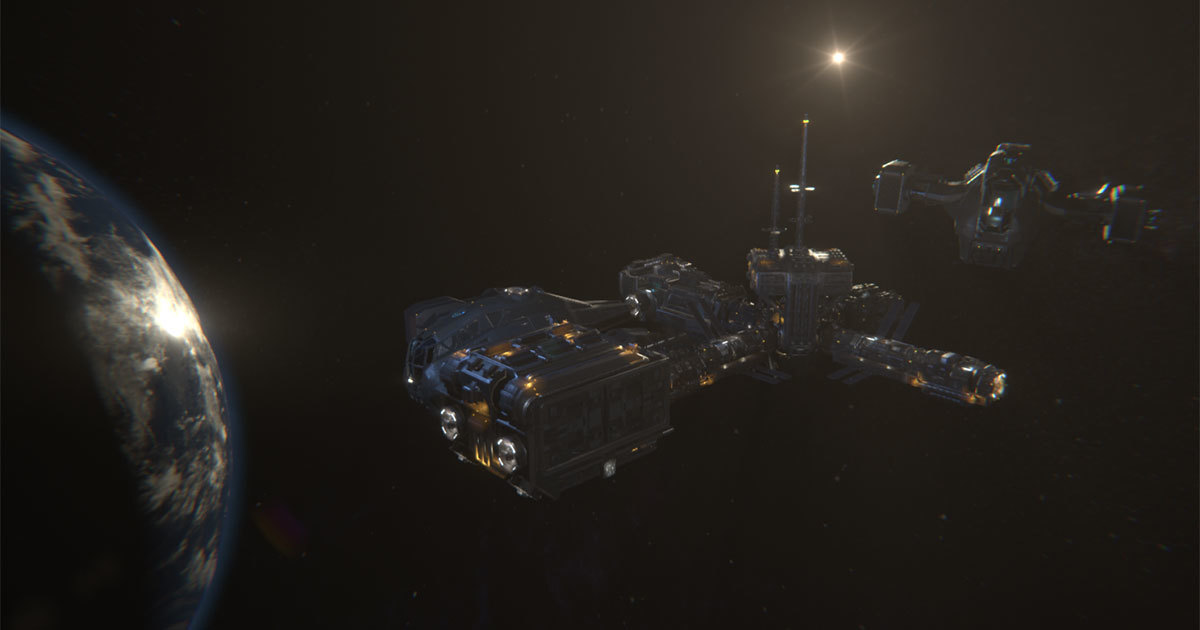
No one can deny that Hellion had a rocky launch day on February 24th, 2017. Its rusty feel, scarry environment and unforgiving gameplay weren’t for everyone and bumpy warp jumps certainly didn’t help much. That’s why the Zero Gravity crew did everything we could to improve the experience and make it more comfortable in the following days. We’ve seen many mechanics change and improve, user interface getting better and a lot of new features. Hellion saw nineteen updates since then, with the twentieth coming out next week.
After a year of orbiting around planets and moons, with thousands of “crashes into planets”, millions of looted stations and tons of oxygen used up, there is one thing that we as the developers consider the game’s greatest achievement - the Hellion Community. You guys, you are incredible! We had always hoped to get quality feedback from the community, but this became something more than that. This is an example of cooperation between devs and players. Everyday we read your bug reports, we talk about your suggestions and ideas and we watch your streams and videos.
We hope to continue and improve this relationship moving forward and let Hellion adapt, grow and evolve into a great game, one that we all love and want to play. Thank you all very much for this wonderful year!
Join us on Discord: https://discord.gg/hellion
Zero Gravity team
Craftwork Update Preview, Part II

Why crafting?
Player progression in Hellion always felt a bit off, especially since the rework of the entire system mechanics and the introduction of new parts. While searching for the right parts and modules is certainly fun, failing to find that one part you really need due to RNG can be a frustrating experience. In order to lessen the RNG impact on gameplay we resorted to scattering a large number of parts and equipment throughout the derelicts and modules to ensure that players can easily find them once they’ve reached a certain zone.
While this made it easier for new players to obtain gear and upgrades it also created an overabundance of high tier parts and items for players who knew where to go and what to look for.

Another problem with the aforementioned system was that building and upgrading your base added little to the gameplay experience as it was almost completely disconnected from the core loop. In terms of improving your parts and equipment, a fully built base provides absolutely no benefit over the starting outpost.
We aim to change that with the introduction of crafting mechanics. Giving players the ability to craft exactly what they need means that they would no longer be at the mercy of RNG when it comes to upgrading their gear. However we do not want to remove the element of surprise and excitement when you do find something you weren’t expecting.
As an example, having multiple EVA helmets and jetpacks is useless until you find the suit and finding more of them just adds to the frustration. With the introduction of crafting, finding any piece of the EVA gear becomes meaningful since you will have one less item to craft. And in case you find multiple pieces that you do not need, you can break them down in order to craft the parts required to complete the set.
Needless to say this will also remove or at least severely reduce the odds of you running out of Warp Cells.
Immersion
Another issue we’ve had with the crafting system was its immersion. Simply combining some electronic parts with spare plastic by hand isn’t enough to give you a cellphone, not to mention a functional part for a futuristic spaceship. That meant that the standard and intuitive crafting system “combine item A with item B to get item C” was out of the question. We needed a system that would tie in with the rest of the game’s mechanic while also looking realistic and immersive. So... How are things made in the 24th century when you find yourself stranded almost a thousand lightyears from Earth?

Glad you asked! Introducing the Altair Corporation’s mobile manufacturing system: the AltCorp Fabricator Module ™ . This scaled-down fabrication unit comes with a large storage space, integrated cargo hold and a state of the art production unit that combines latest advancements in CNC technology with industrial 3D printing solutions. To further complement the system each AltCorp Fabricator Module ™ also features a dedicated Recycling Unit that is capable of breaking down any on-site items into base components that can be used to craft whatever is necessary.
Crafting Mechanics
As we’ve mentioned earlier, our goal with crafting was to close the core gameplay loop. In order to craft any items players will first have to gain access to the Fabricator module. This can be done in two ways: by flying to one of the premade stations and using their refining and fabrication facilities, or by attaching the fabricator module to your base. Since manufacturing items and parts is rather energy intensive you might want to upgrade your power output, or at least ensure that you have enough power stored in the capacitor.
The second part involves obtaining sufficient crafting materials by salvaging them off of various derelicts. This will require you to first strip derelicts and modules of any valuables and then use the fabricators Recycling Unit to break them down into crafting components.

In addition to regular items and parts that you will still be able to find, we are introducing a new type of item: salvage. These “parts” will be exclusive to derelict modules and will yield a high amount of crafting components when recycled, as opposed to standard items that will yield only a fraction of their production cost. Location and “danger level” of the zone will affect the number of salvageable items as well as the composition of crafting materials that you get out of recycling.

New crafting resources include alloys, carbon fibers and circuits. Alloys are fairly plentiful in all zones and represent the most basic crafting resource. Carbon fibers are somewhat less common but most basic items won’t require a large amount of them. Finally circuits are pretty rare and never needed in large quantities. In addition to crafting resources, certain items (like Warp Cells) will also require a substantial amount of refined resources.
With all the changes coming in this update we had to make some improvements to the Cargo Interface to make room for the new crafting system and to make using and transferring resources faster and easier to understand.

Finally, this weekend on Steam Store: enjoy a 25% Hellion discount while celebrating Lunar New Year!
Set your mind on the Moon and fly safe,
Zero Gravity
Craftwork Update Preview, Part I
Ok, so lets start with the Life Support system. As you all know, life support is responsible for maintaining normal breathing conditions on board your ships and stations. In order to work properly it requires power and a supply of refined resources (oxygen and nitrogen). So far life support worked with little or no input from the players leaving them with very few options when it came to base management, usually boiling down to: leave it ON, or turn it OFF.
We’ve put a lot of thought into redesigning and changing the way LS works and have done a complete overhaul of the life support UI to bring it in line with the recent changes to the power supply interface.

One major improvement to the LS mechanics is the way game handles air itself. Instead of being a magical substance inside your modules that you have very limited control over, air is now treated as an entirely new resource. Once you turn on the Air Generator it will start mixing oxygen and nitrogen to create breathable air and safely store it inside the life support’s “air tank”. Since this tank is accessible from the cargo screen, you can freely transfer air between different air tanks and cargo holds. In case you want the resources back, you can use the refinery to have it broken down into nitrogen and oxygen once again. While different air tanks store air individually, LS interface will show the combined air tank value for all connected LS systems, in the same way multiple capacitors are handled.

Second important thing is how much information and control players have over the atmosphere in their stations. The new LS interface now displays all relevant information for each system and module connected to the base. This information includes output, information about parts, power and resource consumption, as well as volume information, pressure and air quality per room.
Another big change is that pressurization is no longer an automatic process tied to the Air Generator sub-system. In order to pressurize a room, players have to simply click the Pressurize option for each room from the UI. So, no more wasting precious nitrogen on that cargo bay just because you forgot to turn off the air generator. And before some of you start raging about manually pressurizing individual rooms, you can click on multiple rooms and let the LS do its task while you deal with other things.
In addition to the “pressurize” option, players can now also choose to “depressurize” and “vent” individual rooms. Note that depressurizing the room will return the air back into the air tank. So in case you don’t have enough resources to pressurize an entire station you can depressurize any module you do not find necessary and pressurize those that you visit frequently. Or use the life support module as a makeshift airlock.
Airlock changes
Speaking of airlocks we’ve also done a number on how they work and more importantly how fast they work. Airlocks now require a functional life support system and access to the life support air tank in order to work. Once you choose to depressurize an airlock, the air will be returned to the main life support air tank. In addition, all airlocks have received a considerable boost to their air cycling speed, reducing the waiting time considerably when moving in and out.

Part of this change is the removal of the infamous “elevator airlock” that caused much grief to our players. The elevator is now just that: an elevator. All airlock functions have been delegated to the cargo airlock that now works considerably faster than before.
Security improvements
With the improvements to the Power Supply system, a number of problems related to base security came to light and changing the way security works became necessary. First major change we implemented was to tie all interface panels to the central security system.

With this simple change any unauthorized personnel will be blocked from accessing your base or ship systems. Keep in mind that this works only for systems that are actually linked to the security interface. If a module such as power supply or life support isn’t connected to the command module, anyone will be able to access it. If, however you run across an abandoned ship, or a command module that by default has a security interface, you will need to authorize yourself before gaining access to any system panels.
Another improvement was to change the command module into a proper nerve center of your base as its name implies. Once you have obtained a command module you will be able to access any of the connected systems from its command deck.

And last but not least we had decided to block outside access to all maintenance shafts in order to prevent intruders from simply bypassing all locked doors and going straight to the command module.
Finally, if all goes well during the testing phase you can expect the “Craftworks” update to hit live servers on March 1, 2018. That’s all for this blog, join us next week for the second part of the update preview when we go into the depths of the crafting system.
Fly safe,
Zero Gravity team
Development Process Update
It’s been a while since our last post and we have a lot to share with you. Today we’ll talk about the work we’ve done over the past month and what you can expect in the next Hellion update.

Development
Let’s start with the important news first, migration to Unity 2017 version. Our developers have successfully resolved all the conflicts that are simply inevitable when updating the game engine. Now our team is fully focused on stability and optimization, which remain our main task.
Apart from the general gameplay and code optimization we are also working on optimizing the modules which will result in higher frame rates. This will also eliminate a lot of problems many players have been experiencing, since framerate drop is one of the major sources of most known bugs. Improvements to collision models, geometry and light setup are all part of this process. We have also put a lot of effort into the net code optimization in order to improve server-client communication which is expected to reduce or eliminate many of the desync issues.
There is a large list of resolved bugs. One of the most annoying, the “Elevator bug” was successfully sorted out, so no more “stuck in the middle of your ship”.
Most of these improvements will find their way into the next update which is expected to see the light of Hellion before the end of February. Those that are not included will require some additional testing time and will be implemented shortly after.
New Update
What to expect? First of all, a plethora of bug fixes and game improvements. We won’t go into details here, since they will all be listed in the patch notes.
We continue importing community made images for in-game customization. If you want to see your artwork in game, do not hesitate and send your art to community@zerogravitygames.com.
Since we’ve decided to focus on optimization, we had to slightly adjust our roadmap. In terms of new gameplay mechanics, we had made a decision to push Heat and Radiation further back in favor of a mechanic that many of you wanted from day one - crafting.
Define what you need for your station improvement, get in your ship and go on a salvage run. Find scrap materials and turn them into something useful. We are very excited about this one and expect crafting to become one of the backbone features in the future.
Next on the list are the improvements to the Life Support system. These changes are in line with the Power Supply rework and should round up base building and maintenance aspects of gameplay where you upgrade individual systems in order to improve the performance and functionality of your base as a whole.
This is just an overview of our latest activity which we wanted to share with you. If you are interested in more details, visit our roadmap and check the latest changes. During the following weeks we’ll go into details about all of the new game mechanics you can expect in the next update.
Until then, fly safe,
Zero Gravity team
Let's Play - Kessler Update
This first video covers the basics and explains everything a new player needs to know once they wake up from a century long cryosleep! From basic controls and zero-g movement to warp maneuvers and custom orbits, we got you covered!
https://youtu.be/kRI0jD0acYI
Hellion, Survivor's Guide
What is known
- You have been sleeping for over a century.
- Initial colonization efforts proceeded as planned while you were asleep.
- At a certain point in time prior to your awakening the Hellion colonization project (also known as the Expedition) came to an abrupt halt due to still unknown factors.
- An armed conflict took place in the Hellion system.
- The fate of early Expedition personnel and the “Daedalus” flagship is unknown.
- Contact cannot be established with the UNE government or the corporate representatives of Altair Corporation, Skyline Defence Solutions and HADES Foundation.
- It is unclear if the distress signal was ever sent back to Sol.
- Odds of a rescue operation within the foreseeable future are close to zero.
- It is unknown how many other Expedition survivors are currently stranded in the Hellion system.
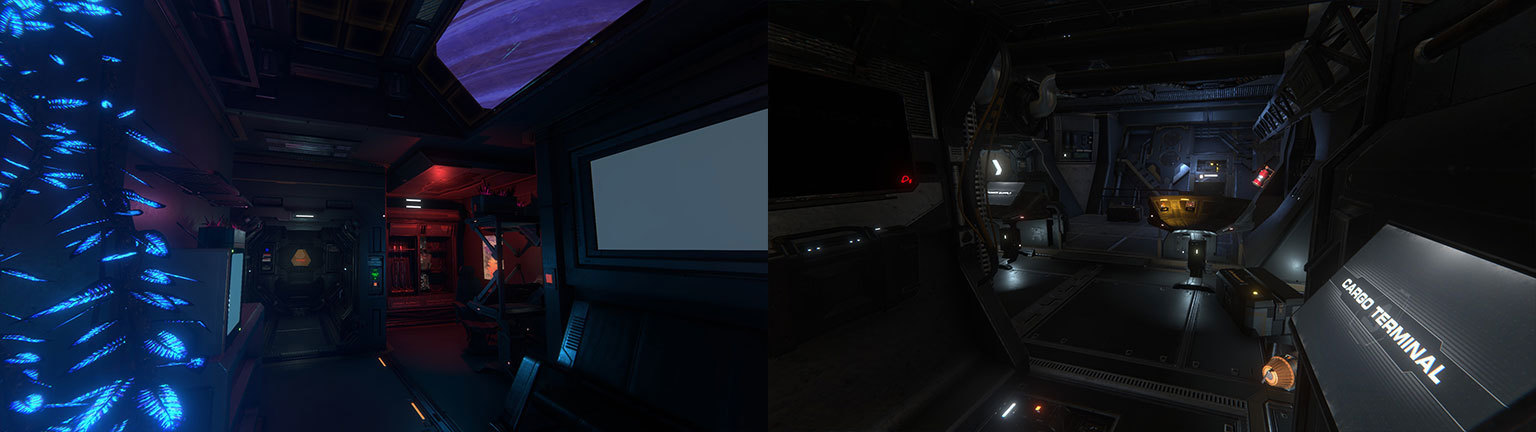
Waking up from a cryosleep can be a disorienting experience for seasoned veterans and new colonist alike, so take a moment to familiarize yourself with the interior of your Crew Quarters Module. Depending on your circumstances you might have to weather an orbital debris storm or two and repair your outpost before you can fully access all of its systems.
What to pay attention to
- Cryopod - always remember where you parked your character. Vacant cryopods in your base can be used by other survivors. Having a friend help you out is never a bad thing.
- Survival gear - always take a suit, a helmet and a full jetpack with you.
- Emergency equipment - fully loaded welder, fire extinguisher and a spare oxygen canister or two will greatly improve your odds of survival.
- Environmental monitors - check them out as they show you the current pressure, air quality and any problems that the station might be experiencing.
- Heads up Display - pay attention to your suits HUD at all times and watch out for hazards like fires, hull breaches and system malfunctions.
- Pressure hazards - in case of a hull breach or loss of atmosphere doors will not open automatically. Use manual override to open doors and make sure to grab onto the walls to avoid being knocked down or blown away by decompression.
- Main Systems - Power Supply, Life Support and Cargo are three main systems of any station.
- Power Supply Interface - allows you to manage different systems and balance out the base’s power output and consumption.
- Life Support Interface - provides air filtration and pressure regulation capabilities. All connected modules and their current status can be viewed from here.
- Cargo Interface - allows you to refuel your equipment as well as refine and manage vital resources necessary for survival. All connected modules, their system tanks and cargo holds can be accessed from this interface.
- Refinery - enables processing of raw materials into useful resources but consumes a lot of power while operational.
- Parts - provide massive bonuses for systems they are attached to and can greatly reduce system operating costs. Keep an eye out for higher tier parts and don’t be afraid to swap out parts from one system to the other depending on the situation.
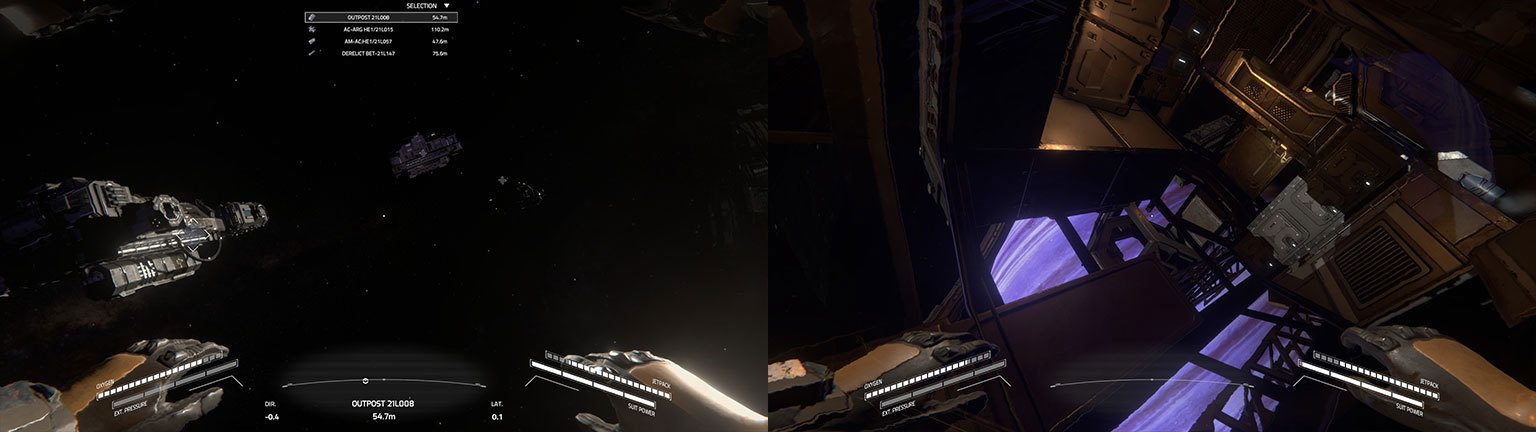
Priority for any Expedition survivor should be to restore full life support capabilities to their outpost by repairing any hull breaches and damaged systems. In case you have to go out into EVA (Extra Vehicular Activity) to repair any external hull breaches or malfunctioning solar panels you should remember the basics of navigation in zero gravity.
How to survive in the vacuum of space
- Airlocks - are the only modules that can be used to enter or exit a space station without venting precious atmosphere. Docking an airlock to your outpost is paramount for conserving resources.
- Decompression - occurs when atmosphere is vented into space. If you do not have access to a working airlock remember to use manual override to seal off corridors and sections of your base to minimize loss of atmosphere when going EVA.
- Jetpack - is the most important piece of space gear as it allows you to maneuver in the vacuum of space. Without a working jetpack you slowly quickly drift away and suffocate. Jetpack also contains your suits oxygen, power and fuel supply.
- Acceleration - occurs constantly while thrusting in any direction.
- Inertia - countering is vital to effectively move in the hard vacuum of space as all motion is perpetual since there is no air friction to slow you down. If you thrust forward for 3 seconds you will need to thrust backwards for 3 seconds in order to stop your movement.
- Fuel conservation - will help you survive for longer. Use inertia to your advantage when crossing large distances.
- Collision - in space can be extremely dangerous depending on the relative speed of two objects. Pay attention to your directional speed indicators and avoid colliding with other objects when moving faster than 5 m/s.
- Stabilize - your rotation by using jetpack or grab onto the hull of nearby modules to stop your motion.
By now you should have a solid grasp of your situation. Salvage what you can from the surrounding modules and start making preparations for moving your outpost from its current position as its orbit frequently passes through one of Bethyr’s debris fields. In order to accomplish this you will need to refine some resources, repair the ship outside of your outpost and learn the basics of ship navigation.
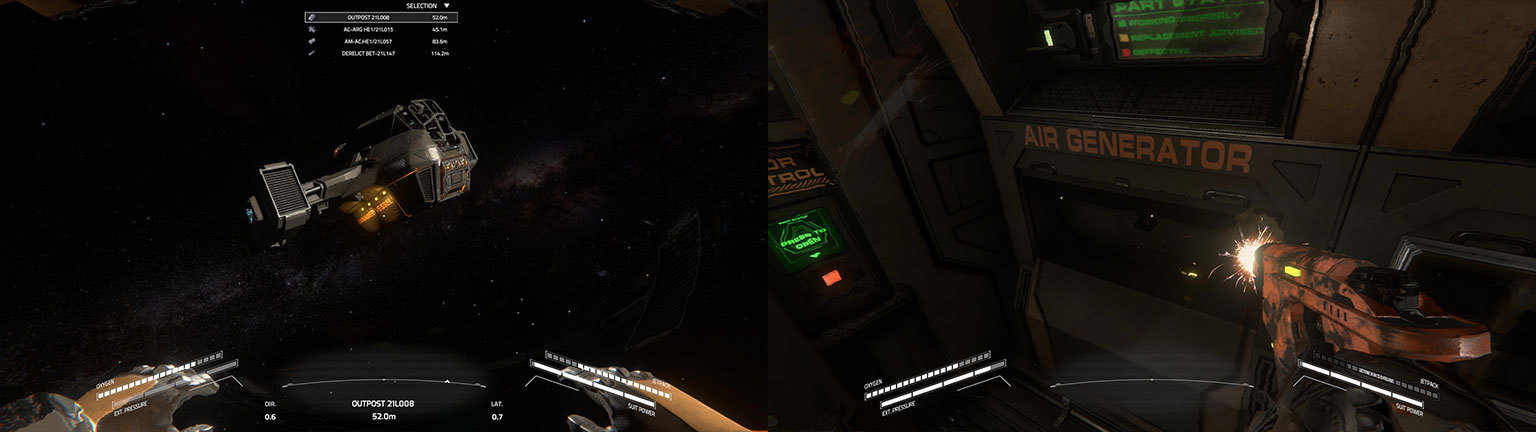
The ship functions much like your outpost having both the Power Supply and Life Support systems. In addition to two auxiliary solar panels the ship is also equipped with a small fusion reactor, powerful engines and a warp drive FTL (Faster Than Light) system. But before you access the pilot chair, make sure to authorize yourself as the ship’s captain using the security interface panel.
Due to immense distances between planets and moons most ships rely solely on FTL for travel between locations. While engines can be used to cross large distances they remain inferior to the warp drive.
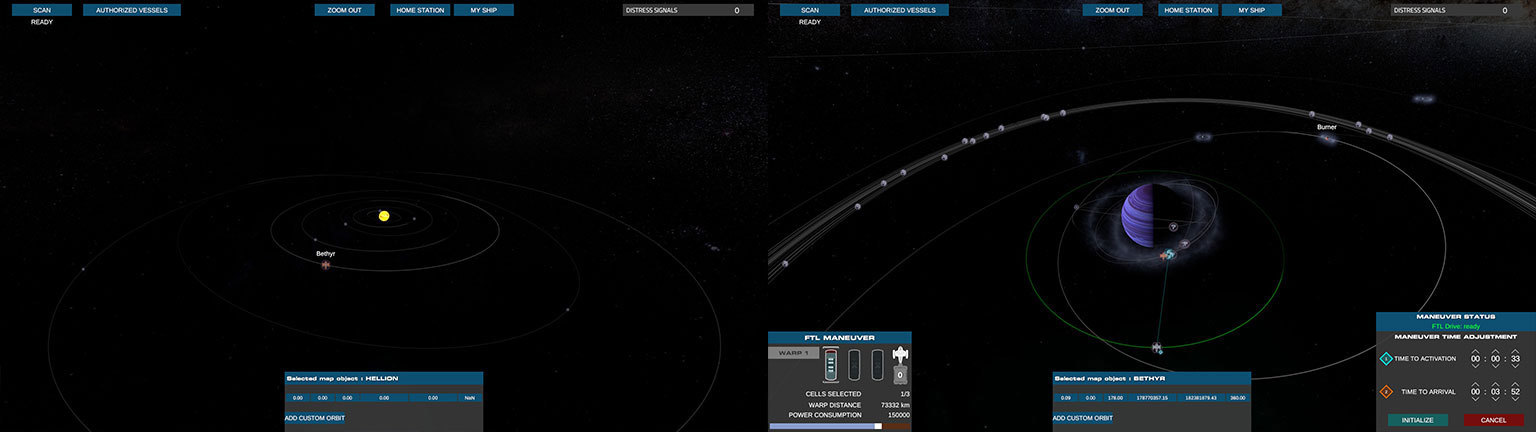
Remember that your ship can only carry a single module at a time. In order to move your outpost to a safer location you will first need to detach individual modules by using docking levers inside the connecting corridors. Then grapple a detached module using the ships docking interface. Once a module is safely grappled by your ship you can start plotting a warp jump by using the NavMap.
Navigation and Scanning tips
- NavMap - shows your current orbit and position in the Hellion system.
- Ship scanner - is the only way to accurately locate distant objects. Scanner has a limited range so change your orbit and scan again from a different location.
- Locations - of nearby scanned objects will show as points of interest on your map along with their orbital trails.
- Derelicts - are ruined modules and an excellent source of equipment, parts and other gear.
- Modules - are the building blocks of space stations. They can be towed with your ship and docked to your outpost.
- Asteroids - can be mined for raw resources to replenish your fuel reserves, oxygen and other resources.
- Debris Fields - are large orbital zones filled with deadly shrapnel and derelict modules. Try to avoid them whenever possible. If you decide to enter one of these fields on purpose make sure your ship is in good condition and that you have sufficient resources for emergency repairs.
- Warp drive - maneuvers require warp cells and sufficient power in the ship’s capacitor to execute.
- Distance - plays an important role in setting up a maneuver and directly affects warp cell fuel consumption.
- Collision - with a planet or a moon will always be fatal so make sure the line connecting your current location and desired destination is clear of any planets/moons. You may need to adjust your departure and arrival times, or execute an additional warp maneuver to get clear.
- Interplanetary travel - requires an improved warp core also known as a “Singularity Cell Detonator”. Better cores will allow you to use faster warp.
- Planetary zones - all planets and moons belong to either Civilian, Industrial or Military zones. Each zone holds specific items, upgrades and modules.
After completing your first few warp maneuvers, mining some raw resources and looting a derelict or two you should be confident enough to deal with anything Hellion throws your way. Just remember to upgrade your systems with better parts when you find them and add additional modules to your outpost. The ship may have most of the systems to keep you alive but it will not allow you to refine raw resources. Same can be said about your starting outpost, although it has all of the systems necessary for survival they are inferior to specialized modules like a dedicated life support or a cargo bay refining system.
Finally never forget that you are not the only survivor out there. You will come across others. How you choose to interact with them is up to you but it never hurts to be armed appropriately or have a sentry or two to protect your station while you are away.
Good luck colonist! Let’s hope you won’t need it.
Kessler Update is now live!

Hellion was always a dangerous place. With Kessler Update, it became deadlier than ever before. A massive orbital debris fields are out there, waiting for you and your crew. Read the patch notes here. and get ready for a new round of space survival.
Good luck!
Zero Gravity