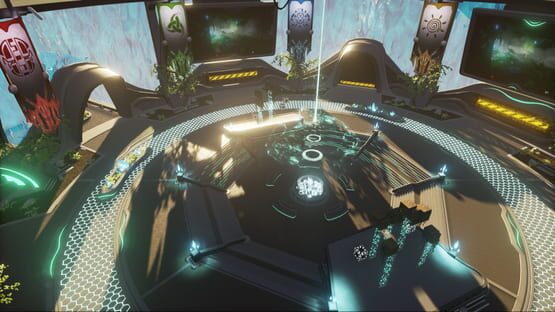

It's time for an update, isn't it? And when could we do this better than during the E3? Games are being celebrated this week so let us take part in that party-time and have some fun. We've worked a lot on Hover Cubes: Arena in the last weeks and would love to present to you the current progress. Next to several improvements, fixes and other things we've also introduced a new Cup to the game. And that means for you: More maps to play and run! Find the detailed patch notes below.

Launcher
- The Patch-Note-Categories "New, Updated, Fixed and Removed" now have matching Icons.
Balancing
- Medal Conditions simplified for all cups.
- Medal Times rearranged: Developer Time more difficult than before /
- Bronce 3x easier than before.
Round Table in Lounge
- Go to the Round Table and play our six brand new maps in Jungle Cup 2!
- Scoreboard always visible.
- Cups can only be started, when the needed maps have been unlocked. A
- Cup can be entered during online matches without the needed unlock.
Better Map Handling
- If you're playing alone, you can restart a map anytime pressing [Tab]. Attention: If you're playing an entire cup, it will be restarted completely! :-)
- If you're playing with multiple players, a request (see below) will be started.
- The old "Restart" function has been removed from the main menu.
- You can switch to the next map as soon as you've reached the goal and unlocked it.
- If you're playing a run with other competitors, but haven't unlocked the next map, another player, who has unlocked the map, can start it for you.
- If you're playing a cup with other competitors, you don't need to unlock all maps.
- If you're playing a run with other competitors, you'll start a request (see below).
- If you're playing with other competitors and are still running, but can't continue, you can surrender when in doubt. Don't worry, this won't make you surrender an entire cup.
- Return to the Lounge immediately brings you back to the Lounge. Attention: No confirmation request!
Voting
- If you want to restart with multiple competitors or move on to the next map, a voting starts, which has to be accepted by more than 50% of the players.
Loading Screens Redesigned
- The Layout has been reworked and the name of the map being loaded will be shown permanently.
- Loading Screens now show more prominent tooltips and map-specific tooltips on the Training Course maps.
Match End
- "Restart", "Next Run" and "Return to Lounge" now have an own navigation bar with more prominent buttons.
- The functions "Restart", "Next Run", "Surrender" and "Return to Lounge" will now be performed without any confirmation request.
The buttons for "Restart" and "Next Run" each show some info for the maps. - Other requirements will be shown, when the button can't be pressed.
- The new scoreboard shows your own position in the categories: Global Best (Global Best), Personal Best (Personal Best), Current Place (Current Place) and Medals (Medals).
- The Developer Medal (Awesome) is of course only visible, after you've acquired it. ;-)
- "Empty Players", who could have played, are visible in the main section of the screen.
- In a cup the total time will be shown to the left of the players.
Characters
- Titles will be shown above the players' heads.
- Title can be changed in the character editor.
- The dash-effect has been reworked.
- The character animations of the suit and skin sometimes didn't match.
F1 Info Prototype
- Pressing [F1] opens an overview of the most important game-mechanics.
Performance
- Overall better performance in the lounge and cup maps. Includes a reduction of lag spikes.
- Connectivity/Accessibility of the the servers is more reliable.
- Database- and network-dependencies have been optimized.
Others
- Small adjustments, that are connected to the above named features logically or gameplay-wise.
- Small things no-one has noticed before. ;-)