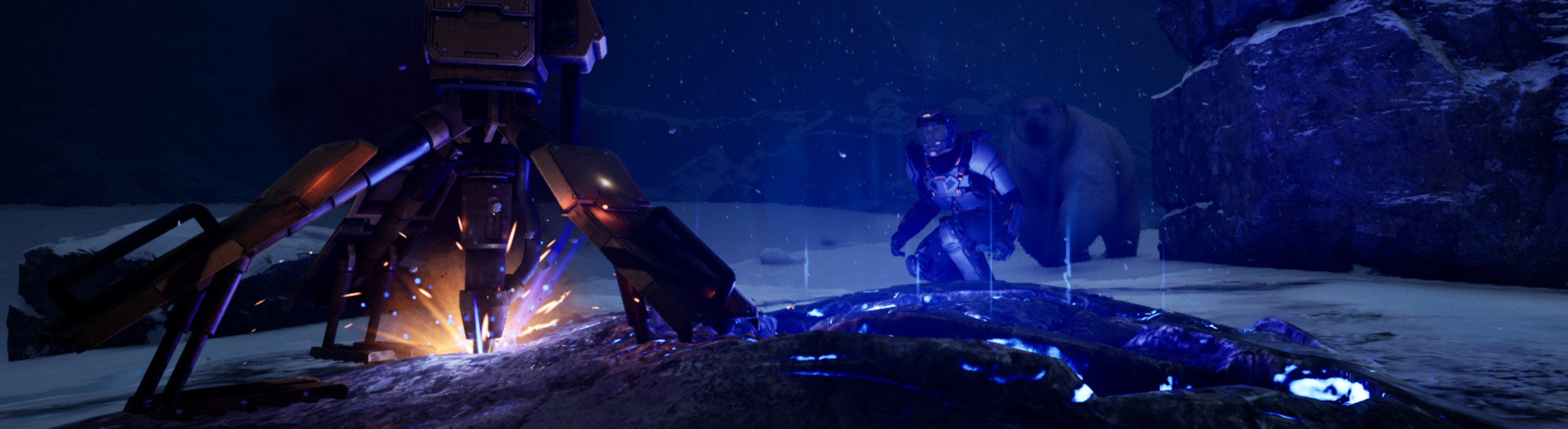
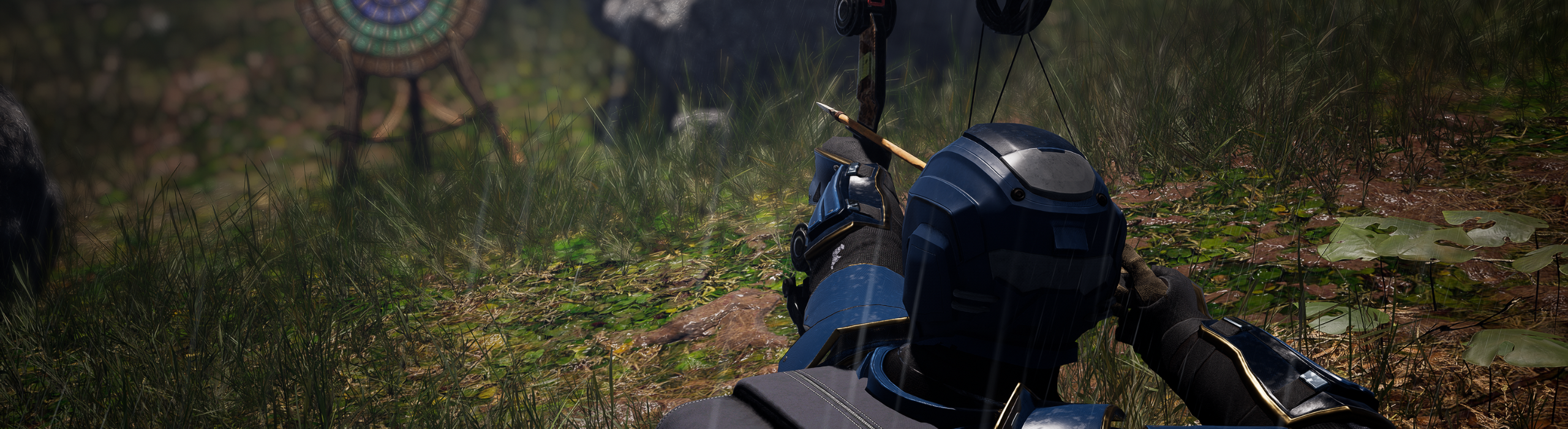
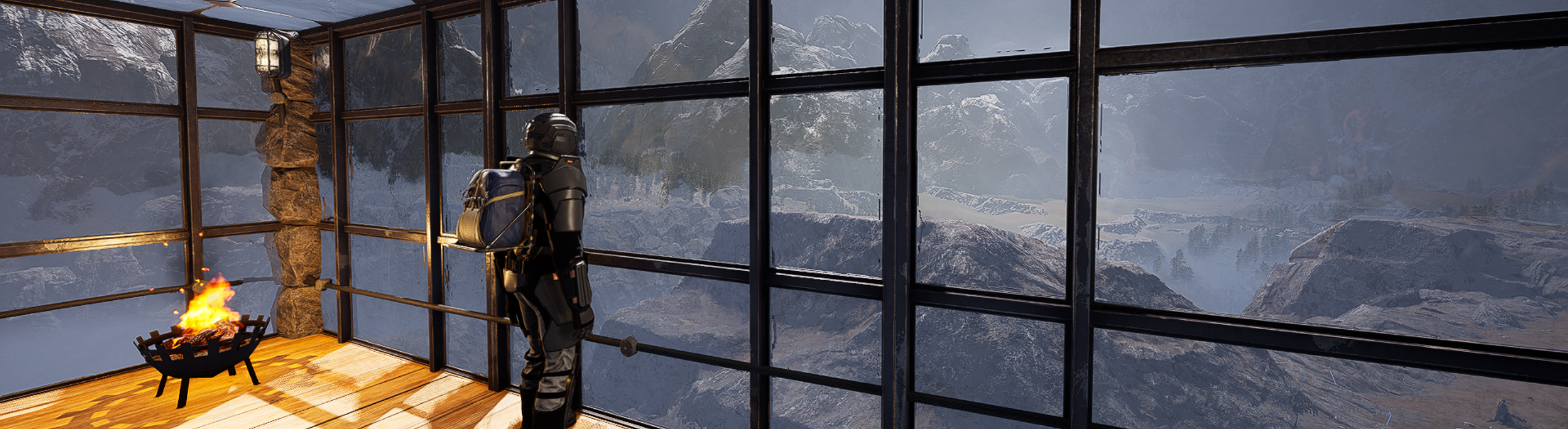
Icarus Week Forty Two Update | Tame and Ride the new Buffalo and Moa Mounts
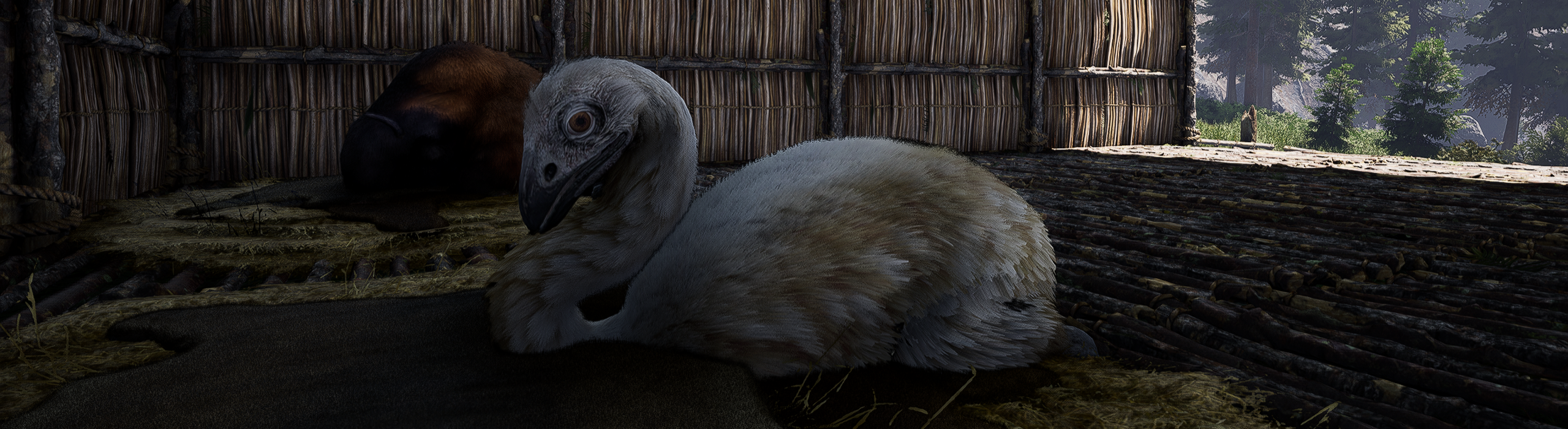
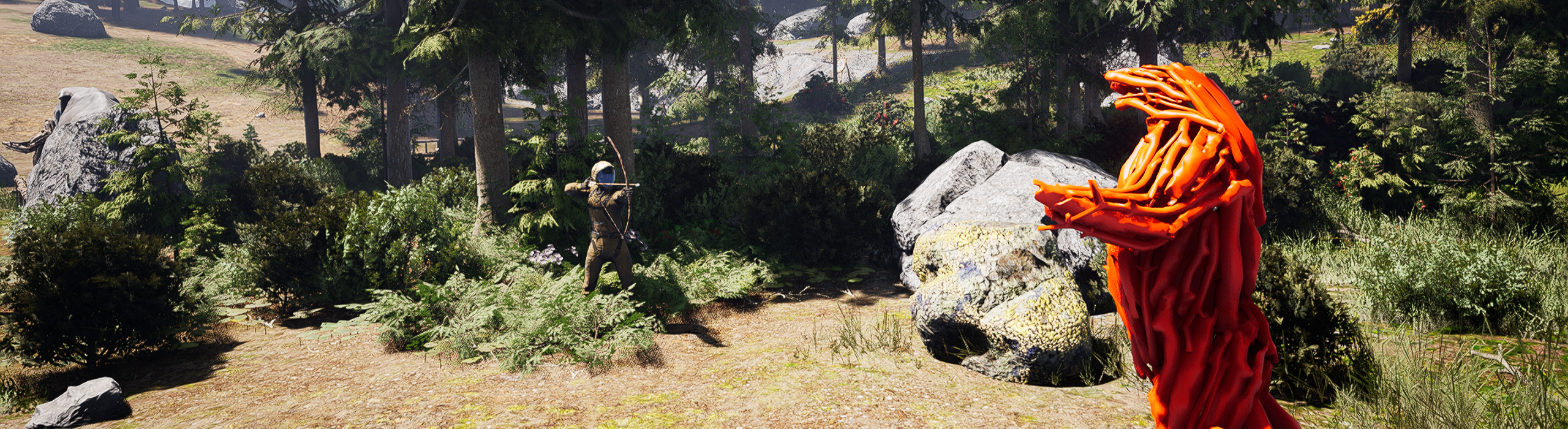
Mounts have arrived on Icarus. After much anticipation, you can now tame a furry or feathery friend and use them as a mode of transport or a pack animal to cart your goods. Choose between a Buffalo or the newly added Moa, an ancient, large, flightless bird native to New Zealand that xeno-biologists have brought back to life on Icarus.
Mounts require you to seek out a juvenile version and capture it before raising it as your own. Craft new equipment such as saddles, food troughs and bedding to care for it and take it on your missions.
Have a read of what to expect with Mounts, and get in to test out our first version of this system.
Taming your Mount
Before you can take your Mount on your adventures, you’ll need to capture and tame one.
Mounts begin as Juveniles, found with their mothers and occasionally other fully-grown adults, that need to be captured by exterminating their current parents, then taking them home with you to form the connection required for them to become loyal.
Finding a Juvenile is trickier than coming across their adult counterparts, so you’ll have to keep an eye out for them.
Make sure to exterminate any other adults in the area, as the Juvenile might run to them to seek a new parent when left defenseless. You’ll also have to protect Juveniles from nearby predators that prey on orphans.
The process to tame a Juvenile and raise it to adulthood should take roughly 15 minutes. Once you have engaged with the Juvenile, you’ll need to look after it until it is domesticated by meeting its needs (food, temperature, sleep, weather exposure). To help do this you can craft a pen to keep it close, a food trough, an animal bed and shelter.
Moa and Buffalo Mounts
The Moa and Buffalo are available to tame as Mounts from this week.
Each animal has its own benefits and limitations, but you can tame multiple mounts and choose whichever is the best for the task at hand.
Buffalo
The Buffalo trades speed for raw power and stamina, and offers the unique benefit a harness with extra storage space. While it can be ridden, using it like a ‘pack horse’ makes it incredibly valuable when mining ore, establishing new bases across the map and carting resources long distances that would otherwise have to be left behind.
While it’s not a combat Mount, the Buffalo’s headbutt attack is always available in a tight spot although it doesn’t deal a huge amount of damage.
Moa
Moa are a more agile creature and provide nimble movement at the expense of stamina and attack options. Moa are designed to be ridden and used as a form of transport, and while they do have limited storage when equipped with a saddle, they don’t offer expandable storage like the Buffalo does.
Their speed boost will allow you to evade danger, traverse landscapes and complete long missions faster. Using the Moa for its strengths will make it a valuable partner in your Icarus adventures.
Both the Moa and Buffalo are versatile creatures, and will be able to trek across any landscape, just like their owners. When tamed properly, they’ll be very obedient and can be commanded to be docile or aggressive, will swim through rivers and lakes with their owner on their back, and will follow you or stay put if commanded.
Your Mount can also be named whatever you wish by clicking on their name in the UI, but be careful not to form too much of an attachment as, in this initial version of the system, they will have to be left behind on the surface after a mission. With future content, Mounts may become a familiar friend as they persist alongside your base.
Saddles, Harnesses and more
To equip your new Mounts, you’ll need the right gear. Saddles, Harnesses, Bedding and Food Troughs can be crafted in-game and are necessary to raise your Juvenile into a usable Mount, ride it or use it as a pack animal.
The Moa and Buffalo Saddles are crafted at the Textiles Bench in Tier 2, and predominantly require Cured Leather as the core ingredient. The harness for the Buffalo is crafted on the Advanced Textiles Bench at Tier 3 and require Platinum Weave also.
The Food Trough is crafted on the Crafting Bench at Tier 2 and requires standard wood, sticks and iron nails. You can fill this with raw vegetables or a hay mix to feed your Mounts.
Bedding can be crafted on the Tier 2 Textiles Bench also, requiring fiber and fur. Make sure to place the bed near a source of warmth to help your Juvenile grow into a fully fledged Mount.
Future Content
We have big plans for where Mounts will take us in future with Mount persistence, Mount levels, a Talent tree, as well as being able to buff them in different ways with different foods. Travelling by Mount lends itself well to a new Open World mode which we have been working on. Everything going according to plan, we will share more plans about that over the next month.
As for the Data Decentralization, we are still working on some gameplay changes and are making a few more alterations to the prospect and character saving format. Specifically, this is going to allow greater control over players' loadouts, workshop inventory and what items can persist between drops, which allows us to look at the possibility of bringing some planetary resources back to station to take on another drop.
Next Few Weeks
Next week we as a studio are going to be undergoing a gaming Research and Development experiment for most of the week, playing some games, gathering data and running through various scenarios so that we can learn from them and incorporate ideas in our future projects. One of our founder Dean ‘Rocket’ Hall’s mantra is that “Games are Played not Made”, so we need to take time to research and study games together as a team. Don’t worry, we will still have an update prepared for you all next week with a revamp of some early missions and the reintroduction of creature to both Olympus and Styx that was long thought extinct.
Changelog v1.2.17.101928
New Content
Juvenile creatures undergoing taming process are now valid targets for other NPCs hostile to player
Juvenile animals now use their own custom BTs instead of using existing GOAP behaviours when taming process starts.
Improved feel of juvenile follow behaviour. Added ability to specify delayed secondary montage sections in base BTTask_PlayMontage.
Added temporary health bar UI when riding mount
Added version 2 of the feeding trough as well as proxy meshs for hay, seeds, and veggies to fill it
Parent NPCs now have child set as ProtectedActor by default if GOAP behaviour requires it. Moa are no longer fully aggressive, will only attack player if they near the moa or it's child
Added weight component to mount base, mounts can now affect building stability when standing on pieces
Added functionality to detect when GOAP NPCs are falling out of the world and clean them up correctly in this case
Add combat music setup for M creature
Added mount bed asset to the project
Juveniles and Mounts will now freeze movement / AI when the world tile they're standing on is unloaded
Adjusted geo on Mount Bed asset to accommodate placement on non flat ground
Buffalo mount is no longer able to mine voxels
Added maximum limit of 30 characters for tamed mount name
Implement talents for unlocking animal bed, food trough and saddles.
Balance recipes and weight for animal bed, food trough and saddles.
Prepare future saddles data
Added juvenile moa and juvenile buffalo carcass items
Adding in new section to Moa idle montage and decreased the anim section weighting that contains the vocalization to cut down on the repitition, added in new entry for juvenile idle so that the audio can be tweaked to differentiate it from the adult
SM_ITM_Saddle_Buffalo mesh, textures and material
SM_ITM_Saddle_Moa mesh, textures and material
Adding teenage M creature idle nip vocalisation to animation
Fixed bug where juveniles could be automatically cleaned up by the global spawn manager when their parent died. PossessedPlayers EQS Query Context now includes mounted players
Juvenile taming progress is now serialised correctly. Mounts and Juveniles now have their D_AISetup row initialised correctly on reload.
Added new generic NPC recorder component that records AISetup row and survival values
A server-wide chat message is now displayed whenever a juvenile undergoing taming is killed
Mounts can now drink from water troughs and lakes. Added new water trough item. Removed developer-only feature flag from mount/juvenile related assets. Mounts will now only search for food in food troughs instead of using the same query as Kea (all containers with food)
Added new inventory type
Moved saddles to T3 at Advanced Textiles Bench. This slight additional investment will make mounts feel less required by all players.
Renamed Basic Pack Saddle to Basic Pack Harness, to better differentiate ridable tames
Adding audio for Juve Buff to differentiate it between the main buff
Adding in full pass weighted skeletal mesh saddles for the Moa and Buffalo with physics asset setups to allow for anim dynamics
Added processor recipe and talent unlock for the water trough as part of the domestication loop, currently using the same cost values as the food trough and in the same section of the blueprint tree
Added proper pass mess for the food trough in the deployable and deployable preview, updated water trough BP to the same and swapped out the animal bedding BP mesh to the proper pass mesh
Adding M creature aggro vocals in and data table entries
Adding in Buffalo Pack harness mesh, previously called the saddle bag, and setup physics assets for anim dynamics, created copy pose anim bp and hooked up the assets to the D_Saddles data table, added in stat to D_ItemsStatic to enable for cargo use only so players can't ride on it
Added flavour text for weekly patch items
Added descriptions for weekly patch items
Mounts now act like normal NPCs when killed (ragdoll -> freeze -> replaced with corpse).
Players can no longer ride saddles if they're tagged as cargo-only.
Shifted base ragdoll logic from BP_IcarusNPCGOAPCharacter to IcarusNPCCharacter. Adjusted IcarusNPCCharacter data validation to ignore socket requirements for NPCs without SkeletalMeshes
Adding in M creature stomp sound and notify
Adding Buff jump event, adjustments to velocity differences in footsteps and landing impacts
Applied mount inventory design concept to UMG_MountInterface, added UMG_MountCommands widget, redid UMG_MountInventory and separated saddle from it into its own widget
Added version of the Food trough to use as a water trough, slightly tweaked the mesh and hue shifted the interior boards to push away visually from the food trough, hooked up int he BP_Water_Trough mesh entry
Added IsValid check to prevent warnings on getting the players state from the player seated on the mount
Adding M creature specific whoosh attack sound, adjustments and general fine tunes to overall experience and spawn rates and small volume tweaks and spacializer improvements
More general mount improvements. Tweaks to jump timing and better velocity transitions. other small mount improvements
Added Gfur to the Mount Bed BP. Adjusted Mount Bed mesh and LODs to minimise crashing
Resaved Trough DM with different material ID name to fix warning on startup
Player can no longer 'claim' an unclaimed mount if they already have one, enforcing a limit of one active, alive tame per player.
Mounts will now store whatever they had in their cargo / saddle inventories into their corpse when killed
Add Moa to Conifer SpawnZones on Oly and Styx. Add to Desert for Styx
Add OLY prefix to Olympus AISpawnZones and delete unused entries
Add DT validation to detect unused AISpawnZone rows
General improvements to both buffalo and moa mount audio based on playtest. Adjusted swimming audio to be more appropriate for buffalo etc
Added Camera FreeLook support while riding mounts, currently functions the same as Player Third Person FreeLook
Can now CTRL-Click items between mount saddle and cargo inventories
Mounts can no longer sprint while jumping
Items contained within mount cargo inventory are now dropped as overflow when removing equipped saddle
Can no longer equip unsupported saddles on mounts. Added new IInventoryModerator interface that lets actors implementing it add additional logic when checking item/slot validity. Renamed pack harness item to make it obvious that it's for Buffalo only
Juveniles can no longer trigger a killcam. Shifted generation of aim-assist target component to BP NPC GOAP Character
When initially led by a player, juvenile mounts will now start with low hunger and sleep, to prevent taming progress from starting until player has returned to their base/camp
Removed one mount per player limit
Fixed moa & juvenile moa swimming above the surface of the water
Amount of camera lag on mount saddle spring arm is now reduced when player is looking backwards
Adding moa bones assets for after the skinned and harvested state which were previously missing and assigned to the Moa and Mount_Moa corpse BP's
Audio implementation for creature vs creature hit sounds, audio still to be added. Implemented SpawnHitEffects event in mount base so we get visual hit effects when a mount damages an NPC
More improvements to moa behaviors. Adding sit vocal and other small tweaks
Add icons for AnimalBed, Food and Water Troughs and Saddles
Remove unnecessary defines for ITEM_Missing icon itemable entries
Refactor mount audio state update function to be more robust. Add Relaxing audio state when mount is in Lying Down movement state
Renamed Basic Buffalo Pack Harness to Buffalo Pack Harness
Moved Basic Riding Saddle to T2.
Set PM for Saddle material
Add/tweak LODs for saddles
Add StaticMesh versions of saddles for world context dropping
Update Meshable entries for Saddles and Water Trough to point to new meshes and correct BPs
Increasing mount moa and buffalo stamina base regen delay and delay from empty, decreased both mounts base stamina regen flat rate slightly, greatly increased both mount base health and slightly increased buffalo base stamina, doubled the time from 15min to 30min to domesticate both juvenile creatures
Adjustments and improvements to moa mount footstep blend layers for other surfaces and also adding relax idle event with lower more gentle layers
Add support for Water Trough to fill when raining and not sheltered
Disable shadow casting on water plane mesh
Players can now only place raw fruit/veggies in the animal food trough
Upping juvenile spawn chance to 75% when their parent type spawns
Increasing the buffalo turn rate while sprinting to make it feel a bit more in line with the momentum
Added default D_AISetup rows to both juvenile character BPs
Added a local controller check to ToggleThirdPerson to fix possible desync when the client switches to third person
Adding relaxing state audio for laying down for moa mount, adjustment to vocal sit timing, also adding gore sounds for creatures damaging creatures
Can now activate/deactivate current light slot item when mounted
Add default AI_Setup row to Moa BP
Added Mount and Taming icons for UI. Added a button that swaps icons on toggle
Adding modifier states to use for tame hunger and thirst levels to effect heath and stamina regen values as well as movespeed and regen delays
ITM_Saddle for Moa, Buffalo and Harness textures update
Extended functionality of new IconSwap button UMG. First integration of mount 'Commands' UMG with AI behaviours. UMG_Titlebar text now scales to fit if parent slot is too small
Enabled Moa skinning rewards. - Added skinning event descriptions for juvenile Moa and Buffalo
Added ability to fill water skins/canteens from water troughs
Add unique Baby versions for Moa and Buffalo loot which is about half of adult
Update Moa loot to be White meat instead of Gamey
Reducing base time to domesticate both moa and buffalo to 20 min
Adding medium distant moa idle sounds for better blending between close medium and far distances. Removing old unused assets
Adding more appropriate deploy sound for the animal troughs
General finessing to audio spawn rates of moas and distancing tweaking
Adding in a lock to creature attack while sprinting, similar to the jump, this helps with the buffalo slide attack as well as provides another talent unlock opportunity
Update descriptions on new Mounts related content, Troughs, Saddles, etc to be more descript
Add Itemable descriptions for Komodo BearCub, Buffalo and Moa carcasses
Shifted mount behaviour toggles into inventory screen. Added text to display current mount behaviour on commands panel. Mounts set to aggressive behaviour will now consider anyone who recently attacked their owner a valid, hostile target
Removed developer-only lock on new commands panel in mount interface. Commands panel in mount interface is now hidden if you're not the owner
Adding in a simple danger avoidance on the mount movement behavior tree, initial implementation
Adding weight bar to mount display
Fixed
Fixed bug where Kea wouldn't ignore food containers that were over the maximum distance when looking to eat
Fixed bug where map icons wouldn't appear if player wasn't possessing their player character
Fixed a bug where the 'Multiplayer Ghost Buildings' setting would be turned off but you could still see deployable ghosts from other players
Fixed bug where juveniles wouldn't eat unless they were also tired
Remove obsolete Beta Weekend UI assets from project
Remove FTUE UMG content from Space Main Menu in order to not load assets not needed
Remove hardcoded references to deleted string table entries for BW4 Satellites mission
Fixed a bug where the multiplayer ghost settings being turned off would still show other players placement helpers
Fixed a bug where if the player mounted a creature and was at a distance that the name UI over their head would dissapear, when coming back into range, the name would be visible but it would not be correct and instead show 'Test Human'
Fixed bug where clients (and server) couldn't see current juvenile 'parent' in tool tip text
Fixed a bug where when going into a cave while riding a mount wont cause the caveworms to reveal themselves
Changed Accolade Ribbon texture compression to DXT1 to reduce memory consumption by ~75MB
Set Texture Compression on Item Icons to be DXT5 in order to reduce memory consumption by around 250MB
Fixed a bug where the player would be in first person perspective, mount onto a creature and then on dismount would always be in third person perspective
Player Food/Water/Oxygen reset to 20% on revive, even if it was higher before, ensure player is receives the greater of previous values, or 20% of max food/water/oxygen on revive
Add DT Validation for Talents DT to flag any rows with no Talent Tree defined as invalid. Deleted several entries that matched this criteria
Fixed issue where players didn't get the prompt to cancel current taming operation. Fixed juvenile moa not animating.
Fixed issue where juveniles would only eat from unsheltered food troughs.
Lowered capsule size of Moa/Buffalo Juveniles and Moa Mount to ensure they can freely navigate through single doors and other small spaces.
Fixed Buffalo LookAt snapping after finishing current montage.
Tweaked location and size of juvenile/mount head blocker collision
Fixed bug where player could be left in mid air if mount they were riding on was improperly destroyed (without going though ActorState damage path)
Creatures placed on the skinning bench do not get ragdoll physics when loading game, increase both settle time and minimum velocity when corpses are placed on skinning bench, add physics shapes to edges of skinning bench to prevent corpses from falling off during settle
Fixed a bug where hopping off a mount would do the setup for placing the players map icon allowing a single player to have many icons stacked ontop of each other and causing a heavier icon shadow every time you dismount
Fixed missing 'NOT' operator when checking whether or not a player can ride on a cargo saddle
Fixed a bug where when picking a carcass up, a button would pop up to 'place' the carcass. This button has been removed to reduce confusion
Update Visual Map textures for T016/T017/T019 to use DXT1 compression which reduces memory consumption by 90% (80MB per map)
Delete old (2020) unused PROC textures for Olympus
Fixed issue where juveniles were slowly getting thirsty without a way of drinking, Juveniles no longer lose water over time. Fixed leather curtain doors incorrectly affecting navigation, NPCs should now be able to navigate correctly though.
Fixed Buffalo Juvenile not having a correctly scaled cloth affector
Fixed several mount interface UI display issues
Fix splash sound sometimes not playing when player jumps into water
Remove debug information from IcarusSplineNet showing in Debug builds by gating it behind a Bool in the BP
Fixed game crash by adding 'Allow CPU Access' to new Animal Bed fur mesh
Updates and improvements to mount audio. Fine tuned moa / buffalo footsteps, swimming volumes and general finessing of the mounting experience
Remove Development feature level requirement from mount AI audio data. Remove threat audio configuration from juvenile buffalo audio data
Fixed Buffalo mount using wrong collision profile for it's cloth affector component
Fixed bug where mount cargo inventory UI would become invisible when re-opening the mount interface. Added temporary UI in Mount cargo inventory to suggest player equips saddle to access cargo. Hid 'Talents' tab in mount interface
Added missing herbivore food tag query data
Mount behaviour actions UI is now hidden behind developer feature level. Collapsed WIP survival value indicators on on-HUD mount health bar
Fixed a bug that due to an oversight on removing the deployable component, the player could no longer harvest bones from a corpse. Added query for animal corpse instead of using deployable tag that fixes this
Mount survival UMG health bar is now scaled 50%
Corrected bus routing for mounts and also adding needler death vocals and event
Fix creature death fall audio not playing on clients. Changes in how we instantiate NPC ActorState component meant it could be null when creature audio component initialised, so now am waiting until the ActorState is valid before binding to death events
Fixed issue with juvenile tames where they'd get destroyed if there were no players nearby
Fixed bug where cargo items wouldn't get ejected properly when removing equipped saddle; Mount item overflow location wasn't getting updated after initial spawn
Replaced mount command icons and slightly adjusted spacing between buttons in MountCommands. Slightly adjusted animation in ToggleButton_IconSwap
Shifted head collider for Moa to hopefully fix issue where they spawn underground
Fixed a bug where the animal highlight talent wouldn't highlight juvenile animals
Corrected timing for juvi moa nip idle vocal
Remove ITEM_Missing icon defines
Updating Mount UI, placed inside a border
Mount Sprint speed is now displayed in stat list and attack information has been removed
Fixing Mount UI Stats so they corretly show the Mount stats and not the players
Reduced maximum distance mounts will travel to drink from nearby water bodies
Changed mount/juvenile follow behaviour to allow movement off navmesh
Tweaked CritHead spheres on Buffalo and Scorpions to make sure they encapsulate desired area
Mounts set to 'Passive' combat mode will attempt to run from nearby hostile actors.
Fixed bug where mount status effects weren't displaying properly in the inventory screen
Mounts will no longer attempt to run from hostiles when following player
Code Fixes and Cleanup for Mount Character Class
Water and food trough deployables no longer block navigation
Fixed collision on concrete, aluminium, thatch and wood stairs to allow mounts to climb them properly
Future Content
Enable footstep and other movement systems to work with lava lakes:
Add Lava physical material and surface type, and add corresponding data to D_Surfaces and FMOD surface types
Update lakes to set physics volume PM override using their material's PM if it's non-default, and apply Lava PM to lava materials
Update ground surface checks etc. to handle water objects with non-water surfaces
Assigning proper texture groups to various DLC foliage
Fixed warning that was being displayed because it didn't detect the keyword 'new' in the directory or name
Added Rocks to Geothermal Lake, Replace Macros with IMP & Landscape Painted LC Area on Purple Quad, DLC Map
Landscape painting, cliff placement, and frozen lakes placement, Blue Quad, DLC
Landscape Sculpting, Landscape Painting and Riverbank Pass, Green Quad, Prometheus
Initial setup to provide some lava flow parameters to lava river audio:
Add a step to WT_RiverSpline content baking which finds lava flow point actors which overlap spline points, extracts relevant data and passes it to the generated river actors
Add runtime functionality to river audio components to calculate lava flow values from the cached data
This approach is a necessary workaround since we can't access the actual values calculated by the lava flow points at runtime or sample the RVT from BP
Added BPs for SW_Mangrove_Var2, SW_Mangrove_Var3, and SW_Mangrove_Var4
Adding more foliage to test scene
Ice Waterfall Top - meshes, textures, material added
Ice Waterfall Bottom - 3x meshes, textures, material added
Reimported APEX_BLD_Wall_Triangle_L/R meshes to fix warning msgs about bad normals
Testing texture setting optimization by removing a set of icons from the UI texturegroup to see if they're still fully loaded automatically
Added RVT option for Lava Lake Material
Update lava river flow audio values to transition more smoothly by lerping in weight when approaching boundaries of flow zones
Added Deffered decals material for snow transtions to help frozen river to waterfall blend
D_LC_ErosionRockBlend - edited material to increase displacement
Fixing Various Building Tag queries which where returning true when the should not have been (For example Aluminium was thought it was Stone)
Adding Iron Sledgehammer item to datatables
Adding new stats for Shattering Damage and Shattering Yield
Changes to the quality of code as per the code review: ICRST-CR-208
Changed TextureGroup back to UI on test icon set as test (CL 101272) failed
Adding Iron Sledgehammer Talent and Recipe
Fixing Misaligned Masonary Bench on T2 Blueprint Tree
Adding Shattering Damage and Yeild to the Iron Sledgehammer
Adding T2/T3/T4 Mission Communication Devices Data table Setup, including Recipes, Talents, Account Flags
LavaFlow mesh import adjustment on Z value
Finished Adding Rocks to Geothermal Lakes, Finished Replace Macros with IMP & Painted Decals Around Lava Lakes on Purple Quad, DLC Map
Swamp Macros - LOD pass, material edits on 01, plus GL and TU variants
Landscape Sculpting, Landscape Painting and Riverbank Pass, Green Quad, Prometheus
Landscape painting, cliff placement, and decal pass in arctic biome, Blue Quad, DLC
Set FrozenLake to be a BP to allow vertex painting
Adding Neelder Attack audio and event
Adding needler flinch audio and event
LavaFlow mesh - reimported with Z value adjustment (fixed bad import)
Updated Prospect images to use DXT1 compression to save memory. Fix source file locations/names
Add calls to a footstep receiver interface when the player stands on an actor. Enables us to add custom footstep sweeteners on specific world objects
Fix generation issues on WT_GeothermalSpline
Added spline rotation function to single mesh splines on WT_RiverbankSpline tool to improve general mesh placement
Swamp Macros - LOD pass, material edits on 02, plus GL and TU variants
Landscape painting, cliff placement, and decal pass in arctic biome, Blue Quad, DLC
added larkwell armor textures, materials and mesh pack
Landscape Sculpting, Landscape Painting and Riverbank Pass, Green Quad, Prometheus
Added CustomPrimitiveData variable for Snow Height on Tundra Rocks
moved larkwell mesh pack to it's correct folder
Swamp Macros - LOD pass, material edits on 03, plus GL and TU variants
Improve CF Grass LOD settings to prevent billboard meshes being loaded so close to camera
Adding in a new moa sprint jump animation to be unlocked by a talent later on
Icarus Week Forty One Update | Play OPULENCE: Stockpile and label your chests
Every few weeks we do a Community Feedback update, where we gather up the feedback you have submitted via Feature Upvote page and our Discord community. This includes both some performance and UI improvements.
This week we also add a new mission, OPULENCE: Stockpile, and talk a bit about our future plans including the mounts (next week!).
Mission OPULENCE: Stockpile
This week brings a new mission, OPULENCE: Stockpile. A wealthy client plans to come see the surface and you’re on preparation duty. You’ll be tasked to seek out some hard-to-find resources, so plan your routes carefully. This is a more upbeat mission than other contracts, so try enjoy the tranquility.
OPULENCE: Stockpile
// OPERATOR: ACS // BIOME: Verdant Terraces, Styx // BACKGROUND: The ACS has been contacted by a wealthy individual with a special request // MISSION: Stock a supply ship in preparation for the clients visit to the surface // TERMS: Prospectors that meet client requirements will be well rewarded
Small Improvements
A range of small but valuable improvements have been made this week.
We’ve completed a large number of texture optimizations to reduce the amount stored in memory at runtime. We expect this should have a positive influence on performance with a significant reduction in the texture pool
Deployables can now be rotated before they are placed
You can now place signs on chests which can be colored and named to your liking. Choose between a text field where you can enter your own name or labels, or one of our in-game icons
When highlighting building tiles with the repair tool the weather effects no longer pass through as they did before
Crop plots now can be snapped to floors in the building mode
UI Improvements
Many of the UI improvements this week come directly from your feedback. Keep using the Feature Upvote website, as our dev team do read it and it allows us to identify the which fixes we can implement quickly that generate the most value for our community.
When placing deployables you can now see if they are sheltered or not in the location of choosing
Chatbox will now scroll to the bottom as we have addressed a bug that was impacting this
When deploying from your inventory, the menu will now close as it should
Future Content
We balance delivering updates every week with working on bigger updates and new features.
Next week, we’re excited to bring you version 1.0 of our Mounts system. We are releasing two tamable creatures, a powerful Buffalo and a fast-footed Moa (a giant flightless bird). Players will be required to find a juvenile version of either of these two creatures and kill the rest of their pack and any predators before leading them back to a safe location.
To tame them you will need to nurture them with food, shelter and warmth for a small period of time before they are ready to be used as a Mount. Craft a saddle and other necessary items then test out your new ride. The saddle also acts as a storage unit as you venture across the map. Be wary, as your new furry friend could become dinner for one of Icarus' more violent foes. More details next week.
We are also in the closing stages of testing the many gameplay effects of Data Decentralization and Dedicated Servers to make sure all of the savefile changes are working as intended. We plan on rolling out a branch on Steam with this version of the game in the coming weeks for you to test and give feedback on.
Another common request from our community is for more forms of persistence, we which hear and actively discuss. The Dedicated Servers will allow us to shake up new ways of playing such as more Outpost features and open-world exploration.
Changelog v1.2.16.101330
New Content
Added the OPULENCE mission
Minor tweaks to OPULENCE mission descriptions and requirements
Updated quest objectives for OPULENCE to clarify requirements
Add LODs to Black Wolf Knife, tweaked ballistic PA, changed PM from Wood to Bone
Add LODs to Arms Armor meshes
Fixed issue where fireplace chimney wouldn't show smoke particle effects when active for clients. Fixed up instances where client initialisation was happening on IcarusBeginPlay (which would never run). ADeployable now has functions that are called when FoundationActor and AttachedDeployableActors are updated
Fixed assets which had null material references
Tweaked AssetInfo tool Material checking logic
Changed DM for Recovery Crashed Ship Defense BP to more optimized version. Delete old version
The various rare meat types are now correctly affected by PrimeMeatDropChance_% stat
Reimported Styx visual map textures at correct resolution (1024px, was 2049) which allows for streaming to work and reduced further down to 512px to save memory. Should result in ~1GB memory saving
Fixed modifier text descriptions on many food items to reflect the provided buffs, notably coconuts pointed out on Discord, thanks!
Fixing issue where players had access to the the DLC mission talent tree as it was assigned the wrong archetype and not feature locked, this was causing some prospects near the end of the Olympus Mission tree to disappear at various zoom levels
Further texture optimizations and settings fixups to reduce memory consumption
Ignore collision when deploying crop plots that are snapping
Fixed issue with sign icons not saving to database correctly, signs no longer reload blank if they were previously displaying an item icon
Fixed an issue causing stockpile ships to be invisible until landed
Increased ALCAZAR and decreased BALLISTIC difficulty ratings, this is purely a visual change
Updated UI to show correct 'Lead/Stop Leading' text when interacting with juveniles being tamed. Juveniles don't walk as far away anymore. Juvenile current action is aborted when new leader is assigned. Added melee damage to Moa. Fixed bug where multiple temporary tames would spawn from one host. Decreased juvenile movement braking speed
Edited GL_Cave_Med_03, created cave template assets for cave levels
Ice Cave Pass, Arctic Lake Pass and Tundra Landscape Painting, Blue Quad, Prometheus
Cliff Pass in Grasslands, Sculpted Landscape, Volcano Crater Pass in GL & Transition Cave GL to LC on Green/Purple Quad, DLC Map
Adding M Creature Eating sounds
Adding in more M Creature audio layers. Footstep anims, jump and various movement sounds to new anims
Adding RDog Roar sounds and event. Close and distant
CAVE_AC_Entrance Var2 and Var3 mesh, materials and textures
Added 3 variations of Groundcover_A for the lava biome
Submitting Fish04 - Piranha - mesh and textures
Submitting Fish05 - Speedy - mesh and textures
Submitting Fish06 - Glow Fish - mesh and textures
Edited GL_Cave_Med_01 and 02 assets materials, created cave template assets for cave levels
Orphaned juveniles no longer see nearby player tames as valid parents
Can now interact with juvenile creatures to cancel current taming progress
LC Macros 2nd pass - reduced tri count from 40ish to 25K, improved UVs + textures, custom LODs
Grasslands to Swamp Transition Finished, Transition Cave GL to LC Finished, Lave Lakes Added & Material Updated on Green/Purple Quad, DLC Map
Ice Cave Pass, Arctic Lake Pass and Tundra Landscape Painting, Blue Quad, Prometheus
Adding Rdog data table setup and sockets
Adding in all Rdog footstep notifiers
Adding Rdog unique footstep sound and event
Added server-wide chat message when mount dies
Adjustments to the M creature non mountable jump land volumes
Updates to M creature mounted footstep audio
Adjusting M creature footstep jump for the Mount. Also some vocal EQ balances and vlume adjustments
Adding in more M creature vocalisations and movements to animations etc
Adding more M Creature movement sounds. Land sound and adjusting volumes accordingly of footstep event. Re saving Ai table
Whitelist audio-specific environmental actors for world generation, enabling sound designers to position certain types of sound-emitting objects in world independently of environmental features
Add Jump footstep types to creature audio data and implementation. Enables creatures to play surface-specific jump sounds
Added Lava Lake material and setup on datatable
Adding in fur mast override for the buffalo and moa mount saddle setup in D_Saddles to cull the fur from clipping through the saddle when equipped, adding in a base Jump anim asset for the buffalo for proof of concept implementation
Juvenile creatures now require sleep. Juvenile creatures no longer require shelter. Fixed Juvenile creatures not wanting to eat or sleep without a nearby parent. Fixed mount stamina bar not working for clients. Mount jump and attack now consume stamina. Added Moa saddle. Can no longer ride a mount if holding a focus-locked item (e.g. deer carcass). Fixed bug where first-person rotation limits could be applied when riding a mount. Mounts are now always network-relevant
Remove EffectedByWeather from Animal Bed
Set Deployable_NoInteract to remove interaction from Animal Bed
Remove unncessary name field from Deployables which don't use Radial options
Fixed juvenile taming tooltip not replicating correctly for clients. Fixed juvenile tame's current leader not being replicated to clients
Fix Animal Bed and Trough Meshables and create icons for several missing items
Update to Frozen shaders, added NORVT blend, setup on River tool and tweaks on MIs
Add LODs to PredatorBird, delete SM version, fixed texture settings
Fixed missing LODs on Larkwell Envirosuit assets
Add LODs to SwampBird, Fixed texture settings, Add PM define
added LODs for the T3 cloth pack
Add LODs to Saddle SK meshes
Adding LODs to SwampQuad SK, delete SM version, fix texture settings
'Lead Creature' tooltip for juveniles now displays which player the creature is currently following (if valid)
Audio implementation for geothermal pool BPs. Uses an overlap-controlled audio component as an emitter, but dynamically overrides the audio attenuation distances based on the pool instance's water plane size so that we can automatically handle different pool shapes and scaling. Extended OverlapAudioComponent functionality to enable attenuation overrides and deferred initialization so that this would work
Add LODs to Baby Moa. Set Flesh PM, Fixed texture setting, fixup redirectors
Add LODs to Moa, add PMs to materials, fixed texture settings
Refactored the river audio proximity parameter setting function (which is used to offset audio volume stacking when there are a bunch of rivers close together) into a generic audio density subsystem which runs more efficiently and can be reused for other systems where the proximity or density of similar audio emitters is relevant
Add LODs to RockDog. created Carcass material, removed carcass settings from base material and added Flesh PMs, fixed texture settings
Apply physical materials to Terrain_019 landscape layers so we can perform surface checking queries on the landscape for footstep audio etc. First pass, may need some tweaks once landscape painting is done
Adding events for Teenage M creature idle, flinch and footsteps
Adding Teenage M creature data table entries and nip idle event
Adding in base Needler assets, skeletal mesh and all base anims for implementation, awaiting material and texture for final checkin
Transition Cave GL to LC Lights Added, Lave MF Updated & Artic Cliff Pass on Green Quad, DLC Map
Ice Cave Pass, Arctic Lake Pass, Added Updated Ice Material For Ice Cave Floors, Blue Quad, Prometheus
Testing LC ground cover in test scene
Test Level Updates
Fixed bug where player wasn't able to dismount tame if they weren't standing on world landscape
Fixed mounts being able to jump while swimming. Improved mount sprint and jump action latency for clients
Add biome audio data definitions for new Terrain_019 biomes
Fixed engine python install scripts for new computers
Artic Cliff Pass, Underwater Cave, Cave Templates & Mo Hideout on Green Quad, DLC Map
Ice Cave Pass, Arctic River Pass and Landscape Sculpting, Blue Quad, Prometheus
Volcanic Impassables - 01 added, plus LOD6 CAC and normal maps for macros
Submitting Needler and Needler carcass - and respective textures
Adding Clay, Scoria, Super Cooled Ice, Obsidian, Tomatoes, Potatoes, Clay Bricks, and Shaped Obsidian Resource Items
Adding Potatoes and Tomatoes growth states, rewards and seed rows
Added 9 variations of LC_Groundcover_B foliage assets to the project
LC Impassables - added 02-06 + required mats, assigned 01 to Vista group
Adding Cre Swamp-quad idle close and distant layers and event
Added Point Lights to the approved world actors list for lighting up lava in caves
Set all LC rocks to have no navigation to fix generation issues
Adding S Quad Cre Idle breath slosh, death and flinch sounds and events
Update Lava Materials and added new textures and controllers
Added Sulfur Pool Material to Water Setup Datatable
Added riverbanks Lava Lake 1 & Geothermal Pool on Purple Quad, DLC Map
Landscape Sculpting, Landscape Painting and Riverbank Pass, Green Quad, Prometheus
Landscape sculpting and blending of frozen river, painted cracks and snow, Blue Quad, DLC
Adding in S Quad Cre footsteps and event
Fixed tranq arrows sometimes duplicating the resulting mount character when temporary taming process completes
Fixed out of date function library build validation error
Adding foliage to test scene
Ice Waterfall Top - prototype mesh added
Adding new Exotic Resource Type (Unstable & Stable) and Setting up New Currency and Deposit Nodes
Adding Ice Borer Item and hooked up its functionaility so it extracts super-cooled ice from ice nodes
Adding Talent and Recipe for Ice Borer Item
Adding S Quad Cre Flee sounds and event
Adding more foliage to test scene
Add audio utility to copy creature footstep anim notifies between anim sequences
Add file missing from previous audio utility commit
Added 2 new generic mission icons and art. - Updated HIGHRISE art and icon
Added new editor tool called WT_FrozenRiver for placing down frozen rivers in the new map
Adding Exotic Seed Item, Farming Setup and Growth Stages
Adding new Exotic Processing Device, talents, recipes for processing exotics
Removed headers in IcarusPlayerCharacter that were causing the build to fail
Fixed shield related data table validation failure
Landscape Sculpting, Landscape Painting and Riverbank Pass, Green Quad, Prometheus
Added Riverbanks Lava Lake 2 & Finished Geothermal Pool on Purple Quad, DLC Map
Added option for single side on River side spline tool
Added WordPos option and PixelOffset blend on Seracs Shader
Adding all Cre S Quad footstep notifiers, data table setups
WIP commit of Icewaterfall_Bottom mesh and textures
Improving moa jump animation feel and adding in Buffalo Jump for use on the mount, added in check to see if mount in the animnotify to disbale scaling the capsule on Icarus Mount characters
Implemented wooden shield item along with shield functionality
checking in fur_set_01
Removed headers in IcarusPlayerCharacter that were causing the build to fail
Fixed shield related data table validation failure
Landscape Sculpting, Landscape Painting and Riverbank Pass, Green Quad, Prometheus
Added Riverbanks Lava Lake 2 & Finished Geothermal Pool on Purple Quad, DLC Map
Added option for single side on River side spline tool
Added WordPos option and PixelOffset blend on Seracs Shader
Adding all Cre S Quad footstep notifiers, data table setups
WIP commit of Icewaterfall_Bottom mesh and textures
Icarus Week Forty Update | Two new Armor Sets and an Armor System Rework
This week's focus is the Armor System, as we address some some balance issues and gaps in the overall structure. This includes a number of cost and stat adjustments - plus two brand new armor sets so there is now armor available at every tier. Alongside this are two new benches that better organize the different tiers of armor available.
Have a read into our process for identifying these issues, and how we addressed them with the changes we’ve rolled out. At the bottom, you’ll also find a note about recent character disappearances, and what to do if you have been affected.
Armor System Improvements
The Armor system in Icarus has received a re-work. As the game has evolved, we have looked at how armor has scaled alongside other game systems. In particular, we’ve looked at how to incentivize using different types of armor and added more tiered options to fill in some gaps in the structure.
Different types of armor are categorized internally in one of four buckets. These are Combat, Survival, Stealth and Workshop.
Combat focused:Leather, Cured Leather (new), Composite and Scorpion
Survival focused:Cloth, Fur, Wayfarer (new), Polar Bear and Sandworm
Stealth:Ghillie and Hunter
Workshop:ST-700, CX-400 and Naneo
The changes we’ve made today address gaps in how the categories scale and specialize.
We quickly identified we only had one easily accessible armor set for the desert biome, Cloth. As a Tier 1 item, this didn’t offer any scalability alongside other tech, so the addition of the Tier 3 Wayfarer armor provides an option for the warmer climates.
Previously, Fur and Polar Bear armor were both Tier 2 armor, providing similar solutions for Arctic survival and similar expensive costs. We have reduced the effectiveness and cost of Fur keeping it at Tier 2, and have moved Polar Bear Armor to Tier 3 using more advanced materials and reducing the Polar Bear Pelt requirement.
Stealth Armors provide a unique benefit with a large stealth buff, but became too heavily weighted in this direction while lacking in baseline performance. We’ve increased the baseline stats for this set but lowered the stealth buff as well, as with the addition of other talents they can still reach incredibly high-performing levels without becoming immune to threats.
Finally, Composite was asking a too high cost for the buffs it provided, so we have buffed them to account for the steep price. In particular, durability has received a substantial improvement. We've also removed Gold from the resources required.
New Armor Benches
We’ve added two new Armor Benches so you have an option at every tier, allowing for easier grouping of different classes of armor and providing a simpler system for us to add and adjust armor sets in future.
The Tier 1 Drying Rack is the same as before with the only addition being ‘Cured Leather’ as a recipe, a new requirement for the Cured Leather Armor, and rebalanced Hunter and Polar Bear Armors at Tier 3.. The Tier 2 Textiles Bench also stays the same, except for the move of Polar Bear and Hunter Armors to the Tier 3 bench, to account for their balance changes.
The two new benches are the Tier 3 Advanced Textiles Bench and Tier 4 Electric Textiles Bench.
The Tier 3 Advanced Textiles Bench can craft the new Wayfarer Armor, Cured Leather Armor and the pre-existing Hunter and Polar Bear Armors. It can also craft Platinum Weave, a new material required for the Wayfarer, Cured Leather and re-balanced Hunter Armors.
The Tier 4 Electric Textiles Bench can craft all Armor sets from Tiers 1, 2 and 3, alongside Composite Armor. The Scorpion and Sandworm boss armor can be crafted at any of the 3 Textiles Benches.
These two new benches clearly distinguish the armor sets into respective tiers and allows Tier 3 Armor to feel like a real milestone. This also provides viable options in comparison to workshop armors, making you less dependent on them and giving you more flexibility in what you choose to bring to the surface.
New Armor Sets
Wayfarer and Cured Leather Armor are now craftable at the Tier 3 Advanced Textiles Bench. These address the gaps we discussed above, Wayfarer for the warmer Desert Climates and Cured Leather as a more protective and durable step between Leather and Composite armor.
Wayfarer requires a new material, Platinum Weave, which is craftable on the Tier 3 Armor bench also.
Cured Leather Armor requires two new materials: Cured Leather, a new addition to the drying rack recipe list, and Platinum Weave as mentioned above.
The re-balanced Hunter Armor set also requires Platinum Weave and Cured Leather.
These two new Armor sets aim to provide players additional options for progression, and work alongside our new benches to provide more consistent options for multiple biomes and playstyles. Expect to see more work done on this system as we test out the performance and player pick-up of these new sets.
90 Day Limit Error
A number of reports were brought to our attention in the last few weeks about characters disappearing from player's accounts without explanation. After investigation, we have discovered that it is the result of an change made three months ago.
We had originally designed a ‘90-day timer’ on ongoing prospects as a failsafe for server storage, which cleanses unused drops and prevents our servers breaching capacity. This was never meant to be activated as we were able to come up with more sophisticated server solutions, but it was mistakenly activated and went unnoticed.
That 90 day window kicked into action in the last couple of weeks, causing the flurry of reports we received. To those players who alerted us and sent queries to Rocket and the team, thank you. You managed to raise the problem quick enough that we could quickly disable this feature before it caused more harm to the community.
For those players who have the ‘dogtag’ lost character screen appearing as a result, the ‘Remove from Prospect’ Button on the Character Select screen will revive them and return them to your list.
Changelog v1.2.15.101035
New Content
Added T3 cloth armor pack ,first pass textures and materials
Adding Talents for Advanced Cloth Armor & Advanced Leather Armor
Shifting Polar Bear Armor to be in T3 and craftable at the Advanced Armor Bench
Shifted Other T3 Armors to be craftable at the Advanced Armor Bench
Shifted Composite Armor to be crafted at the Electric Armor Bench
Adding Advanced Armor Bench & Electric Armor Bench Talents and Putting the appropriate Armor behind them
Shifted Around T3/T4 Blueprint Talents to make the armors fit correctly
Added T3 cloth armor textures and materials
updated T3 cloth armor master material
updated T3 cloth armor colors
Adding in rigged advanced cloth armor set and hookup in the D_Armor Data table
Optimized collisions on the platinum weave asset
Added Upgraded Leather asset to the project
Added platinum weave fabric asset to the project
Adding in correct audio for advanced armor benches
T3 armor bench - meshes, textures, materials, proxies added
T3 Armor Bench - T3 cloth armor proxy meshes, added meshes/textures to collections and texture groups
Added new stats for atmosphere-based modifiers to exposure resistance and animal threat increase, to be applied to armor pieces
Unlocking Armor Benches, Talents, Advanced Cloth & Advanced Leather items so they can be accessed in the public build
Remove capsule collision on Weave and add 18DOP. Set to 3 LODs instead of 4 as 3 is plenty
Rebalanced armor sets, allowing better progression through tiers
Increased durability on most armor pieces, notably Composite and Naneo armor
Reduced recipe costs on Fur and Ghillie armor, greatly reduced polar bear pelt required for Polar Bear armor
Reduced thermal resistances on workshop armor marginally, increased thermals on stealth armors
Increased physical damage resistances on leather armors and scorpion armor
Increased exposure resistances on stealth armors, ST and CX workshop armor and boss armor
Updated Hunter armor set to use Cured Leather as for repairing
Workshop armors are now repaired at the Advanced and Electric Textiles Benches.
Updated Electric Armor Bench name to Electric Textiles Bench to avoid confusion
Add icons for Adv Cloth Armor set, Platinum Weave, Advanced Leather, Adv Armor Bench and Electric Armor Bench
Tweaked collision and LODs on Adv Leather mesh
Updated Hunter armor set to use Cured Leather as for repairing
Tweaked collision and LODs on Adv Leather mesh
Add icons for Adv Cloth Armor set, Platinum Weave, Advanced Leather, Adv Armor Bench and Electric Armor Bench
Workshop armors are now repaired at the Advanced and Electric Textiles Benches. - Updated Electric Armor Bench name to Electric Textiles Bench to avoid confusion
Updated ItemsStatic for new Armor Benches
Fixed RecipeSets DT not having icon references for new Armor Benches
Allowed crafting of Leather, Fur and Ghillie armors at the Electric Armor Bench
Fixed the Advanced Textiles Bench and Electric Textiles Bench was granting significantly more XP than intended
Update Advanced Textiles Bench description to guide players to the Drying Rack to make Cured Leather. Updated Drying Rack description to indicate curing leather
Removed Gold cost from the Composite Armor
Added recipes for Advanced Textiles Bench and Electric Textiles Bench
Fixed Icons for Crafted At for Advanced Textiles Bench, Electric Textiles Bench, Alteration Bench and Advanced Alteration Bench
Fixed Advanced Cloth and Hard-Leather blueprint options in the Tech Tree
Fixed broken Proxy setup on Electric Armor bench and Advanced Armor bench
Added descriptions for Platinum Weave and Cured Leather
Renamed Advanced Cloth Armor to Wayfarer Armor and Hard-Leather Armor to Cured Leather Armor.
Doubled the amount of Leather required to make Cured Leather, but halved the amount of Cured Leather required to make armor pieces, this will result in a shorter time to make a full set of armor while still having a weighty crafting process
Adding all new processor recipe audio to correct audio tag to play the right sound when new items are crafted
Added basic descriptions to Wayfarer Armor pieces.
Fixed an issue causing Rope to not be craftable at the Textiles Bench
Add LODs to new Cloth Armor meshes
Reverted change to Workshop armor repair bench options. Workshop armor is still repaired at Machining Bench and Fabricator, as indicated by the repair kit
Fixed
Removed unused code relating to the old atmosphere enum
Tweaked ABYSS: Research detection area for tower top floor location and relevant objectives, this should resolve issues where players can't complete the other objectives without building an additional floor
Fixed a log warning that came from an unused rowhandle
Delete old Cooked Meat icon and removed references to it in UMGs
Remove unused icons
Update all icons to use correct settings
Moved icons into correct folders and simplified duplicated folder structures
Minor item description tweaks
Update all icons to use correct settings
Moved icons into correct folders and simplified duplicated folder structures
Fixed Wood Railing Stairs icon reference
Update icons to use correct settings
Add missing icons for items we have meshes for
Final fixes for icon settings
Fixed an issue where rustic storage options did not benefit from the storage increase talents. Any newly created storage will benefit from these talents
Fixed crash where FindSessions would try to complete after the player had already left the HAB map, causing the world reference object to be no longer valid
Fixed offline characters still checking real world time instead of game time for leaving characters behind
Fixed an issue causing Advanced Cloth Armor Head and Chest appearing as Arms. - Enabled Hardened Leather mesh for dropped armor pieces
Future Content
Added Icicle Stalagmites 1 to 6 and Stalactites 1 to 7
Reworked BP_AISpawner to enable automatic, data-table-driven spawning of juvenile creatures when their parents spawn. Added new seeded random chance functions
Juvenile creatures can now specify required or prohibited D_ModifierStates to check for during the taming process. Fixed bug where spawned in mounts could appear invisible
Added collision to Geothermal Spline tool
Added Frozen Lake Shader, Textures and options on WT_FrozenLake
Added missing material functions that didn't get added with the Ice Cool Pack
Added option to frozen water for WT_RiverSpline
CAVE_AC_Entrance_Var1 mesh, material and textures
Revert WT_RiverSpline frozen shader, causing issues with previous river setup
Tundra Cliff Pass and Arctic Lake Pass, Blue Quad, Prometheus
Cliff Pass in Grasslands/Tundra, Sculpted Landscape & Material Committed on Green Quad, DLC Map
Juvenile creatures undergoing domestication can now eat from filled food troughs and sleep in animal beds. Added new temporary animal bed item
Adding in base pass of the Buffalo saddle with anim dynamics saddle bags as reference for further saddle creation, still need to hook into overriding the fur mask to stop fur clipping in final pass
Tundra Cliff Pass and Arctic Lake Pass, Blue Quad, Prometheus
Cliff pass in Swamp biome, cave placement and landscape sculpting, Purple Quad, DLC
Cliff Pass in Grasslands/Tundra, Sculpted Landscape on Green Quad, DLC Map
CAVE_AC_Entrance_Var1 updated mesh - flattened the top part
Adding Rdog attack audio and event
Mount audio implementation update:
Add Unconscious GOAP property handling to the creature threat audio system so that angry creatures won't continue to cause battle music to play while they're unconscious
Prevent an error in the threat audio system when an NPC character is temporarily unpossessed after going unconscious
Add a BuffaloMount version of AIAudioData so that buffalo mounts play appropriate audio cues
Adding RDog Flinch sounds and event
Adding in base setup and skeletal mesh assets for Moa saddle including copy pose bp to conform with the Moa animations and anim dynamics on the saddle bag meshes
Cliff pass in Swamp biome, cave placement and landscape sculpting, Purple Quad, DLC
Added support for generic saddle items that can have unique meshes for each mount type they are equipped on. Added new D_Saddles data table. Edited creature fur master material to support an additional fur culling mask texture. SeatBase can now attach player to specific child component instead of just RootComponent
Cliff Pass in Grasslands, Sculpted Landscape & Transition Cave Setup on Green/Purple Quad, DLC Map
Cliff Pass in Grasslands/Tundra, Sculpted Landscape on Green Quad, DLC Map
Tundra Cliff Pass and Arctic Lake Pass, Blue Quad, Prometheus
Adding in outstanding Moa animation assets for base setup, Jump, Eat, Sleep and attack animation assets
Adding in longer Moa Idle animation to break up the idle montage with less vocalization events
Cliff and caves placement in Swamp biome and landscape sculpting, Purple Quad, DLC
Added Moa attack, sleep, eat animations. Added ability to jump while riding mounts that support it. Added new anim curve to disable verlet player riding animation when performing certain montages (DisablePlayerVerlet)
Updating Talent Tree and Prospects for New Horizons and organizing mission layout
Create non-replicated versions of dialogue functions for cases where we only want dialogue to play for the local client - required for some dedicated server cases
Cliff Pass in Grasslands, Riverbanks Pass, Sculpted Landscape, Cave Roof Added & Transition Cave Started GL to LC on Green Quad, DLC Map
Adding in Rdog Idle Close and Distant layers and event setup
Tundra Cliff Pass and Arctic Lake Pass, Blue Quad, Prometheus
Added placeholder recipes for Saddle, Animal Bed, Food trough, as well as a developer prospect for testing mount taming/spawning. Added missing moa skeleton animation curve
Adjusted temporary DEV mount testing prospect AI spawn rates. Increased juvenile spawn rate
We’ve added 25 new Ranged Weapon Attachments to round off the recent series of Alteration Bench additions. This completes the set of Handheld, Armor and Ranged Weapon Attachments, bringing the total amount of options to 71. Choose from basic attachments that provide universal buffs to your bows, crossbows and firearms, or more specialized attachments such as Extended Chamber or Prototype Notch.
Included below we have an update on our two biggest upcoming features, Dedicated Servers and Mounts. We talk about our design intent behind Mounts and how they will address movement, game speed and more.
Basic Ranged Attachments
Ten Basic Attachments have been added to the Tier 3 Alterations Bench, in the same way as our Tool/Weapon and Armor Attachments. These attachments provide basic improvements across Bows, Crossbows and all firearms. These attachments affect stats only but cosmetic elements are planned in future.
Basic Scope (All ranged weapons)
Trajectory Module (Bows and Crossbows)
Economic Attachment (Bows and Crossbows)
Silencer (All Guns)
Flexible Frame (All Guns)
Strengthened Strings (Bows only)
Lightweight Frame (Crossbows only)
Handcannon (Pistol only)
Sniper Scope (Rifles only)
Spread Reduction Module (Shotgun only)
Advanced Ranged Attachments
Ranged Weapons will have fifteen attachment options on the Tier 4 Alteration bench, ranging from universal buffs through to specialized features that allow you to personalize your loadout. Ranged Weapons provided us with room for a lot more creative expression than other attachment systems. For example, Extended Chamber increases your Pistol clip to 3 bullets and Prototype Notch gives you a chance to fire an additional projectile with each Crossbow bolt.
Advanced Scope (All ranged weapons)
Advanced Trajectory Module (Bows and Crossbows)
Advanced Economic Attachment (Bows and Crossbows)
Advanced Silencer (All Guns)
Advanced Flexible Frame (All Guns)
Advanced Strengthened Strings (Bows only)
Advanced Lightweight Frame (Crossbows only)
Advanced Handcannon (Pistol only)
Advanced Sniper Scope (Rifles only)
Advanced Spread Reduction Module (Shotgun only)
Rapid Fire (Bows only)
Prototype Notch (Crossbows only)
Extended Chamber (Pistol only)
Hunting Scope (Rifles only)
Spread Increased Module (Shotgun only)
Update on Dedicated Servers
The Future Content section of our weekly Changelog provides a sneak peak into the ongoing development of features that we have not yet released but are actively working. We know many of you have been keeping a close eye on our progress and so we wanted to give you an update on the status of two key features.
Progress on Dedicated Servers is moving steadily, with many of our team working fulltime on its development. We have completed work on the connection state, server settings and setup/customization options. The next phase is internal gameplay testing and refinement. This involves a lot of balancing and mechanic improvement, including Remote Resource Extraction and Loadout Persistence which has been a focus for the team this week.
We are planning on rolling out Dedicated Servers on a separate Steam branch for players to help test in the coming weeks. Testers will be able to provide us direct feedback on performance, experience and gameplay, so keep your eyes out for more details.
As many of you know, Icarus experienced an outage earlier this week for several hours, which was due to a Microsoft Azure outage that affected many games and websites worldwide. This is a good example of the benefits of dedicated servers and our move to a decentralized data model. Shifting reliance away from third-party providers will reduce potential causes of server disruptions and keep Icarus online for players far more consistently.
Update on Taming & Mounts
Mounts are very close to being released, as many of you have guessed by reading our Changelog Future Content notes over the last few weeks. To get you prepared, we’ve decided to give you some insight into the design process we’ve undertaken for this system, and how it addresses some of the concerns you’ve raised in the past.
Players have been petitioning for vehicles or some form of faster transport in our forums, Discord and Feature Upvote for a while.
The main feedback has been about the sheer distance between quest points and movement speed and its impact on game speed and player experience. The accusation of being a walking simulator has not been lost on us, and early missions on Olympus often had long travel distances although this was something we addressed when designing Styx. Often missions' return to your dropship, a key part of the gameloop, was a trek rather than an exciting climax.
With all this considered, the team has designed the upcoming Taming and Mounts system to provide a way to travel long distances faster. We’ll have more details about how taming will work, and which kind of creatures mounts will be, in a future week’s update.
Anytime we add a new system to the game, we want it to tie in cleanly to our current systems, feel natural and be ‘built-in’ to the Icarus experience rather than ‘tacked-on’. We’ve designed the mounts system to work well with our upcoming Dedicated Servers, current maps, the current game loop, existing animal behavior and future DLC chapters.
Changelog v1.2.14.100738
New Content
Adding Stats for DriedMeatModifierEffectiveness and FruitAndVegeModifierEffectiveness
Adding new Talents (Carnivore & Vegetarian) which increase Dried Meat & Fruit & Vege Modifier Effectiveness, each has 2 levels +15% & +30% and is in the produce tree
Adding Check to prevent Stomach Storage from being Scaled based on Modifier Effectiveness
Adding Crafting Recipe Filter options for Attachment Type so there attachments per piece of equipment can be found a lot easier in the Alteration Bench
Alterations that are granted by Talents will now show up in crafting tooltips before you craft an Item
In the crafting UI, if you have talents that will alter the item upon crafting, the images of the item in the crafting menu will show the golden glow outline effect
Setting HIGHRISE: CONSTRUCTION feature level to STYX so it is unlocked and people can access and play
Adding ability to specify custom Alpha's on items so the Item Glow on Custom items comes through cleaner than the generated one in cases where it looks bad (Specifically Bows)
Updating Stat Descriptions for the 2 new Modifier Effectiveness Stats
Added Wood bow and longbow glow override to D_Itemable
Adding a new Stat for the Well Rested Buff Duration, All Beds are given this stat, Different Values are provided per bed type (BedRoll=600, Rustic&Wood=750, InteriorWood=900)
Fixing Issue where the wrong talent was being awared for finishing HIGHRISE: CONSTRUCTION
Shifting position in Styx mission tree of HIGHRISE: CONSTRUCTION
Adding alterations bench audio for all ranged weapons alterations
Adding Item Classification Icons for New Attachments
Updating Ranged Attachment Talent Images
Fixed
Fixed Accolade save issue while moving between levels which was causing possible Accolade progress loss
Make subtitle ReferenceText string in D_Dialogue transient so that it doesn't get saved into the datatable json, since it's only for editor use when setting up subtitle timing overrides. Resave datatable
ICESTORM: Updated mission crates system to use latest spawning logic. This will resolve lost mission items (they now respawn in the crates) and hard to see icons) and hard to see icons
Corrected the output of the UI start target range sound
Fixing issue where projectile stat displays as they were displaying incorrect values in the players menu
Update BP_EnzymeGeyser audio to use new OverlapAudioComponent to toggle audio based on distance, instead of just playing in a virtual state all of the time and wasting FMOD virtual voices
Fixing issue where Substance plugin was missing DLLs for Linux/Mac, due to bad p4ignore rules. In doing so, Substance has been updated to the latest version (still 4.27 engine version, don't worry)
Adding ability to Scale Modifiers by Effectiveness
Adding the ability for player stats to modifier modifier effectiveness
Modifiers stats and damage can now be scaled by the new modifier Effectiveness value
Fixing ensures around the code base that brought to light that some resource connection code paths where not passing in a world context and therefore when generating item rewards, would not be scaled correctly
Adding new modifier affectors value to the ModifierStates Datatable
Fixed a bug where having talents that do actions in biomes (e.g. desert/arctic/conifer movement speed) wouldn't work on styx biomes. It now works on atmospheres instead of biomes to future-proof this issue
Fixed issue where spam-clicking the 'aim-down-sights' key with a bow could cause frame drops; UMG_InventoryItem::Update is now only called a maximum of once per frame when listening to inventory updates
Added Bow and Gun Icons to D_ItemClassificationIcons
Fixing an issue that was causing Armor to take more damage than it should in certain situations, the Armor damage calculation now takes into account other sources of damage resistance, and removes thouse values so the armor resistances only take into account the damage they are blocking rather than including the values from Talents, Food, Weapons and Buffs
Fixing Projectile and Melee damage armor resistance stats which where being checked incorrectly in in the armor damage calculation
Adding Wind damage resistance stats, which where missing in the armor damage calculation
Fixing issue where BaseCarryingSpearMeleeDamageResistance_PlusPercent was not being used correctly in the melee damage resistance calculation
Replacement Modifiers will now reset the effectiveness percentage alongside the timer
Beds will now grant the new sleep quality mechanic while sleeping through the night
Fixed Modifiers not showing their effectiveness percentage on clients
Moved Accolade saving back to the world settings class so it can handle switching between characters
Fixed a typo in Meridian: Extraction quest objective
Fixed issue where supporters edition outposts looked accessible to all players even though they couldn't be selected
Encumberance Bar and Map widgets will no longer update multiple times per frame if a relevant stat changes. Improved game performance when scrolling quickly through Hotbar slots. Client is now authoritative of their currently selected hotbar index; Scrolling through the hotbar should now be a much smoother experience for clients
Added resource requirements and what resource each relevant item provides in the tech tree. (e.g. Water pump requires 1000 energy and provides 1000 water)
Fixed clients existing dropships at the wrong orientation by updating the camera rotation limits before existing the seat
Fixed Deployables that require shelter not turning off their fuel source alongside processing when shelter requirements aren't met
Committing missing file for custom item glow
Fixing issue where making reinforced glass was broken in a previous commit
Fixing up unsaved itembale data table
Fixing missed source files which was causing variours editor compile issues
Fixing Food Modifiers not respecting the anti-scale of StomachSlots Stat
Adjusting Rounding of Modifier Effects so Positive Numbers Round Up and Negative Round Down, correctly scaling the stats of the modifier
Updating Modifier Popup so it displays the correct stat values for scaled stat elements
Fixing issue where The Attachment Preview Table was using the wrong tag and axes where showing up as valid attachments options when they should not have been
Fixing issue where the Sandworm helm was not accepting helmet attachments
Fixing issue where Resources being produced on crafting benches were not being displayed correctly in the UI
Resource Networks Stats now Reload Correctly, Machines should be active if they where in an active state when logged off, a few edge cases will remain but the networks will no longer look active when they are not
Doors, Windows and Electronic Lights should now restore their state (Open/Closed/On/Off/etc) correctly upon reload
Setting up Custom Item GLow Alpha to work correctly with Override Images
Fixing issue where an incorrect icon would be displayed after selecting a recipe in the players menu, moving to another tab, then navigating back to crafting
Fixed bug where clients couldn't place wall pieces at 90d angles by using the internal placement guide circle
Fixed clients not being able to sprint west after sleeping in a bed by adding server checks to the player's camera manager
Fixing issue where you could craft 'Reinforced x' on any machine that was connected to water
Fixed weather debris particles being visible while underwater (leaves, sticks, etc.)
Fixing up widget spacing on Talent Tooltips specailly for the resource network display
Updating the Resource network display so it is present on both items and recipes as well
Remove Stone Axe icon and update dev UMG to not reference it
Future Content
Swamp Decals - first pass on SW RockTransition
Players can now interact with applicable orphaned juvenile creatures to begin the taming process. Updated taming UI to show relevant environmental modifiers. Mounts no longer automatically assign the nearest player as their owner, they must be interacted with to do this instead
Create new LakeAudio actor which can represent a lake independently of lake world actors. This gives us more flexibility in implementing appropriate audio for lakes in a wider range of shapes and sizes
Refactored LakeSplineComponent and LakeAudioComponent to enable this while still working correctly on existing lake actors
Added option for island splines which can set an FMOD parameter to offset lake audio volume etc. if player is on an island within a lake
Manual spline generation functions - at this point we expect to hand-author these splines, the manual generation provides a starting point
Swamp Decals - first pass on SW_DirtDebris
Added 6 variants of base cliff foliage and 6 variants of hanging cliff foliage to the project
Added option for lava on WT_Waterfall and MI
Added Riverbank and Sculpted Landscape on Green Quad, DLC Map
Added height blend option for snow on M_RockMacroMaster so tundra cliffs can have slow only at certain heights
Update lake audio improvements for 1.3.0 requirements:
Refactor most of LakeSplineComponent into a base EdgeSplineComponent so that it can be reused for other functionality
Refactor island splines to use the new EdgeSplineComponent
Replace a number of BP lake and spline functions with native equivalents in the new component for optimisation
Additional validation of LakeAudio splines to prevent authoring errors
Added BP setup for preset geothermals
Moved TU_TussockA ssets to subfolder called Tussock within the TU folder
Swamp Decals - first pass on Underwater and Riverstones
Swamp Cliff Pass, Blue Quad, Prometheus
Cliff pass in vulcanic biome, lava river and flowpoints placement and landscape sculpting, Purple Quad, DLC
Fixing various calls around the code base that where rolling chances with 101% instead of 100%, this has all been cleaned up and coalesed into a single library (IcarusChanceLibrary) to avoid these issues in future
Various code formatting fixes as there where some older files where not up to standard
Ensuring Worldcontext objects in reguards to item manipulation and stat retrieval to make sure we catch any locations which are not passing in the correct objects, incorrect objects means incorrect stats being displayed and used
ROCK_AC_Serac Variations mesh, material and textures
Updating M creature footsteps balance and layering and notifier locations for better accuracy
Added GL_ButtercupA with 3 variations, as well as added it and several other foliage assets to their proper collections
Trait Variables for Energy/Water/Generator Components are now recorded and reloaded at the icarus actor level
Variables marked with 'SaveGame' in BP's and Native Classes that inhert from IcarusActor (int's and bools) can now be recorded without bespoke recorder components
Fix crash when adding saddles to mount characters due to uninitialised pointer in IsBeingRidden function
Enable basic creature audio (vocalisations and footsteps) for mount creatures:
Refactor creature anim notifies to use an interface, and apply the interface to existing GOAP character base and new mount base
Add various creature audio components to mount base
Add some extra checks to BP_CreatureAudioComponent to ensure it works on different character classes
Swamp Rocks polish pass WIP - secondary UVs, new detail normal map, tweaks to materials
Cliff pass in vulcanic biome, cave placement and landscape sculpting, Purple Quad, DLC
Swamp Cliff Pass, Blue Quad, Prometheus
Added Riverbank and Sculpted Landscape on Green Quad, DLC Map
General Code cleanup and commenting for the new Actor State Variable Recording
General Code Cleanup and Commenting doe the New UcarusChanceLibrary and its functions
Adding new Function to ChanceLibrary for RollMax[0,N) for a roll between 0 and N, inclusive of 0, exclusive of N
Add surface checker component to mount base so that mount footstep audio etc. can modulate based on the surface type the creature is on
More M creature improvements. Footstep velocities react to all stages of the blendspace speed variants and also set up unique event for M Mount vs standard M
Added 3 variations of tundra bush_A to the project
Cliff pass in vulcanic biome, geothermal pools and cave placement, landscape sculpting, Purple Quad, DLC
Swamp Cliff Pass, Blue Quad, Prometheus
Added Riverbank, Cliff Meshes and Sculpted Landscape on Green Quad, DLC Map
Volcanic Macros - added MAC_03A for use as cliff/landscape piece
Polish pass on swamp cliffs plus biome variants - added secondary UVs, material tweaks and parenting changes to make future edits easier
Add FMOD DLLs for non-windows platforms
Adding first pass M creature flinch / death sounds. More layers to be added to the death
Swamp Cliffs - New mesh+textures for Cliff 06
Make Icarus Build Tool cross-platform
Added Riverbank, Cliff Meshes and Sculpted Landscape on Green Quad, DLC Map
Cliff pass in vulcanic biome, crater and cave placement, landscape sculpting, Purple Quad, DLC
Adding M creature Death sounds first pass
Make platform defaults to Mac on non-Windows platforms, fixing help recipe
ENGINE PLUGIN CHANGE - Strider now compiles on non-Windows platforms
Fixing incorrect return value
Missing dependency for AnimGraphNodes
Trying alternate version of constexpr if-statement
Adding more M creature vocal and movement sounds. Idle nip, move 1 and 2 for subtle nuances
Adding more M Mount creature layers. Idle states and adjustments to reverb curves, spacializer settings and spawn rate of idle states. Also adding distant processed layers
Swamp Cliffs - New mesh+textures for Cliff 05
Tundra Cliff Pass and Created New Tundra Cliff Stamps, Blue Quad, Prometheus
Added Riverbank, Cliff Meshes and Sculpted Landscape on Green Quad, DLC Map
Adjustments to M creature levels
Added saturation control + triplanar options for RockMacroMaster for better control on LC Rocks
Icarus Week Thirty Eight Update | HIGHRISE Mission & a range of QoL improvements
Week Thirty-Eight's update is centered around a range of bug fixes and quality of life improvements, paired with our first construction mission in a number of weeks, HIGHRISE. Many of these fixes and improvements have come from community feedback and suggestions, something we highly value. You’ll see we have linked to the relevant Feature Upvote tickets in this post.
Our ongoing Dedicated Servers work is progressing in leaps and bounds, with fixes to overall game performance improving as a result. This includes the ‘frame stuttering as a result of swapping items in the hotbar’ fix that you’ll see below.
Have a read through this week's patch and load in to play HIGHRISE: Construction after you’ve updated. We can’t wait to see your takes on the task at hand.
Bug Fixes
We’ve addressed a range of bugs this week. Some of the main ones we wanted to call out are:
Frame stuttering when swapping items in the hotbar has been diagnosed and addressed
You’ll see even more in the changelog below. Many thanks to the players who helped identify these bugs, and worked with us to find and reproduce them so we could isolate and fix them.
QoL Improvements
We’ve made a range of Quality of Life improvements alongside this week's bug fixes, adding new talents and buffs alongside improving the UI to share important information as you play. There are more you can read about in the changelog, but here are six key ones we thought deserved a special mention:
Two New Talents (Vegetarian & Carnivore) -Increases the Buffs for Fruit & Vegetable foods and Dried Meat
Ranged Damage numbers are now showing correctly in the Stats Menu
Alterations from Talents are now shown in the crafting menu (highlighted on items and on popups)
Power/Water Network information is now shown in blueprint tool tips and on items
Doors/Windows and Electric Lights should now retain their state upon reloading into the game (opened/closed/on/off)
Mission - HIGHRISE: Construction
After a few weeks without a new construction mission, we’re bringing you HIGHRISE: Construction, tasking you to build a six-floor observation tower and make it habitable. Your briefing is as follows:
// OPERATOR: UDA // BIOME: The Great River, Styx // BACKGROUND: The Operator requests a tower providing vision across the central Styx Great Lakes area. // MISSION: Construct a tall observation tower, with electric lighting and backup braziers. //TERMS: Flat fee. All resources and construction materials are the responsibility of the Contractor.
Don’t just build big, be creative and share your screenshots with us on #screenshots and #icarus-clips in our Discord.
Changelog V1.2.13.100500
New Content
Adding Stats for DriedMeatModifierEffectiveness and FruitAndVegeModifierEffectiveness
Adding new Talents (Carnivore & Vegetarian) which increase Dried Meat & Fruit & Vege Modifier Effectiveness, each has 2 levels +15% & +30% and is in the produce tree
Adding Check to prevent Stomach Storage from being Scaled based on Modifier Effectiveness
Adding Crafting Recipe Filter options for Attachment Type so there attachments per piece of equipment can be found a lot easier in the Alteration Bench
Alterations that are granted by Talents will now show up in crafting tooltips before you craft an Item
In the crafting UI, if you have talents that will alter the item upon crafting, the images of the item in the crafting menu will show the golden glow outline effect
Setting HIGHRISE: CONSTRUCTION feature level to STYX so it is unlocked and people can access and play
Adding ability to specify custom Alpha's on items so the Item Glow on Custom items comes through cleaner than the generated one in cases where it looks bad (Specifically Bows)
Updating Stat Descriptions for the 2 new Modifier Effectiveness Stats
Added Wood bow and longbow glow override to D_Itemable
Adding a new Stat for the Well Rested Buff Duration, All Beds are given this stat, Different Values are provided per bed type (BedRoll=600, Rustic&Wood=750, InteriorWood=900)
Fixing Issue where the wrong talent was being awared for finishing HIGHRISE: CONSTRUCTION
Shifting position in Styx mission tree of HIGHRISE: CONSTRUCTION
Fixed
Fixed Accolade save issue while moving between levels which was causing possible Accolade progress loss
Make subtitle ReferenceText string in D_Dialogue transient so that it doesn't get saved into the datatable json, since it's only for editor use when setting up subtitle timing overrides. Resave datatable
ICESTORM: Updated mission crates system to use latest spawning logic. This will resolve lost mission items (they now respawn in the crates) and hard to see icons) and hard to see icons
Corrected the output of the UI start target range sound
Fixing issue where projectile stat displays as they were displaying incorrect values in the players menu
Update BP_EnzymeGeyser audio to use new OverlapAudioComponent to toggle audio based on distance, instead of just playing in a virtual state all of the time and wasting FMOD virtual voices
Fixing issue where Substance plugin was missing DLLs for Linux/Mac, due to bad p4ignore rules. In doing so, Substance has been updated to the latest version (still 4.27 engine version, don't worry)
Adding ability to Scale Modifiers by Effectiveness
Adding the ability for player stats to modifier modifier effectiveness
Modifiers stats and damage can now be scaled by the new modifier Effectiveness value
Fixing ensures around the code base that brought to light that some resource connection code paths where not passing in a world context and therefore when generating item rewards, would not be scaled correctly
Adding new modifier affectors value to the ModifierStates Datatable
Fixed a bug where having talents that do actions in biomes (e.g. desert/arctic/conifer movement speed) wouldn't work on styx biomes. It now works on atmospheres instead of biomes to future-proof this issue
Fixed issue where spam-clicking the 'aim-down-sights' key with a bow could cause frame drops; UMG_InventoryItem::Update is now only called a maximum of once per frame when listening to inventory updates
Added Bow and Gun Icons to D_ItemClassificationIcons
Fixing an issue that was causing Armor to take more damage than it should in certain situations, the Armor damage calculation now takes into account other sources of damage resistance, and removes thouse values so the armor resistances only take into account the damage they are blocking rather than including the values from Talents, Food, Weapons and Buffs
Fixing Projectile and Melee damage armor resistance stats which where being checked incorrectly in in the armor damage calculation
Adding Wind damage resistance stats, which where missing in the armor damage calculation
Fixing issue where BaseCarryingSpearMeleeDamageResistance_PlusPercent was not being used correctly in the melee damage resistance calculation
Replacement Modifiers will now reset the effectiveness percentage alongside the timer
Beds will now grant the new sleep quality mechanic while sleeping through the night
Fixed Modifiers not showing their effectiveness percentage on clients
Moved Accolade saving back to the world settings class so it can handle switching between characters
Fixed a typo in Meridian: Extraction quest objective
Fixed issue where supporters edition outposts looked accessible to all players even though they couldn't be selected
Encumberance Bar and Map widgets will no longer update multiple times per frame if a relevant stat changes. Improved game performance when scrolling quickly through Hotbar slots. Client is now authoritative of their currently selected hotbar index; Scrolling through the hotbar should now be a much smoother experience for clients
Added resource requirements and what resource each relevant item provides in the tech tree. (e.g. Water pump requires 1000 energy and provides 1000 water)
Fixed clients existing dropships at the wrong orientation by updating the camera rotation limits before existing the seat
Fixed Deployables that require shelter not turning off their fuel source alongside processing when shelter requirements aren't met
Committing missing file for custom item glow
Fixing issue where making reinforced glass was broken in a previous commit
Fixing up unsaved itembale data table
Fixing missed source files which was causing variours editor compile issues
Fixing Food Modifiers not respecting the anti-scale of StomachSlots Stat
Adjusting Rounding of Modifier Effects so Positive Numbers Round Up and Negative Round Down, correctly scaling the stats of the modifier
Updating Modifier Popup so it displays the correct stat values for scaled stat elements
Fixing issue where The Attachment Preview Table was using the wrong tag and axes where showing up as valid attachments options when they should not have been
Fixing issue where the Sandworm helm was not accepting helmet attachments
Fixing issue where Resources being produced on crafting benches were not being displayed correctly in the UI
Resource Networks Stats now Reload Correctly, Machines should be active if they where in an active state when logged off, a few edge cases will remain but the networks will no longer look active when they are not
Doors, Windows and Electronic Lights should now restore their state (Open/Closed/On/Off/etc) correctly upon reload
Setting up Custom Item GLow Alpha to work correctly with Override Images
Fixing issue where an incorrect icon would be displayed after selecting a recipe in the players menu, moving to another tab, then navigating back to crafting
Fixed bug where clients couldn't place wall pieces at 90d angles by using the internal placement guide circle
Fixed clients not being able to sprint west after sleeping in a bed by adding server checks to the player's camera manager
Fixing issue where you could craft 'Reinforced x' on any machine that was connected to water
Fixed weather debris particles being visible while underwater (leaves, sticks, etc.)
Fixing up widget spacing on Talent Tooltips specailly for the resource network display
Updating the Resource network display so it is present on both items and recipes as well
Future Content
Swamp Decals - first pass on SW RockTransition
Players can now interact with applicable orphaned juvenile creatures to begin the taming process. Updated taming UI to show relevant environmental modifiers. Mounts no longer automatically assign the nearest player as their owner, they must be interacted with to do this instead
Create new LakeAudio actor which can represent a lake independently of lake world actors. This gives us more flexibility in implementing appropriate audio for lakes in a wider range of shapes and sizes
Refactored LakeSplineComponent and LakeAudioComponent to enable this while still working correctly on existing lake actors
Added option for island splines which can set an FMOD parameter to offset lake audio volume etc. if player is on an island within a lake
Manual spline generation functions - at this point we expect to hand-author these splines, the manual generation provides a starting point
Swamp Decals - first pass on SW_DirtDebris
Added 6 variants of base cliff foliage and 6 variants of hanging cliff foliage to the project
Added option for lava on WT_Waterfall and MI
Added Riverbank and Sculpted Landscape on Green Quad, DLC Map
Added height blend option for snow on M_RockMacroMaster so tundra cliffs can have slow only at certain heights
Update lake audio improvements for 1.3.0 requirements:
Refactor most of LakeSplineComponent into a base EdgeSplineComponent so that it can be reused for other functionality
Refactor island splines to use the new EdgeSplineComponent
Replace a number of BP lake and spline functions with native equivalents in the new component for optimisation
Additional validation of LakeAudio splines to prevent authoring errors
Added BP setup for preset geothermals
Moved TU_TussockA ssets to subfolder called Tussock within the TU folder
Swamp Decals - first pass on Underwater and Riverstones
Swamp Cliff Pass, Blue Quad, Prometheus
Cliff pass in vulcanic biome, lava river and flowpoints placement and landscape sculpting, Purple Quad, DLC
Fixing various calls around the code base that where rolling chances with 101% instead of 100%, this has all been cleaned up and coalesed into a single library (IcarusChanceLibrary) to avoid these issues in future
Various code formatting fixes as there where some older files where not up to standard
Ensuring Worldcontext objects in reguards to item manipulation and stat retrieval to make sure we catch any locations which are not passing in the correct objects, incorrect objects means incorrect stats being displayed and used
ROCK_AC_Serac Variations mesh, material and textures
Updating M creature footsteps balance and layering and notifier locations for better accuracy
Added GL_ButtercupA with 3 variations, as well as added it and several other foliage assets to their proper collections
Trait Variables for Energy/Water/Generator Components are now recorded and reloaded at the icarus actor level
Variables marked with 'SaveGame' in BP's and Native Classes that inhert from IcarusActor (int's and bools) can now be recorded without bespoke recorder components
Fix crash when adding saddles to mount characters due to uninitialised pointer in IsBeingRidden function
Enable basic creature audio (vocalisations and footsteps) for mount creatures:
Refactor creature anim notifies to use an interface, and apply the interface to existing GOAP character base and new mount base
Add various creature audio components to mount base
Add some extra checks to BP_CreatureAudioComponent to ensure it works on different character classes
Swamp Rocks polish pass WIP - secondary UVs, new detail normal map, tweaks to materials
Cliff pass in vulcanic biome, cave placement and landscape sculpting, Purple Quad, DLC
Swamp Cliff Pass, Blue Quad, Prometheus
Added Riverbank and Sculpted Landscape on Green Quad, DLC Map
General Code cleanup and commenting for the new Actor State Variable Recording
General Code Cleanup and Commenting doe the New UcarusChanceLibrary and its functions
Adding new Function to ChanceLibrary for RollMax[0,N) for a roll between 0 and N, inclusive of 0, exclusive of N
Add surface checker component to mount base so that mount footstep audio etc. can modulate based on the surface type the creature is on
More M creature improvements. Footstep velocities react to all stages of the blendspace speed variants and also set up unique event for M Mount vs standard M
Added 3 variations of tundra bush_A to the project
Cliff pass in vulcanic biome, geothermal pools and cave placement, landscape sculpting, Purple Quad, DLC
Swamp Cliff Pass, Blue Quad, Prometheus
Added Riverbank, Cliff Meshes and Sculpted Landscape on Green Quad, DLC Map
Volcanic Macros - added MAC_03A for use as cliff/landscape piece
Polish pass on swamp cliffs plus biome variants - added secondary UVs, material tweaks and parenting changes to make future edits easier
Add FMOD DLLs for non-windows platforms
Adding first pass M creature flinch / death sounds. More layers to be added to the death
Swamp Cliffs - New mesh+textures for Cliff 06
Make Icarus Build Tool cross-platform
Added Riverbank, Cliff Meshes and Sculpted Landscape on Green Quad, DLC Map
Cliff pass in vulcanic biome, crater and cave placement, landscape sculpting, Purple Quad, DLC
Adding M creature Death sounds first pass
Make platform defaults to Mac on non-Windows platforms, fixing help recipe
ENGINE PLUGIN CHANGE - Strider now compiles on non-Windows platforms
Fixing incorrect return value
Missing dependency for AnimGraphNodes
Trying alternate version of constexpr if-statement
Adding more M creature vocal and movement sounds. Idle nip, move 1 and 2 for subtle nuances
Adding more M Mount creature layers. Idle states and adjustments to reverb curves, spacializer settings and spawn rate of idle states. Also adding distant processed layers
Swamp Cliffs - New mesh+textures for Cliff 05
Tundra Cliff Pass and Created New Tundra Cliff Stamps, Blue Quad, Prometheus
Added Riverbank, Cliff Meshes and Sculpted Landscape on Green Quad, DLC Map
Adjustments to M creature levels
Added saturation control + triplanar options for RockMacroMaster for better control on LC Rocks
Icarus Week Thirty Seven Update | 21 new Armor Attachments to craft
21 new Armor Attachments are the feature of our Week Thirty-Seven update, scaling out this new system to include unique perks and buffs to your characters wearables alongside our weapons and tools attachments from Week Thirty-Five. Choose from standard buffs such as Aerodynamics or Storm Visors for efficiency, to specialized perks such as Tracking Chips, all available on the Alteration Bench.
We’ve also made a range of buffs and improvements to the performance of crossbows and other projectiles at your feedback, so have a read below about what you can expect, along with some detail about the future of the Attachment system.
New Armor Attachments
21 new Armor Attachments have been added to the alteration benches, alongside our 25 melee and weapon attachments from two weeks ago. These are similarly tiered with 9 available at Tier 3 under the ‘basic' category, 9 ‘Advanced’ options at Tier 4 and the 3 ‘Special’ alongside them.
These attachments are:
Supplemental Respiration Attachment
Storm Visor Attachment
Supplemental Filtration Attachment
Calibrated Grip Attachment
Aerodynamic Attachment
Rubberized Attachment
Noise Suppression Attachment
Pockets Attachment
Plating Attachment
Tracking Attachment
Nutrition Attachment
Recovery Attachment
Advanced Supplemental Respiration Attachment
Advanced Storm Visor Attachment
Advanced Supplemental Filtration Attachment
Advanced Calibrated Grip Attachment
Advanced Aerodynamic Attachment
Advanced Rubberized Attachment
Advanced Noise Suppression Attachment
Advanced Pockets Attachment
Advanced Plating Attachment
A key difference with Armor Attachments is they are slot specific, meaning only certain attachments can be attached to certain to the piece of armor, and not universal across all. Be aware of this when crafting them, as you’ll need all 5 attachments to fit all 5 different armor pieces of a set.
Similar to the tools and weapons, we’ve added a new UI feature which shows which attachments can attach to which item, and if an armor piece has an active attachment or not.
Attachment System
The attachment system has been a large success, as we’ve seen many players jump in and use this new feature, and found its depth means there’s a lot of scalability and opportunity for us to branch it out across the game.
This element of user customization is integral to Icarus’s design, so your feedback on what attachments you love, what you’d like to see, and what you think needs work, helps us strategize and plan our future updates. Keep sharing it with us in Feature Upvote and having constructive discussions with other players in Steam Forums and Discord.
To give you a sneak peek of the next stage of the Attachments System, the team has been working on one of the most highly used category of items in-game, ranged weapons. Keep your eye on our updates for when this is ready to release.
Critical & Crossbows
Last weeks Critical Hit and Crossbow update was a fun one to release, but we’ve made some needed tweaks and fixes this week to address a few bugs and balancing issues that crept through.
The Critical Hit Stat Calculation had a small issue in the formula, so we have fixed this, meaning damages should scale correctly and avoid any over or underwhelming performances.
Crossbows also deserved a buff, so we’ve added multiple innate features such as a ‘chance to slow’ perk and more firepower than their archery bow counterparts when hitting the hardened areas of foe. This should mean their punch is worth the higher cost, making them a viable option for players.
We’ve also addressed a range of weapon talents, giving critical damage stats increases to Soft Spot I, Soft Spot II, Deadly Thrust I, Deadly Thrust II and Deadly Stab so their purchase is worthwhile compared to other similar talents.
Changelog v1.2.12.100160
New Content
Creating Armor Attachment items, adding to datatables
Adding new Gameplay Tags for Different Armor Attachments
Added Armor Alteration item alteration stats, text and flavor text
Added new destructible mesh for T4 Alteration Bench with reduced tri count
Adding recipes and talents for armor attachments
Resaved talent editor to resolve data validation issue
Adding Tech for Armor, Ranged & Deployable Attachments
Setting up Armors to have Attachment slots
Adding Tag queries for individual armor attachment slots
Adding Various helper functions to retrieve attachment slots and if items can be attached to others
Added smoke to fireplace chimneys while the fireplace is active
Adding Stat for Pneumonia Resistance, which reduces the Afflication Chance from the Underground Modifiers
Hooked up new additional stats to armor alterations
Adding Virtual Stat Calculation for Pneumonia resistance
Fixing issue where attachments on armor pieces where not applying their stats to players correctly
Adding new UI to Attachment Item hovers that present styalised icons on what type of items they can be attached to
Added Armor attachment icons. They have not been added to the data table yet
Adding Alteration Icons and Attachment Icons for the Armor Attachments and Alterations
Added Item Icon Types under UI Icons folder
Adding Attachment Icons for Attachment popups
Fixed recipes for advanced armor alterations
Adding new UI to recipes so what items the attachment can be attached to is shown on both the recipe and item popup itself
Rebalanced talent changes for more streamlined decision making, with investments in the same talent being more worthwhile. - Changed crossbow innate effect to attacks cause slow, instead of pinning, this is a longer lasting effect that will provide a more consistent bonus
Adding Icons for Armor Alteration Tech Tree Packs
Adding in base datatable setup for the Bioled leather armor set, currently in the data tables as hard leather, entries are just a copy of the base leather set until we do a stat and recipe pass, missing dynamics on the chest piece which will be in the next pass
Fixed
Replaced a flammable check with verbose logging that was causing clients on dedicated server development builds to crash
Fix a couple of issues which were causing some dialogue audio and subtitles to play twice or more in a row for clients
Added an auth check to the base travel quest's overlap event, as previously this meant clients could trigger duplicate dialogue on themselves when they arrived at a quest destination
Removed NetMulticast from the TriggerPooledDialogue function, as this calls a second function which is also an RPC and could result in duplicated function calls on clients
Add new Durable entry for Target Dummy with 10x increase of hit points
Refactored dialogue ZEPHYR_002 to work with new subtitle timing system, subtitles should match closer with voice acting
Set Target Dummy and Target Bullseye to use new higher durability row
Ensured chimney smoke is properly active when reloading prospects
Doubled Vapor Condensor inventory capacity to ensure rewards are not limited by inventory availability
Disabling unused Outpost/Map content from the game to reduce game size and build times
Added self valid check to FLODFISMComponent tick to try fix physics crashes while the player is travelling
Added a FLOD valid check to FlammableTarget to fix crashes related to fire spreading
Replaced a code verify with an ensure in FireInstanceBase to improve FLOD debugging while in the editor
Electric Extractor stays active after removal of the generator it is attached to after relog, ensure energy networks register correctly on reload, this prevents possible exploits with picking up the generator on an active network
Renaming CriticalStrongPointDamage Stat to be HardenedPointDamage
Adjusting Critical Hit Damage Calculation so the CriticalHit Stats are used as a Plus Percent instead of a Percent
Adjusting Player Critical Hit Base stat to be lowered from 400 -> 300 - Damage works out to be the same as previous, but each point from critical hits from talents / tools is now more impactful
Adjusting Player HardenedPointDamage stat from 25 -> -75 to work with critical system changes, the values work out to be the same as before
Crossbows now all have the innate stat of AttacksCauseImmobilise_% with a value of 25
Committing missing source files for Virtual Stats and Actor State which was breaking the build and the critical hit changes
Fixed typo in the Crushed Bone description
Updating Stats on Talents - Soft Spot I, Soft Spot II, Deadly Thrust I, Deadly Thrust II, and Deadly Stab to make them worthwhile
Fixed rifle rounds, incendiary rifle rounds, and pistol rounds using the wrong collision asset when fired; shots fired using these ammo types should now be significantly more accurate (this won't affect intentional weapon / movement inaccuracies)
Updating Target Range Mission to include an 'Essentials' Chest with Food / Oxygen / Water
Fixing locations of Essentials Chest on Target Range Mission, and updating contents
Update Tracker head attachment to grant +15% critical damage, instead of radar scanning speed
Removing Attachment Slots from Workshop Armor
Future Content
Duplicated SW cave floors for GL, added no moss material instances
Added 6 variations of small ivy assets for dressing the MegaTrees
Added 6 variations of large ivy assets for dressing the MegaTrees
Added 6 variations of hanging ivy assets for dressing the MegaTrees
Added 6 variations of medium ivy assets for dressing the MegaTrees
Submitting Predator bird, carcass and textures
Added an extra check to row handle generation for cases where the formatting on certain code files are incorrect
Clients on dedicated servers now have authority over the positioning of their deployable 'ghost' preview actor; Deployable preview meshes are no longer laggy for clients. Preview mesh positions for both Deployables and Cables are now interpolated for remote players, meaning that watching another player place a deployable/cable looks less choppy
Cliff pass in volcanic biome and landscape sculpting, Purple Quad, DLC
Swamp Cliff Pass, Blue Quad, Prometheus
Added Riverbank and Sculpted Landscape on Green Quad, DLC Map
Geothermal pools - added meshes for spline tool and lake floors
Added RiverBank Spline tool
Clients on dedicated servers are now authorative of their own building placement hologram. Rate limited several building placement server RPCs to reduce network traffic when clients are building. Interpolated building placement hologram positions for remote players, placement should appear a lot smoother now regardless of network connection quality
Added a blueprint containing the Ivy positioned on the Mangrove tree
BP Setup for Mangrove Var1
Updated verson2 of the Drop Ship destructible mesh with optimised material IDs
Added Blueprints for all 4 variants and all 4 colours of CF_Aspen
Geothermal banks - added additional internal rock meshes, plus variations of spline mesh. Tweaks to materials. LOD/Collision pass on all meshes
Added to project version 2 of the full Drop Ship static mesh with the legs in the correct orientation
Cliff pass in volcanic biome, cave placement and landscape sculpting, Purple Quad, DLC
Added Riverbank and Sculpted Landscape on Green Quad, DLC Map
Swamp Cliff Pass, Blue Quad, Prometheus
Adding first pass M creature footsteps and animation notifiers and data table entry
Added a WaterSetup row config to the River tool so we can create lava rivers
Geothermal Pools - 2 more variants, plus revision of first one to use same texture set as the bank meshes
Updates to the M creature footsteps, animation notifiers and test map
Added TU_TussockA with 3 variants
Reimported LavaRiverFlowB, rotated on Z axis
Added Lava MA and MI, Added Lava Flow Point BP and MA, Setup WT_River Spline for Lava
Geothermal banks - renamed spline meshes, added additional variants, tweaks to material. Added island mesh
Added option to use UV1 on secondary normals for rocks to reduce distortion
Cliff pass in volcanic biome, cave placement and landscape sculpting, Purple Quad, DLC
Added Riverbank and Sculpted Landscape on Green Quad, DLC Map
Swamp Cliff Pass, Blue Quad, Prometheus
Added baby moa base setup and assets for prototype implementation
Add missing Lava row to D_WaterSetup (placeholder) to fix river spline construction
geothermal banks - added 2nd UV channel to spline meshes and mesh08, adjusted detail normal settings in material
Added Riverbanks and Moved Macros on Green/Purple Quad, DLC Map
Updated the minimap images for Outpost 2/3/5 with clearer ingame renders
Grasslands Decals - added FT and materials for cliffs, erosion rock blend, stones light
Added option to hide arrow on WT_LavaFlow and tweaked variables for ease of use
Adding M Creature idle nip vocal movements
First implementation of creature taming mechanics
Tundra Decals - first pass on Transition and Moss
Swamp Cliff Pass, Blue Quad, Prometheus
Cliff pass in volcanic biome, lava river and flowpoints placement and landscape sculpting, Purple Quad, DLC
Added Riverbank and Sculpted Landscape on Green Quad, DLC Map
Added SW_Mangrove_FallenTrunk_Hollow_Var1 to 5 with CAC maps and normals
Icarus Week Thirty-Six Update | Critical Hit | New hitbox design for animals
This week we have revamped our Critical Hit System to provide a more dynamic and authentic combat experience that requires you to refine your precision and timing.
The new Hit Areas System is more realistic, dramatically reducing the damage delivered on enemy’s protected and armored body parts (less critical areas) while also dealing more damage on their weak points (critical areas).
To help you become adept with this system, a new mission will place you in a target practice course. This will unlock unique blueprints to craft your own targets also, if you want to spend more time becoming a marksman with your weapon of choice.
To wrap up an update of all things accuracy, two new crossbows have been introduced to the Orbital Workshop with a new set of bolts with both speed and power options.
Hit Feedback System
We have revamped the Critical Hit and Hit Areas System in Icarus to provide more accurate and detailed combat. This will make hitting critical shots trickier but far more rewarding. Our game designers have been busy refining where these hit zones are and developing a tiered system for Hit Zones that provide different levels of impact. All together it makes it more imperative you consider your aim and accuracy when picking your targets.
These new Hit Zones are:
Extra Weak - Critical Hit Damage
Weak - Partial Critical Hit Damage
Hardened - Damage Reduced
Extra Hardened - Damaged Greatly Reduced
No Damage - 0 Damage
Each zone as seen and mentioned above will have a unique, associated icon displayed at impact to show you where your attack landed. This also means damage will scale, and blows landed to tougher parts of the foe will be dramatically less effective and put you in a compromising position.
This work also opens up the possibility of more non-earthlike creatures in future with their own unique anatomy…
Mission | POTSHOT: Training
To practice the new Critical Hit and Hit Areas System we’ve given you a target practice course on Olympus.
Players will get a weapon on arrival or can bring their own from the Orbital Workshop to use on various test dummies. Completion of the mission at a high enough score will unlock the blueprints to craft the Wooden Bear Target Dummy and the Bullseye Target, complete with the new hit zone feature for practice on your outposts or in missions.
Your mission briefing is as follows:
POTSHOT: Training
//OPERATOR: UDA // BIOME: Forest // BACKGROUND: The Operator has set up a testing area for Contractors to train and hone their skills. // MISSION: Complete the test with a passing score. //TERMS: Flat fee. A selection of weapons will be provided for testing purposes only.
Two new Crossbows
We’re adding not one but two new Crossbows to the Workshop to coincide with the theme of this update. Inaris have made available the ‘Rapid’ and ‘Heavy’ Crossbow variants in the Orbital Workshop.
The Rapid, as the name suggests, is built to send bolts down range at an unmatched pace. The Heavy, sacrifices speed for power, sporting a much heavier draw weight that deals a significant amount of increased damage.
The two crossbows with two different styles suit different situations on Icarus - choose one, take both, the choice is yours.
An additional piece of hardware available from the Workshop now is the Larkwell Bolt Set. A 25 pack of deadly bolts with unmatched damage output should make for a powerful combination with your new weapon of choice.
Dedicated Servers work
As part of our ongoing work with ‘data decentralization’, including dedicated servers, we have been tackling game flow issues such as how players connect to the game, what happens if players are offline when a mission completes and what happens to characters who have joined a prospect when the server is offline. We believe design-wise we have tackled the major considerations and are implementing the new character flow as we speak. We’ll reveal specifics closer to release, as when we introduce dedicated servers it will change how multiplayer sessions function.
Changelog v1.2.11.99931
As always, our Changelog includes some ‘future content’ updates. These aren’t available in this week’s update but they are things our devs are working on for future updates and chapters. These don’t have confirmed dates, haven’t been tested or balanced yet and may even be taken back to the drawing board - but we thought you might enjoy seeing behind-the-scenes.
New Content
Transitioned to new area-based critical hit system. Added target dummy deployable. Critical hit zones will now be cleaner and clearer, we can now add armored, partial critical and no damage zones very easily
Committing Missed Gamestate file which fixes floating damage numbers and enables the new visual aspect of critical hit zones
Added helper function to use when appending new critical hit areas in BP child classes
DEP_Target_Dummy mesh, material and textures
Dummy Target Mission: Adding in base flow for the target dummy and bullseye target mission, intent is a sort of course involving the targets with a score to achieve based on difficulty, various weapons will be provided and the course will be replayable as a sort of minigame, all first pass quest BP's added and relevant datatables added for the quest
Adding Wooden Bear and Bullseye Target Dummy Items
Adding Recipes and a Character Flag for the Target Dummy and Bullseye
Added critical hit zones for worm type creatures
Adding a Target Range Controller, Target, Trigger and Scoreboard, Setting up Basic Logic in Mission for Quick Testing
Base Implementation of Target Range System, includes both a Timer and Scoring
Removing Semicolon which was preventing a property from being marked as BlueprintAssignable and failing build Validation
Fixing Inventory Container Acess Crash that could occur when retrieving item stats
Progress on the Target Range system so Targets and Triggers Register on a Controller and Scoreboards Register Controllers
Fixing up issues so scores, time and triggers can be called by clients to enact changes on the server
Target Range and Scores now replicate
Adding Reload Components to cache high scores for the target range
Creating Highscore Scoreboard
Target Range Targets change their texture when hit and revert to the normal texture when reset
Exposing Functions so Targets know when a round is active, this means they can move around, shift their scoring zones and play animations
Exposing Reset functions to tarts can retuirn to their default state when the round completes
Removing a semicolon which was casuing an issue with build validation as it was preventing a UPROPERTY defination from being read
Adding in world widget for Range Scoreboard
Updating Player Names to use Character Names on Range Scoreboard
Adding Various Movements to Bear Targets making them harder to hit
Fixing Error in last commit where player names where not being stored correctly in the TargetRangeController, Players will now be able to see their names and scores on the scoreboard
Added Strong Points on Creature Horns/Tusks for Critical Hit Areas. This means when hitting a Creature in the Horn/Tusk, the player will deal less damage
Update critical hit audio system to handle new critical hit area types, allowing us to give different types of audio feedback for different types of critical damage
Adding in base layout for Forest Course for the Dummy Target mission, quest markers placed currently just spawn the stationary target, moving targets and layout tweaks to follow, also made some material switches to make the targets more visible and easier to see a successful hit
Adding first pass of strong point hit zone audio and data table entries. Audio to be tweaked and worked with feedback
DEP_Target_Dummy_Bullseye mesh, textures and material
Add Inaris Crossbow A and B variants to the Workshop. A is a faster paced weapon while the B variant is slow and hits harder
Update Crossbow icons and add missing Meta tags
Update hit audio systems for both melee and ballistics to force hit success parameters to false if the local player lands a hit within defined types of critical hit area. This will allow us to dial back some of the positive feedback on impact sounds if the hit was weakened due to hitting a creature's 'strong point' etc
Charging Bear Targets now Run and Collapse at their specified distance
Run Across Bear Targets can now be given a distance to run rather than use a static value
Added Critical Hit Zone Icons to UMG_FloatingDamageNumbers
Dummy Target Mission: Swapped out a few of the standard bear dummies for the moving ones, added in scoring scaling per prospect difficulty, added in different scoring based on damage dealt to targets with a multiplier to critical zones where the damage was dealt, fixed an issue where the live scoreboard wasn't tied to the controller
Fixed Inaris crossbow not being able to reload properly as the reload montage was blending out too quickly
Adding the logic to display the new critical damage icons to the damage numbers
Adding Bullseye Target Dummy Deployable Setup and Blueprint Assets
Added Target Dummy Icon to D_Itemable
Added Bullseye Target Icon to D_Itemable
Updating Forest Range Quest Flow to include simplified quest steps and a timer
All weapons in provided in the forest range quest are now tagged as quest items and are replenished every 30 seconds
Updating Mission Range Crate Mesh and BP
Dummy Target Mission: Increasing the timer for the course and tweaking the required score to reflect the scoring system
Updating Range Targets so they reload their delays and movement distances so we don't have to set up each time upon reload, refreshing BP nodes so everything compiles and removing old un-used variables
Updating Forest Range In World Widgets for the Scoreboard, High Score and Weapons
Dummy Target Mission:Adding in better course flow for the mission, moved around layout and reduced overall course length with a better path towards the exit, adding a version of the wood railing with better collision for the course and adding in a Dressing BP to spawn on course start to frame the course
Dummy Target Mission: Fixing Quest Marker rotation for the set dressing for the course being off on spawn
Dummy Target Mission:Removing Course dressing BP from Quest marker preview setup
Improve accuracy of Bear target dummy collision. Fix mesh only having 4 LODs (66k LOD0)
Small balance tweak for CURRENT crit hit and null crit hit points
Fixed missing string table entry for the shooting range time sub-quest
Adding new Stat for Rendering Vapour Condensers Inert, Adding Stat to Target Range Mission
Add replicated events to target range controller for score updates and new high score, and replicate existing round ended event. Allows more feedback to be added to target range BPs
Update Target Dummy to use new optimized Mesh, fixing the material swapping bug at the same time
Fix collision on BerryBush meshes and disable collision in BP components
Added a server check to BP_FLODCull incase clients were trying to call server functions
Fixed the target range using incorrect data to show player scores, now uses the character name instead of the internal Steam ID
Updating Replication and Reload Functionality of All Target Range Blueprints
Adding and Updating quest text so it makes more sence
Added on-screen UI to show time and score while using the target range
Add Larkwell Standard Bolt item to Meta Workshop
Updated name and text for two new crossbows by Inaris
Completed name and description for this week's training mission
Dummy Range Mission: Reverting scoring system back to not factor in damage scaling and rely on critical zone hits, reduced mission scoring requirement to reflect, now has a min of 100 and max of 250 for score required
Fixed Target Range Bear Target Popup/RunAcross variants occasionally getting stuck on their movement paths
Adding BP implimentation for round start in target range
Adding in events for score board and round begin. Sounds for round will be updated once created. Adding blueprint behavior
Adding unique round end sound for the target range to differentiate it between mission update
Potshot: Training, moving bullseye targets temporarily to shift them out of the foliage until we get the cull volume working, adding character talent as mission reward for the target dummies to show the recipe unlock on the prospect select screen
Ranged bear targets now project their rails to WorldStatic instead of to landscape. Fixed BaseMeleeDamageResistance_Percent stat not being used. Fixed floating damage numbers sometimes showing two critical hit icons at once. BP_TargetRange_Bullseye no longer takes melee damage
Fixing issues where clients could not see quest steps and scores on the target range - there where some variables that were not being replicated correctly
Updates to spacialization of the points increase sound at the target range
Fixed bear target rails not projecting to landscape. Updated rails mesh material
Fixed an issue causing the Repair Speed Attachment (and it's Advanced equivelant) to give slower action speed, instead of faster speed
Fixed target range bear movement & death state not being replicated correctly to clients
Updarting Replication of Target Range Controller and Target Range Target to allow for client synced movements
Fixed bear rotation acting erratically at low frame rates. Fixed bears collapsing at wrong yaw rotation when reversing along rails
Potshot Mission: Adding in new prospect images for the mission select and prospect tree view
Potshot Mission: Adding in the new board meshes for the score and high score models, switching out the static mesh collision for cubes on the Bullseye targets for more accurate hit detection in the critical zones
Fixed bear target dummies trying to rotate after being collapsed
Bear target dummies now generate a spline track that they move along. Bear target dummies now smoothly rotate when they reach the end of their track
Update to the target range start sound
Fixed
Re-commit Building Upgrade Tool A Wood
Adjustment to reverb send on geysers to accomodate for being inside built structures nearby. Volume and reverb drops in volume so its not too loud. Also made similar adjustments to wolfpack
Fix Extractors and drills generate at login but aren't considered active after reload/restart, ensure that any generator traits are restarted when biofuel drills are reloaded, this means that biofuel drills continue to consume fuel correctly after save/load
Fix T4 and Meta extractors extracting exotics faster after reload/restart, ensure that BP_Extractor::UpdateMiningRateFromResourceType correctly applies multipler from ore deposit for extraction speed, this means that extractors always run at the correct rate after save/load
Balance tweaks to the crossbow audio to make sure the Inaris crossbow doesn't feel much louder than the standard crossbow
Fixing up passing world context to nodes for item stat calucations to make it easier to access item stats and information in blueprint
Converted interaction hold time to a variable
Passing transient creature vocals through to canyon delay system, Adds slapback delay to specific creature vocals in situations defined by terrain zone audio heatmap
Fixed a bug where leaving the prospect via dropship would give you a grace period then immediately remove all modifiers including the grace period within the same frame. This caused players to be vulnerable to damage while extracting and potentially lose their items
ITM Attachment mesh, materials and textures added. 4 color variations for different attachment types
Update several deployables Thermal component settings to better represent the assets and scale across all deployables nicely
Additional +-5 degrees added to Heater and Cooler T4 deployables
Changed colour of debug text when visualing Thermal Component affect from red -> yellow, and added drop shadow
Sending Pickaxe and Axe impacts to canyon delays. Gives a more accurate representation of space when using these tools outdoors
Update the dialogue system to give us more options for fine tuning subtitle timing, and added a few other improvements: Can override the display length of individual dialogue lines, can override the dialogue speaker per-line, nativised some of the functions previously done in UMG_Dialogue into a subtitle queue manager, improved how the dialogue UI system handles dialogue interruptions added dev functions to make dialogue testing easier
Fix extractors and drills don't currently stay activated (dev build), fix an issue with C++ compiler optimisations that only affects development builds, not release builds
Prototype of a system which would allow us to author subtitle markers within FMOD dialogue event timelines, which could potentially be used in the future to fine-tune subtitle timing to audio
Fixed destruction effects on the Dry Run blocking mesh
Fixed a bug where in an inventory if you right click and hit "deploy" on an item (e.g. Crafting Bench) it would show both the inventory and the placing ghost. Now the inventory automatically closes on button press
Improve grass allowing for billboards to appear better. Fix SM LOD distances do they swap out sooner to improve perf
Fixing issue where Deep Mining Ore Deposits where not showing the correct highlightable on clients, players connected as clients can now see the specific ore type in the in world popup
Fix adding cloud brighten up Caves by reducing light dissipation on overcast for cave biome
Updated Credits. Added Trace Studio and Entangled to UMG_CreditsPage
Fixed issue where drinking to put of fires would make players immune to fire and cause the 'Burning' modifier to fail when attempting to set the player on fire, when this failed the flammable instance would still be applied and never be removed due to the loss of linkage from the modifier. Adding fallback cases and preventing the flammable instance from being added in the first place if the modifer could not be applied
The 'Wet' modifier gained after being submerged in water no longer makes you immune to fire, but now reduces the chance you will catch on fire
Seperating out 'Wet' and 'InWater' gameplay tags
Adding 'OnFire' gameplaytag
Adding toolbox mesh for Melee Attachments, it now has its own unique mesh rather than the same one as the modules
Clear out Cloud Map variable on instance of Atmosphere Controller in Olympus, pointing to a texture which doesn't exist, causing a warning on startup
Update Alteration Bench and Advanced Alteration Bench descriptions to better communicate the multi-purpose nature of the benches. - Updated Alteration Bench collision to be more accurate
Fixed bad LOD settings on Polarbear Carcass causing it to LOD too early
Removed unobtainable CanHarvestPolarBearTrophy stat from Polarbear Trophy/Head item reward
Removed never used Generic_Tree_Leaf item reward entry
The buff provided by drinking now longer grants fire immunity (Players can still 'drink' to remove the fire debuff, 3 modifiers are granted, 1 extinguishes the fire and last a second, 1 provides the cooling and lasts longer)
Simplified gameplay tags for extingushing fires, it now relies on one tag rather than the 3 it was based on
Fixed an issue causing the Seared Mushroom (campfire) appearing as the Mushroom Soup (potbelly stove)
Delete unused Alteration Bench T3 and T4 V1 revisions (too similar to be repurposed to something else)
Update BPs/data to use V2 revision of T3 Alteration Bench
Recreated merged version of Alteration Bench T4 meshes without unwanted elements from BP
Delete Alteration Bench T4 Destructible Mesh created from BP merged mesh containing unwanted elements and being 200k verts, fixed filenames of T4 Alteration Bench meshes, fixed Deployable mesh components not using the Deployable collision profile, fixed T3 Alteration Bench collision being auto convex instead of simplified boxes, fixed LOD settings on T3 and T4 Alteration Bench meshes, fixup redirectors
Update T4 Alteration Bench to use new Destructible Mesh asset
Fix Extractors and drills generate at login but aren't considered active after reload/restart, refactor drill and extractor blueprints using the IcarusBeginPlayEvent to perform final checks, ensure that any generator traits are restarted when biofuel drills/extractors are reloaded, ensure that any energy traits are restarted when battery powered drills/extractors are reloaded, ensure that should auto restart is correctly flagged, this means that biofuel drills continue to consume fuel/battery power correctly after multiple save/load
Fix T4 and Meta extractors extracting exotics faster after reload/restart, ensure that BP_Extractor::UpdateMiningRateFromResourceType correctly applies multipler from ore deposit for extraction speed, rebalance extractor speed to what it was prior to fix, this means that extractors always run at the correct rate after save/load
Future Content
Fixed temperature and minimap usage on Terrain 019 caused by missing config in world data
Lake and river placement, landsacape sculpting and painting, transition area in Blue and Green Quad, DLC
Added editor tools for manually authoring lake audio in cases where automatic generation is not possible
Fixed a swamp cave template that couldn't correctly generate lake audio
Added Macro Cliffs, Water Bodies and Caves in Tundra on Blue/Green Quad, DLC Map
Impassable and Macro Cliff Pass, Purple Quad, Prometheus
Macro Cliff Pass, Landscape sculpting and water body placement in Green/Yellow Quad, DLC
Migrated several expensive building-related functions from BP -> native C++, comes with some fairly significant performance increases when adding building pieces to large structures, as well as a crash fix related to a recursive BP function
Added no RVT variants of SW Rivercliff materials
Added New Cave_GL_SML_001 & added Water Bodies and Caves in Swamp on Blue Quad, DLC Map
Water Body Pass, Macro Cliff Pass and Transition Cave Blockout, Purple Quad, Prometheus
Lake and river placement, landsacape sculpting and painting, Green Quad, DLC
Cave Pass from Swamp to Tundra transition cave on Blue Quad, DLC Map
Created GL_Cave_Med_01 and 02 template, created cave template assets for cave levels
Landscape sculpting, Water Bodies placement & Caves added, Swamp on Green/Blue Quad on DLC Map
Macro Cliff Pass and Transition Cave Blockout, Purple Quad, Prometheus
Added new Datatable for mount related data. Reworked BP_Mount_Base to support multiple mounts with data retrieved from D_Mounts. Added control rig for Moa
Lake and river placement, underground river cave, landsacape sculpting and painting, Green Quad, DLC
Added Macro to blockoff Swamp to Con-Alt, Added cliff to Blend caves in Macro & Set dress transition cave on Blue Quad, DLC Map
Macro Cliff Pass and Transition Cave Blockout, Purple Quad, Prometheus
Extended mount system to support generic, data table driven action montages. Separated out LookAt and IK control rigs for mounts. Added new control rig to drive procedural player riding animations when mounted. Consolidated mount LookAt functionality with existing IcarusCreatureAnimInstance LookAt
Icicle meshes x10 for Tundra/Artic biomes
Removed Atmosphere Controller Component From BP_SW_Cliffs_SML_03
Setup Swamp and Lava Biomes on Weatherman, added their options on the controllers and fixed in-game weatherman not controlling fog settings
Added remaining 3 variations for CF_Aspen along with 4 colour variations for each
Fixed repair hammer not working for clients connected to a dedicated server
Added Riverbank and Sculpted Landscape on Green Quad, DLC Map
First cliff pass in vulcanic biome, added caves and edited cave volumes in cave blueprints, Purple Quad, DLC
Swamp Cliff Pass, Blue Quad, Prometheus
Prototype meshes for geothermal pools
Fixed the map icon not appearing correctly for mounts. Can now specify a D_MapIcons entry for each D_Mounts row. Did a pass on shifting externally accessed mount functions into C++ instead of creating BP hard references. Mount highlight is now disabled when mount is being rode
Add missing MapIcon member to FIcarusMount to fix compile error - this can be tidied up further if required
Resave D_Mounts to fix DT validation error due to previous fix
Committed missing IcarusMount.h
Resave D_Mounts to fix DT validation error due to previous fix
Fixed issue with the upcoming HIGHRISE mission area requirements for particular objectives
Added Sulfur Pool Water MI setup with Clearness on Flow point
First pass on geothermal pool 01, instanced Water_SulfurPool material with tweaks to depth and colour
PlayerID->Colour pairings are now serialised, meaning players re-joining a server will keep their previous colour. Fixed issue where if too many unique players joined a session, their colour and map icon would remain white and uninitialised. Player colours are now managed in the GameState instead of GameMode
Cliff pass in vulcanic biome, created three new cliff LC stamps, Purple Quad, DLC
Swamp Cliff Pass, Blue Quad, Prometheus
Added Riverbank and Sculpted Landscape on Green Quad, DLC Map
Icarus Week Thirty-Five Update | Attachment Systems
We’re excited to be introducing our new Attachment System this week for our Week Thirty-Five update, giving you a whole new way to personalize your gameplay by customizing your melee weapons and tools with valuable new attachments. Two new benches, the Alteration Bench at Tier 3 and Advanced Alteration Bench at Tier 4 will provide your workshop for crafting and equipping 25 attachments available for a range of your melee weapons and tools. Designed for repeat use, items can have attachments equipped, unequipped and shared around, and provide some basic and creative perks, from gold collection buffs through to electro shock inflictions. Read all about this new feature below.
Attachment & Customization Benches
Two new attachment benches have been added to the Blueprint Tree, the Alteration bench at Tier 3 and the Advanced Alteration Bench at Tier 4. These benches open up a whole new world of possibilities for customizing your melee weapons and tools, allowing you to craft specific attachments, and then apply them to valid items to add valuable improvements, specializations and benefits.
These attachments will provide boosts to damage, speed, performance in their specific tasks or unique perks that add a punch to give you the edge over your foe.
The Alteration Bench at Tier 3 can craft basic attachments, while the Advanced Alteration Bench offers more advanced recipes as well when unlocked, but requires electricity to do so. Each bench does require it’s own blueprint recipe, but attachments are grouped under a single recipe in the blueprint tree to unlock.
The bench is split into two parts, the left being the space to craft specific attachments, and the right being the alteration station where you can apply and remove these attachments from valid items. This creates a singular work station from which to start generating specialization and personalization for your gameplay, allowing you to dive deeper into how you want to play the game.
Attachment Options
We’re kicking off the new Alteration System with 25 attachments available to craft, 11 base, 11 upgraded, and 3 special.
The 11 base attachments can be crafted and equipped on the Tier 3 Alteration Bench, and are as follows:
Melee Damage Attachment
Attack Speed Attachment
Prime Meat Attachment
Leather Attachment
Carcass Harvesting Attachment
Felling Attachment
Gold Attachment
Copper Attachment
Platinum Attachment
Reaping Attachment
Titanium Attachment
The 11 Upgraded Attachments can be crafted and equipped at the Tier 4 Advanced Alteration Bench, and are as follows:
Advanced Melee Damage Attachment
Advanced Attack Speed Attachment
Advanced Prime Meat Attachment
Advanced Leather Attachment
Advanced Carcass Harvesting Attachment
Advanced Felling Attachment
Advanced Gold Attachment
Advanced Copper Attachment
Advanced Platinum Attachment
Advanced Reaping Attachment
Advanced Titanium Attachment
There are also 3 Special Attachments that can be crafted and equipped at the Tier 4 Advanced Alteration Bench. These are as follows:
Bleed Attachment
Poison Attachment
Electroshock Attachment
While these are the first attachments available to play on day one, we are looking into the future and plan on releasing more you can craft and equip after monitoring how these perform. Keep passing on your feedback so we can innovate and bring you creative new ways to personalize your experience.
Valid Items for Attachment
Only certain items are valid for being customisable right now. This is currently melee weapons and tools, and only ones that are crafted in Tier 2, 3 and 4. Tier1 and Meta Items are currently not available for customisation, Tier 1 due to their rudimentary quality and Meta due to the advanced requirements which aren’t available to prospectors yet.
Attachments that are created will specify in the description which items they can be attached to, and which are invalid so you don’t accidentally give your knife a boost for gold collection. Each item can host one attachment at a time, but these can be removed at the alteration bench if you wish to upgrade or switch it out. Much like the items themselves, attachments can be made for your teammates and left in the bench for them to use, so co-ordination will lead to better efficiencies across the board.
Attachment UI and Recipes
As mentioned before, there are two groups of recipes on the tech tree that cover a package of attachments. These are ‘Basic Melee Attachments’ and ‘Advanced Melee Attachments’ which unlock their correlating recipes, respectively.
The new Attachment UI will include 3 different visual states to clearly show if an item is actively using an attachment or not. This will either show no item slotted, an item slotted and ready to alter, or an item with an attachment that is ready to remove.
This can be seen on both the item and in the bench, so you can quickly check what an item is currently sporting, or whether it’s in need of attention. Items will have a new slot in the UI that clearly shows the attachment slot, making it easy to sort out what you want to carry on your prospector.
When attachments are removed, they are not destroyed and can be stored separately for other uses. One of these that is important, is the need for a basic attachment in the recipe for the advanced version, so don’t go destroying these when you are seeking to upgrade.
Version 1.2.10.99574
New Content
Item Icons now show empty or full square to represent an attachment slot, Added extra text to item popup to represent which items can be altered, Updated IsCustomItem function to include a worldcontext so inventorycontainermanager can be accessed so we can add the glow accuratly if an item with attachments includes alterations
The Item Attachment Slot UI now only shows on items with attachment slots and not for ranged weapons with ammo equipped like it was
Adding Blueprint Recipes for Alteration, Advanced Alteration, Tool & Advanced Tool Atachment packs, Also fixed the Item Altered UI update so its state is reflected correctly, Fixing Alteration Bench BP name as it was incorrect
Adding a new Item popup Widget for Grouped Tech Tree Items and adding support for Grouped Tech Tree Items on the Tech Tree
Added recipes to attachments. - Updated attachments to provide more suitable stats. - Updated descriptions on Butchered Meat to clarify that it is Butchered Animals and does not affect the cooking station
Removed rows of D_IcarusAttachments and D_ItemsStatic for attachments that are not required
Fixing build validation my removing ItemTemplate Row Entries that were not correctly cleaned up when 2 attachments where removed
Add basic audio implementation to alteration bench to allow sounds to be added to alteration functions
Alteration Bench UI Pass. Changed the colours and size of processing bar. Changed size of Alter and Close buttons. Resized Arrows
First pass on tree cover system modulating various ambient and global elements. Will only effect conifer biome. Standing under or within groups of trees should now sound more appropriate
Adding alteration bench crafted audio and events
Updating Alteration UI to include text to reflect the current state and prompt the players so they know what they currently can and can't do and why
Updating the alterations bench audio, adding it to all alterations bench recipes. Also shortening a few unnecessarily long audio regions that played longer than the sounds in FMOD
Submitted assets SM_DEP_Bench_Alterations_T4_A and B, created materials and added 1st pass on textures
Adjustments to the alterations bench sound. Adding attach and detach sounds first pass
Added new, more aggressive idle animation for Wolves during combat
Added Icons and animation to Alteration Bench UI. Animation still needs hooking up
Submitted Prototype for asser SM_DEP_Bench_Alteration_A and B, created materials
Alteration Bench Animation now Plays when players add or remove items from the UI, Marking all attachments as Core and not Development
Adding Localisation Text to the Alteration Bench
Submitted the prototype textures for the asset SM_DEP_Alteration_T3_A and B
Added rank 3 and 4 to the Fertile alteration so the talents Green Thumb and Speed-Gro stack as expected
Assigning alteration bench audio to the correct output bus
Added item names and descriptions for attachments
Hooked up Fertile rank 3 and 4 to the CraftingModifications database so crafted cropplots accept the new ranks
Adding Alteration Benches Meshes to the Blueprints and Giving the Advanced Alteration Bench an Energy Requirement
Added seperate loot entry to Buffalo carcass, allowing them to grant more meat than before
Adding 3 new Melee Weapon attachments, chance to Bleed, Poison and Electroshock. Removing development feature level flag from all melee item attachements and benches
Adding alteration bench loop audio, UMG audio and adjustments to volumes of all layers
Small adjustment to the alteration bench audio loop
Apply crafting type FMOD parameter to alteration bench audio so that we can adjust alteration sounds depending on whether the local player is actively using the bench
Lowering the volume of the world and loop audio for the alterations bench
Further small reduction to volume of alterations bench audio loop
Adding in switch for the M_ItemGlow material used in the alteration system, this will let us define a custom alpha to use in a datatable to override the current items alpha to better control how the glow looks on a per item basis if need be, for example strengthening the glow on the wood bow as it is a thin icon with a hole in it which blurs the glow
Added Sandworm Boss icon and added it to map datatable D_MapIcons
Adding Item Icons for the new Attachment Items. Also Fixing up Various places in the UI where alteration information is displayed
Adding CoolingDrink Tag to the WaterCool modifier and update the DamageOverTime_Burning allowed query to reject the CoolingDrink Tag
Fixing issue with Alteration Bench Activation where Clients could trigger and action locally which was not being sent to the server and getting the Alteration Benches state out of sync between client and server, this will now work correctly for clients
Updating Attachment Pack Names and Images to Reflect what they are doing
Updated advanced alteration recipes to use less carbon fiber. - Updated melee damage recipe to use iron instead of steel
Updating Alteration and Attachment Names and Stats
Added Alteration and Advanced Alteration Bench Icons to D_Itemable
Adding Icons for the new Alterations which will be displayed on item widgets, Alteration Benches are now marked as the Core feature level so they can be accessed, Tidied up UI for the Alteration Benches
Updating Attachment Pack Names and Images to Reflect what they are doing
Updated advanced alteration recipes to use less carbon fiber. - Updated melee damage recipe to use iron instead of steel
Updating Alteration and Attachment Names and Stats
Added Alteration and Advanced Alteration Bench Icons to D_Itemable
Adjustment to alteration bench loop audio volume to accomodate for long craft times
Updating Recipe Datatable so that the correct Titanium Attachment Item is Provided by the Recipe
Fixing Crash that could occur when attempting to access attachment slots on items that had not been created
Adding Attachment Recipes for The Titanium and Advanced Titanium Pickaxe Attachments
Attachment Recipes now display their rank icons so Attachments of different ranks can be identified at a glance
Increasing Attachment / Removal Time from the (Debug 10 seconds) to the full 180 seconds
Turning on Power Requirement for Crafting on the Advanced Alteration Bench
Adding new Attachment for Titanium Yield
Adding system for adding item Rank Symbols based on Tags, The Attachments will now display their ranks on their item icons
Added Tier Icons (Icon_Tier_1 and Icon_Tier_2) for alteration attachments
Fixing Alteration Bench Alteration Display having incorrect text wrapping
Fixing Hammers & Spears missing Attachment Slots
Preventing Ranged Weapons from being placeable in the attachment bench for now
Updated Screwdriver UV on T3 Alteration Bench V2
Fixed
Voxel mesh data is now saved to file rather than being fetched from the mesh at runtime and changed these meshes to not be CPU accessible anymore. This helps our dedicated server as well as improving mining performance and memory usage
Tweaked overcast curves for biomes to fix clouds brightening up night sky
Fixed issue caused when applying cave context in the right order - misordered the reverb on mammoth causing it to not feel reverberant enough
Fix invalid audio component reference in dropship anim blueprint which was causing error spam on dedicated server build. Also tidied up the blueprint a little for clarity
Fixed an issue with bolt action rifle where the spacializer override was set to 10 percent for other players, causing gunshots to be audible everywhere
Fixed the descriptions on many food buffs to better represent the stats they provide
Fixed bug in editor item creator wizard that displayed most custom D_ItemsStatic row entries as D_Actionable type. Fixed bug where selecting a preset or template in the 'Misc' section of the item creator wizard wasn't refreshing the list of modified table rows
Allowed the Brazier and Rustic Bench to be placed outside
Added new page to Item Creator Wizard that allows optional creation of new D_ProcessorRecipe
Fixed crash in AISpawnBehaviour.cpp when trying to clean up spawned AI without any players connected to the server. Made logging in EnvQueryGenerator_NearbyTargets Verbose to prevent spam in logs
Fixed an issue causing stockpile missions to incorrectly update their description if they have more units than required. Fixed clients constantly seeing the thruster on stockpile ships
Fixing issue where Ammo that was readied in bows would not save its custom stats & alteraions when reloading the game. This is now fixed and custom crafted arrows will now retain their properties
Fixed D_Biomes 'NoBiome' entry using Transparent colour instead of Black colour as biome lookup functions were expecting
Re-saved Glass floor support DM to fix startup material issue
Resaved D_DeployableSetup to resolve build validation error
Added a ForceShowShelterIcon boolean for deployables that aren't damaged by weather but should show the icon - like torches
Adding event for scorpion armored footsteps to become more appropriate
Fixed arrows despawning in animals before players can collect them, in world projectile actors (meshes) attached to an animal will still despawn on decay (for performance), despawned projectiles will be available for collection from corpses (skin or carry), attached projectiles can still decay (and become unavailable for harvest) during the fight, before the animal is killed, this does not affect arrows that break or do not hit an animal, but is fairer to players
Fixing Build Valiation Error Caused by Unsaved Datatable
Fixed explosive arrow audio not playing at longer distances for clients. This was due to rep distance culling of ballistics, so have added an option in ballistic audio data to switch to an alternative implementation where the impact sounds are played on the spawned payload (which is net relevant at high distances) instead. Also set up frag grenades to use this option
Fixed log spam in BP_AISpawner::GetTetherDebugName and BP_NavigationCheckpoint::ValidateCheckpoint when there were zero players connected to a game. Made RowHandle NetSerialization logging VeryVerbose to prevent it filling up Dedicated Server logs
Cave worm no longer tries to play SandWorm hit react montage when critical hit, fixes log warnings
Improved Wolf LookAt Control Rig; Wolves should more accurately aim at their current target when attacking
Fix Player can cancel skiinning by left clicking with the knife, ensure BPIcarusPlayerControllerSurvival::CanPerformInputAction listens to montage animation locks, allow the player to cancel skinning only with interact, this means that the player can not move, look, change weapons etc. whilst skinning, the only means to cancel skinning is to press interact a second time whilst skinning
Adjustments to scorpion armored boss footsteps to match intensity / speed of updated animation speed
Fixed critical hit error when non player entities fire projectiles
Fix Player can cancel skiinning by left clicking with the knife, ensure BPIcarusPlayerControllerSurvival::CanPerformInputAction listens to montage animation locks, allow the player to cancel skinning only with interact, this means that the player can not move, look, change weapons etc. whilst skinning, the only means to cancel skinning is to press interact a second time whilst skinning
Fixed an issue causing drinking water to prevent swimming applying the wet modifier and players being set on fire. Players can still use waterskins to douse themselves by using them from their action bar
Updating Logic so we retain drinking water causing fire to be extinguished, but modifying the cooling drink modifier so the wet modifier can now be applied as inteded. This means that players will be able to both drink water and get the cooling modifier and also get the wet modifier from entering water, which was previously blocked unintentionally
Fixed an issue causing Deep Ore Vein's highlight text to only show for the host
Fix When all stomach slots are full, eating food that gives the same buff but is a different type of food does not refresh the buff, some meat items provide the same consumable, check stomach contents matching on the consumable provided by an item rather than the item in a prepass, this means that modifier lifetime will reset when eating an item that provides the same consumable modifier as an item in the stomach
Corrected textures on T3 Alteration Bench
Added version 2 of Tier 3 Alteration Bench mesh, textures, materials, and destructable mesh
Attempted fix 2 for Floor Torch Niagara effects not resuming correctly on prospect resume, this time enable Reset bool and revert back to previous Set Active node
Fixing issue where various skinning rewards (such as basic meat) where not being scaled corrected based on player stats, they way that the scaling was done for rewards with the same min & max numbers has been swapped to a better system, this has now been corrected and these rewards will scale correctly
Fixed gold yield attachment recipe cost
Future Content
Added 3 variations of Swamp Bramble E to project
Added 3 variations of Swapm Bramble F to project
Add Inaris Crossbows to game. Not available in workshop yet
Fixed icon for Inaris Arrow Sets being Printed Arrows
Update Shortcuts toolbar to have Prometheus button
Added No Moss variants of all swamp mats for use in grasslands biome, tweaks to master SW rock shader to better match CF rocks
Enabled height based restriction for object placement quests. - Initial setup of HIGHRISE mission
SW_Bramble_G first pass mesh, textures and material
SW_Tree_SML_Dead adjustments on mesh, textures and material
Swamp Macros - improvements to CAC and normal maps
Landscape sculpting and painting, risver spline adjustments and added new Macro Cliffs in vulcanic biome, Green Quad, DLC
Impassable and Macro Cliff Pass, Red Quad, Prometheus
Grasslands Rocks - duplicated SW macros and assigned no moss mats
SW CanyonWalls - removed incorrect LOD material slot - will add back in and correct during optimization pass
SW Cliff 04 - new mesh and textures, updated material and biome variants
Fixed infinite loading screen on Terrain 019 by adding missing volumes to generated levels
Fixed Play from Here loading problem, Added Impassable, Macro Cliffs and Caves to Tundra on Blue Quad, DLC Map
Impassable and Macro Cliff Pass, Purple Quad, Prometheus
Added Impassable, Macro Cliffs and Caves to Tundra on Blue/Green Quad, DLC Map
Add Biome map and Master PSD for Terrain019
Adding new skinned larkwell suit with decals
Removed collision from Leaf meshes for SW_Cypress_Var3
Removed collision from Leaf meshes for SW_Cypress_Var2
Removed collision from Leaf meshes for SW_Cypress_Var1
Added Impassable, Macro Cliffs and Caves to Tundra on Blue/Green Quad, DLC Map
Configured dialogue for the upcoming HIGHRISE mission. - Fixed an issue causing deploy quests to track buildings that are not yet deployed
Impassable and Macro Cliff Pass On Purple Quad and Deleted Hightmap From Purple Quad, Prometheus
Imapssibles and Macro Cliff Pass, Landscape sculpting in Green Quad, DLC
Adding in base implementation for the Moa, all relevant DT entries created by the AI setup wizard and base creation of anim blend spaces for Locomotion and anim BP setup, still need to properly implement skinning and corpse related assets as well as skeleton for post skinned and harvest state
Icarus Week Thirty-Four Update | Black Wolf Boss
Our third world boss is coming to Icarus in our Week-Thirty Four Update, the Black Wolf. This new apex predator leads a pack of followers and will provide a real challenge to take down for any prospector and their team. Prospectors who are able to slay this beast, will be able to craft the new Knife and Arrows from the resources gathered, after first completing the new mission provided by the UDA to hunt it down and eliminate it. LUPINE: Extermination will be available on Styx, and will require thoughtful planning and execution to be successfully completed.
Black Wolf Boss
The new Black Wolf Boss brings a new dominant predator into the fray, alongside the Sandworm and Scorpion variants which have been wreaking havoc on the surface for the last couple of months.
Currently only found on the surface of Styx, its expected he’ll migrate to Olympus’s Arctic and Forest biomes as he grows more confident. The location of his Den has been difficult to pinpoint, but players should expect if they stumble across it to be harried by swarms of his followers, giving you an indication you are wondering into dangerous territory.
The largest risk the Black Wolf poses is the unique damage it can inflict on you. It’s powerful jaw and razor sharp teeth cut deeper than it’s alike, inflicting haemorrhaging wounds which only worsen as you try to evade.
While the Black Wolf himself doesn’t stray far from his Den, his pack is often found roaming, searching for prey and controlling the territory. Any sign of them, suggests you are bordering on the edge of the kings domain. Stray too close however, and the Black Wolf won’t hold back, expect a fierce and unrelenting challenge.
LUPINE: Extermination
To introduce the new Black Wolf World boss, we are bringing a new mission you’ll need to complete on behalf of the UDA, requiring you to seek out and eliminate this threat before it becomes too dangerous. Your reward is not only your contractual payment, but the valuable blueprints for the new Knife and Arrow, craft-able with the resources gathered off the carcass. Your briefing is as follows:
// OPERATOR: UDA // BIOME: Arctic/Conifer // BACKGROUND: The emergence of a previously unreported wolf-like creature has resulted in devastating loss of life to teams in the area. // MISSION: Contractors are required to eliminate the threat and will be granted access to resources from the creature. // TERMS: Contractors will be provided with a functioning envirosuit. They will be otherwise unassisted.
Black Wolf Blueprints
After completing LUPINE: Extermination, you will receive access to two new, highly-valuable blueprints to craft, utilising the resources gathered from the Black Wolf Carcass.
The Black Wolf Knife offers the unique ‘haemorrhaging’ perk, similar to the predator it was taken from, which will inflict a deep wound that bleeds more profusely when the recipient is moving. It also sports a 175% yield benefit when using it for skinning, making it a valuable addition to your arsenal.
The Black Wolf Arrow offers the same haemorrhaging perk, but with a 100% success rate, making it deadly when striking its target. The payoff for such a powerful buff, is a much higher chance of the projectile breaking on impact, so be careful using them in the right moments, and not wasting them on weaker foe.
Changelog 1.2.9.99258
Added
Adding base implementation of Alpha Wolf World boss spawner BP and entry int D_WorldBosses for spawning in world
Added first implementation of Alpha Wolf World Boss spawner BP
Added new combat dodging to Follower Wolves and Alpha Wolf. Improved Wolf LookAt anims when dodging
Black Wolf: EXTERMINATION, Adding base implementation for Alpha Wolf world boss mission Blueprints and corresponding DT entries. Player will have to hunt Black wolf world bosses and collect teeth to unlock new Balck Wolf knife and arrow. Currently quest points to scorpion item to complete, will switch over once new item entries are in
Added Alpha Wolf boss icon onto D_MapIcons and applied it to AlphaWolf on D_WorldBosses
Adding in Black Wolf Knife, Black Wolf Tooth and Black Wolf Arrow Data table entries to use with the Alpha Wolf world boss extermination mission. Items are gated behind item specific character flag which is granted to the players when the required mission step to craft the items is reached, updated the mission steps to point to the new Wolf items instead of the scorpion items that were there as a place holder
Updated name and description for LUPINE extermination mission
Updated names and descriptions for new mission itemsAdded Black Wolf Arrow and Black Wolf Knife Icons into D_Itemable
LUPINE: Extermination, Reordering final quest steps in Parent BP so return to dropship is after the Optional craft quest stages, fixed the black wolf arrow not working with bows by assigning it as a valid ammo type in D_FirearmData, fixed the wolves getting stuck on the dens when emegerging by ensuring multiple dens weren't spawning on top of one another when randomly selecting which dens to spawn, fixed the black wolf knife not having a valid skeleton due to a missed commit
Adding a new modifier - Hemorrhage - which deals damage periodically to whatever object it is attached to, more damage is dealt when the object is moving, it can be cured via a sutcher kit. Adding new stats for Afflicting and Resisting Hemorrhage. Applying 25% change for Alpha wolf to inflict Hemorrhage when attacking
Added Black Wolf Tooth Icon into d_Itemable
LUPINE: Extermination, updating faction mission reward for the mission and setting mission timer to 5 hours
Adding debug visualizer for den placement in editor to assist with the black wolf world boss spawning, a sphere will show approximate room needed to accomodate all of the dens for when the BP is toggled as a preview actor on the boss spawn locations
LUPINE: Extermination,adding correct talent as a reward for completing the mission, previously was none, now it rewards the D_Extermination prospect talent
Adding wolf howl summon event tailored for updated mission spawns
Alpha Wolf World Boss followers no longer spawn once boss is killed. Alpha Wolf Dens now limit possible follower spawn locations to nearby dens only (75m) instead of all den locations
Adding Stats and Setup for Minor Hemorrhage Modifier so it can be applied on attacks like the normal Hemorrhage modifier
Adjusting the close layer of the wolf howl on follower summon to be more appropriate for the event
Play wolf howl audio cue when alpha wolf world boss spawns pack of wolf followers
Adding in Black wolf world boss spawn locations in STYX and defined spawn ranges in the different styx prospects, they range from a minimum of 0 to a max of 7 potential spawns in any one prospect. Added a culling volume to the world boss wolf spawner which removes foliage actors at the den location to assist with an unobstructed fighting ground clear of trees and bushes, hooked up new mission art to the Lupine Extermination
Adding wolf dodge audio and event and adding it to the animations
Adding player specific Minon Hemorrhage to add to the black wolf knives that do less damage but stack higher than the boss specific version which does more damage but lower stack count, lowered the chance that the boss applies hemorrhage on attack by 10%, replaced the mesh for the black wolf tooth from the placeholder scale to a generic item mesh, tweaked the wolf world boss spawner den amount to be a range depending on prospect difficulty as opposed to a static value
Adding wolf dodge audio and event and adding it to the animations
Adjusting the close layer of the wolf howl on follower summon to be more appropriate for the event
LUPINE: Extermination: Adding in briefing and landing dialogue for the mission to better suit it being an extermination
Adding Character Flag to LUPIN: Extermination faction Mission Reward so item recipes are reward and the unlock display is shown on the prospect selection screen
Fixed
Having too many buffs active at once pushes your character to the side in the inventory screen
Turn off tree audio debug printing accidentally left on
Adjustments to the cave reverb / delay. Making it more prominant while you are entering the cave and lower level details now have more cave vibe
Fix fillable deployables not being emptied when destroyed by their floor being removed
Removed prior fix specific to BP_RainReservior
Add generic fix to BP_DeployableBase (pickup and foundation destroyed)
Fixed bug where when a player was spawned into a new or existing prospect a level up widget would pop up showing how many Talent/Solo/Blueprint points you gained from your last level. Also the level up popup no longer shows +0 talent points past level 50
Fixed the order of sockets on the Oxite Dissolver so the 3d space appears the same as the UI order
Adjusting internal reverbs to better accomodate for different size structures. Smaller rooms will feel smaller, bigger rooms will feel much bigger with longer reverb decays
GOAP setup table can now specify custom behaviour trees to be injected into actions that support it. Added some placeholder dodge mechanics for Wolves during combat. Fixed a bug where IcarusCreatureAnimInstance wasn't correctly identifing when a target actor was 'in view' when determining LookAt values
Added first implementation of new ItemCreator wizard
Adding some shotgun gun tails for internal rooms and caves. Also adjustments to how the reverb works so that internal reverb reduces based on sheltered amount to avoid odd situations where it could sound overly large
Adjustments to gun internal tail conditions. Plays for local player only to avoid oddities
Adding in more gun tails. Will need finessing
Adding more gun tails for internal rooms and caves. Finessing volumes etc
Balance tweaks to internal gun tails. Swapped out pistol tail to be more in unison with other guns. Adjusted volume to be appropriate for the weapon
Adjusting logic for gun tails to paly correctly in first and third person when in shelter inside a cave. Small balance tweaks to volumes of the tails
Create new delegate on stat container that fires when stats of a certain category are updated
Add check to prevent potential editor crash when dereferencing river spline mesh, which seems to occur if exiting PIE when world is still loading
Update player audio shelter functions to return surface audio reflection data, and use it to set corresponding new FMOD parameters. Enables us to adjust the sound of indoor reverb when players are in structures made of different material types
Fixed name of Interior Wood Halfpitch and Halfpiece, so they are no longer refered to as Refined Wood Halfpitch and Halfpiece respectively
Fixed an issue causing the Meta Extractor powersource icon to not show in the Fuel UI
Fix texture setting on pebbles texture causing shader to not compile
Fixed issue where all stackable items could duplicate an unlimited amount of time, ensure slot is refreshed to sync BP variables when all slots are filled
Collision fixes for various Assets
Fixed some cases where SK wasn't assigned PhysicsAsset
CollisionChecker tool now ignores ComplexAsSimple assets which can't be simulated on
Fixed rifle not having correct play logic for internal room tail causing it to not play in first person
Deep Ore Deposits tooltips now show their ore type to help accessibility for color blind players
Fix logic mistake in previous commit 99013 which broke player character footstep sounds
Change BP_Farming_Plot_Base from BeginPlay to IcarusBeginPlayto correct serialization order of events
Fixed an issue preventing angled walls to be upgraded to or from glass and aluminium
Fixed Hard Axe talent not applying durability alteration to crafted axes
Fixing issue where Deep Mining Ore Deposits highlightable components where set up incorrectly and displaying the wrong information, Deep Mining Ore Deposits In World Popups will now reflect the state of the object correctly
Fixed Hard Axe talent not applying durability alteration to crafted axes
Adding Character Flag to LUPIN: Extermination faction Mission Reward so item recipes are reward and the unlock display is shown on the prospect selection screen
Fixed an issue preventing angled walls to be upgraded to or from glass and aluminium
Adding Stats and Setup for Minor Hemorrhage Modifier so it can be applied on attacks like the normal Hemorrhage modifier
Fixed Alpha Wolf and Scorpion World Boss Spawners from duplicating on prospect reload. Added BP data validation to AWorldBossSpawner to prevent RecorderComponentClass from being set. Fixed issue where WorldBossManager had a chance to generate new world bosses before existing prospect save state was succesfully reloaded. Fixed Alpha Wolf Boss Character from sometimes walking towards target instead of running
We're now fetching driver information for AMD cards with a more reliable method - this will fix the Out-of-date Notification showing for some AMD cards that were already up-to-date
Fixing issue where Deep Mining Ore Deposits highlightable components where set up incorrectly and displaying the wrong information, Deep Mining Ore Deposits In World Popups will now reflect the state of the object correctly
Fixed Arctic Scorpion variants using wrong corpse actor, and stopped them from being carryable. Increased Black Wolf Knife durability and made it repairable with Wolf Tooth
Fixed Alpha Wolf World Boss not being tethered to it's spawn location (and not returning to it when drawn away by player). Increased player distance at which ambient follower wolves spawn from Alpha Wolf World Boss Dens from 60m -> 100m. Fixed Arctic Scorpion locomotion anim speed & head blocker collider being incorrectly scaled. Reduced turn rate of Arctic Scorpion
Future Content
Decal LC LavaCracks - first pass textures
Landscape Material changes for Swamp and Lava, Textures Optimizations, Grasss type setup and MI setup for DLC1 map
First implementation of new critical hit system prototype. Critical hits now governed by explicit 'critical areas', these are defined by primitive colliders of any type attached to animating mesh in Character BP
Fix LC cliffside texture on MI_Landscape_DLC1
Inner Impassable Blockout, All Quads, Prometheus
Added SW_GrassA
FT_D_LavaCracks - added FT and material
FT_D_LC_SulfurPatch - first pass
FT_D_LC_ErosionRockBlend - first pass
Color tweaks to LC_Sand textures
FT_D_SW Moss variants - first pass
Flushed grass on Terrain_017, Outpost_002, Outpost_003, Outpost_004, Outpost_006 & Outpost_007
Flushed grass on Terrain_16, Outpost_01, Outpost_05
Impassibles and Macro cliff pass, Green and Blue quads, Prometheus
Impassable and Macro Cliff Pass, Red Quad, Prometheus
Added 3 variants of SW_Bramble_A to the project
Adjusted normal strength settings on billboards for SW_GrassA
Submitting Armadillodoge, carcass and respective textures
Imapssibles and Macro Cliff Pass, Landscape sculpting in Green Quad, and blending landscape between Red and Green Quad, Prometheus
Impassable, Macro Cliffs and Caves Added to Swamp on Blue Quad, DLC Map
Impassable, Macro Cliff Pass And Transition Cave Blockout, Red Quad, Prometheus
Added 3 variants of Bramble_C plant to project
Tweak Mask compression and fade mask on MA_tree_v2
Added Mask option to fade on MA_Tree_v2
Added larkwell suit sk meshes for testing
Added larkwell suit materials and textures
Added Color Fade and Top Darken function for MA_Tree_v2
Added SW_LichenA with 4 variants
Updated new critical hit system to support picking from multiple simultaneous area overlaps using a DT-defined priority in the future
Added CF_Aspen_Var1 as a test for Grass Plains biome for DLC
First pass on LC_LavaCold meshes 01-03
Added 3 variants of Bramble_D bush to the project
Removing Attachments Bench and Combining into Alterations Bench, Adding a T3 & T4 Alterations Bench, Adding 22 Attachments for Melee Tools, Adding Various Alterations required for the new Attachments, Setting up Tag Queries for Attachment slots so specific attachments can only go into certain tool attachment slots, added crafting recipes for the new attachments, updating prototype UI and interactions so that both crafting and altering items can be performed on the same bench at the same time
Fix billboard for CF_Aspen Tree
Imapssibles clean up, Macro Cliff pass in vulcanic biome, landscape sculpting and added water bodies around Tundra biome, Green Quad, Prometheus
Impassable, Macro Cliff Pass And Transition Cave Blockout, Red Quad, Prometheus
Impassable, Macro Cliffs and Caves Added to Swamp on Blue Quad, DLC Map
Updated Ponga trees with latest LODs, tweaked wind settings and added collisions
Submitted asset SM_DCO_StatueHyena_Bronze, created material and added textures
Decal LC ErosionRockBlend - tweaks to scree textures
Decal LC Plant debris - tweaks to FT and albedo
First pass on LC LavaCold meshes 04-07
Apply a range of audio system fixes and refactors which will be required for dedicated server compatibility
Main FMOD integration library function which is used to instantiate audio components will now return null if world is inaudible
Most audio behaviour components and actors will be prevented from initialising and binding to events etc. for dedicated server
Added a bunch of checks to prevent unnecessary audio-only behaviours from running on dedicated servers
Refactored some classes to separate server and client functionality more explicitly to enable the above checks to be performed
Refactored some logic which assumed that the server could check FMOD runtime data, which a dedicated server cannot
Improved the processing speed of the firepit to be a middle ground between the campfire and fireplace
Fixed CF Sandbanks LOD going from wet to dry, also added Specular/Roughness control to Rock LOD Material
Added subsurface RVT blend funtion to vegetation, setup swamp grass/moss types and tweaked color/blending for their shaders and billboards
Adding new skinned inaris suit mesh
Adding crashed satellite audio and event. Not currently hooked up to any blueprints
Added Swamp water to datatable D_WaterSetup
Adding new skinned female inaris suit mesh
SW_Tree_SML_Dead mesh and textures
Impassable, Macro Cliff Pass And Transition Cave Blockout, Red Quad, Prometheus
Impassable, Macro Cliffs and Caves Added to Swamp on Blue Quad, DLC Map
Added Macro Cliffs in Vulcanic biomes, landscape sclpting in Arctic and Conifer biomes and added rivers and lakes in Grassy Plains, Green Quad, Prometheus
fixed skinning for the larkwell suit
Fixed Terrain 019 crashing during world generation
Added test prospect setup and updated minimap for Terrain 019
Fix invalid critical hit area enum value in GOAP character GetCriticalHitAreas function which may have affected default critical area functionality for creature head sockets
LC Macro 04 - first pass
Double checking and fixing any incorrect cave context parameters on creatures and ambient creatures. This ensures external creatures should not be audible when the player is deep in a cave
Adding second variation of crashed satellite audio for better variation
Second pass of audio system fixes for dedicated server compatibility on various classes:
Includes weather, fire, dropship, dialogue, footstep, particle emitter audio
Mostly just disabling audio-specific functions or component initialisation where required
Removed the unnecessary replication of DialogueManager, and instead let each client spawn their own
Alteration Bench will now create an item attachment inventory if one does not already exist, Adding Attachment slots T2/3/4 melee tools, fixing up Alteration Bench UI so it draws from the correct inventory, Exposing functions in the InventoryContainerManager so they may be called and inventories created via BP, Tidied up Alteration Bench UI so it reflects the states of the Alteration Bench, You can now Alter Items by Adding and Removing Attachments at the alteration bench, the Attachment and Removal process currently takes 10 seconds each
Impassable, Macro Cliff Pass And Transition Cave Blockout, Red Quad, Prometheus
Landscape sculpting, water bodies placement and river spline adjustments, Green Quad, DLC
Add/Improve LODs on various assets
Added HIGHRISE to the prospect list for testing
Icarus Week Thirty-Three Update | Time Pressure #2
Week Thirty-Three brings another Time-limited mission to Icarus, building off the positive response we got to last weeks two installments. ‘Flatline: Research’ will have you scrambling to repair a Biological Containment Pod under a ticking clock, so prepare yourself accordingly. We have also made an adjustment to how certain stat-based talents interact with their applicable deployables, and made a range of community-driven patches and fixes, thanks to your input on Feature Upvote.
You’ll also find an update on our Dedicated Servers project below, and a taste of what’s on the horizon in the near future.
New Mission - FLATLINE: RESEARCH
// OPERATOR: Group 15 // BIOME: Dry Ridge // BACKGROUND: The Operator intends to rapidly expand exotics operations, and has put out an urgent tender for survey data, specifically around new drop sites. This exploration and mapping mission is critical to the development of this region. // MISSION: Operator is tasked to find damaged biological containment units, further information provided on planet. // TERMS: Contractors will be provided with radar equipment. All other risk and resourcing is the responsibility of the Contractor. Expect elevated wildlife threats. // TIME LIMIT: 5 hours
This weeks mission involves keeping a failing Biological Containment Pod alive which collecting parts to repair and stabilize.
While you've got slightly more time than on Abyss: Research, you'll have more to contest with as a the containment pod itself must be not only kept stable, but also fed a constant supply of enzymes found on the local wildlife. Larger and more dangerous creatures are, unfortunately, the best source of these.
Item Alteration System
This update includes a lot of system preparation for work that is to be released in coming weeks. Most notably that of the Alteration System. We have been working behind the scenes to allow players to craft item attachments for various items and alter them to provide extra stats and effects. Some very basic examples are modifying a pickaxe to increase the amount of gold obtained when mining or adding a Bleed effect to Axe damage. We are using this system to create a range of item attachment prototypes at the moment, specifically for melee weapons, and have some very exciting things coming in the next few weeks.
Data Decentralization Update
Some of you may have noticed that we have added another branch on Steam - this is not publicly accessible but can be seen on sites like SteamDB. This is because we are currently testing both our dedicated servers and the process of migrating players data local files for use by the client. We are currently well ahead of schedule - mainly due to the massive effort from the team - and are preparing to provide access to various dedicated server host providers so we can get as much feedback as possible. We hope to both bring Icarus' Dedicated Server up to the industry standard and add any features that will make it as easy as possible for both server providers and players to use. We will continue to provide updates as more progress is made, but hope to get the changes into your hands as soon as possible.
Feature Upvote
We don't have the resources to see every single community post on every platform across Steam, Discord, Reddit and more so Feature Upvote is a tool to empower you, the players, to collectively highlight anything from bugs, to feature requests or balance changes and ensure that the Dev Team has visibility of it.
Since the beta weekends, this has helped us to collate community feedback more efficiently. We've been doing some work internally to improve the usefulness of this tool, as it has some trouble distinguishing old items from new, more relevant ones. We'll be trying to include links in here to Feature Upvote pages that have been addressed in this update to highlight that your feedback is useful and important. Due to limitations inside Feature Upvote, the only field available to us to remove entries from the list is marking them as 'Done'. In some cases, this won't necessarily mean it has been implemented as requested- but we'll be using it to denote that an issue has been 'addressed'. Sometimes this is to say getting additional feedback on this topic is no longer useful to us and we don't want it to impact visibility of new items rising up through the list.
As with everything we do, this is always up for change and we welcome your feedback on how this process works.
Changelog v1.2.8.98950
Additions, Fixes & Changes
Adding Prospect Images for FLATLINE: Research, Setting corrected Locked State on the Talent Tree, Updating Mission Rewards to bring them more in line with the effort required for the mission
Updating Various Talents so they work with the new alterations system, Spear Maximum Health Alterations Now Stack, Pickaxes now have increased durability on talent upgrades, and fixed knife felling damage awarding a virtual stat and not a base stat
The number of Digested Enzymes that Drop when an Animal is skinned is Scaled by the number of Players Connected. A Maximum amount of time that can be added until the biological containment fails, this is based on selected difficulty. The amount of time provided by the Digested Enzymes is now displayed on the UI and a Maximum Limit is also displayed in the UI.
Increasing Catalytic Gas Size, Increasing Time gained from Digested Enzymes in all difficulties
Modified when the Catalytic Gas appears and added the Poison Modifier if players enter the gas during the FLATLINE mission
Reducing the number of Digested Enzymes that are gained from skinning
Adjusted the Catalytic Gas particle emitter so its clearer to the player that there is something dangerous
Made Small adjustments to FLATLINE mission objective text to reflect changes
Custom items no longer display a 'Star' but instead have a nice golden glow behind the item
Updating Bloodclaws Spawn Location During FLATLINE: Research so the creature spawns on the Navmesh without issues
Updating Quest Steps and reshuffled for FLATLINE: Research so the objectives are clearer
Adding Custom UI for the Biological Containment World Interactable
Buffing Bloodclaw the Unique Scorpion so it has far greater projectile resistance, melee will be the way to take him down
Adding Various Tags for The FLATLINE mission items and creating new inventory setups for the Biological Contaiment Interactables
Adding ability one a Biological Containment World Interactable to release Enzyme Gas which will casue poision damage to players within the vicinity
Updating Stabilisation step of FLATLINE mission so the time gained, changes based on player selected difficulty
Adding Item Attachments System Prototype. Adding a two new Benches Alteration Bench and Attachments Bench. The Attachments Bench can be used to craft attachements for items, the Alteration Bench can be used to place Attachements onto items. Adding protoype item attachment 'Sharp Blade' and a new Alteration 'Melee_Damage_1'. Adding new gameplay tags for Item Attachments. Updating Various Stat Retrival functions to allow accessing the item container system and therefore item attachements so they can be displayed on the UI and added to the items stat container for stat calulation during gameplay.
Adding Dropship Spawns & Quest markers to FLATLINE: Research so the mission can be played on STYX
Updating FLATLINE: Research so the Timelimit & Time Gained from Quest Objectives to be based on player selected difficulty
Creature Bosses in FLATLINE: Research scale based on selected difficulty
Adding new Unique Creature Boss for FLATLINE: Research
Fixes for FLATLINE: Research, Removed Slow stat from smaller Armored Scorpions, Increased Timers by 5 minutes to all difficulty levels, Digested Catalysts now provide the correct time increases, projectile resistance has been reduced slightly on all amored scorpions, the number of smaller armoured scorpions now properly scales per players base of 3, for each player add 2 to a hard limit of 10
Increasing the Armored Scorpions Projectile Resistance Dramatically
Added Smaller Armored Scorpions which appear alongside Bloodclaw, adding new enteries into the AI setups for the armored scorpions
Enabled the in-game tooltip for Enzyme Geysers.
Added recipes to the Cooking Station to allow butchering of higher quality meats, allowing conversion of other meats into raw meat.
Rebalanced Biofuel Composter recipes for cooked and raw meats. [Feature Upvote]
Deep Ore Veins now spawn on Outposts in the same way they do on Prospects [Feature Upvote]
Added a popup notification to the Titlescreen if the player's GPU is using a driver version earlier than our recommended driver version
Driver out of date notification now only shows for NVIDIA and AMD cards which are at or above our minimum requirements
Changed area marker for Abyssal Oxite Deep Vein to a single icon on ABYSS: Research. Updated descriptions to better guide the player of the mission requirements.
Fixed an issue causing the Olympus E6 meta deposit from spawning.
Changed Berry Jam and Glass Jars (filled with water) to allow them to be consumed from the hotbar. [Feature Upvote]
Removing the Item Name Prefix for Alterations as it does not work with the current system, Renaming Display Prefix to Display Name, Removing ability to build item names via Alterations
Update to tree cover audio - handle scenario where a tree has been partially felled, which was incorrectly applying tree cover parameters even if it was just a small trunk remaining.
Fixed issue where the Electric Furnace wouldn’t connect to the power network [Feature Upvote]
Fixed crash in editor where GFur was trying to access a pointer that hadn't been initialised yet
Fixed Ramp Up Stockpile question description to Concrete Mix, instead of Cement Mix
Scorpion Pincer Trap immobilize period now scales with Creature level. Lowest level creatures will stun up to 5 seconds, while highest level creatures will stun up to 2 seconds. Previously it was 3 seconds across the board
Committing Missing Json file for the Attachments Prototype
Fixing the Includes for the ItemData for the Attachments Prototype as it was breaking the build
Fixed issue where hotbar didn’t stop scrolling when scrolling through crafting inventory [Feature Upvote]
Keybinds are no longer reset to default when swapping from a branch with a new keybind to one without it
Submitting auto-generated banks and uassets For chazz's change: Adding a small amount of quad delay to the character vocal bus
Adding a small amount of quad delay to the character vocal bus
Fixed issue where unique item components were not being added when upgrading (e.g. reinforced glass) [Feature Upvote]
Fixing follower wolf spawn Transform Location pointing to Scale resulting in no followers spawning in the Alpha Wolf encounter In the BP_Boss_Den
Fixed an issue causing beams to be placed in midair on certain building types.
Ensure all Statue meshes use 26DOP collision rather than boxes or complex
Fix folder setup for Statues (don't need individual folders for different material types)
Removing the top Seperator for Alteration Descriptions, if they are first in the list to help clean up the UI
Made the separator for Alteration Descriptions thinner.
Fixed the modifiers for Vegetable Pie and Frostbite to give the correct modified stat (and relevant buff/debuff text).
Greatly improved beam placement options when placed on ramps.
Updating Cooking Station icon
MERGE: Adding Icons for the Alteration System allowing players to see icons associated with each alteration in various situations, Also adding a popup to the alteration image which displays a descripton and the stats active due to the alteration. Basically players can now see what alterations are doing on crafted devices.
Add Decoration Statues for Scorpion, Bear and PolarBear to Rustic Decorations Bench
MERGE: Quick pass on some of the names in the D_Alteration table to try and better represent what the alteration is doing, for example using Expanded instead of Extended for extra inventory slots.
Swapping out icons for the alteration system to ones that have a solid background to make the level of alteration more readable.
Future Content & Art
Made new LC Cave MED_001
Impassable Blockout, Red Quad, Prometheus
First impassible block out on Blue and Green Quads
Updated Arrowhead Plant's base texture groups
Updated TallWeeds Bush texture groups
Updated Ponga Tree texture groups
Updated Mangrove Sapling texture groups
Updated Flax Plant texture groups
Updated Cypress Sapling texture groups
Updated Bog Flower texture groups
Updated Blackberry Bush texture groups
Updated Arrowhead Plant texture groups
Changes Landscape Test Level
Added tundra landscape textures
SM_SW_TallWeeds_Bush mesh, textures and material
Submitting Armadillodoge and textures
Imported Terrain 019 DLC map, including developer level setup and initial ingame map render