

IKEA VR Experience
New IKEA VR Pancake Kitchen
Check it out here:
IKEA VR Pancake Kitchen
Update: Happy Holidays


This is the final planned update for the small "IKEA VR Experience". But as there are so many around the world that still have fun in this little 5 minute VR experience we will keep it available on steam as long as we see people playing!
Update: Be a pretty kitty!
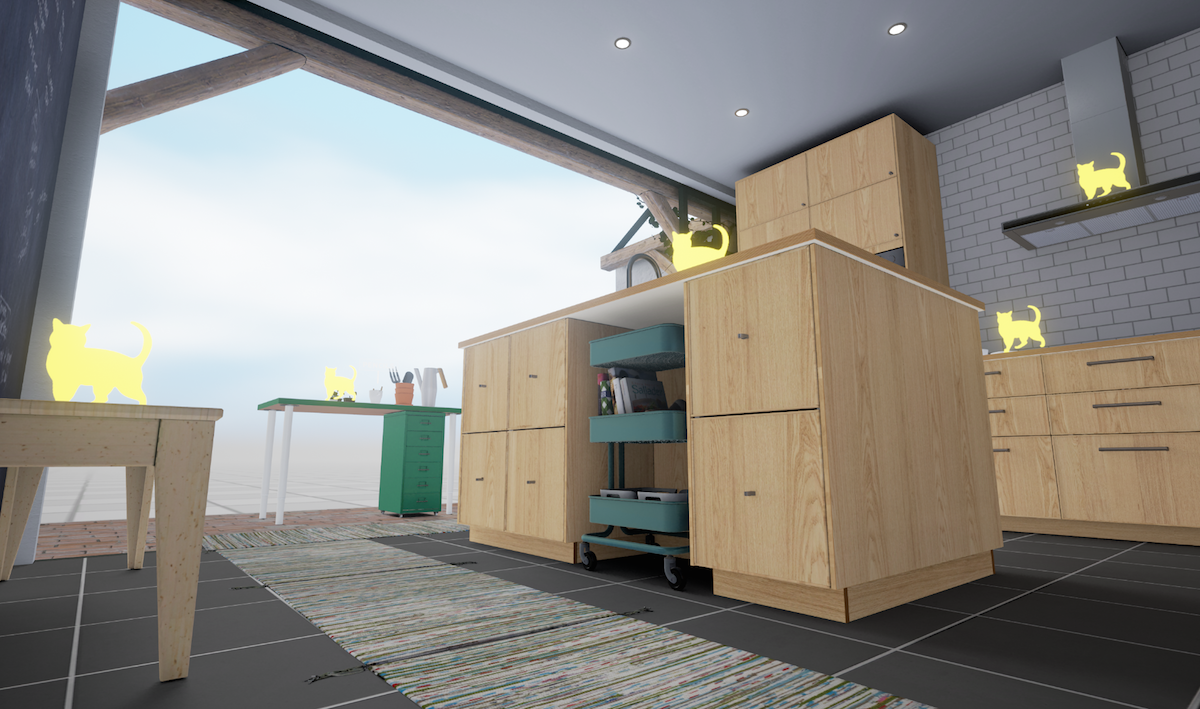
Our latest update offers you the opportunity to see the world the way our furry friends do. Enter the kitchen, jump around and have a purrrrfectly good time.
Update: Print – now in VR!

For the first time ever, experience the IKEA catalogue 2017 in VR: the front page and selected spreads of the largest print production in the world are now available here at Steam. Pick it up, try it out and as always, you’re welcome to share your thoughts with us.
Update: Pencils and new Teleport
New End date: We will continue to update this small "5 minute experience"
until December instead of previously planned end date in August 2016. This is because people keep visiting this virtual room. Any new ideas of what you would like us to add?
Update: Frying meatballs
For all the meatball lovers out there, we have now made it possible to fry the meatballs on the stove.

Update: Adding some minor things
Hi!
We have made some minor updates to the IKEA VR kitchen; now that you have meat and veggie balls, you'll probably try to cook them in the frying pan. So we thought that turning the hood on was a good idea. Now, maybe you can find out if your meat and veggie balls are actually tasty. ;=) Another feature of this new update is that you can now open both ovens.
And if you would like to add even more reality to your VR, you can put a real chair on the floor, with a fixed position to your calibrated physical floor space. (The IKEA chair IDOLF gives you the most accurate experience but any chair will work).
Instruction to do the real/virtual chair test:
If you press “5” on the numeric keyboard the virtual chair appears. Use the hand controllers placed on the seat of the real chair to find the right position for the real chair to correspond to the virtual. If you want to redo it fast then set some easily removable markers on the floor. If you press “5” again you go back to the normal mode. Remember to move the chair out of the way afterwards ;-)
For best experience read below:
The virtual floor should match your physical floor. If it doesn't, the room will feel slightly too small or too big. Calibration instructions are included below. Also, aspire to set the IPD (distance between the center of your eyes in millimeters) on the headset to your personal values.
Fine tuning floor Height Calibration:
Put one of the hand controls or HMD on the floor.
Use PageUp/PageDown to move the floor up or down 1 centimeter so the HMD/controls rest on the floor.
Press "S" on keyboard to save to the next session.
We would love feedback on your experience, especially on how well the physical and virtual sizes correspond. To be continued!
Update: Adding Meatballs
Starting today we offer meatballs as well as veggie balls in our VR kitchen.
We’ve also calibrated the height since some players have had trouble getting keyboard input to work and adjusted the handling of the frying pan for a better experience.
For best experience read below
The virtual floor should match your physical floor. If not, the room will feel slightly to small or to big. Calibration instructions are below. Also aspire to set the IPD (distance between the center of your eyes in millimeters) on the headset to your personal values.
Fine tuning floor Height Calibration:
- Put one of the hand controls or HMD on the floor
- Use PageUp/PageDown to move floor up or down 1 centimeter so the HMD/controls rest on the floor
- Press "S" on keyboard to save to next session