Genre: Real Time Strategy (RTS), Simulator, Strategy, Indie
Imagine Earth
#61 Gamepad Prototype
Friends of planetary colonization, finally a new update is ready and delivers a big chunk of improvements. One of special importance is the integration of the gamepad control, for us the opportunity for a major overhaul of the whole interface. Controller support is important for the XBox version but would you use it on PC? Tell us how you think about it and what else could be tuned. Have fun reading and trying it out, here's the direct link to the feedback forum.
Research System changed
No more research budgets are required to research in campaign. After the system of tokens and budgets was already switched off for other game modes, you can now finally do research in the campaign without having to wait for another budget. All you need are research facilities to drive the process forward. City centers also come with a built in research unit. Of course you can still buy and sell budgets, they are now called licenses and activate researchable options directly.
Ocean Sound
We installed a new sound system to bring atmosphere and plausible sound backgrounds to the planets, so that the environment feels acoustically richer. First there is an ocean sound, which now increases in volume the more oceanic fields are nearby. Next, we will apply this to city and forest sounds, for example.
Gamepad Control Prototype
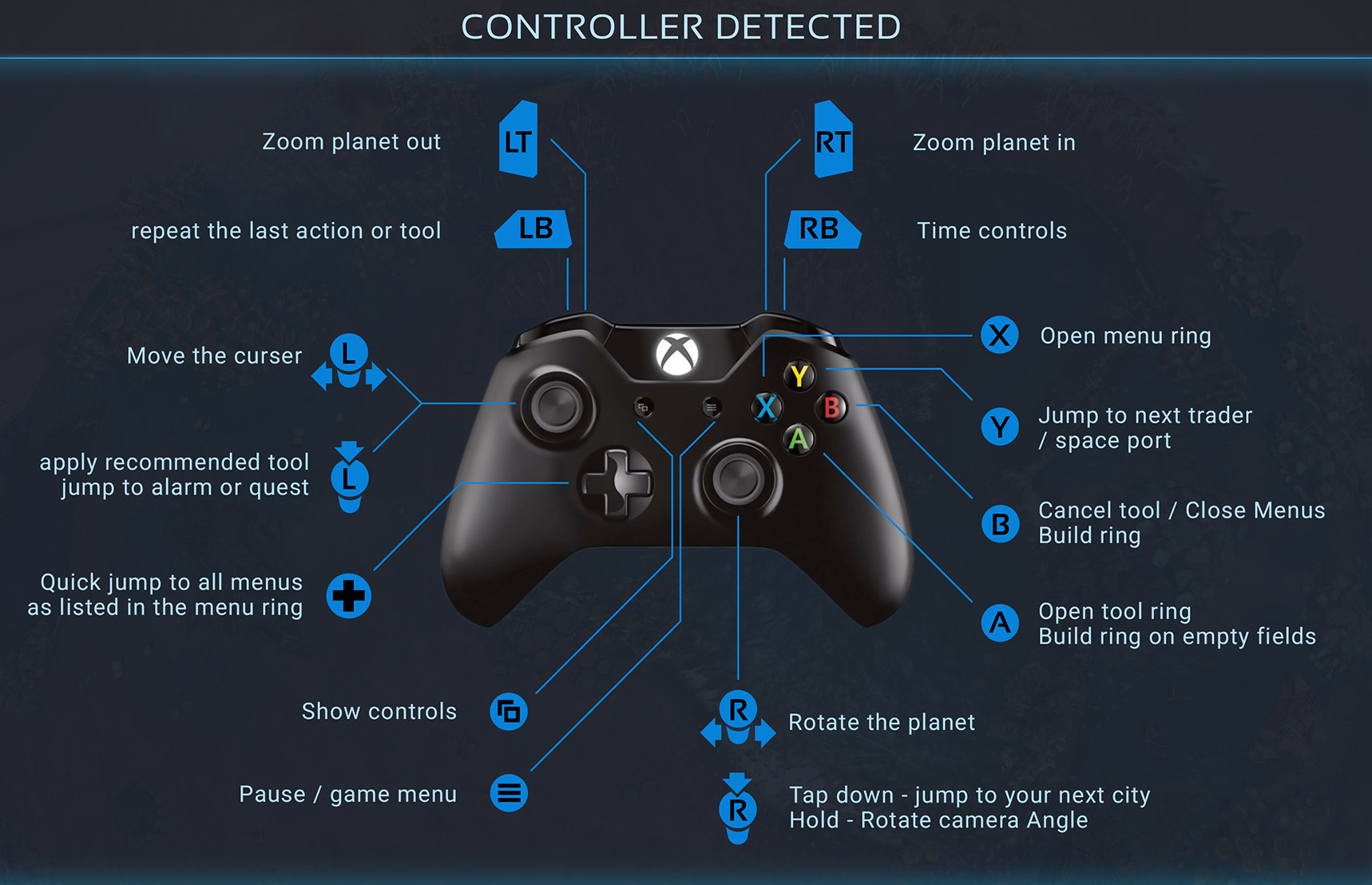
We have invested an amazing amount of work in the implementation of a game pad control system so that the game can be released on the Xbox console at the end of January. Because of the use of rings and radial menus from the beginning, the whole thing turned out to be very intuitive and if you know the right places, it works surprisingly faster than the mouse control. But as the headline makes clear, this is all prototype. We would like to hear your opinion about how the game pad control feels in this first version.
New menu button font
One advantage of the whole game pad conversion was that we redesigned a lot of buttons and menu structures to be more readable and accessible. For example we found old load game menus that were long forgotten over time.
Tool Tips in Tool Rings
Previous tool tips have often covered the control ring half or almost completely. Therefore, the tools with name, price and description have been moved to the far right.
Soundtrack
Three new synphonically composed music pieces underline the flow of Imagine Earth in the new version. It is remarkable how much the music adds to the overall atmosphere of the game.
Colony Rating Revised
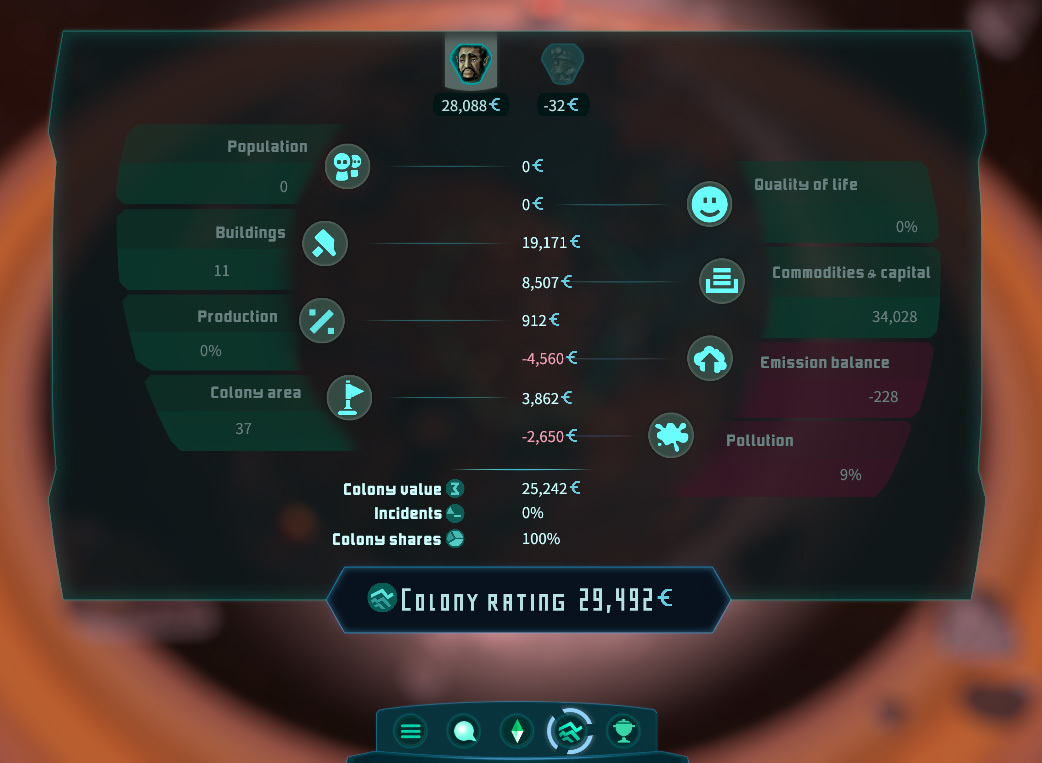
The dustiest menu of this upgrade was the Colony Rating, so it really deserves an all around makeup. New colors and functions. A division is now called "Commodities and Capital" and counts the liquid capital of a company and also the market values of its buildings there and includes them appropriately in the share value.
Joma Mission refurbished
What should not be missing in the game development is that one of the missions of the story-based campaign needs an update as game features and controls have evolved. This is always a great way to give the mission a refreshing touch.
Buildings List Panel
We delivered this area with a small but crucial weakness in the last update. You couldn't click on the upgrade buttons and couldn't jump directly to the buildings. This is now history and the control has been optimized a lot. The tab for dirt and the condition of the buildings has been split into two separate tabs where you can now also directly initiate a repair or a cleaning.
Buildings List Button
This button now makes the total number of pollution, building demolitions, incidents with poor quality of life and loss of productivity visible and allows you to jump there directly.
Game Setup Revised
Creating a new game has now become even more goal-oriented and handsome. Some inconsistencies have been fixed and the menu as a whole has been made more attractive.
Planet Completion
Now the achievable goals are also visualized on planets. This makes it a visible challenge to drive the success of the missions to perfection.
UI & Other Improvements
Imagine Earth is now in Turkish!
We are very excited to share this happy announcement with you today. Imagine Earth now has Turkish interface and Turkish subtitle support! We value our Turkish fans and believe that playing the game in their own language will give them a better experience. We would like to thank Plus Localization for the excellent job they have done translating the game. We hope that strategy and simulation fans in Turkey are going to love Imagine Earth. Thank you to the Turkish players for the support you have given us so far and your support from now on…
Have fun
Giveaway on Discord and Gamescom Indie Arena Booth + Twitch Stream
Come over so we can tell you how to win one of 20 Imagine Earth Keys during the time of Gamescom (27.-30.8.20). The winners will be announced August 31st.
Giveaway on Discord and Gamescom Indie Arena Booth
Come over so we can tell you how to win one of 20 Imagine Earth Keys during the time of Gamescom (27.-30.8.20). The winners will be announced August 31st.
We're looking forward to being part of this year's Gamescom and Indie Arena Booth! To seize the opportunity, we will be hosting a Q&A session on Discord on August 30, 10:00 / 10am CEST. Ask us anything about Imagine Earth - we're looking forward to hear from you!
We're looking forward to being part of this year's Gamescom and Indie Arena Booth! To seize the opportunity, we will be hosting a Q&A session on Discord on August 29, 12:00 / 12pm CEST. Ask us anything about Imagine Earth - we're looking forward to hear from you!
We're looking forward to being part of this year's Gamescom and Indie Arena Booth! To seize the opportunity, we will be hosting a Q&A session on Discord on August 28, 13:00 / 1pm CEST. Ask us anything about Imagine Earth - we're looking forward to hear from you!
Hey, welcome, everybody! Finally another juicy release #60 has been finished and look what a catchy title it has! If you want to read more about the new traveling back in time laws in our „Imagine Universe“ you should scroll down to „Planet Time Lines“ in the Update Release Post. Eye candy of the month are the first scribbles of the brand new character redesign that has just begun. Apart from that a lot has happened under the hood again and in terms of game system optimizations and balancing. We always count on you when it comes to testing the new features in practical implementation. Try everything and tell us your opinion. We are happy to take up your wishes and ideas, what do you think Imagine Earth is missing most of all? But for now please enjoy Update #60,
Martin & Jens | Serious Bros.
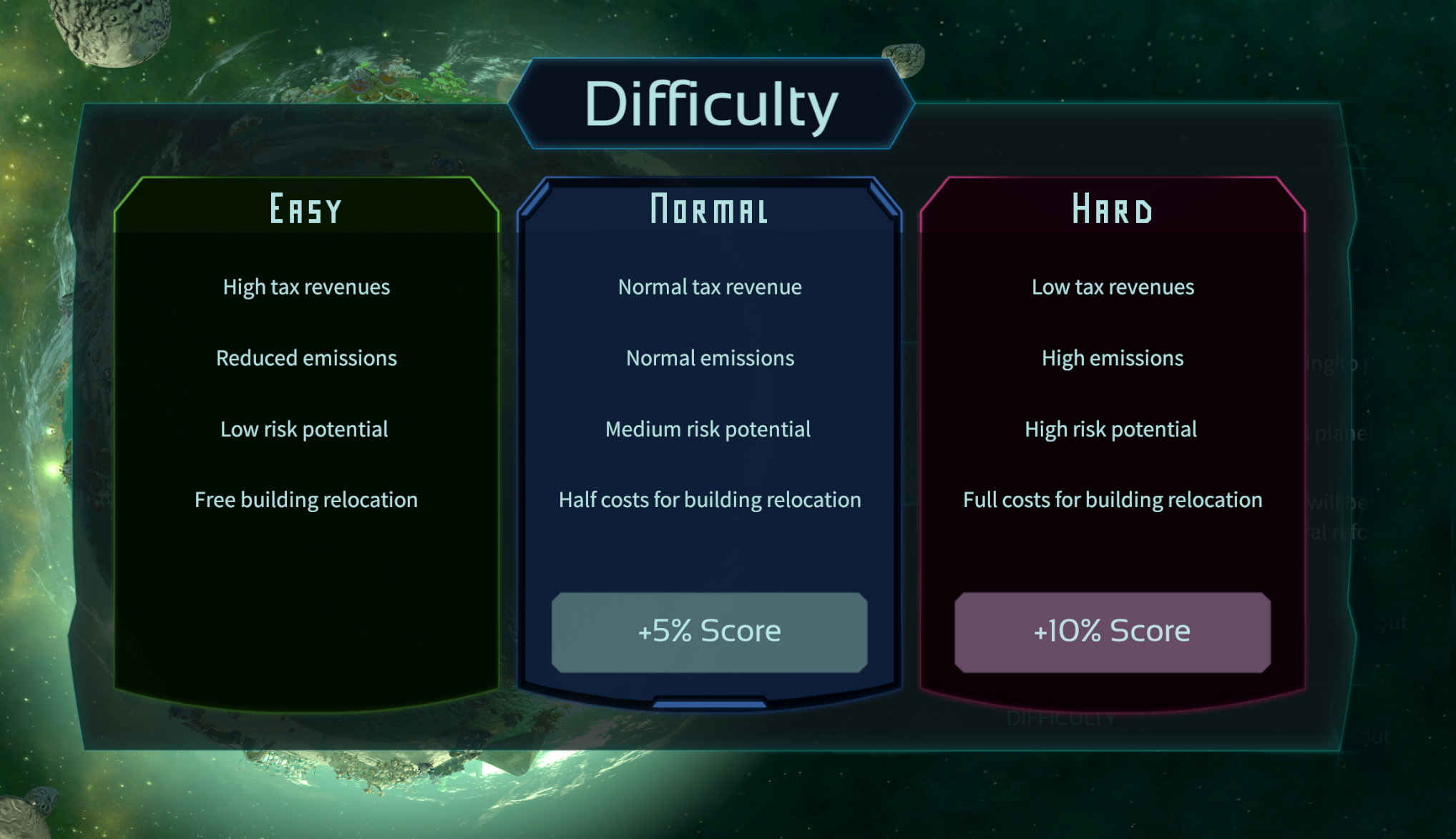
Difficulty Selection
The selection of difficulty levels has been given an epic pop-up panel that clearly breaks down the characteristics of each level and also tells you what the positive effects it has on your high score.
Improved Buildings List
The new list of buildings from last update, still needed some adjustments to make it nail down its universal usability. The menu and the listing of functions, tabs and options are now rearranged and also visualized more stylishly.
Performance Optimizations
This is something that we have just started to consistently work on, until the final release of the game. With the new release we have tried to identify the biggest performance killers related to special units, e.g. like Assimilators or a lot of Xrathul ships.
Planet Time Lines
If you load an old savegame or restart the planet and then save it, all savegames who are lying in the future on that planet’s time line will be revoked as you obviously changed the past. This automatically prevents savegames with parallel time lines for the same planet from being created and cleanly breaks everthing down to one single, unique time line. No parallel universes or messy stuff like that.
If you are wondering now what this complex change is supposed to be good for at all, the following should be said. We wanted to make sure that the fate of a planet would play an important role, and that the player would always be able to return to the current state of the planet in order to develop their civilization or repair the environmental damage. At the same time, we didn’t want to trample on the luxurious freedom that a flexible savegame system provides. Don’t even try to guess how long we discussed to come up with this linear solution.
Progress Info in Campaign
The new Progress completion box in the campaign galaxy map is more stylish and also contains the finished research as an achievable goal. Further exciting challenges will follow. For example, the mastered difficulty levels on the different planets will be counted from the next version on and will contribute to complete the overall score in the campaign.
Info for Empty Fields
Even this feature might seem so trivial that one wonders why it is mentioned here. That’s also why it took us so long to realize that it’s missing. From now on a howered empty field gets an info panel as well as one with buildings or objects on it. Simply because there are so many interesting values that can be displayed to it. For example, raw and fossil material deposits were previously shown with field graphics, but these were never explained in words.
User Interface Optimizations
Also rotate planet when dragging outside of the planet area Consistent UI back navigation Reworked pause visualization for icons Increased size of quest icons Display quest icons of progress icon Hide still active goals in quest goal overview
Character Redesign
Something is happening on this design front, I can only say. If you look at the picture above you might recognize the Midras aliens from the game and you have a look at how they might look like in the future. With the help of our new illustrator we are developing an amazingly vivid fresh style, which will be a quantum leap for the immersive look of the game.
The Crew – Maybe you recognize these fellowers from befor their face lift?
Mechanics & Balancing
Smoothened seismic activity of volcanoes and made it a bit more likely for some to erupt Forbid building city centers on asteroid impact fields No longer allow interaction with Illuminati camps after they have been destroyed
#59 Glaring Light Effects
Greatings, space colony managers! We have a fine small update ready for you. Even though Martin is on parental leave at the moment and our new third man Rico is still in the getting into things, we were able to put some nice gameplay updates together for you. If you are still thinking about picking up Imagine Earth you can get it for 35% off at the Steam Summer Sale right now. As always we’d love to get your feedback on the new stuff and wanna know how the latest features work out.
Light Effects
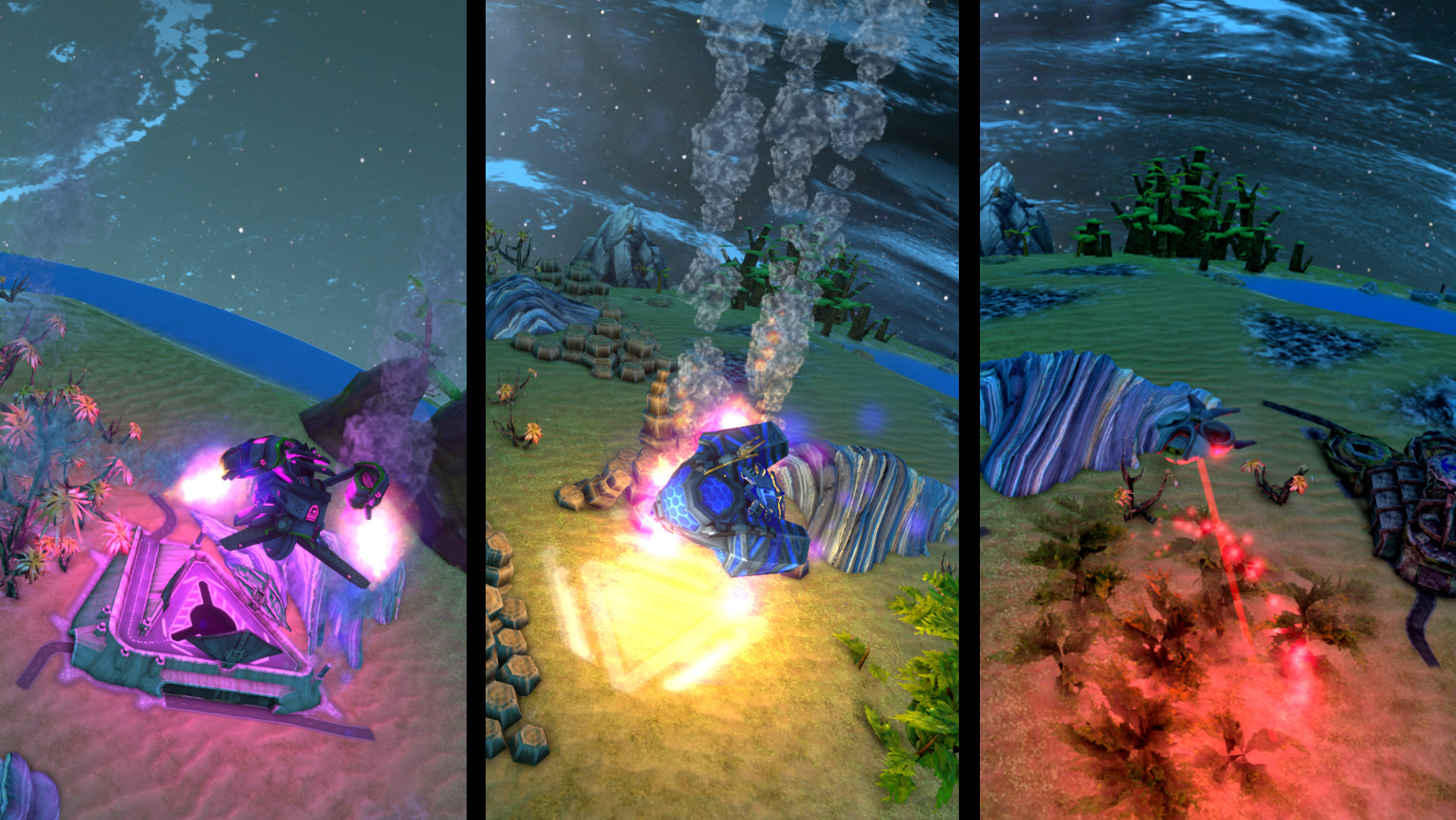
There are now glaring light effects during spaceship landings, construction campaigns, demolition lasers and impulse cannons. But also repair actions, harvesting operations and for example rioting aliens cause colorfully illuminated buildings and areas in their vicinity. Of course, these are particularly impressive at night. Don’t worry, you can deactivate them in the options if it gets too much for your eyes.
New Storage Management
We have reorganized the organization of the stored resources. There are now clearer displays of how much storage space has been reserved for different things and how full the storage rooms actually are. The new structure of the buttons and bars also makes this much easier to understand.
Campaign Rating
To make the development of your company even more of a challenge, you will now compete in the ranking against 20 major corporations that you might know from well-known science fiction stories. This is only a prelude to the leaderboards soon to be completely renewed. And to make them more readable. They belong to the oldest menus in the game and should be able to show even more rankings.
Improved Visualization
Improved visualization by coloring the fields for buildings with improved performance through optimal placement
Interface Redesign
Redesigned user interface with new titles a uniform position for the back button and more consitent menus.
Optimized Building Panel
An optimized building panel gives you more overview and control over all your colony buildings and enables you to bulk upgrade, clean and repair the most urgent cases.
Fixes
Fixed fade to black transparency problems for panels and tooltips
We fixed a rare bug that prevented you from getting a 2nd landing permission in the first mission.
New translation for brazilian store texts
Ingame time speed problem fixed
Crash in stock panel
Also many many UI fixes done
Hotfix #58.4
* Update for Spanish translations (thanks @Lanosa) * Fixed stuck Bora mission (thanks @Toomy) * Fixed: Harvesting uplink ruins does not give artifacts (thanks @Wingheart)