

Infinity
Status Update
We believe in quality design, and meaningful gameplay experiences. As time goes on, and we all move on to bigger and better things, we look back at the first public release of a product we had developed. Infinity was a wild ride, and taught everybody involved how managing a game really works. Throughout the course of the support cycle, we implemented several bug fixes, optimizations, and game design alterations. However, everything must come to an end at some point. Today we’re announcing the official retirement of Infinity from the Steam store.
This has been an ongoing discussion with all parties involved for quite some time. Now that we have been given the opportunity, we have decided to take it. The retirement of Infinity is far more personal, than financial.
If you currently own Infinity, you will still be able to play the game at your own leisure. This means even if you uninstalled the game, if it's still present within your Steam library, you can always reinstall and play. This retirement process will remove the game from Steam search, and Infinity will no longer be available for purchase.
We would like to thank each and every one of you for your continuous support, and direct feedback. Thank you for helping make Infinity a better experience, and we hope that it scratched that itch for a truly challenging platformer that holds no punches.
Thank you players!
Sincerely, the Infinity team.
Update 1.1.7
-Reworked Assisted Play. Checkpoints are now present on all Assisted Play levels.
-Added main menu and level animations.
-Added in-game animations and transitions.
Bug Fixes
-Fixed an issue causing the game to crash when sitting at the main menu for more than 2 minutes.
-Fixed an issue that caused the player to become stuck when any level loads.
-Fixed an issue related to draw distance and depth of field effects.
Resolution Hotfix
Assisted Play Rework
We plan on fixing the stuck geometry bug that can occour when using boost mode.
These two fixes will provide a much more satisfying experience for the player.
Thank you for your feedback, we will continue to improve Infinity as time goes on.
Update 1.1.6
-Added Patch Notes button in the main menu.
-Added Viewable Controls in the options menu.
-Added Field of View camera modifications when using Boost Mode.
-Modified Shadow Resolution.
-Reduced Chromatic Aberration in the main menu.
-The player character no longer floats above terrain.
-Adjusted the placement of certain buttons in menus.
New Feature
Boost Mode is sprinting with confidence. While pressing LSHIFT the player will move twice the speed as normal. This was added to allow for more ways to approach levels.
New Gamemode
There is a new Bonus Stage icon in the main menu. This option will direct you to a revived classic!
Performance
-Optimized Ambient Occlusion on the last Special Level.
-Optimized Shadow Rendering and Draw Distance.
-Optimized Point Light Radius.
Known Issues
-Disabling Vsync may crash the client. This is due to the sudden increase in framerate and may not be an issue for all users.
-Using Boost Mode, when coliding with certain geometry the player may become stuck on said geometry.
Update 1.1.5
-Upgraded UI.
-Added new scalability options.
-Added dialog tips that explain individual options.
-Added "Do you want to quit?" dialog tip, that displays when selecting quit.
Performance
-Added the option for users to tweak shadow quality.
-Lowered the overall quality of shadows on Special Levels.
-Adjusted ambient occlusion quality.
-Slightly reduced bloom.
Hotfixes
-Added background geometry in the main menu.
-Reduced the sound played when hovering over buttons in menus.
Update 1.1.4
Hello, this update is long awaited and after several weeks of troubleshooting, we've managed to finally fix an issue with saving user game settings! Now, players will be able to save their desired anti-aliasing option.
Bug fixes
-Fixed an issue which caused anti aliasing options to be reset after quiting. This was a major inconvenience as players would have to readjust this option on startup.
Performance
- Optimized shadow draw distance and shading percision on all special levels.
We are not satisfied with the optimization of Infinity, we will continue to invest our time in performance, instead of new features. Later this week, we will release a second patch which will remove the framerate cap of 120. Thank you for your support and feedback!
18/12/8 Hot Fix
- Removed framerate limit.
Update 1.1.3
Patch Notes
-Optimized glowing materials by lowering the sample size of the base material.
-Fixed an issue causing the 5th Special Level to be impossible. This was fixed by moving the goal point a meter closer the the final jump position.
We apologize for any inconvenience this game breaking issue may have caused. We will continue to investigate gameplay elements to insure that the experience is not harmed.
Thank you for your continued support of Infinity, as compensation this weeks Event Mode will be extended by 24 hours.
Update 1.1.2
This update will be live Sunday November 11th @6:00pm Central.
Patch Notes
-Optimized level streaming and loading scripts. Loading will now be based on system capabilities such as memory, cpu, gpu and disk usage.
-Optimized gamepad inputs to be more responsive. This was an issue with analog tracking in the "PlayerCharacter".
-Fixed an issue causing lighting and shading to compile after the level has been loaded.
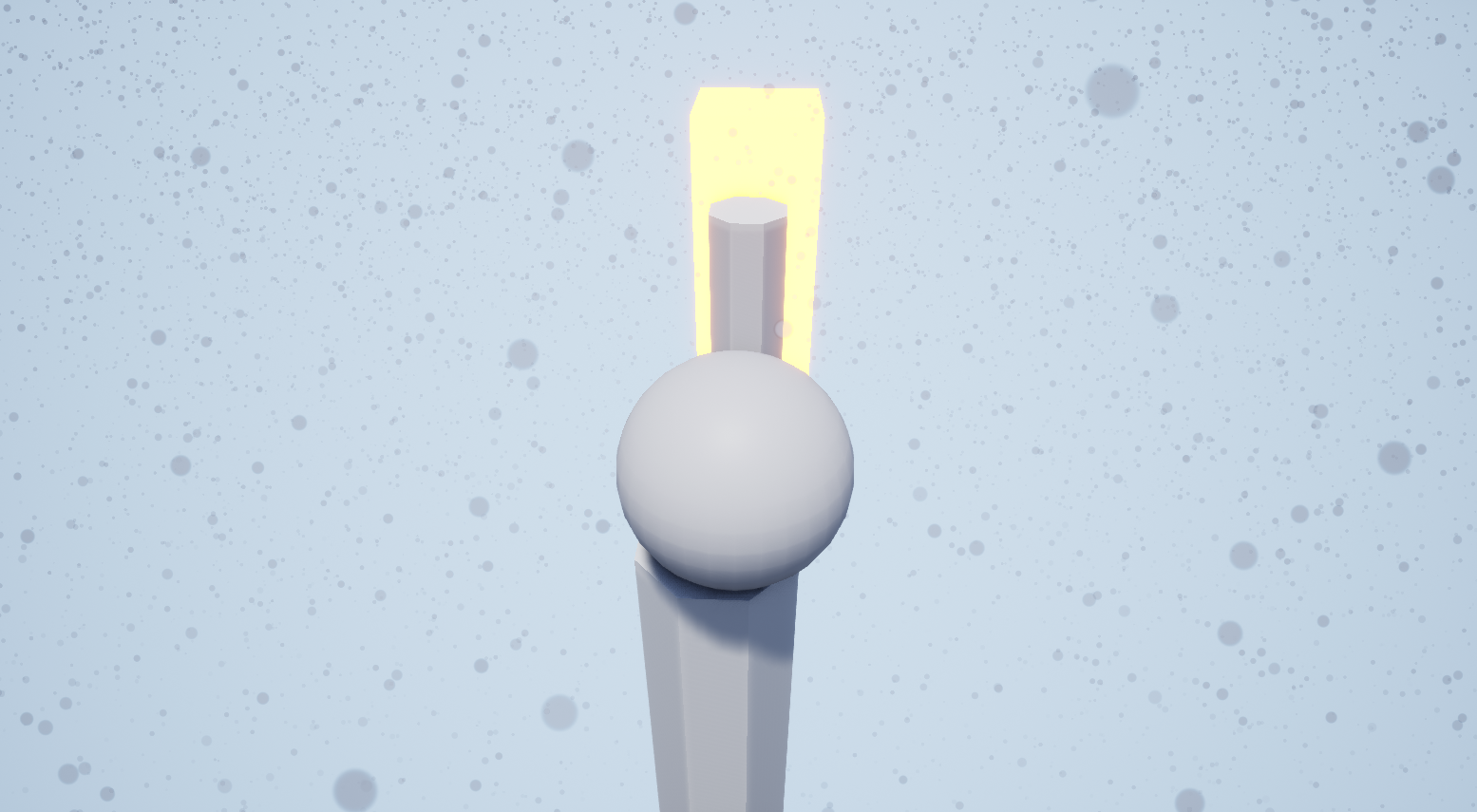
-Added glowing end points on levels.

Weather
-Added snow weather effect in-game. This effect is temporary and will last until January of 2019.
-Optimized individual snow weather effect particles to be removed from the engine once contact with any surface is made.
More seasonal content will be added at a later date. Until then, enjoy the snow!
Update 1.1.1
Hello players! Friday November 9th @6:00pm Central, all users will have access to the latest and most polished build of Infinity ever. Many QOL/UI improvments, bug fixes and gamepad improvements!
Patch Notes
-Reworked in-game code to present a far more polished and responsive experience.
-Added "Special Levels" as a gamemode option in the main menu. This gamemode contains all Event Mode levels and can be played whenever the player decides.
-Added a visible version number in the main menu.
-Redesigned drop down menus for all in-game options.
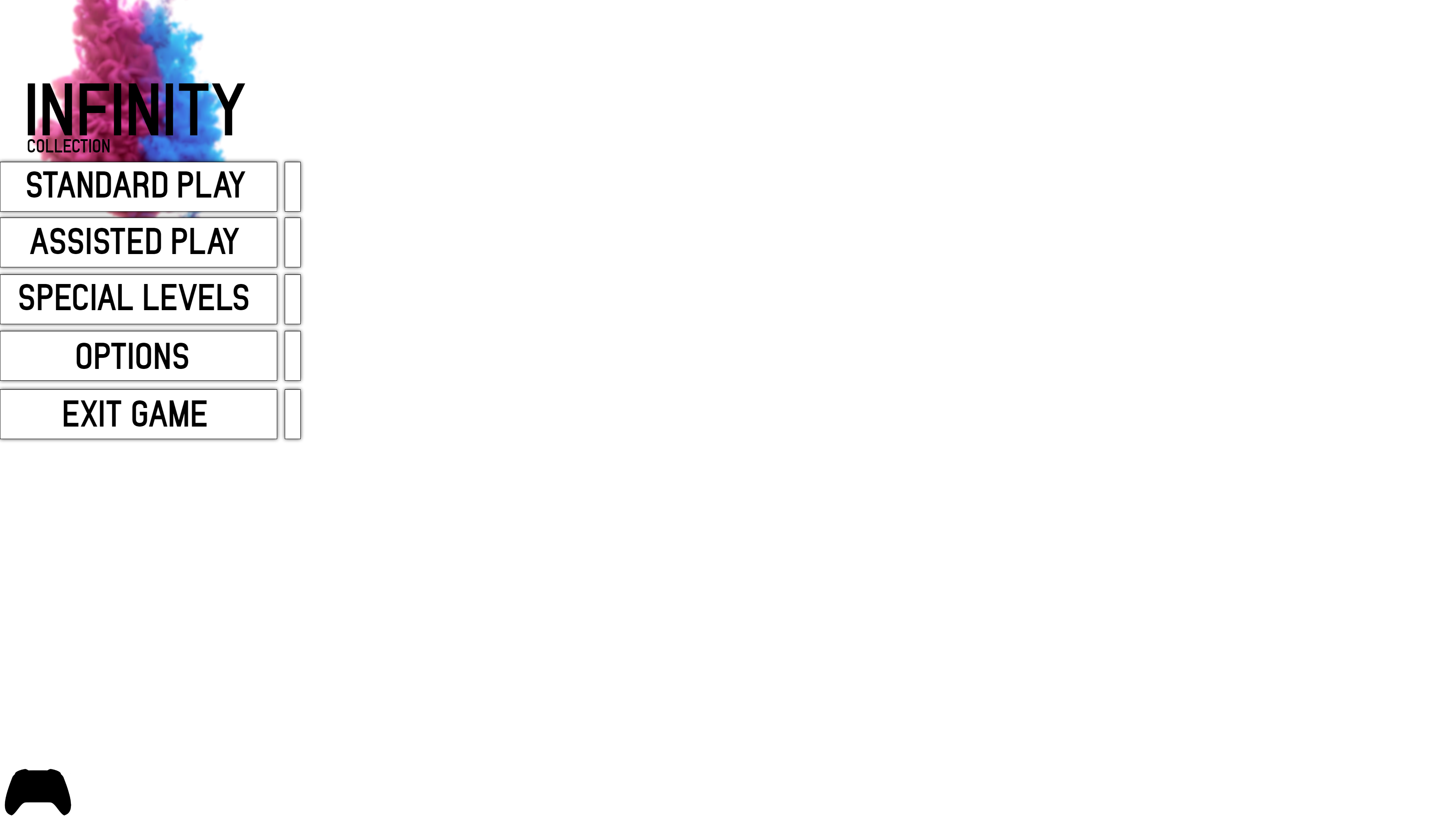
-Redesigned all UI/HUD assets with controller support in mind. Players can still only use controllers during gameplay.
-Removed Screen Scale as an adjustable option.
-Removed Training Mode as a selectable option.
-Temporarily removed Progressive Play gamemode.
-Temporarily removed Arena gamemode.
Bug Fixes
-Fixed an issue causing the left and right arrow keys to move the camera position.
Thank you for your continued support in NoName Developments. We will continue to update and improve gameplay during the remainder of 2018.