

Islands of the Caliph
Testing Branch Updated to Version 1.3.1
Testing Branch Updated to 1.3.0
Testing Branch and Disclaimer
It's important to note that this is only in the optional "public_testing" branch as of this time. It contains a very preliminary German language version of the game. Please be aware, the translation is not complete, it is basically a google translated text for now. Once I iron out all the bugs, I plan to get a proper translation made.
Also, as I mentioned, there are still some bugs in the system. Game updates that appear on the bottom of the screen appear incorrectly at this time. The dialogue has not all been 100% tested just yet either. However, the basic building blocks of making a proper translation of the game are now in place.
Trouble
The trouble with doing this was not about just getting the text translated. It was actually about how the game reads and displays text files. When released the game could only read 8 bit text files, but those files cannot be used (by the game engine) to correctly display the wide variety of characters in languages other than English.
I had to re-write every function that read strings from text files in order to get it to display correctly. Also, all the text files in the game needed to be updated to UTF-16 LE format, which was a time consuming process in itself.
Translation
So while this is not yet a fully translated version of the game, it is the first major step in making that a possibility. I know a lot of people have been asking for this, so I wanted to let you all know I have not forgotten!
Update to Version 1.2.9
Save Slots
The game had a bug where you could accidentally save your game into the wrong save slot. This would produce a number of unfortunate side effects like losing inventory and map information.
The game should now prevent this accidental changing of save slots.
Update to Version 1.2.8
Window Size
I have updated the options menu to increment the window size differently. Instead of increments of 1 unit, the game now increments the window size in units of 640. So when you push right, it will go from a width of 640 to 1280, then 1920 and so on. It will still be limited to the size of your monitor.
Default Keys
Instead of having strafe left and right controlled by the left and right arrows (those are cul (cursor left) and cur (cursor right) in the older versions of the game by default) they are now "A" and "D", and turn left and right has been changed from "A" and "D" to "Q" and "E" which seems to be standard for most grid based dungeon crawlers.
But, because "Q" and "E" were the default keys for the Quest Log and Activate/Attack buttons, those have been changed to "L" for Quest Log, and "K" for Activate/Attack.
If you have already started playing the game or changed your key-bindings, this should not effect you. It will only effect new players, or anyone who deletes the options.cfg file.
"Ihsaan to Ihsan"
There were some alternate spellings of the City of Ihsan throughout the game's various dialogues and interfaces. These have all been changed to "Ihsan" to match up with the map.
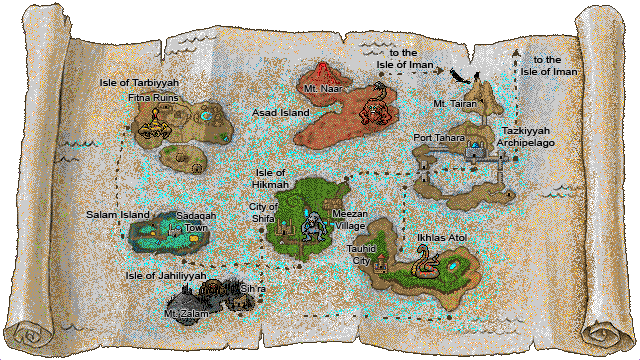
Map Update
Previously using the strafe keys would change from the local map to the world map when viewing the map (key "M" by default). However, it would only work in one direction, so once you clicked strafe left twice, it would stop responding, and you had to click strafe right in order to return to the local map.
Now it will respond whichever direction you press. If you click strafe right, it will jump from the local map to the world map, and circle back to the local map if you keep clicking it. I hope it is more user friendly!
Update to Version 1.2.7
Inventory Bug
Thanks to some fantastic player feedback I was able to resolve (I think) the inventory bug where moving and managing inventiory coudl cause stacked items to disappear. It turned out that pressing space more than once, when selecting the number of items caused the issue. It seems very obvious in hindsight, but I can say that this particular issue is resolved. If there is any other trigger that can cause inventory to vanish, I am not aware of it.
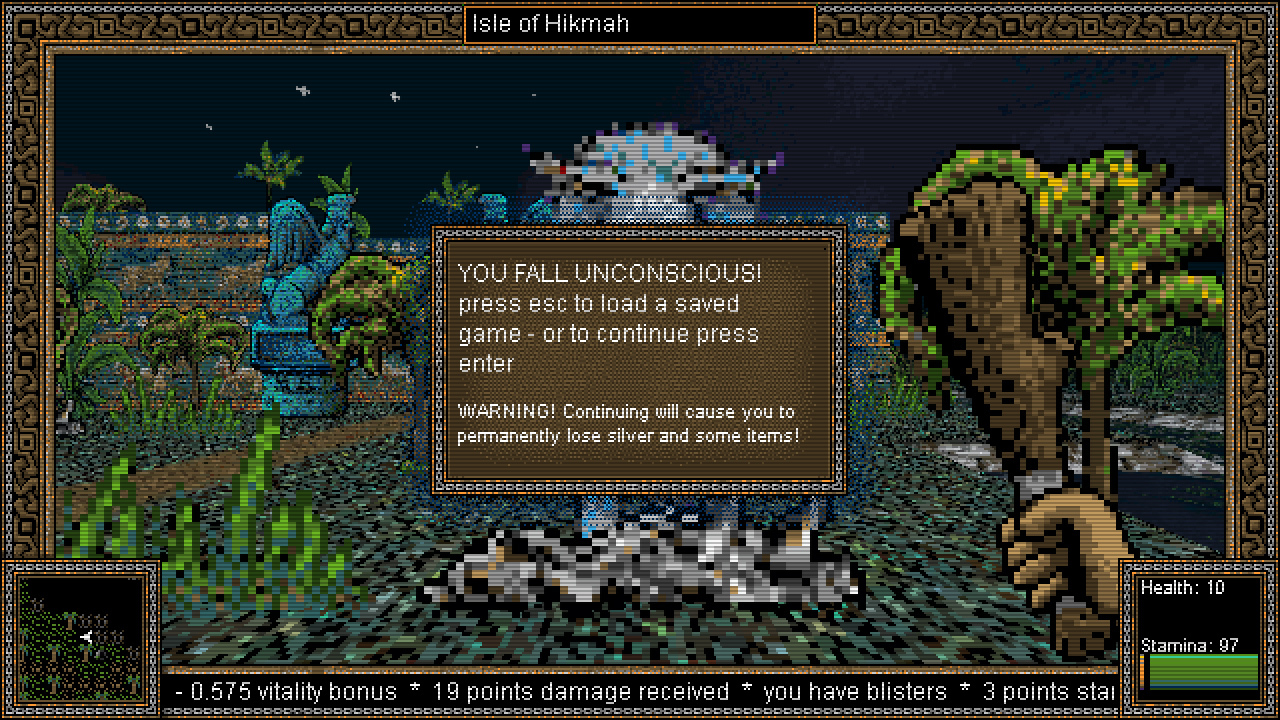
Unconscious message
The character falling unconscious would show a text explaining that you can either continue or load a saved game. Well I have updated this simple message to one that is a little more representative of the actual choice players are about to make,. I hope this helps!
Cyplopean - another Dungeon Crawler
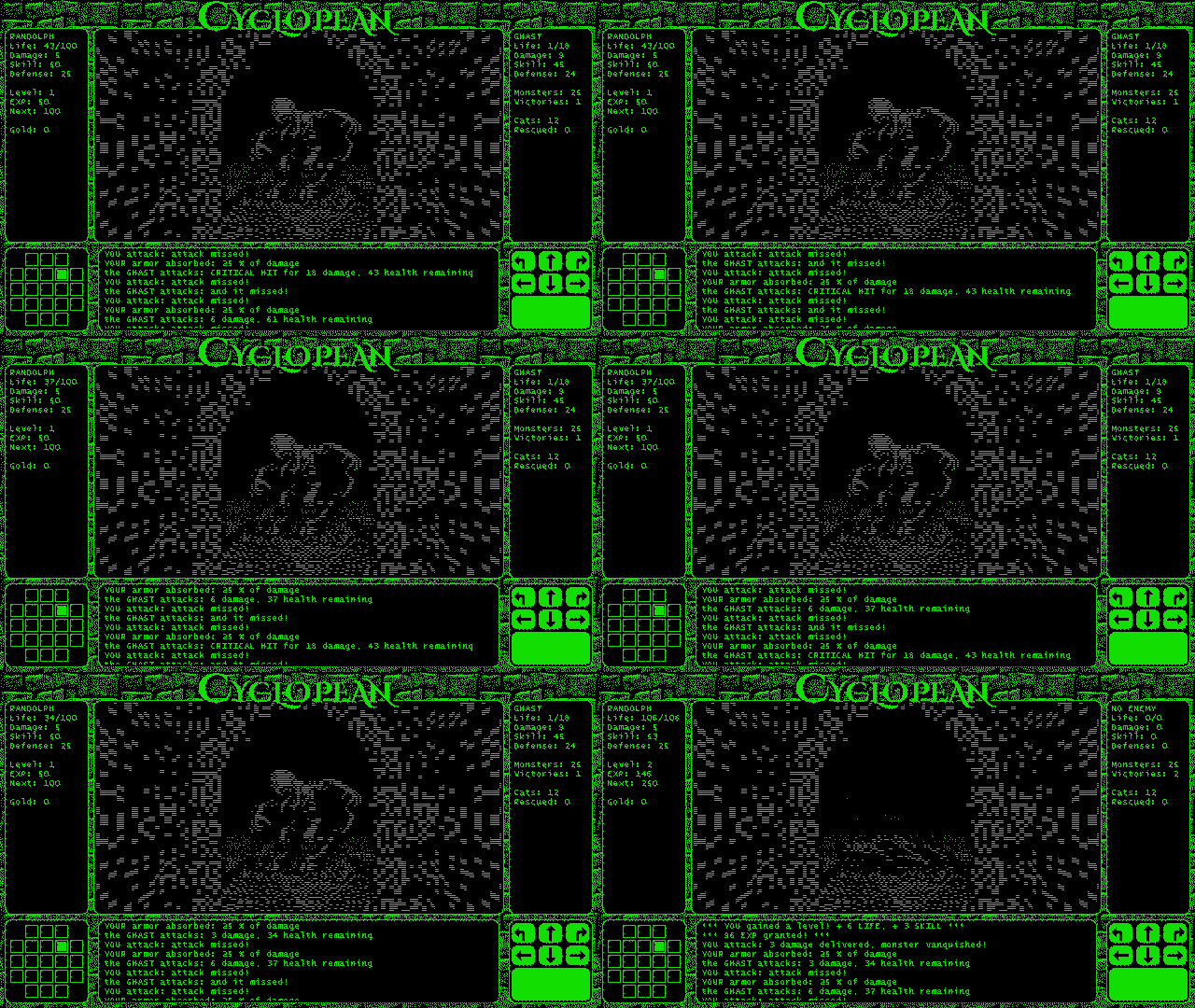
Introducing Cyclopean
If you enjoyed Islands of the Caliph, you may find this short project I made interesting. It was made in 3 days for the Dungeon Crawler Jam 2024 over on the itch website.
3 Day Game Development
Making something in 3 days required borrowing things from some of my previous games, so you may recognize some of the artwork.
Turn-Based Dungeon Crawler
Cyclopean is a turn-based dungeon crawler with roguelike elements. It has a somewhat procedurally generated dungeon, with Lovecraft inspired monsters, and a story that hearkens loosely back to the Dream Quest of Unknown Kadath.

Short and Not So Sweet
The game is very short, and can be played (and won) within 10 - 15 minutes or so. Like traditional roguelikes it will summaries your success or failure at the and. You can view reports of up to 10 of your best playthroughs from the main menu. (not my best score)

Cats
It also has cats! You can watch a short clip in which the player rescues a cat here...
https://youtu.be/c9U9Z6Y0BNA?si=QyPS3T9lW73YcUiK
As a game jam entry, it is free of charge. Try it out and let me know what you think.
Update to Version 1.2.6
However the enter key was no longer being used, and it was instead changed to the "Y" or approval key.
So the new version should sow "press 'Y' to continue" or whatever key you may have assigned as the approval key.
Update to Version 1.2.5a
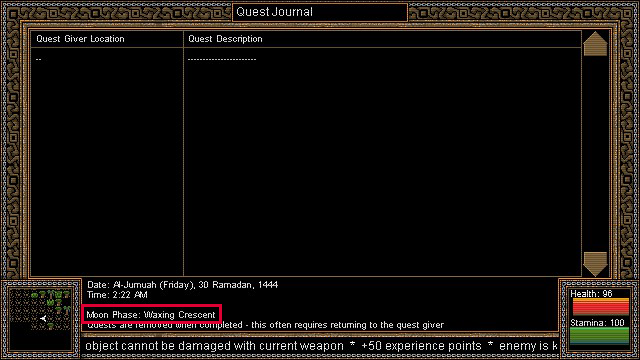
It was an oversight not to include this in the game from the beginning. Thanks to the player who suggested it! It should make certain quests a lot less confusing I hope.

Update to Version 1.2.4
https://store.steampowered.com/news/app/1845670/view/4039234466688386095
Negative Skill Points
For this update I was able to fix the bug that allowed players to gain more points in a skill than the number of skill points available, resulting in having a negative number of skill points.
Treasure Update
The other, more significant change, is that treasures should now be ... better. Previously the treasure was generated totally randomly. Even "high level" treasures in later dungeons, could be just as likely to produce low level items like shoddy weapons or armor.
Now this potential to have low level items in treasure chests is still there, but the change requires that at least the first item in that chest will be an armor or weapon that is level appropriate.
IMPORTANT: When you play the game, as soon as you enter a particular level, the treasure chests are generated and saved. So this updated treasure thing will not be working for levels that players have already entered, it will only effect levels they have not entered yet.
Update to Version 1.2.3
Some notable examples:
- Game should no longer allow closing a chest or merchant while selecting a number of items
- Arrows no longer turn into energy blasts (in a certain location)
- Holes, stumps, monsters and other things should no longer compete to appear in front of one another
- Some spelling errors were fixed
- Fires can no longer be set underwater