When using the piano, all 88 keys have been added.
Update 2020-08-28
Added
New costumes
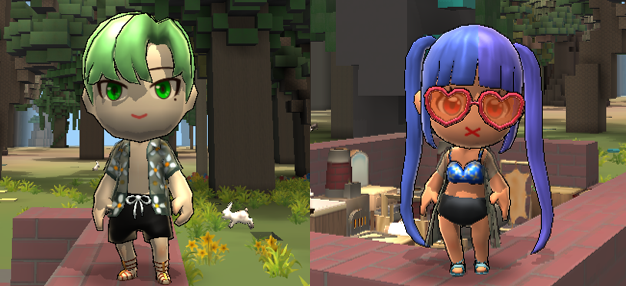
Swimsuits to fully enjoy the summer vacation and new clothing items that can be crafted have been added.
Coin shop Items
Hawaiian Swim Suit
Crafting item
Gold Laurel Wreath
Ancient Greek Costume
Ancient Greek Bracelet
Ancient Greek Sandal
New function
Town Favorites
Town Favorites function has been added. Now you can add towns you visit often or towns that impressed you to town favorites
Only the towns that you praise can be bookmarked, and you can add the towns to your favorites by clicking the bookmark button in [town information].
Update 2020-08-19
Added
Channel
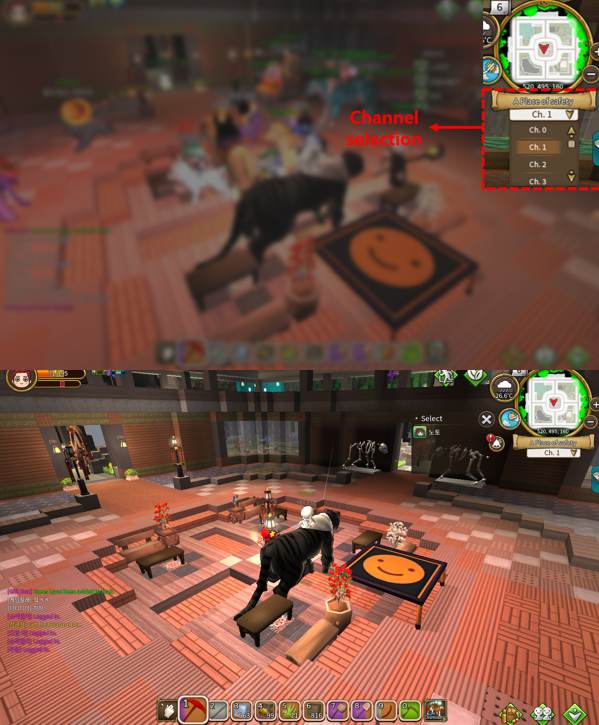
Channels have been added for a smoother game experience.
You can change channels by selecting a channel at the channel list below the minimap. Channel changes are only possible in the safe zone of ‘Land of Abundance’.
Update 2020-08-07
Added
Vacation items
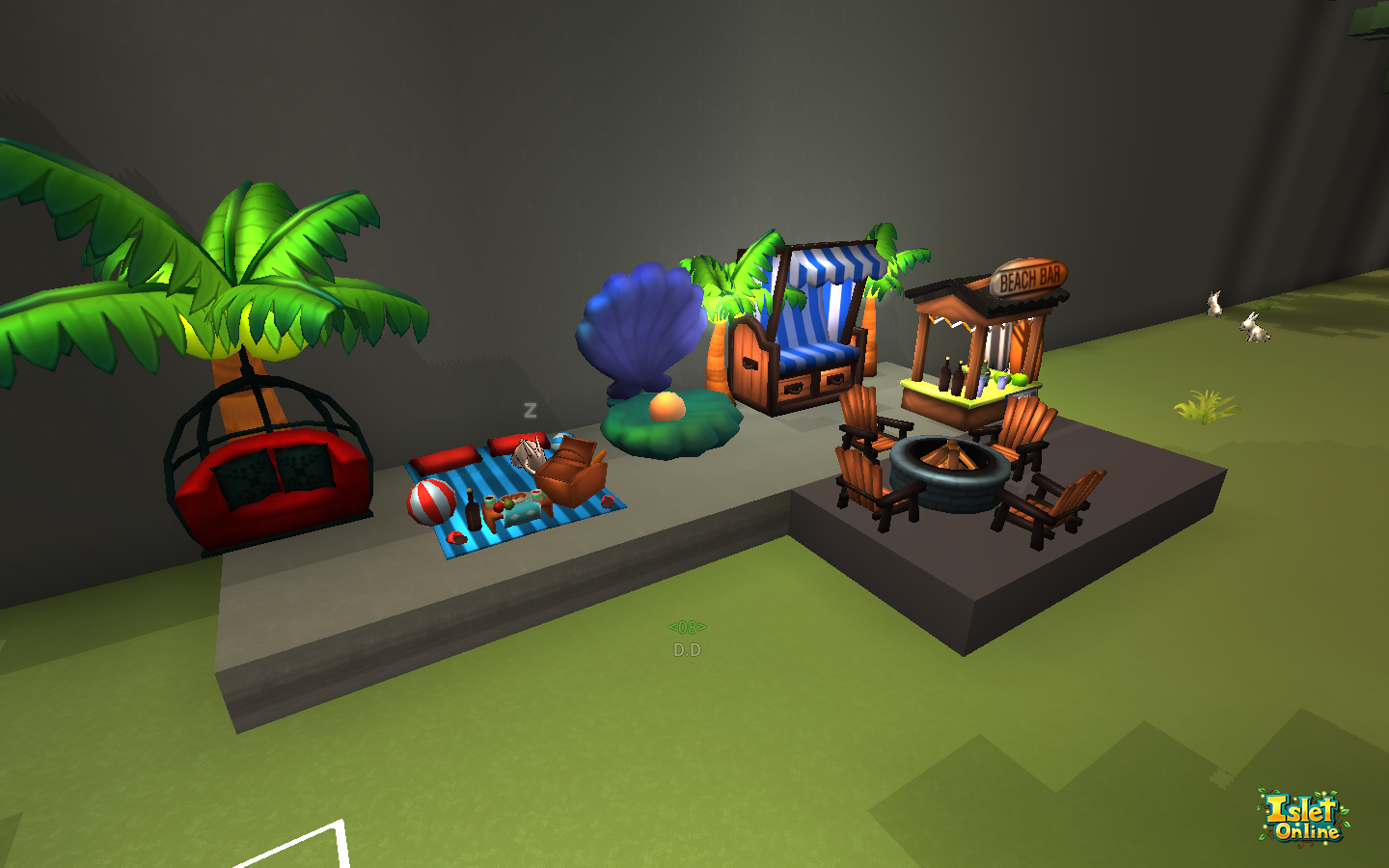
For the summer vacation, new items have been added.
Furniture
Coin Shop items
Roofed Beach Chair
Palm tree Swing Chair
Firepit in the summer night
Palm tree Lamp
Beach Mat
Shark Photozone
Pearl Shell Photozone
Surfboard Pub
They can be obtained from the coin shop
Crafted items
Lifeguard chair
Beach Parasol
Summer Memories Photozone
Public Toilet
Turtle Sand Bath
Sand Bath
Mermaid Sand Bath
It can be crafted at the Skillful Carpentry Table.
Costume
Coin Shop items
Marine Beret
Refreshing Marine Look
Cool Summer Sandals
Heart Sunglasses
Vacation Sunglasses
Star Sunglasses
They can be obtained from the coin shop
New hair
Two new hair types have been added.
New slot
A bare hand slot has been added. When using this slot, the character's right hand is bare hand, and you cannot mine or stack. Also, tool and block items cannot be registered in this slot.
Improved
Private town
A [notice board written list] tab has been added to the visitor record of the town information window. You can check the contents written on the notice board placed in the private town and the nickname of the user who wrote it.
Party
Party members can leave the party themselves by pressing the x button on the left side of the screen.
Growth quest
The difficulty of gathering resources and achieving level quests has been lowered.
Update 2020-07-30
Improved
Private town
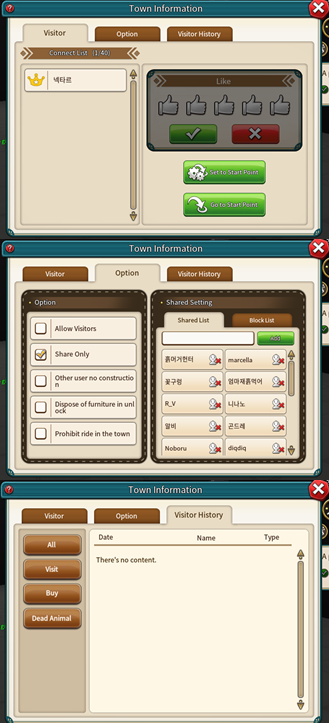
The personal town UI has been improved. You can now check the users who visited your town in the Town Information It has also been improved to manage town with various options.
Simple manufacturing table level
Its level lowered from 2 to 1.
Update 2020-07-17
Added
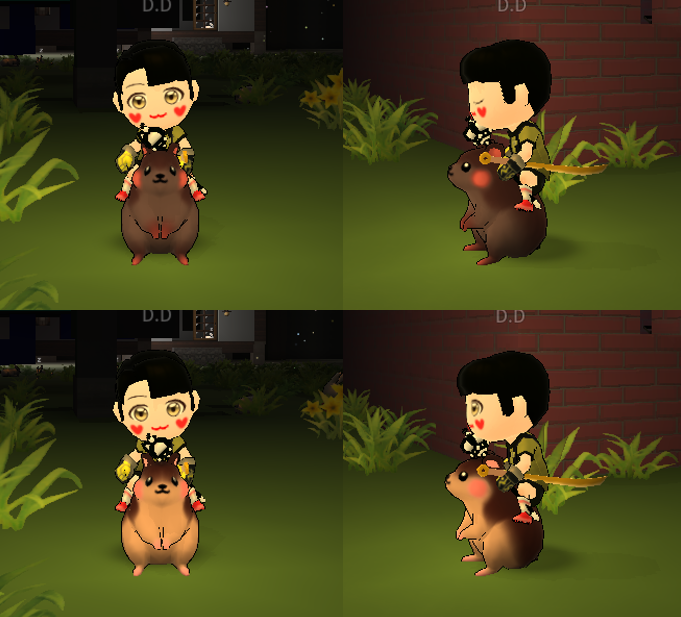
New animals
Hamster (male and female)
Striped Hamster (male and female)
New animals with cute charms have been added. Hamsters can be purchased at the Coin Shop for coins or Leddit.
Soccer ball
A soccer ball has been added for you to enjoy with your friends. It can be crafted at a leather drying rack.
How to use
You can drag the soccer ball from the inventory onto the field to take it out.
Press and hold the soccer ball button to pass or shoot.
You can take the ball by colliding or attacking the player with the ball.
The soccer ball placed on the field can only be retrieved through the button.
New costumes
In addition to Football Uniform, Football gear has been added. You can make a team uniform through dyeing.
Football Uniform
Football Shoes
Goalkeeper Gloves
You can purchase them in Coin or Reddit at the coin shop. Football uniforms can be numbered on the back through Back Number Titles
Back Number Title
Back Number Title [0]
Back Number Title [1]
Back Number Title [2]
Back Number Title [3]
Back Number Title [4]
Back Number Title [5]
Back Number Title [6]
Back Number Title [7]
Back Number Title [8]
Back Number Title [9]
These are the name tag which can set the back number on the Football uniform. You can purchase them in Leddit at the Coin shop.
How to set a uniform back number
With the uniform on, select the title tab of the character window.
Register the Back Number Title in the title slot.
Click the Apply button.
Improved
Stall
Stall registration has been improved. For example, if you want to divide a lot of diamonds into small quantities and register it on the stall, you can register them all at once through sale button.
How to use
Drag the diamonds into an empty slot in the inventory and hold to divide the quantity.
Register the divided diamonds in the item slot for sale on the stall.
Among the three buttons, select the middle button. Then, other diamonds in the inventory are divided into the same quantity as the number of registered diamonds and registered at once.
You can do this in the same way if it is a stack type item
Update 2020-07-10
Added
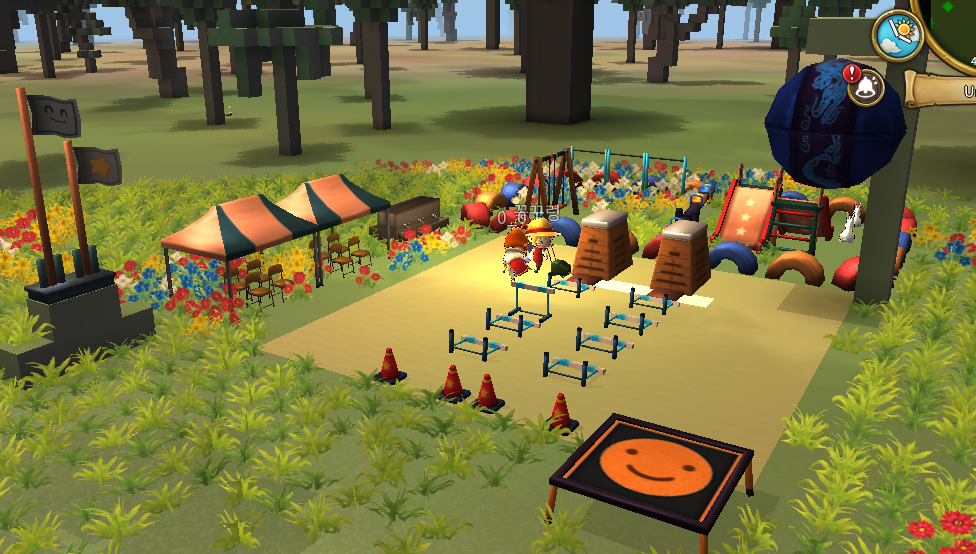
Various exercise equipment has been added to help you stay healthy. You can set up hurdles to play track and field, and create a playground to play with your friends.
Coin Shop items
Instant Canopy
School Flagpole
School Drinking Fountain
Colorful Seesaw
Colorful Slide
Colorful Swing
Exciting Trampoline
They can be obtained from the coin shop
Crafted items
School Balance Beam
Sports Cone
School Vaulting Box
School Hurdle
School Horizontal Bar
Field School Field Chalk
Colorful Tire Fence
Colorful Tire Fence Corner
Korean piñata
These can be crafted at the Skillful Carpentry Table
Korean piñata
How to use Park (Korean piñata)
Set Hp. The higher the set HP, the longer it takes to break. You can set the comment. The set comment will appear on the screen when it is broken.
The MVP selection option allows you to set the criteria for selecting this game's MVP. If it is set as the last hit criterion, the person who hit last is selected as the MVP. When set to the Cumulative Damage Criterion, the person with the highest cumulative damage is selected as the MVP. If you do not want to select an MVP, you can set the option to 'Not Used'.
When you're all set, put Shoddy Leather Balls in the quickslot and throw it towards the Pak (Korean piñata).
When the HP becomes 0, it is broken and the set comment appears on the screen.
Shoddy Leather Ball
A Shoddy Leather Ball has been added to open Pak (Korean piñata).
It can be crafted at a leather drying rack and can be thrown in the same way as when using a ranged weapon after mounting it in the quick slot.
Improved
Character selection
Added a button to return to the character selection.
Dig Cancel button
There was often the inconvenience of digging up unwanted blocks by mistake. To improve this, we added a cancel button.
UI
Item quantity notation
We have expanded the quantity display of items in quick slots and inventory.
Coin Shop
Coin and Leddit notation in the Coin Shop has been improved.
Land of Abundance
Often, some users were hit by other users, which prevented gameplay. In order to prevent this, it has been improved not to be hit by other users in the Land of Abundance
Deathful animal
The level of boarding of deathful animals has been improved to be displayed in the item tooltip and item book.
Update 2020-06-30
Added
New costumes
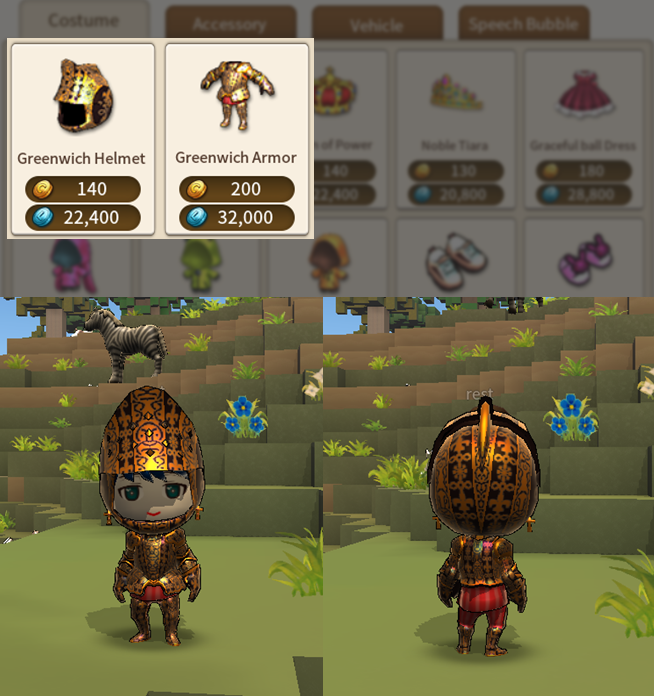
A colorful and dignified armor costume has been added. Decorate your character with new clothes.
Greenwich Helmet
Greenwich Armor
Robe of Majestic Power
You can purchase them with Coin or Leddit at the coin shop.
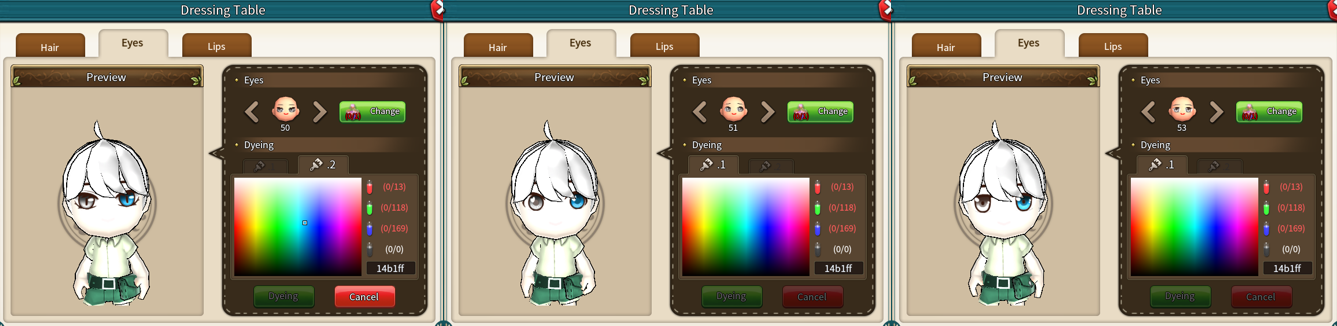
New eyes
Two new eyes have been added.
It can be changed using a special Eyes Potion at the Dressing Table
Bug fixed
Private town
We found an issue where the character name did not appear in the shared town window. And fixed this problem.
Update 2020-06-19
Added
New eyes
Six new eyes have been added. Added 5 types of new eye that can be odd eyes and 1 type of eye that can be obtained from ‘Skilled Potion of Eyes’
Five new eyes that can be odd eyes can be changed in the Dressing Table and require a special Eyes Potion.
Update 2020-06-10
Added
Emoticon
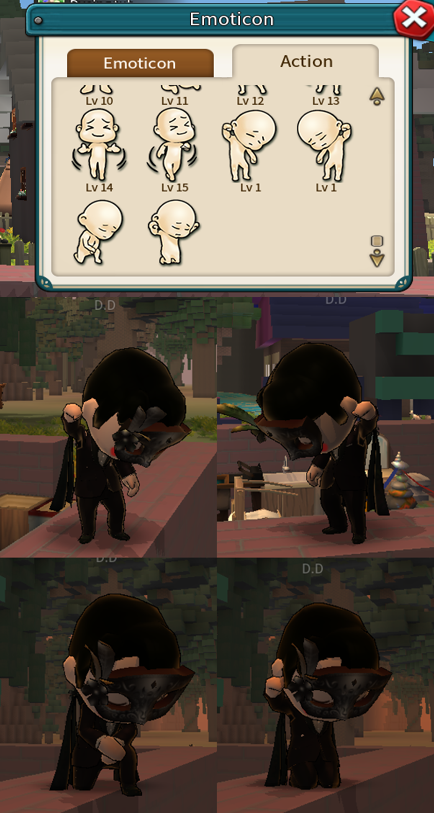
New action
We stand against prejudice and discrimination.
3+1 actions have been added.
You can see by pressing the X button or the emoticon button in the chat window.
Emotion sticker
Thank you for the hard work of those who strive for the safety of citizens from the dangers of Covid-19.
Emotion stickers have been added.
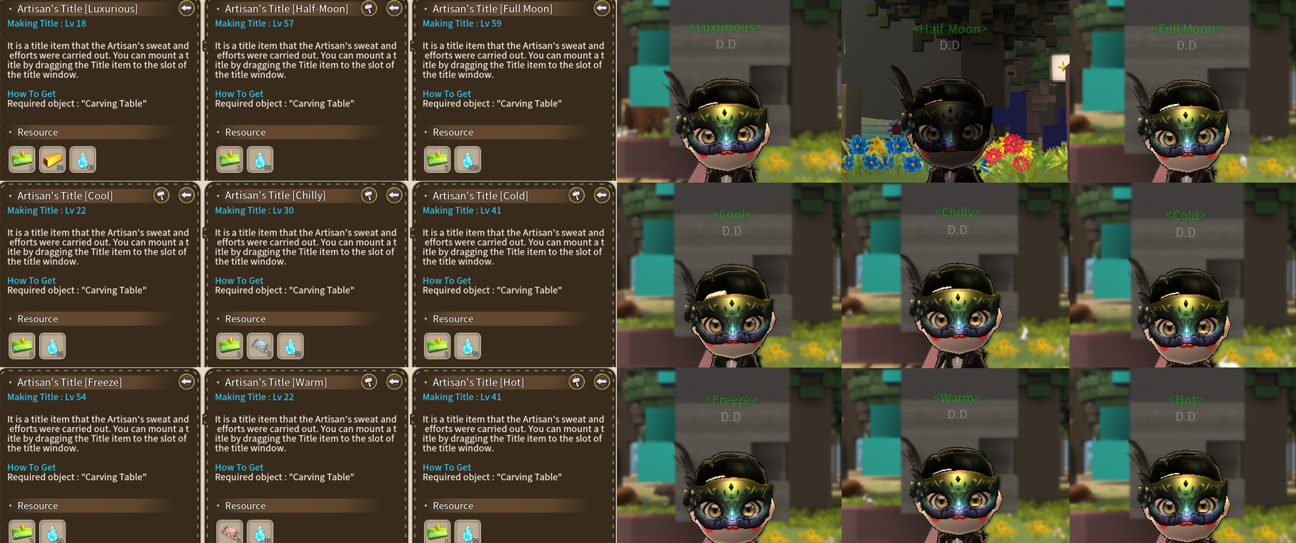
Name tag
17 new name tags have been added.
You can craft them at the Carving table
Improved
Furniture ui
Furniture has also been added to the list of animals and characters around you
Lighting furniture
When the lighting furniture was installed, the default setting of the lighting was OFF. After this update, the default settings for lighting furniture, including torches, have been improved to be ON.
Language
English
English names of some items have been corrected.
Great Ruler's Crown -> Crown of power
Royal Lady's Tiara -> Noble Tiara
Great Ruler's Scepter -> Scepter of power
Royal Lady's Scepter -> Noble Scepter
Royal Lady's Masquerade Mask -> Noble Masquerade Mask
Great Ruler's Masquerade Mask -> Masquerade Mask of power
Basic Letter Paper -> Plain Letter Paper
Cherry Blossoms Letter Paper -> Cherry Blossom Letter Paper
Lovely Letter Paper -> Heart Letter Paper
Snow Letter Paper -> Winter Letter Paper
Fallen Leaves Letter Paper -> Autumn Letter Paper
Vacance Letter Paper -> Vacation Letter Paper
Flowers Letter Paper -> Flower Garlands Letter Paper