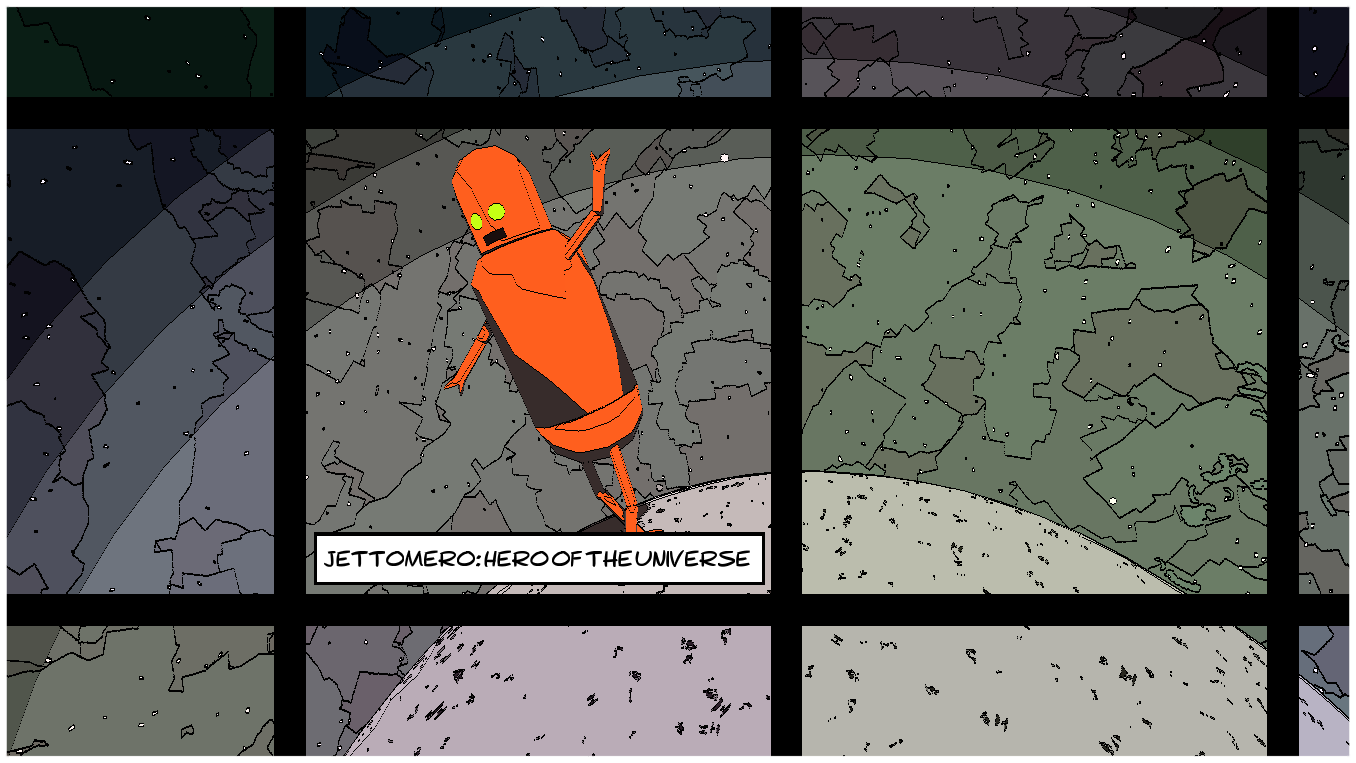
I'm very pleased to be able to share this latest update for Jettomero. I've added a bunch of cool new filters to the game (some of the craziest yet) and I've further expanded the photo mode with custom text and word bubbles, for those of you interested in telling more of a story with your shots. Otherwise of note is the camera's zoom range, which can go much further in either direction now.
There's also a few minor fixes/optimizations and new translation support for Finnish and Czech.
Please be aware that this update is coming hot off a major recent upgrade to the Unity game engine so if something seems different or broken please let me know. I've done some testing around and I believe I caught the main issues but I haven't been able to test all possible cases yet so please keep an eye out and I'll try to patch any issues as quickly as possible.
Otherwise, enjoy! And if you start making some comics I'd love to see what you come up with!
Early December Update! What's new?
Hi Folks!
I've been busy working on porting Jettomero to a new platform but I've been fixing some things up and adding a few new things that are definitely worth checking out. A brief list of some of the changes you'll notice:
- 5 new photo mode filters (some of my favourites so far including LED, low-fi and dashed).
- New photo mode features including a camera light toggle, poses, and quick access to the parts screen.
- Improved shaders - the game should be a little sharper after a recent improvement I made.
- Completely replaced the text system (this was to deal with an issue I was having with my port).
- One new planet type (island planet).
I've tried to test everything as much as possible but since I've changed a lot of things recently it is possible that something broke and I didn't catch it (especially something related to text). I've also tested across different languages but you may notice some words are still in English. I'll be doing another round of translations soon but I'm waiting until I get a couple other new things added since it's more cost/time effective to do larger batches of translations.
Please let me know if you run into any issues, but most importantly I hope you enjoy these latest changes! Be sure to try playing with the new filters - the game looks really cool in LED mode!
Halloween Update
Hello folks,
I've been working on a few improvements and content updates. First thing you'll notice is an improved title screen that includes basic options including quick language selection. There's also a load of new parts in this update. If you've already collected all the parts then any new planets you visit will reward you with these new parts. If you're just starting out then all the new parts will be mixed in with the rest!
Some parts also have secondary colours, which you can adjust on the parts customization screen. Now Jettomero has more possible styles than ever!
You'll also notice there's a new 'Photosensitivity' option in the settings menu - at the moment all this does is smooth out the loading screen to avoid the flashing/eye-hurting effect that some people have raised concerns about.
There's a few other smaller changes you may notice but that's most of what's new this time around.
Cheers,
Gabriel
Filters Update
Hi folks,
I've just published the latest update for Jettomero. This is the first update that isn't just bug fixes or minor improvements. I've added a number of new filters to photo mode along with the ability to tweak each photo mode filter in its own way (hue, contrast, brightness etc). Perhaps the craziest part of this new update is the ability to play the game using whichever filter you want. For a quick preview check out this video: https://youtu.be/C84wG40BWxY
I really like the way the game looks already but it made sense to me to leave it up to the player to decide how they want their game to look. Go ahead and enter photo mode, play with the filters until you find something you like, and when you back out again that filter will remain active for you to continue playing the game.
Another update included that some players may appreciate is that keyboard controls now also support mouse for camera control. This has been a requested feature and I'm happy to finally make it a possibility. It may still require some tuning but I'm hoping that given some player feedback we can get it all working nicely. Another keyboard control change worth pointing out is that ESC and ENTER keys now double function for Q and E keys, and the main menu access has switched to use Spacebar.
Thanks for checking out the latest update and I look forward to seeing more amazing screen captures using the new filters!