Private Stash - the chest in your room is operational, giving you plenty of additional storage space that is shared among all of your characters.
Trash Bin (Mouth) - use to delete no drop items you have been dying to get rid off, accessible through your Private Stash in your room. As a precaution, quest items will not be possible to delete.
Increased inventory space - find and purchase an additional bag in The Imp's Shoppe.
More quick slots - a utility belt upgrade is for sale in Seven's shop, hanging on the wall.
Improved GUI feedback on where items can be placed - this should be helpful to first time players who are not yet used to the inventory and paperdoll system.
Other stuff:
Fixed an error in The Collectors dialog where he started saying something that was suddenly cut off. This happened when choosing "Tell me more about this task".
Improved Repeater Crossbow should correctly state it's a 5-shot and not a 3-shot.
Fixed the double explosion when spiders are killed.
Fixed wrong loot drop location for spiders crawling on walls.
Added underwater audio and visual effects for those areas where it is easy to poke your head into water.
Critical hit audio level is now distance based.
Wooden Shield should now correctly play blocking sound every time it blocks an attack.
Fixed an area in Caverns of Decay where shroomies could be knocked off the giant mushrooms and become stuck.
PS:Certain item interactions with your Private Stash may feel a bit odd. Feedback will be appreciated ːsteamhappyː
Patch #14 - Version 0.8.6.9 - Controller Update
Hello All
First of all, thank you for your patience, we know this has been a long time coming!
It has been a long headache for us to implement Vive Snap Turning, and full support for Index Controllers and Windows MR. A lot of this has been due to Unreal 4 not properly supporting the devices for a long time, and when there has been a version other things was broken beyond repair that made it impossible for us to patch. Finally we have a version of UE4 that is stable enough to be released to public.
What to expect:
Snap turning as well as smooth turning for Vive Wand controllers This has been a massively requested feature for players with limited space and a hate for cable systems.
Full support for WMR controllers , with smooth turning / snap turning.
Full support for Index controllers , with smooth turning / snap turning. Finger tracking will not be supported, as it is not suited for Karnage Chronicles' game-play.
Crashes sometimes happening when loading a new map should be entirely gone with this version.
After this update, we would really appreciate your feedback on any issues you may encounter and especially if the new controller settings is to your liking or not. Again, thank you for your continued support. Karnage Chronicles continues to be in active development, and we aim to bring you more updates soon ːsteamhappyː
Patch #13 - Version 0.8.6.5
With this update we are trying to address some of the matchmaking and disconnect issues which have been troubling to some. Internal testing show that things are more stable but as always the three of us cannot possibly recreate the experiences of all of you. So please keep the bug reports coming and a big thank you to everyone for helping us make co-op better!
Two issues remain but there is a workaround:
ISSUE 1 - no one can find your game session If a game session is being hosted but no one can find it, then something have gone wrong between Unreal Engine and Steam. This problem is on the side of the person hosting the game session, and in order to fix the issue the host should follow these steps in order depending on HMD:
HTC VIVE and WMR
Shut down the game completely.
Shut down Steam completely. Cannot be running in the background.
Shut down Steam VR.
Restart Steam.
Start the game and try hosting a new game session.
OCULUS RIFT
Restart game.
ISSUE 2 - indefinitely spinning wheel If searching for a game session to join or trying to host a game session results in an indefinitely spinning wheel with a text saying searching, then something have gone wrong between Unreal Engine and Steam. In order to fix the issue follow these steps in order depending on HMD:
HTC VIVE and WMR
Shut down the game completely.
Shut down Steam completely. Cannot be running in the background.
Shut down Steam VR.
Restart Steam.
Start the game and try hosting a new game session.
OCULUS RIFT
Restart game.
Sincere apologies for not having a fix yet for these hopefully last remaining issues but rest assured we continue working on them.
TWEAKS AND CHANGES
Feeding the Rabbit Foot to Truffles using drop bag shold now work.
Using the pull ferry crank in Caverns of Decay should now be a much smoother experience for Guests.
GENERAL BUG FIXES
Shamblers in Caverns of Decay didn't always play their attack animations for Guest players in co-op. This should be fixed now.
Fixed an issue where mosquito sounds didn't play for Guests.
Fixed an issue where boss battle music didn't play for Guests.
Fixed an issue where Nom Nom chewing and don't like sounds didn't play for Guests.
Fixed a bug with the Orc Boss at the end of Wyvernscale Mountains. He should be back to his old self and not be going down in a couple of hits anymore.
Fixed an issue with harpies sometimes moving too fast and too far when avoiding arrows in co-op.
Content Update #2 - Version 0.8.6.2
Welcome to the Caverns of Decay
This update introduces new gear, new monsters, and a brand new dungeon with hours of gameplay. It replaces the old Crystal Mines which will return in the future in a different form.
We hope you will enjoy our latest dungeon crawl.
At the same time we would like to take this opportunity and extend our gratitude to John Abel (aka Magnanix) who has done an absolutely amazing job with the voiceover for the new NPC that resides inside the Caverns of Decay.
NEW STUFF
New gear
New monsters
New dungeon with hours of gameplay
Audio controls added. They can be accessed in-game from your belt.
In preparation for a future player progression update we have changed stats of gear and items.
Monsters have received the ability to alert each other, making progress through a dungeon slightly more tactical.
Pull an arrow out of yourself or others, and then stab someone with it. Or choose to throw it at your target instead.
Lots of new optimizations making the game run smoother than ever.
TWEAKS AND CHANGES
When joining a game in progress the start location should from now on be at the most recent activated check point, no longer the beginning of the dungeon. It may still not work everytime but is better than before.
Hitting the bow of Deep Goblin archers with an arrow will no longer make it stick or bounce off. It will instead go through.
Starting location when using a Town Portal has been moved into the player room. Thus removing the potential of accidentaly triggering an instant travel back to where it was used.
The insanely loud sound from the portcullis doors when coming back to the The Collector's study should no longer happen.
Made a few more items in The Collector's Study interactable but not lootable.
Swinging a weapon will now produce a swoosh sound based on velocity.
Dead monsters will only stay five minutes before being cleaned up in single player, down from ten minutes.
Added a new miniboss deep goblin to the bridge area in Wyvernscale.
Changed end level boss in Wyvernscale and moved the old boss down in the hierarchy.
GENERAL BUG FIXES
The bow issue for left-handed users has been fixed.
Dead players should no longer be able to block the movement of the living.
The problem with guests in a multiplayer game sometimes ressurecting far back in the dungeon should no longer happen.
When looting something the sounds should now always play correctly for guests in a multiplayer game.
Grunts and snorts from monsters getting hurt should now always play correctly for guests in a multiplayer game.
Both host and guest should now be able to see the town portal leading back to the dungeon and both will be able to trigger it (previously only host could see it)
Hotfix #5 - Version 0.8.0.2
Fixed an issue that was causing weird flickers for Oculus users in multiplayer if they joined as guest and used smooth turning.
Fixed an issue that was causing weapons to show at an off-angle for Oculus users in multiplayer if they joined as guest.
Patch #12 - Multiplayer - Version 0.8.0.1
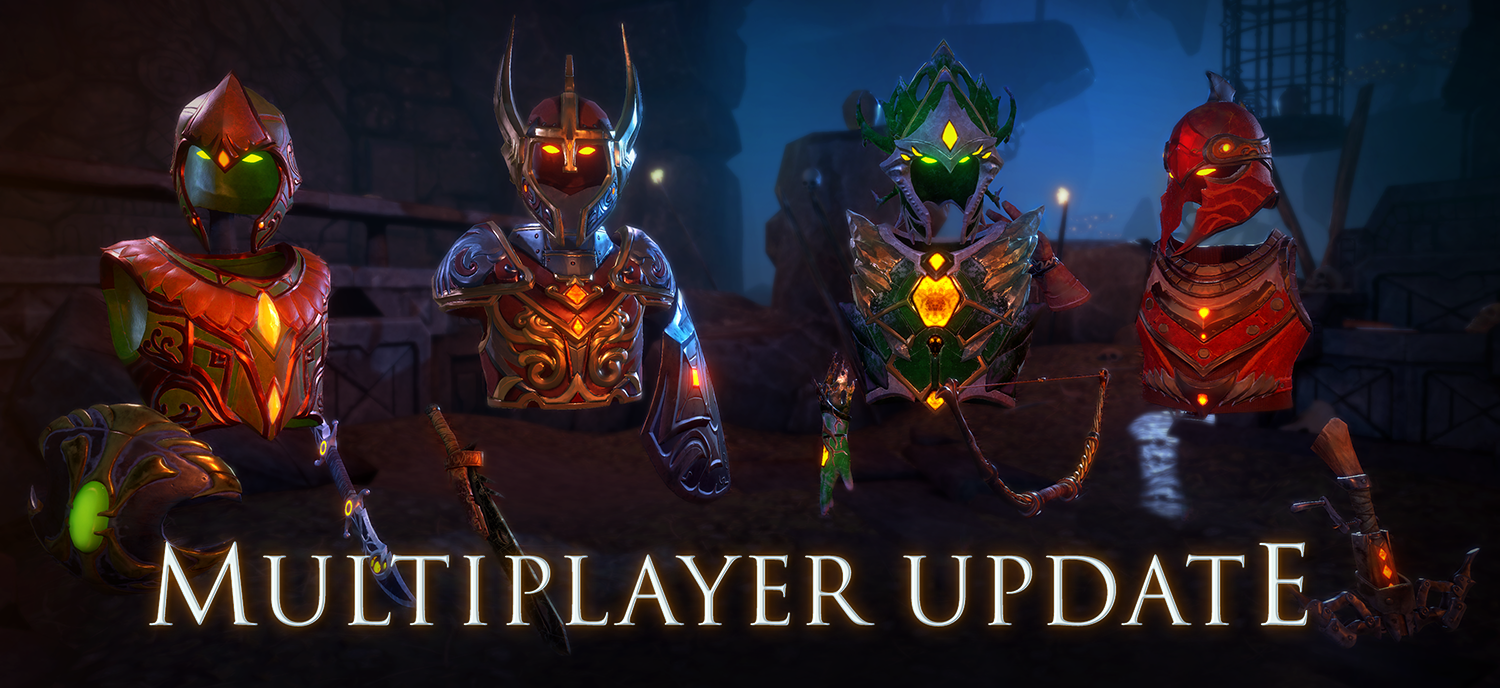
2-4 player co-op is here! Play through the campaign together with friends or with random people. Karnage multiplayer comes with full drop-in/drop-out support and can be started at anytime after creating a hero and going through the tutorial. Monster strength and number of spawns scale automatically based on how many players are in the party, so feel free to go about your adventures while at the same time hosting a multiplayer game, monsters won't become tougher or more numerous until someone joins your game and it will scale down again when someone leaves.
NEW STUFF
2-4 player co-op with friendly fire and voice chat!
Changed the Imp's Shop to accommodate multiplayer.
TWEAKS AND CHANGES
Respawn after death will start heroes with less than maximum health. Value depends on game difficulty, with Easy mode being full health.
Added next and previous text to arrows in controller options GUI to make it clear there are more.
Made it so that closing inventory also automatically closes paperdoll.
Made it a bit easier to panic crank the crossbow but more work is still needed on this.
Made some changes to spider attack animations, they should now be able to hit more often.
Blocking / Parrying the attacks of the Corrupted Troll is now following the same rules as for regular monsters.
Blocking / Parrying the attacks of the Vulture Bear is now following the same rules as for regular monsters.
Starting the boat ride at end of Wyvernscale Mountains now requires pressing a travel button located on the boat.
Added a belch sound when using Potion of Fire Breath.
GENERAL BUG FIXES
Fixed a few issues that were causing the troll's AOE attacks to not work correctly.
Tweaked radius of troll's AOE attack and made it visually easier to see.
Archer goblins should no longer get stuck trying to go through closed portcullises.
Fixed an issue causing items dropped on ground to not be saved. Items can now be safely dropped on ground again, also in the player room, and they will be there on reload everytime.
Fixed an issue where it was possible to sometimes fall through the ground if entering a boss battle from outside of the barrier.
Fixed several issues where specific monsters would respawn after reload of a level. They will now stay dead.
Fixed several issues where players would respawn in the wrong place after dying.
Fixed an issue where it was not possible to melee one specific archer in Level 1, inside the dwarven ruins.
Fixed an issue where a few goblins weren't spawning correctly in Eye of the Dwarves.
Left-hand Vulture Bear Claw will show as left-handed again.
Fixed an issue where monsters would sometimes face the wrong direction when running towards player along a non-direct route.
Fixed an issue where the Corrupted Troll wouldn't always cause damage with its melee weapon.
2-4 Player Co-op on Test Branch
Exciting times! Up to four players can now play together in the same game, and monster difficulty and number of spawns are balanced around number of players. Bosses will be receiving an upgrade later, right now they are a walk in the park. But before that we are really hoping to receive some feedback on whether the increase in number of players is fun or not.
Please be aware that it’s probably not going to be easy finding a random game to join so we advise bringing friends.
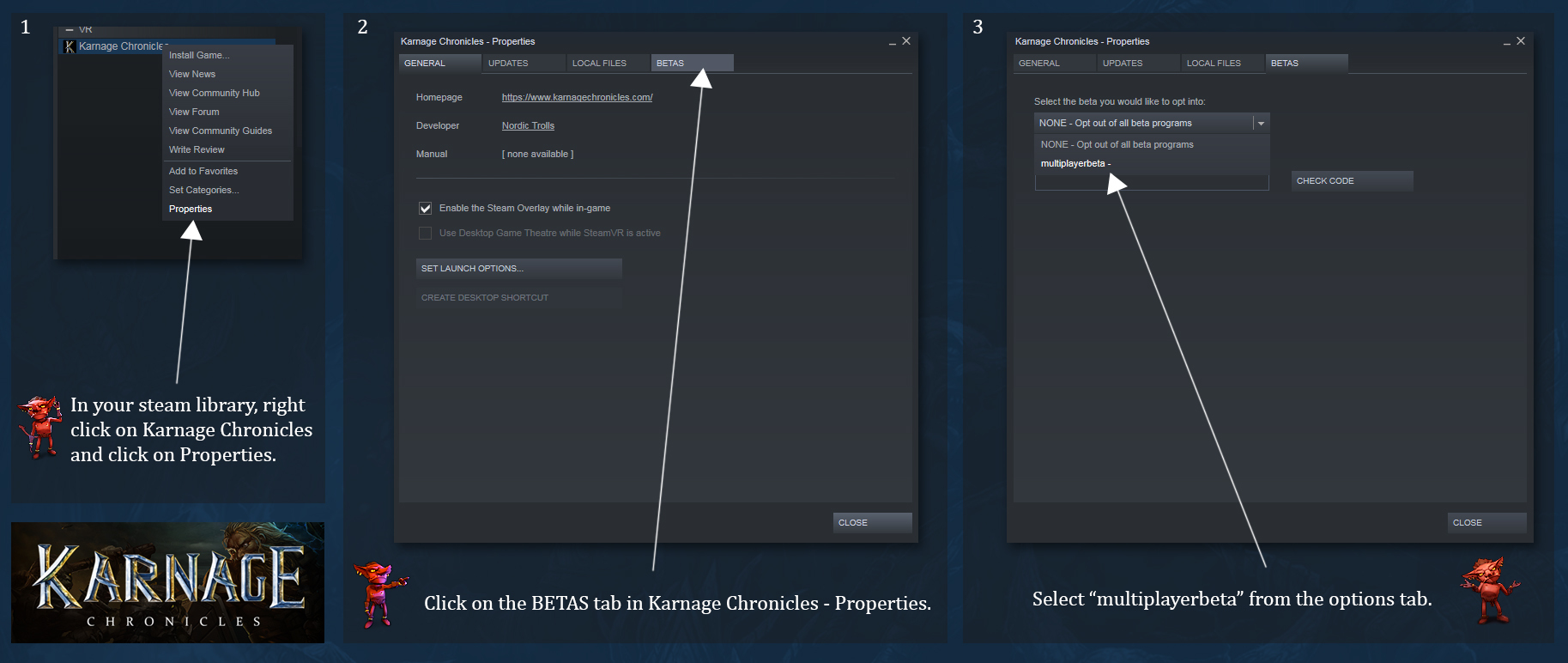
How to join Multiplayer – Open Beta:
Development progress and giving feedback: https://steamcommunity.com/app/611160/discussions/4/
Multiplayer - Test Branch is open!
We are excited to announce that anyone can now access our test branch and try 2-player dungeon crawling before it becomes available in the live game. There aren’t many issues left for us to fix and the experience should be a very enjoyable one. We intend to keep the test branch open until multiplayer goes live.
Please be aware that it’s probably not going to be easy finding a random game to join so we advise bringing a friend.
How to join Multiplayer – Open Beta:
Development progress and giving feedback: https://steamcommunity.com/app/611160/discussions/4/
Multiplayer - Open Beta!
After two weeks of closed testing, Karnage Chronicles is getting ready for Multiplayer Open Beta.
Thanks to great contributions by members of the community we have been able to quickly find and fix issues we were not aware of and at the same time focus on known issues according to what came out high on players wishlist during play.
Starting the coming weekend, we are opening the beta branch for everyone who owns a copy of Karnage Chronicles and would like to give 2-player co-op an early spin, and to help us find any remaining issues that might exist.
Special thanks for incredibly helpful testing and feedback during closed beta goes to:
Greg Sallans
Drew
Grant Pyper
Game Cooker US Rocks VR
--ranXerox--
1Nullest
Magnanix
VR_Nurfee
David and Jamie over at UploadVR
To follow development progress of multiplayer, go to this forum link; https://steamcommunity.com/app/611160/discussions/4/
Here’s a few videos of multiplayer shared by closed beta testers:
https://www.youtube.com/watch?v=868yImh-FVI
https://www.youtube.com/watch?v=nohg3Lu2LTQ
https://www.youtube.com/watch?v=6qzHTiSaRLw
https://www.youtube.com/watch?v=tuQtkPKDw0c
https://www.youtube.com/watch?v=K34ASTjsKAU
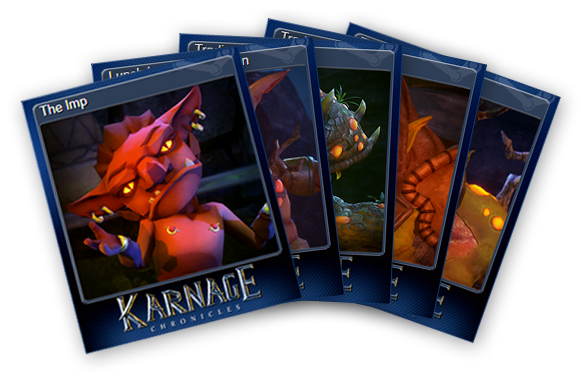
Trading Cards, Backgrounds and 8-bit Emoticons
Art should be shared and what better way is there than to share it through Steam Trading Cards? Today, we introduce our first series of trading cards, and they contain quite a few sneak peaks of what’s to come in future updates.
Don’t know what Steam Trading Cards are? Read more about them here; https://steamcommunity.com/tradingcards