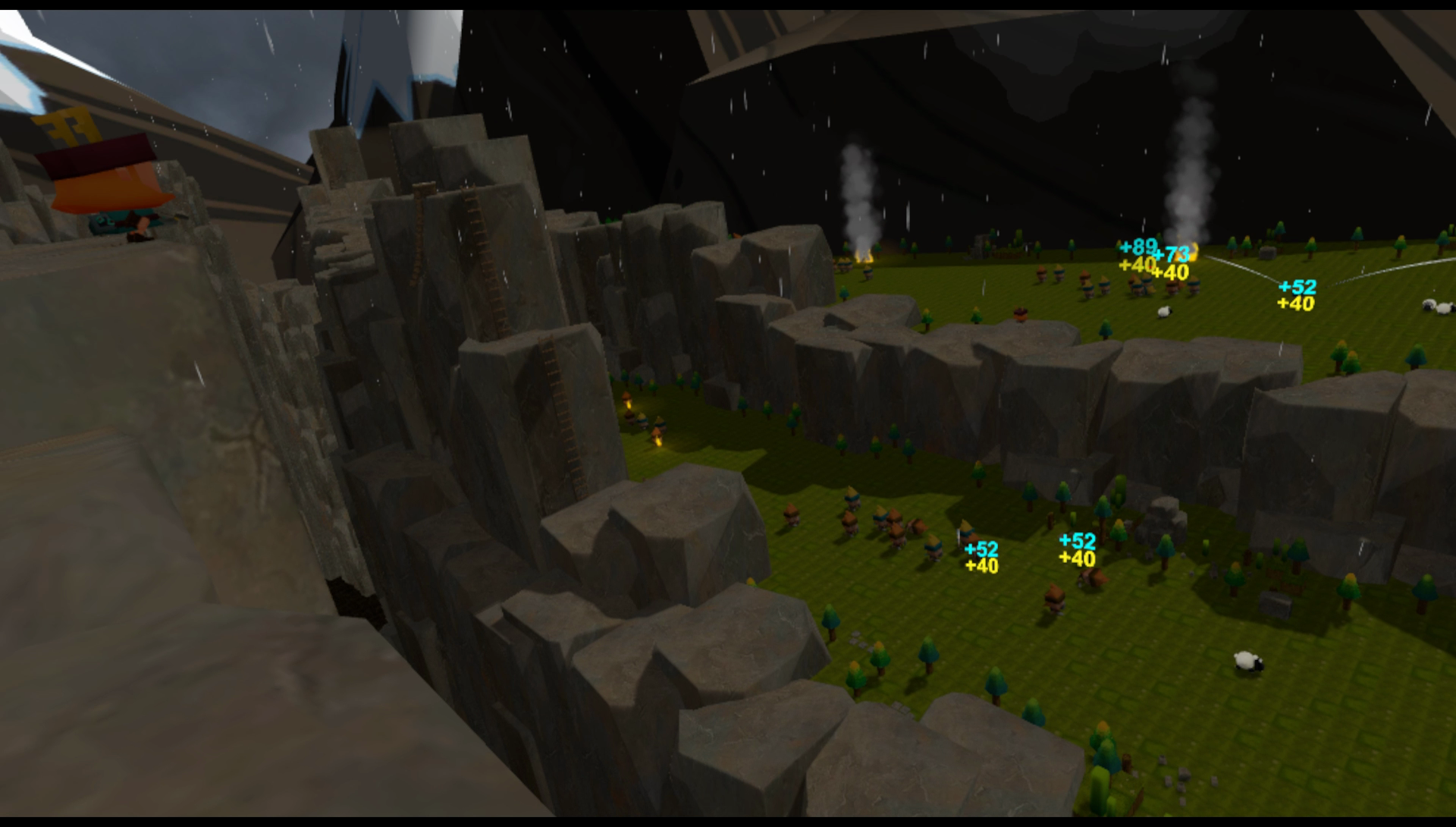
Oculus Rift control layout changes and a number of fixes in v0.40ea
After a short break, with time to recharge my batteries, I'm back focused on Keep Defending development! This next update (v0.40) features a number of fixes outlined below as well as changes to the controls for Oculus Rift and Touch users.
Following feedback, I implemented a new button layout for Oculus Touch users which should feel much more accessible and inline with other games on the platform.
I recommend enabling "Help Hints" in the options menu which is accessed by pressing the (Y) button (if you've switched the option off previously) as I've implemented a number of updated hint messages to introduce new players to the (revised) controls. It's worth scanning these and the tutorial signs in the Homestead level to learn the new controls, however they should hopefully be second nature to seasoned Oculus players.
A full list of changes for v0.40 is given below:
Oculus Rift Touch control layout changes.
Implemented new rotate clockwise and anti-clockwise controls on the controller grip buttons (Oculus Touch users only).
Help hints and tutorial message changes for Touch users
New help hint displayed after showing a Level select panel to prompt the user how to activate a pointer.
Increased the lighting in the Crystal Caves level so it isn't as dark as previous (from player feedback). I don't want to brighten this level too much as the caves are meant to be dark! :) However, enemies and the cave environment are now more visible than before and it does look much better. Please note that there are gamma controls available in the options menu if you do want to tweak the brightness further.
Fixed the two barbarian bosses appearing on the same side of the river towards the end of the Mutton Valley level. One boss should appear on each side of the river.
The leaderboards on the main menu scene should now show the top 5 players for each level if the player hasn't recorded a score for the level yet. A blue background to the leaderboard indicates the player has recorded a score, whereas a red background means the level hasn't been played yet (i.e. no score recorded).
Implemented a short delay before fetching the leaderboard entries to fix a race condition that occasionally resulted in "Unknown" entries being shown.
Text tweaks to the narrative in the level select screens.
Raised the height of the level select screens slightly so it's possible to access the buttons from a lower (seated or child's) position.
There are a couple of additional fixes I need to make (e.g. some of the crystals in the caves are actually the wrong colour!) and these will appear in the next update, however my next task is to get on with implementing another new level...
Thanks for reading this latest update on Keep Defending. :)
Crystal Caves and Mutton Valley new levels available
A new milestone update (v0.39) for Keep Defending is now available, and it's a big one! Headline features include:
New Mutton Valley (Ambush mode) map.
New Crystal Caves (Advance mode) map.
You can see a better quality (and longer) clip of Crystal Caves here:
https://www.youtube.com/watch?v=C36eEFPb0Wk
Advance mode maps involve multi-stage progression through a level where your defenses move forward with you. Crystal Caves has 4 stages which you must work your way through before a countdown expires.
New unit: Exploding Sheep introduced on Mutton Valley.
New enemies introduced on both Crystal Caves and Mutton Valley.
Game difficulty can now be selected on a (new) level info panel that is opened when you touch an orb in the main menu scene.
New game difficulties implemented: Easy, Normal (default), Hard, and Insane. Note that previous versions of Keep Defending were fixed at Hard difficulty so if you've struggled previously please try again with Normal or Easy. The difficulty selection affects the number of enemies that are spawned in the game and their health (Easy and Normal only) as well as monetary rewards returned from kills (Easy and Normal only).
A 180 degree rotation has been implemented on the app menu button of the non-dominant controller (i.e. your bow hand) to quickly flip you 180 degrees. This was needed particularly for Rift players on Mutton Valley where you often have to turn behind to target enemies before they escape.
The options menu includes additional settings for selecting MSAA level, Gamma/Brightness, "Use Quiver", and Height adjustment. The last is for tweaking when your VR setup is a little off tracking the floor height and you feel you should be taller or shorter in game than your headset is showing you.
Improved ally AI so they prioritise enemies based on the type of level you're playing (Gate Defense, Ambush, or Advance).
Many further improvements including new FX, audio, and rendering efficiency.
I hope you all enjoy this milestone version of Keep Defending. With 6 levels implemented, covering 3 game mode types, Keep Defending is now featuring some solid gameplay which I'm looking forward to expanding on in the coming weeks and months.
As always please leave feedback in the discussion groups or by replying to this post. Let me know how well (or not) the game is running on your setup alongside which features you like/don't like currently in the game. Do you have a favourite map or game mode already?
Thanks for reading about and playing Keep Defending! :)
Options and Optimizations
The options menu in Keep Defending is slowly growing and now contains a number of performance settings that can help you either increase visual fidelity for high-end hardware, or lower the quality to help raise the frame-rate to ensure smooth VR playing on less than optimal PC setups.
The small clip below shows the "Full Weather FX" setting which enables/disables various particle effects in game from rain mist to smoke on bonfires and others. Disabling this will free up some extra fps on low-end machines. Not easy to see in this animated gif, but there are also new FX in place with the smoke from the bonfires now casting shadows onto the landscape.
I've mentioned the Sub/Super-Sampling options previously, however there is now an additional slider for changing the MSAA (Multisample anti-aliasing) levels between 0 (no AA), 2x, 4x (default), and 8x.
If you have high-end hardware then adjusting the Super-Sampling will get you better visual quality results so try setting that to values higher than 1. For low-end hardware, dropping the MSAA level to 2x or even 0 might help you get the frame-rate needed for smooth VR playing (at the expense of visual quality).
Although not a new option (I just haven't mentioned it before), the below clip shows the "Interface Scale" setting in action:
This dynamically resizes the scale of user interface panels in the game. Changing the scale in the settings affects all user interface (and hint texts) so they can be shown further away or closer in depending on what's most comfortable to the player.
Finally, there is also a new player preference called "Use Quiver". This has been the default to date and forces the player to reach for an arrow behind their shoulder to spawn an arrow. Now you can disable this option and spawn an arrow by just pressing the trigger (although you can't spawn arrows too close to your bow in an effort to stop machine-gunning the enemies!).
These options will appear in the next update for Keep Defending which I'm hoping to release late next week (or very early the week starting 13th Feb). The new update will include the new Mutton Valley map I previewed last week, as well as a second map called "Crystal Caves". Crystal Caves is still work-in-progress (so no footage yet, sorry), however it will introduce a 3rd type of level/mode called "Advance" to complement the existing "Ambush" and "Gate Defense" modes. More details soon...
Thanks for reading :)
Exploding Sheep in Keep Defending
Here's some footage of a new level I'm working on for Keep Defending called "Mutton Valley".
This is an Ambush level where you need to stop enemies from escaping the map and it introduces a new unit to your defensive arsenal: Exploding Sheep!
Relatively cheap but devastating if you manage to chain react them, they're essential if your usual defenses are being overwhelmed.
You can see a longer and much better quality clip (with audio) on YouTube here:
https://www.youtube.com/watch?v=MJ9YoiPfLU0
Mutton Valley will be introduced in a major update I'm planning for Keep Defending in the next week or so alongside more features and additions which I'll post about soon.
Thanks for watching :)
Improvements for Oculus Rift & Touch users in v0.33ea
A new update (v0.33ea) for Keep Defending is now available on Steam that includes a host of back-end updates and improvements including more responsive controls for Oculus Rift users with Touch controllers:
I've made some tweaks to how the Touch controllers for the Oculus Rift interact with the quiver when pulling arrows. This is now an instantaneous action instead of the brief pause that existed before. The Rift and Touch controllers are now on par with how the Vive plays and I've managed to set very similar scores on both devices across all 4 levels currently in the game.
The hand models are now visible on the main menu scene as well as the game levels.
The hit colliders for the teleports have been increased in size. They're now slightly wider and much taller (3x) than before so they are easier to hit at distance (e.g. on the Eagle Heights level).
I've made some subtle improvements to the weather effects in the game. It's possible that these may be detrimental to performance on some machines so I've also included a new graphics setting on the options menu "Full Weather FX" which can be disabled if this is the case. However, this should default to on for all players.
Additional hint messages included to help new players. Hint messages can be disabled in the options screen be deselecting the "Hints" setting.
Hint messages and other help text is now Oculus aware and renames certain text elements accordingly.
Back-end Unity version, assets, and SDK updates to increase stability and performance.
Small tweaks to the level selection orbs on the main menu scene including haptic interaction with controllers.
With all of the above fixes in place, and the behind-the-scenes updates to the platform Keep Defending is built on, I'm in a good place to focus on adding new content.
So the next task is to create some new levels, add more enemies, and implement additional defenses to use against them! :)
Let me know in the discussions if you experience any issues with this update.
In the meantime, hope you've all had a great start to the New Year!
ːsteamhappyː
New "Eagle Heights" map available with the v0.24ea update
A new update (v0.24ea) has been released to Steam that includes an additional map called "Eagle Heights" as well as many extra features and improvements:
Eagle Heights ambush map added to the game. Ambush is a new game mode where you must stop the enemy escaping from the current scene. Eagle Heights is an exercise in long-range shooting, defense placements and use of teleports.
Implemented new video settings into the options panel including video quality and sub/super-sampling.
A "Menu Fog" setting is also provided to disable/enable the background fog. Note that AMD cards default to disabled.
A Restart level button has been added to the Portal (assign defenses) menu.
Confirmation (Yes/No) panels are now shown when selecting to Restart the level from the Portal menu, or Exit the level from the Options menu.
Increased the size and visibility of score texts at distance that show when killing enemies or shooting soul orbs.
I've increased the power of the bow when releasing arrows so you can shoot much further (necessary for Eagle Heights and future maps).
Also increased the power and range of allies accordingly.
Better AI logic for allies so they don't focus too long on enemies they can't target.
Additional enemies for the Eagle Heights map.
Numerous performance improvements behind the scenes.
Further code refactoring in preparation for upcoming levels, enemies, and functionality.
There's a new leaderboard setup for Eagle Heights which I've populated with a couple of scores while testing on both the Vive and the Oculus Rift (+ Touch controllers).
Let me know in the discussions if you experience any issues with this update.
In the meantime I hope everyone has a great holiday season!
ːsteamhappyː
New v0.20ea update available
I've pushed a new update (v0.20ea) to Steam that has the following changes:
Speculative performance fix for AMD Radeon cards on the main menu. As a short term fix I've disabled the background fog if an AMD card is detected. This is a hard-coded fix for now, but I will implement it as an option in a new graphics settings menu. Long-term I'll identify and implement a better performing background fog for AMD cards. Note that nVidia cards don't seem to suffer from this (tested on GTX 970 and 1070 cards).
Fix for bow aim periodically adjusting when releasing the arrow.
Fixed instance where Steam achievements were not being awarded.
Did some backend code refactoring to better prepare for new levels (when done!).
Please report back in the discussion forums if you have an AMD card and let me know if disabling the fog has improved matters (or not). Thanks.
Hopefully with this update (and the previous one) potentially addressing issues reported so far, I can focus on some new game content for upcoming updates.
ːsteamhappyː
Super special graphics upgrade announcement
Yes! I found the options needed to set the graphics quality in the game to what you see in the videos and screenshots (which were done from my development PC).
Stupid (beginner) mistake on my part when building the game. Sorry!
ːsteamfacepalmː
The graphics quality should now be much improved and "as intended". It's possible if you have a low-end machine (i.e. lower than recommended for VR) that the improved fidelity could have a detrimental effect on the game's performance. If this is the case then let me know in the group discussion forums and I'll try to identify what can be done to fix this.
However, I've also been testing on a new PC build with an Intel Core i5 4690 and an nVidia GTX 970 and the game (fortunately!) runs smoothly, so we should be okay to target the game at the minimum VR spec (which is what the GTX 970 is).
What's more this testing was done on an Oculus Rift with Touch controllers and other than needing some better control button assignments I'm pleased to report the game ran well with just the 2 sensors in a "Standing" room configuration.
This new build (v0.18) also contains some preliminary leaderboards on the main menu screen beneath each level selection orb. They only show scores surrounding your own for now, but I'll update these moving forward to show other lists (top, friends, etc).
Please try the different levels again to experience them as intended.
Thanks!
ːsteamhappyː
Keep Defending now available on Steam Early Access
Keep Defending, a new VR Tower Defense first-person archery game, is now available on Steam Early Access with a discount for its first week of existence!
The first release contains 3 levels to test the best archers and tacticians out there:
Homestead: This is the first level aimed at introducing new players to some of the mechanics in the game. You are tasked with protecting your home village from marauding barbarians.
The (Small) Wall: Introducing the player to the cold Northern wastes beyond The (Small) Wall. Setup your defenses and prepare for the onslaught of enemies.
Highguard: Prepare your defenses with archers, wizards, and knights as the enemy hordes try to breach your gate.
* Note that these two levels are (possibly) a lot more difficult than they should be but I want to gauge community feedback regarding the difficulty the game is currrently pitched at before adjusting them. Try and beat my high scores if you can!
I'm intending to create a game finely balanced between tactics and first-person action which can provide a challenge for all VR owners, so please come join me on the journey and help make Keep Defending a game everyone can enjoy!