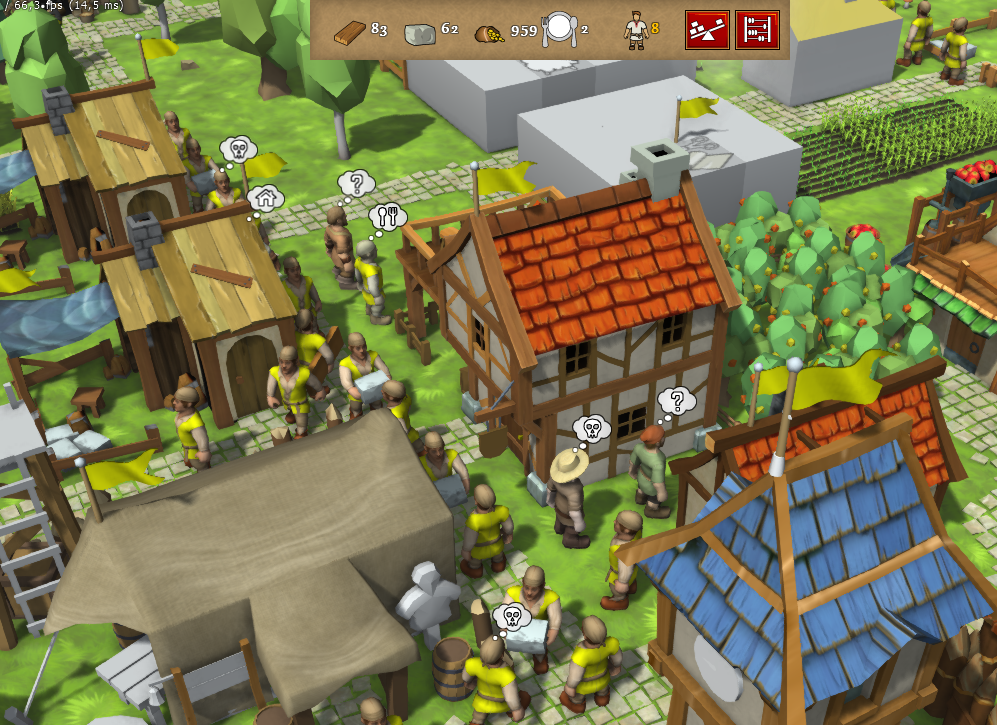
In the old system, units would eat everything they can in the order it is available in the Tavern till they get to 90% satiety. This had several drawbacks:
It would look odd to see units consume both Ale and Cider, or Fish and Sausage.
Sometimes units would overeat and waste the food (e.g. unit ate to 80% and then another 60% sausage, resulting in 40% going to waste)
Attempts at food management micro distracted from the game
Starting from r13944 new rules are in effect: each visiting unit will want to eat three dishes – meat, bread, drink. Meat can be sausages or fish, bread is always bread, drinks can be cider or ale. Exact choice is made randomly upon availability. New satiety values are:
Meat – 35%
Bread – 25%
Drink – 15%
For each 2 dishes combo unit gets an additional 10% satiety. Result is that in the full Tavern a newly arrived hungry unit (satiety <10%) will eat 35%+10%+25%+10%+15% = 95% which will restore them to full satiety.
Thus, more kinds of food could be added without making them look superfluous (as long as they go into one of the three categories) and the combo bonus will incentivize player to maintain variety of foods in the Tavern
In early campaign missions not all foods are available, so units will not eat up to their fullest, but this is not a huge problem, they will just return to eat sooner. In later missions (or in missions without waterbodies) one is expected to produce meat sausages to keep the units well fed.
Further work includes reworking UI to be representative of the new mechanics (sort and group foods). Slight tweaking of food values may also be needed.
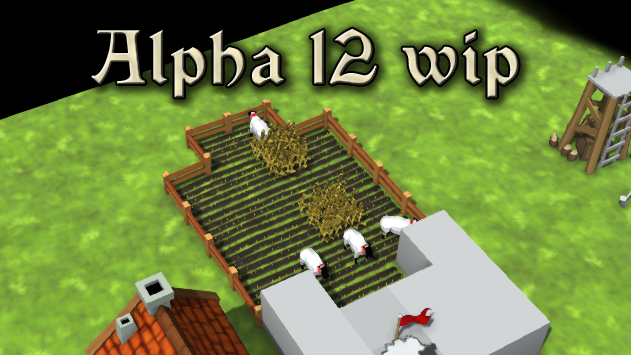
Knights Province Alpha 12 release (and 10 year anniversary!)
October is a special month in Knights Province history - the game was conceived almost exactly 10 years ago back in October of 2013.
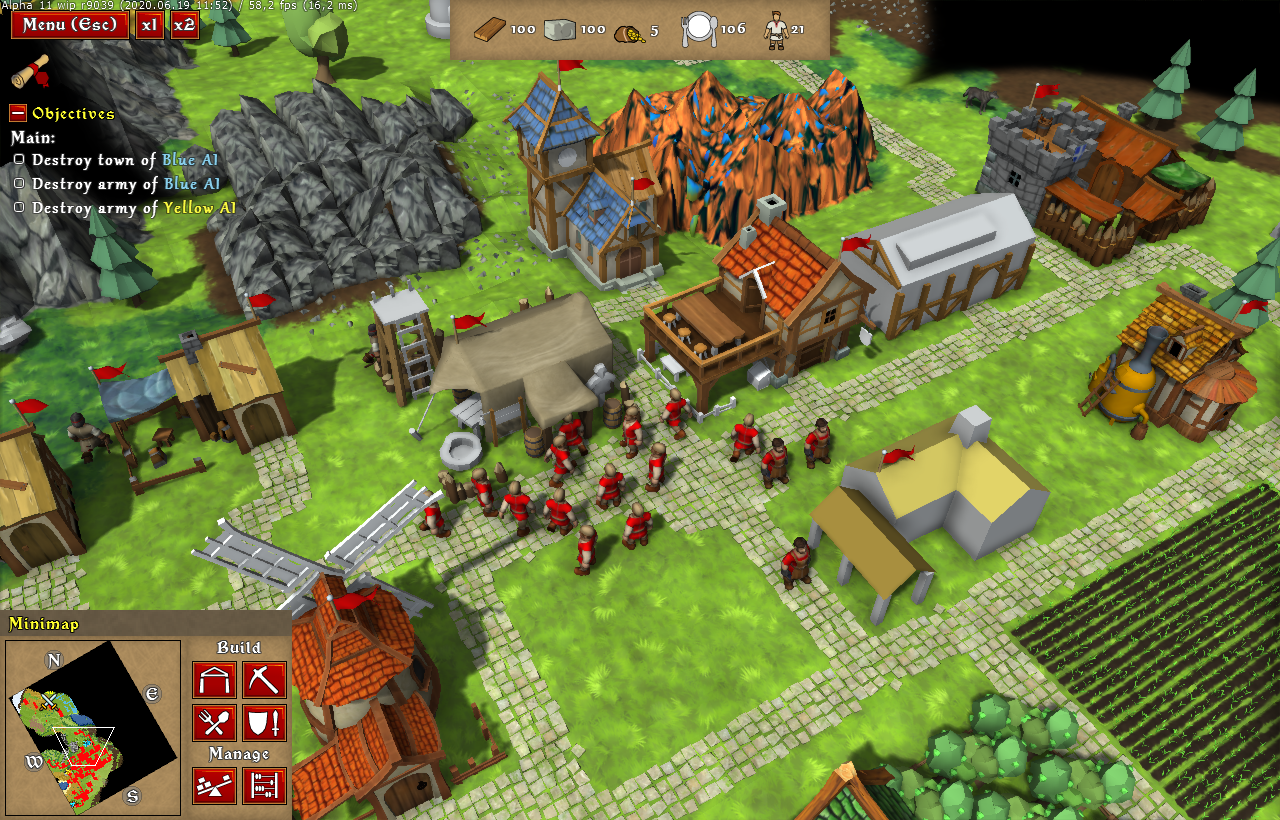
It has been three years since the last big release of Alpha 11. There was a lot of work done to make the game look and play better than ever. Here are the major improvements and features:
4-way buildings placement - buildings can be placed facing each of 4 main directions. This makes town planning more interesting and strategic.
New water rendering engine with waterfalls and water levels for better looks.
PBR and Screen-space reflections, normal maps and parallax maps - these are new rendering techniques that allow for a nicer picture, especially for metallic surfaces (like armored units warfare and water bodies), buildings roofs and roads.
Lots of new house models, textures and improved unit animations
Brand new in-house work animations - covered in detail in previous post. They make the towns look more lively.
Sheepyards, Sheep, Wool, Gambesons - new production chain with new buildings and wares, that is more historically accurate and more challenging and interesting to manage.
Reworking HUD UI/UX - new and better GUI items and a whole new reworked minimap supporting the free in-game camera.
Reworked object picking UI/UX for more accurate control over the town and combat.
Improved terrain render, roads and building footprints - terrain got better lighting and nice decals for house and roads.
Launcher will help to keep the game up to date.
Improved AI city building and army training.
New campaign "The True King of D" by Kinghts Dzapan (first 9 missions) featuring lots of new dynamic script features (such as popup dialogs, trading, etc.).
New text localizations (Brazilian Portuguese, French, German, Spanish, Polish, Turkish).
There are many more smaller changes and improvements, they all can be seen in the lengthy game changelog (available on game start and from Options menu).
There are still several areas where the game needs more research and development which will be addressed in following Alpha 13, before it can go into the Beta stage:
Horses and farm animals breeding, should it be handled in the same way as sheep?
Walls
Siege machines
Trade (market, wagons)
Multiplayer
Assets and content (building models, unit models, animations, etc.)
The game is free to play yet, but if you like it please consider supporting its creation on Patreon - https://www.patreon.com/knights_province. Add to your wishlist here. Main community hub for discussion, support and ideas is on Discord - https://discord.gg/ZGrgC6G. Feedback and word of mouth would also be greatly appreciated.
Download links can be found on Discord and official website - https://www.knightsprovince.com
In-house animations for every home!
Animations are super important in Knights Province. The game is meant to be playable in different styles, but one of the bigger focuses are - chill, laid-back experience where players can enjoy building their towns and interact with others towns (including AI). Animations help to reach and support that goal in several aspects:
Setting the Scene - Animations help create the right vibe in the game. They make the town and its people seem alive and active, adding a lively feel to the game world.
Reinforcing the idea that Building Stuff Feels Good - The game is all about taking your time to build a town, and animations make that process enjoyable to watch. Seeing buildings go up, trees and grain grow, and resources being moved around and processed keeps the game engaging and satisfactory.
Feedback that Works - Animations give feedback to players about execution of their orders. When you tell a building to be built, animations show the progress. It's a clear way to show what's happening.
Explaining How Things Work - Animations make it easier to understand complex game parts, like management and processing of resources. Seeing resources being gathered or worked on helps players grasp how the game economy works.
To sum up, animations are a big deal in Knights Province. They're not just there to look cool - they make the game feel relaxed, enjoyable, and engaging, exactly what the game aims to be.
Stepping one step down the abstraction ladder, it helps to categorize and describe what animations are there and which ones make the bigger impact (bang for buck). The most important ones are the units. They form up the majority of interactive and animated entities in the game. Each unit type has its own distinct look, tools and loads they carry and activities they do. Of course there are many other unit-less animations, but those ones are in a relative minority. We’ll focus on units for this article.
Breaking down an animated unit in the game, it consists of four parts: the unit model, rig (equipment), animation, and optional distorts.
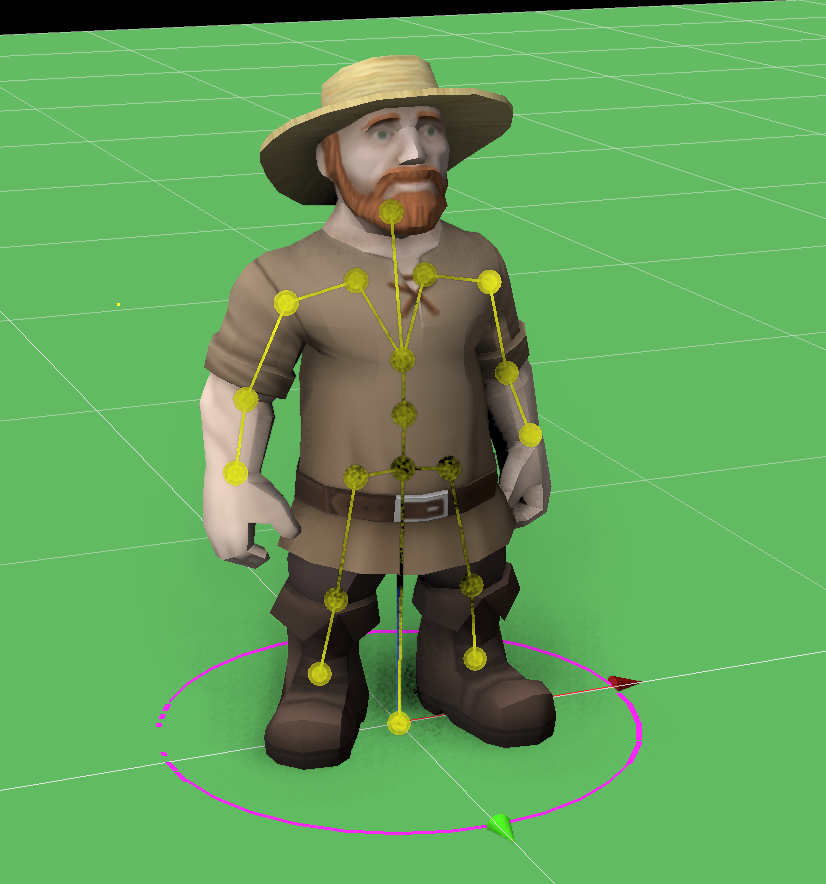
Unit Model - The unit model is the visual representation of the unit in its base form. It includes the 3D character model, textures, and basic skeletal structure. This is the starting point for all animations and is what the player sees as the character. Typical unit starts his life in so-called A-pose:
Rig (Optional) - The rig in KP is a description of how different auxiliary parts get added to the unit - like a carry, work tools, interaction objects, etc. While optional, more than half of the unit`s time is spent having some rig applied. One additional use of the rigs is that due to game being still in development, rigs allow to easily take a base unit (e.g. Swordsman) and replace his default rig (sword and shield) with a rig containing a cap and an arbalet, thus making him look like a new unit (Arbaletman).
Animation - Animations are the movements and actions that bring the unit model to life. These include walking, attacking, working, or any other actions the unit can perform within the game. Animations are crucial for gameplay dynamics. Most of the animations are looped, meaning that they can be repeated seamlessly.
Distorts (Optional): Distorts are additional alterations applied to the unit animation. They include changes in skeletal animation values and boundaries. For example Porter carrying a heavy load needs to have his arms bent to hold the load and slightly different walk animation so that it’s clear that the load is indeed heavy and a burden.
While the unit model and animation are essential, the rig and distorts add an extra layer of sophistication and visual appeal to the animated units within the game.
All 4 components working together allow one basic walk animation to be adapted to several dozens of uses.
Now, there’s a new spin on that system - in-house work animations. They have kept me intimidated since the beginning, since I’m not that experienced with skeletal animations and I didn’t spend a proper amount of time analyzing the requirements. It all seemed just too big and fuzzy. Now, finally, I have had enough time and focus to address the thing. Analyzing the problem is the first thing to do. While looking and acting very similar to the unit animations, in-house animations have several key differences:
Combining Several Skeletal Models - while some animations are very simple (e.g. idle units just chilling and looking sides) there are also quite complex animations involving independently animated mechanisms (e.g. Tailors spinning wheel, or Brewers cider press).
Working with Tools and Objects - units need to change tools they hold and some of the tools that the unit needs to work with require special treatment. One such example is a baker’s rolling pin, it needs to be making good contact with both of the baker’s hands. Dough had to be in the equation too.
Non-Looped Animations - some of the animations are just intermediary between others, e.g. a unit walking out of his house into the working areas. It starts in one place and ends in another, without rewinding back. Others are seemingly looped, but without interpolation between last and first frame (e.g. Mill blades, always rotate on and on) which technically makes it non-looped, just really well aligned.
Non-Animations - it is rather handy to use the same mechanism for non-animated elements. For example, it’s much more handy to model the Brewery ladder as a straight standalone object and then move it into place tilting the right amount by all three rotation axes.
Special Non-Skeletal Animations - waving house flags are a good example of such animations that are much easier to be made without skeletal structure. They use a special shader for that and are not part of the in-house animations focus, same as burning particle effects.
Knowing the approximate set of requirements, it was time to evaluate possible solutions. Biggest problem seemed to be creating unit animations. Main requirement was a standalone tool focused on one thing that it does well. Preferably free or open-source, or at least not very expensive:
AccuRIG - a tool for automatic rigging of the skeletal models (here, the term “rig” is used in it’s industrial standard meaning - it refers to the creation of the skeleton and setting up vertex weights for the bones that affect those vertices). The tool features a big set of sample animations, some of which could be suitable for the Knights Province. Unfortunately, not all animations could be found in the stock library, and the resulting rigged model format and set of bones were quite unwieldy for the game’s needs.
Cascadeur - is a groundbreaking 3D skeletal animation tool. One of Cascadeur's standout features is its advanced physics-based animation system. Using principles of physics and biomechanics, Cascadeur can generate organic and lifelike movements that adhere to the laws of physics by specifying just a few key poses. Demo reel looks amazing. Its UI is quite sophisticated and not easy to grasp and use efficiently without spending time learning it though. The resulting rigged model format and set of bones are also not fully compatible with the game’s needs.
Both Lightwave and Blender - could be used, but both are mature complex tools with overwhelmingly large sets of features and it would have taken more time to learn them.
After tinkering with distorts, it appeared that the task was not so complicated. I could take an idling unit animation, fold its arms and make it look around. Voila - idle Baker looking out of his Mill! That ought to do it for simple animations, but more unique ones still required an animation to be created from scratch.
Choosing to develop custom animation tools presented a compelling alternative. Such an approach would allow to tailor the animation tool’s features and capabilities to the specific needs of Knights Province (which are quite minimalistic). It would keep unneeded features out (and keep the UI clean of their clutter). Third important point is WYSIWYG - animations would look exactly the same in the tool used to create and alter them as in the game. Moreover, the process of creating personalized animation tools offers a valuable learning experience and better understanding of the animation workflow.
Armed with the KISS principle (keep it simple, stupid), two separate tools were planned and made, each one focusing on one aspect of the games animations creation process:
Motion Rigger - a tool allowing to interactively set up Rigs and Distortions (since both are closely related and co-dependent). Handy for cases where base idle unit animation is almost enough, but the base unit’s pose needs to be changed to a leaning one and the head movement added.
Motion Animator - a tool for creation of new animations from scratch. Sometimes it is just simpler to create something from a blank slate. A good example is Stonecutters animation of sitting on a stool and shaping a boulder with a hammer and chisel into smaller stones.
Most of the time creating these tools was spent in two big areas:
Creation of UI - one of the main UI elements in both tools is the timeline. It’s there to control the skeleton bones movements over the animation length. This is done with keyframes - frames where exact bone orientations are set (majority of the time bones only rotate, they don’t change their length or offset). Orientation between keyframes is interpolated. Thus, allowing to set up a whole animation with just a few key poses (for both animations and distorts).
Timeline was created using games GUI elements with slight modification and expansion. For example, the lines themselves are based off of the game results charts. It would be next to impossible to make it in the VCL, which is good for simple interfaces, not the interactive charts. Overall I’m very happy about how it turned out. Knights Province GUI library is a powerful tool.
Creation of the Underlying Algorithms and Data Structures - animations sound easy on the surface, but there are several caveats. Firstly there’s groundwork required to allow for storage of the animation data with new keyframes information. Game’s older animation format used md5-like text files with aux data on a side. It was time to switch to something more structured and orderly - like XML. Another rework was concerning rigs and distorts - they were stored in the same file and processed in one flow, which is incorrect, since they are not really dependent on each other. Skeletal models handling had to be made more abstract, since before that it was assumed to be handling only units (with full skeletons). Game’s animation library itself was reworked and optimized, removing duplicate walk and idle animations (which the game had plenty of). Animations timing was also retouched, so that e.g. projectiles (and their sound effect) could be launched the instant the unit animation says so, but be “delayable” as the game engine needs it (to make archers act in slight dissonance).
To top it all off, there’s the PreviewHouse tool that was upgraded to allow it to set up and position workers, static and animated elements tied to certain house animations (which were refactored as well).
Creating the tools is one thing, creating the workflow is another level. Thanks to the tools sharing a lot of code and elements, being WYSIWYG and easily tweakable, the workflow came out naturally. Now the doors are open and the main limiting factor of animating the game to the brim is creativity (and time). Small note, mounted units are still an open question, but that’s a call for a future Krom.
Whole thing took around 5 weeks and ~400 commits. That’s a big hunk of work. Am I happy with the result - absolutely! Tools are simple, yet effective enough, allowing to create and tweak animations WYSIWYG, being fully modifiable and expandable. Now I’m feeling confident about in-house animations implementation, workflow and tools - they are here to stay.
Knights Province began its life almost exactly 10 years ago now with first semi-serious pre-production renders being made in the 3rd decade of September 2023 followed shortly by first code work. What a huge and never ending journey it led up to this day and beyond! On that note, I’m happy to reveal that Alpha 12 release is nearing!
Working on graphics pipeline
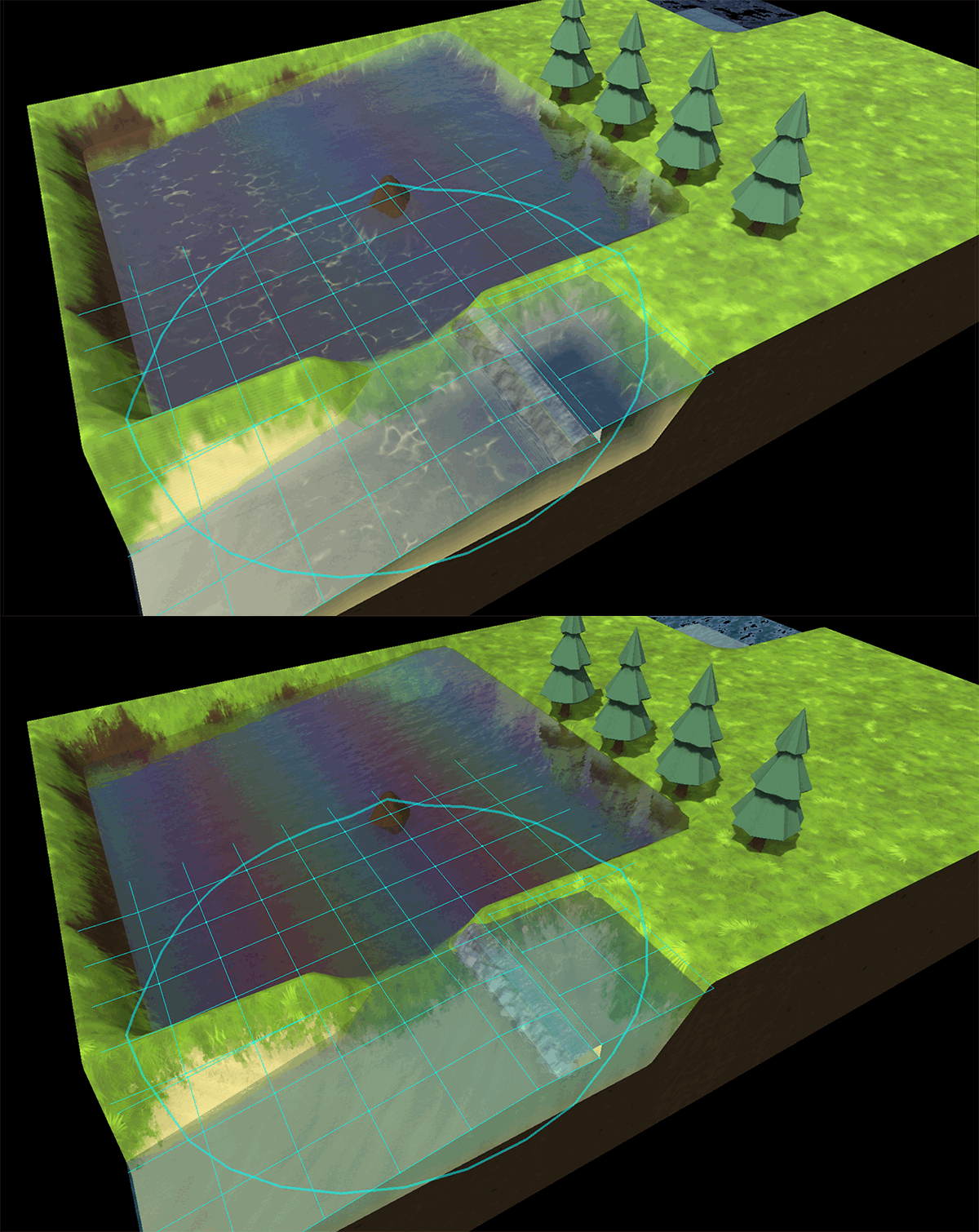
While revamping graphics pipeline to implement PBR, also been adding underwater caustics effect:
Adding bridges to Knights Province
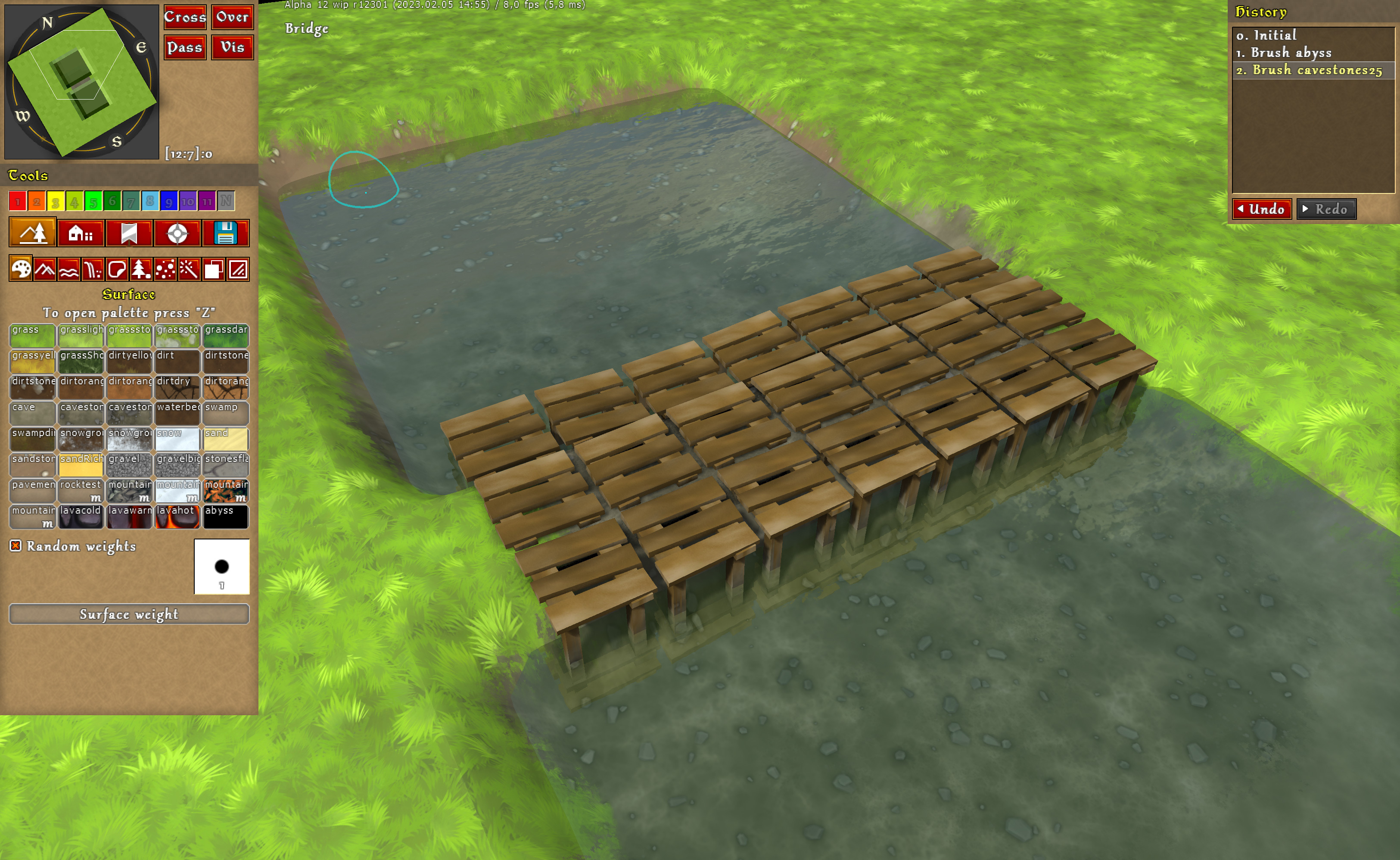
Following periodic requests, I’ve checked and revised the decals used to place bridges in Knights Province.
Usually they have been faked with “Pier” decal, but it has one unfortunate property – it’s unwalkable. Not to mention gaps between boards don’t look that good.
Taking “Pier” as a base I have made 2 new decals for bridge body and bridge side. Here’s how they turned out
How does one fix AI starvation?
Knights Province AI opponents in Skirmish have a known occasional issue of not producing enough food for their servants, resulting in citizen starvation and early collapse of their town economy due to that. Let’s look into what it takes to fix that issue!
What is it so bad about unit starvation in the game anyway? Well, a number of things: First and foremost (all others stem from it) is that units dying of hunger is a planned penalty from the game for poor town management. Hence all the points below are more or less intended to be working together to implement that penalty. Units die of starvation and need to be replaced by hiring new ones, which is free for serf/builders, but costs gold for skilled professions. In both cases, re-hiring takes additional time. Units waste time by going to Tavern frequently and back instead of working Hungry serfs may die while carrying wares, which not only wastes the ware, but also means that a new delivery will need to start from scratch. Hungry builders may die while performing roadworks, effectively canceling them. New roadworks will need to be issued. Hungry units create traffic jams on their way to and around the Taverns, further taxing the economy This just looks bad
The first thing to do before we dive into tweaking and refactoring, is to define in simple and measurable terms “What is starvation and collapse of the economy? How can it be quantified?”. So that we could run a game for some period of time and conclude if the AI player starved or not and possibly measure to what extent. Not all measurements could be reliable though - for example, having little food in stock does not necessarily mean that it’s in shortage, since we can easily rationalize that in an efficient economy there are no ware surpluses - everything gets made to be used. More reliable metric might be counting unit deaths from starvation. This is not as straightforward too, since e.g. Builders can die of hunger while waiting for stone when building roads, no matter how much food there is - meaning that some number of deaths may occur due to other reasons (e.g. stone shortages). This also requires the game to run for at least an hour (so that at least half of the newly trained units get enough time to get hungry). Another metric - total Gross Domestic Product (GDP) (how many wares were made in the town during the game). When the town economy is down, GDP should be down as well. And finally (at least for now) is Army Power - how many warriors were trained. This is an indicator of a well-running economy too - since lacking in food production could seriously handicap military power as a result.
In the end, I chose to look at all of these metrics - (town GDP, ArmyPower, food reserve and starved units).
Next thing - we need to measure and display the metrics in a digestible form. For that there’s the good old Runner/Stadium tool - it runs batches of games in headless mode in many threads and collects and displays resulting data from them. Due to the nature of the game, resulting values have a large degree of random jitter in them. However, with large data sets, those irregularities get averaged out and we end up with more or less normally distributed sets of values. Box plot chart is a good starting point for representation of such measurement. It shows 5 percentile values, which I chose to be: 5, 25, 50, 75, 95. So that we can ignore the few random outliers and look at the bulk.
Unfortunately Delphi has no modern and easily-available charting library, so I had to either resort to a limiting text display or to process the data and export it into an external viewer. Highcharts.js is one of such external “viewers”, it looks nice, works “out-of-the-box” and I have successfully used it in the past. The main problem with it is that Highcharts is a JavaScript library. In prior uses I was creating JSFiddle templates and copy-pasted data into it by hand. Now I wanted to optimize that out. Since the stock Delphi WebBrowser component didn’t want to display Highcharts, and I had a prejudice towards Chrome, I decided to jump at the possibility and went ahead to embed the Chromium frame inside the Stadium. Now it was a matter of getting a boxplot template and stuffing it with data - a trivial task. The template gets filled and displayed in the Stadium’s UI automatically. This also allows for easy template swapping (to e.g. another kind of chart or other JS modules).
With the display sorted out - let’s get back to saving AI players from occasional starvation!
One more thing - you may ask, why don't we just cheat it away? Like giving AI tons of food or disabling hunger for it altogether. Well, Knights Province is a kind of game with attention to detail already. It would not look good to have AI towns be “all smoke and mirrors”. Another concern is that cheating robs us of the chance to learn and to understand and fix the core issue. Layers of cheats also make the development problematic in the future, where they might become so entangled that we can not simply do anything else but try to blindly cheat more and more.
Our first stab will be at AI foreplanning. Perhaps AI starts to build the food economy too late? Let’s try increasing the value of grain production lag - a parameter that says how long it takes between building a farm and getting first grain from it. After all, grain is the main basis of the reliable food production in the game. The value was set suspiciously low (5min), whereas empirical measurements showed it to be closer to 15min. So let’s try running simulations with increased value and see if they show any meaningful difference.
This and following charts are screenshots from the Stadium (mentioned above) whose main focus was on measuring the effects of tweaks in batch runs. Due to that, they are more technical than art and aren’t very readable unless viewed at 100%. Simulations were run between 4 skirmish AIs on a skirmish map for 120min (albeit not as many times as in runs below, hence taller boxes). Displayed groups are - Houses built by AI, Total produced wares value (GDP), Army size in units, Enemy kills, Number of units starved to death. Sections are for grain lag values (AB_GrainLag).
We can see that mean values (averages) and boxes are more or less similar. They don’t show a trend we would expect (higher lag => less starvation) and the means are well within their own and neighbour boxes (25th-75th percentiles) - meaning that the values are quite varied and means themselves are not very reliable - hence we can conclude that the effect of the change is likely quite insignificant.
The second attempt was increasing the AI’s food demand calculation’s results. If citizens die because of too little food being available, certainly there’s a possibility of a flawed estimation of the amount of the food needed, resulting in too few food-production houses being planned and built and food being made. Running new tests with increased coefficients showed very good correlation and effect between increasing food demand and reduction in starvation to death.
Simulations were run between 4 skirmish AIs on a skirmish map for 120 minutes. Displayed groups are - Houses built by AI, Total produced wares value (GDP), Army size in units, Registered enemy kills, Food reserve at the end of run, Number of units starved to death. Sections are for food demand multipliers (AB_FoodMul).
We can see that with additional food demand multiplication (by 1.3, 1.6, 1.9, 2.2) starvation goes down (food balance increases, starved count goes down). But going past 1.3 starts to affect the army count by a lot, while not giving much of a positive effect in starvation numbers.
It would be easy now to slap a 1.3 multiplier as a patch, but out of search for knowledge and experience, we might want to go deeper and figure out why the calculation was flawed in the first place.
Old calculation took units full condition (2400 seconds of life) and divided it by empirically measured units overeat (115%) with added 30% as a safety bonus on top of that. This formula was written a long time ago when everything was just simpler. It worked good enough for some time - the AI still built a town and trained an army.
In the code the calculation was “1 / (2400 / (1.15 + 0.3)) / 60” food per minute per citizen.
Now let’s rethink the rationale behind these food demand estimates and add some important details:
A typical citizen has full condition at 2400 and goes to eat when he’s at 300 Let's say by the time he arrives at the Tavern he's at 240 This means, typical eating cycle is 2160 seconds According to the Tavern algorithm, a citizen will eat till he's at least 90% full and at most - 89% + 60% - 150% (60% being the most nutritious food - sausage) That said, now we can assume that typically a unit can eat 120% food servings each 2160 ticks (36min) This is not all, however. All units start with 60% condition and this means, they will want to eat earlier the first time. Throwing the above numbers into a table allows us to see that, for example, at the end of the first hour (24min+36min) a unit will need 2 full servings (240% food) instead of 1.66 servings (200% food). This is 20% higher (0,04 food per minute) than expected if we compare to e.g. the 10th hour (0.033 food per minute, when the effect wears out). This effect wears out over time, but since a typical mission is just 1-2 hours, we do need to account for that initial food demand too.
And here’s a comparison between old and new food demand calculations and results: resulting old value was 1 / (2400 / (1.15 + 0.3)) / 60 = 1 / 1655 / 60 = 0.036 (servings of food per minute per citizen) resulting new value is 1 / (2160 / (1.2 * 1.25)) / 60 = 1 / 1440 / 60 = 0.042 (servings of food per minute per citizen) This result goes in line with our tests above - new food demand should be at least 17% higher.
Now we can run simulations to see how this works and check if it needs any additional safety bonuses.
Simulations were run between 4 skirmish AIs on a skirmish map for 120 minutes. Displayed groups are - Houses built by AI, Total produced wares value (GDP), Army size in units, Registered enemy kills, Food reserve at the end of run, Number of units starved to death. Sections are for food demand multipliers (AB_FoodMul).
As we can see, starvation went down by a lot with new food demand calculation. For comparison we also have something close to our old value (0,036 / 0,042 ~= 0.8) - it reliably brings the starvation up again. We can also see how adding additional bonuses past 0.2 will not improve anything, but quite the opposite - reduce the army output and just boost already slightly excessive food reserves. With that result it looks like we can add a small 0.1 bonus for good measure and call it a day.
This was just one of the many small and big AI issues. With improved tools and discipline, now it is more clear on how to approach and solve them.
Bonus, while writing the article I have sped up the simulation by about 40% and have changed the display to error bars that show 95% confidence intervals (since results are quite normally-distributed).
These charts show the result of 1400 and 470 runs between 4 skirmish AIs on a couple of skirmish maps for 120 minutes. Displayed groups are - Houses built by AI, Total produced wares value (GDP), produced warfare value, Army size in units, Enemy kills, Stone reserve, Food reserve, Number of units starved to death and Run times. Sections are for serfs per 10 houses (5 - 11). I’ll let you draw conclusions from that chart yourself :-)
Starting Alpha 12 wip cycle
It’s been a long time since Alpha 11, but at last, Alpha 12 is entering its public Wip cycle! Starting from today, you can find a link to fresh Alpha 12 wip build on Discord
Long story short - lots of coding, game design, artists interactions and debugging went into Alpha 12 over the past year. There are several new big changes and improvements in the game:
Sheep farms, Sheep, Pastures, Wool, Gambesons!
Reworking object picking (aka hitboxes) UI/UX
Reworking HUD UI/UX
Waterfalls and multiple water levels
New text localizations - French, German, Spanish, Polish and Turkish
And as always - a lot of smaller features and improvements
Now let’s look into these features more closely.
As always, a word of caution - anything described below is not final and can change during or after Alpha 12 release.
Sheep, sheep farms, pastures, wool and gambesons
One of the things that bugged me from the early days of this project, was that Leather Armor, albeit looking cool in all those modern movies and TV series, was not actually period correct. It is Gambesons that were mainly used. Now with Fences that were added as a prototype in Alpha 11 we can finally do that - add Sheep, Wool and Gambesons. Each piece deserves a separate paragraph to introduce and to explain: New kind house is added - a Sheep farm (this is one funny name that may stay or go). There works a Breeder who tends to the Sheep. Sheep farm has a new unique thing about it - it has a backdoor, through which a Breeder can access the pasture. A Sheep farm needs to have a pasture next to it. Pasture is an area on terrain next to the Sheep farm, enclosed by natural obstacles or other buildings and fences. Pastures can be shared between several Sheep farms, but as playtesting showed, they work out best when they have size restrictions of 4 - 80 tiles. When the Sheep farm is complete and has a breeder inside and enclosed pasture next to it - then Breeder can bring out baby sheep! They will graze in the pasture slowly growing up and growing wool on them. The rate depends on the pasture terrain - unfieldable terrain tiles provide 0 nutrition, fieldable tiles are x0.5 nutrition and grassy terrain tiles are x1. However, the main source of sheep nutrition is grain that Breeder gives them. Once sheep are mature and wooly enough, a Breeder will come inside the pasture to trim them for Wool. Raw wool gets processed right in the Sheep farm by the Breeder and gets turned into hanks of wool (called Wool in the game, for short). It’s a new ware in the game. Wool is produced two at a time. Now serfs can take Wool from Sheep farms and bring it to a new house - Clothmakers, where a Tailor (new profession) will take the Wool and turn it into Gambesons. Gambesons are now used instead of leather armor to equip tier 2 warriors in the Fort. With that in mind, the old leather production chain (CowFarm -> Cowhides -> Tannery -> ArmoryWorkshop -> LeatherArmor) is no longer in use. Cowhides, Leather and Leather Armor and Tannery become obsolete and are removed from the game. The sheep concept is a testbed for all other animal breeding concepts. So changes to the meat production line and stables are also on the roadmap.
Better object picking
With fences having a bigger role now, it was time to rework object picking - a way game detects what object should get selected when a mouse click occurs. Now you will be able to select more of in-game objects - fences, trees, ore decals. Selection precision was also improved - now the objects are being selected by their shape, not by the footprint on the terrain. Here’s a developers view on the object shapes:
Updated objects HUD
There is also a new HUD for selected objects. It has more focus on the object's avatar and is intended to be closer to the final looks it will get in the future. It is still in the prototype stage.
Sidenote: Apparently, finding a good UX/UI artist is really hard. I have been searching for several months now with mixed success.
Waterfalls and support for multiple water levels were added
Now there can be up to 4 different water levels (each with its own waterbody setup). Water shader was also slightly improved. Setting up waterfalls is a chore, but I’m hoping to improve and streamline that process based on your feedback.
This change also caused the rework of the way waterbeds and shorelines are set up - now it’s dynamic and depends on the actual tiles that are covered with the water. So there’s no more “underwater” surfaces. Any surface can be a waterbed now - even hot lava xD.
Among other noticeable improvements
In-game changelog - now you can see what is new and what has changed since previous builds.
Improvements in AI city planning - e.g. now AI will try to restore road/building plans if the worker building them dies
New music track (Bells) by Juan I. Goncebat
New maps by Wychor (Lake Plateau, Erlond, Nile)
New animals for new waterbodies
New terrain surfaces, including cave floor with 3 different stone densities (had to revive my Substance Designer skills)
Getting HUD wrapped up (continuing the redesign and/or adding missing bits)
Lots and lots of smaller fixes and improvements
Download links to new Alpha 12 wip builds will start to appear in the Discord #new_versions channel (along with changelogs). Give them a try! I’m looking forward to your feedback on Discord! There’s also a new channel for Knights Province videos - The videos on the channel will be about announcements, development updates, map highlights, and more. Right now the channel already has some playlists with mapmaking, development and gameplay videos made by other KP community members. Let us know if YOU are someone who makes KP videos and would like them featured in the official playlists.
Substance Designer purchase
Thanks to monthly support from my patrons on Patreon I was able to buy Substance Designer!
SD is a tool for procedural texture generation. Those nice shingles, wooden beams, plaster and whitewashed walls, grass and lava. Guess what, instead of painting by hand, all those textures can be generated from noise and simple functions!
So I was looking for shingles textures online again. Shingled roofs are so common in the game and they make the most screen area after terrain. Finding suitable textures (free or not) to use in the game is not easy. Every time it’s either a different scale, too low-res, watermarked, has unclear copyright, etc. So when I found another bunch of neat textures I noticed they were not hand-painted, but procedurally generated. That made me think, if those nice textures are a product of an algorithm, surely I can tweak and repeat that algorithm to get the exact result I’m looking for.
Procedural texture generation is not uncommon to me. In my 3D editing app (Lightwave 3D) there's a procedural texture generation subsystem. It is rather clunky though, for its main goal is to produce 3D volume materials and affect the render pipeline rather than create flat surfaces. Still it's the same idea in its core - take small pieces and interconnect them into a more complex system (just like you take houses and build towns in Knights Province).
Procedural texture generation captured my mind a long time ago, but until recently I have not met a good working example. Earlier this year I tried another texture generator - Material Maker. It's free and open-source, it has a great variety of elements and nodes, but trying to create anything more complex than a simple brick wall texture with mortar has put its performance to its knees. It took seconds to refresh even 256x256 nodes ..
So here comes the SD. I first tried it on trial and made myself a deal - if I can create 2 decent textures in it with reasonable effort - I'm buying it, cos that's gonna be break even with ordering the same textures from freelancers or painting them myself. After two days of tests I was convinced - albeit textures creation is a tricky and complicated job, SD as a tool offers a very good interface and instruments of doing it. I was able to get acquaintanced with SD UI and toolset in a day and after exploring some examples (included with SD and available online) to craft a decent shingles texture for the Fisherman’s house. Soon followed by wood planks texture. The purchase was made.
Having such control over textures allows me to bring my vision into the game much better.
So far the plan seems to be: - generate most common and prominent textures (roofs, walls, wooden beams) - roughly UV map them to the existing 3D models - later on, improve the models and do the proper mapping
Alpha 11 news
It is the most worked-on version of the Knights Province yet (except for Alpha 1, of course). Last release was 7255 and this one is going to be at least 8930. Means that a whole 1600+ bits of changes and improvements went into it.
Main features of the new version are:
Manned towers. Now each tower can be manned with 1-3 warriors who will pick up bows inside and shoot from atop at the enemy. Warriors will request food to be brought in by Serf when hungry, otherwise they will stop "working" and walk out, just like citizens do. It is yet unclear how warriors specialization will affect his performance in the tower, or if warriors inside could take a fraction of damage from enemy archers. At the moment, all warriors shoot with the same strength, distance and frequency and stay 100% protected inside.
Buildable fences. Now you can build and destroy your own fences (and enemy fences too, of course). Fences cost wood to build and block passage for citizens. Warriors can break fences on their way with several blows. So far it is quite a weak obstacle, but with more playtesting that can change. In the future fences are also planned to be used for cattle.
Real Fog of War. From now you can see only what you have surveyed. This is how fog behaves in the majority of the games. Implementation was quite tricky, but the end result is well worth it.
Early stages of multiplayer accounts. Registration and mission highscores allow you to compete with other single-player players. More on that is covered in the previous article.
New and updated campaign missions. Campaign scripting and persistent script storage between missions, customizable icons and maps. Now allows for more varied custom campaigns. Check updated tutorial, Intro and Hostages missions.
Added Russian localization as a test of a text translation engine. More localizations can be made later on.
Configurable shortcuts/hotkeys are finally here as well. Almost everything is configurable and Ctrl+Alt+Shift are supported as well.
Restyled fish count calculation and display in water bodies. Now it is smooth and informative.
Smaller features are:
Return of the fraction of building materials on house destruction. Nice bonus or last chance at building a Stonecutter’s - you decide.
Revised several house models (still temp).
Finally added some leather background to in-game forms. It’s still a work in progress though.
Added cinematics and speech bubbles support in missions.
Allowed to make terrain highlights (invoked from script).
Decal and Objects palettes for the MapEd. As well a couple of new objects.
Added support for Buttons in dynamic script messages. Your choice can now directly affect mission flow.
Changed how coalmaker’s house works, now the coalpiles need to be set outside.
Made AI to attack animal dens
A lot of effort went into refactoring alliances. Neutral hands. Players instantiation and mission setup
Reiterated and improved AI in Skirmish (GDP +17%, Starvation -30%)
A whole lot of bugfixes and improvements
New music by Juan (Dark Banner, Harvest, Over the Hills)
Campaign Builder tool is included with the game now.
Join the Discord server and try it out - https://discord.gg/cEwJFSY Please report bugs and feedback on Discord too!
If all goes well, Alpha 11 will be released this month.
Knights Tavern news
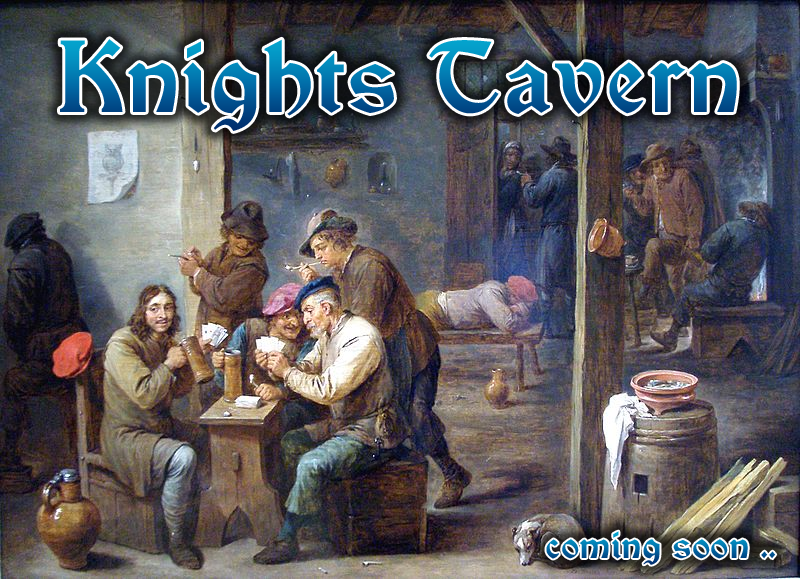
[Tavern Scene, 1658, by David Teniers II]
Knights Tavern (KT for short) is a codename for the accounts server we have been developing since 2019. Accounts were one of the more often requested features in KaM Remake, but we never had expertise or bravery to actually implement it (well, for numerous reasons). Attempts were made for the KP, but they did not succeed until recently, when a lucky chance has arrived (in form of an article ( https://habr.com/ru/post/491272/ ) and a code repository ( https://github.com/Cooler2/ApusEngineExamples )). Now, knowing that the backend server can be developed in the same language as the game, KT is finally taking its chance to come true.
Neat thing about KT, is that it can be used for both KaM Remake and Knights Province. Both games are very much alike in terms of accounts info they provide and can benefit from. So we can safely build KT in such a way that it allows for a single account for both Knights Province and KaM Remake. Register once and play twice. KP is our testground for the KT. Once it is sufficiently tested, KaM Remake can be upgraded and start using it too.
You can help with KT playtesting right now, but more on that later.
Basic auth functionality is mostly covered: KT has player accounts that can be registered, activated, logged in to and logged out of, forgotten passwords can be reset. For a proof of concept, KT can report how many player accounts it has and how many players were active within the last hour. The first useful feature in KT are mission highscores. If a single-player mission was prepared by the mapmaker in a specific way (2 lines of script, one dynamic and one static), the game can submit the mission’s winning score to KT and later on show the player his ranking in that mission.
Word of caution, KT is still in beta and might have bugs in all different areas. We hope to iron them out over time. That’s why we start testing with simple functionality, so flaws in the authentication (which there must be) can be fixed. So, since there might be bugs and weak spots, do not use your everyday life passwords for KT.
KT future allows for many interesting things: Friends, instant messaging, lobby invites, clans, etc Player ratings and reputation, ELO scoring, etc.
KT poses new challenges to us: It needs to be coded in an asynchronous way, so that data requests do not slow down or freeze the game. Player data needs to be passed and stored securely (we already use salts and hashes) We will need to preserve the players data on upgrades and between game versions
Best of all - you can already try out KT and help us improve it! See the latest KP wip builds ( available on Discord https://discord.gg/cEwJFSY ). Please report any bugs or flaws. We are also open for suggestions on KT functionality. It can steer it into many directions and it would be best to pick ones that are more wanted.