after some of you reported performance problems when playing KOBOLD: Chapter I we did an in-depth optimisation pass and updated the game engine.
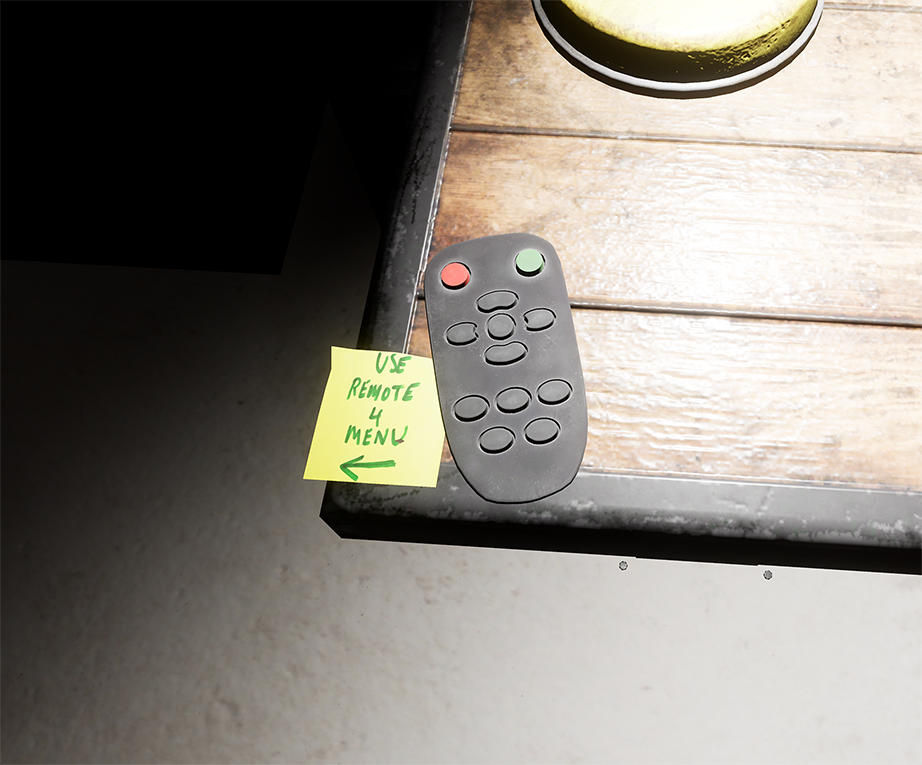
We also added the option to adjust your graphic settings from "High" (which is the default) to "Normal" or "Low." To adjust these settings please pick up the remote control on the desk in the very first room of the game:
and turn to your left, hovering the remote over the settings menu:
If you still experience performance problems with KOBOLD: Chapter I we recommend setting the graphics to normal or low and to run the game from an SSD drive.
And if after that you continue to have performance issues, please send us a Steam friend request and we will get in touch with you to see if we can help.
Thanks!
Team AnotherWorld VR
Virtual Desktop Support. Performance improvements for Oculus Users
- Performance improvements for users of Oculus Rift, Rift S or Quest via Link Cable - Can now be played untethered via Virtual Desktop
VIVE Cosmos Support and Sound Fix
Hey Guys,
As always thank you for your feedback and support! We are pleased to announce that Vive Cosmos users can now play Kobold. Also some of you mentioned that you had to tab into or click into the game window in order to hear sound, especially when running video streaming software in the background, We have fixed this now and you should be able to hear sound even if KOBOLD is running in the background and streaming software is in the foreground.
Stay tuned. More updates are coming. And for those of you wanting more. Don't worry. Chapter I is not the end...
UPDATE: Native Support for INDEX and WMR
Native support has been added for Valve Index and Windows Mixed reality devices meaning that users can now move freely with the thumbsticks on knuckle or WMR controllers.
Rotation options and custom game settings previously only available to Oculus Rift have been added to Vive, Index and Windows Mixed Reality.
General movement has been sped up and polished.
Users wanting to change their controller input can now create custom bindings in Steam VR settings.
Minor bug fixes and improvements.
MINOR UPDATE
Oculus Rift users requested different rotation styles for the right thumbstick so these have been added to the main menu at the beginning. Please use the remote on the computer desk to select your preferred rotation style.
For both RIFT and VIVE users that don't like head based movement and prefer to move in the direction the controller is pointed we have added "hand based movement."
The bag has been adjusted so that it doesn't interfere as much with interactions like opening cupboards or crouching down low etc.
A rare glitch that made it difficult to pick up the audio tapes has been fixed.
Some inconsistencies with picking up and dropping objects have been fixed.