Fixed square root accuracy not being taken into account on a part of the challenge wrap-up screen
Fixed an issue where pausing adaptive challenges would disrupt or reset adaptive intervals.
Fixed Korean language font issues
Ghost hitbox size now matches non-ghost hitbox size
Nevermiss scenarios now work in freeplay with adaptive mode
Separated UI Colors and HUD toggles into two separate tabs in the Settings menu (mainly for localization, since translated text often didn't fit how we had it before)
Fixed an issue where Local Playlists failed to load non-uploaded scenarios.
Re-added 2 decimals to the "FINAL SCORE" number on the Challenge Endscreen.
Fixed an issue preventing users from favoriting online playlists.
✨ Enhancements
Changed CSGO scales to Counter-Strike
When switching Size or Speed from Static to Adaptive, use a default value if the current performance number is 0.
📣Your Voice, Our Inspiration
Thank you for your continued support! As always, we’re eager to hear your feedback and suggestions. Stay tuned for more updates as we work to keep KovaaK's the best training and gaming experience possible! Join the conversation on Twitter, Discord, and Reddit!
KovaaK's 3.6.0: Adaptive Training
KovaaK's Major Update 3.6.0
We’re excited to release KovaaK's 3.6.0 update, introducing the new Adaptive Training system that brings revolutionary changes to your aim training.
Adaptive Training Features and Settings
The Adaptive Training feature dynamically adjusts the target speed and/or size based on your performance. We think this will be a strong new way to aim train with the game adapting to your skill level in real-time.
Adaptive Training in Freeplay Mode
Freeplay Mode now benefits from the Adaptive Training feature with expanded options for player control:
Adjust static target speed and size: Players can now customize these in the Freeplay Manager UI.
Adaptive target speed and target size: Configurable with toggles to match your goal settings.
Set min and max target sizes for enhanced control.
Pick your dream goal number and type: Choose between accuracy, damage efficiency, and kills per second, or let the game automatically select the most appropriate type of goal depending on the scenario you have loaded.
Open the advanced adaptive settings: For deep customization, tweak the adjustment interval, growth rat, and the error margin.
Adaptive Training in Challenge Mode
The Adaptive Training extends to Challenge Mode, ensuring a dynamic experience that responds to your performance:
In Challenge Mode, the system adjusts target speed and/or size based on the player’s real-time accuracy, damage efficiency, or kills per second.
Adaptive Training in the Scenario Editor
In the Scenario Editor, the Adaptive Training System can be integrated into your custom scenarios:
Set up scenarios with adaptive target speeds or sizes to dynamically respond to players' skills.
Incorporate adaptive elements into any custom scenario to challenge players more effectively.
The score automatically takes player performance into account, dividing by the average target size and multiplying by the average target speed.
New Language Support and Localization Project
We’ve added more languages to the game and are continuously improving localization. If you would like to help by submitting better translations or suggestions, we invite you to visit our Localization Project on Crowdin.
You can also reach out to us via email at contact+translation@kovaak.com or on our [Discord server](https://discord.com/invite/kovaak).
The current list of available languages includes:
Arabic
Chinese (Simplified & Traditional)
Czech
French
German
Hungarian
Indonesian
Italian
Japanese
Korean
Lithuanian
Polish
Portuguese (and Brazilian Portuguese)
Russian
Spanish (including Latin American)
Turkish
Ukrainian
Bug Fixes and Improvements
This update addresses several key issues and enhances overall performance:
The Adaptive Stats HUD widget provides real-time feedback on size, speed, and accuracy.
Advanced Sensitivity Details: Sensitivity settings have been enhanced with a tooltip for DPI and cm/inches details moved for clearer visibility.
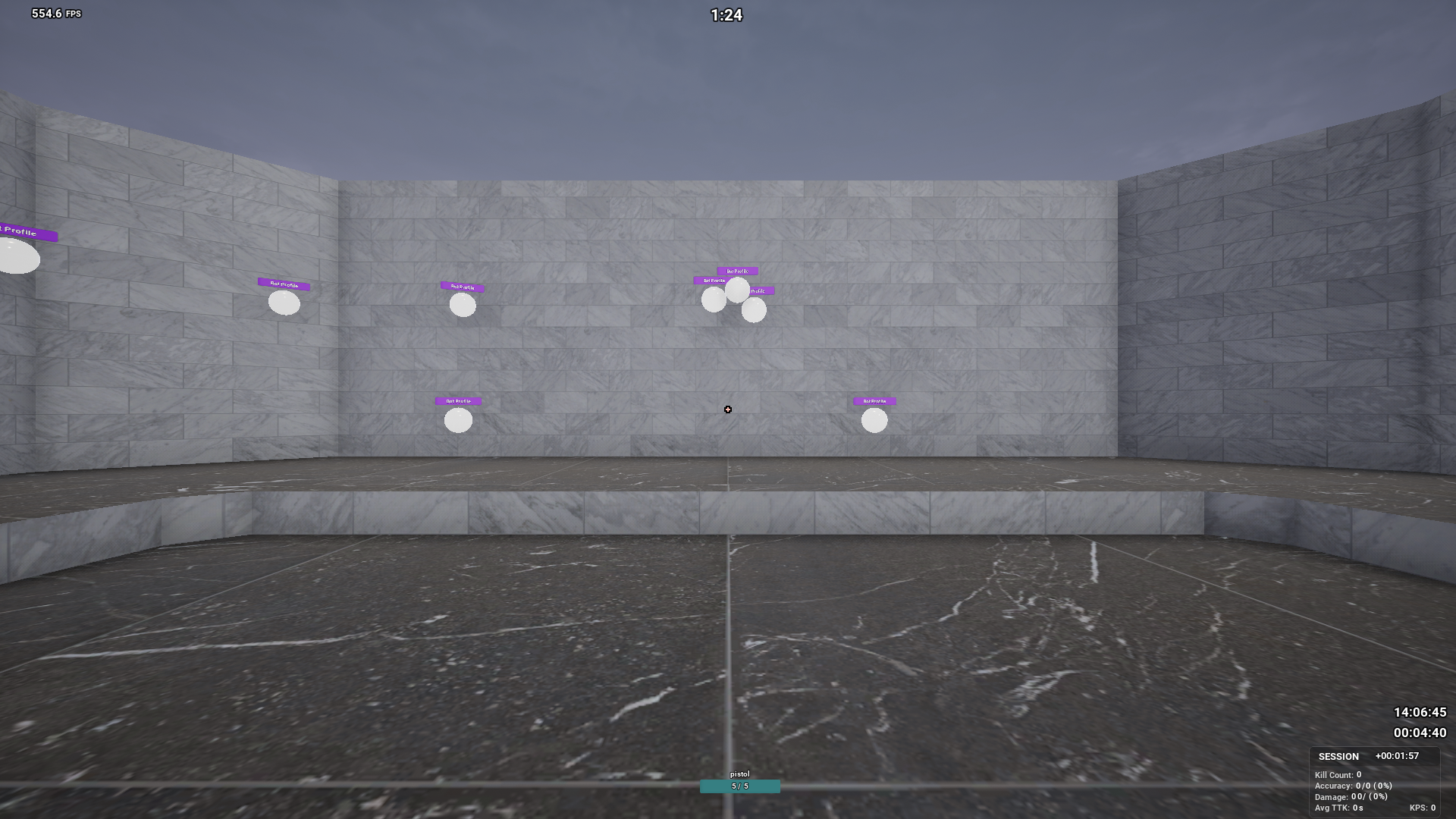
Health Bar Fix: Resolved the bug where the first bot’s health bar incorrectly displayed as "BotProfile."
Playlist Description: Fixed text formatting issues—descriptions now wrap and are no longer bolded.
Simple Aim Profiles Bug: Fixed an issue where simple aim profiles couldn’t be used with bots that shoot.
Startup Crash: Fixed a crash that occurred on startup for some users.
Localization: Updated client files with the latest Crowdin translations for improved language support.
Freeplay Reset Button: Made reset button Affect Freeplay, allowing for quick resets of session stats, bot respawns, and target size/speed.
Additional Enhancements
Widened Scenario and Profile Editor UI for better usability.
Added tooltips to multiple settings, including DPI sensitivity and language settings (now labeled "Language (Experimental)").
"Bot Scale" multiplier added for better control during Freeplay sessions.
📣Your Voice, Our Inspiration
Thank you for your continued support! As always, we’re eager to hear your feedback and suggestions. Stay tuned for more updates as we work to keep KovaaK's the best training and gaming experience possible! Join the conversation on Twitter, Discord, and Reddit!
KovaaK's Summer Sale - 33% Off!
Summer Sale 2024: KovaaK's 33% Discount!
Get ready for the Summer Sale 2024! From June 27 to July 11, enjoy a 33% discount on KovaaK's, including:
KovaaK's: Enhance your skills with the ultimate training tool.
Anime DLC: Add an anime look to your training sessions.
12-Months of KovaaK's Supporter: Access exclusive features and content all year long.
Don't miss out on this limited-time offer to improve your aim and get the most out of KovaaK's. Visit our store page to grab the deals now!
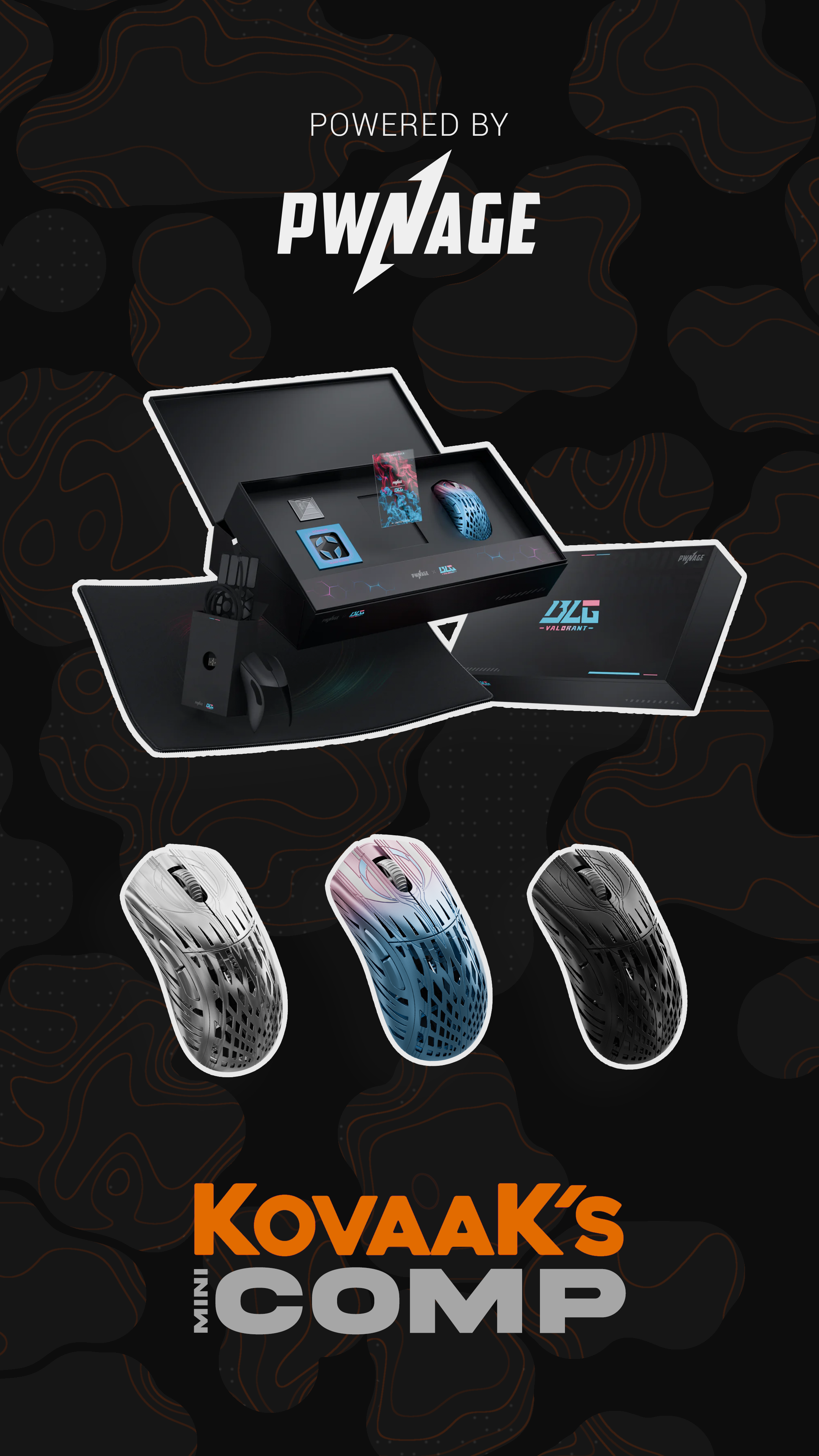
Join the challenge with KovaaK's MiniComp, powered by Pwnage! From June 13 to June 27, show off your skills in two unique scenarios and stand a chance to win incredible prizes!
Event Timeline
June 13 to June 27 Two weeks, two scenarios to test your aim!
Prizes
[]1st Place: BLG Collectors Box Set StormBreaker []2nd Place: BLG Single Unit StormBreaker []3rd Place: Platinum StormBreaker []Random Top 1000: Black StormBreaker
Scenarios
[]Scenario 1: Blueberry Switch
Don't miss out on this opportunity to win Pwnage gear!
📣Your Voice, Our Inspiration
Your feedback is invaluable, so please keep it coming. Happy aiming!Join the conversation on Twitter, Discord, and Reddit!
KovaaK's 3.5.4 - Leaderboard Entry Details!
Regular Update - May 2024
Enhancements, Tweaks, and a New Feature!
NEW FEATURE
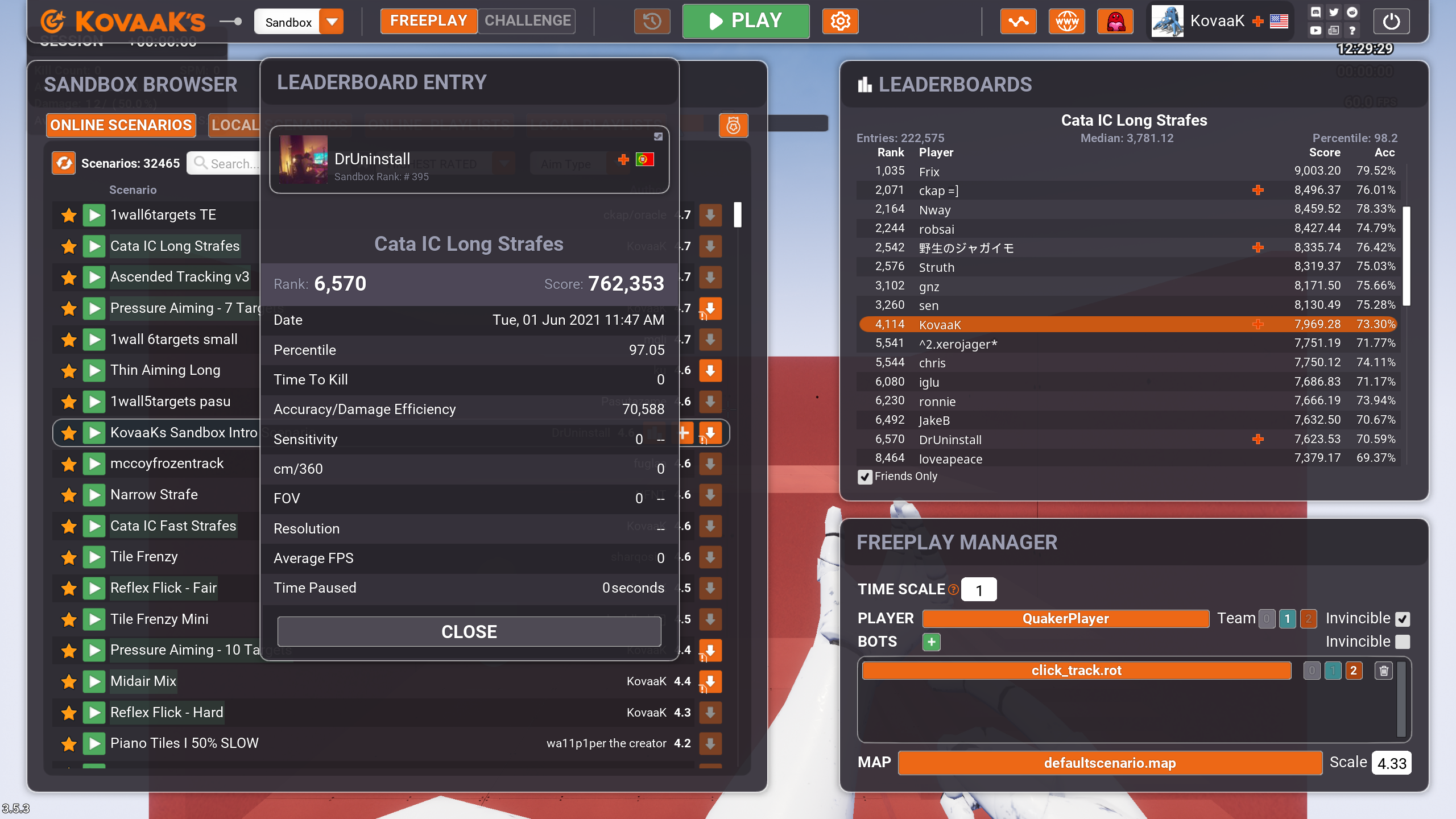
Leaderboard Entry!
Click on any entry from any Leaderboard and check out its details.
PERFORMANCE
Optimized scenarios with more than one character profile, improving responsiveness and decreasing potential stutters.
UI/UX ENHANCEMENTS
The Sandbox Browser is now properly hidden when in Benchmarks mode.
Using the keybind that resets challenges will reset stats in Freeplay again.
Various tweaks to the topbar UI. For example, we removed text from the supporter button - now it's just an icon, so that longer usernames won't cause the topbar to clutter.
Made decimal places consistent across the entire challenge end screen.
Stopping a benchmark scenario now returns you back to the benchmark main screen on that scenario instead of the benchmark browser.
BUG FIXES
Some sensitivity scales weren't being registered correctly. With this patch 3.5.4, all high score submissions should now show their sensitivity scale correctly.
Enjoy the new textures and quality-of-life updates, and as always, thank you for being a vital part of our community's growth!
📣Your Voice, Our Inspiration
We're here because of you! Share your gaming highs, your feedback, and your ideas for KovaaK's future. Join the conversation on Twitter, Discord, and Reddit!
KovaaK's Aim Trainer - Sharpen Your Skills at 40% Off!
Hone Your Aiming Skills with KovaaK's – Now at 40% Off!
KovaaK's Aim Trainer is part of the Steam FPS Fest, offering you the chance to enhance your FPS skills at a huge discount!
Sale Duration: April 15th - April 22nd Discount Offer: A whopping 40% off the regular price!
Whether you're preparing for competitive gaming or just looking to improve your casual play, KovaaK's offers a suite of tools designed to elevate your performance.
Fixed bug where changing to a language that uses commas would result in mouse sensitivity set to 0.1. If you were affected by this bug, be sure to take a look at your "Sound" tab for Hitsound/Shootsound cooldowns (default 0.04) and "Misc" tab for workshop refresh duration (default 24)!
Hearing You Loud and Clear
We always aim to improve your experience based on the feedback you provide. If you have any suggestions or need assistance, please get in touch.
Creator Tools We want to remind everyone of the Creator Tools, a space where you can create and submit your own benchmarks and workouts.
FPS & Performance Boost
Thanks to various optimizations on the GPU side as well as a new CPU-friendly "Simple Aim Profile", everyone should see a 14% FPS boost on average. Depending on your computer specs and scenario, the boost can go from 6% to 23%
GPU Optimizations
We have optimized the texture streaming pool and shaders. On this note, we have renamed the setting "High Quality Textures" to "Texture Streaming" and its tooltip, since it better explains its purpose.
CPU Optimization
Simple Aim Profile
The Simple Aim Profile is now available to all scenario creators. As the name says, it's simpler, so in bots that can get away with it, it'll make the scenario demand less from your CPU. Additionally, when loading suitable scenarios in Challenge mode, the simple aim profile is automatically used, which means this will benefit old scenarios as well! This improvement should be easily noticeable on static clicking scenarios.
UI Optimization
We have optimized some of the HUD, to make gameplay demand less CPU.
Multi-Language Support: We've started integrating Crowdin localization files, expanding our language support to include Portuguese-BR, Chinese Simplified, Russian, German, Spanish, Polish, Ukrainian, French, and Japanese.
User-Interface
Sandbox
For some of you it might take a couple of days to get used to, but the sandbox has gone through a few small yet impactful changes that not only make the user-experience more familiar and easier but also opens the door to add cool stuff to it in the future.
Pause Menu
We have made the pause menu a horizontal menu and a topbar, since the previous vertical layout was strange to new users and ended up looking a lot busier compared to the current topbar format. We placed all the game-modes in a dropdown, changed some of the buttons from text to icons and removed some to make the UI much easier to read. We also added a "Player Widget", currently it just shows the player's avatar, username, Supporter status and country flag but we are working on ideas to add more to it on-hover and click, like player info. and stats. You're welcome to suggest ideas on our Discord!
Sandbox Browser
The Sandbox Browser is now always visible, whether you're in Challenge or Freeplay mode.
We have added a column showing Playlist/Scenario authors and a header to the list of scenarios and playlists and their authors, to make the UI faster to understand at a glance.
Most of the buttons on a list of scenarios/playlists are now only shown on whatever scenario/playlist is active or on-hover, making the menu cleaner yet dynamic.
We have also adjusted padding on all 4 tabs (Online Scenarios, Local Scenarios, Online Playlists, Local Playlists) to increase visual consistency.
Playlists
We have added a limit to the height of a playlist description and made the description box scrollable. Due to your feedback, we have added the name of the playlist in certain situations, like when you're already subscribed to a playlist or when you successfully subscribe to a playlist.
Texture Picker
We have added texture thumbnails both on the VISUALS tab and the Texture Picker menu. We have fixed the texture color not having live preview. We have made the word "TINT" more readable.
KovaaK's Benchmarks, Workouts and Competitions
Not only are Benchmarks, Workouts and Competitions free for all KovaaK's players, we have made small yet substantial to its user experience!
Other Enhancements
There's now a new Bounding Box setting (on the Visuals tab), the default option still exists but there's a new one named "Outline" that is pretty self-explanatory but also is less GPU demanding for anyone wanting to squeeze all FPS possible. Eventually, we will likely just make the Outline option an actual target Outline feature allowing color customization.
We have added a pitch modifier to sliders. As you adjust a slider, the pitch will go up or down, making using sliders more enjoyable.
With our ongoing Localization project, we have decided to move the language setting to the MAIN tab to make more players aware that we are translating the game into several languages.
When turned on, the scenario name is now visible during the challenge countdown.
When refreshing your workshop scenarios, the game will only write to the local disk when paused, significantly reducing the chances of a stutter when the game finishes refreshing the workshop.
Reduced the installation size a tiny bit.
📣Your Voice, Our Inspiration
We're here because of you! Share your gaming highs, your feedback, and your ideas for KovaaK's future. Join the conversation on Twitter, Discord, and Reddit!