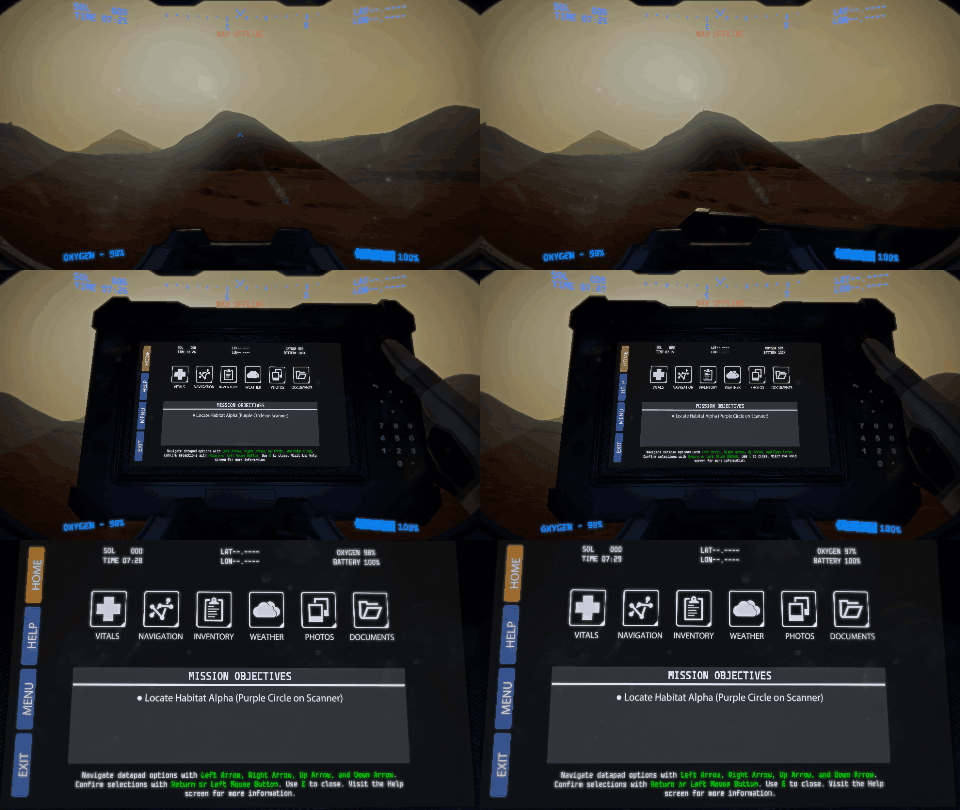
There have been enough additions to the game that I felt it was time to go back and make some serious performance improvements. So there are fewer feature updates in this release, but it should make a big difference for some players on lower end systems. Check out the full change log below. Many of these fixes were suggested and tested by our helpful community on our official feedback forums.
Significant performance improvements have been made across all gameplay systems. If the game ran slowly for you before, please report back if you see any improvements after these changes.
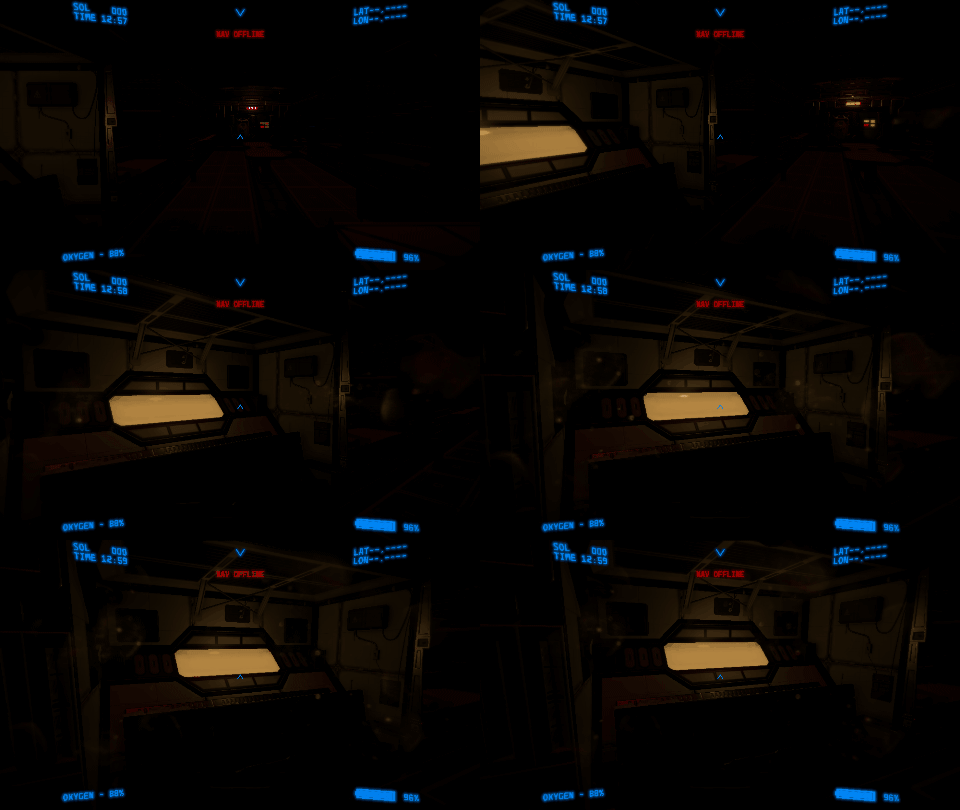
Lighting improvements have been made inside habitats, including windows that now glow brightly from the light of the sun outside. This is most noticeable with the lights in the hab turned off.
Added a selector to the navigation screen that allows you to display locations where previous research samples have been collected.
The “Withdraw All” option for inventory management now only withdraws the items of the filtered category you are currently viewing.
Fixed an issue that prevented players from repairing equipment if they were too close to death.
The selected item cursor for inventory management now returns to the nearest position of the last selected item rather than returning to the firstmost item in that inventory. You can now more easily deposit or withdraw items without needing to use the arrow keys to navigate to multiple items.
The PRT RTG slot will now degrade similar to the rate of other RTG slots for exterior modules.
The “interact” text hint is now properly hidden for the research station in an unpowered habitat.
Fixed a bug that caused an incorrect distance indicator for custom objective points that were set inside of a habitat.
Research Achievements - v0.64.2
This month's update is focused on expanding the research mechanics of the game. You now have a new research bench inside each habitat that lets you track your research progress towards four new achievements. There are lots of other bug fixes as well. Check out the full change log below. Many of these fixes were suggested and tested by our helpful community on our official feedback forums.
Change Log
There are four new achievements based on mission research progress.
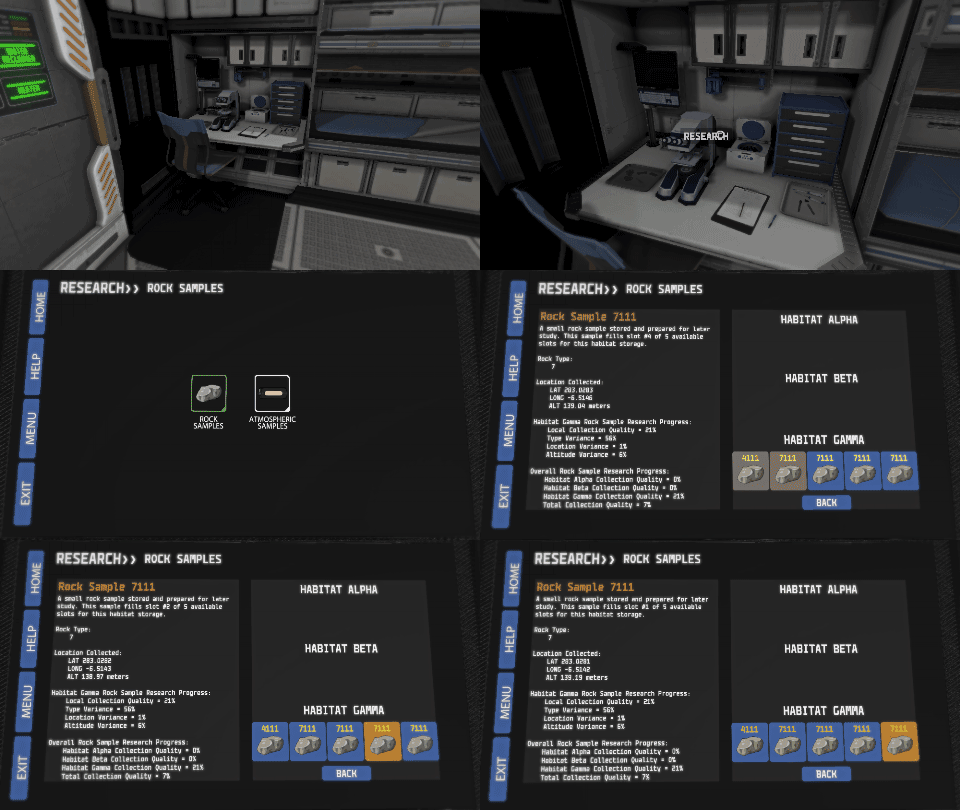
There is a new workstation in each habitat called the Research Bench.
Similar to the Crafting and Salvaging Bench, you can interact with the Research Bench to see an overview of your research progress for each research category. This can help you track your progress towards the new research achievements.
Habitats also now have one center table art asset to add more visual interest.
You can now “run” inside the habitats. Interior walk speed is about 60% of the exterior walk speed, which is what it has always been, but interior run speed is now equal to exterior walk speed so that you can move around inside a bit quicker if you want.
Fixed an issue causing driving controls to be disabled when using the escape key to close the datapad while driving.
Charged backup batteries and oxygen filled canisters can now be used inside habitats.
The “Quit” option from the pause menu will now exit straight to desktop after a confirmation prompt instead of returning to the main menu.
Fixed another instance where exterior module components were incorrectly spawning in new games causing the diagnostic screen to display blank information.
Fixed a major bug with how dust storms were impacting the degradation of exterior module components which could cause irreparable states to occur.
Fixed the hab status panel to correctly display the state of the reoxygenator when running on reserve power.
Research Update - v0.64
This month I'm introducing the first of many new late-game goal mechanics. No longer will the survival mode be entirely based on survival time. You now have the optional side objective of completing mission research.
Much of this update consists of background implementation that will allow me to expand on the research features down the road, but for this first iteration I have added rock sample collection as the first type of research.
So how does it work? Collecting research is a critical goal for these manned missions to Mars. There will be many types of research samples to collect and then deposit in the storage sections of each habitat. You only have five slots for each type of research sample in your personal inventory, so make sure to deposit these samples in habitat storage regularly. Habitats also only have five slots for each type of research sample. Research samples in your inventory do not contribute to your progress, so between the three habitat locations that is a total of 15 possible samples that will be used to judge your overall research quality. Filling all 15 slots will certainly help, but the quality of each individual sample also greatly impacts the overall research quality.
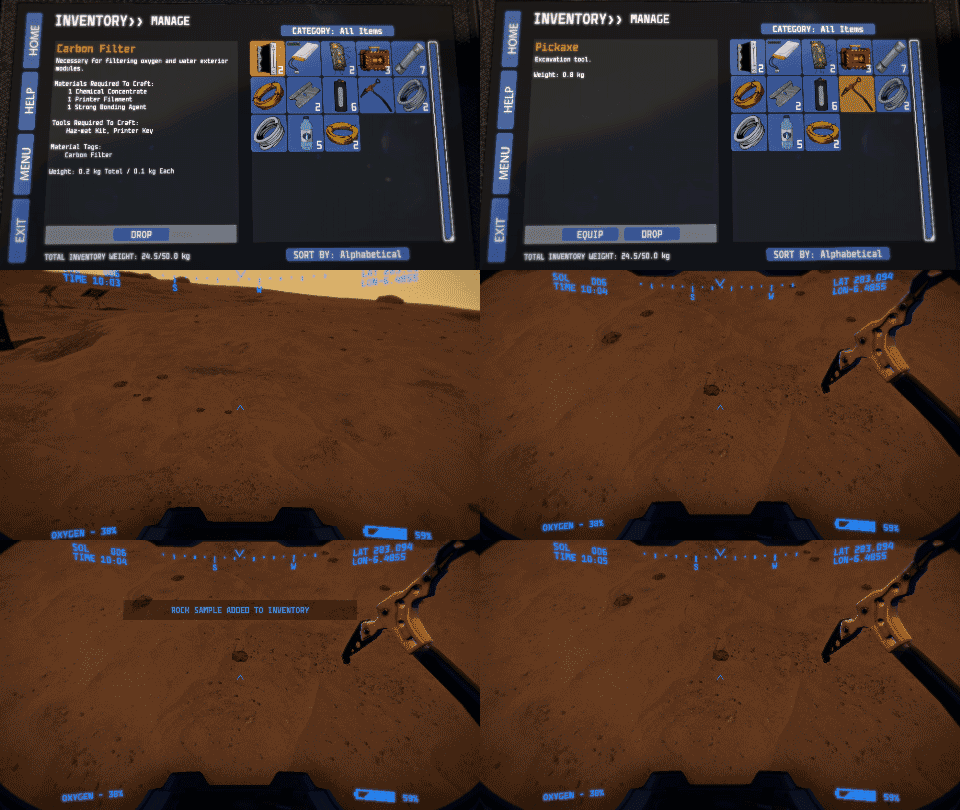
Rock sample research is collected with a pickaxe. Equip a pickaxe from your inventory and then use it to break off small samples from the terrain or other rock formations. Visible differences in the surface being sampled will result in a unique type of rock sample being collected and added to your inventory. You have five slots in your inventory to hold these samples. Your rock sample research quality is judged on three factors. Diversity of rock type, average distance between sampled locations, and average difference between sampled altitudes. Only the samples that have been deposited in habitat storage will be judged for research quality.
Currently you can view your research quality by viewing the samples you have deposited in the habitat storage, but that progress does not yet apply to any meta rewards. In the next few updates I will be adding new Steam scoreboards and achievements for high research quality scores.
Change Log
Added unique material type of Rock Sample.
Pickaxe is now equippable during an EVA.
Using a pickaxe on the terrain or a rock will add a Rock Sample to your inventory.
Limited inventory and storage slots for Rock Samples allow for unique data to be saved associated with each sample.
Research quality is calculated based on data differences between stored Rock Samples.
On July 29th, I released 0.64.1 which adds Atmospheric Research.
Additional Changes in 0.64.1
<*>Reduced maximum radiation storm length slightly.
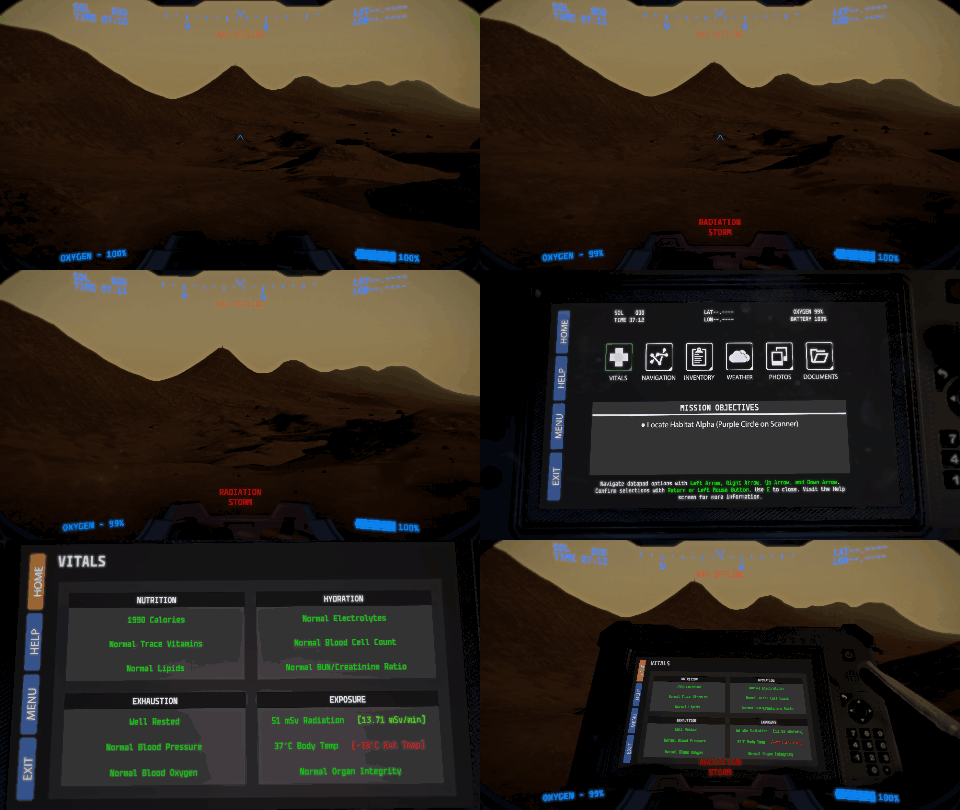
<*>Radiation storms now are only a serious threat during daylight hours since it is solar radiation (this was an oversight when originally implementing radiations storms).
<*>Added new Weather App warning messages for radiation storms so you can check if a storm is still active before exiting a habitat.
<*>Fixed a bug with the new equipable pickaxe appearing inappropriately after some inputs.
<*>Fixed a bug where the datapad was incorrectly closing when attempting to switch to a different app with a hotkey.
<*>Fixed a bug with broken components not appearing correctly when viewing the status of a component slot.
<*>Slightly increased the appearance rate of dust devils.
<*>There will now always be a Pickaxe found in Hab Beta.
<*>Fixed a bug where the loading indicator would get stuck when leaving the habitat.
<*>Added unique material type of Atmospheric Sample.
<*>Empty Canisters can now be used to collect Atmospheric Samples.
<*>Limited inventory and storage slots for Atmospheric Samples allow for unique data to be saved associated with each sample.
<*>Research quality is calculated based on data differences between stored Atmospheric Samples.
Radiation Storms Update - v0.63
Radiation storms are a new environmental hazard for Lacuna Passage. They will not occur if you pick the "No Storms" scenario, but otherwise they are randomized low levels of radiation exposure that you can only escape by taking shelter in a habitat.
This update is a bit lighter on additional features than I was hoping for, but I just wanted to get something out for this month. Because of the rush to publish, there are also some balance issues that may need to be addressed in the near future since I didn't have time to properly test everything.
The main change that may cause balance issues is the lengthening of the day-night cycle. Players have requested for quite some time now that the days should be extended a bit to feel more realistic. Previously, 30 minutes real-time equated to a full in-game day. Now this has been doubled to 1 hour real-time. Almost every variable in the game will be affected by this change, and so the ramifications aren't fully known yet. Please report any major issues via the feedback forum.
There are several other changes in this update as well. Here are all the major additions that you can expect to find:
Change Log
Randomized radiation storms have been added.
New datapad documents have been added to help explain dust storms, radiation storms, and radiation zones (map boundaries).
A failed or turned off heater will now eventually cause water tanks to freeze. Once the internal habitat temperature reaches below 0 Celsius water will be slowly lost to freezing.
Fixed a visual bug with the PRT maintenance screen.
Components installed in exterior modules will degrade slower if they are not essential for module operation. For example, if you have 5 fuses installed, 2 of them will degrade slower than the first 3 because only 3 are required for operation.
Navigation systems are now based on proximity to WayStats during a dust storm. The more intense the storm, the closer you will need to be to an operational WayStat in order to maintain your navigation systems.
The movement speed penalty during a dust storm has been drastically reduced, but now your exhaustion, calorie and water consumption are increased during a dust storm.
The degradation rates of exterior module components are now increased for habitats that are in the area of a passing dust storm.
The charge rate of an equipped portable solar panel while on EVA is now identical to the charge rate with it equipped in a panel slot of an exterior module. This has reduced the EVA charge rate enough that it can no longer surpass the battery drain of your suit, but it does drastically reduce the speed that your suit battery will drain. This is to prevent the exploit where you could charge your suit battery quickly with an equipped portable solar panel and then dump the charge back into your habitat battery.
The scanner overlay has been fixed for ultrawide monitors.
One real-time hour now equals 1 in-game day/sol.
Death from EVA suit battery being depleted (death from heat loss) now takes much longer to bring it in line with other systems and be more realistic.
Fixed a bug that caused exiting a pop tent to result in falling through the map.
Additional Changes in 0.63.1
Increased the supplemental recharge rate of equipped portable solar panel while on EVA. Still won't overcome the normal drain of your battery, but it reduces the rate of discharge quite drastically.
Fixed a major bug causing an incorrect passing of time when sleeping, crafting, salvaging, or repairing.
Additional Changes in 0.63.2
Fixed a bug causing game freezes to occur while repairing components.
Fixed a bug affecting water production after frozen storage tanks are reheated.
Fixed a bug causing removed components to sometimes still appear visible in exterior module slots.
Additional Changes in 0.63.3
Added a simple loading screen animation with randomized gameplay tips.
Fixed a bug where double-tapping a datapad hotkey caused unintended conflicts.
Added a notification that crafting and salvaging are not accessible when there is no power.
Fixed a display issue on the habitat status screen where it was showing full water tanks with no water available.
Fixed a bug where pressing the inventory hotkey while viewing the habitat storage caused the datapad to close instead of accessing your inventory.
Driveable Rovers Update - v0.62
Driveable rovers are finally here!
There will be at least one rover guaranteed to spawn in every playthrough. There are two possible areas towards the center of the map where they may spawn randomly, but if you can't find any there you can be sure to find one parked at the third habitat. If you haven't played much before, the third habitat is also randomized, so happy hunting!
If you choose to continue a saved game keep in mind that you may run into errors, but if you have already discovered a rover previously, then you should be able to return to it and it will now be operable. I would still recommend starting a fresh save however.
Here are all the major additions that have made it into this update:
Change Log
PRTs found in the environment are now driveable.
Added Charged Backup Battery items that can be used to recharge your suit while out on an EVA, which after using will change to either a Discharged Backup Battery or an Expired Backup Battery in your inventory. A Discharged Backup Battery can be recharged at a crafting bench as long as there is enough reserve battery charge in the habitat, and an Expired Backup Battery will no longer hold a charge and is only useful for salvaging other materials from it. The chance to become an Expired Backup Battery is 1 in 20.
Oxygen Filled Canisters now have a chance to become Broken Canisters after using them to refill your oxygen while on an EVA. The chance to become a Broken Canister is 1 in 20.
New games will now start with one Oxygen Filled Canister and one Charged Backup Battery already in your player inventory.
Refined and lowered the degradation rate of slots with no installed components.
Added a “Withdraw All Items” option when exploring the contents of item containers.
Added a “Move All” option when selecting a single stack of items to transfer between containers.
The datapad will now slightly lower itself while walking so that you can more clearly see where you are going.
You can now enable and disable the scanner while viewing the datapad.
Additional Changes in v0.62.1
Fixed bug causing PRTs to float off the ground and become inaccessible.
Possible fix for issue with drifting colliders on parked PRTs.
New model for the hand holding the datapad.
Fixed camera jitter when transitioning between states like equipping the datapad or running/walking.
Fixed issue where the datapad was not changing to the lowered position if equipped while walking.
Additional Changes in v0.62.2
Broken components can now be removed from exterior habitat modules and used to salvage for parts.
Fixed bug causing radiation to not be applied while driving the PRT.
Fixed bug causing a black screen while exiting the habitat.
Fixed the navigation zoom level being reset when changing datapad screens.
Fixed bug causing PRT batteries to charge above 100% with an RTG installed.
Power System Rework Update - v0.61
v0.61 focuses on a complete update of the power management system for exterior habitat modules, but a bunch of bug fixes are included as well. Check the change log below.
Change Log
Fixed incorrect east hab map marker location.
Fixed datapad UI navigation issue that would discard inputs that were entered too quickly.
Fixed bug that prevented you from strafing while auto-walking.
Fixed bug that caused dust storm effects to be visible and charging with portable solar panel to be possible while inside east hab airlock.
Made change to WayStat discovery view colliders so that they hopefully trigger more reliably.
Made change to mouse sensitivity range (this may require you to adjust your sensitivity in the control options menu).
Fixed bug causing the minimum solar charge during a dust storm to go lower than intended.
Game performance should be slightly improved after doing a recent optimization pass of several game systems.
Reworked the entire power supply system for the habitat exterior modules. Read below for details.
Additional Changes in v0.61.1
Added a delay before UI inputs are repeated when holding down an input button or key.
Made changes to Datapad interactions to reduce instances of controls becoming disabled.
Added back Remote Outpost scanner markers that had been accidentally deleted in a previous update.
Fixed issue causing Datapad to be positioned incorrectly in some cases after loading a save game.
Fixed issue causing breathing and life support EVA suit sound effects to not play correctly in some cases after loading a save.
Fixed issue causing walk speed to be incorrect in some cases after transitioning between habitat interior and exterior.
Photos taken before quitting or dying without saving will no longer be viewable via the Datapad when loading a previous save. They will still be available in the photo save folder on your machine with the location data removed.
Additional Changes in v0.61.2
Fixed an issue with landing pods only being discoverable from certain viewing angles.
Fixed an issue that was allowing player movement when it should be locked after interacting with certain components or consoles.
Fixed an issue with the button selection highlight disappearing from the datapad UI when submitting the selection via the left mouse button.
The electrical module no longer requires a reserve battery charge in order to charge the reserve battery via the connected solar panels.
Fixed interaction issues caused by double clicking the mouse button quickly with certain triggers.
Disabled the ability to click with the left mouse button during repair transitions to prevent control lockouts.
Added a slight bounce to the helmet visual HUD.
Additional Changes in v0.61.3
Adjusted dust devil spawn conditions.
Adjusted the limits and smoothing of the new helmet HUD bounce and sway.
Fixed helmet HUD rendering for 21:9 ultrawide resolutions.
Fixed issue where the “Switch to Deposit/Withdraw” button was not appearing when exploring contents of a container.
Fixed issue with randomized dust storms not spawning as frequently as intended between saving and loading.
If you want a TL;DR of the new power system: We have moved from power percentages to power units. As long as you maintain 100 power units worth of solar panels/RTGs connected to each exterior module you should see very little difference to how the system worked previously. If you want a more in-depth rundown of the new system then keep reading.
Here’s how the new power units are generated with RTGs and solar panels:
RTGs generate 50 units, day and night (used to be 100% power).
Large Solar Panels generate 50 units during the day (used to be 50% power).
Small Solar Panels generate 30 units during the day.
Portable Solar Panels generate 20 units during the day.
There are still only the 5 solar panel slots and one RTG slot for each module, but now they all contribute directly to the reserve battery so long as the electrical module is operational. However, now there is a maximum of 100 charge units from any set of module slots. That means the most you can generate during the day would be 400 units from all four modules.
Then, all the modules also incur a general cost that pulls from the reserve battery in order to operate.
Water Reclaimer
50 unit cost to produce water.
40 unit cost to keep water running if tanks are full.
If at least 50 units are being supplied by solar panels/RTG directly connected to this module then water production is more efficient.
Reoxygenator
50 unit cost to produce oxygen.
40 unit cost to keep running if tanks are full.
If at least 50 units are being supplied by solar panels/RTG directly connected to this module then oxygen production is more efficient.
Heater
50 unit cost to heat up interior to normal temp.
40 unit cost to keep running if at stable temp.
If at least 50 units are being supplied by solar panels/RTG directly connected to this module then temp will increase faster if below normal temp.
Electrical
25 unit cost to keep all electrical systems running (lights, crafting, etc).
From the above requirements, the highest possible unit cost to keep all systems running would be 175 units, but if all oxygen and water tanks are full and the interior temp is stable then the cost would only be 145 units. This means that you should be banking between 225 and 255 units if you have the full 400 units of solar panels connected to your modules during the day. That banked amount should then be more than enough to cover the cost of all modules over the night and leave you with extra to transfer to your EVA suit when you go out to explore.
Because of this new system, all modules now produce at the same rate during the night as they do during the day. This is a change from before when the Reoxygenator and Water Reclaimer would produce at a drastically reduced rate at night. To balance for the increased amount being produced around the clock, both of these modules now produce at about 60% of their previous maximum production rate.
Many of these changes were prioritized based on feedback provided by players on our Feedback Forum. Help me determine future development priorities by posting your ideas, suggestions, and bug reports there. A special thanks to Mr. Fusion on the feedback forum for all his help and suggestions related to the power system rework.
Controller Support Update - v0.6
v0.6 focuses on making the control options much more flexible. This required a complete rework of the input system in the game to support most PC-compatible controllers and full key remapping options. This continues my current pattern of alternating major updates between gameplay system additions (like the previous pop tent and dust storm updates) and quality-of-life additions (like this one). Check out the full change log below.
Change Log
Controller support has been added for most dual joystick controller types.
Keyboard and controller button remapping is now available via the Controls option menu.
Increased frequency of dust devils.
Fixed bug that caused hab status panel to display information from a different hab.
Fixed production levels of oxygen and water modules relative to the impact that broken components should have.
Changed locomotion settings for moving up and down slopes and while jumping.
Fixed issue where reserve battery could be charged slightly over 100%.
Many of these changes were prioritized based on feedback provided by players on our Feedback Forum. Help me determine future development priorities by posting your ideas, suggestions, and bug reports there.
Pop Tent Update - v0.59
v0.59 now provides a new way for you to escape the elements of Mars. Emergency Pop Tents are now deployable items that you can enter to protect yourself for dust storms, eat while on EVA, and save your progress by sleeping.
The rest of this update is a little lighter on content than usual because I have had to spend a lot of time updating the game code to be compatible with the latest version of Unity. Unity required a security update and I figured it would be a good time to also just update everything to the latest version. I've gone from Unity 5.3.8 to Unity 2017.1. This required a ton of little fixes to ensure everything will work as it did before, and I'm still not entirely sure that everything will be functional. If you find something that seems out of place or inconsistent with how you remember the game working before, please let me know via the official bug reporting and feedback forum.
Change Log
Updated engine to most recent version of Unity for performance and compatibility improvements.
Numerous bug fixes for issues related to Unity version update.
Loading of interior and exterior scenes should be faster.
Habitat interior lightmapping has been improved.
Terrain dynamic shadows have been improved.
Fog distance and blending with horizon have been improved.
Added deployable Emergency Pop Tents that allow you to take shelter from dust storms, eat consumables, and save your game while on an EVA.
Remote outposts with permanent pop tents are also useable now and they produce their own ambient oxygen so your suit reserves will not deplete while inside.
Added quick reference panels by interior airlock doors to see the status of your exterior life support modules at a glance while inside a habitat.
Equipped portable solar panels will no longer charge your suit battery while inside an airlock.
Dust storms now properly impact exterior module power production based on proximity to the storm’s epicenter.
Dust storm particle effect visibility due to proximity to storm epicenter has been adjusted.
Many of these changes were prioritized based on feedback provided by players on our Feedback Forum. Help me determine future development priorities by posting your ideas, suggestions, and bug reports there.
Additional Changes in v0.59.1
Fixed an exploit that let you craft oxygen filled canisters even when there was not enough oxygen in the reserve tanks.
Supported refresh rates are now listed in the resolution settings (in the previous update they appeared as repeated entries of the same resolution in the list).
A water reclaimer unit at the northern habitat location has been moved slightly to prevent the water tanks from being hidden under the terrain.
The minimum solar power during a full dust storm is now back to 15%.
Fixed a bug that was drawing too much power while sleeping causing negative reserve power values.
The inner habitat door can no longer be selected through the wall.
Dust Storms Update - v0.58
v0.58 marks the major feature addition of randomized dust storms to Lacuna Passage. The best way to quickly experience the new dust storms is to start a new game with the Big Storm scenario detailed below. If you want a quick timelapse of what dust storms look like you can check out this video: https://www.youtube.com/watch?v=AQcqiPImao4
Change Log
Added randomized dust storms that can slowly move across the map and impact your visibility, mobility, and navigation functions.
Added a survival sandbox scenario select screen with three currently available options: No Dust Storms Mode, Standard Mode with occasionally spawning dust storms, and Big Storm Mode which will start with a large dust storm hitting Habitat Alpha within the first 3-7 Sols.
Added small blowing dust clouds over the entire map.
Added randomly spawning dust devils.
All habitat interiors now have an airlock exit sign to differentiate the two doors.
The screen no longer fades completely to black during exterior module repairs. You can now see time pass in your HUD and the cost to your oxygen and battery in accelerated time during the repair.
Fixed issue with exterior module resource generation when sleeping for long periods.
Fixed issue with RTGs not generating exterior module resources properly at night.
Fixed incorrect description of Multitool. Multitools now explicitly mention that they can be used as a Cutting Tool, Building Tool, and Engineering Tool.
The objective LAT and LONG is now updated while placing a custom objective in the Navigation app.
Fixed issue with some Drill Rover locations not being added to navigation.
Fixed incorrect randomization of exterior module component integrity values for the southeastern-most habitat location.
Scanner is now automatically disabled when entering a habitat to prevent unintended scanner highlights while indoors.
Fixed issue with incorrect habitat resource values being displayed when accessing the EVA suit management screen between two different habitats.
Fixed incorrect texture on water reclaimers.
Fixed incorrect exhaustion recovery value when consuming water.
Sleeping for 0 hours is now allowed as a way to save without sleeping. Was previously only accessible by cycling the time value in one direction.
Fixed issue with the starting landing pod changing positions after loading a saved game.
Fixed a floating rock at a solar panel discovery location.
Fixed issue where some exterior module components were unable to be removed.
Keep in mind that this now makes the weather monitoring functions of the Waypoint Stations worth maintaining since they can warn you of an incoming dust storm and you can track the visibility at each WayStat location with the function enabled via installed fuses.
Many of these changes were prioritized based on feedback provided by players on our Feedback Forum. Help me determine future development priorities by posting your ideas, suggestions, and bug reports there.
Additional Changes in v0.58.1
Fixed bug that caused Electrical exterior modules to operate as "On" even when the power switch is turned off.
Fixed minor UI spelling mistakes.
Fixed bug that occasionally displayed incorrect hab reserve supply values in the suit management screen.
All habitats now start with their interior temperature roughly equivalent to the exterior temperature since their heaters have been offline for an undetermined amount of time.
Fixed bug that prevented breathing audio from playing before entering the first habitat.
Fixed bug that prevented the proper placement of custom objectives in the navigation app.
Survival Stats Update - v0.57
Today's update is an attempt to add some new player progression goals to the survival sandbox including achievements and leaderboards. Check the full change log below.
Change Log
Achievements have been added for a range of survival goals.
Leaderboards have been added for survival time and distance traveled in a single playthrough.
A stats screen will now be displayed upon dying which will tell you exactly what you died from along with comparisons to your previous best run.
Increased scanner detection range for standard containers (blue squares) to 300 meters (this distance is not increased by activating WayStats).
Crafting an oxygen filled canister now requires 50L of oxygen from your hab reoxygenator tanks.
Your EVA suit can now be equipped or removed while inside a hab via the EVA preparation screen (accessible from the habitat status consoles).
Your EVA suit will now only be removed automatically upon entering a hab if the reoxygenator has oxygen in the tanks.
If the hab reoxygenator is not producing oxygen then you will now more accurately consume oxygen from the reserve tanks while not wearing your EVA suit.
The accumulated radiation exposure will now be saved properly.
The photo app should function more reliably when deleting photos.
The heart rate (stamina indicator) will no longer disappear while jumping.
Non-electrical components will no longer throw sparks when being replaced in exterior modules.
Many of these changes were prioritized based on feedback provided by players on our Feedback Forum. Help me determine future development priorities by posting your ideas, suggestions, and bug reports there. See if you can keep your spot on the new leaderboards and collect all the achievements!
EDIT: A hotfix has been applied that has fixed additional issues with oxygen and suit interactions inside of habitats.