This version backports from Legends of Amberland II several fixes to various, usually small ones, bugs, as those were discovered in the sequel. Note that some of those bugs might not apply to the first Amberland, still, patched those, just to be sure.
– [misc] Development markers (small triangle) not shown unless those indicate an error (to avoid confusion). – [misc] Other smaller improvements.
– [fix] Language tooltip can be shown when “How to Play” menu from the main menu screen is called. – [fix] Mute on focus lost audio settings not saved. – [fix] Quests scroller incorrect position sometimes. – [fix] Language selector flickering on main menu. – [fix] Clicking on close button made select a monster in some circumstances. – [fix] Incorrect mapped keys when using spells if party character changed position. – [fix] Quick load NPC dialog not closed. – [fix] And some other smaller ones.
The sequel is out!
Legends of Amberland II: The Song of Trees has been released on PC!
Official announcement: https://www.silverlemurgames.com/2023/12/05/legends-of-amberland-ii-the-song-of-trees-has-been-released-on-pc/
A small update targeted at improving gamepad support.
– [interface] Gamepad support: Improved Virtual Keyboard (physical keyboard can be used identical to a physical keyboard when detected, more characters supported). – [interface] Enable/Disable Gamepad option (Options/Controls/Gamepad), useful for people who have a gamepad plugged in but who do not intend to use it. The option is ignored if SteamDeck is detected.
By the way, the sequel, Legends of Amberland II: The Song of Trees is out tomorrow!
Primarily a maintenance version aimed at updating various libraries and fixing some very rare bugs. But there are some small improvements as well. Gamepad support is no longer an experimental feature and virtual keyboard (to enter text without keyboard) was improved. Some stuff was backported from the upcoming sequel, since a lot of the code is shared (for example double clicking on load/save opens or saves the file). Also usual fixes, this time for some very rare and obscure bugs you probably never encountered anyway.
– [misc] Gamepad is no longer an experimental feature (enabled by default). – [misc] Updated third party libraries to the newest version, just to keep those updated, unlikely you would notice any change. – [misc] Technical update (newest engine version). – [misc] Removed Turbo mode from Video options. – [misc] Failure to connect with platform API (like Steam/GOG) will no longer result in a warning.
– [interface] Backported some functionality from the upcoming Legends of Amberland II, Load/Save works by double clicking on the savefile from the list. – [interface] Gamepad: Virtual Keyboard improvements.
– [fix] Various very big screen resolutions glitches (input text area too big, incorrectly clipped help text). – [fix] Removed dev only F10 hotkey which, when pressed, messed with display. – [fix] Potential bug when one party member was not receiving damage from poison. – [fix] Very, very rare bug of “missing item” chest notice.
Demo for Legends of Amberland II: The Song of Trees is out!
Demo for the sequel to Legends of Amberland is available on Steam!
Demo for Legends of Amberland II: The Song of Trees is available on Steam starting today. It features the first part of the storyline including the starting continent with the surrounding islands, multiple towns, castles, towers, dungeons, caves and several overland biomes. Our second journey to Amberland also introduces new mechanics and new items. Enjoy and make sure to wishlist!
Trailer for Legends of Amberland II: The Song of Trees
Official trailer for Legends of Amberland II: The Song of Trees is out:
https://youtu.be/pRsttitLSuk
Version 1.27.1 released
A trivial update to fix one bug. The previous version had third party libraries upgrade which turned out to contain a bug which was fixed in the next version of the library. It affected only v1.27 since it was the only version which had the specific library version which contained the bug. The bug was causing problems with audio playback. This version upgrades that library to the newest version and therefore removes the problem.
- [fix] Updated third party libraries to the newest version which fixes the audio bug introduced in the third party libraries update introduced in v1.27. In short, there was an audio problem which occurred only in v1.27 and this fixes it.
Version 1.27 released
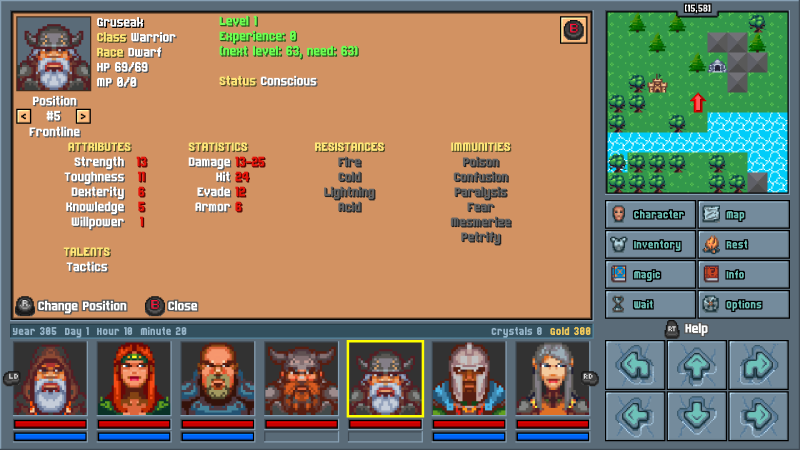
This version focuses on gamepad support and SteamDeck support. Now the game can be fully played using gamepad without the need for mouse or keyboard, this includes built in virtual keyboard for entering text into input fields (which does not rely on Steam API and can be used standalone). In addition load/save interface was fully redesigned and made more clear and convenient to use.
Note that the exact gamepad model support might vary, so it's not guaranteed your gamepad will work and/or it might require configuring first.
- [misc] SteamDeck start with Gamepad enabled by default (PC plugged gamepads still require experimental features enabled). - [misc] Exposed gamepad configuration in "data/gamecontrollerdb.txt", so you might attempt to reconfigure your gamepad if it's not mapped correctly. - [misc] Technical update (the newest version of third party libraries).
- [interface] Title screen updated to make the title font consistent with the fonts used in the new banners. - [interface] Main menu bottom buttons and text auto resized (useful for very high resolutions). - [interface] The input field to enter hero name can be selected via keyboard (so able to create party without using the mouse). - [interface] Launches the virtual keyboard when attempting to enter hero name if a gamepad is plugged in. - [interface] Redesigned Load/Save screen. Now fully keyboard and gamepad friendly (and also slightly more intuitive). - [interface] The text input field on New Save launches the virtual keyboard if a gamepad is plugged in. - [interface] Load/Save screen has now disabled scrolling when a confirmation box is active. - [interface] Various small improvements of the Load/Save screen. - [interface] Now "LT" is listed as fists on the buttons combo (to avoid confusion, since it needs to be held first). - [interface] Center gamepad hints position on buttons (prettier in some rarer screen resolutions). - [interface] Gamepad hints for movement buttons (when held the "RT" help button). - [interface] More gamepad hints in various places (on all Back buttons, notice on new game that "RT" shows help, etc).
- [fix] Incorrect position of input box on load/save screen. - [fix] Incorrect mouse clicking zone on levers interaction via mouse when facing some directions (not that anyone uses mouse for it, but still).