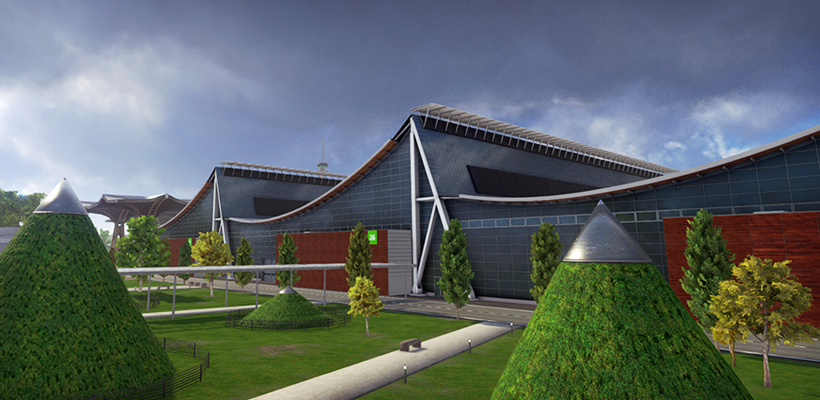
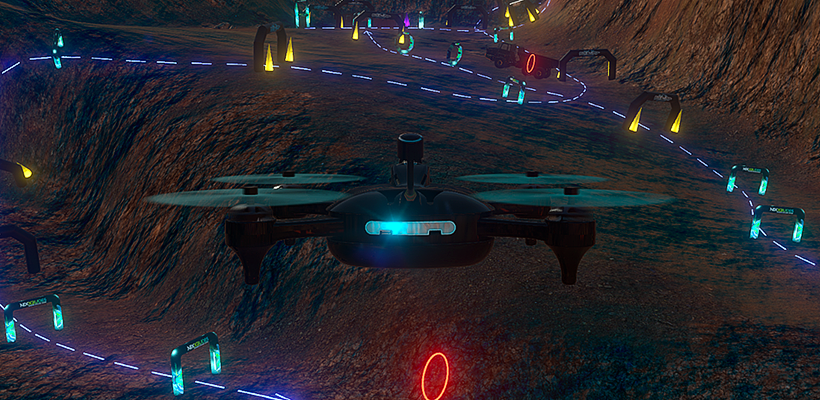
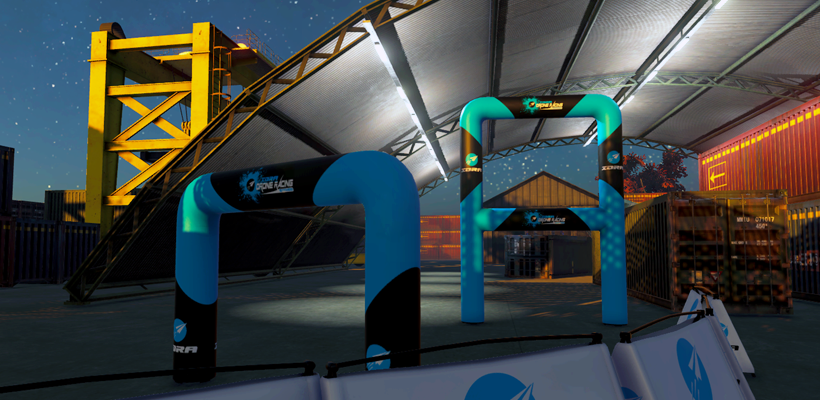
It's been a while since we made use of the experimental branch, but now we are dusting it off and once more asking you to help us test some new features before they are available in the main version of the game.
Improved visuals... but better performance!
Wait, the game will look better and perform better at the same time? That's the idea! It's the best of both worlds.
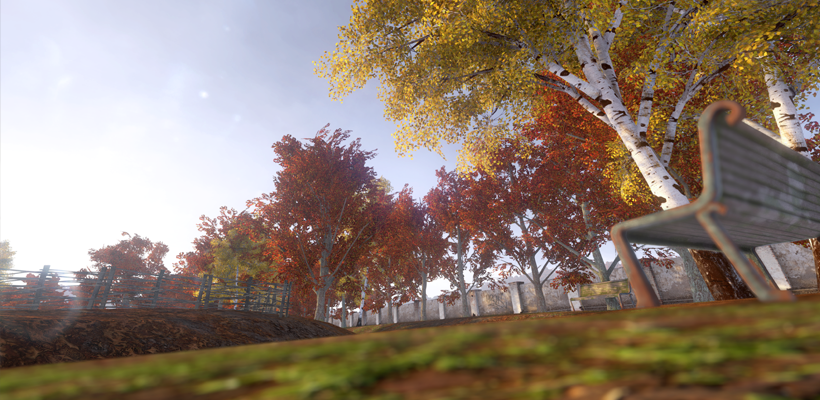
In this Experimental Branch version we are changing the way things are rendered in the game. Before, we used three virtual cameras to render everything in layers. In this update we have brought that down to two, decreasing the amount of rendering work needed to create the image on your screen. This change is expected to bring some performance improvements, but also allows us to add more visual effects to the game.
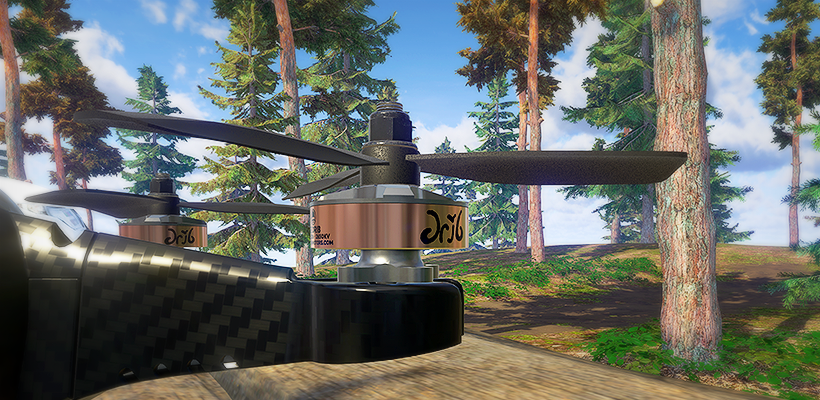
The motion blur effect has been improved: it now looks better and gives an even better sense of speed than before. We also introduce depth of field effects, basically blurring objects that are really close to the camera. This mostly affects the ground and foliage in front of the FPV camera and creates an authentic feel of what's being shown on the screen. This effect will still be tweaked for the final release. Depth of Field, similar to past visual effects will be completely optional and can be turned off in the graphics options.
We are very excited about these changes, but since it changes a few fundamental things under the hood, we want to test it out on the Experimental Branch first before we release it to the main version of the game. Your feedback will be important for us to make this a success.
Since rendering things different can have a huge impact on how things look and perform in the game, we would love to get your feedback! Does the game look better? Are you experiencing issues? Does the performance feel better? Let us know!
Update 0.13.12 released!
When we announced our partnership with Rotor Riot, the number one question we got was if we could expect to see more Rotor Riot gear in Liftoff. Absolutely!
Changelist
Added Hypetrain Ummagawd motor.
Added Hypetrain Le Drib motor.
Moderators now have an option to change MP room settings at all times.
Fixed issue with loading bar in the Liftoff Pro League menu
Added color icons in chat window
Added soft sound notification in chat window
Minor bugfixes
Liftoff Pro League improvements incoming!
When we released the Liftoff Pro League a year ago, we had never imagined it would become such a major part of the Liftoff experience. It's clear to us that the community loves these tournaments. The team has taken note of that success and is hard at work making the Pro League bigger and better!
We'll soon be adding replay functionality. This will allow you to watch each and every submission on the tournament leaderboard and see other participants master the track. Not only can you rewatch the submission, but you can also load up to four of them in your own practise rounds, turning your practise sessions into a more social experience. We are not limiting the improvements to the virtual world only: Liftoff Pro League winners now get an official Champions badge, including a signed certificate. These badges are absolutely rare and can only be won by ending in the number 1 spot of a tournament. The Liftoff Pro League just became a little bit more PRO!
More on this soon :)
Update 0.13.11 released!
It's a small update, yet the start of a great partnership!
Changelist
Added an official racetrack for The Green.
Added Rotor Riot logo in Splash Screen.
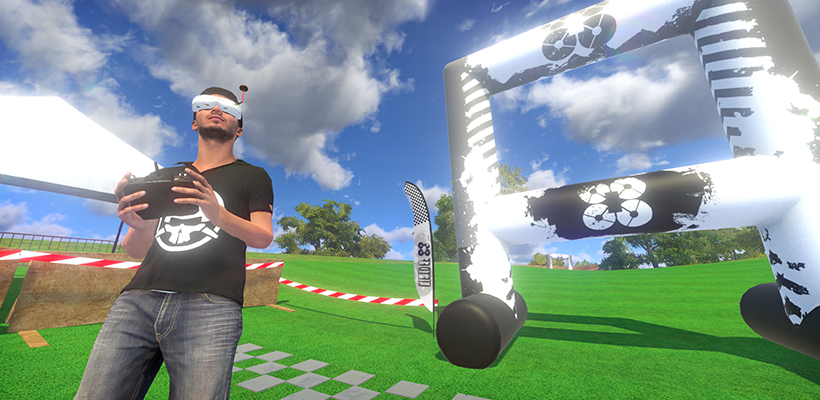
The Pilot character now has a Rotor Riot shirt.
Fixed arrow highlights in the main menu.
Increased amount of Workshop submissions that are allowed per player.
Added a 60 fps limiter on the splash screen
Multiplayer: Track and Race selection are now sorted the same way as in the single player modes.
Multiplayer: added moderator and developer (admin) roles and indicators.
Multiplayer: Added ban functionality to our online features to deter abusive players (hopefully never to be used).
Minor bugfixes
Rotor Riot
It's never been a secret that we are huge fans of Rotor Riot. Not only is Liftoff for sale on the Rotor Riot store, but there's also plenty of Rotor Riot references in the game. Lately we've had some really fun talks with the Rotor Riot team and we'll now be working together with them more closely in the future. We expect adding a bit of Rotor Riot magic to the Liftoff experience will allow us to provide some exciting new things for you in the future. We already have a few exciting things planned for future updates! ;)
Update 0.13.10 released!
The Gremlins are here!
CHANGELIST
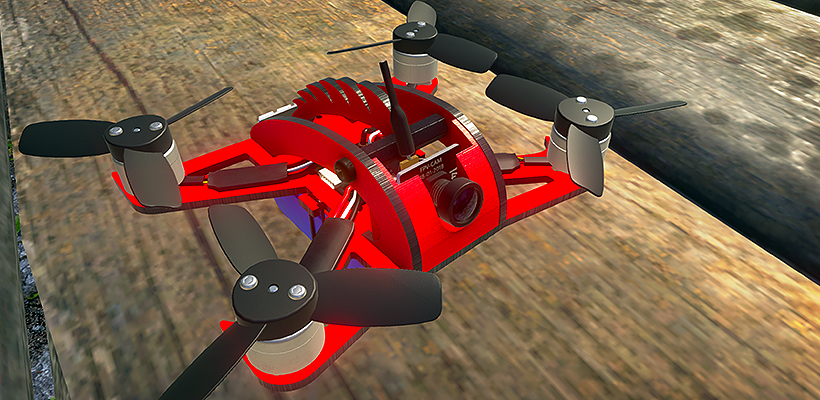
Added FT Gremlin Boar frame.
Added 2 Superius lipos (3s and 4s).
Added BMin 1104 Motor.
Added BMin 2345 triblade.
Added Micro Cam.
Added advanced fish AI
Minor bugfixes.
WHAT HAPPENED?
We announced the Gremlin for Liftoff in January. Our plan was to get in in the game a few days later. It’s March now, so what happened exactly?
We wanted to make sure the Gremlin would fly realistically. That’s why Flite Test had send us one to fly at the studio first. The package arrived in Belgium a few days later, but got stuck in customs. Many hours of phone calls and e-mails, and the involvement of our lawyer were required to finally get the Gremlin at the studio a month after it arrived in Belgium. It was all worth it! It’s a fun little quad to fly 🙂
Crucial in this story is the continuous patience and support from the team at Flite Test: they have been fantastic from the beginning until the end. Everyone who follows Flite Test will know these guys are the most friendly and postive-minded people in the FPV world and that’s not an act. We are grateful for the work they did to make this happen and the inclusion of the Gremlin in Liftoff is just the start of many things we can do together.
Update 0.13.9 released!
A small quick-fix update to improve the current version of the game. Enjoy!
CHANGELIST:
Camera angle in Workbench can now be set up to 60 degree.
Improved flight area borders in The Green.
Fixed some glitches and invisible walls in The Green.
Fixed bug with bot icons showing up in non-bot races.
Fixed an exploit that made it possible to finish a race with just one lap.
Update 0.13.8 released!
This update might not have the longest changelist but it's a big one nonetheless: we introduce a cool new level called The Green and upgrade the community’s favourite Hannover.
Bored of playing alone in Singleplayer? Race against our new bots, who are happy to challenge you for a race.
Changelist
Added new environment: The Green
Upgraded the Hannover level with the addition of Hall 26.
Added bots (virtual opponents) feature: currently only available in StrawBale01 and StrawBale02.
UI colouring and button behaviour is now more consistent.
Updated the Calibration menu hints with more information.
Rating tracks is now possible in the Multiplayer waiting room.
Added review request feature.
Added rebind option for Black Box (default F9).
Minor bugfixes.
Bots!
We want you to meet the newest members of the Liftoff team: "bots". They have been training with us the last few weeks with one goal in mind: challenge you for a race at any time you want, even when you play offline! It's not a real race when you're the only one on the track, so these guys and girls will do their best to match your skill in singleplayer races.
They'll join you in the game on StrawBale01 and StrawBale02. They are hard at work in mastering the other tracks as well!
To activate the bots go to Options > Game > Ghost mode > Bots.
The Green
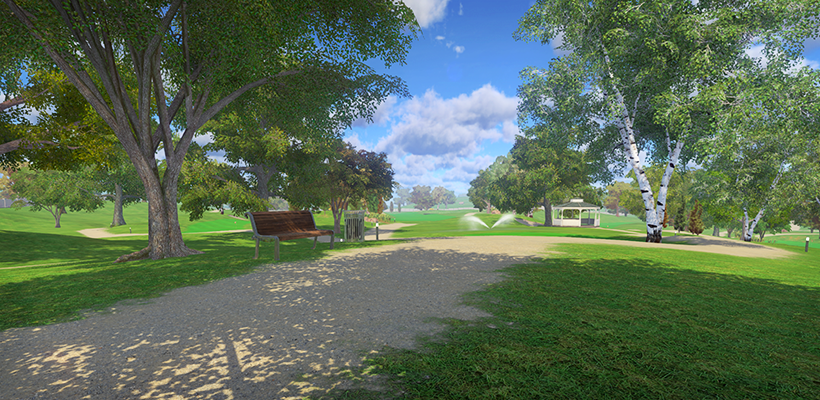
A parking lot, a forest, a sports arena , the Champs-Élysées and a giant mining pit... what about some green rolling hills under a sunny blue sky?
We're happy to introduce "The Green", a new environment available in this update, featuring an open and beautiful golf course for you to explore. Where Hannover and The Pit offered a multitude of freestyle opportunities, The Green is designed with racing in mind. We expect it to become a favorite environment for many track builders among you!
https://www.youtube.com/watch?v=OTvQl3WNrAA
Update 0.13.7 released!
This update is your creation. Your suggestions to improve the Multiplayer experience have been put to good use. Enjoy!
CHANGELIST
Removed warmup time for Multiplayer Race rooms with one player. Start racing immediately!
Added lap counter for Infinite Race mode.
Added “Room Leader” announcement in Infinite Race mode.
Added “Personal Best” announcement in Infinite Race mode.
Added “Hide UI” feature. Press F1 to activate.
Fixed issue that prevented you from removing action cams from the Teal frame.
Minor bugfixes
MULTIPLAYER FEEDBACK
Liftoff already provides some of the best multiplayer experiences of any FPV sim. Yet your feedback allows us to further streamline the experience.
You told us you want to start racing for top spots on the leaderboards immediately, and by removing the warmup time we are not going to let you wait any longer. You also told us you love the Infinite Race mode and with 0.13.7 we make it even better! No longer will you have to look for the information you want on the border of your screen: we now show a lap counter underneath the timer and give you an on-screen message when you improved your personal time and when someone in the room took the lead.
Update 0.13.6 released!
Finally a new official update! It took us a bit longer than usual. The team has not been sitting around idly but instead has been bug hunting for weeks. We had to deal with the now infamous "Black Screen" bug and with some annoying performance issues. While our work on those are not completely finished yet, the team has managed to help many people with a few quick-fix updates we've been doing behind the scenes. With the project again in a more stable state, we are ready to continue with the regular updates.
Changelist:
Added 3 new IDRA track elements.
Added an "additional weight" slider to your frame "edit" options.
Weight value in the Workbench can now be displayed as both imperial and metric standards.
Removed the unused "receiver" category from the Workbench.
Improved checkpoint toggle tool in the Track builder.
Fixed an issue with the Early Access Overlay in the main menu.
Cleaned up The Hangar C03 level by improving some art assets (no more floaty containers).
Added analytics for Input devices (backend).
Minor performance optimisations.
Weight slider
Maybe the biggest addition in this update is the new weight slider in the Worbench. We've added this feature because so far we did not take into account that the total weight of your setup is not only defined by the combined weight of your frame and parts, but also by all kinds of doohickeys like screws, zip-ties, tape, foam and other random things people use to construct a setup. We want to reflect this reality in Liftoff by giving you the option to add some undefined weight to your setup. To keep everything within a vaguely realistic range, we've limited this to 1kg, but that's plenty of weight to play around with. You can access this slider under the edit tab of your frame. We are happy to find out how you feel about this new feature. Thank you!
Update 0.13.5 released!
A small update with some important fixes and changes, some new track elements included!
CHANGELIST
<*>Added Flite Test track elements: 1 flag, 3 gates.
<*>Added Rotor’s Cool flag.
<*>Default voice chat mode is now “Push-to-Talk” (change in audio options).
<*>Tweaked visualisation of voice chat icons, to increase visibility.
<*>Fixed LOD issues with some Straw Bale props.
<*>Fixed exploit that allowed blueprint editing.
<*>Fixed issue with laptimes being displayed in Freeflight multiplayer.
<*>Fixed issue where incorrect microphone got used in voice chat.
<*>Fixed issue related to exiting the buttons setup menu.
Update 0.13.4 released!
Liftoff is known to provide some of the best multiplayer experiences in the FPV sim world, and with 0.13.4 it only gets better!
See (and hear) you on the race track!
CHANGELIST
Multiplayer: added voice chat.
Multiplayer: added option to change room host.
Added voice chat settings to the Audio options.
Introduced a manual calibration option to the calibration system.
Upgraded the input system (slight performance increase).
Added Gyro Monitor to visualise drone setup performance (press F9).
Fixed crash issue in track editor.
Minor bugfixes.
VOICE CHAT
Players can now talk to each other over voice-chat in Multiplayer, making our online experience even more social than before. Want to help a new player get started? Smack talk your opponents? Figure out what the next track should be? Take the mic and let yourself be heard!
No worries, we also included mute options for everyone for emergencies. 😉
GYRO MONITOR
We’ve added a visualization of the quad’s gyro sensor. This is a tool for those who love PID-tuning, and are looking for the perfect quad setups. Notice shaking, but not sure where it’s coming from? Look at the gyro data to see which axis is acting up. The visualization can be shown by pressing F9, and graphs are colored Red (Roll), Pink (Pitch) and Yellow (Yaw). This visualisation tool will better help you understand your flight results.
REINTRODUCING MANUAL CALIBRATION
The big input revamp that was introduced in update 0.12.0 is a great success. Calibrating your input device is easier than ever and has a higher success rate. Unfortunately we identified some exceptions to that rule: some input devices and dongles don't play along that well. That's why we are reintroducing "Manual calibration" to Liftoff, hopefully providing you with an additional calibration tool in case of need.
Manual calibration will help in most cases where the automatic process does not work. During manual calibration you get an overview of all inputs (axes) that we detect from your controller. You can select which input to link to which drone control (pitch, roll, yaw, throttle) and change the behavior of the input.
BLACK SCREEN BUG
Some of you experience a black screen bug on Windows:
Short: reinstalling the game should fix the issue.
What's going on?
When releasing the Windows 64bit version of the game, Steam would have automatically updated your game to use this version instead of the usual 32bit version that was provided by us before. However, this caused some issues for certain users where the game seems to crash after viewing the start-up screen with the logo's coming by. This is due to the Steam plugin not being updated properly when switching versions of the game.
With version 0.13.4 we decided to remove the 64bit version of the game to further investigate crashing issues. This means that players using the 64bit version of the game are not put back on 32bit, causing the Steam plugin to wreck havoc once again.