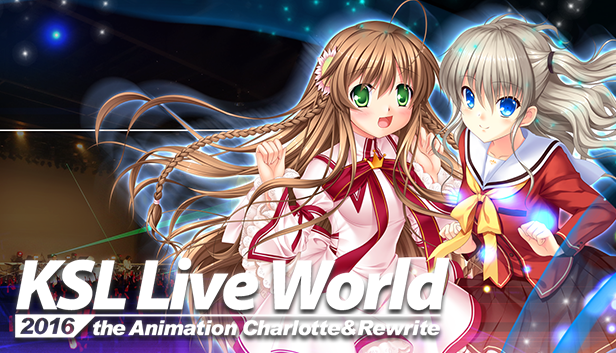
Featuring 26 songs from Key's beloved franchises such as Charlotte, Rewrite, Planetarian, and Tomoyo After, this special concert film is fully subtitled in English and Chinese (Traditional and Simplified) with karaoke subtitles accompanying each song.
While watching the concert, you will also receive Steam trading cards featuring Charlotte and Rewrite characters! These trading cards can be used to craft special emoticons and backgrounds that you can use throughout the Steam community! :yusa:
Patch fixing several spell/translation-misses and improving game stability (Ver. 1.2.4)
With this update the following issues were solved:
■Fixed about 2300 spell/translation-misses mainly inside the story route of Saya Tokido.
■Fixed the issue that with certain systems the BGM stops playing when the game is idled for a longer time.
Thank you for your continued support.:kud:
Translation patch focusing on the main story route of Kudryavka Noumi (Ver. 1.2.3)
The newest patch fixes about 600 spell/translation-misses mainly inside the story route of Kudryavka Noumi.
Thank you for your continued support.:kud:
Fixed some sound problems that occur under certain systems and correction of spell misses (Ver.1.2.2)
With this update a new sound feature is added. Additionally fixing several issues.
■ "Sound API" feature added
Under certain systems the first 1~2 seconds of voices or sound effects being played are delayed.
To avoid this we added the option "Sound API" inside the "System" tab of the "Config" menu.If this problem occurs with your system please change it from "WASAPI" to "DirectSound".
This change will take effect after you restart the game
(※Please understand that if you choose "DirectSound", some sounds may be cut off inside scenes with several sound effects occurring at the same time.)
■ Corrected about 110 spell-misses inside the English translation
■ Fixed the game occasionally becoming unstable during the baseball mini-game
We added Steamcards!
Just idle the game for 1 hour and Steamcards will drop!
Thank you very much for your patience m(__)m
:anego::dorj::haruchin::komari::kud::lbcat::lbrin::lbsaya::masato::mio:
Kud Wafter Theme Song Single "one's future" FOR FREE!
Fixed some problems that occur under certain systems and with specific settings (Ver.1.2.1)
The newest update fixes the following issues:
■ If the BGM volume is set higher than default, the ending music wouldn't play We solved the issue of the ending music not playing if the BGM volume in the game settings is set higher than "12".
■ With certain systems, the game would stop during an effect inside Saya's route We fixed the problem of the game stopping at some point inside Saya's route with certain systems.
■ When skipping movies some effects inside the main game are skipped as well We solved the effect skipping issue inside Saya's route if you skipped the opening and ending movie of the game.
■ If during gameplay the sound device is being removed, the movie play speed is higher than default We fixed the problem of movies playing too fast if you are removing your headphone or continuing the game without a sound device.
■ When loading from a save file and selecting an option inside the meeting before the baseball match, the game stops running We fixed the issue that if you are saving during the meeting right before the baseball match and selected "Consult Kyousuke" or "Consult Rin", the game stopped running.
We apologize for the inconvenience.
Thank you very much for your patience.
Surround sound issues/Start-up issues with some Windows 7 systems have been fixed (Ver.1.2)
The newest update fixes the following issues:
・Systems using surround sound configurations show an error message and the game stops running
Starting the game with sound settings of 2.1 channels or above(2.1/3.1/5.1/7.1) showed the following error message:
This issue has been fixed and the game sound output will be in stereo (2 channels).
・Although he minimum system specs are fulfilled, under some Windows 7 systems an error message shows up and the game stops running
With some Windows 7 systems, that fulfill the minimum system requirements, the graphic card driver has compatibility issues and shows the error message
"DirectX11 initialization failed."
In some cases this message showed up and the game stopped running, but this issue has been resolved. (※ 1)
We apologize for the inconvenience.
※1
If even after this update the error message "DirectX11 initialization failed." shows up, this may be due to insufficient graphic cards specs; your card may not support "DirectX 11".
Please follow these steps to check your graphic card's supported DirectX versions:
1. Push the Windows Key and search for "dxdiag" in the program/folder search bar.
2. When "dxdiag.exe" shows up please click the file
3. The DirectX diagnostics tool window will show up. Please click on the "Display" tab
4. On the right side of the window under "Driver" you can see the "DDI Version" that shows you the supported DirectX version of your graphic card.
If it shows for example "9" your card only supports versions till "DirectX 9" and won't work under "DirectX 10".
To play Little Busters! English Edition the DDI Version has to be 10 or above.
(DDI Version 10 means DirectX 10 (Windows Vista generation) is supported on your graphic card).
Little Busters! English Edition needs a DDI 10 or above compatible graphic card. Following specs need to be fullfilled:
A graphic card supporting DirectX 10 or above / VRAM 512MB or more (GeForce 8400 or above, Radeon HD2400 or above)
If you still encounter problems please send us an email to our support address:
vausa@product.co.jp
Theme Song Single for FREE for a limited time
We want to apologize for several system, translation and patch related troubles inside "Little Busters! English Edition". Therefore we are offering all owners of the game the "Little Busters! English Edition - Theme Song Single DLC (in MP3 and FLAC) now FOR FREE for 1 week.
Little Busters! English Edition - Theme Song Single
The DLC includes the songs "Little Busters!", "Haruka Kanata" and
" Alicemagic" (including the off vocal versions).
※After the free 1 week campaign the DLC will still be available for purchase
Thank you very much for your continued support.
About the “DirectX11 initialization failed” error message; game stops running
With the new update we changed the following features:
・After showing the error message “DirectX11 initialization failed” the game stops running
Inside the last update, with the intend to make the game more stable, we added the error message window
”DirectX11 initialization failed.”
After showing this error message the game stops working (this is intended), but since this error doesn’t hinder the game from running, we decided to delete minor error messages inside the game.
・Even minor errors may lead to a slower game speed. If you encounter such problems (error messages included) please update your video card driver first
・Even with the newest video card driver the game may stop running and shows up an error message. In this case please send an email to our support address
vausa@product.co.jp.
We apologize for the trouble caused with the last update and hope you will enjoy the rest of the game. We will keep the game up to date with further patches.