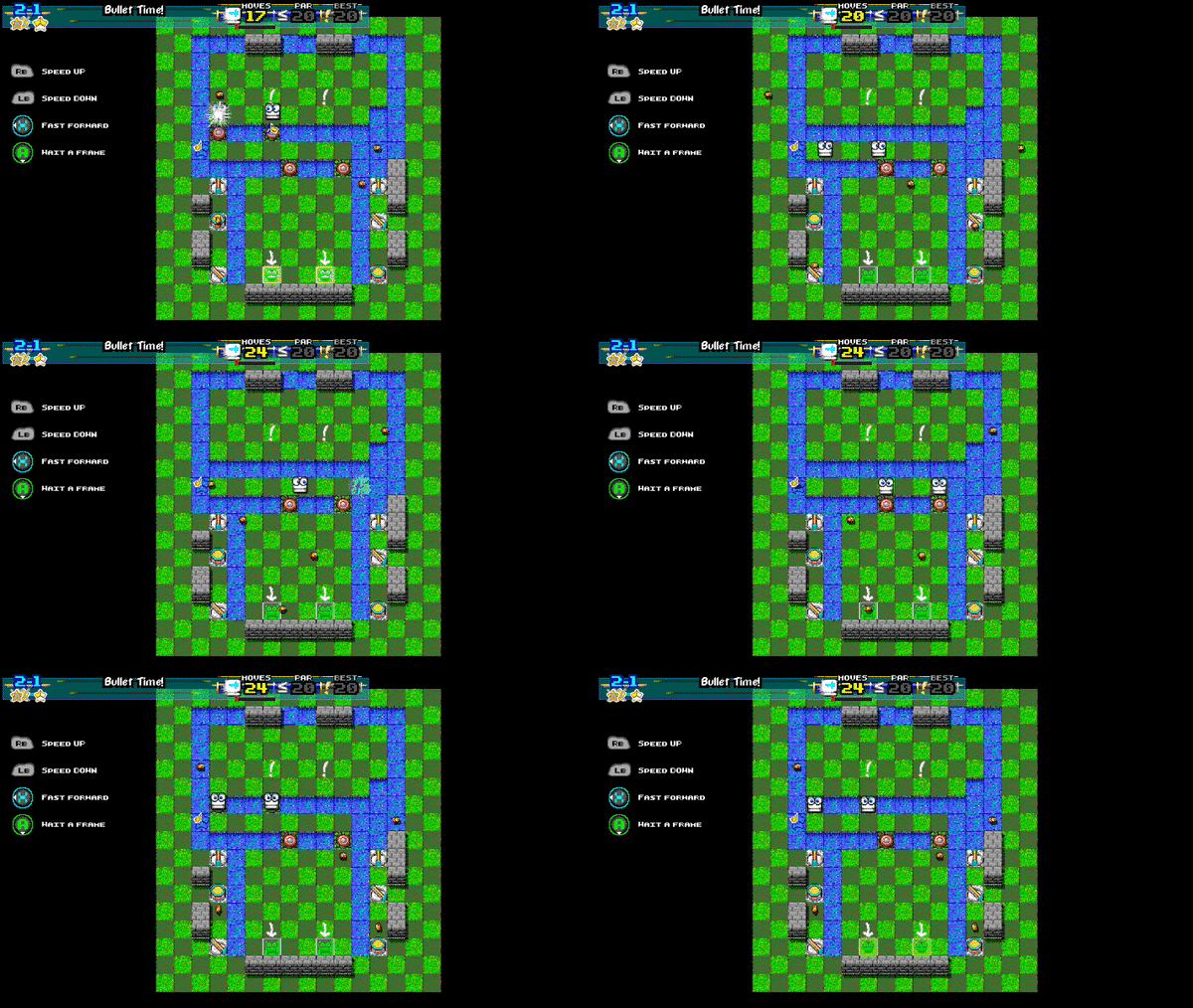
Graphics: More variation in floor tiles ("flair"), per-world variation in what Water looks like. Much prettier and much more apropos!
Several bugfixes, including some Buzzsaws flat-out not moving. (Some of these bugs were only in the canary branch. Oops!) Thanks for the reports!
For completionists, a small option to have clearing a stage highlight the same stage again, rather than the next, so that it's easy to return to it
Game's music now silences and the game pauses when window loses focus
These and others will make their way to the main branch at the end of the month.
Got a bug? Feature request? Please post about it or message me directly, and you can be sure that I'll give it due consideration.
Happy Squaring!
NEW! Public beta branch! With UNDO!
The branch called "canary" is a public beta version of the game, complete with new experimental features and probably bugs, too. It's an incrementally updated version of the update that's going to be pushed out at the end of October.
Here's how to access it:
Right click the name of the game in your Library. Hit "Properties".
A window titled "Little Square Things - Properties" should pop up. Click the BETAS tab.
Underneath "Select the beta you would like to opt into:", you'll probably see "NONE". Click that and select "canary". Leave the "beta access code" blank.
You should then see "Successfully opted into the 'canary' content beta." Then, after the new branch downloads, your Library list should change to "Little Square Things [canary]".
You can revert to the main version by following those steps and selecting "NONE" again.
Canary has Undo fully implemented, with more stuff to come soon.
Happy Squaring!
It's not over yet! UNDO is coming!
UNDO is coming!
Have you ever... drowned a square (when you didn't mean to)? Blew up a couple of them? Accidentally held LEFT for a bit too long?
Then UNDO is for you! If you make a mistake, or see a different way to approach a level, or even just want to try a "what-if?" scenario, with the press of a button, you can undo your moves, one at a time!
Again, what "Released" status means is that updates are going to be made more carefully. They may not roll out to the main branch for a while.
But there's also the "experimental" branch, where things may or may not be broken. If you'd like access to that, please contact me.
Happy Squaring, both now and in the future!
LITTLE SQUARE THINGS RELEASED
And... it's out!
Download it!! Leave comments!! Share on social media!! Tell your friends!! Give feedback!! HOORAY !!!
You should know by now that this isn't the end, though! There's already an update planned for around the end of October. Let me know if you run into any problems! Or if you have praise! Or criticism!
(and if it's praise and stuff share it with other people too)
Plans for the future include:
A "here's what we did with your feedback!" update!
Mobile port! Linux port, maybe! Also Switch!
An academic article or a talk on cellular automata as applied to this game!
More to come!
HAPPY SQUARING!
RELEASING TOMORROW, ACTUALLY: 09/29/2019, "Square Things Sunday", ...
That's right; pressing that Release button tomorrow!
What does this mean for us?
Feedback is still more than welcome. Nothing has changed there.
Releases will be more methodically planned and tested.
It'll show up on more store pages, lists, etc.
That's pretty much it. Happy Squaring!
A meta-update...?
Prepping the store page for release. Also pushing out new patches regularly! You'll have seen:
Tweaks to the music
Minor bugfixes
Your feedback is very much valued, both before and after release.
Update: Misc
Some updates. Also, be sure to (a) leave a review and (b) tell your friends about Square Things!
Here's what's new:
World 5 gets its own music.
World 4 didn't even have music, but that was due to a bug.
Most music has been rebalanced. Still being tweaked.
Keyboard/button prompts in some places.
Bugfixes etc
Happy Squaring!
Update: More finishing touches
Rebalanced pars for Par Stars in levels, mostly increasing them. Mostly. Also, if a level's par isn't a multiple of 5, it's a hint that there's a specific trick needed to nab par or less.
Bugfixes and tweaks
Welcoming any and all feedback before the 9/30 release. Happy Squaring!
Update: Small stuff
Updates:
Streamlined menus.
Streamlined in-game HUD.
Bugfixes.
Rough draft for the ending.
Happy Squaring!
Update: More options for everybody!
Latest has options for window size, "input repeat," and others in the main build. Also toying around with some fonts to make the menus more readable. Leave some suggestions below!
The "input repeat" option can be found under Options -> Controls/Gameplay Settings. That option controls how quickly the game repeats inputs that you hold down.
When you're idle, the game will run at "Game Turn Speed" (aka Speed, aka the meter in the upper right during the game). When you're holding an input (such as the direction keys or the 'wait' button), it essentially runs at "Input Repeat Speed".
A few of us in testing have found that "Medium" is a good setting for that. If your Game Turn Speed is set to Slow or Turn-By-Turn, it'll give you some thinking time; but it lets you execute your moves at a speed greater than thinking time.
(One other way I've seen the game typically played is to set the game speed to Turn-By-Turn and hover your finger over the Fast Forward button, then hold that button when needed.)
I've also bound 'Fast Forward' to the button 'X' in addition to 'RT' by default so that it's easier to access. This won't override your current settings, so you'll need to either bind that button manually or reset controls to the default configuration to get it to work.