A couple of weeks have gone by, and it's time for another update - version 0.2.7. The main news for today is clear: Vending Machines! Plus, there are also lots of additional larger and smaller changes and improvements as well. Let's dive in!
Snacks & Drinks Vending Machines
After normal shops and kiosks, vending machines are the 3rd distinct shop class in Mall Craze. Some of you may have noticed that there already was a vending machine object in the main construction menu, and you would be right!
But it was really just that - an object without any interaction from customers. The new Snacks and Drinks vending machines are completely different, as they are a fully functioning machines with their own dashboard and products for sale.
The funny thing is, I never realized how off-scale the old vending machine 3D model really was. 😅
New Controls & Audio Settings
I've added these 3 new controls options to the settings menu:
Mouse drag camera speed.
WASD movement camera speed.
Invert mouse drag.
Apart from that, there is also a new Mute Music option in the Audio settings tab. (Thank you for suggesting that in the community forum!)
UI Adjustments
In no particular order:
Shop filter buttons added to the main Shops Construction UI tab.
Shop Construction UI scales based on shop class that's being built. Construction conditions are now hidden for kiosks and vending machines.
Old
New
Entrance construction thumbnail edited - "Shop" text removed. The same thumbnail with the "Shop" text was previously being used for mall entrances as well, which caused unnecessary confusion.
Feel free to list your tips and suggestions in the comments or on the community forum. I have many things on my to-do list, but it's always cool to see your ideas! :)
Thank you everyone for your support, and I will see you in the next update! - Milan, developer
Full Patch Notes 🔧
Additions & Improvements
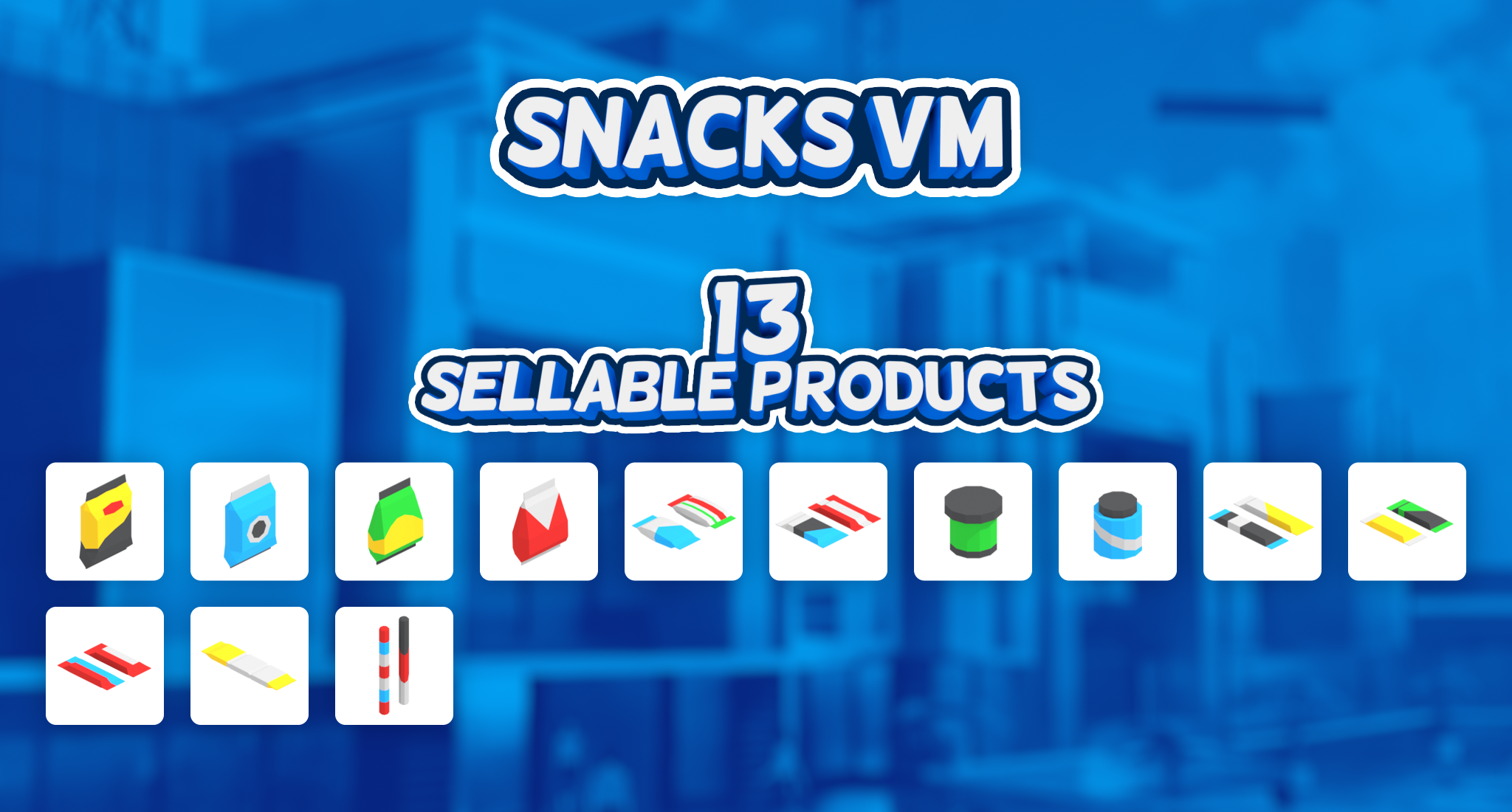
Snacks Vending Machine Added (13 new products).
Drinks Vending Machine Added (7 new products).
New Controls settings added:
Mouse drag camera speed.
WASD movement camera speed.
Invert mouse drag.
Mute Music audio setting added.
New shops now have default names.
Shop filter buttons added to the main shop Construction UI tab.
Small Changes
Shop Construction UI:
Scales based on shop class that's being built.
Construction conditions hidden for kiosks and vending machines.
Main Object Construction UI: "Object categories" renamed to "Object filter".
Entrance construction thumbnail edited - "Shop" text removed.
Customer AI:
1s delay added after purchase is completed at cashier table.
Customers now buy more than 1 product from kiosks and vending machines.
Old Vending Machine placeholder object is now deprecated and will not load from save files.
Bug Fixes
Fixed: Renaming shop in Shop UI Dashboard doesn't change the entrance texts.
I'm excited to share with you the latest update for Mall Craze - version 0.2.6. While it might not seem like a big deal upfront, this update is actually pretty significant for the game's future, thanks to some important background work that's been done.
Let's dive into what this update includes and what I'm talking about!
Have a seat!
The main focus of this update is seating. Previously, there were benches in the game, but customers couldn't actually sit on them. The good news is, if you already have benches in your mall, customers can now use them without you needing to do anything extra.
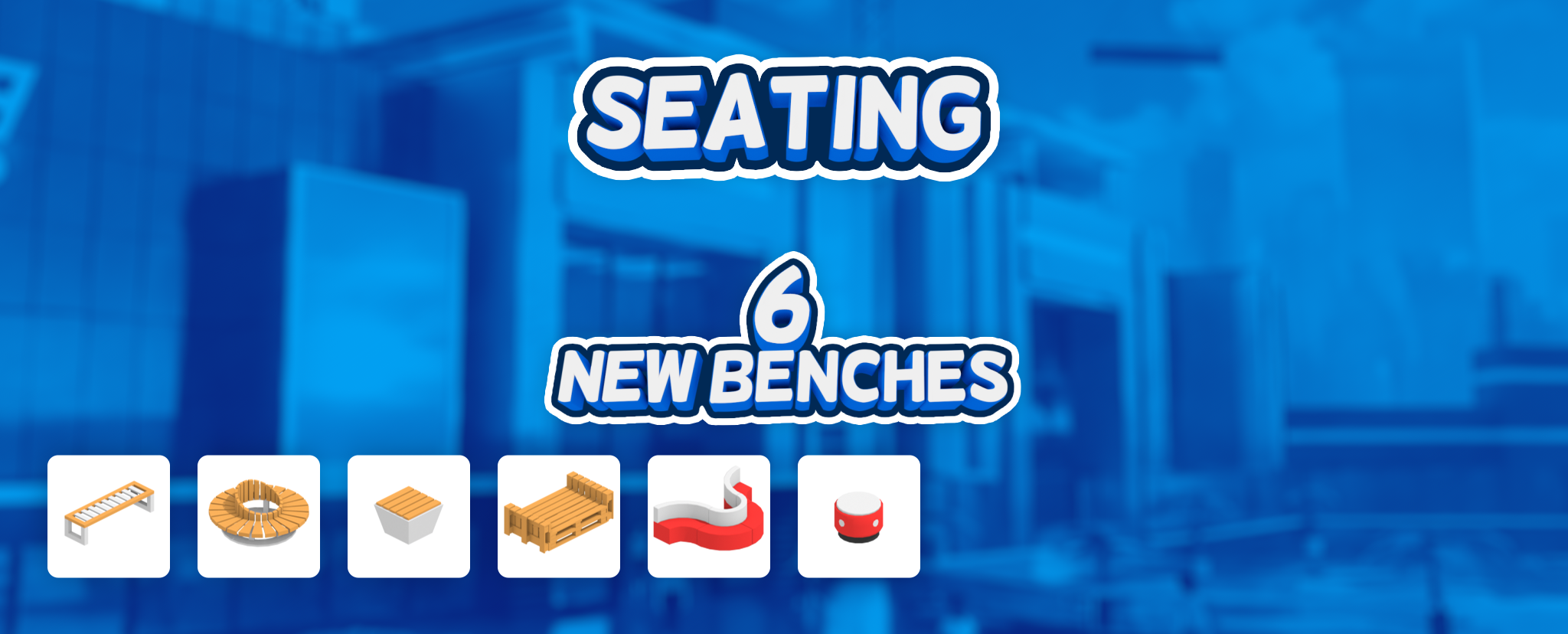
Additionally, there are 6 new benches being added into the game. Some of these are even modular, which means you can get really creative with them. I'll talk more about that later.
What makes this update important?
Up until now, the interactions between customers and objects have been pretty basic. It was mostly just "Go somewhere -> Look at it -> Go somewhere else." But to introduce more complex shop types and objects, the game needed a more dynamic system.
That's where the Activity Slot system comes in, allowing for better communication and interaction between customers and objects. That is the exact thing that I've been working on for the past couple of weeks, and benches are just the first objects that utilize this system. In the future, this exact (or slightly modified) system will be used for objects such as vending machines, trash cans, info maps, or in shop classes such as fast foods or services. It'll even come into play for staff activities.
Dynamic Activity Slots in Action
In Mall Craze, building philosophy for most objects is simple: you can build things however you want, as long as it doesn't directly block people's movement (customers can usually navigate through spaces that are at least 40cm / 16 inches wide). It was important to me to keep this philosophy true even as more complicated object interactions are added into the game. Let's take a look at what I mean by this in action:
The bench shown above has 3 seating slots accessible from both sides. If one side is blocked by an object like a wall, instead of preventing you from building the bench altogether, you can still build it. However, people will only use the unblocked side of the bench, just like they would in a real mall.
To extend the previous example, let's say we block 2 of the remaining slots as well. Even in this case, you can still build the bench, and people will still be able to use at least the one available spot.
The key advantage of this system is that it offers much greater flexibility for creativity and combinations than would be possible without it.
Let's take a look at some more examples:
When placed alone, this tabouret can be approached from all four sides. When placed next to other tabourets in a creative way, in can still be used.
Similar to the example above, this tabouret can also be placed next to other benches or sofas in various ways.
This bench made of pallets can be decorated in many different ways.
Here's a small gif of customers moving to their seats:
And here are all the benches in action! 🎬
Build Object Categories
As the number of objects grew, it became increasingly difficult to find exactly what you needed. To address this, I've implemented an object category system to better organize things in the build menu.
Thank you everyone for your support, and I will see you in the next update! - Milan, developer
Full Patch Notes 🔧
Additions & Improvements
Customers can now sit on benches.
6 new benches added.
Build object categories added to Mall build menu.
AI avoidance and navigation slightly improved.
Notifications are now shown at the end of Marketing Campaigns and Bank Loans.
Bug Fixes
Fixed: Customers are still trying to use the escalator after it's been deleted.
Update 0.2.5 - New Pre-Made Level & Mini Scenarios
Hello everyone!
It's time for another update – version 0.2.5! But that's not the only number that matters for this update; it's actually the 10th update since Mall Craze launched into Early Access 🎉 (not counting minor hotfixes)!
Let's see what's in store for us today:
New Pre-Made level: New Opportunities 🏬
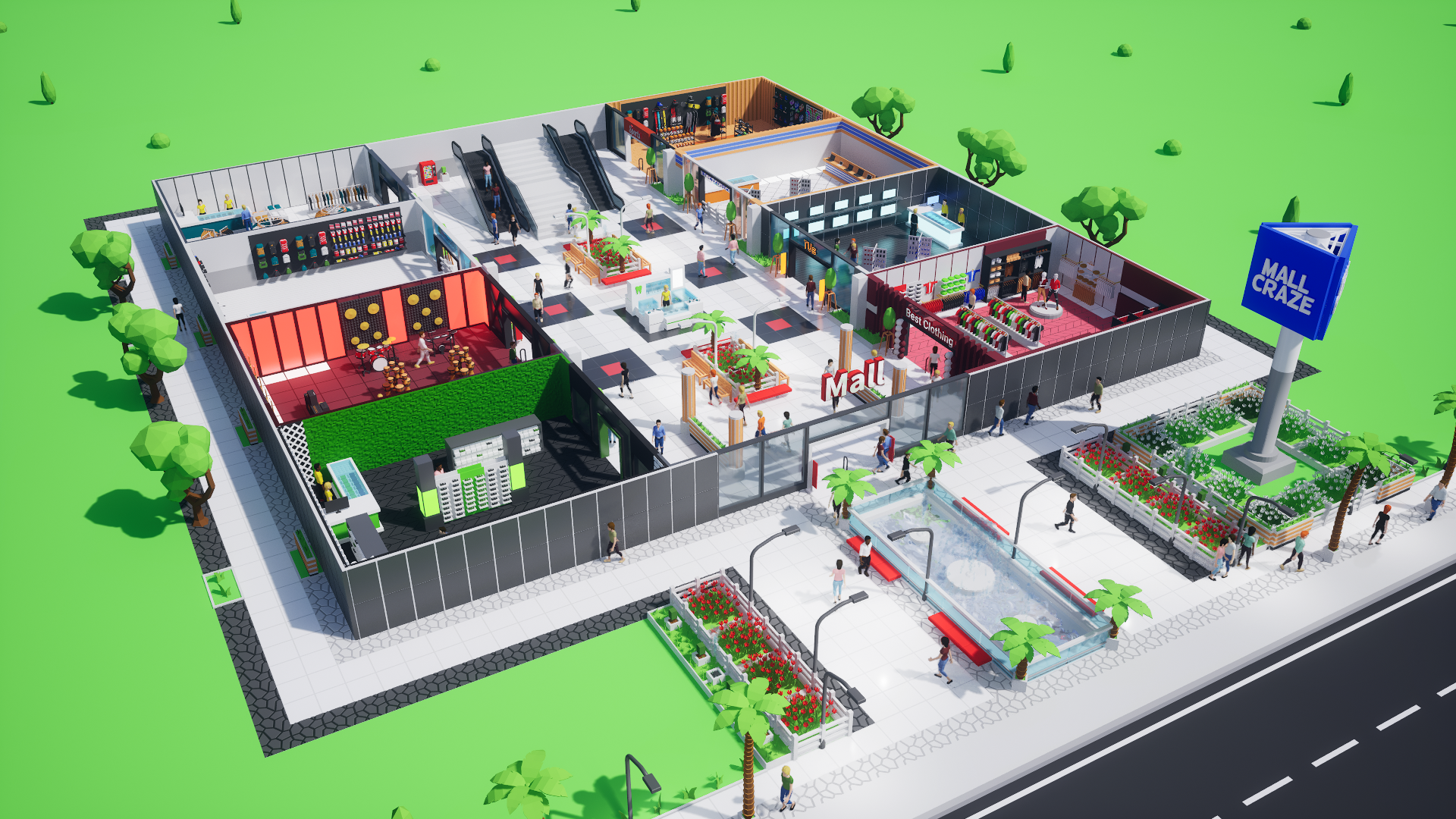
A local mall needs a new management, and you've been given the priviledge to become the general manager. The first floor of the mall is already up and running, but there are still a few things that need your attention!
Fun fact: This mall was initially built for internal development purposes.
Mini Scenarios
With update 0.2.5, pre-made malls are no longer anonymous buildings, as each pre-made level now has its own unique backstory. Mini scenarios also provide a brief outline of what your next step with the new mall could be.
Thank you everyone for your support, and I will see you in the next update! - Milan, developer
Full Patch Notes 🔧
Additions & Improvements
"New Opportunities" pre-made level added.
Mini Scenario implemented and added for the following levels:
Empty Map
Small Garden
New Opportunities
80's Dream
Sunny Skies
Small Changes
Tutorial level thumbnail changed.
Main Menu:
News design improved.
Animations added.
Bug Fixes
Fixed: Game crashes when object move is active and Shop Construction UI is closed.
Fixed: Rare edge case in savefile load code that caused crashes during save loading.
Update 0.2.4 - New Pre-Made Level & Kiosk, Controls UI
Hello everyone! 👋
It's time for another update, version 0.2.4. Today's update brings a nice mix of new content and quality-of-life features. Let's dive in!
Dental Care Kiosk
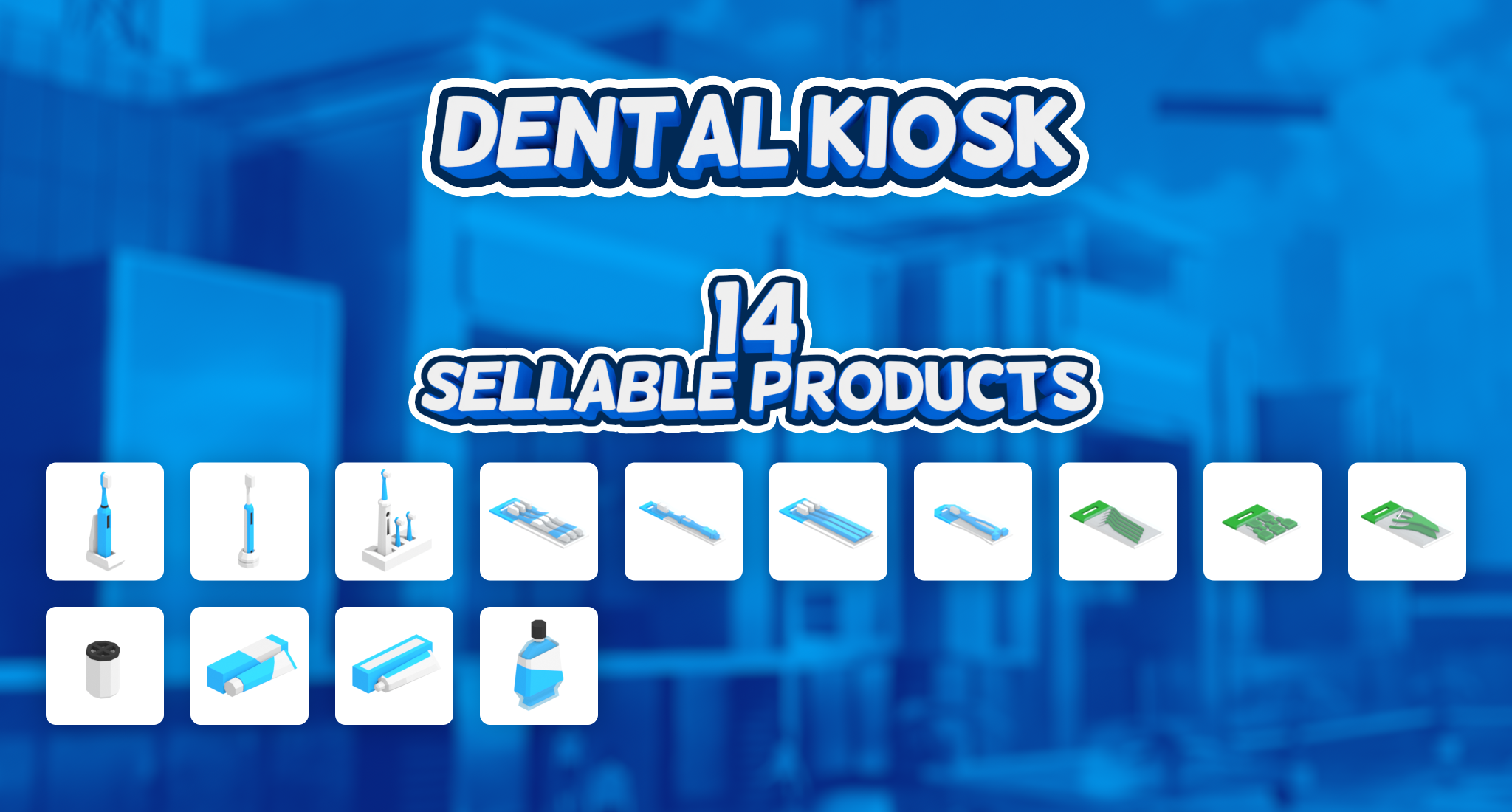
In the last update, the first kiosk was intoduced into the game - perfumes - and today is no different. The second addition to the stalls & kiosks collection is a Dental Care Kiosk, offering items such as electric toothbrushes and dental hygiene products. In total, this new kiosk introduces 14 new sellable products.
New Pre-Made level: Small Garden 🌳
Today, the selection of pre-made malls and levels gets expanded a little - something you can look forward to even more in the future. Until now, you've had the choice of starting a new mall with either 2 pre-made options or an empty map. The new level, Small Garden, strikes a nice balance between the two.
Contextual Controls UI
To make the building & customization process easier, I've added a small new window to the upper-right corner of the screen. This window shows the most useful keybinds for a given situation, such as object building, moving, and painting. Once you're familiar with the controls, you can minimize the window by clicking on the arrow icon.
Quick Tips 📖
There is an area in the middle of the main UI that will get utilized more with future mechanics. The first use case for this space is rolling Quick Tips, providing you with useful information from time to time. The full list of these tips can also be found in the tutorial UI (also accessible by clicking on the rolling text bar).
I only just realized that I could've released this update (0.2.4) tomorrow, March 24, 2024. Well... maybe next time! 😄
Thank you everyone for your support, and take care! - Milan, developer
Full Patch Notes 🔧
Additions & Improvements
Dental Care Kiosk added with 14 sellable products.
"Small Garden" pre-made level added.
Contextual Controls UI added and implemented for:
Object Build
Object Move
Object Paint
Quick Tips added into tutorial UI, and as a rolling text to the main UI.
Small Changes
DirectX 12:
Switched from Shader Model 6 to Shader Model 5 for wider compatibility & better stability.
Temporal Super Resolution sharpness improved.
Tutorial level renamed to "Welcome to Mall Craze".
Bug Fixes
Fixed: Customers are still shopping for a while after shop is deleted.
Fixed: Windows & Entrances don't have Rotate keybind disabled.
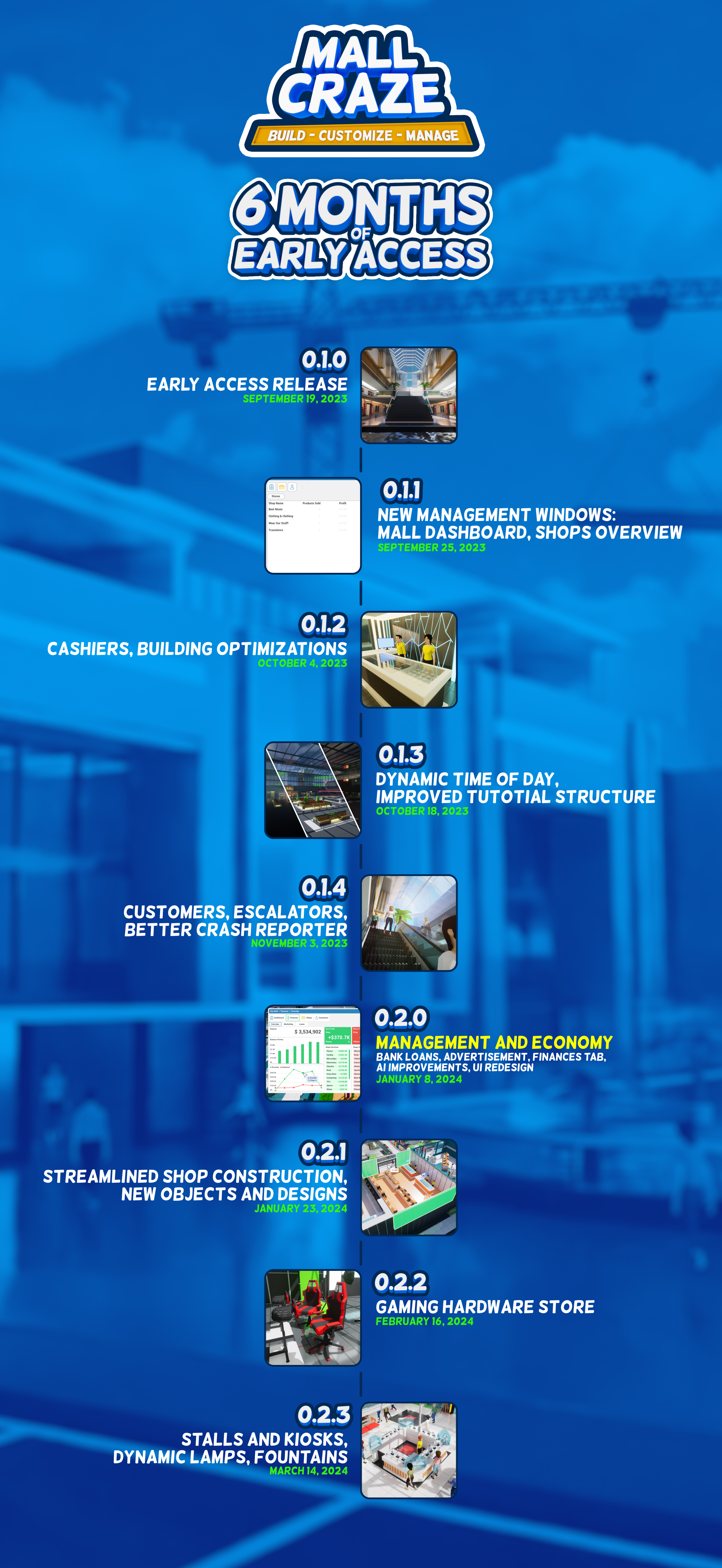
It's been 6 months (already!?) since Mall Craze launched into Early Access, and I felt like creating a small overview of the first batch of updates. Many of these updates were inspired or directly influenced by your feedback, for which I thank you very much! It's been an incredible journey so far, and I'm very much looking forward to the future as more and more things will be coming into the game.
Thank you very much for your support, and take care! - Milan, developer
Update 0.2.2 - New Shop: Gaming Hardware
Hello everyone!
The first new shop is here! And what better way to start than adding a Gaming Hardware store into a videogame, right?
Gaming Hardware Store 🎮
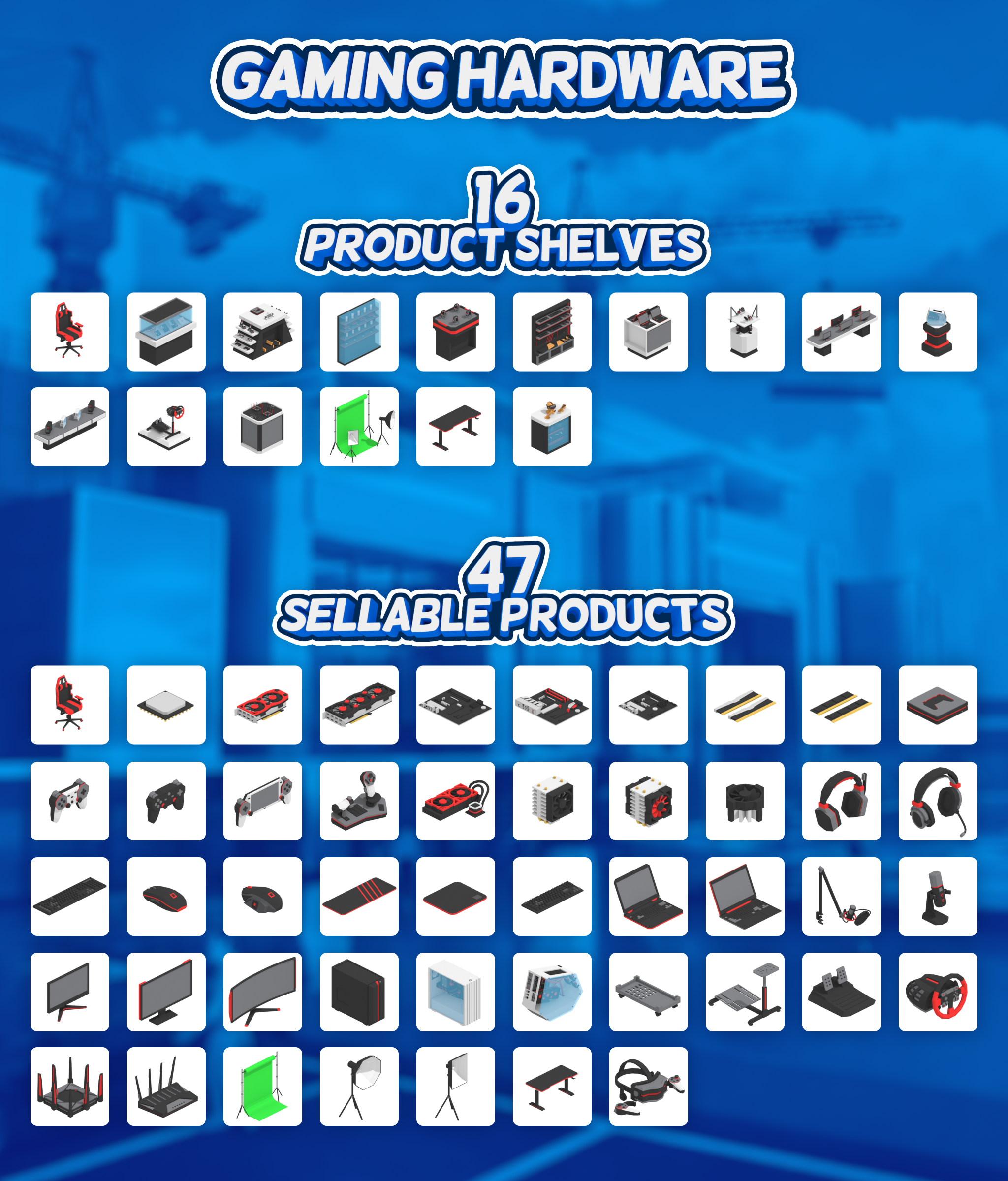
Although similar at first glance to the electro store, the Gaming HW focuses on bringing the raw gaming performance to your customers. The new shop offers 16 placeable product shelves, which in total contain 47 different sellable products (each having it's own name, description, and price).
This is the first addition from the new series of shops, with the next one being already in pre-production!
I really love this screenshot! 👇
Thank you all for your support, and take care! - Milan, developer
Streaming Set(Greenscreen Kit, LED Light, Softbox)
Gaming Table
Virtual Reality
Update 0.2.1 - Streamlined Shop Construction
Hello everyone!
The main purpose of 0.2.X updates will be bringing new content into the game. Update 0.2.1 is the first stepping stone towards that goal.
Shop Construction Process Streamlined
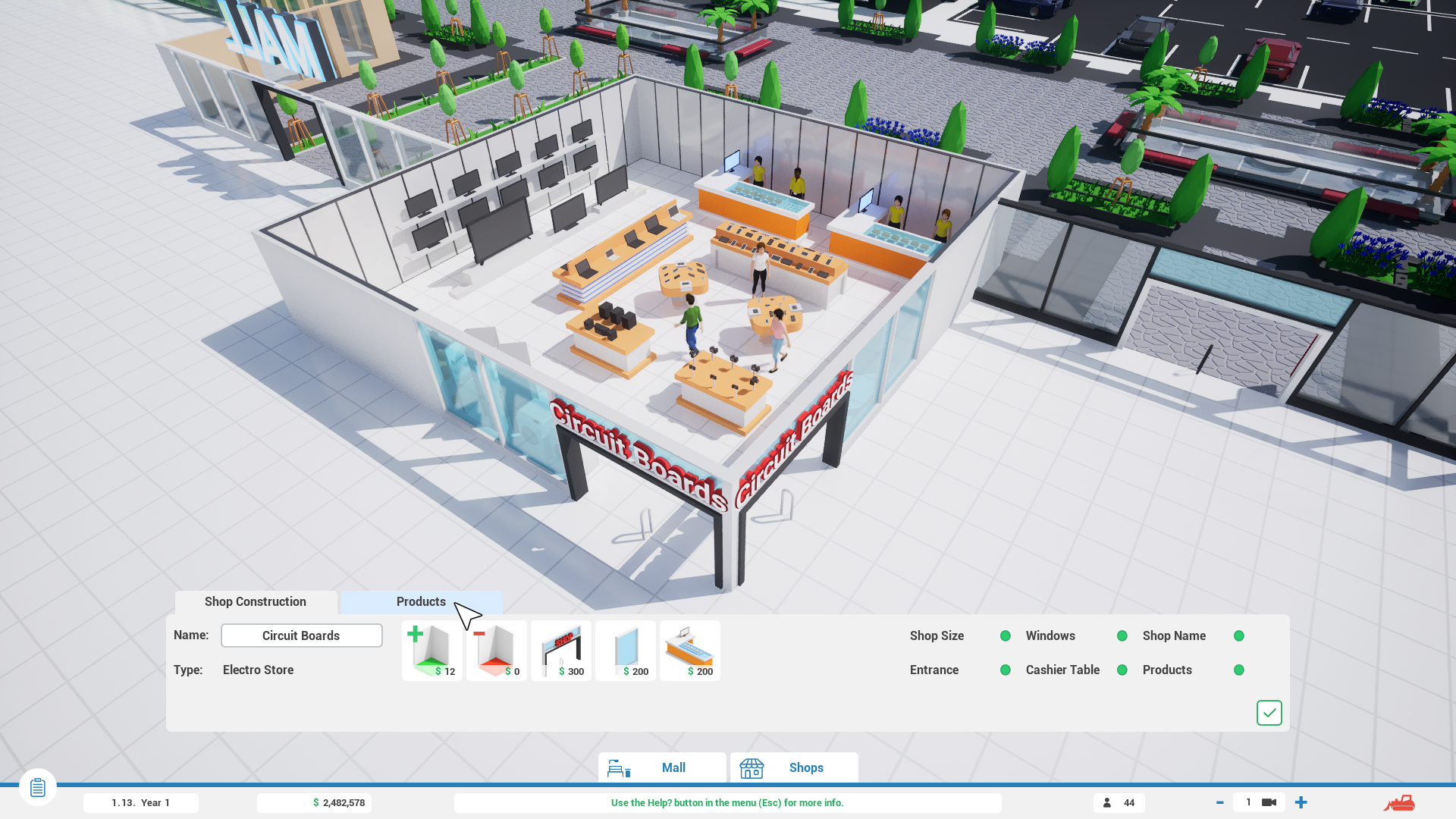
Before adding new shops into the game, I wanted to address the construction process first, as it was confusing at times. The main reason for that was mostly separate building menus for shop layout construction and products construction. Once you had your shop constructed and you hired your cashiers, you then had to navigate to a separate product building menu.
Fixing this issue was fairly straightforward - the shop construction menu and product construction menu are now merged into one.
For already built shops, you can access this menu in 2 ways - through shop's entrance (the same way as products build menu in previous versions) or through shop's dashboard (this remains the same). Products are not required to be build in order to finish shop construction, meaning that you can still build layout for all your shops first, and then come back to them and build products later.
New Decoration
3 New Floor Designs
The next couple of updates will be more packed with these, but I wanted to sprinkle some new decoration for this update as well. For this, I've added 3 new floor designs. In combination, these allow you to creatively decorate floor with various shapes.
3 New Decoration Objects
Oak Tree
Big Palm Tree
Decorative Cactus
Changes from Hotfix 0.2.0.1 & 0.2.0.2
These two hotfixes focused on smaller bug fixes after 0.2.0 launch, but I wanted to highlight one thing in this update as well. Mall Craze now has support for DirectX 11. From received crash reports (Thank you for them and please continue sending them!), the main problem with random periodic crashes for some people seems to be DirectX 12 related. I've written various possible fixes in this new Crash Troubleshooting Guide.
Coming in 0.2.2
New shops are right around the corner, with 0.2.2 being the first update that will feature a new shop! It is Tuesday today, so I should start with the creation process right away.
Thank you for your support, and take care! - Milan, developer
Full Patch Notes 🔧
Additions & Improvements
Shop construction process streamlined: Product Construction menu merged with Shop Construction menu.
3 new floor designs added.
3 new decoration objects added:
Oak Tree
Big Palm Tree
Cactus
New object thumbnails (342x)
Small Changes
Glass fence 3D model updated.
Padding of some UI elements adjusted.
Default materials adjusted for a few objects.
Oak trees added as background level scenery.
Item build buttons:
Design improved.
Click animation added.
Shop build button:
Pressed sound added.
Crash Reporter Updated:
Error description added.
Link to Crash Troubleshooting Guide added.
Menu buttons updated.
Tutorial: Shop Construction section updated.
Bug Fixes
Fixed: Game crashing on startup because of outdated settings files. (Settings are now reset to default in this case.)
Fixed: Some save files not loading properly because of incorrectly saved Construction Designs.
Fixed: Shop floor rotation not being saved in save files.
Hotfix 0.2.0.2
Patch Notes
Additions & Improvements
Support for DirectX 11 Added.
Small Changes
Crash Troubleshooting button added in Main Menu linking to Troubleshooting Guide. on the Community Hub.
Known Issues
Previous versions corrupted save files when there was a shop or mall named with an apostrophe ', which caused game crash when loading the save. New save files made with 0.2.0 do not have this issue. If you wish for me to try and restore the save file manually, please send the file at info@mallcraze.com Your save files can be found in the Documents/MallCraze folder.
Some people experience random periodical crashes. Possible solutions can be found in this Troubleshooting Guide.
-Milan, developer
Hotfix 0.2.0.1
Patch Notes
Small Changes
Collisions improved for Small Tree object (customers were sometimes stepping over it).
Bug Fixes
Fixed: Firing cashier during customer checkout crashes the game.
Fixed: Customers sometimes walking on the edges of escalator.
Fixed: Customers sometimes walking in the wrong direction when there is escalator and stairs next to each other.
Known Issues
Previous versions corrupted save files when there was a shop or mall named with an apostrophe ', which caused game crash when loading the save. New save files made with 0.2.0 do not have this issue. However, the old corrupted save filed are still corrupted and won't work automatically. If you would like me to try and restore the save file manually, please sent the file at info@mallcraze.com Your save files can be found in the Documents/MallCraze folder.
-Milan, developer
Major Update 0.2.0 - Management & Economy
Hello everyone! 👋
The first major update to Mall Craze is here! And it brings long awaited Management and Economy into the game!
If you've been following the game's development since Early Access release (or longer), you know that the initial release was lacking some fundamental features. The feedback was unanimous - the game needs Management!
Lots of changes and additions
This being a major update, there is naturally a lot to go through. The 0.2.0 update is roughly 4-6x the size of a regular 0.1.x update (at least based on the number of Patch Notes list).
Let's start with the most important news:
Management & Economy ⚖️
The main addition to the game is money, and everything then revolves around it - construction costs, product prices, cashier salaries, finances overviews, marketing, bank loans and so on..
Finances Overview Tab 💵
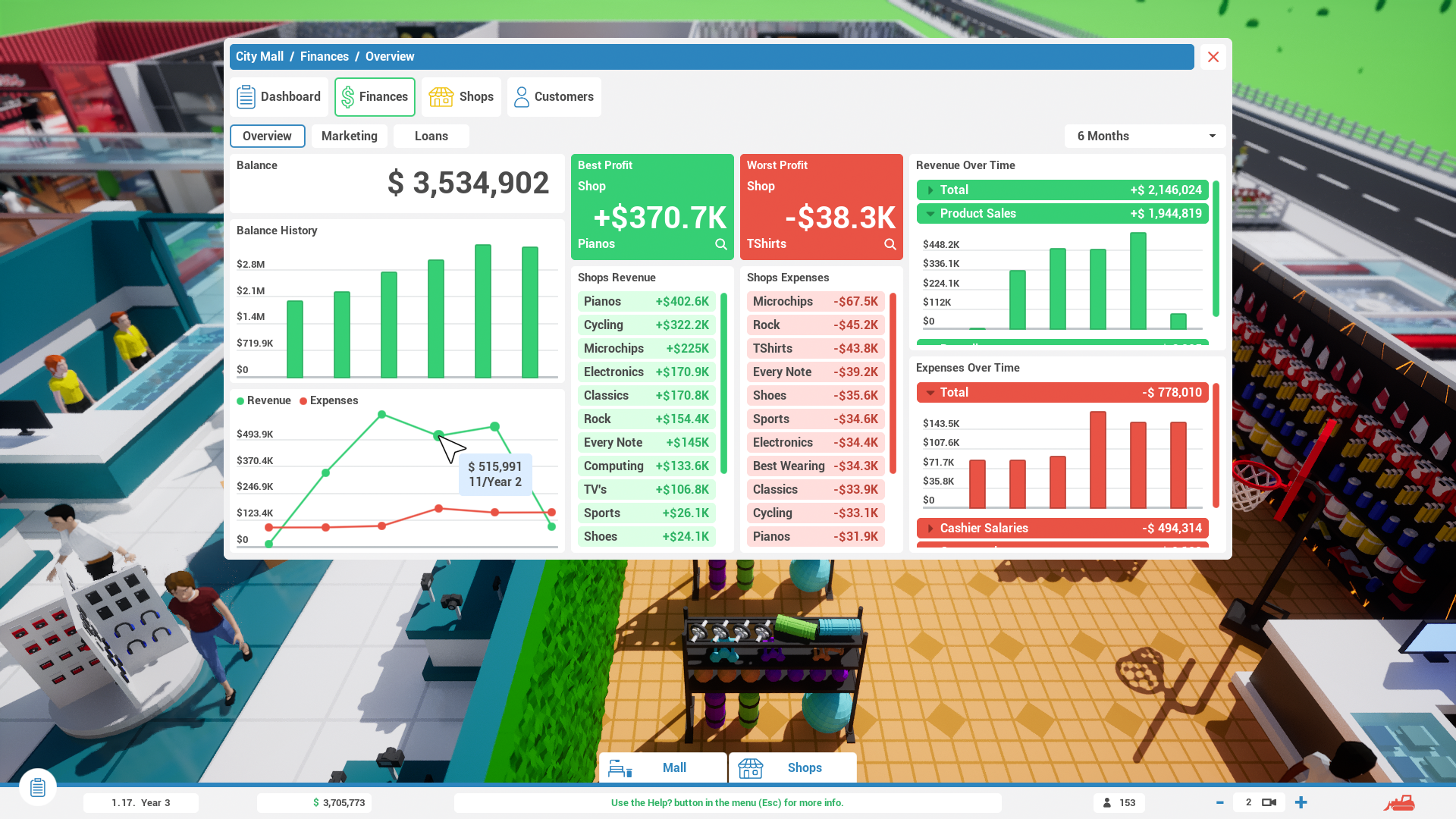
There are multiple new UI windows that are related to mall and shops management. The first one of them is the Finances Overview tab that can be found both in Mall Management and Shop Management windows. The overview shows the most important data that you need to analyze the current situation of your mall or a specific shop. It contains various bar and line charts for a specified overview period. The charts in this tab are interactive, and display additional information when you hover over a specific data point.
Products Overview Tab 🛒
No longer are products just a nice decoration. Customers are now shopping inside your stores. Products Overview tab is here to see which products are they buying, how much they cost, and how much revenue they generated. You can also edit their pricing here.
Marketing Campaigns 📣
You can now run a mall-wide marketing campaigns. There are many different campaign types, so you can choose carefully based on your current financial situation. The longer your campaign is running, the less it can cost per month, but here's the catch - you can only run a couple of campaigns at once, so choose wisely! Marketing campaigns can be found inside Mall Management window.
Bank Loans 💸
Are you running low on cash? Need a small boost to be able to afford a new shop construction? You can take a bank loan! Similarly to Marketing Campaigns, you can only have a specific number of active bank loans at once. Experiment with the loan amount and loan duration to get a better yearly interest rate - you don't want to overpay a fortune!
Mall & Shop Dashboard
The dashboard were updated to also show the new financial informations. The overview is divided into 2 sections - Revenue & Expenses.
Shops Overview
Same as the dashboard, the shops overview tab inside the Mall Management window has seen an update with the new financial informations.
Cashiers & Customers
Cashiers
Cashiers now have Experience and a monthly salary, which is directly linked to their Experience. The less experienced workers will be cheaper to employ, but they will also be slower behind the cash register, so make sure to balance things out! You get new job applications at the start of each month. You can also pay a small fee to get new applications during the month.
Customers
An AI improvements were made to customers. No longer are they just wandering around your mall. When a shop meets all the conditions, customers will start visiting it. What are these conditions?
Shop has to be open.
Shop needs at least one hired cashier.
Shop must have at least one sellable product in it.
UI Redesign
Throughout all the screenshots above, you could see a new UI design. It is not a completely new directing, rather it's an iterative improvement over the old design. This change was made for better clarity and readability, as the UI is no longer filled with various border lines.
The main changes and improvements are:
Overall redesign with less border lines and smaller round corners.
Window tab menus now having text as well, instead of only having icons.
Header text in some windows is now displaying dynamic information.
New animations.
Windows become transparent during window drag.
Other Changes and Improvements
Shops
Shops can now be closed and opened. When a shop is closed, no salary is paid to cashiers, as they aren't present in the shop during that time.
VRAM Indicator
To better estimate your graphics card capabilities, VRAM usage indicator has been added in the graphical settings.
Build Pop-Up & delete particles
What comes next?
The development of the game continues with a regular 0.2.X updates - the same ways as with 0.1.X updates. The main focus of 0.2.X updates will be new content (more of everything) and additional management improvements. These updates will once again become more regular, as they will be smaller in size, with another major update being 0.3.0 (but I'm getting ahead of myself).
This update was in the oven for over 2 months, and I'm super excited to finally release it now!
Thank you everyone for your support, and I will se you in the next update! - Milan, developer
Full Patch Notes 🔧
Additions & Improvements
Shops can now be closed and re-opened (salaries are not paid and cashiers are not present when shop is closed).
Customer AI
Customers don't go inside shops that are closed, without products, or without cashiers.
Customers are now buying products.
Cashiers
Monthly salary and Experience added.
Cashier's speed and salary is determined by Experience.
New job applications are generated at the start of each month.
Fee can also be paid to generate new applications during the month.
Sound added to cashier register after payment.
User Interface (general)
New build cost pop-up UI added for building and recycling objects.
UI style remake for better clarity and readability (windows, buttons, borders, ...)
Animations added to UI windows and other elements.
Main tabs inside windows now also have text instead of only icons (Mall Management, Shop Dashboard, Product Details, Settings, Tutorial)
Header text at the top of UI windows is now displaying dynamic information.