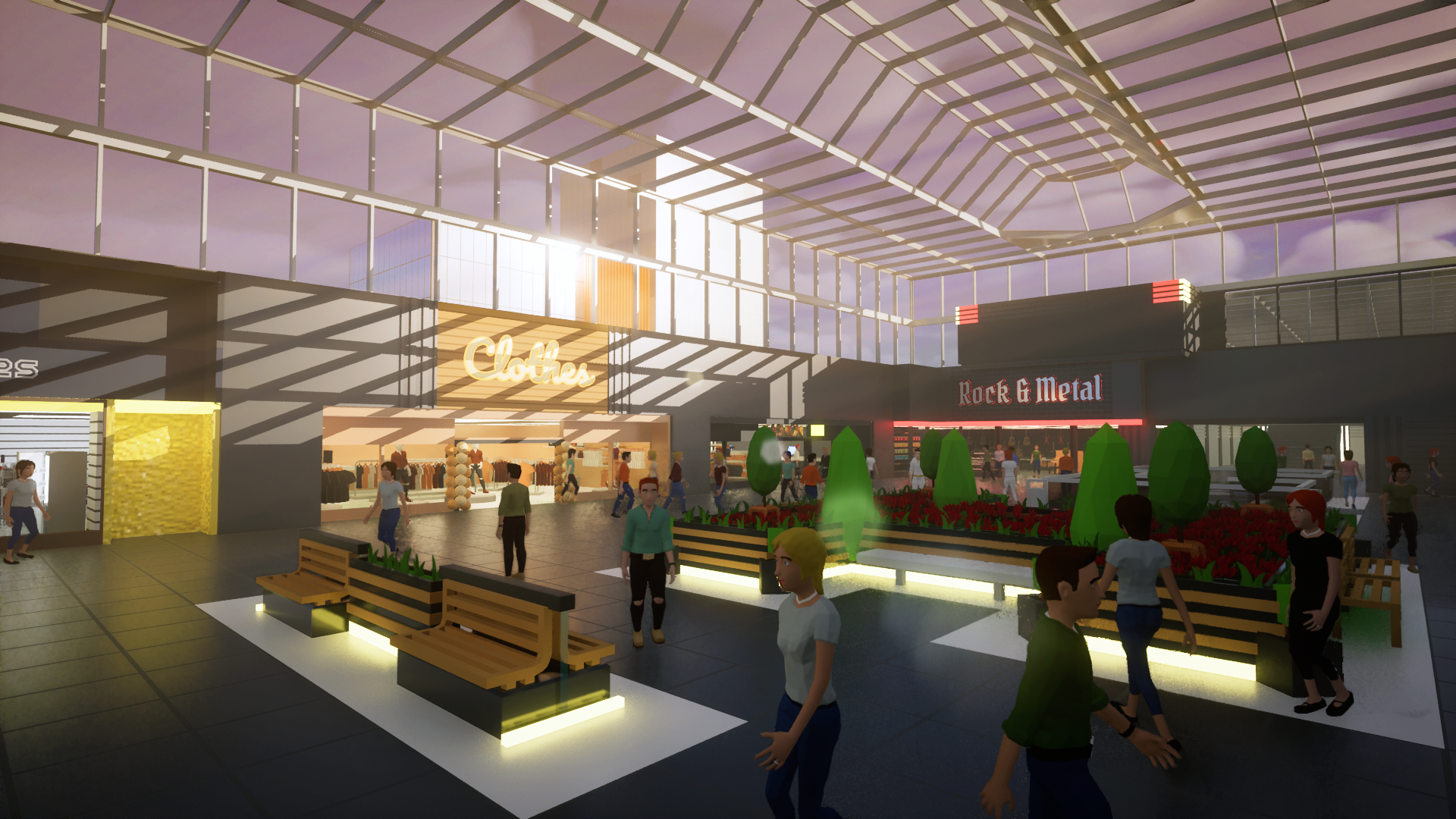
I don't know how about you, but for the past couple of weeks, I'm basically counting down every single day until September 19. Today we have 36 days to go, and it literally feels like yesterday when my mental counter was at 90.
The news that I'll be sharing today won't be reflected inside the demo, as these things are still very much in development.
Customers
(And all in-game characters in general)
What would be a mall without it's customers? Well, after a couple of weeks or months, there would probably be no mall, that's for sure. And the same goes for Mall Craze as well. Luckilly, Mall Craze is a game, so we were able to go without customers a little longer, but sooner or later they had to come.
That is what I've been working on over the last 30 days since the last update.
Creating customers
Creating believable-looking characters was always a bit of a struggle, as you can see here:
Animations
As the game's graphics evolved over the course of the development, so did the characters needed a new model and animations. Especially the rigging and animations were in need of better solution, as I've only used pre-existing animation database in the past, which produces results very fast, but can be limiting at times. If I wanted a full control over the character animations, I knew that I need to handcraft them. And that's what I did.
Hand gestures and facial expressions
Crating new characters from scratch gave me an opportunity to take a fresh look at their design. Design features that I've been always thinking about are hand and facial animations. These things really do bring customers to life. The characters now have more bones, and I had way too much fun with the new rig:
Giving our customers a new home
Time to move the customers from Blender to Unreal Engine. Here's a couple of screenshots from the process:
First steps. Absolute chaos! Lighting test.
Updated products and materials
Mannequins
Because of the new character models, I had to update some products as well. Most importantly - the mannequins inside the clothing store, as they were base off of the old models. The new character rig also gave me more control over their poses:
Other products
While I was at it, I also updated a couple of other products. The biggest viasual change was probably for the fridge and various accessories:
This visual update of products that were not very detailed before had a reason that I will most likely talk about in the next update.
Materials and their order
For some products (actually a lot of them), materials and their order didn't always made sense. One such example could be the piano, where it was previously impossible to change the piano and piano stool colors separately. In other cases, the order was mixed up. What would change the rack color on one product would change the color of something else on a different product. I've remade the materials of majority of products to mitigate these exact problems.
The general order of product materials from now on should be something like this:
1 - 2 materials for the rack/stand/table
1 - 2 main product colors,
everything else
36 days to go
With this countdown, it may seem like September 19 is the end of something, but quite the opposite is true actually. I can't wait to reach this milestone, and seeing how the game has transformed in the last few months, I'm really looking forward to the months to come!
See you in the next update!
Thank you everyone, and take care! - Milan, developer
Development Update July 2023
Hello everyone!
Time for another dose of Mall Craze updates! Before we start, thanks to everyone who tried the new Demo or wishlisted the game! We have a lot of new folks around here, either from the OTK Games Expo or the Next Fest. Welcome onboard!
Important message about 0.2.7 update (released today - July 13, 2023) This update is no longer compatible with old saves. During Early Access, this might happen as well as some new features may require a substantial restructuralization of save data. Although I'll try my best to minimize the frequency of it as much as possible.
Addressing Demo Feedback
The number of people that tried the new Demo was huge during the Next Fest and I've received a lot of feedback from you!
Tutorial
I've received a lot of feedback from you about the current state of the tutorial. At this moment, It is more of a documentation, rather than an interactive guide. It will stay that way even during the initial phase of Early Access. The reason being that the game changes constantly, and I'm adding or changing things daily. That would make keeping a well polished interactive tutorial up to date costly in terms of time. Time that I would much rather spend on adding content and features at the moment.
Empty map
When you launch the game, you are greeted with a beautiful landscape full of .. nothing? This will change before Early Access and there will be some starting malls that you will be able to tinker with :)
Development Update
Even though last month was pretty hectic (OTK, Next Fest), it wasn't lacking in terms of development. Quite the opposite actually, as I was trying to fix and add stuff as much as possible. You may have already noticed some changes on your own or you've read them in the Patch Notes. Let's now go through them in more detail!
Changing designs during Build mode
By far the biggest limitation of the Building and Customization process was the fact that you couldn't change the design of an object while building it. The only way to change it was in the Material Designer after you've build it. This would not be that big of an issue for objects that are build in relatively small quantities. The main issue however was building, customizing, and deleting floor. You only had 2 options - Paint floor tiles one-by-one, or use Bucket Paint to paint the whole mall or shop floor. And even worse part was deleting the floor, where the only option was to delete it one-by-one (not a particularly funny experience when you accidentally build a 100x100 sized floor).
The solution was rather simple - allow Material Designer for ghost objects (objects that show you where a particular object will be placed). With that also came a new set of buttons that allow for an easy way of saving and loading these designs.
Bulldozer Tool
We have a Customization part solved, but what about the delete issue? Remember, we still have to delete every single object manually one-by-one. Many games offer an area-delete tool for this purpose. Let's add one into Mall Craze as well!
Currently found in the bottom-right corner is the bulldozer tool that allows you to easily delete normal objects, floor, and products. All these 3 options can be separately toggled on/off, so if you only want to delete floor, or you only want to delete decoration objects, you can!
Not everything can be Bulldozed like this however - Mall and Shop area are still deleted inside the Construction and Shop Construction menus. This was a deliberate decision, as it would be easy to accidentally delete a shop.
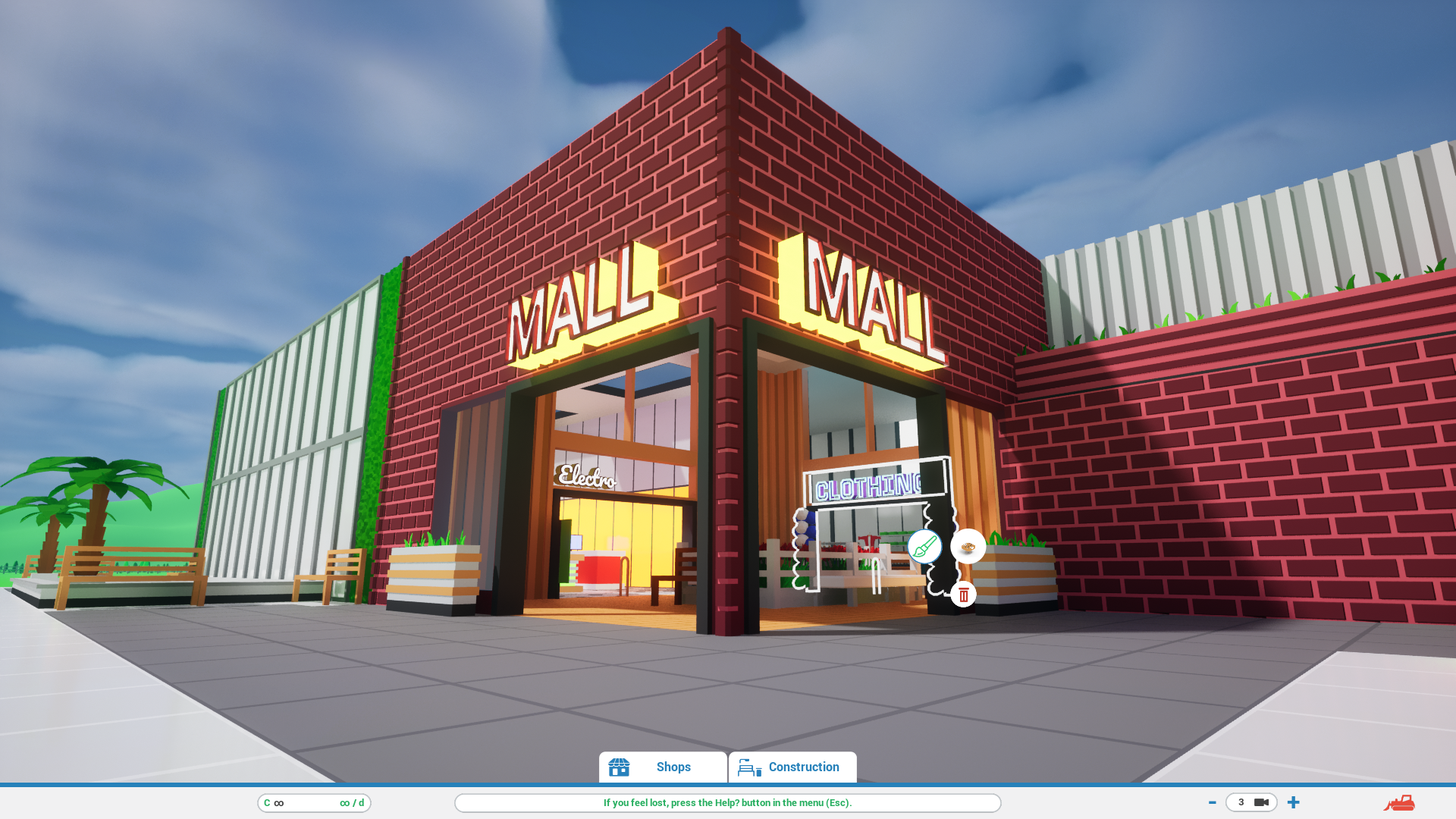
3D TEXT
A feature that was present in the old demo but was not ready for the Next Fest is now back in the game in it's improved form!
Currently, only Entrances hold a 3D text component, but in the future, I would like to add it into multiple objects, and also as it's own separate object.
So what can you customize for the text?
Text itself
Font
Size
Position
Extrude depth
Bevel size and type
4 materials: front, back, bevel, extrude
Visual Improvements
Object Animations
Some actions like build, paint, move, or delete now also have a nice little animations with them.
New Object Outlines
I've also added some new object highlights for various actions and situations.
You can't build here! Possible build locations for Entrance and Windows Bucket Paint area
Load Times Optimizations
I don't know if any of you encountered this issue, but for the very large malls, the loading times could approach one minute mark. For example, my largest save file took roughly 39 seconds to load. Luckily, I was able to reduce the loading times quite a bit. My largest save file now loads in 7.1 seconds. A reduction of almost 82%! This also helped with smaller saves, where the reduction was smaller, but still roughly 50%!
Coming up next: Management!
It is time to finally transform Mall Craze from a mall designer game into a proper management game. Apart from bug fixes and more content, this update is the last update before Early Access where I've made a bigger changes and additions to the Building and Customization systems. My focus is now shifting mainly towards adding management gameplay, and I already know what needs to be done first - adding cashiers and customers!
Here's a reminder of how the new models (ver. 4) will look like in comparison to the older versions:
It is time for me to get back to work! Once again, thank you everyone for your support, and I will see you next time!
Take care! - Milan, developer
Alpha 0.2.1 - 0.2.6 [Patch Notes]
This Patch Notes summarizes changes made between versions 0.2.1 and 0.2.6 0.2.1 release date: June 10, 2023 0.2.6 release date: July 3, 2023
Improvements
Object's design can be modified during building process (instead of only after).
Object designs can be saved and loaded.
While building Entrances and Windows, walls are now highlighted, indicating possible build locations for these objects.
Bulldozer tool added with these filters - normal objects (decorations), floor, products.
Animations added for objects - build, delete, move, rotate, paint.
Animations added while adding/deleting walls.
Small notifications added, warning you or informing you about various things,
New object outlines added for Paint mode.
New object outlines added for construction (e.g. when cashier table is outside of shop).
New object outlines added while adding/deleting shop/mall area.
Save/Load window can now be drag moved as well.
Tooltip for build mode added - showing price (currently always 0) and grid size.
Tooltip for construction buttons added - showing object names,
Floor Up/Down binded to Page Up/Page Down keys.
UI buffer added, making it possible to easily close windows with Escape.
Changes
Products and Cashier Tables must be build inside a shop,
Shop Size condition has to be met before building other construction objects (entrances, windows, cashier tables).
Construction buttons now show object prices (currently always 0).
Floor Up/Down and camera toggle buttons are now part of the main UI.
Tutorial text slightly reduced.
Only 1st (ground) floor is now visible after game Load.
Hover button style changed for "Shops" and "Construction" button inside main UI.
Bug Fixes
Fixed - objects can be build and selected behind UI.
Fixed - new shops can be constructed while different shop is under construction, making the innitial shop impossible to edit/delete.
Fixed - Right Mouse Button deselect while grid-building doesn't clear the building array.
Fixed - clicking on Bulldozer icon selects objects for deletion underneath it.
Fixed - cashier tables can be deleted outside of shop construction mode.
Fixed - cashier tables and products can be build inside walls.
Fixed - Paint mode causing game crash when clicking without any object selected.
Fixed - all walls besides 1st floor are not innitially visible after Load game.
Fixed - object construction buttons are active during Paint mode, possibly making the game be stuck inside Paint mode.
Fixed - material designer can be closed during Paint mode, possibly making the game be stuck inside Paint mode.
Fixed - shop construction objects are still visible after finishing shop construction if they weren't deselected with RMB.
Steam Next Fest Livestream #2
Hi everyone!
Mall Craze is participating in June's Next Fest and I would like to invite you to the official Mall Craze livestream, where I'll be streaming gameplay of the latest Demo!
This will be the second livestream during this Next Fest! See you on Saturday!
Steam Next Fest Livestream #1
Hi everyone! Mall Craze is participating in June's Next Fest and I would like to invite you to the official Mall Craze livestream, where I'll be streaming gameplay of the latest Demo!
See you on Wednesday!
Development Update May 2023
Hello everyone! Yet another 2 months have passed since my last update on the state of Mall Craze, and there is quite a number of new screenshots that I feel are really worth sharing. Just a quick reminder before I move on - since January this year, I'm rewriting the whole game in Unreal Engine 5 and C++, so If you've been following the development for some time now, a lot of these features mentioned today will be falimiar to you.
Where we left off last time?
This is the last screenshot that I shared with you in March. It shows a system where 2 different shops can share a single wall.
Since then, I've been working mainly on these 4 things - Customization, Lighting, Shops and Products.
Customization
Visual customization is an important pillar of Mall Craze. If you've played the current demo (that is still build on Unreal Engine 4 and does not represent the current state of the game), you may recognize these two windows:
The first one is for customization of objects outside of shops, while the second one is for customization of objects such as shop entrances, windows, and so on. There is also a third window for customization of products.
As you can see, this works (in a sense that it does what it's supposed to do), but it's not really user friendly. It is basically the same thing only done in 3 different places (that are all accessed differently as well). Not only am I rewriting the game as it was, but I'm also trying to improve things that can be improved. My main goal for customization was to unify the customization process.
Let's look at what I came up with:
Do you want to change a specific color of an object, let's say - a color of the floor? Or do you want to change the complete style of the wall? This is now the place where you'll be doing all of that. No matter if it's a wall, product, or a bench. A lot of things are improved, and customization is now much faster and easier.
The main difference is that you can now change not only the color of the material, but the whole material itself. Namely these paremeters: Color, Roughness, Specular, Metalic and Emission.
Where can this be used? A nice example can be a ceiling where you increase the Emissive parameter and BOOM! You now have a ceiling light!
Pay close attention to other screenshots in this update, because you can see the new materials in action in almost every single one.
Honorable mentions:
Create your own colors using Hue, Saturation, and Value
Use recently created colors
Easily copy whole materials between individual materials or different objects
Paint similar objects with the same materials and design (bucket paint implementation now improved)
Lighting
Specifically - Volumetric Fog (or as I would call it, the "Look cool" button). There isn't much to talk about, so I will just let the screenshots speak for themselves.
Shops & Products
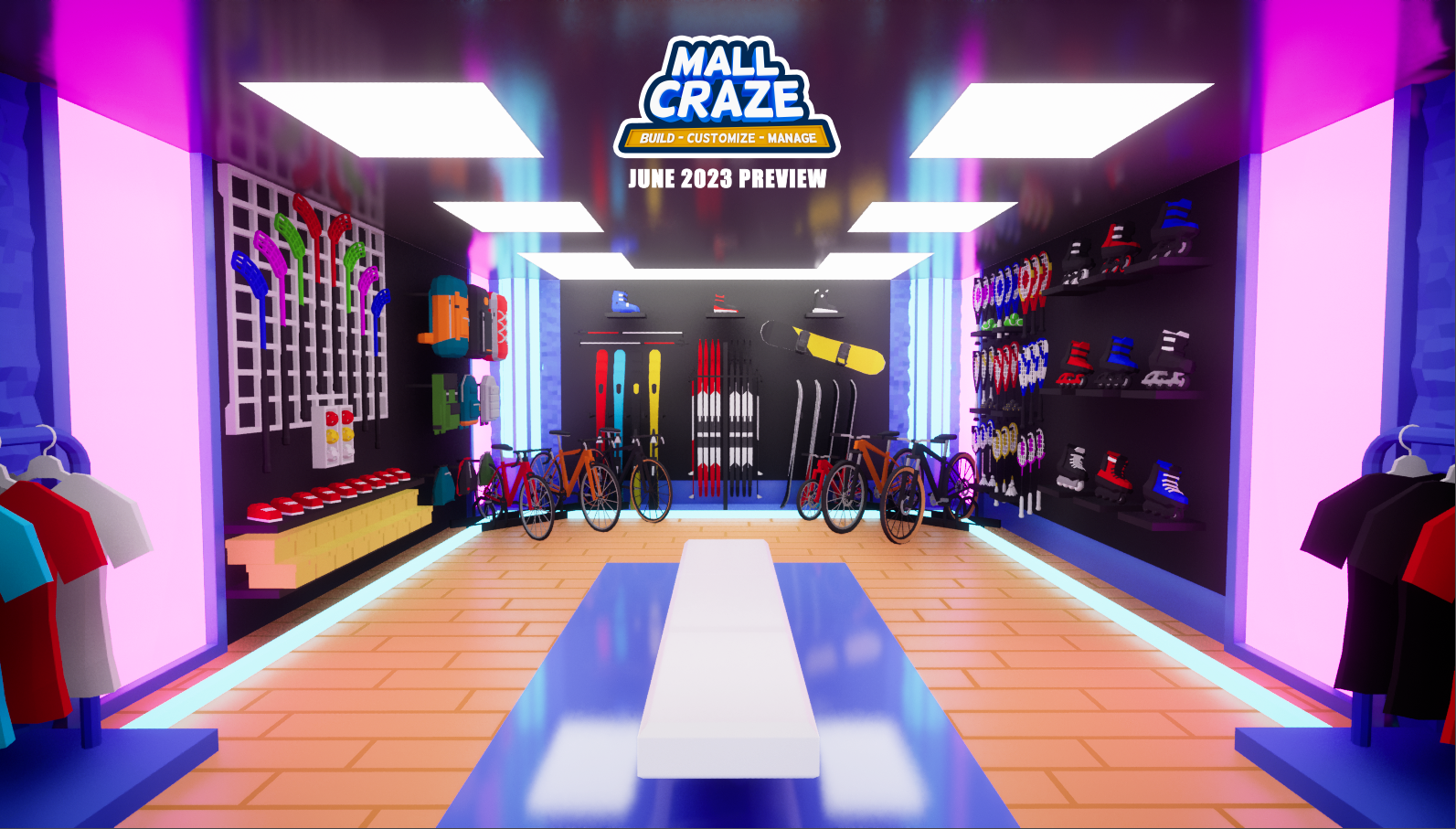
I also added the 4 current shops (and their respective products) into the game. Those 4 shops are Electro, Clothes, Music, and Sports shop. I've also made some small changes to the way the products are build, but I will cover that in the future.
Now, this is the time that I've been waiting for the most in this update. What does it look like when I combine all these newly added things together? :)
To wrap this update up, let's compare the graphics of the current demo to what's coming in June:
It was nice taking a break to write this update, but June is right around the corner and I should head back to Unreal to do some more work :)
Have a great day everyone! - Milan, developer
Development Update March 2023
Hello everyone! A couple of months have passed and it's time for yet another update on Mall Craze!
Unreal Engine 5
As I mentioned in previous updates, I'm now rewriting the whole game in a new engine - Unreal Engine 5. I am also rewriting the game from Blueprints to C++. I went through all the reasons in previous updates, and today I would like to focus mainly on the progress I've made over the last couple of months.
Basically remaking the whole game from the grounds up is not an easy task, and only by doing it I realised how much work it actually is. The first few months were the hardest as I was transitioning to C++ and I was laying down the game's code foundations.
It was hard for me to come up with some structure or a theme for this update, so I've decided to just walk you through some screenshots as I'm slowly building up the game once again.
January
I mentioned the need to transition from Blueprints to C++ for the first time in May 2022, but I actually started to work on this new version only in January this year. Most of the time in between was spent with me re-learning C++, getting familiar with Unreal's C++ quirks and working on the Demo.
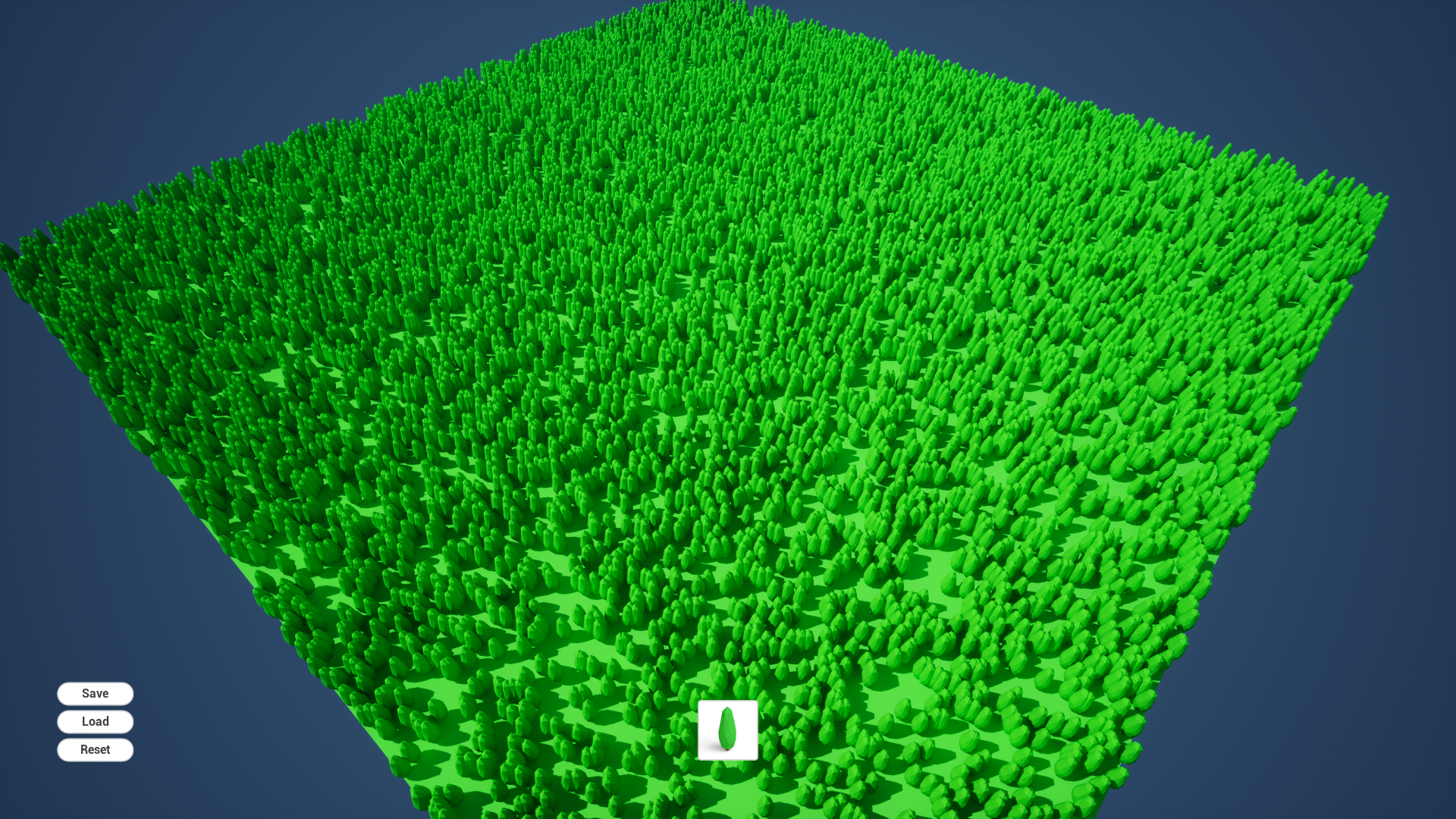
January 12. This is the first screenshot from Unreal Engine 5 version of Mall Craze. This scene was generated from a save file where I randomly generated positions of 10'000 trees. This time I added a first version of save/load system right away. Can't make the same mistake twice :)
January 14. Added a few more models into the game to test a new rendering feature - Global Illumination. You know what? Let's talk about this topic straight away.
Graphical Improvements
Switching to UE5 brings a great opportunity to further improve on game's visuals. One such improvement is Unreal's new Global Illumination and Reflection system called Lumen. I think that I don't have to explain reflections, but Global Illumination (GI) in a nutshell - GI adds more realistic lighting by calculating light as it is bouncing from surface to surface, illuminating and coloring places not directly accessible by light.
These two improvements brought the whole scene to life and it is something that I will be implementing into the game from now on.
May 1. Global Illumination and Reflections in action.
Shop and Mall building mechanics
If you played the pre-alpha demo. you probably found out that the way you build shop walls, entrances and windows is different from the way you build mall walls, entrances and windows. I was pretty happy with the current iteration of shop building (and according to your feedback, most of you were too), but the way you build mall walls, entrances and windows was lackluster at best.
This will change. The way you build mall will now share most of it's mechanics from the way you build shops. Meaning that you will "draw" the area to build walls, and entrances and windows will now automatically snap to those walls.
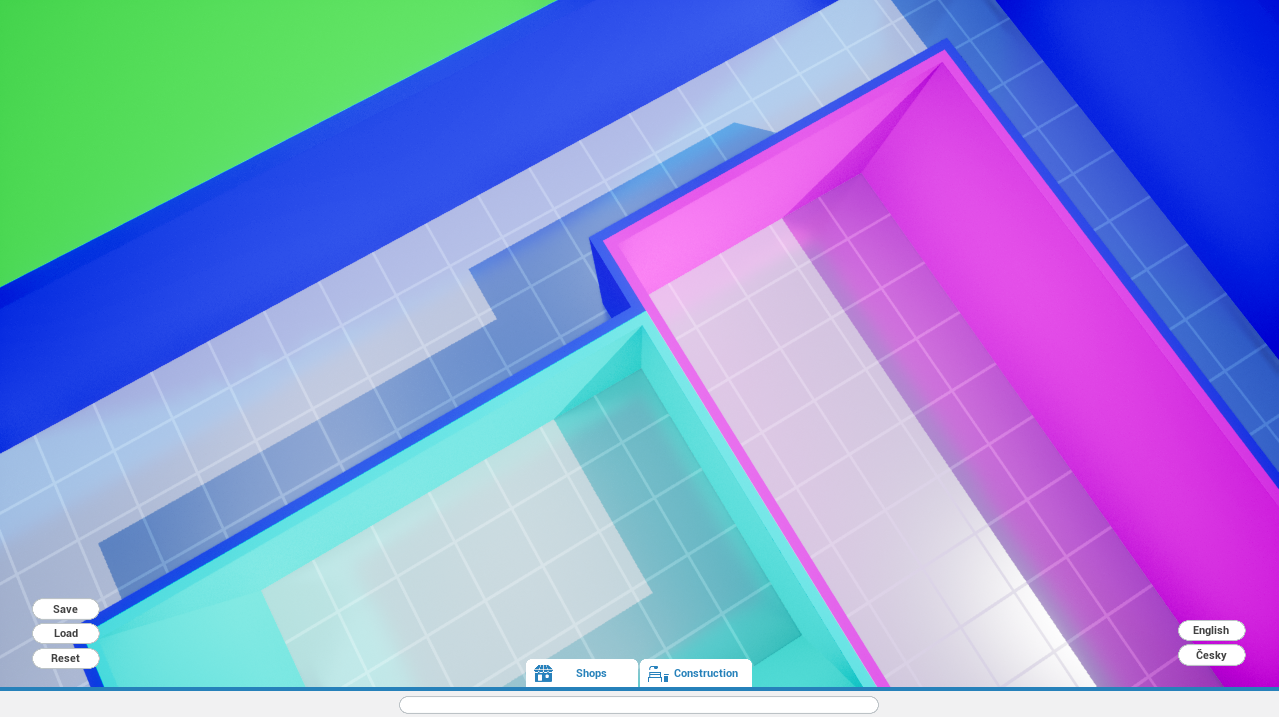
May 14. Me trying to make wall corner pieces spawn at the correct place.
May 14. Shops can now share walls with each other with less graphical glitches. Each color represents a different shop.
Looking forward
When will you be able to try out this new version? My main goal is to bring this version at least to the same level of content/features as the old one before the next Steam Next Fest, which takes place in June. That's roughly 3 months from today. Until then, there is still a lot of things to do, so I should get back to it right away! :)
Thank you everyone for your support, and take care! - Milan, developer
Development Update May 2023
Hello everyone! A couple of months have passed and it's time for yet another update on Mall Craze!
Unreal Engine 5
As I mentioned in previous updates, I'm now rewriting the whole game in a new engine - Unreal Engine 5. I am also rewriting the game from Blueprints to C++. I went through all the reasons in previous updates, and today I would like to focus mainly on the progress I've made over the last couple of months.
Basically remaking the whole game from the grounds up is not an easy task, and only by doing it I realised how much work it actually is. The first few months were the hardest as I was transitioning to C++ and I was laying down the game's code foundations.
It was hard for me to come up with some structure or a theme for this update, so I've decided to just walk you through some screenshots as I'm slowly building up the game once again.
January
I mentioned the need to transition from Blueprints to C++ for the first time in May 2022, but I actually started to work on this new version only in January this year. Most of the time in between was spent with me re-learning C++, getting familiar with Unreal's C++ quirks and working on the Demo.
January 12. This is the first screenshot from Unreal Engine 5 version of Mall Craze. This scene was generated from a save file where I randomly generated positions of 10'000 trees. This time I added a first version of save/load system right away. Can't make the same mistake twice :)
January 14. Added a few more models into the game to test a new rendering feature - Global Illumination. You know what? Let's talk about this topic straight away.
Graphical Improvements
Switching to UE5 brings a great opportunity to further improve on game's visuals. One such improvement is Unreal's new Global Illumination and Reflection system called Lumen. I think that I don't have to explain reflections, but Global Illumination (GI) in a nutshell - GI adds more realistic lighting by calculating light as it is bouncing from surface to surface, illuminating and coloring places not directly accessible by light.
These two improvements brought the whole scene to life and it is something that I will be implementing into the game from now on.
May 1. Global Illumination and Reflections in action.
Shop and Mall building mechanics
If you played the pre-alpha demo. you probably found out that the way you build shop walls, entrances and windows is different from the way you build mall walls, entrances and windows. I was pretty happy with the current iteration of shop building (and according to your feedback, most of you were too), but the way you build mall walls, entrances and windows was lackluster at best.
This will change. The way you build mall will now share most of it's mechanics from the way you build shops. Meaning that you will "draw" the area to build walls, and entrances and windows will now automatically snap to those walls.
May 14. Me trying to make wall corner pieces spawn at the correct place.
May 14. Shops can now share walls with each other with less graphical glitches. Each color represents a different shop.
Looking forward
When will you be able to try out this new version? My main goal is to bring this version at least to the same level of content/features as the old one before the next Steam Next Fest, which takes place in June. That's roughly 3 months from today. Until then, there is still a lot of things to do, so I should get back to it right away! :)
Thank you everyone for your support, and take care! - Milan, developer
Pre-Alpha DEMO is now Live!
Hello everyone!
Well .. I've heard that you've all been nice this year. So I've picked up a phone and called my good old friend Santa to ask him if he can come up with some nice present for everybody. At first, he said "Maybe we can give everyone a brand new sports car? That would make everyone happy, right?", but I was like "Naaah, we need something more!". And more is here! Which sort of sounds like "mall is here" :)
Mall Craze Pre-Alpha Demo is Live!
With the shopping season in full force, it is now the perfect time to give you yet another dose of it! Now in virtual form. A couple of weeks ago, I've decided that it could be a cool idea to take the older version of the game, update it a little, and release it as a small demo here on Steam (there is a newer version in the development using Unreal Engine 5 and C++. Check out older announcements for more info).
And here it is!
What is in this demo?
There are 3 main gameplay pillars in Mall Craze:
Build
Customize
Manage
In this Pre-Alpha Demo, only Build and Customize are present. There is very little of Management in this demo. Besides this, the Save and Load function is also not working properly at this moment (the very reason why new version of the game is in the making)
That being said, let's actually cover ...
What's actually possible in this demo!
In this demo, you'll be able to build 4 different shop types, each with it's own unique products. Besides that, you'll also be able to build almost 30 decoration and utility pieces. Some key functions were also finished for this demo, the most important being the possibility to build up to 3 floors + roof. Then, everthing you see in the game is customizable in terms of color, and some things can even have different looks (pavement, walls, entrances, ...)
This demo is still build upon a Pre-Alpha version of the game. Some bugs and glithces are present, as well as missing features.
Merry Christmas and Happy New Year!
This is most likely the last announcement in this year. Because of that, let me wish you ALL a Merry Christmas, and I also wish you the best for the next year!
Thank you everyone for your support, and take care! - Milan, developer
Early Access, Release Date, and Steam Next Fest
Hello everyone!
In the last update, I mentioned that the Next Steam Update will be about the future of Mall Craze. You already read the title and saw the thumbnail, so now you might guess that the capital letters in “Next Steam Update” were not a typo. And you’re right - it was a small hint :)
Release date for Mall Craze
New shop type and character models form the last update are all fine, but what good of a use do they have if you can't actually play the game, right? A couple of weeks ago, Mall Craze had it's 3rd anniversary of being in the development. I'm not really sure if that's a good thing or a bad thing :). Believe it or not, at the very beginning, this was supposed to be a small personal project. 6 months maybe. In and out, quick adventure. That changed fairly quickly, as I expanded the game more and more.
Ok, what am I still blabbering about … you want to know the release date! Here it is!
Mall Craze will release on September 19th, 2023 as an Early Access title.
I've decided to mark this release as an Early Access because I had to be honest. Developing the game into the complete state as I envision it, will take a long time. A time that you could actually play the game in Early Access.
I've picked the September 2023 mainly because I believe that at that time, the game will be "Early Access ready", and will contain a good amount of content that you can enjoy. The game was supposed to launch Q4 this year, but that was before I had to make some big decisions earlier this year (more on this later in this update). A decision that was mandatory in order continue the development.
Steam Next Fest
I've mentioned numerous times (mainly on Discord) that I would like to participate in some of the upcoming Steam Next Fest. An event where, for a small period of time, you can play games that have not been released yet.
I now have a concrete goal, and that is that Mall Craze will appear in the 2nd Next Fest of 2023. The second Next Fest might be held sometime around June, as it was this year. Please don't confuse this with the upcoming Next Fest that might be held sometime around February 2023.
Mall Craze in Unreal Engine 5 / C++
The reason that there were few (read "no") updates since January is simple. Well, the reason is simple. The solution, a bit less, but definitely not impossible. You may know from other sources that I was developing Mall Craze using Unreal Engine's visual scripting language called Blueprints. This system is amazing, and I absolutely love it! So far, it was perfect for 99% of things that I've tried to do with it.
But here goes the remaining 1%. No need to add, that this 1% is very crucial to the overal game. I would even say critical. What is it then? Those of you who tried the Alpha version (Kickstarter backers) may already know what was missing in that version - the ability to Save Game.
Mall Craze is and will be a fairly large game in terms of the amount of information that is reguired to be stored in your saves. The default Blueprint's solution is not really ideal for this amount and complexity of data, as it does not provide the ability to save games any other way than binary file format. This could potentially lead to problems in the future, where I plan to expand the game even after release. Or even in rare cases, where save games might go corrupt. Resurrecting these kinds of saves would be very difficult. It also makes it a bit more difficult to potentially mod the game.
So what's the solution?
Blueprints vs C++
There are 2 main ways you can develop games in Unreal Engine: Blueprints and C++ (or a combination of both). Because I couldn’t see a good solution to this problem using Blueprints, I was looking for the solution using C++, and the solutions it provided were ideal to continue the development.
Unreal Engine 5
With the decision mentioned above, there was really no major reason to stick to Unreal Engine 4 at that point.
Going forward, Mall Craze will be developed in Unreal Engine 5. This also means that Mall Craze, at least on paper for now, will be able to support new major features introduced in UE5, and also features that are not yet known at this point. One of these features could be, for example, Unreal's new global illumination and reflection system called Lumen. As simplistic as Mall Craze's graphics may be, I believe it can still greatly profit from this feature.
Going forward
The switch from Blueprints to C++ is a huge undertaking. Mostly because I decided not to only port the game, but basically rewrite it from the ground up. That alone takes a huge amount of time, but all of that is balanced with improvements to the game. In a way, I'm sort of making Mall Craze 2 without ever releasing the original game ¯\_(ツ)_/¯
Just to give you a small glimpse of some improvements to the core gameplay. In the original Blueprints version of Mall Craze, one placable object = one product you can sell. That was easy to implement, but later on proved to be a difficult obstacle to overcome without rewriting half of the entire game. What will be possible now, is that one product table/wall will be able to hold multiple products, and you will be able to set prices and see statistics independently.
I'm really looking forward to start sharing screenshots and videos from this new version with you!
Thank you everyone for your support, and take care! :) - Milan, Developer