Part 3 of the 4 logic patches is here! With an absolute ton of fixes & improvements along with a new environment to play in. Also introducing new logic components, and a few which use numbers instead of pulses! Also this patch includes some more new props, paints & freeform shapes!
New environment
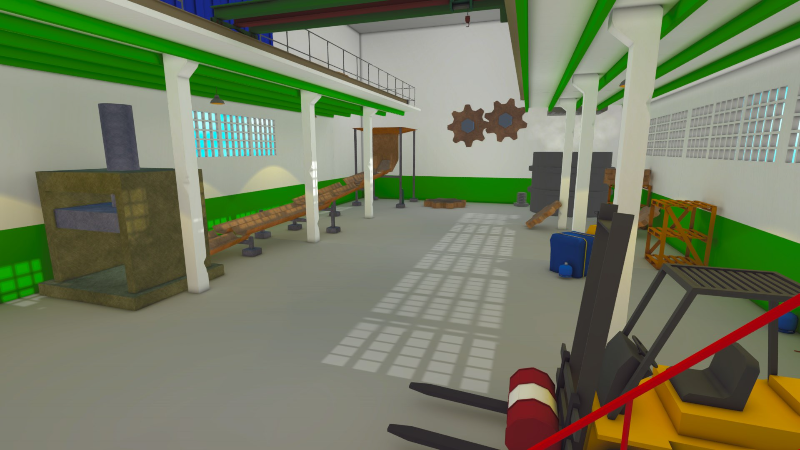
The new factory environment is a large area where you can utilize some new moving objects into your tracks! It features something I'd call the slammer, a vat of liquid metal and moving gears!
Several of the props have been added to your toolkit to add yourself too. With more coming soon.
In addition 2 new paints have been added which fit the factory style. Along with 2 new freeform shapes such as the gutter (as seen in the factory) and the highly requested wide track with a higher border!
More logic
Some new logic components have been added along with the introduction of number logic. Using the new comparator object you can compare number values and emit a pulse based on a few comparison options. The number object will let you enter a custom number and it will persist when saving / making it a prefab and uploading!
The counter object will count every rising edge pulse it gets, it fits well with the trigger which now has a checkbox to toggle if it should emit 1 pulse on marble entry instead of a continuous pulse.
And lastly the toggle component is there for easier toggling of logic.
More moving objects
Two new gear wheels have been added that function similar to spinners. They can be used to create some new and interesting tracks! And also introducing the first mover, which moves back and forth and has a configurable distance and speed.
Patch notes
Patch notes for Patch 0.1.25: - Added a new factory environment to play in - Added a logic comparator object - Added a logic number object (the entered number will save with the world) - Added 2 new metal paints - Added 2 new freeform shapes, the gutter and a wide track with higher sides - Added 2 gears which function as spinners - Added a logic toggle component - Added 6 new factory props - Added 2 wheel objects that spin with holes in them - Added logic interactions to spinners, gravity pads, magnets, portals, bombers - Added a noteblock object which has a dropdown to select any in-game sound
- Light settings now have a minimum of 0 - Boosters now have support for decimals - Timer and the delay logic component now can go up to 60 seconds - When following a marble, the camera will rotate faster when it's automatically rotating - UI logic gates are now smaller - Removed the 180 degree turn buttons from the freeform build panel as it no longer supported 180 degrees - All but one glockenspiel objects have been removed, existing objects in worlds will remain functional - The one glockenspiel object now has a dropdown where you can select the desired tone - When selecting the randomize toggle in a marble spawner it will now pick a random marble from its custom marble list - The logic trigger now has a toggle to only tick on marble entry - All marble spawners now have a minimum of 0 marbles on the amount slider - Logic now does not tick until the loading screen is done - Logic ticks now handle logic number components first and then the normal logic items
- Fixed a bug where boosters wouldn't link with NOT gates - Fixed several grammar issues with tooltip descriptions - Fixed an issue where the tooltip icon had a transparent border - Fixed the delay logic component (it was not working as intended) - Possibly fixed an issue where the marble edit panel would not respond to clicking the cross button under certain circumstances - Fixed an issue where the "New Prefab" button would partially go out of bounds when scrolling - Fixed an issue where the reflection in the Desert environment would show the Garden environment - Fixed an issue where undo'ing a placed prefab whilst in linking mode would leave behind the logic connections on screen - Fixed an issue where you couldn't click through the water in the Garden and Desert environment
Upcoming Content
In September the game will be fully released and out of Early Access! Stay tuned for the official date announcement.
In the next month August, patch 0.2.0 will be released and the game will go into beta! This will include an attempt for transparent marbles, freeform generated tracks will have separated sections which you can paint. And in addition some UI changes in the Marble Creation section.
The game will also get achievements & trading cards to get it all ready for it's full release!
Today brings some new logic components, improvements to existing ones and some bugfixes!
Patch notes
Patch notes for Patch 0.1.24: - Logic links are now smaller in size - Ramps and logic splitters are now physics based - Added a small track with a logic controllable ramp - Added a configurable timer for logic interactions - Added a key input component for logic interactions - Added a delay component for logic interactions - Escalators can now be turned on/off using logic - Fishtooths can now be turned on/off using logic - Flippers can now be used using logic - Boosters can now be turned on/off using logic - All effects can now be turned on/off using logic - Light configuration can be fine tuned into decimals - Fixed an issue where the stability marble would crash the game upon entering a portal - All N gates are now pre-primed, fixing various setups
Upcoming Content
Next update you can expect flipflops, race checkpoints emitting pulses and more existing objects being able to interact with logic!
In addition to that I'd like to start assembling a final list of things that the game needs before the full release!
This patch resolves some issues which were reported since the last patch and are as following.
Patch notes for patch 0.1.23a: - Fixed a crash/freeze when moving a spinner into the new ramp - Fixed an issue when semi-complex logic systems wouldn't work as expected - Fixed an issue where logic gates would sometimes show green when not supposed to - Fixed an issue where using the "paint selection" button would not paint spinners - Added linking of logic to the undo / redo stack
Thanks for all the reports!
Patch 0.1.23 (Logic Part 1)
Hey everyone!
Last time I mentioned a beta branch for the logic additions so I could release it all at once, however it seemed better to just continue the way it has been going for the last year. I decided to divide all of the logic implementation into chunks so it's faster to release in short bursts.
This first part improves the gameplay of linking objects and the very basics to logic, so no more hovering over items!
Logic
The logic patch is about sending signals from objects to other objects, which in turn do something based on the signal they got. Signals can either be true or false.
It all starts off with a trigger in part 1 of the logic update, which emits a true whenever at least 1 moving marble is inside it. Once no marbles are in it emits false. In the coming parts other components that can emit signals will be added, such as buttons you can push or levers.
On the other end you have objects that can receive those signals, like a ramp which can open / close!
Other objects both can receive and send signals, in real life these are commonly called logic gates. There are a variety of gate types, and all of them output a signal based on their input.
Patchnotes
Patch notes for Patch 0.1.23: - Linking mode now shows all connections - Added 7 basic logic gates - Added a wide track with build-in ramp - Added a marble trigger for logic input - Added a small logic T-splitter - Added a wide logic T-splitter - When pausing physics it is now clearly displayed on screen - Lights can now interact with Logic - Spawners can now interact with Logic - Improved game stability regarding crashes
Upcoming Content
Next update will be focused on the remaining logic content, such as timers, inputs via keypresses and more!
Today's patch introduces the new desert environment! And as usual along with it some new paints, effects and props. As an extra I have added a rectangle that deletes marbles which comes with a new lava paint and to top it off I've created The Bomber. Which can be used to wreak havoc amongst marbles and really spice up your tracks. And as a last bonus I've added the majority of the playroom environment props as placeable items!
The Desert Environment and Props
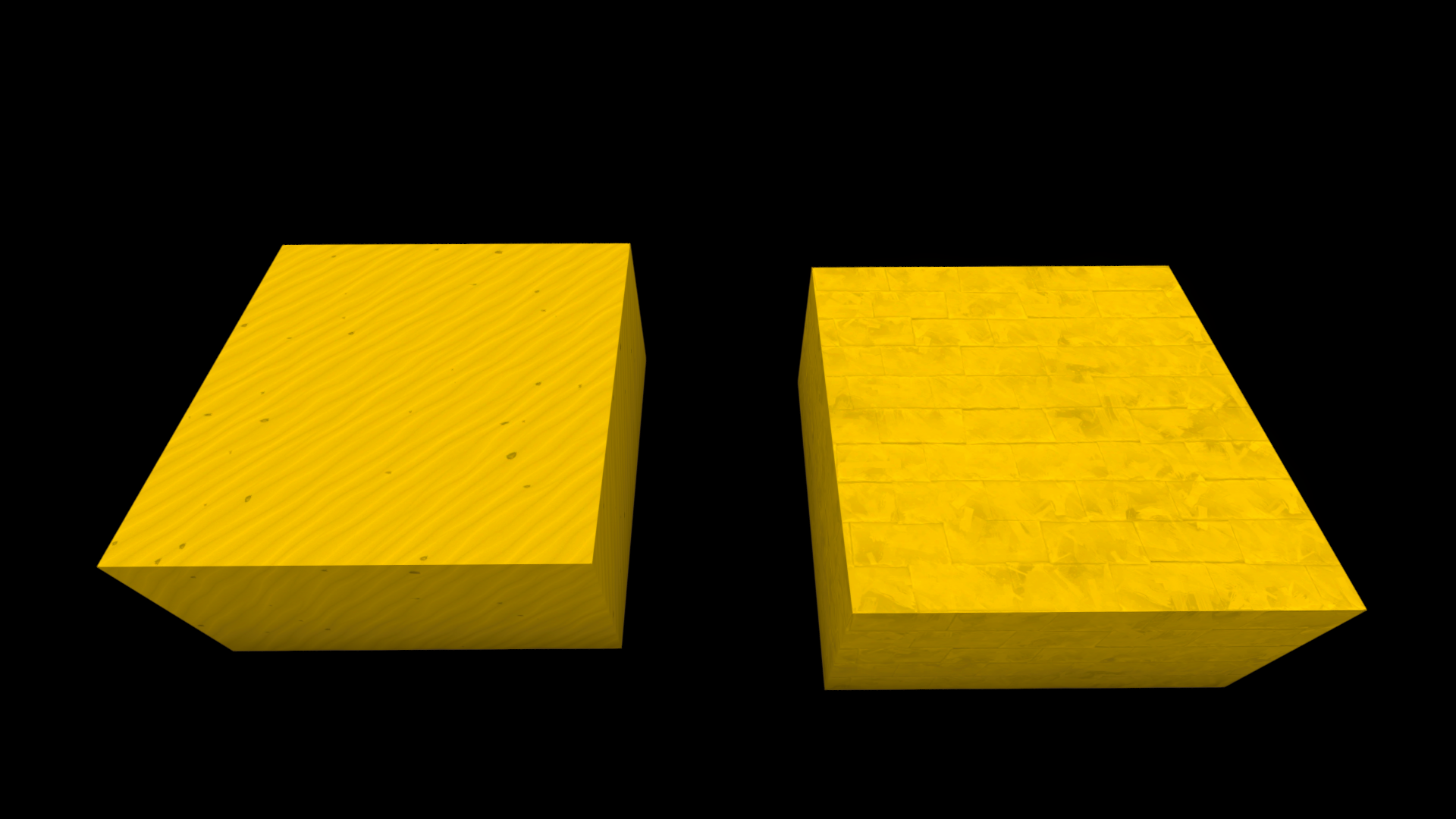
The Desert part of the update includes a new sand and sandstone paint, which are also usable for your marbles' custom skins if desired. Along with it 3 sand effects to add life to your desert themed worlds where necessary. And 16 new desert props to get yourself started too!
(p.s. the tiny prickly cactus deletes marbles!)
The Bomber
The first in its series of projectile throwing objects is the bomber. It fires out bombs which detonate after a given time and blast marbles away which are within its blast radius.
The bomber can be painted and has a customizable cooldown, bomb explode timer and cannon force which determines how fast the bomber emits bombs!
Deleting Marbles + Lava
A new type of marble deleter has been added which resembles a simple plane, marbles who touch the object get deleted. You can easily scale and paint the deleter to determine which areas of your tracks should delete marbles!
The lava paint is available separated from the object as well. You can find it under the Animated Paints section.
Playroom Objects
As many have requested, the majority of the playroom environment objects are now available as props! In the near future I'd like to add moving parts to some of the props, such as the fan and the turntable.
Patchnotes
Patch notes for Patch 0.1.22: - Added the desert environment - Added desert themed props - Added sand and sandstone paints + marble skins - Added a sandy marble trail - Added 3 sand effects, falling sand, sand tornado and a sandstorm - Added the majority of the playroom environment objects as placeable objects - Added a new marble deleter - Added a new lava paint - Added 2 new easter eggs - Added The Bomber which emits bombs - Updated the grass paint to not strain the eye as much when covering a lot of ground - Fixed an issue where the randomize button in MCS sometimes assigned no glow intensity when needed - Fixed a loading issue with images in the Marble Creation System section - Fixed an issue in MCS where the random button wouldn't include the last item
Upcoming Content
You know it, I know it, everyone knows it! It's time to start building on the Logic patch. Introducing the last system before full release!
The logic system will introduce something similar to Minecraft's redstone system or Terraria's wiring system. A part of it can already be seen in action when linking portals. You'll be able to use marble triggers, logic gates, counters and movable track pieces to create a fully dynamic track! More info in the near future :)
The Logic items will be introduced over a course of time on a beta branch, this branch will be available publicly in the near future for everyone to test on. On this branch you won't be able to upload to Steam due to conflicts with players using the current live version since there is no forward compability.
Keep in mind there might be some other patches before the logic one goes live, think of minor updates / fixes / achievements and the sorts. But the majority of the work time will be spend on the logic items.
As always thanks for reading and your continuous support!
Tomorrow marks the day Marble World is out in Early Access for one year! Next to that it's time to address some game crashing issue's and clarity for new players.
A Year Of Marble World
A year ago the journey started with just the basics of building a track with static pieces, some marble colours and a handful of paints. And today marks the day we can build close to anything, colour it with any colour and create custom marbles! With over 3000 workshop items and growing it's great to see the game do so well.
Thank you for supporting me & Marble World in it's development, it's been a great adventure!
Game Crashes & Clarity
Recently I've seen more reviews & posts regarding game crashing and things not being clear. With this patch I hope to solve these.
Specifically crashes related to spawning marbles & loading a world should be solved. And all reported issue's with freeform building and the tutorials should be as well.
If you encounter any crashes or issues let me know!
Patchnotes
Patch notes for Patch 0.1.21: - Added sequenced loading for UI assets. For low spec PC's loading all UI assets at once would freeze the game temporarily, which made it look like the game crashed, now these assets are loaded over a period of time in order to not freeze the game. - The input system has been updated, this should hopefully lead to less input related crashes with unique peripherals. - Added attach points to all swirlpits. - Added a new build pipeline which hopefully should reduce crashes related to world transitions. - Added fireworks to celebrate the game's 1 year anniversary. - Fixed an issue where spacebar couldn't be rebinded. - When selecting a freeform track, the game will place the edit tools on one of the 2 free sides if there is one. (So it immediately shows the freeform ghost preview where you can start building on) - Fixed an issue where building freeform tracks on the backside of another freeform track would lead to glitches. - Marbles now spawn correctly on the physics thread. This hopefully should fix any spawning related crashes. - Updated various texts in the tutorials to provide clarity on what to do. - Updated the freeform building system to have the ability to build in any direction. - Fixed an issue where not having the Steam Workshop agreement accepted would lead to an empty workshop submission. - The marble spawner picture in the help panel under "Marbles" now shows the orange spawn button. - In the basic tutorial the spawner now is flipped to show it's buttons to the camera when opening the tutorial. - Fixed an issue where scrolling in the level loading screen wouldn't work between the level items. - Added a tutorial for Linking. - Added support for local quick-rotate. - Fixed an issue in the freeform tutorial where selecting objects didn't show the ghost preview.
Upcoming Content
As seen on the roadmap, it's time to start working on the Desert theme. Which will be ready somewhere in this month! After that it's time to start working on the final big content patch of the game before it gets fully released, which would be the Logic patch! In the meantime the side focus will remain on bugs / glitches and features that need some more clarification.
Thanks for reading. As always, thanks for the feedback & support! It means a lot to me.
In today's patch the new space theme is added along with some more major improvements! You can now paint with a colorpicker and templates similar to the way you do when creating custom marbles. Next to that I've also added some more nature effects to bring your worlds more to life!
Space Theme
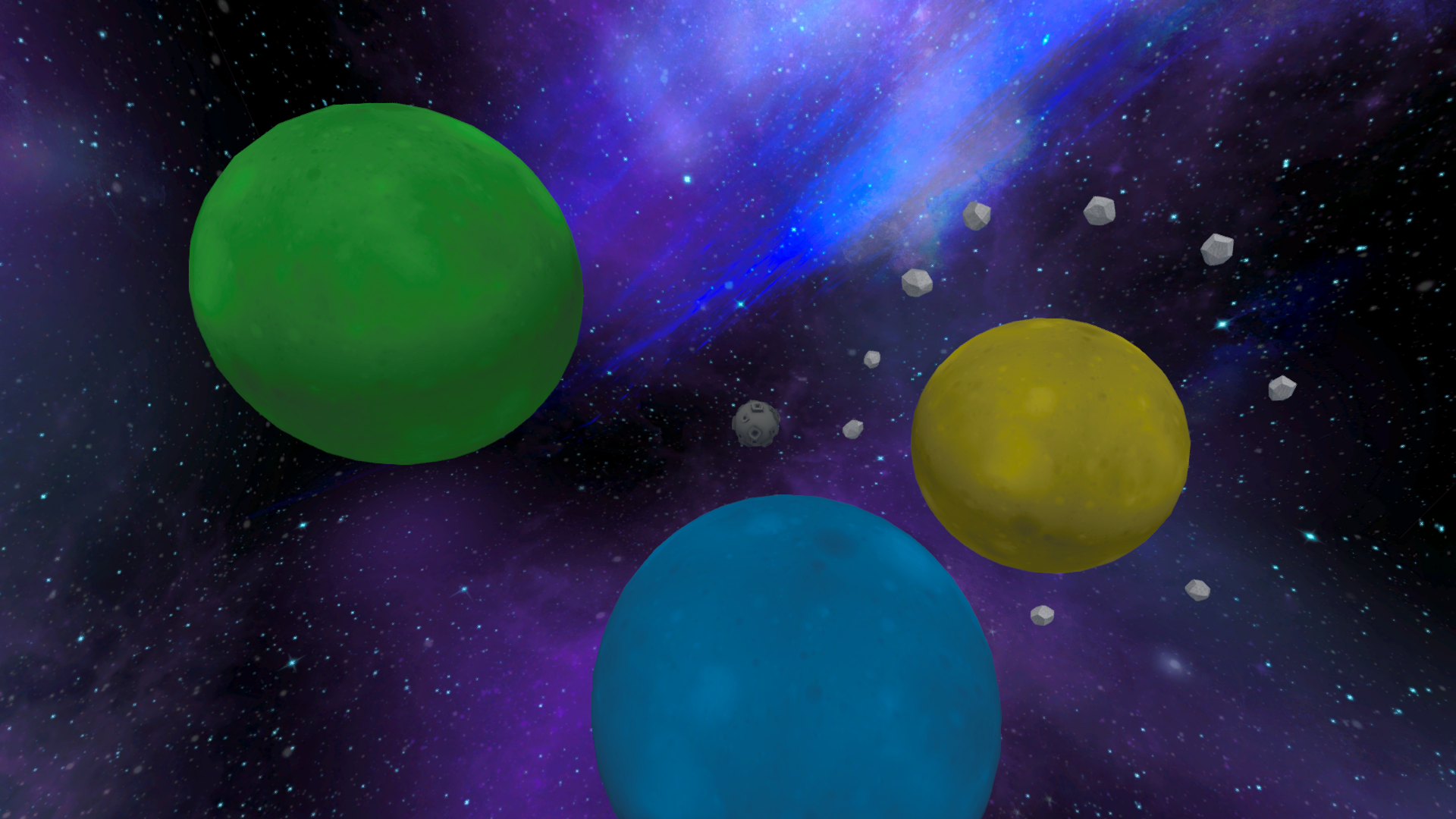
The new space environment consists of various planets which all have their own gravity. It's the biggest and most vast environment so far and contains moving objects which collide with marbles. That being said it's also one of the harder environments to build in as there is no gravity when not near the planets. (Though you can use the gravity pads to simulate normal gravity)
Next to the environment, several props have been added with a few effects, a moon marble skin and a wormhole and a black hole which pull in marbles and destroy or teleport them.
(The wormhole acts like a teleporter when it's linked similar to the default teleporter)
Painting Update
One other thing that I wanted in this patch is an update to the painting system. I've added a new tab in the paint panel where you can pick from various templates (similar to when creating custom marbles) and where you pick a color to paint. You can save unlimited different colors and it'll show you your last 6 used colors too incase you forgot to save one. There are templates which are similar to the ones that where already in the game and I've added 3 wool / knitted variants too to create a cozy world if wanted.
A colordropper (/picker) is added too, simply click the button and click on an object that has been painted over to grab that objects' paint + color value if applicable.
Now you can paint any of the templates in any color you'd like!
The saved colors are stored in a file called SavedColors.json located in C:\Users\(Your Name)\AppData\LocalLow\Vector Interactive\Marble World. So you can edit this file outside of Marble World if needed
Nature Effect Update
Personally I felt like the game lacked effects in the nature department, so I've added some nature related effects to bring your world more to life! All of these react to placed lights too in case you always wanted a purple waterfall :)
The Notes
Full patch notes for 0.1.20 are as follows: - Added the space environment - Added 12 space props - Added 2 asteroid effects (these can't collide with marbles) - Added a wormhole and black hole (These act like a teleporter and deleter respectively) - Added a moon marble skin - Added a black hole effect for marbles - Added a black hole marble skin template which can be colored - Rocks now have a different default texture and can be painted - Added a duplicate button on the Marble Creation screen - Fixed some UI issues with the bottom bar for super wide screens - Marbles are now just named with their number instead of "Marble" infront - Added 2 water jet effects - Added a waterfall effect - Added a firefly effect - Added a low ground hanging fog - Added color picking support for painting - Added 2 rock paint templates - Added a flat color and a shiny color paint template - Added a neon paint template - Added a wood paint template (Note: the lines become more visible when its not fully saturated) - Added a metal paint template - Added 3 wool / knitted paint templates - Added a planet like paint template - Marble templates for numbers 6 and 9 now have underscores to differentiate them - Added a new community marble skin - Magnets now don't have a range anymore but can be scaled to increase their range. Also the physics formula for magnets has changed to not have them attract more the closer marbles are - Added a cheese marble skin - Changed the wording "Select" to "Select / Place Objects" on the control settings panel
Upcoming Content
Either next Friday (29th of April) or the one after that will feature a special update regarding game stability and clarity. I watch almost every review / post on Steam and social media and I've noticed more people having trouble with the game. So that will be the first thing to tackle before the next content update.
After that It's time for the desert theme! Expect influences from various different deserts across the world, if you have any suggestions let me know through social media!
Thanks for reading. As always, thanks for the feedback & support! It means a lot to me.
Some quick fixes regarding the portals & tutorials.
- You now can't save anymore during the tutorials. This could cause a overwrite on a previously opened world. - Portal edges are now more marble repellent. - Portal particles now indicate the exit side where marbles pop out
Thanks for reporting!
Patch 0.1.19 (Tutorial & Portals)
Hey everyone!
Today's patch introduces tutorials for newcomers and portals! In addition to that loading screen tips have been added, the marble follow cam has been updated along with a whole bunch of bugfixes!
Tutorials
In the main menu you'll find a button which leads to the tutorial section. Every tutorial consists of some tasks that you need to do in order to complete the tutorial. The basics tutorial consists of the most tasks which covers every aspect you need to know in order to build a track and get some marbles rolling.
Other tutorials have only a handful of steps as those topics are fairly minor and are just focusing on the aspect they're made for.
Portals and Linking
In order for portals to know where to teleport marbles a linking system had to be developed. This will be the same linking system that will be used for the logic patch later this year.
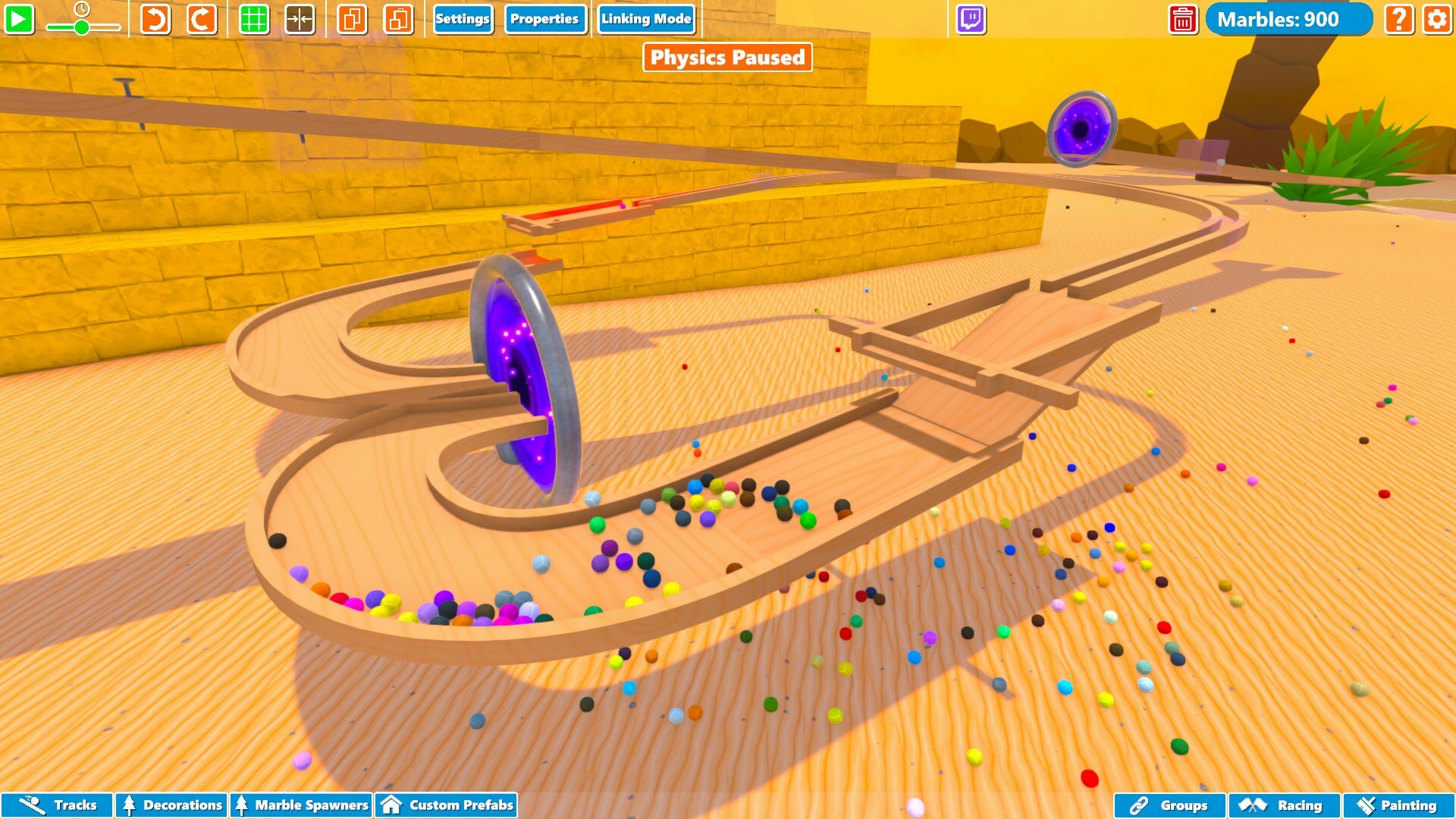
On the top bar you'll find a Linking Mode button which puts you into that mode so you can link logic objects together. For now the portal is the only logic object in the game. To link portals simply place 2 in the World. Then enter the Linking Mode by clicking the button on the top bar.
When hovering over the portal you'll see a white ring appear.
The white ring represents a logic port, and can be clicked on. Click on the port to select it, by doing so it will turn green and remain selected even when not hovering over it. Now hover over the other portal and click on that white ring in order to link the 2 portals.
Portals who are linked have a bi-directional connection. A marble which goes into A comes out of B, and also if a marble goes into B it comes out of A.
You can delete connections by either deleting the portal or by selecting the port and pressing delete.
Some interesting facts regarding portals in Marble World: - Marbles which have been teleported have a grace period of 0.1 seconds where they cannot be teleported. - A marble's velocity remains when going through a portal. - The point of entry when going into a portal dictates the point of exit on the other portal, the exit point will be relative to the portals scale. This can be useful for really big portals. - Portals can be linked to multiple other portals. A marble will randomly exit one of the connected portals, the chance is even for every connected exit portal.
Patch Notes
The full notes for patch 0.1.19: - Added Portals - Added the linking system - Added tutorials - Added loading screen tips - Added support for scrolling to move objects closer / further - Added toggle for marble names in the top bar - Updated the marble follow cam to support zooming and looking around - Updated the help panel - Fixed a bug where the Marble Creation System didnt save edits when switching patterns - Fixed a bug where the select track type window didnt close when deleting all freeform parts - Fixed a bug where the twitch icon tooltip mentioned pausing physics - Fixed a bug where editing properties when having multiple objects selected would apply all properties to the whole selection instead of just the edited property - Fixed a bug where physics track pieces (the 2 tippers) couldn't be selected properly on all hitboxes - Fixed a bug where single wide free-form tracks often would bounce around marbles - Fixed a bug where playing in windowed mode the MCS editor would not display glow / color values when having a strange resolution - Fixed a bug where opening the settings panel would revert any resize change made when playing in windowed mode - Renamed 'race starting track' to marble spawner in the race panel
Upcoming content
The space theme will be added next month! (April that is) Along with that I'll be focusing on more paints and looking into a colorpicker for painting. In addition to that I will expand the props section with playroom/office objects and add more nature related effects.
Thanks for reading!
If you have any questions your always free to chat using any of the social media's :) As always, thanks for the feedback & support! It means a lot to me.