Last several months, I was working on huge optimizations, but since those are not ready yet, I've prepared content update for you instead.
It is one of the last 3 content updates I promised long time ago, before the game could be fully released.
Update content: - 16 new aircraft (4 types) - Fixes & quality of life updates
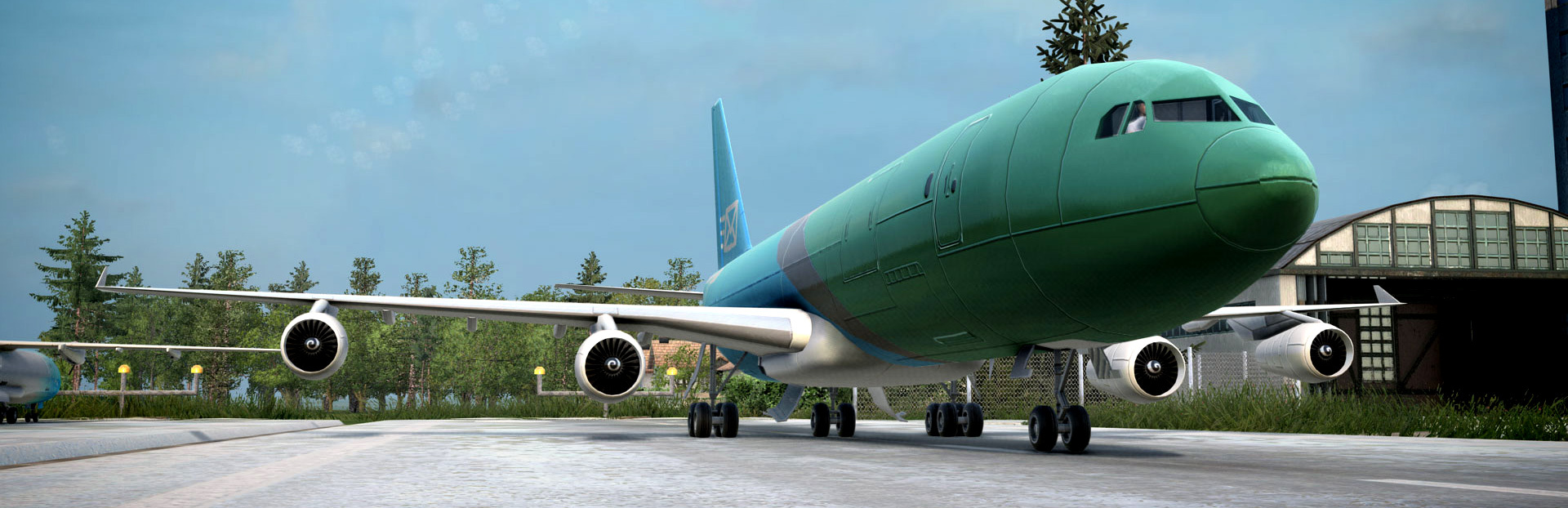
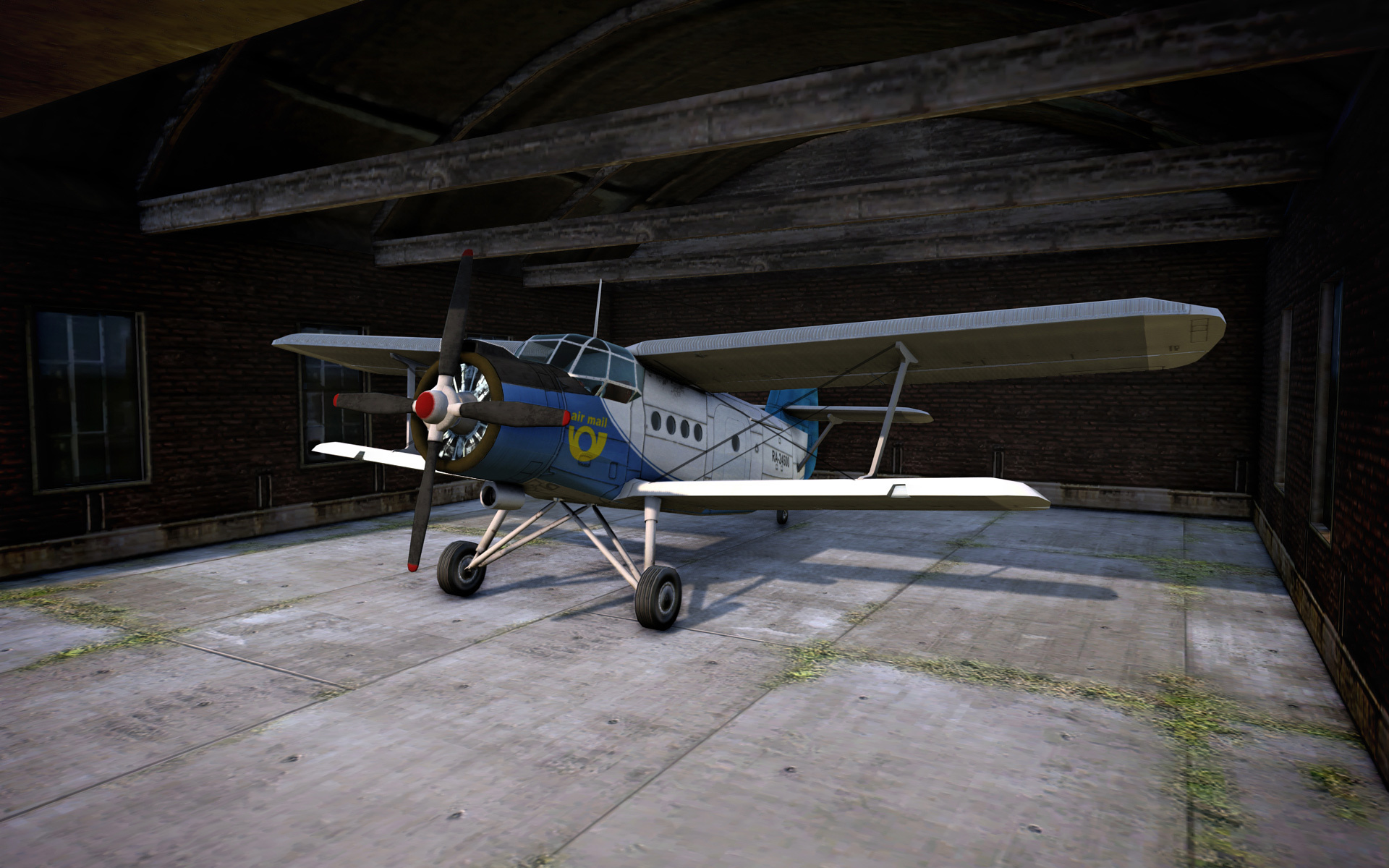
Those planes are dedicated to last eras of game progression, so it can be difficult to get them, but those are definitely worthy. Not only because of their higher speed, very low fuel consumption and capacity, but I love especially the design of the 2 most modern airplanes - Mican and Meda, designed by talented artist Vlastimil Müller, who named those concepts after his own children. I am sure you will love it too ;)
Here you can check detailed change log:
Modern aircraft
Added 16 new aircraft (4 types with 4 different variants)
Life quality
Added possibility to move camera by cursor near screen border (works in windowed too) and can be disabled in settings/game
Fixes
Improved track laying alg to rather show errors over not-empty-spaces than offering crazy curves
Raised camera higher above the terrain by 25%
Fixed hangar window buttons
When multiple vehicle windows opened, selecting routelist will preview in only one of them
Road vehicles do not overpass when it is not really needed (keep waiting in traffic jam etc)
Company progress counting (missed number of planes etc)
Placement or upgrading infrastructure is properly applied into balance sheet
Balance sheet has a proper tooltip (was missing some lines)
Trains are not loading/unloading in one save (also building indices were mismatched after latest changes)
Overlay toolbar now has a proper size when using auto overlay option
Station platforms have proper walls when right next to the airport
Planes properly find the way to the destination when possible (it detected obstacles when overlay not showed anything)
Powerplants capacity and usage of electricity fixed
Transition of electrified track and others
Road Crossings geometrical smoothing
One way road arrows positioning on slope
Wrong placing of roads as series of diagonal curves
Track laying circles improved a bit
Transition from higher to lower track types (including pathfinding)
Tunnel highlighted track type
Removing track with signal by removing tool (when drag & drop over longer section)
Music playing after start
Multiple signals placement
Path highlighting in tunnel
I will continue on optimizations and explain their principle in the next post. We have also road vehicles content ahead and then, finally, 7th era & end game content update ;) I am so looking forward to this update.
Thank you so much for all your support and time spent with our game!
Meantime, please do enjoy the sprint season and have a great day! Best regards, Jan
Christmas quest
Hello beloved community!
Today, like every year, I have a special Christmas task for you! Santa needs a ride this year, and together, you can spread licorice and Christmas cheer everywhere. Get on board a train, find Santa waiting at a station and accompany him on this magical delightful journey to as many cities as possible!
I also managed to fix a number of bugs and add some quality of life improvements. I hope you enjoy it!
Christmas quest
Added Christmas quest 2024
Automatic addition of drivers into the modded trains (manually tuned up for all actual locomotives in workshop)
Life quality
Possibility to cancel copying routelist from existing train when using "+" on it
Ascending / Descending order in lists
Scenarios now show date and time modified
Tips window where you can see all loading screen animations
Passengers prefer less occupied destinations more (when these destinations are served better so passengers heading there are missing)
List of routelists is now accessible through the bottom right corner
Jump strength and run speed increased for easier walking mode use
Fixes
Smart icons check box size in the overlay toolbar
Fixed overlay toolbar height when filters are available
Fixed visibility of the number of town buildings affected by town upgrades
Fixed weird track shape when on the same sloping tile as a road curve
Lowered scratches intensity in animated gifs
Fixed filter icons in the overlay toolbar
Fixed crash when loading save file with empty destroyed vehicle name
Fixed weird darkening on UI windows
Fixed car getting stuck in some circumstances
Fixed potential crash in plants manager
Fixed potential crash in signal cache
Fixed crop of cargo filter icons in the replacement window
Cargo for replacement filter should respect chosen vehicle type
Fixed highlighting of the route has been broken on the first (locomotive) tile
Fixed iron wagon lod
Fixed crash when using sound from a quest script
Fixed stamps with signals
Fixed crash when jumping inside red dwarf loco
As always, thank you very much for your unwavering long-term support and patience with me:) !
And most importantly, have a wonderful Christmas, lots of peace and joy and all the best for the next year 2025!
Best regards, Jan
DEMO release
Hello beloved community!
Today, I've released the DEMO!
This free sample of our game features time-unlimited gameplay on the smallest (128*128), procedurally generated maps, and within the first era. You can choose from 4 different steam engines (+ 1 as a bonus on top), 11 train wagons and 8 road vehicles, which is actually more than the content of Early access released many years ago :)). Hopefully, it shows the potential of our game nicely!
I also want to thank all of you for such an awesome long term support and undisputed help with development of the game Mashinky!
If I may ask you for the big help today, please spread the word about the DEMO availability to your friends, so they can taste our game for free, too ;) Thanks a lot in advance.
Have a great day!
Best regards, Jan
Drivers & Pilots
Hello beloved community!
Today, I have something unexpected for you :)
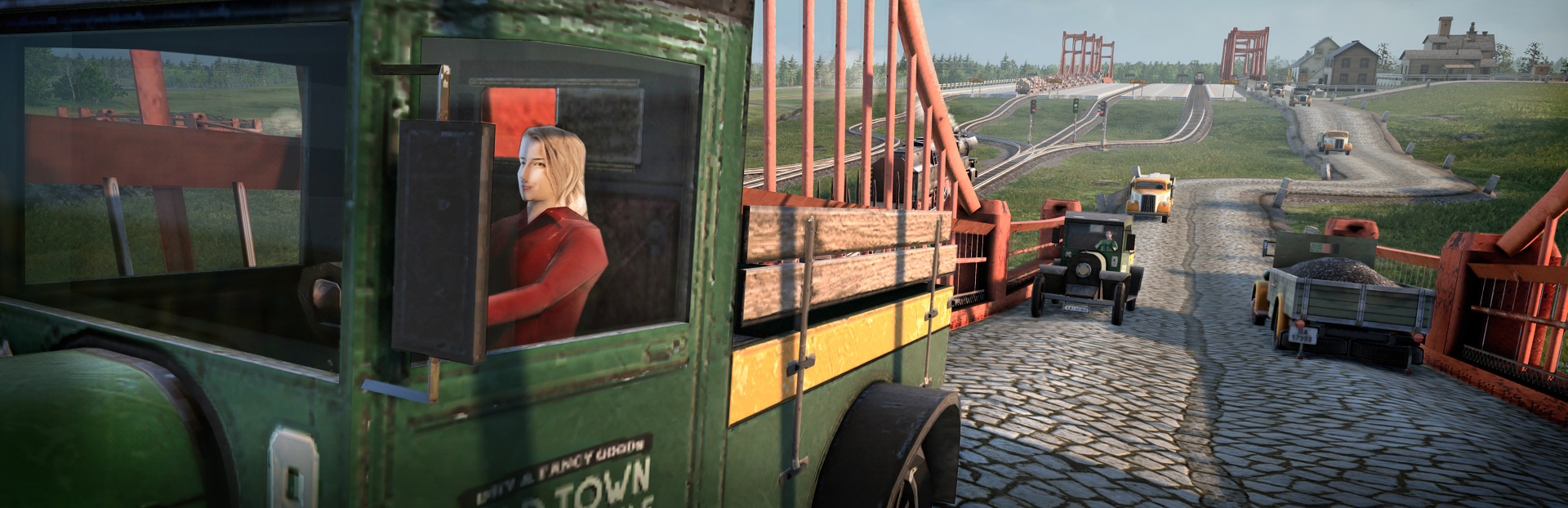
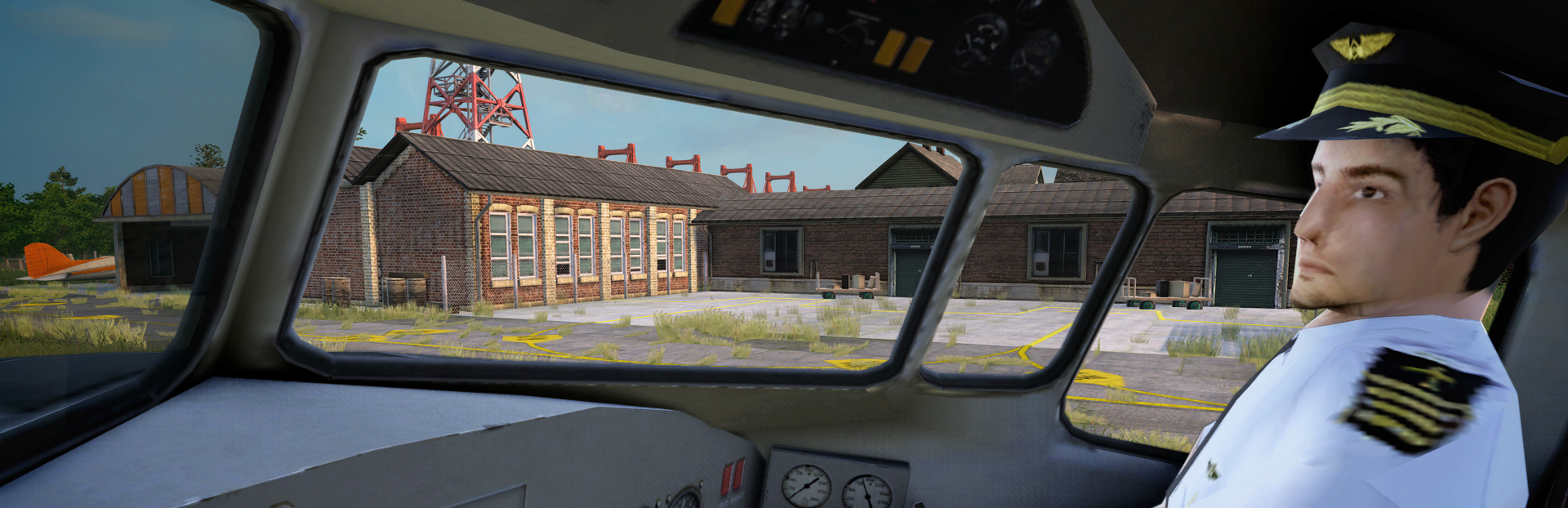
First vanilla people in the game! You should now see drivers and pilots taking care of your transport fleet. They will be there to help whenever the vehicle is on, not derailed/destroyed and you are not in the driver's seat.
To be honest, I was a little worried about the result a while ago, so I don't promise you such an update. Creating a human being is always tricky due to performance risks or the uncanny valley, which is a problem with creepy looking virtual people. It's made even worse by the fact that I'm a programmer with very limited experience in creating virtual human beings, and also because of the intention to keep low polygons for such small models, as is typical for strategy games.
In the end, I'm still not completely satisfied with the result, but I learned a lot while creating these drivers and pilots and I already love how it looks in the game! I hope you like it too, but in any case there is an option to turn it off in the graphics settings ;)
Drivers and pilots are animated either based on the direction of the front wheel in the case of road vehicles, or playing one of several looping animations in the case of drivers or pilots. I also added a system for recombining these drivers (different faces, t-shirts, pants and so on) as well as coloring to make it more interesting. In the original vehicles in the game, more animations were also needed for the different positions of the seats and steering wheels, and I also ended up separating and animating the steering wheels to match the driver movements.
Last but not least, I added an automatic vehicle replacement system based on their age. You can set it specifically for each vehicle or turn it off for some of them. In this case, the exchange is more of a renewal, since the type of vehicle or the number of cars remains the same.
Change log:
Drivers & Pilots
Each Truck or Bus has now its own driver (visual appearance is randomized internally by vehicle index used as a seed). Animation is driven by front wheels and includes steering wheel as well.
Each Train engine has also its own driver (vehicle index and wagon index are used together as a seed for random appearance). The animation plays only according to the elapsed time.
Each plane has its own pilot (plane index is used as a visual appearance seed in this case). The animation plays only according to the elapsed time too.
Visual appearance combines randomized model parts as well as colorization per each part. In some cases, it can also choose different genders.
There are several different animations picked according to driver seat and vehicle controls positions.
Visual appearance is picked according to vehicle type (different for steam and diesel / electric rail engines for example).
The driver model is hidden when the player controls the vehicle himself or when the vehicle is destroyed, or turned off.
UI
Camera positions are now visible only when camera looks towards them. This makes the UI a bit more clear
There is also possibility to turn off/on drivers in graphics settings
I've improved visualization of vehicle replacement plan to make it easier to orientate
Gameplay
Added automatic vehicle replacement based on its age. This can be different per each vehicle or turned off.
Road asphalt speed has been increased
Cargo filter in industry list works now
Start all / Stop all vehicles in vehicles list now works properly when filter active
Visual
Added interior BR 3
Added burn shader so the destroyed vehicle changes its appearance
Fixed terrain holes (quarries etc) when in construction mode with overlays
Added a bit more fresnel bright hallo around objects (more visually pleasing)
Added fields rendering in a distance, construction mode and near the sea
But Fields are not visible in construction mode except ground color, which improved visibility when laying tracks
Fixed visual glitch with noise of horizontal polygons of overlapping trees in construction mode
Ground gravel/concrete are now visible in construction mode even behind far rendering distance
Fields borders are now properly positioned in construction mode
Fixed: map border glitch when using any overlay
Optimizations
Removed some debug output which caused massive FPS drop
Moved file streamer from sync to render thread (sync thread is critical for performance)
Improved performance of shadows rendering (wrongly invalidated more cascades than needed)
Optimized terrain chunk preparation on the CPU
Optimized overlay map synchronization on the GPU
Building updates are now distributed over multiple frame ticks
Optimized vehicle bounding box computation
Lowered GPU memory requirements by ~36MB
Fixes
Fixed crash in overlay synchronization after map size change
Camera angle properly oriented when switched into a building camera
Building sounds are now per building part index, therefore can be multiple per building and react properly on part addition / removal or change by upgrade
Music is now moddable (possible from zip)
Modded industry upgrades properly enabled in its era
Fixed removing of upgrade that only changed building part model appearance
Fixed mod building upgrades rules
Fixed consistency of autohealing invalid towns in savefiles when done on server or on client
Fixed visibility of building upgrades in building window in editor
Fixed multiplayer routelist crash
Fixed "Plants out of bounds" assert / crash
Fixed detection of vehicle standing on railroad crossroads (may missed collision detection before)
Fixed partial autoheal after building lost its map representation (corrupt savefiles autohealing)
Anticrash for loading animated model crash in drivers (have no idea, but instead of crashing the game, driver is skipped)
Some of you may have experienced drivers and pilots on the experimental branch a long time ago, but this update was stuck there due to a related driver crashes. I hope everything is clear now, if anything, let me know.
Regarding the 7th era, I'm missing some building models and balancing. We also plan to release end game quests and game changing mechanics when you reach the end game so you can enjoy your world afterwards. I need some more time to finish it, but in the meantime I'll be releasing more planes and the last pack of road vehicles, so stay tuned ;)
What I can already also announce is the demo, which we are finishing now!
Thank you for all your long time support and patience, we're slowly getting there! :)
Best regards, Jan
The third pack of vehicles
Hello beloved community!
I released the third vehicle pack today!
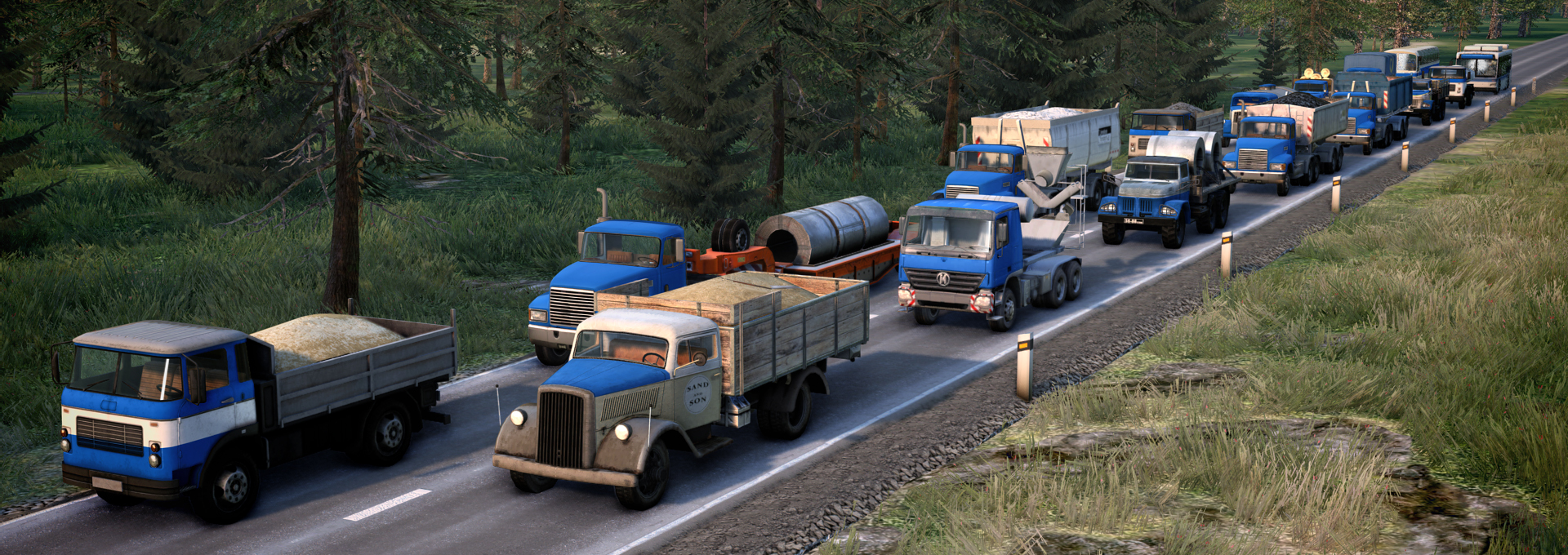
This time you can choose from 16 new trucks or buses in the game! We now have a total of 37 vehicles available. The new pack addresses some of your transportation needs in era 3, 4, and also 5, so you'll now be able to transport things like limestone, steel, or cement. To this day, a truck for the delivery of sand was also missing.
As always, there are minor improvements and bug fixes, so hopefully the gameplay will now be even smoother and more stable.
Detailed changelog:
3rd era
Blitz truck for Goods
Blitz truck for Sand
Blitz truck for Mail
4th era
Bach 302 Bus
Zilon truck for Logs
Zilon truck for Wood planks
Zilon truck for Steel
Trambus truck for Coal
Trambus truck for Crude oil
Trambus truck for Sand
5th era
Metropolitan Bus
Wack truck for Coal
Wack truck for Iron ore
Wack truck for Steel
Wack truck for Limestone
Ania truck for Cement
Fixes
Fixed animated doors of road depot
Merged locomotive into another train is properly unbind from its shared routelist
Fixed clipping of cargo type filter in depot window
Fixed wrong shortcut in driver mode
Fixed vehicles sharp yank when entering new road tile
Fixed clipped destinations visualization in vehicle info window
Fixed crash in some circumstances (reproduced on 150+ mods active)
That's all for now, we're working on the final era, but first I'd like to add the rest of the vehicles and planes to the game, so stay tuned for the next update ;)
Best regards, Jan
Christmas event
Hello respected community!
Just a smaller holiday update, but hope you will enjoy it as you do every year :) Obviously It is the Christmas quest with unique task and unique reward.
We were thinking about this year's challenge to use some of the new features like airports and planes and finally decided to fly Santa again with some kind of delivery mission.
There was quite a mystery (and a bit of stress from my point of view :) ) this year. The release of the Christmas mod ended up being way more spontaneous and hectic. Here is the reason behind it:
- Several weeks ago, we prepared the mod at our internal branches and continue to test and polish it. - Meanwhile, out of nowhere, several players reported crashes, but mysteriously on the public branch, where the last update added planes in October :) Nothing changed since that day, and basically no crashes reported until December 17th. - Fortunately, I quickly found the cause of the sudden crashes that started yesterday - The public version of the game still contained last year's Christmas mod - the one before the introduction of airplanes to the game, the one where you had to control Santa and find some old houses on the map. - The old mod has its own time limits and on December 17th this mod was automatically reactivated. But since the game's codebase has changed so much, and last year Santa was the only flying object before the implementation of airplanes, it's unfortunately no longer compatible... - So I've released the new Christmas mod within the hour after finding the cause of crashes. It is reimplemented Santa and added new task and new reward.
I have to apologize to all of you who encountered those crashes between the 17th and 18th of December. I will keep improving and polishing the game and continue testing the mod, but hopefully the current version is a lot more stable.
And last but not least, I want to thank you so much for helping me improve the game, reporting crashes, and keeping an eye on our virtual traffic worlds! You are the best community I could ever dream of and I want to wish you all the best for the holidays!
Best regards, Jan
Airports & Airplanes
Hello respected community!
Finally, airports and aircrafts landed into our game! It has been a ride, but although there are still some isseues toaddress in upcoming days, I'm happy to welcome all of you aboard!
Please keep in mind, that this is only first pack of planes available, more will come hopefully soon (for later eras).
Here is a changelog:
Airplanes & Airports
Added new transport vehicle type - Airplanes
Added ground infrastructure - old and new airport facilities
Airplanes
There are currently 17 planes in the game (more will come later)
You can transport limited cargo types by airplanes (passengers, mail, goods and food)
It is quite expensive way to transport passengers / cargo, but it can be extremly fast
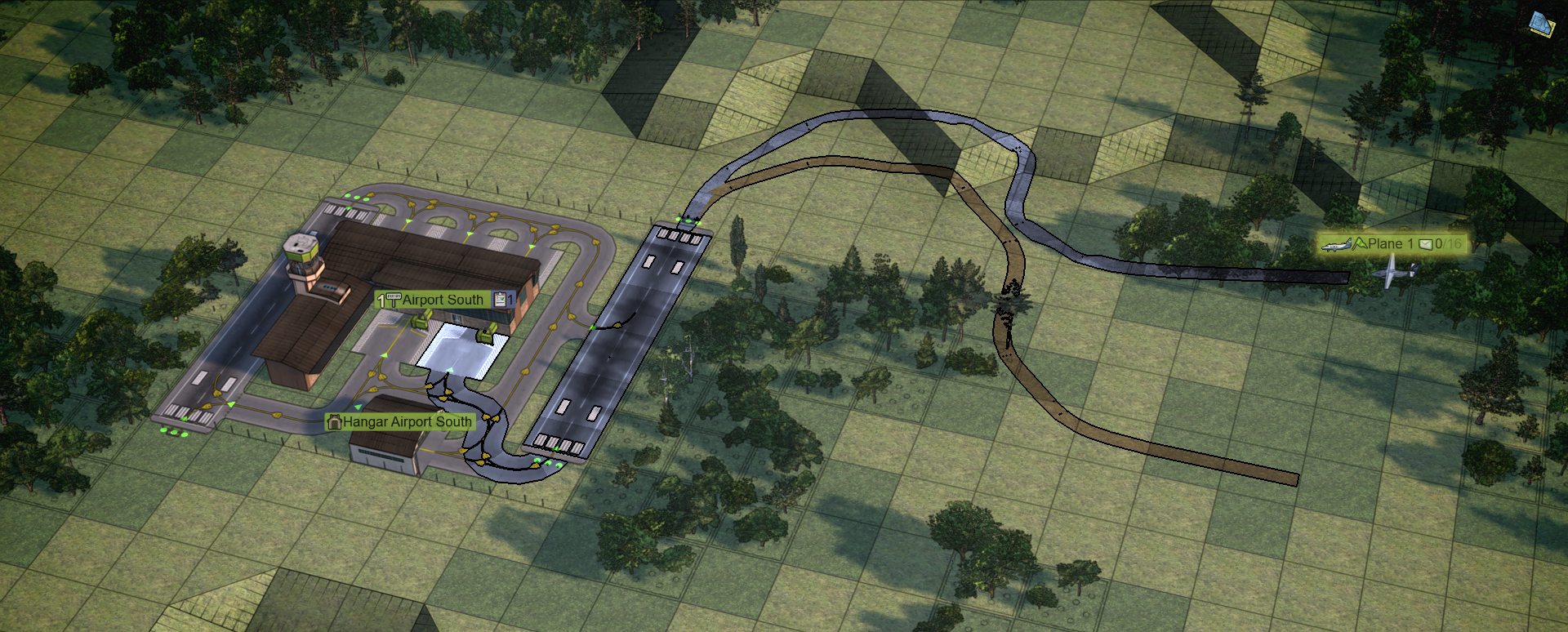
Planes can smartly plan their path from one airport to another, and on the airport itself
You can manage airports in routelist, add air waypoints or even use specific runway's / taxiway's tiles waypoints
Planes reserve a runway 5 tiles before landing, and can cancel landing maneuver anytime and circle around airport instead
They can wait on the last taxiway junction before occupied airport stands or stop and go through hangars if they get stuck
They can even change altitude while circling the airport, when they need to avoid obstacles
Each plane requires different runway length and may require modern runway type, and each can have different fly altitude
Added new visualization of obstacles around airports (terrain, buildings or even trees can prevent plane takeoff / landing)
Planes can be controlled from pilot perspective, althought it is very difficult when flying :)
Planes use fuel only when flying
Airports
You can design your own airport by placing runway tiles one by one, taxiways, junctions, airport stands, airport buildings and hangar
You can also create, share or use airport stamps of interesting airport designs, making their reusing easier
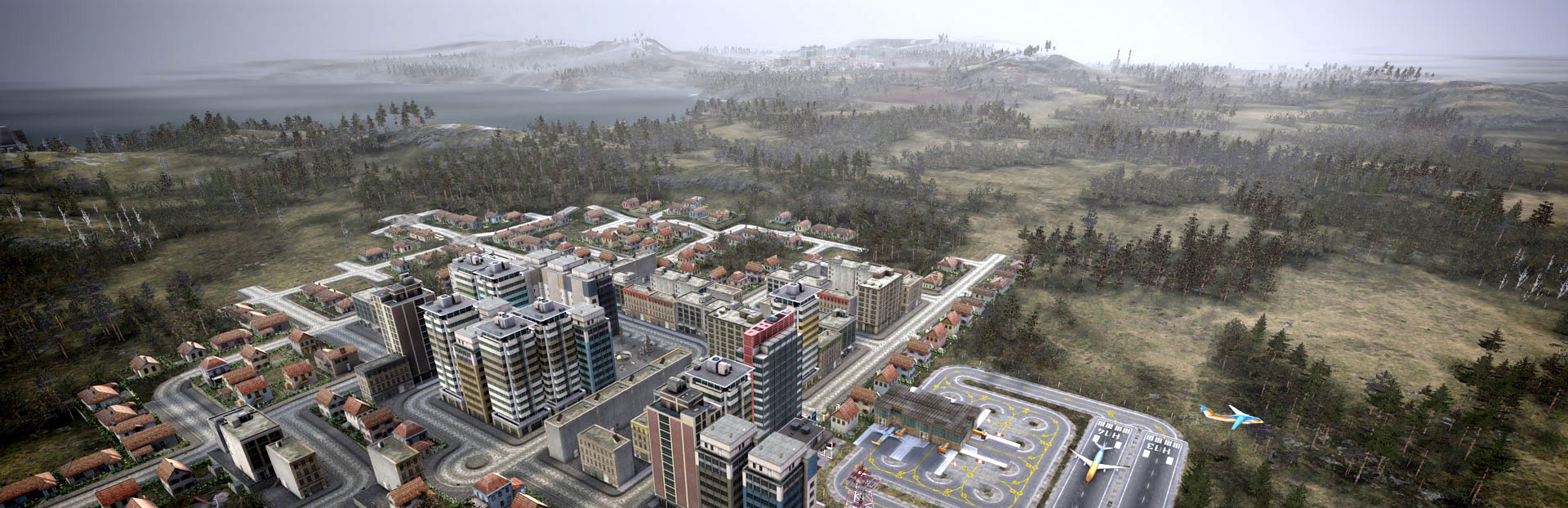
Minimalistic airport needs runway and airport stand, which is 2x1 tiles, but the actual building part can be overlapped with another airport stand building. This allows for even more unique airport designs
There are several basic airport stamps included for your inspiration
Airport has several automatic signals to smartly control movement of planes, while maintaining maximum airport throughput. Runway has signals on both ends reacting to incomming plane reservation. Runway and stand have also entry signal and stand and hangar have exit signal. There are several single plane only areas: airport stands, hangar and runways. On the other hand, airport taxiways allow multiple planes lined up on them, so there is buffer for planes waiting between loading/unloading at the stand and landing/taking off on the runway.
Airport runways have huge 4 tiles pollution distance, so it can be better to place airports away from the town.
Airports can be naturally combined with other transport types and act as a transport hub when using passenger destinations feature
There could be railway or road tunnels under the airport, making combinations even easier
Old airports can be easily upgraded to a new one when the upgrade becomes unclocked reaching specific era
Taxiways are one way only and warning icons show you if there is missing entry/exit or unusable road
Each runway has its own number shown on the runway ends. The number is also shown in routelist when runway is used as a waypoint.
UI & gameplay
Planes can be managed in a similar way as other transport types, duplicated, replaced by newer type, driven manually, etc.
Icons for planes are bigger, so hangar window and all lists have been updated accordingly
Planes cannot be stopped or turned around while in the air or while performing landing / takeoff maneuver
There is a new dynamic parameter in plane info window. I call it "runway accumulation" and it shows how many tiles the plane needs for accelerating / decelerating on the runway and if it affects the possibility to take off, stop or even turn from runway to taxiway. This is also helpful to watch when piloting your plane by yourself.
Airport has also key bindings shortcuts that help you to build airport faster
There are error messages when plane is unable to reach destination, when it requires different type or length of a runway etc.
Quests
There are several new plane-related quests you can jump in and enjoy
Some other quests can be finished by using planes now as well
Graphics
Aside from new visualization overlay for flight obstacles, there are many improvements because of planes
Every vehicle part can be animated independently now (used for independent spinning of wheels and propelers)
Vehicle innertia is divided to ground innertia (default) and air innertia, and planes can smoothly transition between them when taking off / landing
Multiple particle generators on each vehicle
Different rotation of plane parts when moving on the ground and when flying (rear wheels touch the ground only when plane doesn't have enough speed to take off. This can also help to see if "runway accumulation" is enough for takeoff when piloting a plane by yourself)
Animation can be driven by power instead of speed (used also for propelers)
Rotating propelers can switch to blurry version when power set above 50%
AI driven vehicles increase power smoothly now, so propelers' spin speed increases gradually
Vehicle path plan visualization has "shadows" in construction mode now, so you can easily see the altitude
It is possible to turn the vehicle path plan visualization on even in realistic camera mode now to help you pilot your plane easily
Crashed planes fall to the ground
Fixes
Fixed onboard cameras for flipped vehicle
Fixed weight of vehicle speed when planning passenger destinations
Improved stamp setup window (now each infrastructure type can be selected independently)
Properly flipped engine's/vagon's icons in replacement list
Fixed placing one way curve onto the same tile as diagonal track
Fixed garbage tutorial Czech text endlines
Fixed typo in caption when placing signals
Fixed crash in path finder in some rare circumstances
Added colors into routelists
Fixed skybox flickering
Enjoy the flight! :)
Best regards, Jan
Borderless rendering, improved driver mode and bugfixes
Hello respected community!
Today I have just a small update. While working on airports and planes, I have generally improved the game, fixed bugs, optimized the engine and added some new rendering features.
Borderless window rendering
Long time requested feature is finally in Mashinky. You can choose borderless rendering and launch the game without changing the monitor resolution, as well as seamlessly switch between Mashinky and other desktop applications.
In order to be able to choose the resolution again even when using a borderless window, I refactored the engine's render pipeline a bit so that the render resolution can be decoupled from the window size.
Additionally, I modified the UI to always render at native resolution. This way, you can reduce the resolution on weaker hardware while maintaining a crisp and readable user interface.
Drive mode improved
I also tried to improve the driver mode experience and since the track may not be visible from all driver camera positions, you can now see the track in front of you including signal states or stations thanks to simple visualization so you can enjoy the ride.
Bug fixes and improvements
Added AI now smoothly increase/decrease throttle (only visual usage, not affecting acc)
Added possibility for animation per each wagon part
When adding waypoint, only reachable stops icons are visible
When adding waypoint, only same type of vehicles are visible (to copy routelist from)
Added Prev/Next button for vehicles, stations, buildings, depo
Keeping the Tab selected when switching to next / prev item (vehicle / stop / depot / building)
Improved winter ground, grass and trees colors a bit
For Mods
Added: All garbage-type cargo should affect station pollution area
Added: Wagon part flags "visible_when***"
Added TrackType/Version flag "alter_wall", able to change internal station wall
When multiple local mods detected in MP, only first 10 are shown in a warning
Added possibility to specify terrain type having huge river across the map
Fixed animspeed param properly gathered from xml even when old vehicletype format used
Fixed using 3D asset name with "2" at the end (which means it is animated), while not having animation on it
Fixed crash when removing industry building (by removing mod)
For Scripts
Added GetNumUpgrades improved so it can count upgrades for all buildings of specific type
Added Script function int GetVehicleType(vehicle);
Added Script function string GetListOfVehiclesByMaxSpeed(vehicleTypeFilter, hashTypeFilter, maxListSize);
Added Script function string GetListOfVehiclesByMaxSpeedReached(vehicleTypeFilter, hashTypeFilter, int maxListSize);
Added Script function string GetListOfVehiclesByMaxAge(vehicleTypeFilter, hashFihashTypeFilterter, int maxListSize);
Added Script function string GetListOfCitiesByPopulation(maxListSize);
Modified 45-NeedForSpeed and 56-DeliveryTele quests
Modified script function GetRemoteQuestVariable so it can return any type convertible to string
Balancing
Modified Slowing station cargo rating drop by 25x
Modified Road vehicles stopping in the station cannot overpass other vehicles there
Modified Cement delivery affects city growth again
Modified Lowered penalization for passing through non-destination station
Fixes
Fixed vehicle slowing down removed before crossroads when other exit from junction is a dead end
Fixed terrain type switching buttons in editor
Fixed face consistency when loading saved game
Fixed stamp signals in tunnels consistency
Fixed Save/load of last load stop id (used to properly choose new destination in autorouting)
Fixed selective removing of rail signal
Fixed block yellow signal
Fixed flickering of signal glow when TXAA enabled
Fixed performance when path has been redundantly recalculated when moving vehicle's info window (due to reselection of vehicle according to it's window focus)
Fixed wasting of performance on repetetive path searching in some other cases
Fixed removing of all industry on map works again in editor
Fixed pixel alignment when upscaling image
Fixed rendering transparent surfaces
Fixed selection highlighting overbrighted colors
Fixed ending of track wrongly positioned in some circumstances
Fixed flickering of loading bar or face of company boss
Fixed buttons in depot according to vehicle type
Fixed rare crash when open the list of vehicles
Fixed smoother movement interpolation in curves (to avoid goniometrics, there were 8 curve points, now raised to 256 precalculated)
Fixed ALT press stayed after Alt-Tab, showing all icons on the map
Fixed ghost non clickable space in depo bonus tab
Fixed depot bottom bar height consistency
Fixed missing some vehicle icons on map after load
Fixed highlighted vehicle path flickering (vanishing and reappearing)
Fixed vehicle position cache (for better performance)
Fixed full throttle when switch in and out of vehicle
Fixed stamps including stations when placed next to another station
Fixed stamps influencing also station upgrades (WIP, still some issues there)
Fixed wrong openning of station window when creating stamp from station
Fixed duplication of vehicle by wrong-type-depot
Fixed crash in pathfinder
Fixed collisions ignoring where track's side wall clipped out
It took me long time, while this update has been just sitting on the experimental branch. When I originally planned to release all these new improvements, there was a nasty bug on a particular GPU that I couldn't get my hands on and fix directly. After some time (and many, many blind fixes and additional debug outputs), I have realized that I could reproduce the similar problem (same occurence, just with different behavior) on a CPU-only renderer (called Reference by the GPU vendors).
Fortunately, this helped resolve the bug without ever reproducing it on my computer, so I was finally able to release this update and resolve many of the reported issues today.
Best regards, Jan
Planes in internal testing.
Hello respected community!
It's been too long since the last post, I deeply sorry for such communication silence and huge thanks for your patience.
The work on planes advanced a lot since the last post, yet there are some bugs to be fixed and flaws to be polished. I am finally almost satisfied with the AI movement on the ground, so we advanced this version to internal testing.
Airports & Planes in Mashinky
We are currently testing very promissing version of planes movement over the air and especially logic on airports.
Movement over the air is quite simplified, obstacle-awareness including hills, buildings and trees, changing altitude in circles when needed, curves with the same radius as trains on the ground etc).
On the ground, the sitation is a bit more challenging to implement. Player can build his airport tile by tile, using airport stands, hangars, taxi ways, runways and airport buildings.
This plays like a puzzle. Planes moves like road vehicles on roads, but occupy the whole tile (like road vehicle if occupies both directions on roads), so it can easily become locked by another plane heading opposite direction.
I've implemented several different approaches to address this (including automatically placed signals on bi-directional taxi ways, separate airport into signal blocks etc), but none of these survived due to either very low airport capacity, deadlocks or due to be non-intuitive for the player.
Current version uses only one-way taxi ways, planes can enter the same "signal-block" freely and the only restricted signal blocks for just one plane at the time are: Airport stands, Runways and Depots. "Signals" are placed automatically, so it is very satisfying to make your way to the perfect airport layout and share the "stamp" with community.
With the latest approach, the airport has high capacity with a small map footprint and most importantly without freqent deadlocks (there are some, but caused mostly by the wrong layout, easy to understand where the issue is).
Planes can lock runway when approaching to the landing point from air (5 tiles ahead from runway), cancel landing maneuver if anything goes wrong. Later it can waits on the very last junction on the ground if all stands are occupied.
There are first several planes ready as well as airport infrastructure, AI works almost seamlessly, so if this version survive testing, I will finish bugs and some last 3D assets, do last ballancing touches, prepare very first airport stamps and soon we will fly together on experimental branch. This will include driver mode, although it is very challenging to land properly :D
Borderless and improved driver mode
Meantime, there is a new (non-planes) update on experimental branch, adding many fixes, borderless window, improved driver mode etc, so you may already switch to experimental and try some new features before planes come!
Thank you for your time, reading this update and for your patience. I has been a bumpy flight, but we are almost landing with this delivery ;)
Best regards, Jan
Santa's list
Hello respected community!
Just a small update to hopefully make your day better :) I've just released one special update today. Holidays are coming and winter nights are prolonging, I think we all have a great opportunity to enjoy some magic in our game.
So, there is a new Santa quest!
Several children in the game are missing from Santa's list. Lets hope we still have some time to fix this, and ensure that every single child, especially those living out of towns in poor old houses will have truly happy Merry Christmas. Hurry up to find Santa somewhere on the map and fill his (route)list with poor buildings all over the map!
And to be honest, such an update with identifiable flying objects can help me test some basic functionality of one of the next big updates ;)
Vouchers
For the very last minute gifts, I just want to kindly offer you the possibility to get your gift voucher and steam key directly on www.mashinky.com/#Mpurchase. You may print voucher located there, buy the game directly in the same place or on humble store webpage (steam won't give you the key directly), write the key onto the printed voucher and you have beautiful gift in just a few minutes ;)
Holiday season and big thank you!
I just want to thank you for another awesome year with the best community I could ever wish for and it is a great pleasure to work on this game for you.
Please have a beautiful holiday season and I wish you all the best for the upcoming next year!