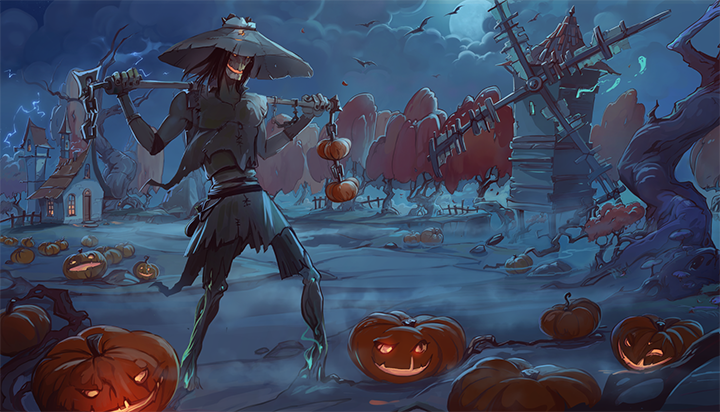
Another Halloween is just around the weekend and we could not let it go unacknowledged. As the tradition dictates, once again we've compiled a new special event for you with brand new and awesome puzzles. We've already shared a preview of the great art last week so make sure to check it out if you've missed it.
Halloween 2019 Event
This year's event will start on 24th of October and continue all the way to 21st of November. We hope this isn't the first special event you join in Masters of Puzzle but in case you're new to the game read this short explanation so you know what to expect.
The event has already been enabled in the game and you should be seeing a new widget on the main menu screen. That is the Even Widget and it will both show you the objectives and keep track of your progress. While you play during the time of the event you can earn a set of special rewards. Currently, these are only displayed in Steam as achievements but once we roll out the room customization upgrade you will also gain special trophies that you will be able to display there.
For all the new players, you should be aware that Masters of Puzzle features limited achievements - or challenges, as we call them. These you can get only under special circumstances and usually only inside a limited timeframe (like events). Once the opportunity to get such an achievement passes, it might not come again for a long time or ever! We will announce all such new achievements early on so you have time to prepare your strategy to get as many of them as you can. Keep an eye on the updates and the game news in order to stay informed.
For the full list of challenges in this event see the list at the end of this post.
Event Challenges
These are only obtainable from the 24th of October 2019 until the 21st of November 2019.
Play the game during the Halloween 2019 event
Complete each individual Halloween 2019 Edition puzzle box in any tileset configuration during the Halloween 2019 event
Complete any 3 puzzle boxes during the Halloween 2019 event
Complete any 5 puzzle boxes during the Halloween 2019 event
Complete any 10 puzzle boxes during the Halloween 2019 event
We wish you luck in obtaining as many as possible. Let the competition begin!
Make sure to follow our social channels for regular news and some exclusive information about the game:
Hello, Puzzle builders, we are pleased to announce another small update coming to you today. Apart from some bug fixes, we also added a few old-new features requested by the community. Here is a short overview:
Gameplay: Added functionality to empty the puzzle box contents on the game board and put it away under the table. You can do that by holding the X key and clicking with the LMB anywhere on the box. Be mindful, though, that this action is currently irreversible!
Gameplay: Added an Auto-Save functionality while in-game together with the corresponding setting to configure it in the Options menu. You can also disable it in case you don't want auto-saves in your game
Gameplay: Re-enabled the puzzle model inspection action with the G key. You can once again call up the puzzle model image for a closer look
Gameplay: Re-implemented the puzzle tile inspection action now with the V key. You can once again call up a puzzle tile for a closer look. That puzzle tile has to be free-standing though (i.e. not in a group or in your hand)
Gameplay: Implemented support for placing puzzle tile groups in containers (including in the puzzle box) - this was previously impossible as the containers were unaware of them even if visually you could still place them inside. The results of this action are also preserved between saves
Bugfix: Fixed a bug where the game quality was always set to Ultra at game start disregarding the player’s choice in the Options menu
You can find the full release notes on our website here.
We also have a new Halloween event for you starting today along with the expected limited achievements. More information about it, though, we'll post in a separate news update.
Known Issues
The game tutorial is currently disabled until we manage to adjust the parts of it concerning the new Player Controls 2.0 features.
Don't forget to follow our social channels for regular news and some exclusive information about the game:
It's finally here! The major release version 2019.1 of Masters of Puzzle along with the Player Controls 2.0 overhaul is now available for all of you on Steam. It's been a long journey since the last major update and we would like to thank you all for your patience. We do believe it's been worth it. Also, with this release, we are now able to provide you with new puzzles and new features at a much faster rate.
As usual, you can find the full release notes on our website here but keep reading for more important information.
Player Controls 2.0
The new controls system changes completely the way you interact with and play the game. Until the tutorial is available again, please use the help interface inside the game (you can now open it with F1 key) and this short guide to adjust to the new play style.
Player Movement The player movements have been adjusted to match more closely the modern standards for similar games. You still move around by using the WASD keys and you rotate your camera view in any direction while holding the RMB pressed. Now you can also rotate the camera view left and right using the keyboard with keys Q (to the right) and E (to the left). The buttons for ascending and descending have been changed to R and F respectively. The movement can still be accelerated and slowed down by holding the Shift and Ctrl keys respectively while moving.
Interactable Items With the new system in place, any environment object can now easily be made interactable. You will be able to perform direct actions to any such object but these actions will differ based on the object. Keep in mind that no interactable objects might leave the boundaries of the playing surface.
New Interaction Tools You now have 4 new tools to interact with the game environment. These are accessible via the new GUI widget on the right side of the screen while in-game. You can also switch between the tools by using the numeric 1 to 4 keys. Each of the 4 tools is bound to the LMB once activated. Here is a short description of what each of them does:
General interaction tool - this is the default tool used for most interaction in the game. It is enabled when you first enter the game and is used to interact with any interactable item. This tool has both a common behavior and item-specific behavior. The common behavior allows you to pick up any interactable item, move it around, and rotate it left or right with the keys Z and C respectively. You can find more about the item-specific behavior inside the game
Gather tool - this tool can affect only puzzle tiles and is used to gather a bunch of them in your virtual hand. New GUI in the lower-left corner of the screen will show you the tiles you've picked up. Tiles in your hand can be moved back to the game board with the General interaction tool
Browse tool (beta) - this tool can affect only puzzle tiles and is used to scatter them as if pushed around by a virtual finger (or two). The longer you hold the LMB down the stronger the force applied by this tool will become
Flatten tool (beta) - this tool can affect only puzzle tiles and is used to flatten them around the surface as if pressed by a virtual palm
There is much more to this update, but we would like to let you discover the rest of the features in Player Controls 2.0 in the game. As this is a major change in a lot of game areas, there might be some issues that escaped our tests. If you encounter anything, don't hesitate to report it or ask for assistance in the community hub.
Happy gaming and don't forget to follow our social channels for regular news and some exclusive information about the game:
Be prepared for something cool this Halloween! Alongside the release of the long-awaited version 2019.1 and it's major changes to the game, we are also planning to reward you with new Halloween event in Masters of Puzzle. And what is a new event without some new and beautiful puzzles for you to enjoy. Here is sneak peek of what to expect:
This great art was created specially for Halloween by our partnering artist, the talented Betty Elgyn. For the ones unfamiliar with her work, we have another puzzle with her art from last year that you might enjoy - Enter Frost.
More information about the event is coming soon, but until then don't forget to follow our social channels for regular news and some exclusive information about the game:
Hey, everyone, take a sneak peek at our latest Interaction Tool feature in Player Controls 2.0!
[previewyoutube="JM22DsDhVQE;full"]
Coming very soon to Steam with version 2019.1 of Masters of Puzzle.
Current State and Headsup
Hi everyone, it's been a while now without an update and we'd like to apologize for the silence. Due to some unforeseen circumstances and changes in our daily routine, we had to put our full attention into another project. Therefore the progress on Masters of Puzzle in the last 6-7 months has been very slow. Nevertheless, we now have some positive news to share with you. The main feature that's taken our focus and is still preventing us from releasing a new build is the Player Controls 2.0 which is a complete overhaul of the game controls and the way objects are handled in the game room. It's a complicated piece of work that affects almost every other aspect of the game, but we believe it's worth doing since almost all of it was based on player feedback from the first phase of the game alpha. Unfortunately, this overhaul is also preventing us from releasing a new DLC until it's finished.
The Player Controls 2.0 is now mostly complete and we're tweaking and fleshing out the behavior of the new tools that we'll introduce in the next build. These are the initial 4 tools that you'll be able to use:
Interact tool - an all-purpose tool that allows you to pick up objects and manipulate them
Gather tool (Puzzle) - a puzzle-related tool that allows you to sweep and gather puzzle tiles in a virtual hand where you can browse them and interact with them one by one
Browse tool (Puzzle) - a puzzle-related tool that allows you to browse through the puzzle tiles on any surface (i.e. push them around without picking them up)
Flatten tool (Puzzle) - a puzzle-related tool that allows you to flatten puzzle tiles on any surface (i.e. scatter them on a single plane without them overlapping)
Apart from the new tools and ways to interact, the Player Controls 2.0 will also allow you to map your keyboard keys to whatever you want for most operations. If you would like to see more tools in your inventory, please share in the comments below.
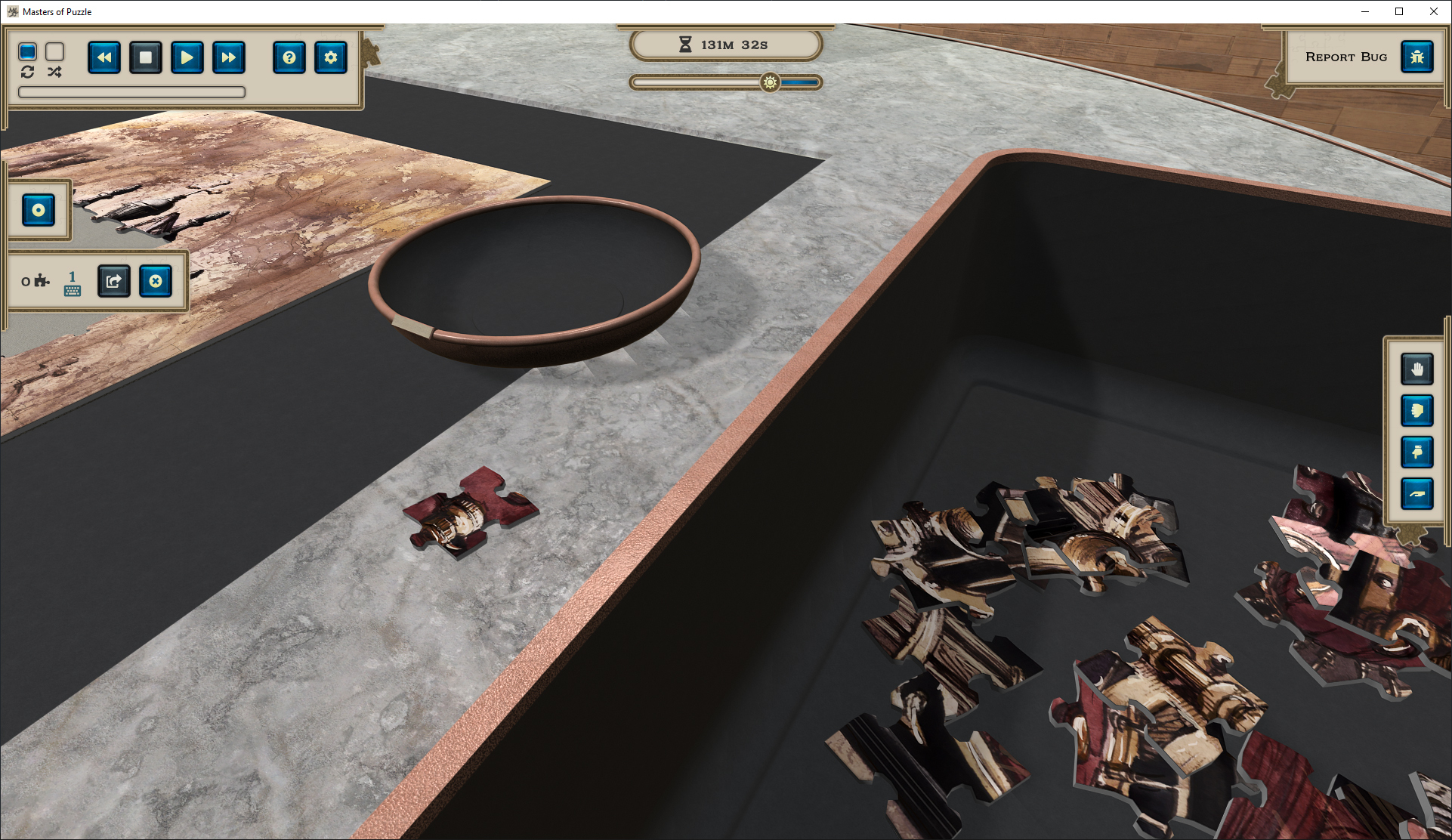
While this is the major feature we've resumed work on, we still managed to do some other improvements to the game. We've upgraded the engine to Unity 2019.2 (latest stable) and we've improved almost all of the game shaders and lighting. While visuals are not the most important thing for such a game, we still feel we need to provide the best possible experience. Here a couple of screenshots from the latest test build:
That's it for now. We thank you for your patience and we do hope we will be able to release a new beta build in about 2-3 weeks time.
Release Version 2018.0.6973
Here comes a new release version 2018.0.6973 of Masters of Puzzle. This one is primarily a bug-fix version and engine upgrade mixed with a couple of new small features.
Let's take a look at what's new or changed in this new release:
Gameplay: Added a Quick Save functionality to the game. You can now save your game progress without exiting the game scene. To find the new button, open the in-game menu with F10 or the corresponding interface button
Gameplay: The lighting switch will now preserve its state across game loads
Bugfix: Fixed a bug which falsely showed the upcoming Clockwork Factory puzzle box as unlocked. It will unlock on 7th of February and the game will now be properly aware of this fact
Bugfix: Fixed a bug that prevented puzzle tile groups thrown outside of the play area to be found and returned to the box
Bugfix: Fixed a bug that made the puzzle tile locator algorithm to make no difference between the surface position of the mat and the play table
Bugfix: Fixed a bug where puzzle tiles and groups would not hover over other objects correctly if moved over the puzzle mat area
You can find the full release notes on our website here.
This release should fix the majority of issues related to missing puzzle tiles and groups from the game board. If you had such a problem and it prevented you from finishing your puzzle, load that game again and take a look inside the puzzle box. The missing tiles should now be found there.
What about some new stuff?
While this is mostly a polishing release, we haven't forgotten our roadmap. Currently, we are working on the Player Controls 2.0 feature which unfortunately takes a large effort to complete. Since it affects many portions of the game (even the tutorial), there is a lot of things to adjust and be careful not to break. Nevertheless, it progresses well and it will be part of the first major release for this year.
Additionally, 2 new puzzle boxes are coming to you in February - Clockwork Factory and The Being. Both are part of our Steampunk Visions collection and both are quite interesting as puzzle challenges. We'll be happy to hear about your experiences assembling these two.
Don't forget to follow our social channels for regular news and some exclusive information about the game:
Here is our first update of Masters of Puzzle after the New Year. It's a smaller update adding complete Spanish localization to the game and focusing on improving the puzzle assembly. The Spanish translation - both in the game and the Steam store page - was the sole courtesy of our community member Gus who did an incredible and very proactive job over the holidays. Thank you for your efforts!
Now let's take a look at all that's new or changed in this new release:
Gameplay: The game now has complete Spanish localization
Interface: Added separate Options: Puzzle menu for all puzzle assembly and generation related settings
Interface: Added new game option for adjusting the puzzle tile rotation threshold when assembling
Interface: Added new game option for enabling/disabling puzzle tile edge curvature. This has a visual impact only and will not affect the assembly in any way
Bugfix: Fixed a bug where finishing download of a puzzle box after starting a new game might raise an exception
Bugfix: Fixed a bug where puzzle tiles & groups might raise an exception when rotated left or right in some rare situations
You can find the full release notes on our website here.
Meanwhile, work continues on the major features we listed in the last update. Keep an eye here and on our Discord server for previews on the progress and more. We are also planning on updating the intro video and screenshots in the Steam store page since the current ones are already too old and don't match the current state of the game.
Don't forget to follow our social channels for regular news and some exclusive information about the game:
This new release 2018.0.6920 focuses mostly on game improvements, performance optimizations, and several new minor features to make your game experience more enjoyable. It will come live on Steam in the next few hours once we verify and are satisfied with the stability of the new build. Take a look at the major changes:
Gameplay: Implemented Skip step button and behavior for the tutorial. Players can now skip various tutorial steps to proceed onwards if necessary
Interface: Start New Game GUI will now show whether a puzzle box was completed at least once in any tileset configuration
Interface: Start New Game GUI will now show the earned achievements for each puzzle box. Currently, it will only display the highest tileset completion achievement, but it’s ready to show limited and other achievements as well
Framework: Puzzle images will get sliced to tiles only after a game has been started or loaded. This will decrease the starting time of the game client
Framework: Redesigned the audio manager playlist loading and playback. This will optimize tremendously the in-game loading times
Bugfix: Fixed a problem with the puzzle box preview image in Start New Game GUI where in some cases the image would overflow outside the game window
You can find the full release notes on our website here.
What's Next
This will most probably be the last release update for this year unless we have to deploy a hotfix or two, but even in that case, there will be no more new features for the year 2018. This doesn't mean we are not working on new and exciting things for Masters of Puzzle, though. These are the things currently in the works in the order of their priority:
Greater variation in puzzle tile shapes - we are redesigning the puzzle image slicing and generation algorithms to allow for much greater variety in the shapes of the puzzle tiles. The end goal here is to be able to emulate the best real-life puzzles and to also increase the set of puzzle slicing settings, some of which we plan to expose to you when starting a new game
Integration with Discord - while we've already deployed a basic integration with this release, we want to be able to utilize the full capabilities of Discord like custom status updates, spectate feature, and party features (once the multiplayer is ready) so you can have more fun with your friends
Player & Environment controls overhaul - based on player feedback and our own observations, we've planned a major overhaul of the player controls. The aim here is to make the gameplay more natural and to allow for greater selection of tools at your disposal. This is also a prerequisite for the controls mapping feature you've been asking for
Of course, there will be a lot more small features and improvements coming with and inbetween, but these 3 are the major ones you can expect in the first release(s) in 2019.
That's all for today. We wish you a happy Christmas and a great New Year! And don't forget about our special Christmas event, which will be running until the 4th of January. Go and get these limited achievements before it's too late ːsteammockingː
Don't forget to follow our social channels for regular news and some exclusive information about the game:
A small hotfix release to address the game breaking issue reported by some of our players.
Bugfix: Fixed a bug related to missing puzzle tiles not being found by the tracker. After your game client updates, you just need to load the affected saved game and the missing tiles will be back inside the puzzle box.
You can find the full release notes on our website here.
We've also pulled the release date of the Enter Frost Christmass Edition puzzle box to 14th of December so you can have more time to finish it for the event challenges.
Don't forget to follow our social channels for regular news and some exclusive information about the game: