

Melody's Escape
Third-party library upgrade for compatibility
Melody's Escape 2 is now available in Early Access!
Melody's Escape 2 is now available in Early Access!
Run to the rhythm of your own music library! Melody is back, with vastly improved audio analysis algorithms! Check it out here:
https://store.steampowered.com/app/1829470/Melodys_Escape_2/
Key Features
- Use your own music library: works with any digital music file from your hard drive.
MP3, FLAC, OGG, WAV, M4A and many more DRM-free formats are supported! - Includes 14 licensed music tracks with hand-mapped levels (with various musical styles)
- Works with almost all music genres and styles!
- Each action input is synchronized to the music
- New music analysis algorithms, with vastly improved tempo detection!
I hope that you enjoy this sequel to Melody's Escape!
Your feedback is very much appreciated and welcomed on Melody's Escape 2's Discussions Forum and the official Discord server ːmelogoldː
Loïc
ːmeloblueː
Melody's Escape 2 is releasing on September 30!
Make sure to WISHLIST it now if you don't want to miss the release!
https://store.steampowered.com/app/1829470/Melodys_Escape_2/
I've also setup a Discord Server for the community, feel free to join us here:

While you wait, here are previews of 2 songs included with Melody's Escape 2, each highlighting a different musical and play style, one focused on the beat and the other focused on held voices:
Shirobon - Fox
https://www.youtube.com/watch?v=YWIClsuNuQ4
aeseaes - Any Body
https://www.youtube.com/watch?v=HZAbbpO3Pr0
See you next week! ːmeloblueː ːmelogoldː
Loïc
Character Customization in Melody's Escape 2
Many of you have asked me if Workshop will be supported once again, and the answer is yes! I love the creativity of the ME community!
While the Workshop support won't be available at the release of the first Early Access version, it will be one of the first priority on the roadmap.
In Melody's Escape 2, you will have access to many customization options to change the appearance of Melody:
- Character Skin selection
- Character Color Schemes (you can select from a wide variety of color palettes that will automatically work with any skin)
- Hairstyle selection
- Headphones selection
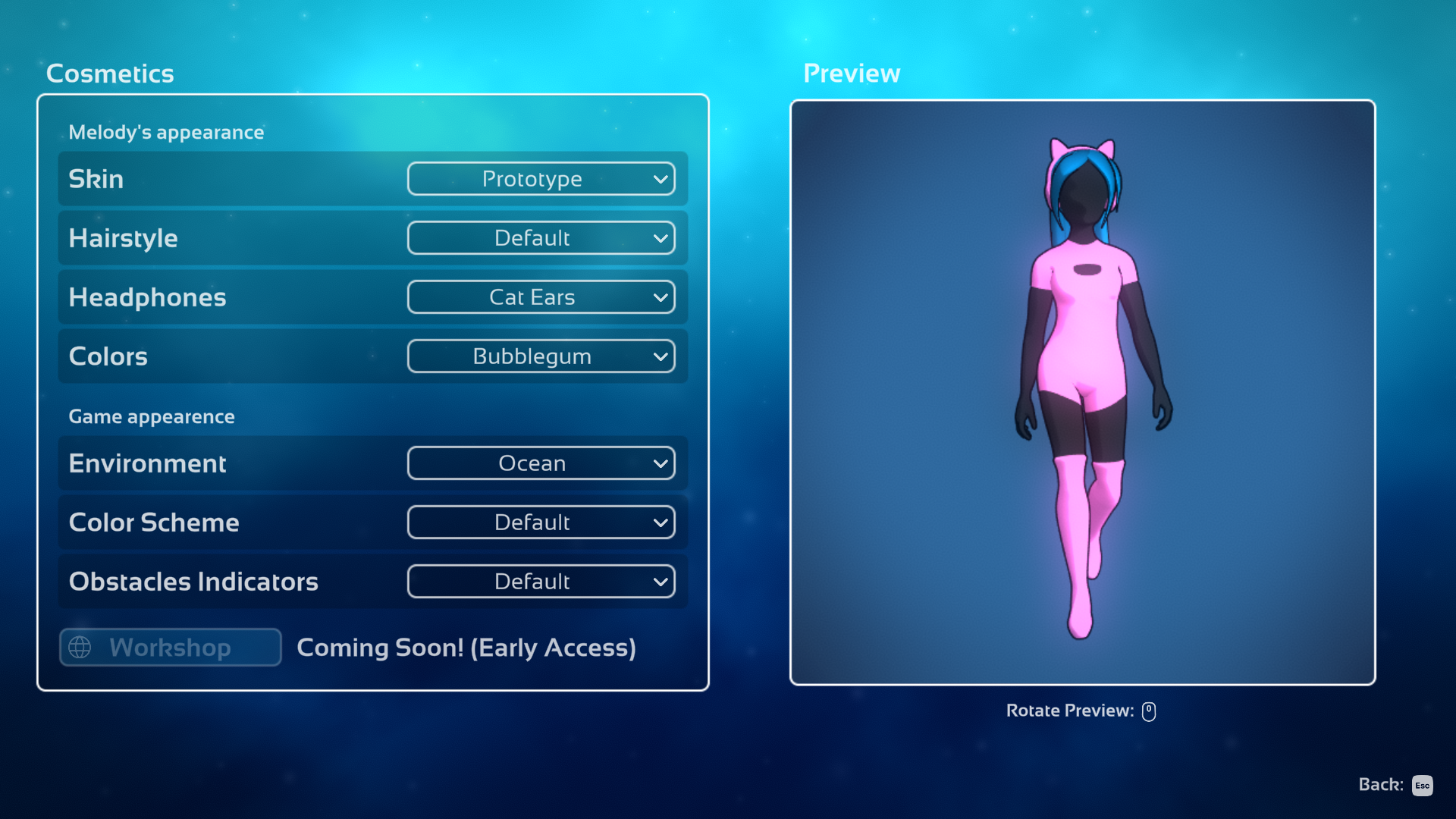
The selection will be limited at first, as my main focus was on developing the game itself, but more skins will be added during Early Access! (as well as the Workshop feature)
Make sure to [WISHLIST] if you would like to be kept up to date!
https://store.steampowered.com/app/1829470/Melodys_Escape_2/
Some examples of cosmetic choices:


Loïc ːmeloblueː
Announcing Melody's Escape 2! (with trailer)
I am pleased to announce the sequel to my music game:
Melody's Escape 2! ːmelogoldː
Melody is back, in 3D and with vastly improved audio analysis algorithms! ːmelohpː
Check out the trailer on the new Steam Store page for ME2:
(and be sure to [WISHLIST] if you would like to be kept up to date!)
https://store.steampowered.com/app/1829470/Melodys_Escape_2/
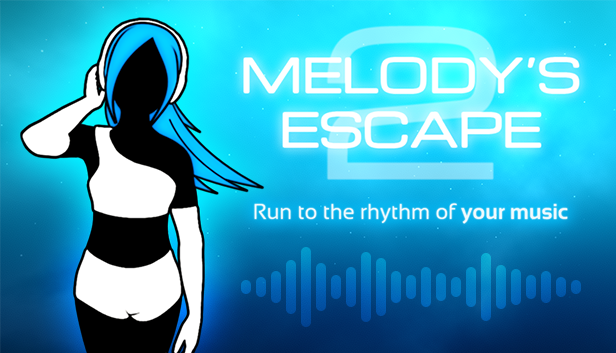
Thank you, and I hope that you will enjoy this new musical adventure!
Loïc ːmeloblueː
Melody escapes out of Early Access!
I would like to personally thank the community for all the amazing support and feedback received during this Early Access phase! ːmelogoldː
This 1.0 update adds 6 amazing music tracks from Shirobon. ːmeloblueː (including the song from the game's trailer, "Regain Control"). Each track's obstacle course was meticulously manually mapped for perfect synchronization with the game.
Loïc
Update v1.0: now with music!
- Added 6 amazing music tracks from Shirobon! (including the song from the game's trailer, "Regain Control"). Each track's obstacle course was meticulously manually mapped for perfect synchronization with the game. You can find those songs in the "Bundled Music" menu in the Music Selection screen.
- The main menu now has music ːmeloblueː
Minor Changes
- Reduced the terrain's "waviness" height ranges in Flying intensity, as it was too high in some cases.
- The game now still runs at full speed when its window has lost focus.
- "Double Low Tempos" adjustment mode (used in Intense difficulty and Custom) now only works on <=88BPM tracks instead of <=91BPM.
- Fixed a bug preventing a track to load from cache when it only had "Walking" intensity for its entire duration, or no obstacles at all.
- Updated track cache format. This will invalidate previously cached tracks and force a new analysis of each song when played.
- The font size for the "toggle favorite" and "play all" text elements is now bigger.
- Fixed not being able to exit the "Credits" menu using the Esc key or Back button.
- Added an "Audio" option to disable the main menu's music.
- Disabled the F1 to F5 "debug" keys, as it was conflicting with some players' "Screenshots" key. You can enable them again by using the "-debug_function_keys" command line parameter.
- Updated the FNA framework on Linux and OSX
Update v0.8.3: Latency Calibration and Smooth Scrolling
Update v0.8.3: Latency Calibration and Smooth Scrolling

Changes
- The camera's (and Melody's) position in time is now based on a smoothed high-resolution timer instead of directly using the playhead position of the music, preventing "choppy" scrolling if the audio driver doesn't allow per-frame precise reading of the track's position.
- Added an Audio and Video Latency Calibration menu (and test) in the options. You can now fine-tune latency compensation if you are playing on a HDTV or with a delay-inducing sound card (please note that delay compensation will make Melody either pause or "skip" at the beginning of a track).
- Added an option to switch the art of light orbs to a full circle instead of a partial one (in the "General" options menu)
- Fixed an issue with the tempo dection algorithm when using a non-MP3 format (FLAC, OGG, etc.) that in some rare occurences might have resulted in problems detecting the correct tempo. All previously "cached" tracks will be re-analyzed once played again.
- Amplified the default volume of "orbs" and "obstacles" sucess sound effects in "All Sounds" mode.
- Added a gamepad option to select the desired gamepad device ID (this is useful if you have more than one connected or on some Linux systems where some mouses and keyboards are detected as gaming devices)
- Fixed a crash when trying to load custom Mods with an invalid folder structure.
- Failing to read a specific sub-folder due to permission issues should not result into an empty folder list anymore.
- Updated the FNA framework on OSX and Linux (this should improve performances)
Update v0.8.2: New light orbs and performances fix
Update v0.8.2: New light orbs and performances fix

Game Changes
- Changed the look of light orbs. The new look should hopefully alleviate the "motion-blur" feeling induced by LCD monitors with high latency, as they have less contrast than the old ones and softer borders.
- Light orbs explosion in Running intensity now pack a bit more punch.
- The new in-game sounds now play at the same volume regardless of the movement mode intensity.
- Fixed an issue with track caching resulting in difficulty mix-ups if a song had been played with "Custom" difficulty settings.
- The Steam Workshop items checking/downloading screen now only happens once per session, so you can quickly switch skins without waiting if you have a lot of subscriptions. Using the "Go to the Steam Workshop" in-game menu will reset that state and make it check again the next time you visit the "Customize Appearance" menu.
Performance Changes (mostly targeted at lower-end GPUs)
- Anti-Aliasing on Windows is now slightly faster and toggling the option on/off doesn't require to restart the game anymore.
- Added "Graphics Quality" presets in the "Performances" option menu, to easily switch between Low/Medium/High.
- Modified "low FPS" detection (below 50FPS) to interrupt the game and show a warning screen allowing the player to automatically lower graphics quality to gain performance (as the obstacle timing/hitbox suffers when performances are poor and that has quite a negative impact on the gameplay, delaying button/key inputs).
- Added a "Low FPS" warning label below the heart score during a game if the FPS counter is enabled in the options and the FPS is too low.
- Added a new system to detect if the GPU drivers launched the game using the integrated GPU on dual-GPUs computers (usually laptops), to suggest to the player to launch the game using the "gaming" GPU instead.
- Added a global variable to the .exe targeted at NVidia Optimus laptop, to tell to the driver to use the NVidia GPU instead of the integrated one. If you own an Optimus laptop, I would love feedback on whether or not this feature is working!
- All available GPUs detected are now listed in "log.txt" inside the game's installation folder.
- Updated the FNA library on Mac and Linux builds.
Update v0.8.1 Sound effects and new skins
Update v0.8.1 Sound effects and new skins
Sound effects and text popups
- Added in-game sound effects (all are optionals and can be disabled!). By default only "errors" sound effects will play, but you can enable them for all obstacle success and hearts in the "Audio" options menu.
- Added sound effects and animations for the hearts score animation during the post-track score overview.
- Added "TOO LATE" error text for failed obstacles which didn't receive their input in time. Pressing the wrong button will instead display "ERROR" (and play a different sound too), so you can distinguish between timing problems and incorrect input.
- Added a small timer to prevent spamming multiple "ERROR" messages and sound effects when repeatedly pressing incorrect buttons (for visual feedback purposes only, it still resets your score multiplier everytime)
- Adjusted floating-text popups positions and made their transitions smoother during intensity section changes
Skins
- Added 2 new skins: "Prototype (Inverted)" and "Black Dress"
- Modified all default skins to make the "shadows" on the background legs/arms much lighter
- Added the default hair texture to the sample hairstyle mod folder (it was missing on Windows builds)
- Updated the "sample skin" texture
Misc Changes
- Reverted the Running section ground border to "grass", as it was better looking and the alternative didn't help with the "blur" feeling encountered by some players (as I incorrectly assumed it would).