

Men of War II
Men of War II | The Way Forward
We’ve been silent for a while; we would like to apologize for that, thank you for your patience and reassure you – the game has not been abandoned. However, as many of you have guessed, the situation surrounding updates and new content for the game is complicated, and we did not want to overwhelm you with background details. What we can say is that a new patch does exist - and its most notable feature is a complete overhaul of the in-game UI.
At the moment, the update is not yet ready for release on Steam, but efforts are underway to resolve the remaining steps required to bring it to you. Both Best Way and Fulqrum Publishing are actively working to make that happen as soon as possible.
We would love to say that this will not be the last update to Men of War II; we see many ideas for improvements from the community that we would like to bring to life. But to make that happen, we need your help – if you enjoy the game, recommend it here on Steam by writing a positive review. If you like its premise and are just waiting to try it out, put it on your wishlist. If you’ve seen a video or livestream of Men of War II that you enjoyed, reward that with a “like” and a positive comment. These are all small ways in which you can make a huge difference for the future of the game; don’t underestimate the impact every single fan can have.
From our side, apart from the aforementioned patch, we are also preparing new events, competitions, and rewards to give you more reasons to return to the battlefield.
We’ll see you there soon, Commanders.
https://store.steampowered.com/app/1128860/Men_of_War_II/
Men of War II | Update 1.042 is Out Now!
Greetings, Commanders!
We have just published an update fixing various bugs and issues, including a critical problem which prevented some players from starting a game. That's not all, however, as the patch also brings a host of balancing and modding/editor improvements.
Full Change Log:
Critical Fix
- Fixed a bug causing the local server to not launch when it could not register with Steam. This prevented some players, especially in China, from starting games (both single-player and multiplayer).
Balancing Changes
- Pz.Kpfw. II Flamm Ausf. A "Flamingo": A 10-second cooldown has been added for reusing smoke grenade launchers.
- FOG Flamethrowers (including those mounted on the T-34):
- Flamethrower range was reduced from 70 to 60 meters.
- Reduced damage against medium and heavy armored vehicles.
- Flamethrower range was reduced from 70 to 60 meters.
- Single foxholes now take twice as long to dig and can collapse from seismic damage, similar to trenches.
- Reduced the maximum accuracy penalty for the Willys AT jeep's grenade launcher when firing through smoke.
- Reduced the damage of machine guns (without AA mode) against aircraft.
- Adjusted the calculation of crew efficiency effects on accuracy and reload speed for various vehicle weapons.
- Fixed flamethrower usage by soldiers — now they fire from a distance as intended.
- Reduced the distance at which infantry decides to engage in close combat.
- Vehicles now travel at maximum speed without requiring a double-click.
UI
- Fixed a rare bug that caused game loading to stop.
- Improved the responsiveness of the selected unit panel.
- The hotkey for direct control by holding a button (default: CTRL) is now rebindable.
Mod Support
- The game will insist on adjusting mod order if mods are enabled but set in the wrong order.
- The default_disabled flag is now ignored in the .info file—all packages are disabled by default (except those with the activate_always flag).
- Some resources related to humans and their animations have been moved to a different .pak file.
Editor
- Disabled recalculation of SceneExplorer lists after loading a map and when changing screen resolution.
- Clearing the road list now works correctly.
General Fixes
- Fixed a rare crash that could happen when dropping items.
- Fixed damage calculations for units removed from the map.
- Fixed loading of infantry units without suppression parameters.
- Fixed a vulnerability that allowed direct control of airstrike planes.
- Fixed a bug which allowed the M4A4 Crocodile to continue using the flamethrower with a broken fuel trailer.
- Anti-tank hedgehog debris no longer bounces when dismantled.
- Fixed an issue where all grass could suddenly rotate in the same direction upon location loading.
- Optimized the fuel tank explosion effect.
- Fixed the exhaust effect position for the KV-85 tank.
- Fixed the model of a destroyed KV-1S tank.
- Minor fixes in the "Death from Above" mission.
What do you think about these changes? The best way to let us know is by joining the Men of War II Official Discord Server; but feel free to post here in the comments or in the Steam Discussions as well, if that is more convenient for you. And if you enjoy the game and want to see it thrive and grow, writing a positive review is the most effective way to support it.
We will see you on the battlefield soon, Commanders!
Men of War II | Firestorm Update is Out Now!
Greetings, Commanders!
We have hinted at it before, but we've been working on another major update for Men of War II - and today is the day, the Firestorm Update is Live! As usual, the full change log is available at the end of this article, but the absolute highlights are the new flamethrower-based units - 13 vehicle types in total and each nation gets a new flamethrower infantry squad to boot!
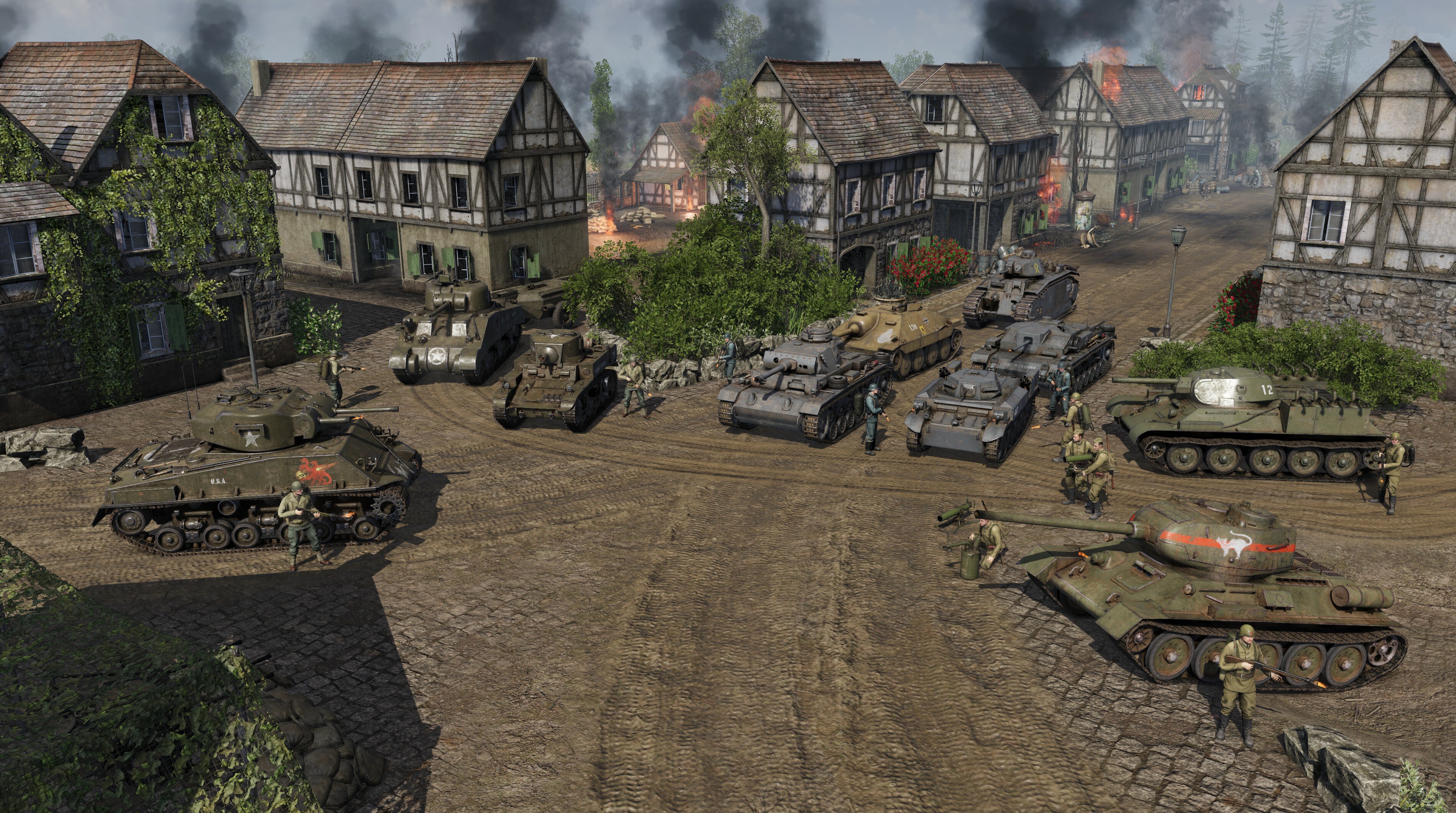
That is not all, however; significant improvements have been made to flame-based visual effects to the visual (including new mechanics for burnt ground and different death animations), audio (redesigned SFX for all flame-based weapons) as well as gameplay (flamethrower-based vehicles now carry fire extinguishers, for example) aspects of Men of War II.
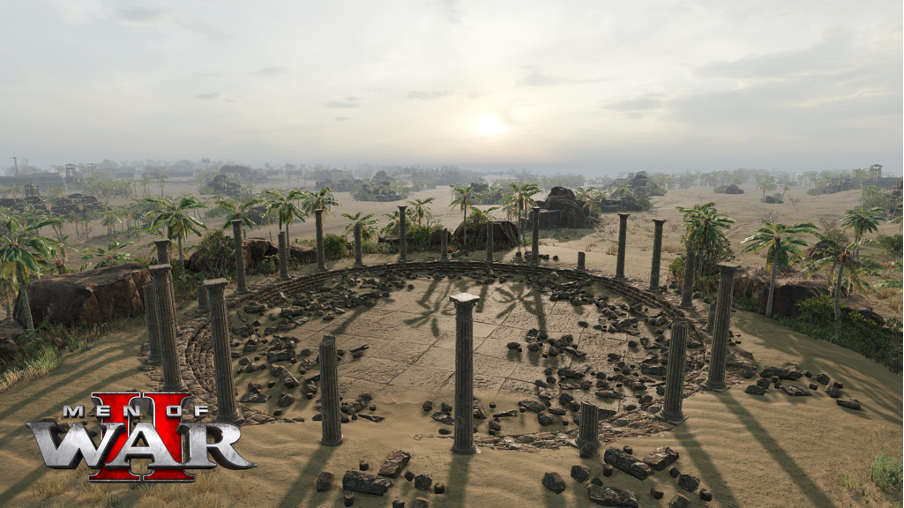
On top of that, and keeping with the scorching heat theme, a new map from the African biome makes a debut too - Sandy Path, which is playable in the Frontline, Combat, Assault Zones, and Tanks Only modes. It features new assets, updated environment models, and completely redesigned audio for the biome!
We have big news for our beloved modding community as well, a new material editor is available for them to use. We have also made mods much easier to use via lobbies.
There is a lot more that's been added, improved and fixed in this update, we absolutely recommend reading the Change Log below where we go into full details of each part of the patch. But first, let's turn on the heat with a new trailer presentation of the Firestorm update!
And now, without further ado, the full Change Log:
Firestorm Update
New Battalions
- Each playable nation now has access to the 235th Flamethrower Brigade. This battalion specializes in flamethrower-equipped vehicles and incendiary weapons. It features unique units not available in other tank regiments, such as flamethrower infantry in the first echelon or combinations of vehicles and Molotov-wielding troops.
- New battalions are also available for bots. Special bot configurations can be selected in the lobby settings.
- The new battalions are accessible in Raid mode after restarting the campaign.
New Units
New units are available in all modes. In story and historical campaigns, they appear where historically accurate. In Raid and Conquest modes, a campaign restart is required for them to appear in the tech tree.
All Nations:
New flamethrower squads (Heavy Infantry, Level 4) designed for assaulting fortified positions. Squad composition varies by nation.
USSR:
- FOG-2: A flame-throwing support weapon that projects pressurized streams of fire.
- 125mm Ampulomet (1941): A lightweight launcher that fires incendiary ampules.
- T-34-76 M1941 flame-throwing tank with FOG-1: A medium tank equipped with FOG flamethrowers. Includes an option to fire from individual sides or unleash all at once with a special command.
- OT-34-85: A modified T-34-85 featuring a flamethrower mounted in the hull.
Wehrmacht:
- Pz.Kpfw. II Flamm Ausf. A "Flamingo": A light tank with dual flamethrowers mounted in front.
- Pz.Kpfw. III (Fl): A flamethrower tank based on the Ausf M model.
- Flammpanzer 38(t): A flamethrower tank based on the Hetzer chassis.
- StuG III Ausf. F (Flamm): A flamethrower variant of the StuG III Ausf. F.
- Flamm. Pz.Kpfw. B2 740(f): A heavy flamethrower tank with an external fuel tank for added durability.
- Riflemen with Abwehrflammenwerfer 46: Infantry equipped with disposable flamethrowers. A new UI command, “Flamethrower Shot,” has been added for convenience, functioning similarly to grenade launcher commands.
USA:
- M3A1 "Satan": A flamethrower version of the M3A1 light tank used by the Marine Corps.
- M4A4 "Sherman Crocodile": A medium flamethrower tank with a separate fuel trailer (non-detachable for improved realism).
- T33: A prototype flamethrower tank based on the Jumbo chassis, equipped with the long-range E12R4 flamethrower.
New Map
- A new map, Sandy Path, has been added to Frontline, Combat, Assault Zones, and Tanks Only modes.
- The map is set in an African biome featuring new assets, updated environment models, and completely redesigned audio for the biome.
Classic Men of War Features
- Stamina is back. Now, the infantry uses the stamina reserve as in the classic games of the series. In terms of controls, the hotkey or a button on the Hotbar to speed up is still available, but for fans of classical mechanics, the good old double click will work as well.
- Added mechanics of the influence of the number of crew on the effectiveness of a unit. Even though in previous games of the series, only an indicator in the interface was shown, and there were no gameplay penalties. In Men of War II we have now made it into a flexible parameter system that allows to influence the characteristics of units depending on the number and quality of the crew. Crew efficiency is shown by the average efficiency percentage on the unit's structure diagram. It now influences:
- Movement speed (Fewer gunners push a gun more slowly);
- Gun pointing accuracy (Lack of specialists in the crew causes a gun to fire less accurately);
- Gun reload speed (An incomplete crew and lack of a specialist results in a slower reload speed).
- Movement speed (Fewer gunners push a gun more slowly);
New Gameplay Mechanics
- Fire Extinguishers: Flamethrower-equipped vehicles now include fire extinguishers, allowing players to extinguish fires during combat.
Audio Updates
- Redesigned sounds for flamethrowers and incendiary weapons.
- New sound effects for MG-34, MG-42, Browning M1919, and DT machine guns.
- New movement sounds for the Pz III vehicles family.
- Added sound effects for fire extinguishers.
- Overhauled environmental audio for the African biome.
- Wind sound effects added to other weather settings.
Scorched earth
- Added applying soot to the surface of the ground after fires and incendiary ammunition explosions. Now the battlefield changes even more noticeably.
Visual Effects
- Optimized flamethrower fire and object-burning effects.
- New effects for ampulomet incendiary rounds and Molotov cocktails.
Animations
- Added death animations specific to fire-based fatalities.
Miscellaneous Improvements
- New background grass render
- The original grass didn't interact with lighting at all and looked extremely outdated.
- Grass casts a shadow
- Grass now supports the SSAO effect
- Grass now supports materials including PBR
- Grass supports rendering distance settings.
- The grass drawing tool has been improved. You can set the density of the grass model placement grid on the land and divide the grass into pools like with water.
- You can now specify the density and scale spread in the grass pool property
- Grass can now adjust to the camera position so that it is more visible
- Background grass can now also burn.
- The original grass didn't interact with lighting at all and looked extremely outdated.
- Render
- Added smooth fading of grass and distant objects
- Added burning of soldiers
- Added smooth fading of grass and distant objects
- Wind
- Added wind strength in the environment settings.
- Added gusts of wind
- Configured realistic grass vibrations depending on the wind strength.
- Adjustable grass sensitivity
- Added wind strength in the environment settings.
- Penetration marker
- Now cumulative shells have a penetration marker similar to an armor-piercing shell.
- For a high-explosive shell, a marker was not added, but a scatter circle was made, by which you can understand how effectively the current high-explosive shell can cope with the target. Will the damage be blocked or will the target receive all the energy of the explosion.
- Now cumulative shells have a penetration marker similar to an armor-piercing shell.
Infantry combat fixes
- Fixed a bug that could cause cover to be displayed on the client that was not on the server. The order to move to such cover was not carried out by the infantry.
- Added reset of the reload order by the order to move.
- Added reset of the reload order by the order to throw a grenade.
Infantry Animations
- Returned the animation of changing infantry weapons.
- Reworked and added new animations for kicks in hand-to-hand combat.
- Updated the animations of bandaging a soldier lying down.
Unit settings, balance
- Reworked the occurrence of fire erupting in flamethrower vehicles. Now, it is not a random event. The higher the caliber of the shell, the greater the chance of occurrence. Penetrations with small calibers have a cumulative effect.
- BM-13 and BM-31 received realistic horizontal guidance (angle value and axis position).
- Pz.Kpfw. I Ausf. C. Command Points decreased from 5 to 4.
- Pz.Kpfw. II Ausf N. No longer unmasked when crossing the front line, as stated in the description.
- M18 recoilless rifle. Reduced the radius of anti-personnel damage of the fragmentation grenade by 33%.
- Noise level display on the icon is enabled for infantry with rifle grenade launchers.
Special Effects
- Two new "cook-off" death effects for tanks.
- Added shell casing effects for mounted machine guns.
- New mortar strike flare effects for officers.
Models & Textures
- New models for concrete walls and large fuel barrels.
- New oil pump model.
- Desert textures were added for the trenches.
- Added new asphalt decals in high resolution and PBR materials.
- Updated textures for several Soviet tanks and trucks.
- Updated textures for Ferdinand.
Sound Improvements
- Randomized pitch variation added to sound effects.
- Improved sound panning for better spatial awareness.
Modding Support
- Added a material editor that allows complete customization of material appearances and the addition of specific settings.
- New or modified materials can now be added to mods.
- Mods are now required to add their campaigns and missions by modifying offline data. See the "mod_example" as a reference.
- The package manager now allows for reordering the application sequence of mods.
- Package conflicts are no longer an issue, as they are resolved based on the order of application.
- Lobby Mod Support:
- Lobbies now support mods, and remember the mods a player uses when creating a lobby.
- Upon joining, players will be prompted to enable the required mods.
- When starting a game on a local server, mods will automatically be enabled for all players.
- A mod filter has been added to the interface.
- Full customization of the out-of-battle interface is now possible through mods.
- Mods can add unique artworks for battalions and units to the interface.
- Mods now support significantly increased particle counts.
- A new trailer suspension mechanism has been added (used for the flamethrower tank "Crocodile").
- The zone flag in the editor has been replaced with a 3D model.
- Added support for lobbies with mods and passwords simultaneously.
- You can now add labels to mods that describe their features.
Interface Improvements
- Improved the appearance of sliders in the settings menu. They are now more noticeable and cannot be mistaken for other elements.
- Removed unnecessary notifications when exiting a lobby.
- In offline mode, lobbies no longer ask for passwords or visibility settings.
- Added the ability to report another player's behavior to a moderator.
- The Code of Conduct has been added to the text of the license agreement.
Miscellaneous Fixes
- The WASD camera movement speed now uses the game settings value.
- Budget data is now included in-game save files.
- Fixed how destroyed by fire vehicles are tracked in the statistics.
- The render distance for vehicles has been increased.
- Objects at maximum render distance now fade out smoothly instead of disappearing abruptly.
- Officers and Storm Pioneer Commanders now have a special icon on the minimap.
- Bots can now effectively use officers, with the 23rd Reconnaissance Regiment bot utilizing them the most actively.
- Fixed some gaps in unit information within the battalion constructor.
- Fixed an exploit that allowed players to kill allies using a fuel truck with barrels.
- Fixed an exploit that allowed players to disembark paratroopers from an airplane via the crew panel.
- Fixed the number of crew for the M1 anti-aircraft gun.
- Added display of punishments (bans, mutes) in the game menu as a bar at the top with the type of punishment displayed.
- Fixed tracks of Sdkfz251c.
- T-34 mine trawl suspension operation has been improved.
- Minor fixes to the American campaign maps.
That's it for the Firestorm Update! What do you think? The best way to let us know is by joining the Men of War II Official Discord Server; but feel free to post here in the comments or in the Steam Discussions as well, if that is more convenient for you. And if you enjoy the game and want to see it thrive and grow, writing a positive review is the most effective way to support it.
We will see you on the battlefield soon, Commanders!
Men of War II | Things are Heating Up with the Next Update
Greetings, Commanders!
We hope you enjoyed the Steel Rain update featuring the offline mode and new units for Men of War II. We're thrilled to announce that we're hard at work on the next major update, which is now in the final stages of testing and polishing. Alongside various new features, improvements and bug fixes, this update will bring exciting new content that should provide plenty of warmth in the coming winter months.
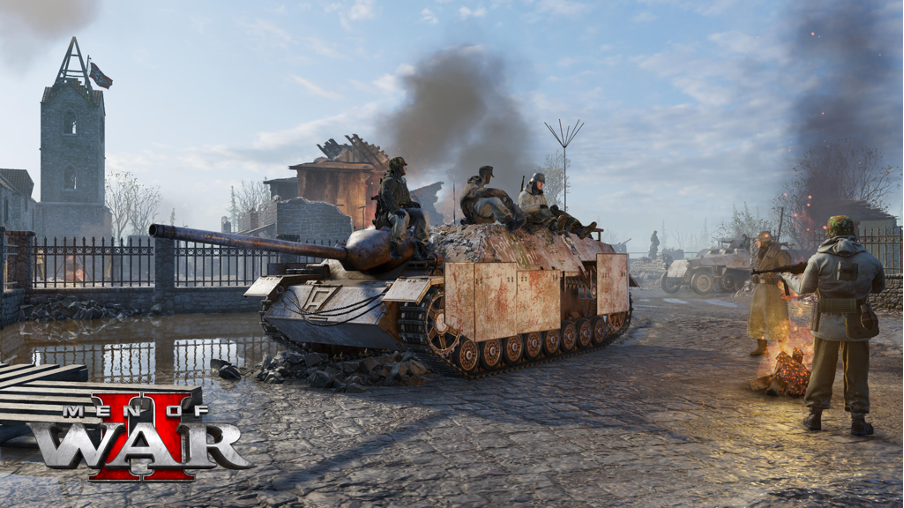
What’s Coming in the Next Update:
🔥 New Flamethrower Tanks for all three in-game nations:
USSR:
- T-34-76 M1941 with FOG flamethrowers.
- OT-38-85 (OT-34-85).
Wehrmacht:
- Pz.Kpfw. II Flamm Ausf. A "Flamingo".
- Pz.Kpfw. III (Fl).
USA:
- M3A1 "Satan".
- M4A4 "Sherman Crocodile".
- And more units that will be revealed upon the update’s release!
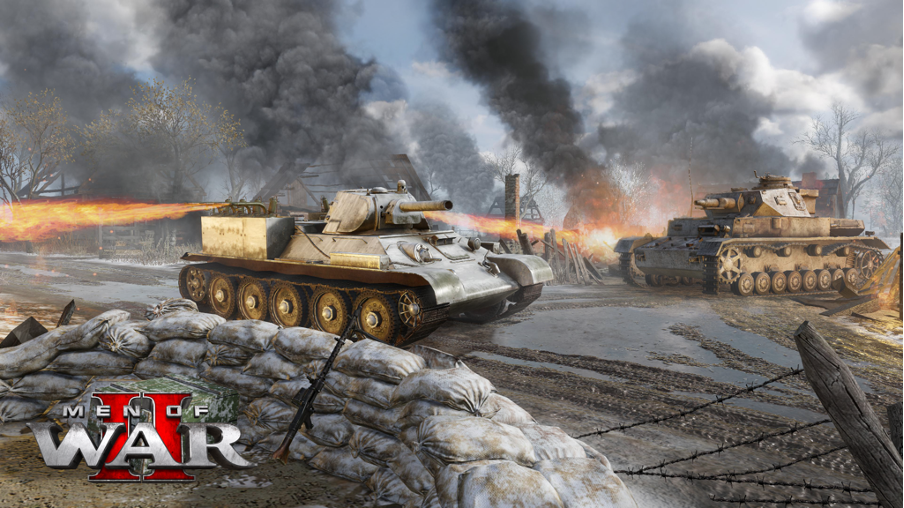
To complement these fire-spewing monsters, new flamethrower battalions will also be introduced for each nation, each offering unique specialization bonuses. Additionally, expect single-use handheld flamethrowers, incendiary devices for German and Soviet factions, and the unique RKKA Ampulomet weapon.
More Than Just Firepower 🔥⚔️
The update will also introduce a new map, “Sandy Path”, inspired by the African theater of World War II. The map will be playable in Front Line, Combat, Assault Zones, and Tanks Only modes.
Key Improvements:
- Modding Tools: A material shader editor will be added, unlocking limitless creative possibilities for modders.
- Dynamic Grass: Grass will burn, support AO shading, and feature PBR materials. The grass editor will be improved with randomized scaling and positioning, allowing for more diverse and unique landscapes.
- Realistic Wind Effects: The environment settings will feature 11 levels of wind intensity, creating more lifelike vegetation movement.
- Firefighting Mechanic: Some vehicles will be equipped with firefighting tools to prevent the loss of valuable units, with a dedicated button added to the battle panel.
- Visual Upgrades for Burned Units: Infantry units affected by fire will visually display the devastating effects, emphasizing the raw destructive power of flamethrowers.
And as always, please continue telling us what you think about the game - we read every single suggestion, criticism, or any other piece of feedback you provide. Keep doing so either here in the comments, in the Steam discussions, or better yet, join the awesome community on the Men of War II Official Discord server!
And if you are enjoying the game and want to support its further development, consider leaving a review here on Steam, or, until December 4, nominate it for the "Better with Friends" category of the Steam Awards - every vote counts!
We will see you on the battlefield soon, Commanders!
Men of War II | Upcoming Update | Autumn Sale and Steam Awards Are Here!
Greetings, Commanders!
Not long ago, we brought one of the most requested features into the game - the offline mode for single-player, along with many other changes, performance improvements, fixes, and new content (see the announcement here for full info). This also marked a significant milestone in our post-launch development, but by no means does that mean we are done improving the game - in fact, we are currently testing another important update. We will publish it in the next few weeks if all goes well!
Big Update Coming Soon!
We will once again bring more units for you to command; this time, it will be a selection of various vehicles and soldiers with, shall we say, a fiery temperament. But as usual, the update will also introduce new features and improvements to Men of War II. We will soon share an in-depth look into those, but among the most significant changes are:
- The number of crew members will affect the combat efficiency of vehicles
- Reworked stamina system for infantry
- New technology for rendering grass
- The ability to choose mods for a lobbies
- Improved grass editing tools and material scheme editor for the modding community
- Various bug fixes
Steam Autumn Sale & Awards Nominations
The Steam Autumn Sale is here, and if you've been on the fence about giving Men of War II a try, this is the perfect occasion for you to jump in - the game is available at a 35% discount until December 4, the highest discount since launch! The season is not only about discounts, however, but it is also the time when Steam Awards Nominations are decided. Everyone can nominate one game for each of the categories - and if you do enjoy playing Men of War II, we humbly ask you to consider nominating it for the "Better with Friends" category; as we hope that you indeed do enjoy the ability to play all single-player content in the game in co-op with your friends!
And as always, please continue telling us what you think about the game - we read every single suggestion, criticism, or any other piece of feedback you provide. Keep doing so either here in the comments, in the Steam discussions, or better yet, join the awesome community on the Men of War II Official Discord server!
We will see you on the battlefield soon, Commanders!
Men of War II | Steel Rain Update is Out Now!
Greetings, Commanders!
Today is the day - we are excited to announce that we have just published the Steel Rain Update for Men of War II for all our players! It brings many highly requested features, including the most asked-for one; the offline mode. But not only that: all single-player games (including lobbies against AI, Conquest and Raid) have the option to change the game's speed; the quality of the game world simulation will now improve based on the power of your PC; units in a squad now have an inventory sharing system, and more - the extensive full Change Log is available below.
The update also brings 8 new units and 3 new battalions, as well as updated models for many existing ones; feast your eyes on a trailer we have prepared for the occasion:
As usual, we have had to take down the multiplayer servers for about 30 minutes when deploying the update, but all single-player content remains available.
One notable change applies to match-making and the leaderboards; we have improved the MMR score calculation. We will be closely monitoring how that affects the leaderboards, and we would like to get as much feedback as possible from you as well - if you see it as a significant improvement (as we do), we may wipe the current leaderboards clean; so everyone has the same starting position under the new system. We plan to thoroughly discuss that with you in advance, so it doesn't come as a surprise.
We would also like to thank everyone who participated in the open beta of the update. Thanks to you and your feedback, we have been able to catch several quite serious and unpleasant bugs, and further improve the update before putting it live now. We truly appreciate the help!
[table equalcells=1]
[tr]
[td]
 [/td]
[/td][td]
 [/td]
[/td][td]
 [/td]
[/td][/tr]
[/table]
If you would like to help us further, please, keep giving us your suggestions, criticism and bug reports. The best way to do that is to join the Men of War II Official Discord Server, but feel free to post them in the comments here or in the Steam Discussions as well, if that is more convenient for you. Negative reviews are a legitimate way of voicing your criticism too, but they don't allow for the follow-up discussion and clarification that we may need to actually improve the game; not to mention, they hurt the sales and visibility of the game on Steam. That is why we would like to ask you to not take them lightly; on the other hand, if you enjoy the game and want to see it thrive and grow, writing a positive review is the most effective way to go about it.
And now, without further ado, the full Change Log of the Steel Rain Update!
Changes Made Based on the Open Beta:
General fixes
- Moved the Steam overlay notification to the top left corner
- Fixed crashes on a specific trench action, when changing the aim mode, and various other rare instances
- Fixed an abnormal movement of steering wheels on vehicles
- Fixed an issue with the report dialog (by pressing the F5 key in UI)
- Added missing localization texts
- Game will now ignore special characters (like \n) in players' names
Offline Mode
- Fixed a missing wreath / portrait in offline mode
- Fixed issues with starting modded missions in offline mode
- Added cleanup of expired sessions in offline mode
- Fixed issues with purchasing units in offline mode
- Fixed the ability to return to a match after client crash in offline mode
- Fixed issues with offline lobbies used to run missions
- Fixed the inability to select a battalion in offline mode for the combined arms mode
- Fixed missing commanders in offline mode
- When switching to offline mode, player will be correctly redirected to a part of the menu which is available in the offline mode
Notable Changes for Modders:
- Added interaction condition game_mode
- Moved all offline settings from /interface/metagame/offline to /backend folder
- Added automatic version calculation for offline settings
- Added filtering of commanders from disabled offline packages
What is included in the update?
Offline Mode
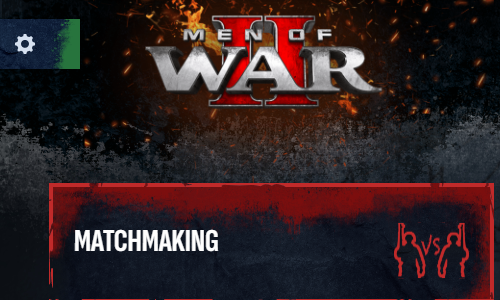
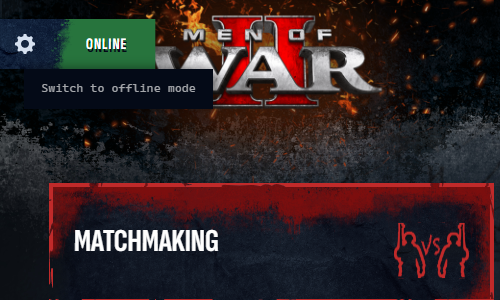
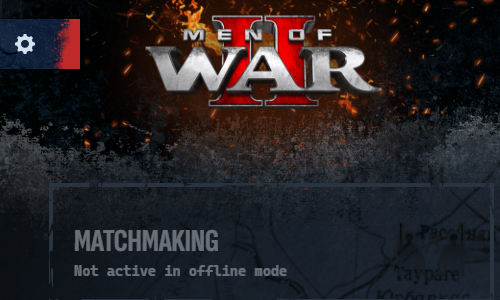
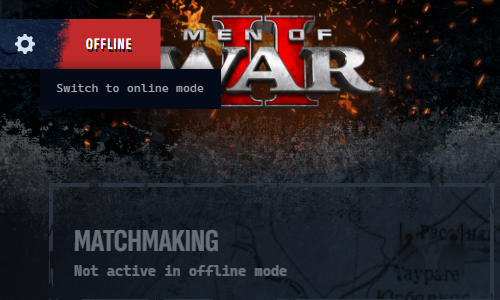
The flagship feature of the update, and the one most requested by the community since launch. You can now switch between playing the game online (default setting) and offline; and of course if you start the game up without an Internet connection, it will run in offline mode automatically. Just move your cursor to the cog wheel "Settings" icon in the upper-left corner. There you can also easily see an indicator telling you which version you are playing at the moment - green for online, red for offline.
[table equalcells=1]
[tr]
[td]
 [/td]
[/td][td]
 [/td]
[/td][/tr]
[tr]
[td]
 [/td]
[/td][td]
 [/td]
[/td][/tr]
[TAG-104]
Steel Rain Content Update
New Content
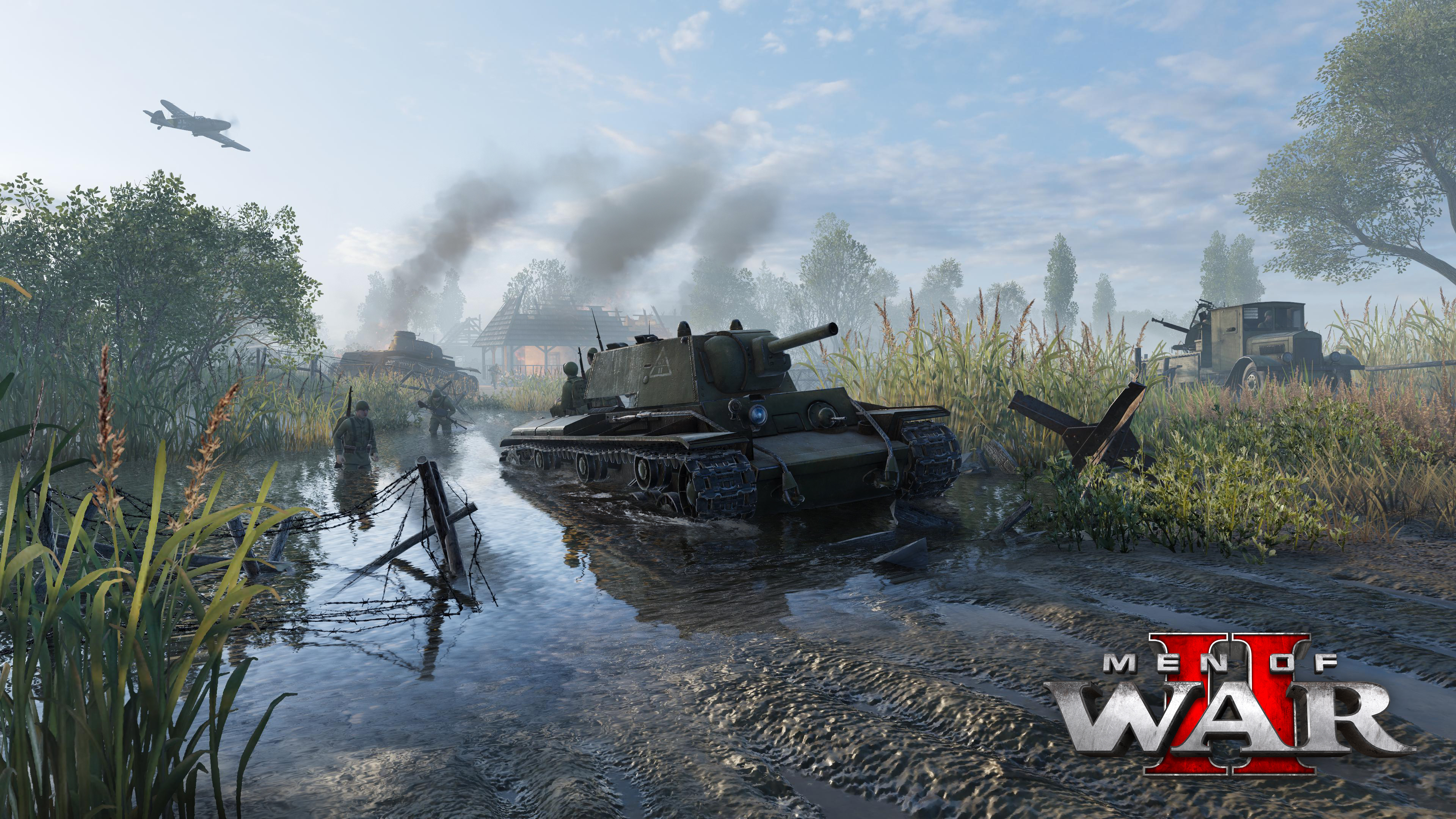
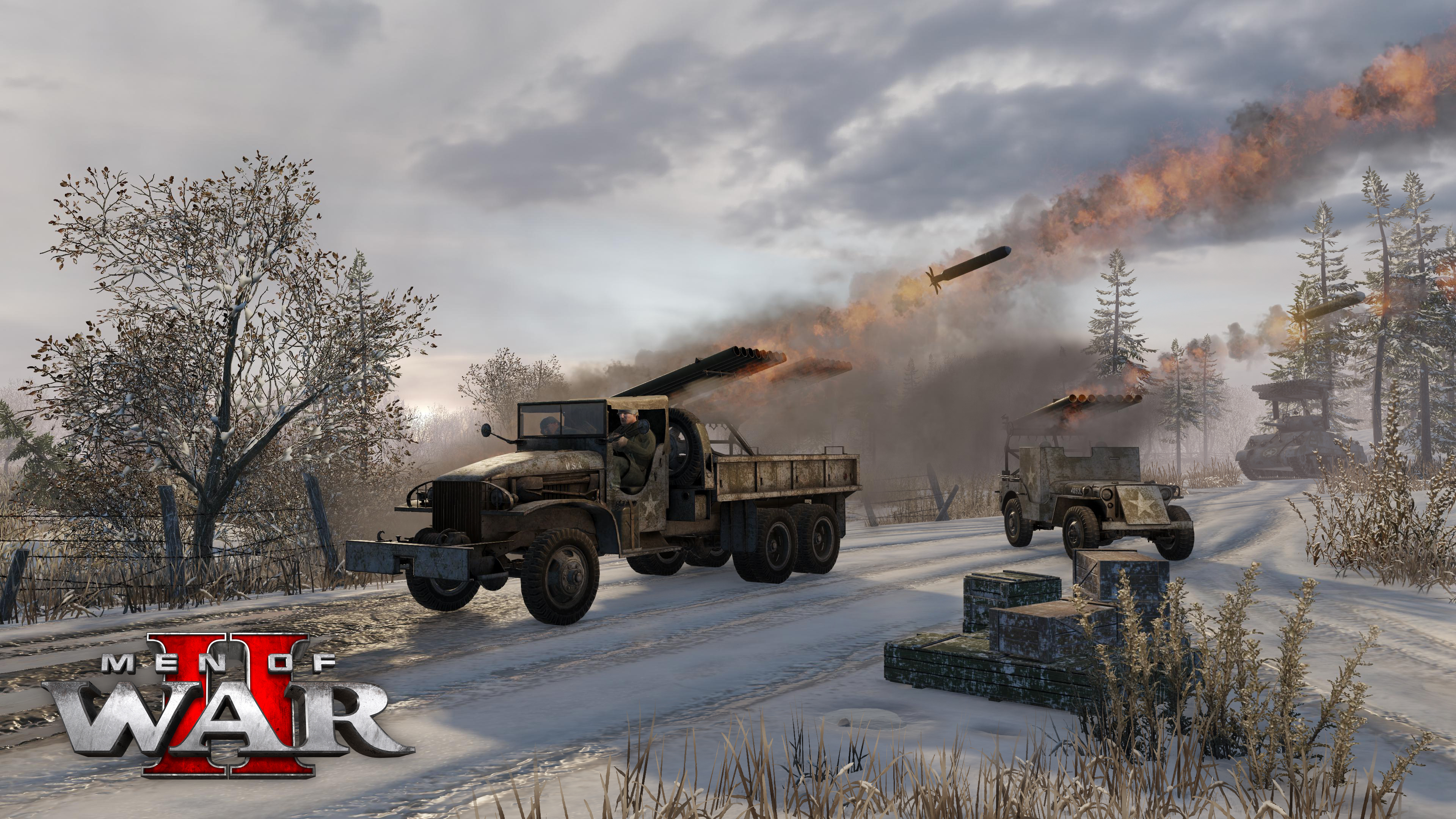
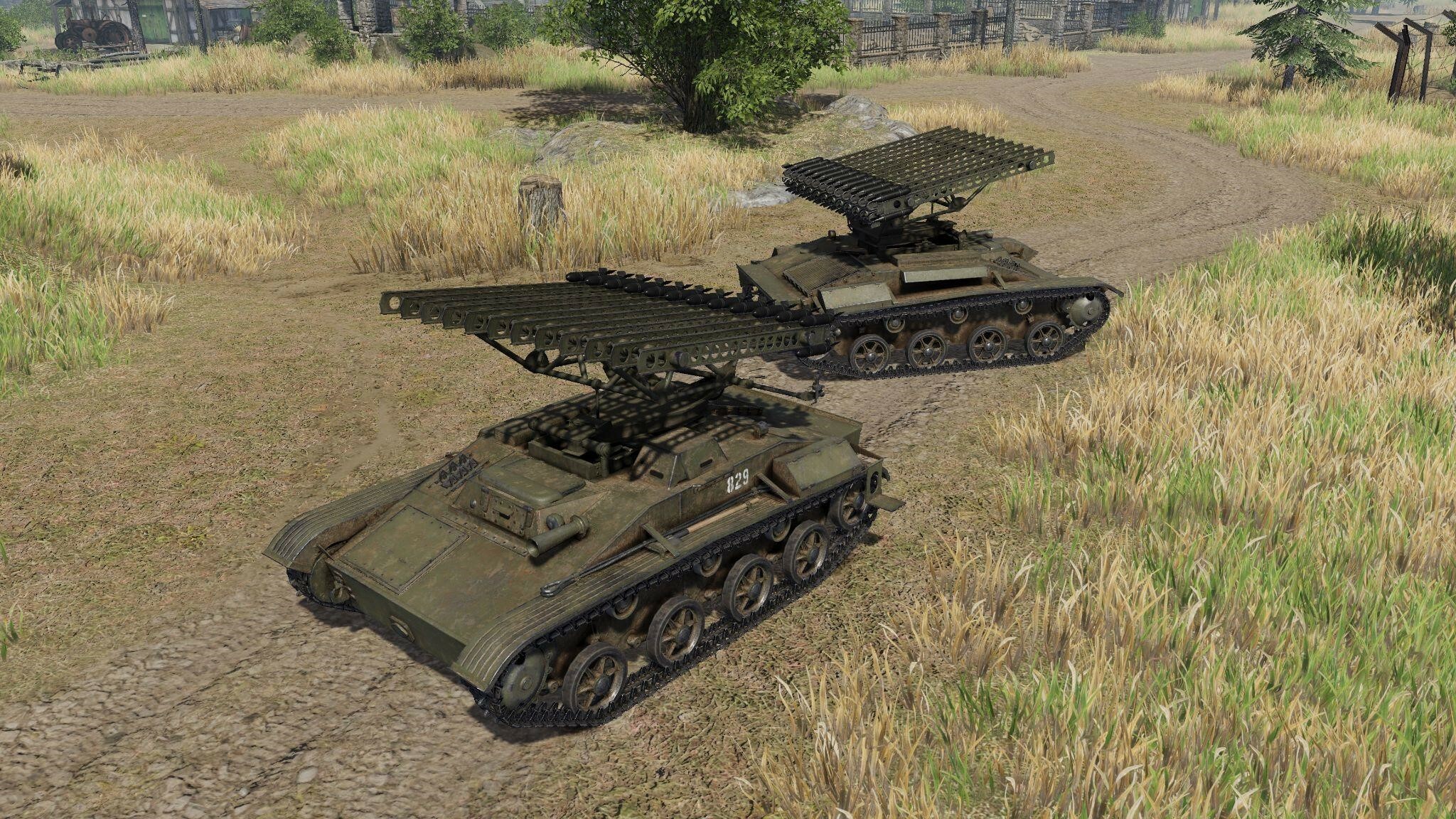
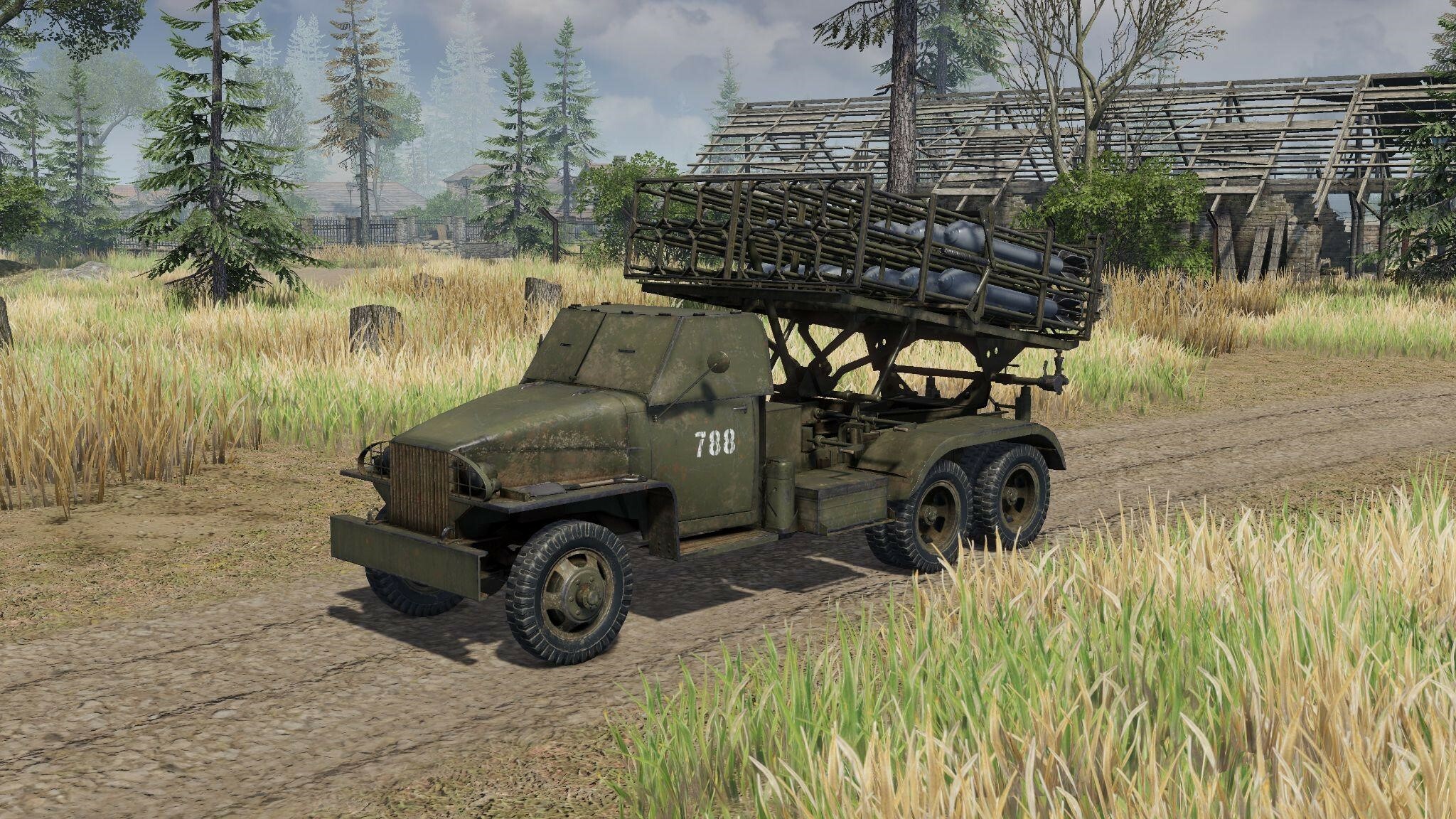
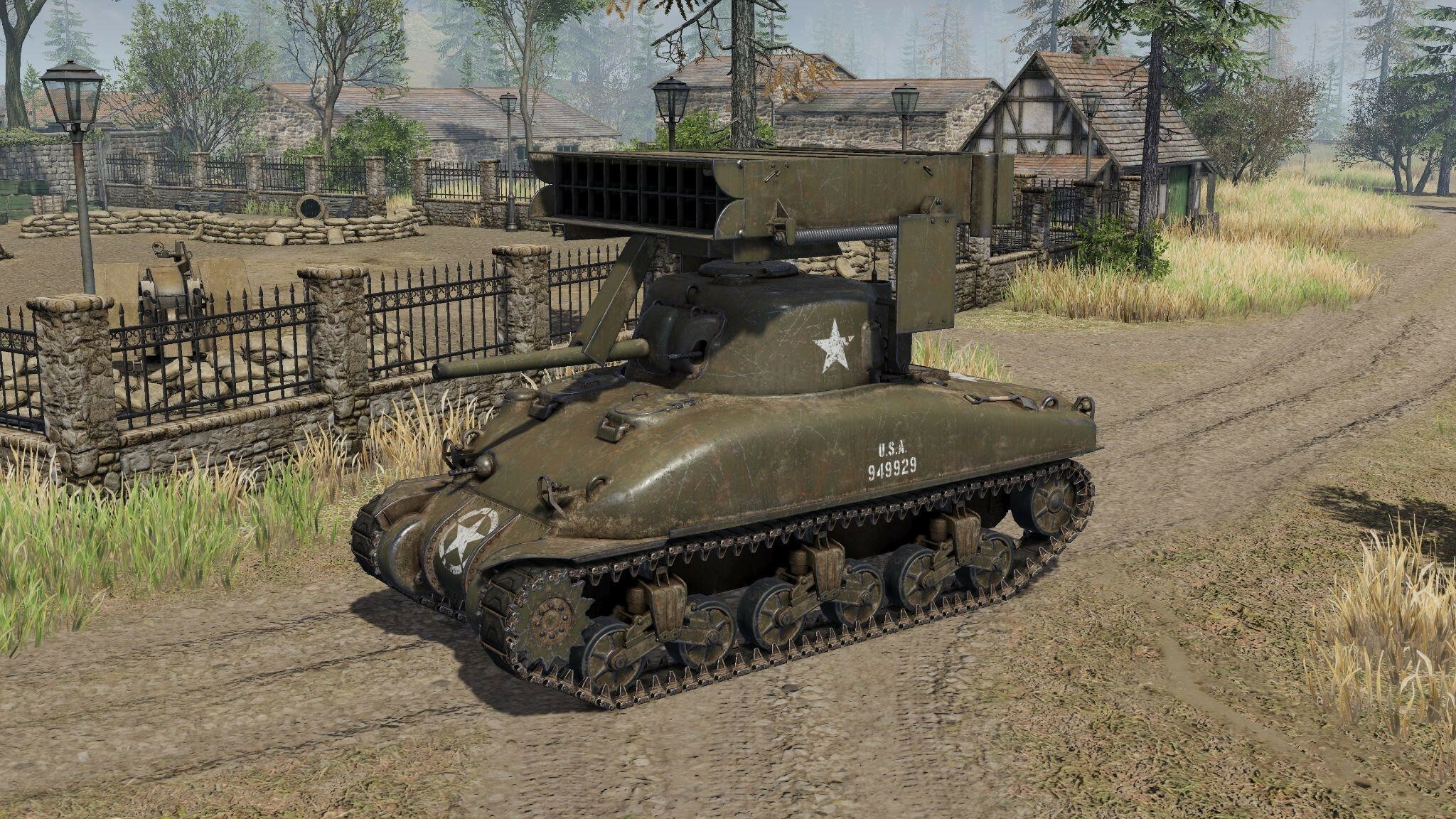
As we have announced previously, the Offline Mode is not the only addition we are making to Men of War II with the Steel Rain Update. There are 8 new units, all focused on the theme of rockets and missile launchers:
[table]
[tr]
[td]
 [/td]
[/td][td]BM-8-24
A Soviet MLRS for closer firing support, useful for “Hit and Run” attacks.[/td]
[/tr]
[tr]
[td]
 [/td]
[/td][td]BM-31-12
A Soviet Tier 6 MLRS. Bigger rockets and more armor. [/td]
[/tr]
[tr]
[td]
 [/td]
[/td][td]40 WHIZ BANG
An American Tier 6 alternative for Calliope, with slower but deadlier rockets.[/td]
[/tr]
[tr]
[td]
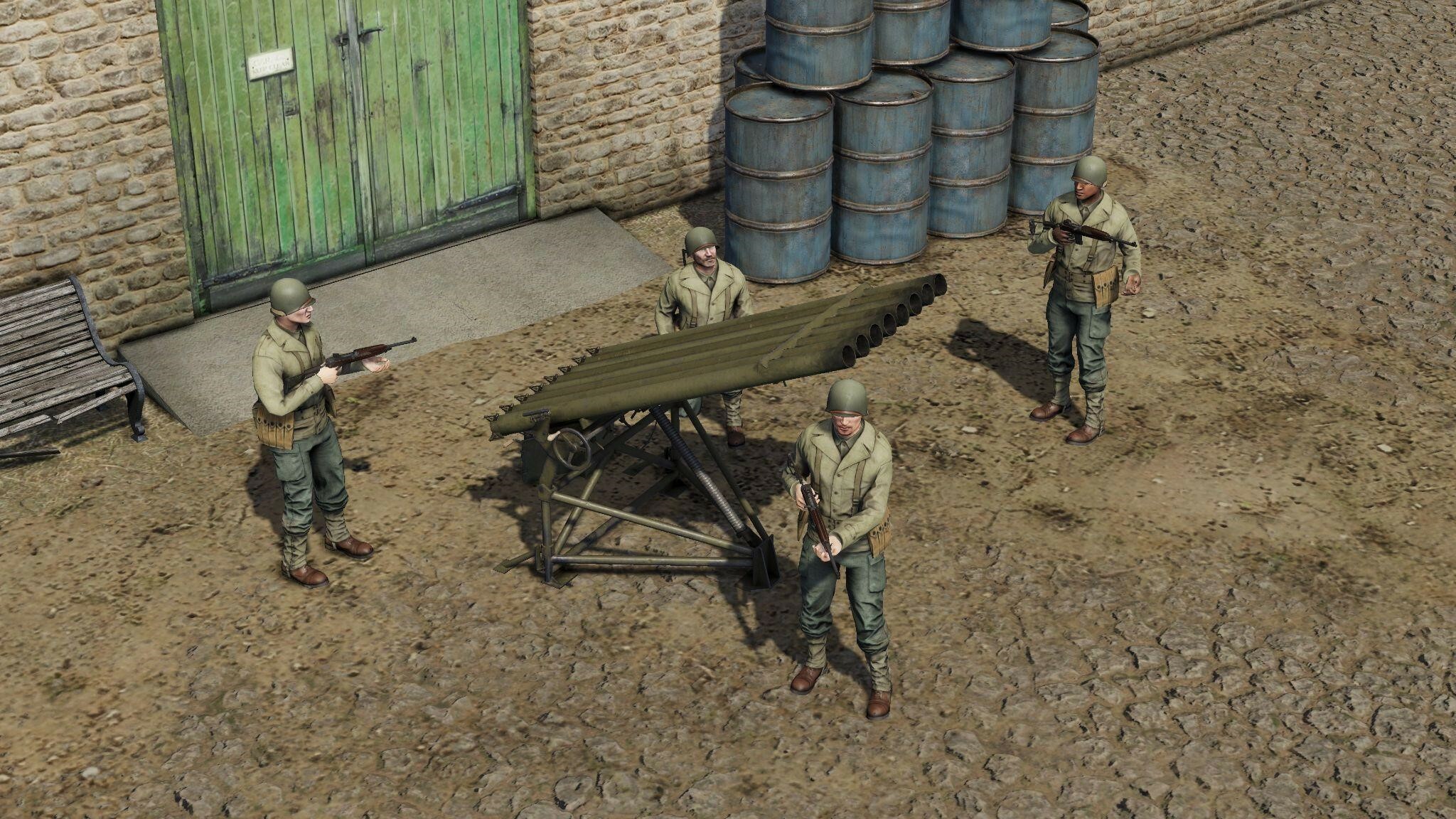 [/td]
[/td][td]T27 Xylophone
An American MLRS with fast reloading speed, for firing support directly on the battlefield.[/td]
[/tr]
[tr]
[td]
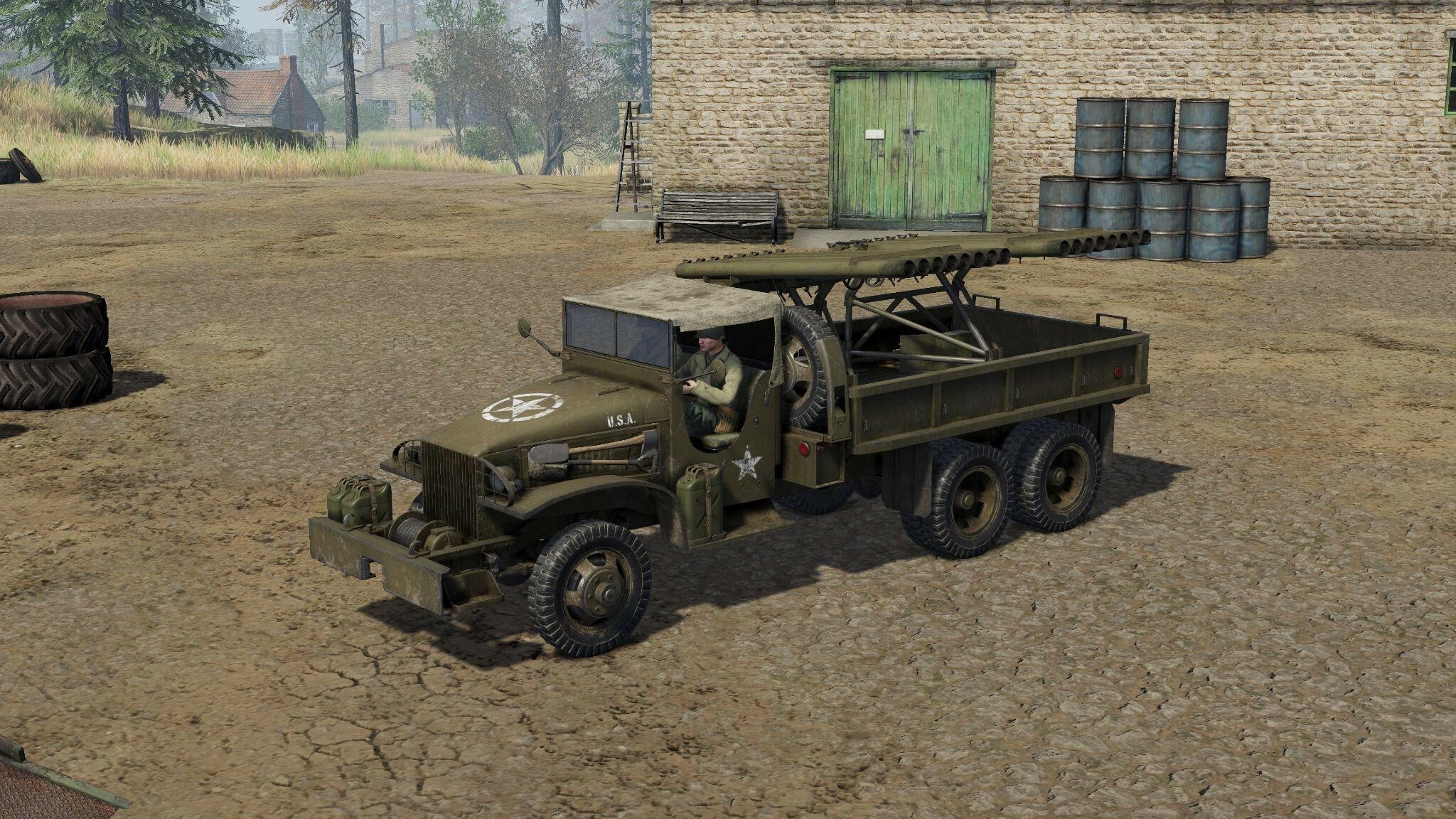 [/td]
[/td][td]T27 Xylophone mounted on GMC
An American truck-mounted MLRS. Two Xylophones, twice the firepower![/td]
[/tr]
[tr]
[td]
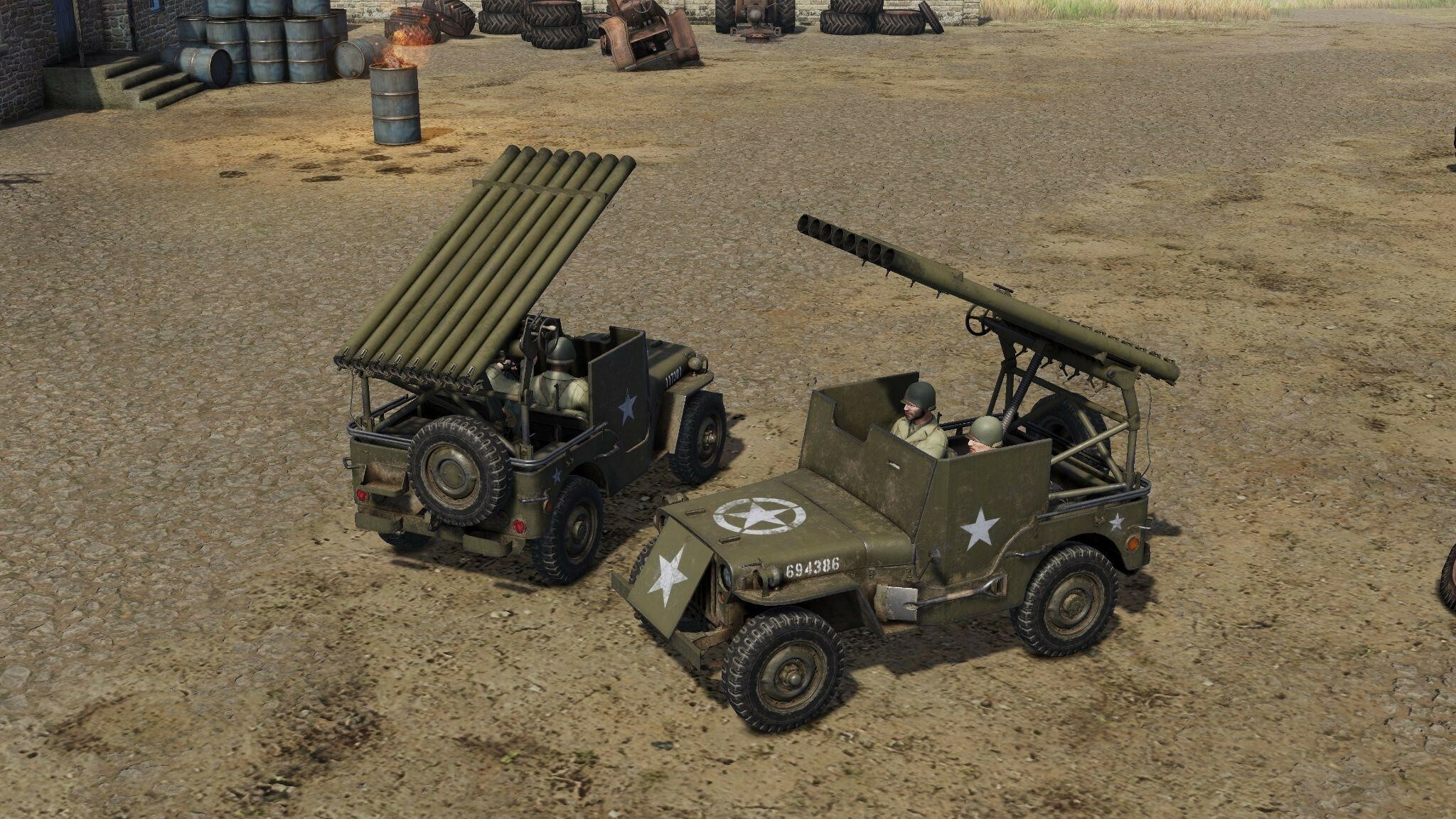 [/td]
[/td][td]T27 mounted on Willys MB
More American "meme jeeps" means more fun![/td]
[/tr]
[tr]
[td]
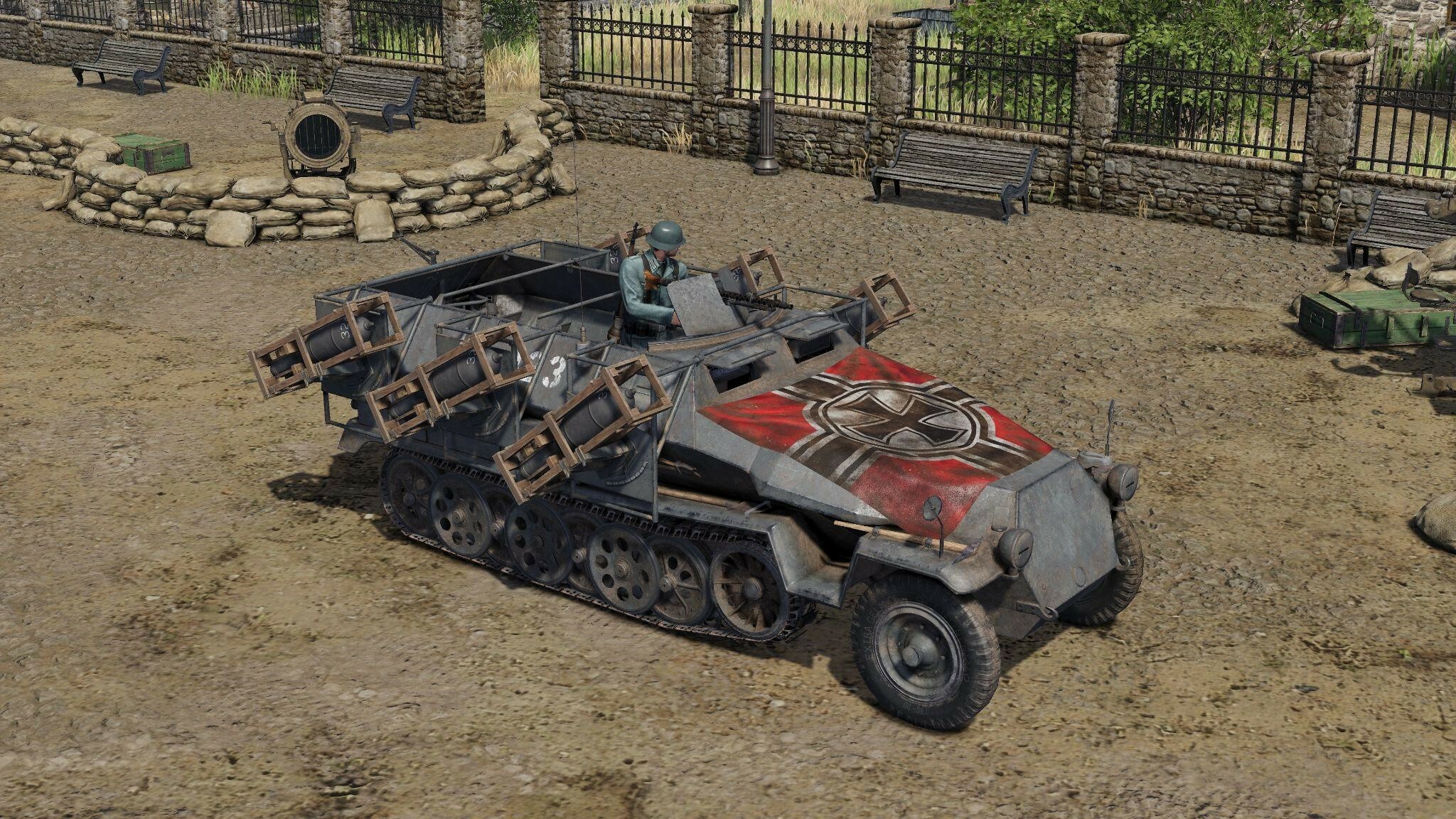 [/td]
[/td][td]Wurfrahmen 40
A German MLRS and by many accounts the "most broken unit" from Men of War: Assault Squad 2 makes its debut in Men of War II, in a more balanced state.[/td]
[/tr]
[tr]
[td]
 [/td]
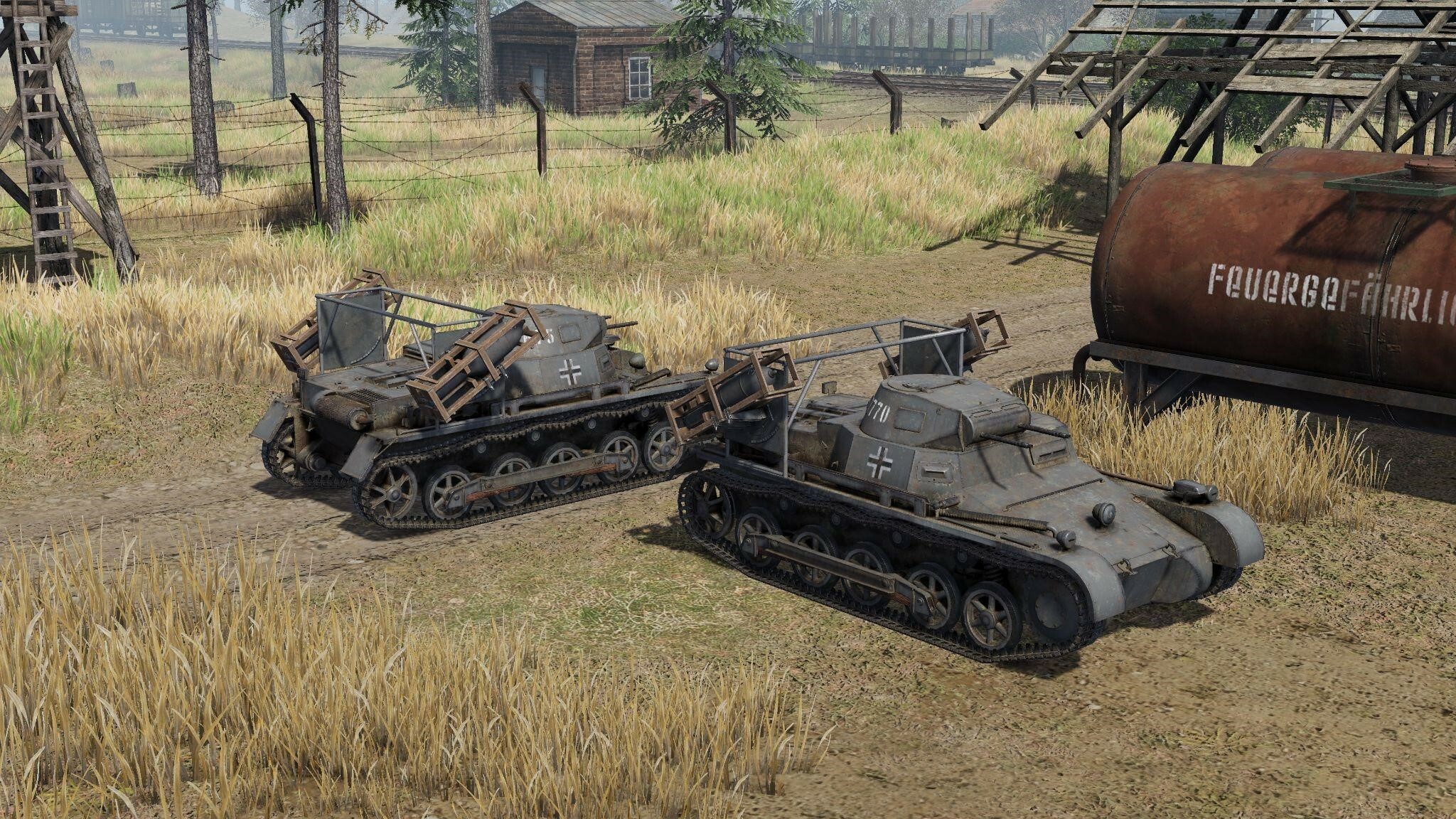
[/td][td]Pz I Ausf B with Wurfrahmen 40
A non-traditional feat of German engineering, but deadly nonetheless.[/td]
[/tr]
[TAG-190]
And to make the best use of the new units, each nation received a new battalion: the 3rd Mortar Regiment. These have zero logistic timers for mortars and Rocket artillery and -50% Battle rank Modifier for Mortar units, and -25% for Rocket Artillery units.
New Gameplay Mechanics
- Added game speed control in singleplayer; now this feature is available in any game where the player is alone. Including in Conquest, Raids or even a custom lobby with bots.
- Added a "turbo mode" in single-player games; now the simulation of the game world will be calculated as quickly as the computer's performance allows, significantly improving the quality of simulation, especially on powerful PCs. We expect almost everyone to notice a somewhat less “arcadey” feel of the game, however.
- Added the ability to select Competitive or Realism settings at the start of a single-player game.
- Added inventory sharing system for looting. A wide range of grenades and ammunition is shared, including disposable grenade launchers (panzerfausts). Items and ammunition are evenly distributed within one hotgroup between infantrymen within a radius of 20 meters from the looting location.
- Added inventory inspection by guns (a gun can be ordered to inspect a container).
- Artillery Spotters now give bonuses to mortar fire. The aiming bonus is not as significant as for howitzers, but it opens up new tactical possibilities.
- Orders to fire on positions now work more ammunition types; you can now order to shell enemy positions with phosphorus, shrapnel, smoke or fragmentation shells, not only high-explosive.
- Self-propelled mortars M4 and Sdkfz 251/2 received a new type of ammunition - the Illumination Shell. It has a limited range, but reveals the fog of war in a noticeable radius. We hope these units will now become useful as support in your offensive operations.
- Air defense guns now show the radius of their automatic fire on aircraft highlighted on the minimap. This will allow you to better understand what area the gun covers when choosing a position for it.
- You can also highlight the return fire radius of any selected unit on the minimap - just press down the "alt" button and look at the minimap. This is especially convenient in realistic battle settings when all guns have a limited fire radius and you need to understand how close you need to get to the front.
Changes to Multiplayer and Match-making
- We have reworked the display of players in a match-making queue, now a lot of additional information will be displayed - the number of players in different geographical regions, with different MMR ratings, the ratio of different types of battalions being used...
- Reworked scoring in PVP - the amount of points for winning and losing will be approximately the same.
- Improved stability of connection with the server
Visual Improvements and New Effects
- A new air refraction effect - explosions now look more immersive due to the fact that the blast wave displayed in this way corresponds to the spread of damage. A haze of warm air is now visible above a fire.
- New technology for creating special effects of reactive gases - now, instead of individual clouds, you can make a stretched trail or a three-dimensional translucent pipe. This makes it possible to achieve a more realistic and detailed effect regardless of the camera position.
- Improved overlay of blood special effects on different surfaces.
- Added a more noticeable effect for hitting sandbags for improved feedback.
- PBR textures added to M3A1 Stuart, M4A4 Sherman, Pz I B, Pz III Ausf N, Pz B2, Marder 2, Ot-34, Stug 3F and Dodge WC family of vehicles.
- Added reflections of particles in water
- Added shadows on particles
- Fixed the imposition of shadows from the landscape
- Reworked settings for reflections and shadows in the game options
- Added smooth fading of light sources at a distance
- New piers design on the Port map.
Sound Effects Improvements
- Transport and armored vehicles have received a new sound scheme and pleasant idle sounds of the engine purr.
- New sounds of incoming artillery shells - different calibers now have different sounds.
- Sounds of incoming rocket projectiles have been added.
- New movement sound for the Sd Kfz 251 family.
- New sounds of rocket salvos for MLRS.
- Sounds of opening and closing doors have been added to cars.
- New sound of the RS-82 missile flight.
- New sounds for the Willys vehicle family.
- New sounds for the GMC truck family.
- New sounds of movement for the T-60 tank.
Unit Rebalancing
- Willys 50 cal. Combat rating increased from 17 to 20
- Flamethrowers. Combat rating decreased from 9 to 6
- American riflemen and veteran riflemen. Smoke grenade added.
- Slugger and Hellcat. Increased unmasking value after firing and the radius of the noise zone that must be left to avoid detection.
- Stug 3 Ausf B, Sdkfz 251/9 and M8(SPG). Increased accuracy at a distance of up to 70 meters.
- Regimental guns M1927, M1943, LeIg 18 and recoilless rifle LG-40 - slot capacity increased from 3 to 4
- Maxson - combat rating increased from 14 to 21
- M16 (Spaag) - combat rating increased from 17 to 24
- F-22 gun - reload time increased by 0.5 seconds.
- Browning M2 (mounted machine gun) - combat rating decreased from 9 to 6
- Sdkfz 251/16 Combat rating increased from 25 to 30.
- USSR M3 APC. Combat rating decreased from 39 to 36.
- USSR M2 APC. Combat rating decreased from 50 to 49 (Soviet APCs are cheaper due to the difference in the armament of motorized riflemen).
- Sdkfz 251 Ausf C APC. Combat rating decreased from 39 to 35.
- Sdkfz 251/10 APC. Turret rotation speed slightly increased.
- Sdkfz 221. Accuracy penalty on the move decreased.
- All rocket launchers. Accuracy penalty when aiming the gun increased. This was done to shift the role of the MLRS from killing single high-priority targets to the artillery preparation gun.
- Nebelwerfer stationary MLRS - coupling time decreased from 10 to 8 seconds.
- BS-3 Accuracy at a distance of 120+ meters decreased.
- The control radius of the wooden and concrete pillboxes has been decreased. Now it is only 5 meters larger than that of a regular house.
- The control radius of the dugout has been decreased. From 50 to 35 meters.
- Stormpioners. The discount in the engineer regiment has been reduced from 60% to 20%.
- The armor of wooden towers has been reduced so that they can be penetrated more easily by small arms.
Improvements to the Editor
- Added the ability to customize element texmods in the Folliage brush.
- Added the ability to load what you have been working on recently (Load Recent) in the map/mission loading window.
- Added the ability to cover the map with a reference decal in the landscape editor.
- Reworked the height map panel in the editor
- Added export / import of the height map with maximum accuracy for working with external programs
Various Other Improvements and Fixes
- Fixed camera rotation to the cursor when switching to the TPS mod. Now the camera after switching to the TPS mod looks either at the scatter circle or at the course of the vehicle (if there is no weapon).
- Added selection of the settings module in the mission launch window. Now you do not need to go to the options and forcibly enable or disable the package with realistic settings.
- Significantly improved fps lock accuracy in settings
- Added ability to quickly switch between game settings presets
- Added ability to load .png images with palette
- Reworked logic for applying packages
- Increased the maximum number of corpses and vehicle wrecks on the battlefield.
- Closed a vulnerability that allowed airstrikes to be carried out while flying behind the map. Now the air defense will get the aircraft there too.
- The circular menu of orders is no longer called for aircraft and supporting infantry (medics/engineers/miners).
- Fixed a vulnerability allowing infantry to walk through walls using the house entry command.
- Fixed setting vehicles on fire by penetrating the tracks with Armor-Piercing Incendiary Tracer Rounds.
- Improved the script for detonating an MLRS where launcher is not armored. If the launcher is loaded and is affected by a shock wave, or a direct hit by a shell occurs, the ammunition will detonate.
- Fixed the placement of the 5th soldier on the armor of the Sherman M4A1 for tank landing.
- Fixed a bug due to which smoke grenades of tanks could not be armed on stones.
- Fixed the effect of the course machine gun on the assault tiger.
- Fixed problems with the spawning of craters with incorrect textures or lighting for different biomes.
- Fixed hostile empty houses in the Minsk mission.
- Increased the starting CP (Command Points) in Special PVE modes.
- Raid for the USSR. Fixed a bug due to which mission branches were blocked.
- Medical equipment added to Raid and Conquest campaign technologies.
- Fixed a number of bugs with daily tasks.
- Updated league rewards
- Removed the ability to recall a unit to the rear in missions where there is no way to call them back
We will see you on the battlefield soon, Commanders!
Men of War II | Open Beta of the Steel Rain Update is Live!
Greetings, Commanders!
In a recent poll we've asked you whether you would prefer us to release the Offline Mode as soon as possible, even though campaign progress between playing offline and online is not shared - and most of you said that yes, the sooner, the better.
You have spoken:
- 50.2% voted for releasing the update as soon as possible
- 37.6% would rather wait with the release until progress sharing is ready
- 12.2% were fine with either choice
And we heard you - therefore we chose the absolutely fastest way to get the update into your hands; it is now available in an open beta! Until Monday, October 21, you can try out all the new content and features that the update we dubbed "Steel Rain" will bring; the only part of it not implemented yet is a full set of localization, the beta is available in English, Russian and Ukrainian only, all the other languages will be added for its final release. As usual with our betas, we may prolong it, depending on your participation.
We understand that 37.6% is still a significant amount of players who would rather wait - however, for those of you preferring this option, nothing needs to change; you can continue playing the game always online as you have until now, as the Offline Mode can be switched on and off (more details below).
Why an Open Beta?
The Steel Rain Update is the biggest addition we've made to Men of War II since launch. There are many new or changed features and content to experience, and even though we have tested it thoroughly, we would still like to get feedback from you, our fans and Men of War enthusiasts, to see if we missed anything that needs to be fixed or improved, before we roll it out for everyone. If you decide to help us and try it out, please let us know what you think about the update either here in the comments, in Steam Discussions, or on the Men of War II Official Discord server.
How to access the update beta?
It's very simple, really. Just go to your Steam library and find Men of War II, right click on the title, select Properties => Betas, and in the drop-down menu labelled Beta Participation, select "Beta branch for the Steel Rain update". Your game will update and a new start-up option will appear for you when you run the game: "Play Steel Rain Update Beta.”
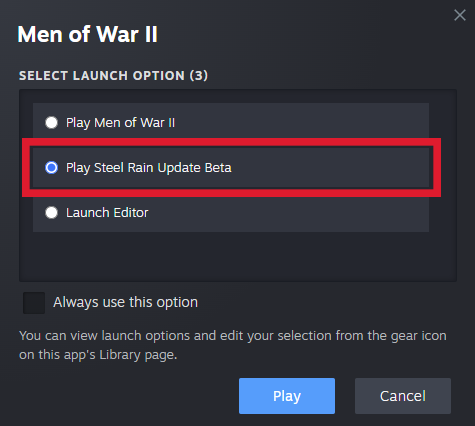
You can of course opt out of the beta at any point: just follow the same steps, but pick "None" in the beta selection menu.
What is included in the update?
Offline Mode
The flagship feature of the update, and the one most requested by the community since launch. You can now switch between playing the game online (default setting) and offline; and of course if you start the game up without an Internet connection, it will run in offline mode automatically. Just move your cursor to the cog wheel "Settings" icon in the upper-left corner. There you can also easily see an indicator telling you which version you are playing at the moment - green for online, red for offline.
[table equalcells=1]
[tr]
[td]
[/td][td]
[/td][/tr]
[tr]
[td]
[/td][td]
[/td][/tr]
[/table]
In the Offline Mode, you can play any single-player mission or campaign (including Conquest and Raid), and you have access to setting up a "multiplayer" lobby, for the purposes of playing custom matches with AI bots. You will of course not require to be connected to the Internet to play, and multiplayer functionality will not be available until you switch back to the Online Mode.
The online and offline versions of the game are somewhat separated for technical reasons however, and at the moment, the progress you have made in a campaign while playing offline cannot carry over to when you're playing online (and the other way round). We are working on a way to make it possible to share the progress (or import it from one mode to the other), but that will require more time - we will keep you posted.
New Content
As we have announced previously, the Offline Mode is not the only addition we are making to Men of War II with the Steel Rain Update. There are 8 new units, all focused on the theme of rockets and missile launchers:
[table]
[tr]
[td]
[/td][td]BM-8-24
A Soviet MLRS for closer firing support, useful for “Hit and Run” attacks.[/td]
[/tr]
[tr]
[td]
[/td][td]BM-31-12
A Soviet Tier 6 MLRS. Bigger rockets and more armor. [/td]
[/tr]
[tr]
[td]
[/td][td]40 WHIZ BANG
An American Tier 6 alternative for Calliope, with slower but deadlier rockets.[/td]
[/tr]
[tr]
[td]
[/td][td]T27 Xylophone
An American MLRS with fast reloading speed, for firing support directly on the battlefield.[/td]
[/tr]
[tr]
[td]
[/td][td]T27 Xylophone mounted on GMC
An American truck-mounted MLRS. Two Xylophones, twice the firepower![/td]
[/tr]
[tr]
[td]
[/td][td]T27 mounted on Willys MB
More American "meme jeeps" means more fun![/td]
[/tr]
[tr]
[td]
[/td][td]Wurfrahmen 40
A German MLRS and by many accounts the "most broken unit" from Men of War: Assault Squad 2 makes its debut in Men of War II, in a more balanced state.[/td]
[/tr]
[tr]
[td]
[/td][td]Pz I Ausf B with Wurfrahmen 40
A non-traditional feat of German engineering, but deadly nonetheless.[/td]
[/tr]
And to make the best use of the new units, each nation received a new battalion: the 3rd Mortar Regiment. These have zero logistic timers for mortars and Rocket artillery and -50% Battle rank Modifier for Mortar units, and -25% for Rocket Artillery units.
New Gameplay Mechanics
- Added game speed control in singleplayer; now this feature is available in any game where the player is alone. Including in Conquest, Raids or even a custom lobby with bots.
- Added a "turbo mode" in single-player games; now the simulation of the game world will be calculated as quickly as the computer's performance allows, significantly improving the quality of simulation, especially on powerful PCs. We expect almost everyone to notice a somewhat less “arcadey” feel of the game, however.
- Added the ability to select Competitive or Realism settings at the start of a single-player game.
- Added inventory sharing system for looting. A wide range of grenades and ammunition is shared, including disposable grenade launchers (panzerfausts). Items and ammunition are evenly distributed within one hotgroup between infantrymen within a radius of 20 meters from the looting location.
- Added inventory inspection by guns (a gun can be ordered to inspect a container).
- Artillery Spotters now give bonuses to mortar fire. The aiming bonus is not as significant as for howitzers, but it opens up new tactical possibilities.
- Orders to fire on positions now work more ammunition types; you can now order to shell enemy positions with phosphorus, shrapnel, smoke or fragmentation shells, not only high-explosive.
- Self-propelled mortars M4 and Sdkfz 251/2 received a new type of ammunition - the Illumination Shell. It has a limited range, but reveals the fog of war in a noticeable radius. We hope these units will now become useful as support in your offensive operations.
- Air defense guns now show the radius of their automatic fire on aircraft highlighted on the minimap. This will allow you to better understand what area the gun covers when choosing a position for it.
- You can also highlight the return fire radius of any selected unit on the minimap - just press down the "alt" button and look at the minimap. This is especially convenient in realistic battle settings when all guns have a limited fire radius and you need to understand how close you need to get to the front.
Changes to Multiplayer and Match-making
- We have reworked the display of players in a match-making queue, now a lot of additional information will be displayed - the number of players in different geographical regions, with different MMR ratings, the ratio of different types of battalions being used...
- Reworked scoring in PVP - the amount of points for winning and losing will be approximately the same.
- Updated network library. (improved stability of connection with the server)
Visual Improvements and New Effects
- A new air refraction effect - explosions now look more immersive due to the fact that the blast wave displayed in this way corresponds to the spread of damage. A haze of warm air is now visible above a fire.
- New technology for creating special effects of reactive gases - now, instead of individual clouds, you can make a stretched trail or a three-dimensional translucent pipe. This makes it possible to achieve a more realistic and detailed effect regardless of the camera position.
- Improved overlay of blood special effects on different surfaces.
- Added a more noticeable effect for hitting sandbags for improved feedback.
- PBR textures added to M3A1 Stuart, M4A4 Sherman, Pz I B, Pz III Ausf N, Pz B2, Marder 2, Ot-34, Stug 3F and Dodge WC family of vehicles.
- Added reflections of particles in water
- Added shadows on particles
- Fixed the imposition of shadows from the landscape
- Reworked settings for reflections and shadows in the game options
- Added smooth fading of light sources at a distance
- New piers design on the Port map.
Sound Effects Improvements
- Transport and armored vehicles have received a new sound scheme and pleasant idle sounds of the engine purr.
- New sounds of incoming artillery shells - different calibers now have different sounds.
- Sounds of incoming rocket projectiles have been added.
- New movement sound for the Sd Kfz 251 family.
- New sounds of rocket salvos for MLRS.
- Sounds of opening and closing doors have been added to cars.
- New sound of the RS-82 missile flight.
- New sounds for the Willys vehicle family.
- New sounds for the GMC truck family.
- New sounds of movement for the T-60 tank.
Unit Rebalancing
- Willys 50 cal. Combat rating increased from 17 to 20
- Flamethrowers. Combat rating decreased from 9 to 6
- American riflemen and veteran riflemen. Smoke grenade added.
- Slugger and Hellcat. Increased unmasking value after firing and the radius of the noise zone that must be left to avoid detection.
- Stug 3 Ausf B, Sdkfz 251/9 and M8(SPG). Increased accuracy at a distance of up to 70 meters.
- Regimental guns M1927, M1943, LeIg 18 and recoilless rifle LG-40 - slot capacity increased from 3 to 4
- Maxson - combat rating increased from 14 to 21
- M16 (Spaag) - combat rating increased from 17 to 24
- F-22 gun - reload time increased by 0.5 seconds.
- Browning M2 (mounted machine gun) - combat rating decreased from 9 to 6
- Sdkfz 251/16 Combat rating increased from 25 to 30.
- USSR M3 APC. Combat rating increased from 39 to 36.
- USSR M2 APC. Combat rating increased from 50 to 49 (Soviet APCs are cheaper due to the difference in the armament of motorized riflemen).
- Sdkfz 251 Ausf C APC. Combat rating decreased from 39 to 35.
- Sdkfz 251/10 APC. Turret rotation speed slightly increased.
- Sdkfz 221. Accuracy penalty on the move decreased.
- All rocket launchers. Accuracy penalty when aiming the gun increased. This was done to shift the role of the MLRS from killing single high-priority targets to the artillery preparation gun.
- Nebelwerfer stationary MLRS - coupling time decreased from 10 to 8 seconds.
- BS-3 Accuracy at a distance of 120+ meters decreased.
- The control radius of the wooden and concrete pillboxes has been decreased. Now it is only 5 meters larger than that of a regular house.
- The control radius of the dugout has been decreased. From 50 to 35 meters.
- Stormpioners. The discount in the engineer regiment has been reduced from 60% to 20%.
- The armor of wooden turrets has been reduced so that they can be penetrated more easily by small arms.
Improvements to the Editor
- Added the ability to customize element texmods in the Folliage brush.
- Added the ability to load what you have been working on recently (Load Recent) in the map/mission loading window.
- Added the ability to cover the map with a reference decal in the landscape editor.
- Reworked the height map panel in the editor
- Added export / import of the height map with maximum accuracy for working with external programs
Various Other Improvements and Fixes
- Fixed camera rotation to the cursor when switching to the TPS mod. Now the camera after switching to the TPS mod looks either at the scatter circle or at the course of the vehicle (if there is no weapon).
- Added selection of the settings module in the mission launch window. Now you do not need to go to the options and forcibly enable or disable the package with realistic settings.
- Significantly improved fps lock accuracy in settings
- Added ability to quickly switch between game settings presets
- Added ability to load .png images with palette
- Reworked logic for applying packages
- Increased the maximum number of corpses and vehicle wrecks on the battlefield.
- Closed a vulnerability that allowed airstrikes to be carried out while flying behind the map. Now the air defense will get the aircraft there too.
- The circular menu of orders is no longer called for aircraft and supporting infantry (medics/engineers/miners).
- Fixed a vulnerability allowing infantry to walk through walls using the house entry command.
- Fixed setting vehicles on fire by penetrating the tracks with Armor-Piercing Incendiary Tracer Rounds.
- Improved the script for detonating an MLRS where launcher is not armored. If the launcher is loaded and is affected by a shock wave, or a direct hit by a shell occurs, the ammunition will detonate.
- Fixed the placement of the 5th soldier on the armor of the Sherman M4A1 for tank landing.
- Fixed a bug due to which smoke grenades of tanks could not be armed on stones.
- Fixed the effect of the course machine gun on the assault tiger.
- Fixed problems with the spawning of craters with incorrect textures or lighting for different biomes.
- Fixed hostile empty houses in the Minsk mission.
- Increased the starting CP (Command Points) in Special PVE modes.
- Raid for the USSR. Fixed a bug due to which mission branches were blocked.
- Medical equipment added to Raid and Conquest campaign technologies.
- Fixed a number of bugs with daily tasks.
- Updated league rewards
- Removed the ability to recall a unit to the rear in missions where there is no way to call them back
Thank you to everyone who has already purchased Men of War II and is fighting in the trenches of World War II with us – let us know what you think about the game by writing a review here on Steam, posting in the Discussions or chatting with us on the Men of War II Official Discord server. Our journey is just beginning, and we can’t wait to share more info and updates with you.
As a reminder, if you are experiencing problems with the game and are receiving an error message you are unclear about, we have prepared a troubleshooting guide explaining the most common errors and hints for how to remedy them here.
Men of War II | Offline Mode - We Need Your Opinion
Greetings, Commanders!
We are in the final stages of development of the Offline Mode, but as it is such a highly requested and anticipated feature, we would like your input on one crucial aspect of its design: the campaign progress sharing.
To keep the ability to join coop games with your friends on the fly, the game now has a separate offline mode and online mode you can switch between (and of course, it loads into offline mode by default when you are not connected to the Internet); but the two technical differences between the two prevent campaign progress from being shared between them. So if you start a campaign in the online mode, you are not able to continue it in the offline mode, and vice versa.
We are working to change this feature and make single-player campaign progress shared between online and offline modes, but at the moment, we cannot give you an estimate of how long it will take. Our question to you is:
Would you prefer for us to release the offline mode in the current state, with separate progress for online and offline campaigns, before the end of October 2024; or would you rather wait longer while we work on ironing out this issue?
Please cast your vote by filling out this form. The poll will run until Monday, October 14, 10:00 AM CEST (01:00 AM PT).
Note that the decision will not impact the release of other content and features we have announced recently - these will come before the end of October either way.
Thank you to everyone who has already purchased Men of War II and is fighting in the trenches of World War II with us – let us know what you think about the game by writing a review here on Steam, posting in the Discussions or chatting with us on the Men of War II Official Discord server. Our journey is just beginning, and we can’t wait to share more info and updates with you.
As a reminder, if you are experiencing problems with the game and are receiving an error message you are unclear about, we have prepared a troubleshooting guide explaining the most common errors and hints for how to remedy them here.
Men of War II | Incoming Update News
Greetings, Commanders!
As we have reported previously, work is ongoing on the highly anticipated update bringing the offline mode for single-player to Men of War II; and the development is now in its final stages, we are running thorough tests to ensure a smooth roll-out for this major rework of the game's system architecture.
What we have not told you however is that while this is the absolute priority for most of the team, there are some who could not contribute towards the purely technical aspects of the game being improved; but even those talented designers are not just sitting around idly. And so, when the update comes this month (October 2024), you have much more to look forward to then just not needing to be connected to the Internet to play the game anymore. Now, we want to release the update with a bang, so we won't spoil everything here. But to whet your appetite a little bit, let's say you can expect...
New Units
8 newcomers are set to join the rosters of the three nations available in the game, and round out somewhat under-represented unit types.
And to fully utilize them, 3 new battalions will become available, 1 each for the USSR, USA and Germany.
Improvements to UI
- When waiting for a match-making game to assemble, you will now see information about all others in the queue - how many players are from each region, how many have selected which battalion type (infantry/tank/artillery), their MMR values and team size.
- We are also implementing a selector allowing newcomers to pick a settings profile that fits them best (competitive/realism mode), and making it easier to switch between profiles for established players as well.
- And while it won't be ready for this update yet, we are happy to announce that we are working on a significant UI overhaul - we will be ready to share more information soon!
Visual and Technical Improvements
- We are implementing enhanced particle effects, allowing for increasingly realistic visuals.
- FX Editor update, to further enhance modding capabilities.
- And even though we are focusing on the ability to play single-player offline, we are preparing improvements to the multiplayer infrastructure as well; improving speed and reliability of dedicated servers, as well as overall connection stability.
Thank you to everyone who has already purchased Men of War II and is fighting in the trenches of World War II with us – let us know what you think about the game by writing a review here on Steam, posting in the Discussions or chatting with us on the Men of War II Official Discord server. Our journey is just beginning, and we can’t wait to share more info and updates with you.
As a reminder, if you are experiencing problems with the game and are receiving an error message you are unclear about, we have prepared a troubleshooting guide explaining the most common errors and hints for how to remedy them here.
Gem RTS Editor - Changes and Improvements | Beginner's Guide to Modding
Greetings, Commanders!
Today, we would like to talk about the Men of War II editor - namely, the new features that we have implemented since the game's release. But before we dive into that, since it is a topic for more experienced modders, we have also prepared a few introductory videos for those of you who would like to create custom maps and missions but don’t know where to start in the editor. So far, we have produced 3 of them, but please let us know if we should cover any additional topics in this manner:
Please note that these guides show and explain only the very basic tools and processes in the Gem RTS Editor - we encourage you to experiment and try different things in order to unlock the full potential of this robust tool.
And now without further ado, let’s dive into the new options, features, and improvements in the Editor. Some may not be immediately noticeable, but they provide access to functionality previously unavailable in the series. Let’s go over everything step by step.
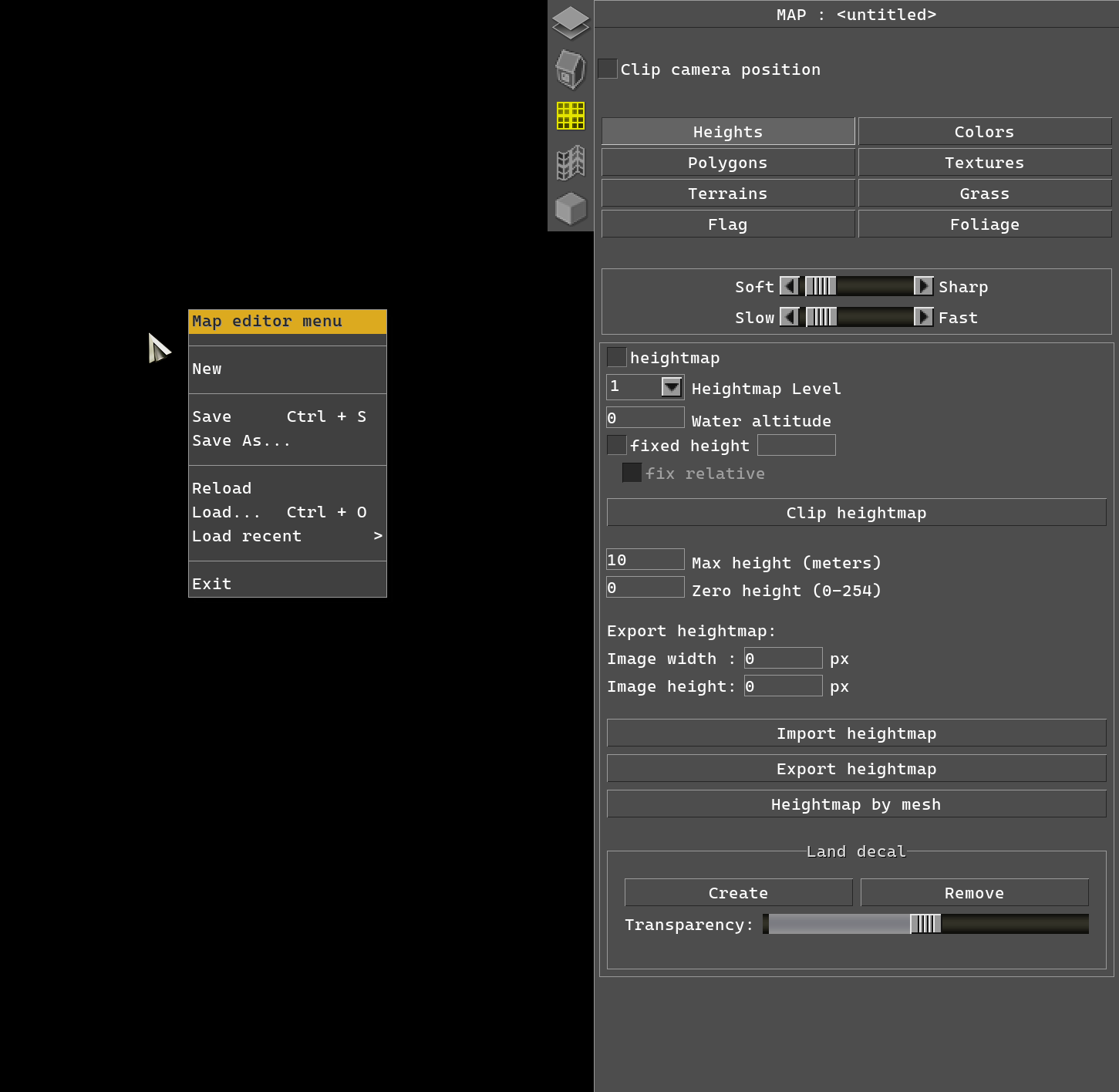
The Main Menu (ESC) has been reworked and is now context-sensitive. The menu no longer remains fixed and centered on the screen - instead, it pops up wherever your mouse cursor is located. You can now easily load the map or mission you were last working on, making it much more convenient. There’s no need to search for your project manually to continue working on it. For more details, you can read the corresponding article in the Gem RTS documentation.

In F2 mode, a new section called "scene" has appeared. This section contains two tabs: "explorer" and "layers." We’ll discuss the "layers" tab later.
Now, regarding the "explorer" tab: it displays all the objects present on the map. These objects are organized into a hierarchy familiar to all users. For example, you can find the entire map's entourage under construction/entourage/, and buildings under constructions/town_e/ and so on. But simply displaying objects in a list isn’t enough for practical application. You can easily locate a specific object, center the camera on it, and find out its mid and id.

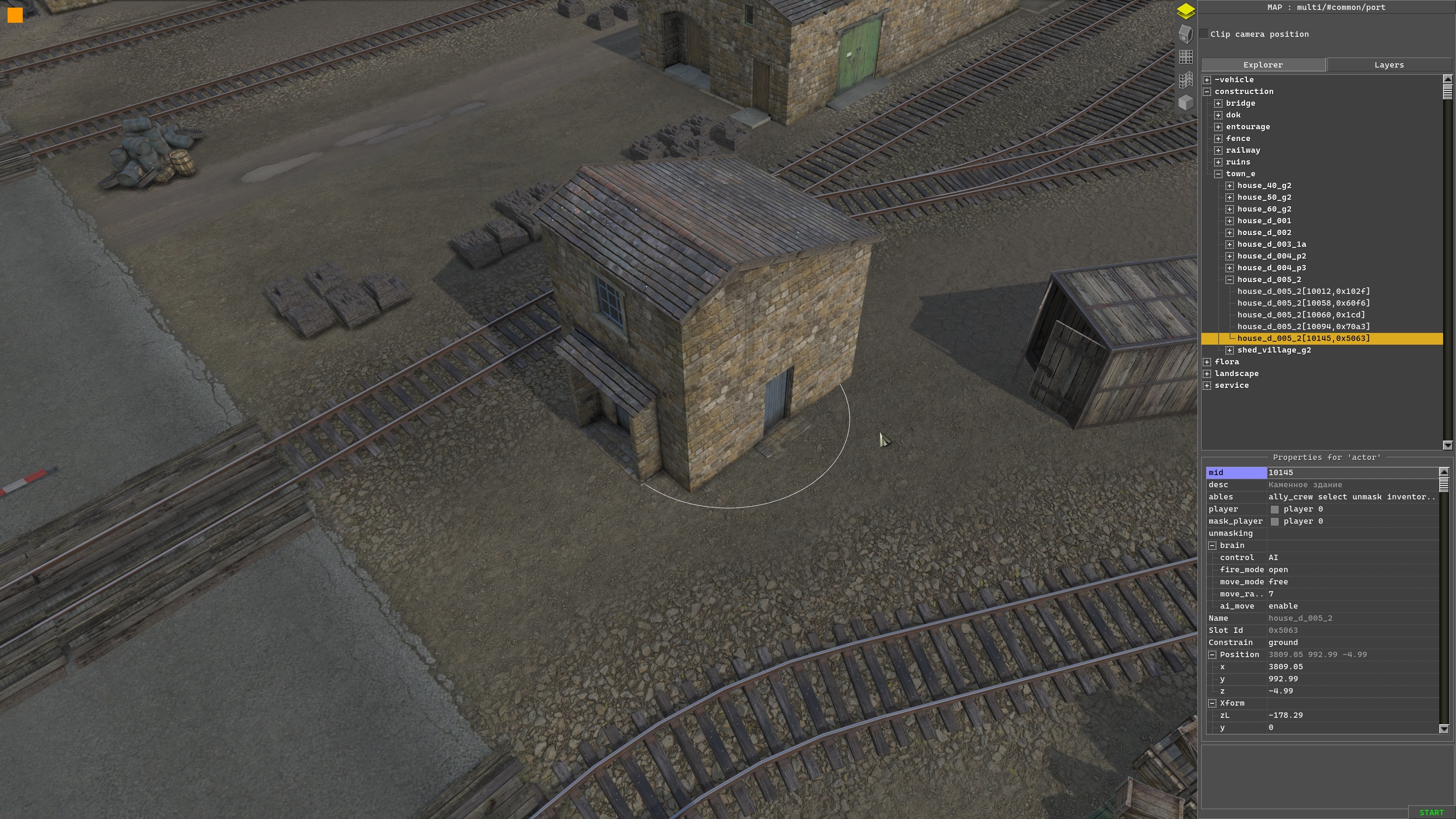
Moreover, in "explorer," you can lock or hide objects (for instance, hiding a certain type of tree or all the trees on the map). You can also freeze all the rocks on the map, so they can't be selected, allowing you to work on other parts of the terrain without distraction.
Custom Layers and Their Functions
In the same "scene" section of the F2 mode, there is a "layers" tab where you can also select objects on the map and group them into a custom layer. The created layer can be locked or hidden as needed.
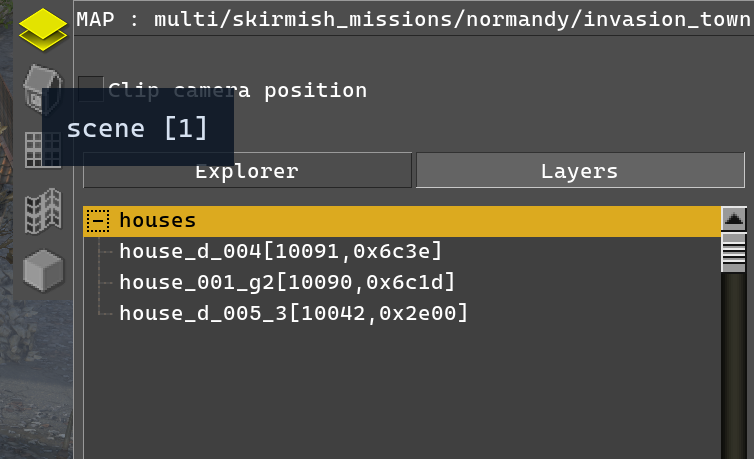
Imagine a situation where you have a city block consisting of houses and various stamps. To work with this area, you need to manipulate the stamps. To do this, you must select the necessary stamps in the specific area, i.e., the city block.
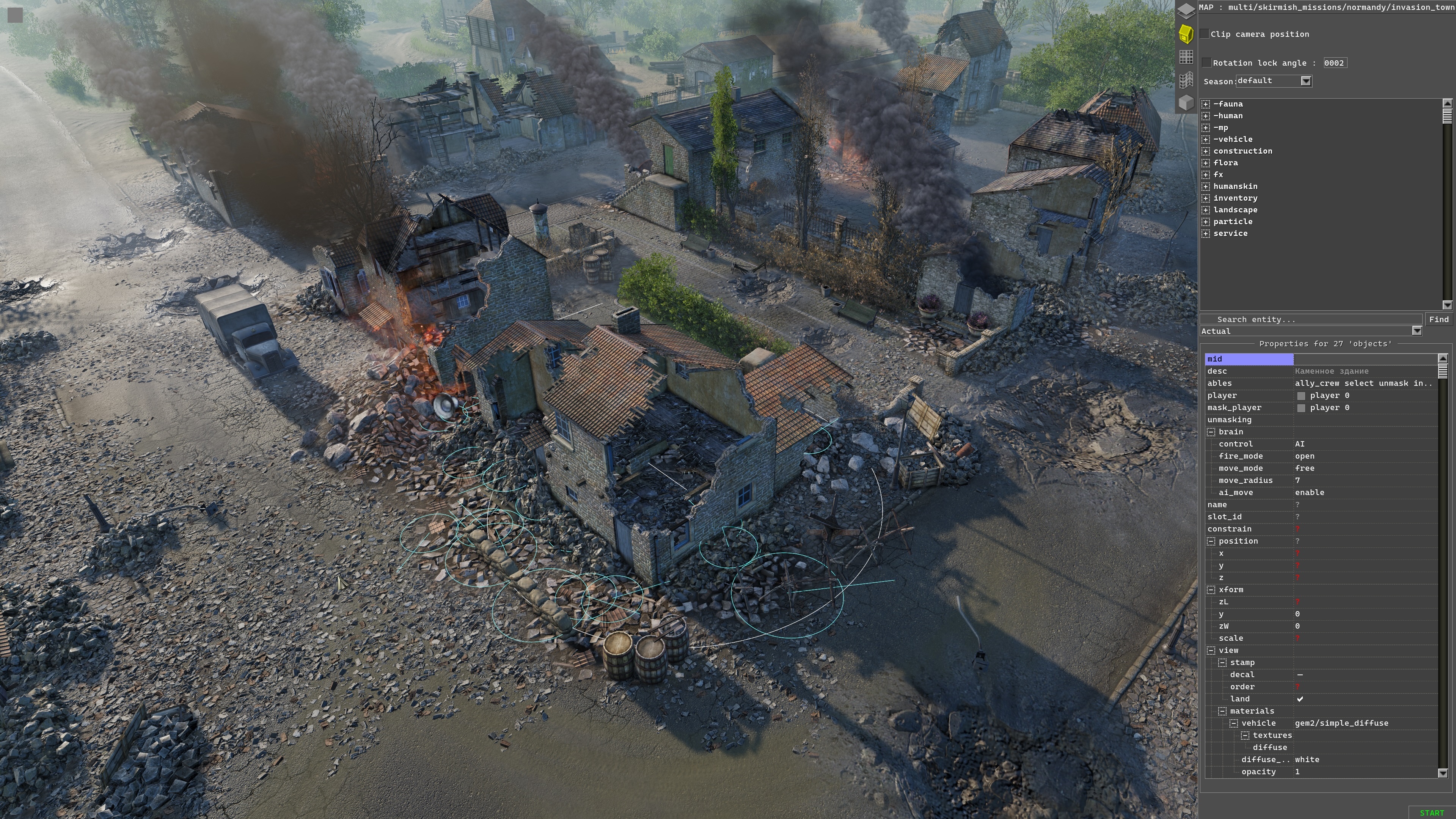
But what if external objects obstruct your view? You’re trying to select one object, but another one gets highlighted instead. Rather than moving obstructing objects out of the way or painstakingly selecting the needed object, you can instead assign the objects of that block into custom layers. For example, if houses are usually the main obstruction, you can select the houses and add them to a custom "houses" layer.

As mentioned earlier, you can freeze or hide the custom layer. In this case, it’s more convenient to hide the houses so they don’t get in the way, and you can see only the objects you need to work with.
The houses in the "houses" layer become invisible and no longer selectable. Don’t worry, though—hidden or frozen objects won’t stay that way permanently. You can switch their state as needed, and all parameters reset when you reload the map.

You can read more about working with the scene editor in the corresponding article in the GEM RTS documentation.
Custom Foliage Brush in the Foliage Editor
A dream come true for every map maker – now you can create custom brushes with any objects (entities) for any task and paint them across the map. Each object within the brush can have unique parameters assigned to it, such as a random selection of its minimum and maximum size. You can also set texmod, color, tilt angle for uneven surfaces, and other settings.

This innovation dramatically speeds up map creation. No more manually copying and placing objects to create something like a forest—just a few clicks with the brush and your forest is done. There are even some ready-to-use brushes available right now (forests, various thickets, stumps, etc.). You can read more about the Foliage editor in the corresponding article in the GEM RTS documentation.

Land Decal
This new feature allows you to add a global stamp (land decal) that displays over the entire map in F2 mode.

By clicking "Create," you can load a premade texture. For example, a snapshot of a village and its surroundings in Normandy has been created. The "Transparency" slider adjusts the decal’s opacity. This addition makes it much easier and more convenient to create maps based on real locations. You can read more about working with terrain in the corresponding article in the GEM RTS documentation.

Heightmap Export
In F2 mode (under the Land/Heights section), in addition to the "Export heightmap" function, you can export the heightmap of a map at a specific resolution.

For instance, you can export the heightmap at a resolution of 4096px to refine the map’s terrain using external programs. You can read more about working with terrain in the corresponding article in the GEM RTS documentation.
These are just a few of the improvements that we are continuing to make to Men of War II to enhance the editor's usability and simplify the workflow while making the game richer in terms of content and functionality. Even if you're not a professional modder and have never worked with an editor before, nothing is stopping you from realizing your boldest dreams right now (and as mentioned before, we have prepared a playlist of helpful Beginner’s Guides on YouTube). Stay tuned for more updates here or on the game's official Discord server - and don’t be shy, to share the maps, missions, and mods with us! We’ll share what’s new and exciting in the FX editor in one of the upcoming dev diaries. As always, if you encounter any issues or have any suggestions or other feedback, please let us know either here in the comments, in Steam Discussions, or even better, join the conversation on the the Men of War II Official Discord Server.
See you on the battlefield and in the Steam Workshop, Commanders!