

Metal Heads
HOTFIX: Shuffle players fix and dark move wheel fix.
Just a quick little hotfix to address the player shuffle bug whether it be from landing on a shuffle tile or using a shuffle item, where players weren't shuffling correctly at all.
Now they shuffle as intended.
Also there was an issue where when a player would go to use their movement wheel, and there was another player on the same spot, due to the other player effectively blocking the light of the movement wheel, it was unlit, or dark. This wasn't a major problem, but does add to the overall unpolished, janky feel of everything currently.
There's quite a lot of bugs to get through, and new mini-games to work on, but I'm still pulling myself forward through these trying times, and thankfully getting that ball rolling, even if right now, it is slow.
Hopefully if I can remain focused, I will get a lot more done very soon.
Thanks all!
ROCK ON! \m/
HOTFIX: Fixed round based mini-game no respawn bug
This is just a little update that (hopefully) fixes a very elusive bug where in round based mini-games like Oh Balls, Termination Trail, Falling Apart and Creeping Creepers, sometimes a player wouldn't spawn in.
This typically was more noticeable with less players as there was a higher chance of the particular circumstances of cause to occur.
Thanks to streamer HasteDay, the replication steps were as follows:
- First round of any round based mode
- Player 1 (host) dies first
- Player 2 wins
- Player 2 doesn't respawn the next round or any other rounds.
The reason I never really saw this bug, or rarely saw it was whenever I tested with the Discord community, the server was nearly always full, and someone else would typically win the first round.
Sometimes the bug would occur, but it would always come as a surprise and would be very difficult to replicate.
I tested the problem prior to the fix and 10/10 times it failed.
After the fix, tested and it worked 10/10 times.
However due to the elusive nature of bugs, there is a chance it may return in some other form.
If so, please let me know on the forums, I check frequently, I also check refund reasons and negative reviews for things like this.
CONTROLLER NOT WORKING WHEN STARTING THE GAME
While streaming my development session earlier, I noticed that on my main PC, the game doesn't have focus for some reason, so I need to click on it for any input to be detected.
I have noticed this happening with some streamers too.
XBOX CONTROLLER NOT DETECTED
Also while doing the development stream, I noticed that Steam, or Windows wasn't recognizing my Xbox controller on my laptop before.
I typically play lots of party games on the laptop when friends come over, connecting 8 controllers wirelessly normally, but it didn't work with 1, nothing was detected.
I thought maybe it was a defective controller or adapter, so tried on my main PC and it worked.
The laptop has a relatively fresh install of windows with only minimal stuff on there, and it all worked about 3 weeks ago, but not now.
I'll do some more investigation into this issue, and if I don't get anywhere, I'll contact Steam support, as I suspect it may be as a result of Steam working on their Input system, since this issue suddenly started happening and suddenly I started seeing an influx of refunds as a result of this particular problem....very frustrating.
LIFE AND WHERE I'M AT
Sadly, things are getting increasingly difficult in my particular situation, every day is hell for me, but despite this, I still am pushing against the grain, going onward and upward somehow....I guess I have to, or I sit and wallow in self-pity.
So please bear with me while I slowly get this game development ball rolling, and I continue to try and find my feet.
THANK YOU
I can't say this enough, but you guys are the freakin BEST! The ones who have stuck around, who continue to support Metal Heads, and support me. You are helping me more than you know, especially right now, and I promise I won't let any of you down, because thanks to you guys, I will push onward and upward and make this the best damn party game out there.
ROCK ON!
20% OFF STEAM SUMMER SALE DISCOUNT!
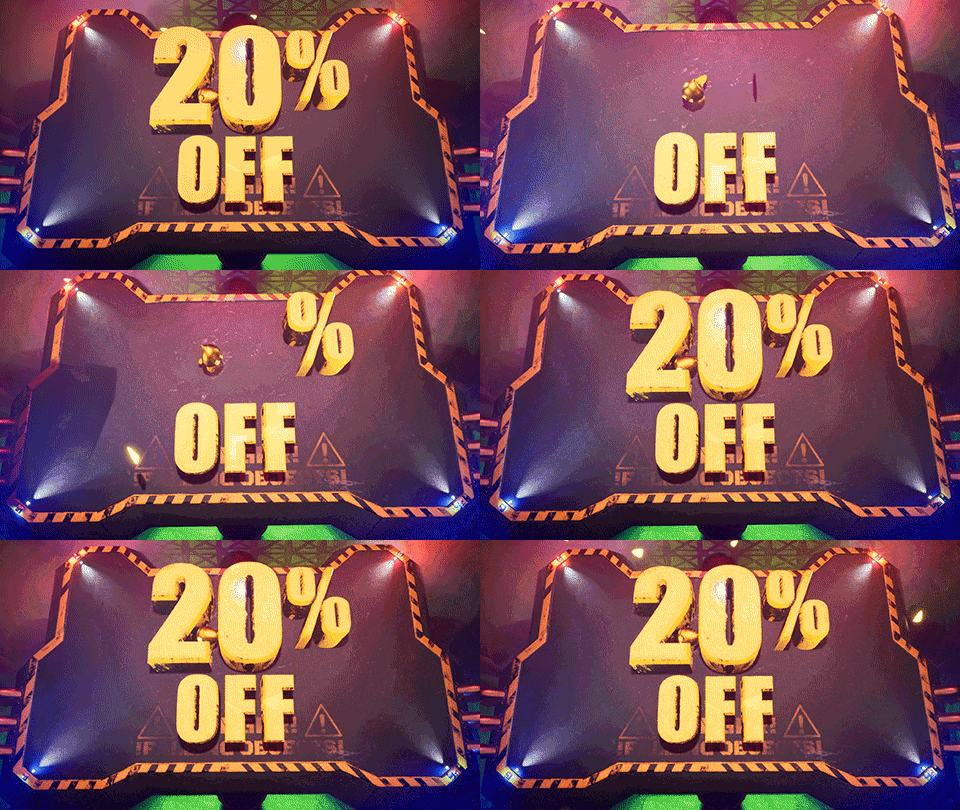
If you've been on the fence about buying Metal Heads, and not sure when to get it, go grab it now as it's 20% off!
This will end when the Summer Sale ends (<2 weeks), so get in fast!
I've started to get the ball rolling again with development (due to personal life causing over a month long Hiatus), so with any luck, there's some new mini-games coming your way soon too!
ROCK ON!!! \m/
HOTFIX: Deadly Disco is now alive again.
The last update, I disabled deadly disco's logic when trying to test the changes to tile colours, so now it's fixed up.
Sorry about that! Now you can dance AND die again, rather than just dance.
Don't worry, I'm still here.
NOTES:
- Removed some confusing server creation UI elements until I can make it understandable, so people don't input the wrong settings that prevent others from joining them.
- Changed Deadly Disco's light blue to more of a white colour, and the dark blue to a darker blue.
It doesn't look as good, but some people haven't been able to differentiate between the 2 blue colours.
Let me know your thoughts on this, I prefer the original colour pallet as it is a disco colour pallet, but I also prefer people to be able to understand my game :P
LIFE AND AN APOLOGY
I firstly wish to apologize. I haven't done an update in a long time.
Let's just say I've been through absolute hell with my life having been turned upside-down.
I won't get into the specifics (perhaps I'll touch on it in a vlog or something), but the last month and a bit, no game development was done for a number of reasons...and it has really set me back a LOT.
But now, I'm getting back on track with things, my life, my health, and the game, and I am excited to move forward, I am taking things day by day at the moment, but just wanted you to all know that I have not given up on the game, and that just isn't going to happen, I'm not the kind of person to give up on something I love so very much.
So thank you for your patience, you guys are incredible, and I look forward to some more updates in the near future :D
ROCK ON!
Some additional board game UI changes.
NOTES:
- Added placeholder UI tile description text when selecting a destination to help understand what you're landing on.
- Removed a bunch of tutorial text to help condense the information overload in the "tutorial". The tutorial will later be updated to be MUCH better than what it currently is (less text, more imagery and suuuper simple).
Aaaand....thats it!
But it will help a lot of people understand the board game a lot better :)
Thanks all!
Some UI Fixes, and some new heads :)
VERSION: "Epic Keyboard of Doom 1.3 (public)"
This is just a quick little update which addresses some minor UI problems in the board game mode, and also adds some new heads, yay!
FIXES:
- "Use Item" action menu prompt no longer appears when the scoreboard first appears after playing a mini-game.
CHANGES:
- Added text to the tile changing/tile mod radial wheel to help players understand the purpose of the feature currently.
(NOTE: This feature is NOT final, however I certainly intend to give players the ability to change tiles in the finished board game mode. Eventually, if players don't like this feature, there will be a customization option to turn the mod wheel off)
- Updated tutorial text to remove "WARNING: May be laggy" text. Some tutorial hints have been shortened too, so it doesn't overlap the rest of the tutorial interface. (NOTE: Tutorial interface will change in the future to have LESS text and more visual help as it's more universally understood).
- Made some changes to the board game map so there's more item tiles, but also changed some more tiles to be teleport tiles to help players move around the map quicker to grab those collectibles.
- Fixed a problem where after the 2nd collectible is collected, no more collectibles appear in the sequence. This took way too long to fix, but should be good now.
ADDED:
- I created 4 more collectible models/meshes to help players understand that they need to collect the meshes in a sequence, however it's not finalized yet, some of the models have strange rotations etc, but it'll hopefully help mix it up a bit for now.
I unfortunately ran into a really frustrating bug with the mesh change wasn't happening, and/or was the incorrect scale. There's still some minor scaling issues, but nothing problematic in any way at all.
- NEW HEADS! YAY! It's hard to describe them, but I can tell you that one of them has tall spikey hair and angry looking eyes ;)
WHAT ELSE IS GOING ON?
I am also working on getting some mini-games working, changing up their gameplay, AND also making them work online properly...sounds simple, but isn't, so it's taking a bit more time than I'd like.
I am aiming to get some mini-games to you guys by the end of month, but have had some stuff come up with has hindered development by a little bit, but hopefully I can push through anyway.
Also it is confirmed that the very end of this month, I'll be moving house, this hopefully won't take too long, maybe a 3 days or so, and then I'll be getting back into full swing again in the new home :)
If you guys would like to keep updated on what is happening, I do try to post dev logs on the forum, so head on over to the devlog section and you can read more about my ramblings.
https://steamcommunity.com/app/1132670/discussions/9/
Thank you everybody! ROCK ON! \m/
Possible fix for loss of input *hotfix*
I'm not entirely sure why the problem occurs, but I THINK I found the cause, and have addressed it in this little hotfix.
During last night's bug hunting live-stream, the bug occurred for me, which was great, as I had the developer log open and thought I could fix the issue, but sadly, I couldn't find out what was going on exactly.
If you run into this problem with this hotfix, please let me know ASAP. I'll probably be doing another test tonight and trying to cause the problem to happen again so I can hunt it down and crush it, as it is making the gameplay experience for many people quite frustrating.
There's also another issue I wish to address, where players are randomly getting kicked out of the server and booted back to the main menu, I believe this is a ping kick that happens as a result of a lag spike, so I'll look into hopefully fixing this soon.
Thank you again for your patience.
YOU ROCK! \m/
ANTI-LAG Update
VERSION: EPIC KEYBOARD OF DOOM #1
Hello my fellow metal heads!
This is the full update notes for the most recent update.
THANK YOU
Firstly, thank you all SO FREAKIN' MUCH for being so patient in waiting for this update....I was wanting to get it out much sooner, but the online network improvements set things back significantly....totally worth it though!
If you want to skip my random rambling, that's ok, skip on ahead and go to the change log :)
WHAT HAS HAPPENED SINCE THE LAST UPDATE?
Since the last update, I have been wanting to fix up a bunch of bugs that have been kind of ruining the experience for a lot of players, as well as focus very heavily on improving online multiplayer performance, since most mini-games were just not very playable at all online.
I also rescued an abandoned mother cat and her kittens, and adopted them...but I'll explain that after the change log for those interested.
CHANGE LOG (This is why you're here right?)
NETWORK PERFORMANCE
To summarize, basically Blue Ballin, Pipemare, Laser Lunacy, Wheely, Deadly Disco, Coallateral and other mini-games have had a network improvement overhaul.
This is why the update took so long to come out, as I essentially had to break the mini-games, re-do the networking, test them, and repeat until I was happy with a solution.
The caveat to this is that dropping into a mini-game mid-round will make for a very broken experience, as will trying to play with a huge ping.
(Read the end of the update notes for more of a technical/raw look at why this was such a pain to do).
BETTER STREAMING EXPERIENCE/BETTER PERFORMANCE
The frame-rate has now been capped at 60fps, as I found if people played Metal Heads with the VSync turned OFF (like me), the frame-rate was unlimited, since I haven't yet discovered a way to find the player's current monitor refresh rate.
What I found was happening was those with VSync off, would stream the game, and they would be dropping frames badly (30-60%) in their streams. This was happening to me as well, and when I discovered it, I fixed it immediately.
Bear in mind, this is a temporary solution, a "band-aid fix".
The goal eventually is to add a slider and input box so that you can set your own refresh rate to what you want, because if you're anything like me who has a higher refresh rate monitor...you like to play games at that high refresh rate, rather than 60hz.
Due to the 60fps cap, laptop and PC fans shouldn't go crazy anymore, I've noticed my laptop is not as noisy when playing the game anymore, YAY!.
BOARD GAME ITEMS ADDED
STICKY TAR:
Place this down, and whenever players walk through it, they will be slowed down and unable to jump.

PLASMA TURRET:
Every few seconds, shoots a plasma ball. Combine it with other traps like the Sticky Tar to create a super dangerous area.

BLOWER and SPRINGBOARD:
The Blower (tentative name) simply blows players away from it, which is great when trying to deny access to an area, or push players into other traps...such as the springboard, which might just launch them to their death, or away from their destination.

FREEZE RAY:
The freeze ray will disable player movement, trapping them in an ice cube, and making the player super slippery, which could be fatal, especially when combined with other deadly traps.

Bear in mind, there are currently other traps, such as the stun trap, snap trap, and spike trap which are a bit of a hazard, with plenty more silly items to come.
The idea of the game is to eventually add platforms, obstacles etc so that players can really change the board in a big way. I am still working out the gameplay loop for the board game mode however, so please bear with me while I work on trying to make the board game as fun as possible.
QUALITY OF LIFE IMPROVEMENTS
I have added a bunch of keyboard key UI elements so that those using the keyboard can see what keys they need to hit at the various screens.
This is really just a temporary solution until I can figure out how to switch icons to xbox, ps4, nintendo and keyboard controls seamlessly.
For now though, it works and should help in preventing confusion.
COLOUR CHOICE! YAY!
You can now choose your own colour! YUS!!!
I have been wanting to add this back into the game for a while now, and thankfully this didn't take too long. I heard your calls, and kicked by own butt to make this happen only 2 days ago.
Originally, before Metal Heads was even known to the public, back when it was an offline only/local multiplayer game, players could choose their colour, but there were a lot of issues back then as a result, and I had no idea how to deal with those issues until now.
I WAS going to remove the ability to choose the same colour as another player, to avoid confusion in games like Melting Memory, but I like the idea of people having a freedom of choice...so if you want to be pink, and another player is also pink...that's up to you to decide.
It does open up the potential for fun/funny gameplay when there's 8 players, all the same colour in mini-games like Cognitive Collection and Melting Memory.
OTHER CHANGES AND BUG FIXES
In no particular order. Here's a list of changes and bug fixes:
- Player names should be fixed up, no more "player" showing up....or at least this should never happen.
If there is a player with the same player name as someone else, followed by a "(1)", this means that the player joined another controller since the game supports multiple players per PC online.
The keyboard counts as a separate player, so if there's a keyboard and controller connected, you can't hit ENTER on the keyboard and expect to move the character with the controller.
- There was an issue in the board game mode, where if the player kept tapping the A button rapidly enough or hit the A button at the right time when doing the movement wheel, the movement wheel didn’t get updated correctly, and therefore stopped on nothing.
I have now made it so when hitting A, the movement wheel does a forced check to see what number it landed on, the default number for the movement wheel is now 1, rather than 0 to prevent this from happening.
- Worked on making the movement wheel more network optimized. The segments were server controlled and this was unnecessary. On slower connections, these segments took time to load in, which just looked stupid, now the segments will be there, but the only time taken to load in while be based on how long it takes the client’s movement wheel to be updated.
- Set the audio pitch modulation at the start of mini-games and the lobby back to 1.0 so hopefully music actually sounds the way it should. I kept noticing that the pitch modulation was staying at the lowest possible number for people at times.
- Fixed problem where newly CONNECTED players could change player 1's head, and creating a lot of confusion. Now a connected player can only change head once the hit start/enter to JOIN.
- Melting memory now shows what number in the sequence the space is for the first 3 rounds to help make the gameplay more understandable.
- Fixed a rare Melting Memory crash.
- Fixed up audio issue. I was setting the MASTER volume to the SFX volume level when going into lobbygamestate or minigamestate which was hoooorrribly loud.
- Boss Fight pillars were broken if a player moved away from the pillar, and then back onto it. The bug didn't happen all the time, but now it's fixed.
- Boss character no longer gets stuck on the level.
- Boss players no longer moves at half speed after fully recharging themselves.
- Removed "A - Jump" from Deadly Disco tutorial, also went through all tutorials and removed irrelevant buttons in controls.
- Reduced the default master volume so new players don't have to go in and turn volume down.
- Button Bot no longer flashes the lights randomly before stopping. (NOTE: The Button bot will be eventually replaced with something more intuitive. I am finding most players just get confused by this mini-game).
- Created keyboard UI elements and placed them on relevant UI locations, however I may have missed a few, let me know if you notice this.
- Fixed an issue where if a gamepad user hit WASD keys on their keyboard, they lost control of the character using the gamepad and had to use the keyboard.
- Lots of other things that you guys didn't really see as it happened all in private testing, these were bugs that were caused as a result of fixing something else.
KNOWN PROBLEMS (Big problems):
- The BIGGEST problem which I am going to be focusing on immediately, is some players are unable to move their character sometimes at the start of a mini-game, or when respawning as a ghost.
I have been unsuccessful in causing the problem myself, or during test sessions with Discord users while I have had the developer log open, so it's hard for me to track down the root cause, but I will figure it out.
- Like the problem above, keyboard users sometimes can only move up and right.
I believe this to be related to the issue above, so hopefully fixing one issue fixes up a whole lot more.
- Black screen fade during the board game when the game switches player turns.
This seems to only happen when a player goes to a shop bot in the board game mode, and I am able to replicate the issue, but only very rarely.
I sat here for over an hour the other day restarting, repeating the steps to cause the problem and just repeating that over and over until it eventually happened, but the developer log wasn't open at the time so I missed out potentially finding the cause :(
This bug may actually already be fixed, but it's so hard to find, if you see it, let me know.
- No audio when in the board game mode for some reason. It seems isolated to the board game mode, so hopefully it's a simple fix.
- Board game UI shows the "USE ITEM" prompt despite not having equipped an item. The prompt is showing up at irrelevant times and confusing players.
- A bunch more problems of course, but I want to work on these next.
WHAT TOOK SO LONG?!
^ All of the above ^
But it was mostly the network improvements, this basically required me to scrap how I was currently doing things, and re-do it. But also try out a bunch of different methods, most of which just had too many problems....trial and error is perhaps what took the longest time.
This is mainly because games like Blue Ballin', Dodgy, Pipemare etc have so much happening on the screen at a given time, and it's all relevant, so I needed to figure out a way to avoid constantly needing to send the client players information about what is going on.
In the case of Blue Ballin, there were hundreds of updates happening per second if there were several client players, and so the whole thing was just a laggy mess, but now it's only very few updates at the beginning, and the rest kind of takes care of itself.
The goal was that if I could get Blue Ballin to a point where it ran fine online with a large ping, like 100ms+ (I tested with 400-500ms), then I could apply the same logic to the rest of the mini-games that have lag issues...and that's exactly what I did, but it took a lot of time and sanity to get it to where it is at now.
While I am bragging, I admit it's still not perfect, you WILL still see lag from time to time, but it's a significant improvement.
The network performance improvements do have some caveats too...because the server and clients are synchronized at the start of the round, there is the possibility that players with a REALLY slow connection to the server (anything above 2000ms), will not be synchronized at all, and things will appear super broken...but lets face it...if you're playing with that kind of ping, don't expect the gameplay to be good, anything more than 100ms in most games is not a fun experience, even in first person shooters where there's not really a lot going on in terms of network synchronization.
The other caveat is that if a client joins mid-round in a mini-game, the mini-game will look all out of sync for them, so if you disconnect and reconnect, it's gonna be a bad time until the next mini-game.
There's not too many mini-games that allow drop-in multiplayer, and those that do, don't actually really have much to synchronize....maybe 10 things total, where as Metal Heads can have up to about 200 things needing to sync when a new player joins...this isn't due to bad networking, this is purely due to the nature of the gameplay, and it's why games like Fall Guys don't let you drop-in mid round.
KITTENS?
Bug fixes aside, as some of you may know, I spent a few days trying to rescue some abandoned kittens and their mother, I had to travel to my parents house where the cat and kittens kept appearing at night time, typically anywhere between 1am and 5am, and pretty much stay up all night for a few nights to try and tame them so that I could safely rescue them.
They have been rescued, and we have now adopted them, so have spent the last 1.5 weeks adjusting to this change in life-style as the kittens are requiring constant attention almost.
They are settled in quite well though, are very happy.
Everyone welcome Shyla (left), Ivy (mumma) and Minnoe(right) to the Metal Heads family \m/

WHAT IS NEXT?
I'll keep working on known issues, but what I want to do before the end of the month, is to add more mini-games.
I had already started on new mini-games, and updating old ones that haven't had "the online treatment" just yet.
I am aiming to have at least 3 new mini-games by the end of the month, more would be nice, but I don't want to get too far ahead of myself, as in a few weeks, I may be moving house, which may set things back a bit.
ROCK ON!

A "little" update ;)
This update has been a mission and a half, sorry it took so long to get it out, and thank you so much for your incredible, enduring patience!
Just letting you know that there is a new version out now called "Epic Keyboard of Doom #1".
I'll write down the patch notes tomorrow as it's late for me now and I've been working for 14 hours straight today, so I'm exhausted.
The BIGGEST feature of the patch is the network performance improvements to Blue Ballin, Pipemare, Laser Lunacy, Dodgy, Wheely, Get Pucked, Deadly Disco, Coallateral (just the pipes so far, not the bridge segments) and Cognitive Collection.
I have been testing with people hosting in the US and EU, where I end up with a 400-500ms ping, and I'm happy to say that despite having such a large ping, the mini-games were playable.
Essentially, what took the longest time was experimenting with different various methods, which required me to destroy the mini-games network scripting, then rebuild it several times over...for each mini-game, and what I ended up doing was essentially creating a predictable simulation of the random sequence on both server and client....I won't go into the complexities, but ...it works.
There are some caveats to the network performance increases such as players who drop-in mid round are gonna have a terrible time for the remainder of that mini-game, but after that mini-game, everything will be like normal.
Pretty much the only games out there that feature drop-in multiplayer, are ones where the environment can easily be synchronized with the new client, where essentially there's only a few objects in the world that need to be synced up, then the rest are synced as the player moves through the level and those objects become "relevant", where as Metal Heads can have potentially hundreds of objects that are all relevant as they are all on screen at once, such as in Blue Ballin.
So I'm pretty proud of the fact that I got this all working better. Typically this type of thing requires a team of expert multiplayer network programmers...not only can I not afford that, but I wouldn't learn anything by delegating the task anyway.
It's impossible to make it super smooth, especially on player hosted servers (Fall Guys would most likely run like trash on player hosted servers for example), but the fact that I can play on an EU or US server and it's very playable is a win in my eyes :)
The patch addresses a whole bunch of quality of life issues, including adding visual UI elements for keyboard players, even if they are only a temporary solution until I sort out icon switching, they do a good enough job to give keyboard players an idea of what to press now.
Performance should be better too, as the frame rate has been temporarily limited to 60 fps versus the previously uncapped frame rate.
This essentially is just forcing vsync ON, but not actually turning vsync on....anyway, it'll use less resources now, still run fine, physics simulations will be more stable, and if you are streaming, you should no longer get dropped frames.
Something else that you have all been wanting, is the ability to choose your character colour. I have heard your calls, and now you can change colour....and while at first, I was going to make it so you couldn't choose the same colour as another player, the Discord testers and I discovered that we could create some silly fun by all being the same colour and playing something like Cognitive Collection, or Melting Memory where player colour is heavily relied upon.
Perhaps in the future, I'll add in patterns for player indicators and such to help differentiate things such as the safe locations in Melting Memory, but also to help differentiate players.
Speaking of Melting Memory, numbers have been added to the first 3 safe locations to help reduce confusion. :)
Anyway, that's just a few things to give you guys an idea of whats in the update.
There will be patch notes tomorrow, and more fixes in the next few days, then hopefully some new mini-games towards the end of the month :)