Some packages in your community folder may not have been updated and, as a result, may have an unexpected impact on the title’s performance and behavior. Please move your community package(s) to another folder before relaunching the title if you suffer from stability issues or long loading times.
Fixed ground level of detail (low resolution) when flying at airliner altitude
Fixed "washed out / oil painted" clouds and the overall luminosity under cloud coverage
Fixed missing volumetric lights
Fixed abnormal temperature spikes over airports when the Metar data was not updating often enough
Aligned pressure altitude simvar and pitot static altitude calculations to prevent wrong altitude information for external Live ATC services
GPU stats are now displayed in the debug window when the dev mode is activated on PC
Disabled aggressive compilation optimization for WASM (signed-zeroes, NoInf and NoNaN but keep fast-math)
Known issue
In-sim ATC service radar can still report incorrect altitude (fix expected in World Update 6)
You can leave feedback on various topics here - https://forums.flightsimulator.com
PATCH - Release Notes Version 1.18.14.0
Some packages in your community folder may not have been updated and, as a result, may have an unexpected impact on the title’s performance and behaviour. Please move your community package(s) to another folder before relaunching the title if you suffer from stability issues or long loading times.
Stability/performance
Fixed various crashes in game and on the world map
Fixed crashes related to the offline AI traffic
Fixed minor memory leaks
Input
The title should no longer freeze for a very long time when connecting / disconnecting peripherals
Navigation
Fixed broken flight plan for Garmin devices when adding an enroute waypoint that was inserted as a
destination
Fixed flightplanner not reseting when going from one activity to another
Fixed flightplan from flight assistant not displaying on certain planes when VFR map is open after the destination is set Fixed freezes happening when using the flight assistant when setting a new destination
UI
VR options should no longer be duplicated in the Option menu
Marketplace "Get and download" and "Download" buttons will now function as expected on the Content Page
User unable to interact with UI elements with the in game cursos for free flight in some cases
Planes
Improvements of pitot static system to fix altimeter bugs, improve accuracy and correctly simulate temperature impact
Fixed AutoBrakes Button Behavior on the Airbus A320Neo
Activity / Gameplay
The correct runway is now taken into account for the Landing challenge at Nice
Pilots are now displayed in external view at the Isafjordur Landing challenge
Title will no longer become unresponsive after using Fuel Supply and using a fuel or payload as a numerical value via ATC Ground Services
Some achievemnts will no longer be awarded in error for certain landing scenarios
Weather
Fixed big temperature spikes at high altitudes
SDK
Added new airspace to nearest facility JS API
Fixed crashes on WASM modules for older CPUs
You can leave feedback on various topics here - https://forums.flightsimulator.com
Microsoft Flight Simulator now available on Xbox
[previewyoutube="3yOyUD-zkd0;full"]
Launching Microsoft Flight Simulator on PC last year was only the beginning of our journey to make the best simulation possible. As we continue adding to the experience with free World Updates (Japan, US, France, Benelux, UK & Ireland and the Nordics so far with many more to come), themed DLC bundles, and true-to-life aircraft, Xbox Series X|S simmers will enjoy these updates on console as well.
The latest Microsoft Flight Simulator update comes with a variety of features to make the experience more accessible for new simmers, including Discovery Flights, location labels to aid with orientation, Anti-stall & Auto-trim assists, a Flight Assistant toolbar panel during flight allowing to quickly setup a flight plan to reach nearby airports and POIs, an updated cockpit interaction model supported by more informative tooltips, additional landing gear types to land anywhere, enhanced training flights, and cross-play/cross-save between PC and console.
Performance
This update includes significant performance improvements to make the experience more seamless -Improved multi core support for cpu -Better memory and gpu usage -Faster loading times -Stutters have been significantly reduced
Discovery Flights
Discovery Flights were originally inspired by those who wanted to fly in one of our trailers! Discovery Flights place you in the most scenic locations on the planet, including awesome locations like the Great Pyramids or Mount Everest, or vibrant cities like Naples or Rio de Janeiro, in optimal weather conditions for you to fly and sightsee at your leisure. You can quickly switch between locations using the Activity tab available from the pause menu. Two additional Discovery Flights are featured with all World Updates available for free within the in-game Marketplace.
World Exploration Improvements
The world map now also features satellite imagery, map labels, and main Point of Interest names to make exploring the world (and even finding your house) as easy as possible. We extended this capability into the flight experience itself and you can now activate the POI labels during a flight, meaning you can suddenly understand the spatial relationships between cities, mountains, and other landmarks. A new section is available in the Assistances menu, to display labels on all on-screen POIs or only the one you are pointing toward with the camera.
Activities updates
Landing Challenges are now graded. Remember to download World Updates in the marketplace, which contain additional landing challenges and bush trips.
Training flights
We overhauled our training flights to make them more digestible. Each of the 22 flights focuses on a specific notion, starting with basic handling, to landing & take off, VFR navigation, all the way to learning how to fly an airliner like the Airbus 320neo. Training flights feature contextual voiceovers, a score, and a grade to provide feedback and advice to progress through your learning journey.
Flight assistant / new assistances
The Flight Assistant is a new UI panel available via the toolbar in Free Flight and Discovery Flights. It allows you to quickly get AI help during flight:
You can select nearby POIs or airports and set them as your destination to get direction
You can also give control to the AI to fly you to your chosen destination.
If using an Xbox controller, you can choose to temporarily enable AI flight control whenever you toggle the on-screen “cursor mode” (see below) to interact with menus or cockpit instruments
You can delegate radio communications to the AI to let them interact with Air Traffic Control
You can quickly activate auto-trimming and anti-stall assists
Gamepad Navigation / Cursor
If using an Xbox controller, you can use the left stick to control an on-screen cursor to navigate menus, world map and cockpits. To access the cursor controls during flight, click the left stick button on the controller to switch from flight controls to “Cursor Mode”. An extended zone around the cursor is used to select interactive element closest to the cursor center dot, making it more permissive and easier to use. Right stick is used to scroll pages and quickly change options. Cursor parameters are available in the Options / General Options / Accessibility menu.
Cockpit interactions
Added the new “Lock” interaction system:
Set active by default but can be reverted to “Legacy” in Options / General Options / Accessibility.
Tooltips are now displaying the instrument name, instrument values, and controls (dynamic depending of the device in use)
Using the cursor or the camera center pointer, you can highlight any interactive cockpit instrument.
Once highlighted, you can interact with the instrument: If the instrument is simple (buttons, 2 positions switches), tapping Xbox Controller A or Mouse left button will interact with it. If the instrument is complex (knobs, levers…), tapping Xbox Controller A or holding Mouse left button will lock on it.
Once locked on an instrument, you can: Use primary (Xbox Controller A/ Mouse left button), secondary (Xbox Controller X/ Mouse right button) or tertiary (Xbox Controller Y/ Mouse middle button) interactions. Increase/ decrease the instrument (Xbox Controller LT/ RT or Mouse wheel) Use gestures (Xbox Controller left stick or Mouse movements) Unlock the instrument (Xbox Controller B or release Mouse left button)
Land anywhere / VFX
The following planes are now provided with skis and floats variants:
Cessna C172 classic
Cessna C172 G1000
CubCrafters XCub
Zlin Aviation Shock Ultra
These aircraft’s checklists have been adapted accordingly. Appropriated VFX are displayed depending on the surface type you are landing on.
Accessibility / Screen reader
We have added a text-to-speech narration feature to the Flight Simulator menus (English language only at first). This can be accessed during Onboarding for new users or enabled via Options / General Options / Accessibility for existing users. This feature is work-in-progress and does not yet cover every screen or option but should allow users to navigate to the most vital menu screens needed to begin a flight. We are actively working on making the narrator more comprehensive and aim to add more functionality in future updates.
Liveries
Two new livery sets are available Aviator club Xbox and Livery 01
Known issues
Sim input from PC-customized controller profile won't work on Xbox (requires Mouse and keyboard to reset the controller profile to Default) -User can get stuck in the Freelook view and be unable to bring the cursor back up -Plane altitude is different than expected in some cases -Incorrect duplicate waypoints in flight plans (Click on the destination and press "insert before" to enter your waypoints in the correct order to prevent this problem) -Sim may crash after connecting / disconnect peripheral in game (avoid adding/removing devices while the title is running) -On VFR flight plan, aircraft automatically under Flight Following without having requested it
COM radio unexpectedly goes off frequency shortly after departure on IFR flight plan (you can tune back to the previous frequency)
Pilot informs ATC they are descending to their assigned altitude even though they're still below it
Sim may crash when flying with AI traffic
The new gamepad controls are not yet available in the cockpit in VR mode
The VR compatibility for the new tutorials is work in progress
You can leave feedback on various topics here - https://forums.flightsimulator.com
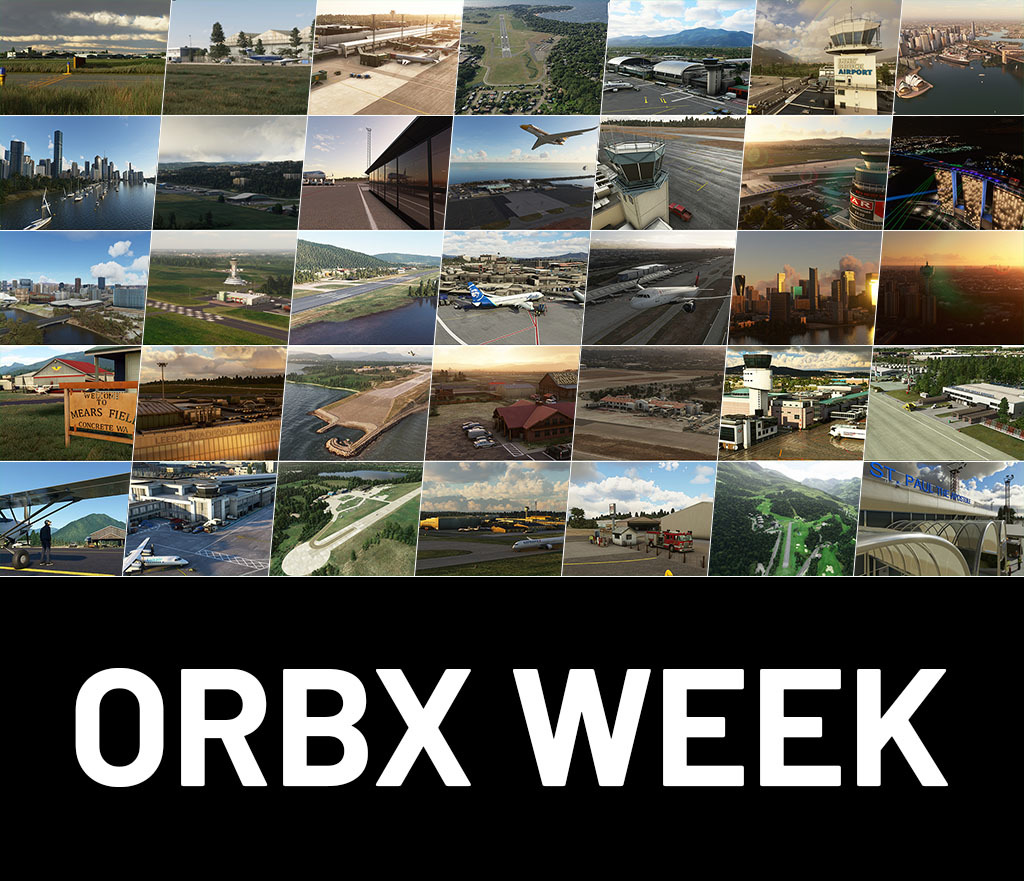
Orbx Week
For seven days starting on July 17th save up to 30% on the following items:
1S2 Darrington Municipal Airport
3W5 Concrete Airport
Cityscape Sydney
EGKA Shoreham (Brighton) Airport
EGLC London City Airport
EGNM Leeds Bradford Airport
EGNT Newcastle Airport
EGPN Dundee Airport
EGSG Stapleford Airfield
EGTR Elstree Aerodrome
ENAL Alesund Vigra Airport
ENNO Notodden Airport
ENTO Sandefjord Airport
ESGG Gothenburg Landvetter Airport
ESMS Malmö Airport
KBCE Bryce Canyon Airport
KBUR Hollywood Burbank Airport
KEYW Key West International Airport
KHVN Tweed New Haven Airport
KORS Orcas Island
KSBA Santa Barbara Municipal Airport
KSJC San Jose International Airport
KTIW Tacoma Narrows Airport
Landmarks Adelaide City Pack
Landmarks Brisbane City Pack
Landmarks London City Pack
Landmarks Paris City Pack
Landmarks Singapore City Pack
LFKB Bastia-Poretta Airport
LFKX Meribel Airport
LIEO Olbia Costa Smeralda Airport
LOWG Graz Airport
LOWI Innsbruck Airport
LWOH Ohrid St Paul the Apostle Airport
LYNI Nis Airport
To purchase these discounted items, visit the Microsoft Flight Simulator Marketplace, select the Full Catalog, then select Promotion and look for the savings.
World Update V Sale
Enjoy discounted pricing on Marketplace content from Denmark, Finland, Norway and Sweden to coincide with World Update V.
For six days starting on June 17th save up to 37% on the following items:
To purchase these discounted items, visit the Microsoft Flight Simulator Marketplace, select the Full Catalog, then select Promotion and look for the savings.
The Microsoft Flight Simulator Team
World Update V: Nordics Now Available!
[previewyoutube="Hgaj4NGVfR0;full"]
The virtual world in Microsoft’s Flight Simulator is getting its latest major update, one with a focus on Europe’s Nordic countries of Denmark, Finland, Iceland, Norway, and Sweden. Renowned for its natural splendor and architectural wonder, this region has been rendered in its most realistic fidelity yet in World Update V: Nordics.
Simmers can take to the northern European sky and explore vast fjords, intriguing urban vistas, domineering peaks, and centuries-old castles from within the cockpit. World Update V: Nordics includes improvements in detail of broad swaths of landscapes, enhancements to regional architecture, improved data for 100 airports and 77 carefully selected points of interest. The update also has five bush trips, one for each of the Nordic countries, that show off some of the very best of these destinations.
This latest update also includes five landing challenges designed to test and hone aviation mettle throughout a range of conditions. The airports used for the landing challenges, Denmark’s Bornholm, Iceland’s Ísafjörður, Sweden’s Stockholm Arlanda, Norway’s Svalbard, and Finland’s Vaasa, have all been carefully replicated by hand for maximum realism.
World Update V: The Nordics is available FREE to all Microsoft Flight Simulator users. Be sure your simulator is up to date first, then visit the Marketplace to download the Nordic Countries Bundle, and get ready to immerse yourself in this magnificent part of the world!
DOWNLOAD INSTRUCTIONS
1. Some packages in your community folder may not have been updated and, as a result, may have an unexpected impact on the title’s performance and behavior. Please move your community package(s) to another folder before relaunching the title if you suffer from stability issues or long loading times. 2. Open the Steam application and download the launcher update for the some. More in-depth guide here. 3. Launch Microsoft Flight Simulator and install the in-game content update. 4. Once in the sim, head to the Marketplace and download the free content update for The Nordics.
RELEASE NOTES 1.17.3.0
LOCALIZATION
New localization languages have been added (Swedish, Norwegian and Finnish)
WORLD
Updated aerial imagery in parts of the Nordic countries and French oversea territories (La Réunion, Mayotte, Saint-Barthelemy, Saint-Martin, Martinique, Guadeloupe, Guyane and Saint-Pierre-et-Miquelon)
Updated elevation data for Norway, Denmark, Finland
Watermask has been updated at various locations
NAVIGATION
New AIRAC cycle 2106 has been implemented
Fixed an issue preventing users from requesting fuel trucks on airports with fuel pumps but without ground equipment parking
POINTS OF INTEREST
Roskilde Cathedral - Denmark
Ǿresund Bridge - Denmark
Amalienborg - Denmark
Copenhagen Opera House - Denmark
Egeskov Castle - Denmark
Frederiksborg Castle - Denmark
Frogner Park / Sculptures - Denmark
Kronborg Castle - Denmark
Lego House - Denmark
Rosenborg Castle - Denmark
Men at Sea - Denmark
Ceres Park, Aarhus - Denmark
Aalborg Stadium, Aalborg - Denmark
Blue Water Arena, Esbjerg - Denmark
Brǿndby Stadium - Denmark
Parken Stadium, Copenhagen - Denmark
Helsinki Cathedral - Finland
Petäjävesi Old Church - Finland
Turku Cathedral - Finland
Uspenski Cathedral - Finland
Bomarsund Bridge - Finland
Replot Bridge - Finland
Vylisto Bridge - Finland
Olavinlinna - Finland
Suomenlinna - Finland
Näsinneula - Finland
Turku Castle - Finland
Bolt Arena / Helsinki Ice Hall - Finland
Helsinki Olymic Stadium, Helsinki - Finland
Hallgrimskirkja Church - Iceland
Hvitserkur - Iceland
Perlan - Iceland
Arctic Cathedral - Norway
Heddal Stave Church - Norway
Nidaros Cathedral - Norway
Urnes Stave Church - Norway
Fyksesund Bridge - Norway
Hardanger Bridge - Norway
Helgeland Bridge - Norway
Storseiundet Bridge - Norway
Tromsø Bridge - Norway
Bryggen (Bergen0 - Norway
Oslo Opera House - Norway
Pulip Rock / Preikestolen - Norway
Royal Palace, Oslo - Norway
Tyholttårnet - Norway
Holmenkollbakken - Norway
Brann Stadion, Bergen - Norway
Intility Arena, Oslo - Norway
Lerkendal Stadion, Trondheim - Norway
Sparebanken Sǿr Arena, Kristiansand - Norway
Ullevaal Stadion, Oslo - Norway
Viking Stadion / SR-Bank, Stavanger - Norway
Frederik Church - Sweden
Church of Holy Trinity - Sweden
Kiruna Church - Sweden
Storkyrkan Stockholm Cathedral - Sweden
Höga Kusten Bridge - Sweden
Öland Bridge - Sweden
Sölvesborg Bridge - Sweden
Tallberg Bridges - Sweden
Tjörn Bridge - Sweden
Uddevalla Bridge - Sweden
Dragon Gate - Sweden
Kullen Lighthouse - Sweden
Drottningholm Palace - Sweden
Helsinki Ice Hall - Sweden
Royal Swedish Opera - Sweden
Stockholm City Hall - Sweden
Stockholm Palace - Sweden
Turning Torso - Sweden
Boras Arena, Broas - Sweden
Eleda Stadion, Malmö - Sweden
Friends Arena, Stockholm - Sweden
Ullevi Gothenburg - Sweden
Guldfageln Arena, Kamlar - Sweden
Tele2 Arena, Stockholm - Sweden
Svinesund Bridge - Sweden / Norway
Improved Airport data on 99 airports
ENKJ
ESGP
ENOL
ENRY
ESTA
EKKA
EKSP
ESPA
ESOW
ESMT
ESTL
ESNZ
ESSD
ESDF
ENGM
ESSA
ENBR
EFHK
BIRK
ESGG
ENAL
ENZV
ESSB
EFHF
EKRK
ESMS
ENTO
ENTC
EKBI
EKAH
EKYT
EFTU
ENSD
ENBO
ENCN
ENHD
EFOU
EFTP
BIAR
ESKN
ENAN
ENML
ENNO
EKRN
ENOV
ENEV
ENSG
BIVM
ESSV
ENKB
ENLK
EFRO
EKOD
ESGJ
ENSO
ESOE
EFKU
EKEB
ESMQ
ENSN
ENFL
ENAT
EFVA
ESNQ
ESNU
ESSL
ENLI
ENBN
ENSH
ENST
EFIV
EFJY
EKSB
BIHN
ESOK
ESNN
EFPO
EFMA
ESGT
ENJB
ESSP
BIEG
ENHV
ENRS
ENBL
ENHF
ESMX
ENNM
EFNU
EFHV
ENHA
ENSK
ENMS
ENRM
EFLP
ENRA
EKSN
EFLA
ENFG
The Microsoft Flight Simulator Team
Microsoft Flight Simulator - Xbox Series X|S Gameplay Trailer
Microsoft Flight Simulator is coming to Xbox Series X|S July 27, 2021. Play it day one with Xbox Game Pass.
[previewyoutube="QZ6XpfaWbko;full"]
“As the longest-running game franchise at Microsoft, Microsoft Flight Simulator has a rich history on PC that spans nearly four decades. We are excited to expand beyond PC and give more aspiring pilots a chance to take flight by bringing this robust simulation to consoles. Today, we can share that Microsoft Flight Simulator will take flight on the Xbox Series X|S on July 27 and will be included with Xbox Game Pass. Simmers on Xbox Series X|S can pre-order and pre-install the experience now and expect the same level of depth as the PC version, with the most authentic and realistic flight simulator we have ever created.”
“From light planes to wide-body jets, you’ll test your piloting skills against the challenges of real-time weather, including accurate worldwide cloud cover and cloud layers, wind speed and direction, temperature, humidity, rain, and lightning – all in a dynamic and living world. With the power of satellite data and cloud-based AI, you’ll travel the entire planet in amazing detail with over 37,000 airports, 2 million cities, 1.5 billion buildings, real mountain ranges, roads, trees, rivers, animals, traffic, and more.”
“Launching Microsoft Flight Simulator on PC last year was only the beginning of our journey to make the best simulation possible. As we continue adding to the experience with free World Updates (Japan, US, France, Benelux, UK, and Ireland so far and many more to come), themed DLCs, and true-to-life aircraft, Xbox Series X|S simmers will enjoy these updates on console as well. We continue to work with third-party partners to bring additional peripherals to Xbox Series X|S that will enhance your immersive console experience.”
We would like to take a brief moment to thank you for your comments, feedback, mod creations, screenshots, videos, and more; continually proving that the flight sim community is one of the best out there. We hope with Microsoft Flight Simulator’s release on Xbox Series X|S more pilots and simmers will connect across platforms, countries, and languages to explore the world together.
The MSFS Team
HOTFIX - Boeing 787-10 Dreamliner bouncing issue - 1.16.2.0
A hotfix is now live. Issue addressed:
Fixed Boeing 787-10 Dreamliner bouncing on the runway due to an incorrect CG setup
Note: This is only an in-game update for those who have the Boeing 787-10 and your MSFS version remains the same (1.16.2.0)
Thank you for your feedback!
The Microsoft Flight Simulator Team
SIM UPDATE IV is now available!
RELEASE NOTES 1.16.2.0
Some packages in your community folder may not have been updated and, as a result, may have an unexpected impact on the title’s performance and behaviour. Please move your community package(s) to another folder before relaunching the title if you suffer from stability issues or long loading times.
We performed some optimization for the initial full download of the title so the base game is only 83GB instead of +170GB
NAVIGATION
New AIRAC cycle 2105 has been implemented
FAA data has been implemented to our navdata solution
Departure gates are now saved in flight plan (.PLN) files
Fixed a crash and other issues when selecting a parking space as arrival and no set departure
Fixed some Live Air Traffic aircraft using the wrong model
Fixed an issue where some Live Air Traffic aircraft had broken callsigns
Increased the density of Live Air Traffic
Aircraft that are not on the ground but that have an altitude of zero will now appear at a default altitude of 5000m
Live traffic stability has been improved
ATC phraseology improvements to FAA standards (wording only)
WEATHER
Reduced weather data bandwith
Improved precision of live snow coverage
"Visual Effect Only" in assistance now does properly desactivate other weather effects
"Visual Icing" has been renamed "Icing" in the devmode because it impacts the whole icing system
"Icing" in DevMode only changes visual effects if "Visual Effect Only" is activated
Ice constant decay is no longer ignored outside of frost conditions
Accelerated pitot icing model while making it slower to defrost
Fixed pitot icing not scaling with the number of instruments
Fixed overspeed controller vibrations not affected by pitot icing
Decrease structural icing rate by a factor of 15 for severe icing (6 for moderate)
PLANES
All planes:
Added altitude interception for PITCH HOLD mode
Increased native induced drag amount and improved induced drag precision
Autopilot no longer flies toward a Waypoint removed from the FlightPlan
SimConnect injected traffic (VATSIM, IVAO) should now be displayed in HTML/JS instruments that have traffic displays as well as on the VFR Map
Fixed simvar acceleration not taking impacts into account and returning wrong values on ground
Writing back corrected acceleration values after impact resolutions so that they are exact when pulled as a simvar
Flaps, stall, wing and fuselage updates of flight model
More cleanup of the flaps system. Support multi systems with different number of levels and max angles
Increased threshold to avoid trim fight against elevator to 50% (corresponds to disconnect threshold)
Changed elevator AP with trim to avoid fighting against user input when user input is >50% on elevator
Allow setting the empty CG position out of limits
Fixed morse audio not playing on large aircraft
Fixed Autothrottle sometimes disabled by AI
Turboprop:
Improved tools to tune prop drag on constant speed & turbo propellers
Removed fake and completely wrong ITT simulation when prop is feathered or reverse
Fixed reverse thrust problem with propeller (no support of negative beta & induced wind)
Added prop lever debug on engines debug page
Fixed torque increasing with altitude because of N1 / Corrected N1 confusion in FSX turboprop code
Fixed crash bug when scrolling Daher TBM 9300 Flight Plan pag
Torque fine adjustment per POH for the Daher TBM 930
Updated stability and inertia for the Daher TBM 930
Ajusted sea level max torque on the Daher TBM 930
Turbine fine tuning: ITT, Torque, Performance, and Fuel Flow on the Daher TBM 930
Flight model update for handling on the Daher TBM 930
Ground level max torque and torque limiter setting updated. 100% max with inertial separator; 112% max, limited to 109% without inertial separator on the Daher TBM 930
Reduced effect of inertial separator from 25% TQ to 12% TQ for the Daher TBM 930
Tuned stability and inertia on the Beechcraft King Air 350i
Tweaked Idle RPM from 1030 to 1060RPM for the Beechcraft King Air 350i
Ajusted max sea level torque on the Beechcraft King Air 350i
Tuned Beechcraft King Air 350i turboprop engine: ITT, Torque, Fuel Flow and other minor changes
Added ITT debug to engine debug and added density on fuel flow table for turboprop engines on the Beechcraft King Air 350i
Fine tuned fuel consumption per the POH at IDLE, 12000ft cruise and 18000ft cruise on the Cessna 208 B Grand Caravan EX
Fixed ITT, Throttle to Torque Ratio, and Garmin color bands for ITT and TRQ on the Cessna 208 B Grand Caravan EX
Pass on stability and inertia on the Cessna 208 B Grand Caravan EX
Fine tuned Fuel Flow per altitude and ajusted sea level max torque on the Cessna 208 B Grand Caravan EX
Turbine Torque fine tuned per POH on the Cessna 208 B Grand Caravan EX
Control surfaces & handling improvements on the Cessna 208 B Grand Caravan EX
Prop lever of the Cessna 208 B Grand Caravan EX can now be set in feathering range
Others:
Weather radar now displays precipitation instead of cloud coverage
Fixed contrail behavior on player’s aircraft during windy conditions
Contrails are now displayed for applicable AI traffic planes
Reduced rudder authority based on the Cessna 152
Stability and inertia pass on Cessna 172 Skyhawk and Cessna 152
Flight model handling update for the Cessna 152
Fixed Cessna 152's rear wheels not touching ground
Pass on engine power & propeller drag. Fine tuned max speed, cruise speed, climb speeds, glide speeds and other minor tweaks on the Cessna 172 Skyhawk
Flight model tuning of Cessna 172 Skyhawk (handling, induced yaw, roll and stall)
Fixed water on windows and tail color on LOD5 for the Boeing 787-10 Dreamliner
EICAS now displays "CLB" instead of "CL" when the thrust levers are set to CL in the A320
Fixed an issue which prevented copilot from autocompleting the Securing Aircraft page on the Diamond DA40 TDI
Improved propeller drag and engine drag tuning for the Diamond DA62
Flight model handling update on the Diamond DA62. Made engine effect more important by adjusting rudder surfaces
Increased rudder stability slightly and fixed engine stall in air at low speeds on the EXTRA 330LT
Added a notch more dihedral to increase induced roll a little on the EXTRA 330LT
Fuel Pressure gauges now display correct levels of pressure on the EXTRA 330LT
Fine tune on the 103Solo Engine and implementation of engine clutch below 2100 RPM
Fixed FS Livery on Cessna Citation Longitude disappearing too early on LOD6
Corrected Pipistrel Virus SW121 flaps animation which would not properly play for negative flaps values
G3000 : Map zoom level is now kept constant between Regular and Weather map
G1000 : Airspaces are redrawn uppon change in map orientation
G3000 : Fix PFD display error when a DirectTo is requested
Fixed aircraft spawning with glasscockpits turned off randomly
Fixed FlightPlan displaying passed waypoints when canceling a DirectTo
Fixed FlightPlan guidance not re-engaging properly when DirectTo is canceled or reached
Fixed G3000 and G3X MFD TopBar displaying True Bearing instead of Magnetic
Fixed overspeed strip being too low on airspeed tape
Fixed bug where the flightplan was not displayed properly if the flight was started directly on approach
Fixed VFRMap not updating approach according to FlightPlan
Tactile glasscockpits scrollbars are bigger and can be interacted with more easily
Fixed FlightPlan guidance not re-engaging properly when DirectTo is canceled or reached
INPUT
Fixed resetting position peripheral input position when user exits the pause menu
Fixed the unresponsive specific axis on Honeycomb Bravo Throttle
Fixed default mapping for the CH Eclipse Yoke
Fixed default mapping for the CH Fighter Stick
Fixed default mapping for the CH Flight Sim Yoke
Fixed default mapping for the CH Fighter Stick Pro
Fixed default mapping for the CH Pro Pedals
Fixed default mapping for the CH Pro Throttle
Fixed default mapping for the CH Throttle Quadrant
UI
Community Folder Addons will now show up as Installed in the Content manager
SDK/DEVMODE
General:
Coherent GT’s debugger is now included in the SDK
Speed restrictions and RF center fix information is now available on airport facility procedure data via the JS facility listener
JS facility listener LOAD_* calls now return bool to indicate whether or not an ICAO can be loaded
Facilities.getMagVar added when JS facility listener is loaded which allows one to get the mag var for a given LatLongAlt
Maximum number of JS BingMap views increased from 5 to 9
Ability to intercept and mask key events has been added to the JS key event listene
Preventing the game from crashing if too many virtual netbing maps were created
Fixed the installation of 3DS Max tools
Fixed the font displayed in the release notes window
Documentation:
Creation of an Xbox X|S dedicated page in the documentation, which gathers the latest info & best practices to port content on Xbox.
Visual Effects documentation has been added along with a sample. A video tutorial will be added soon.
Major updates were made to The Project Editor section:
Updated main page with more information
New section for Project Asset Types (WIP)
New section for the various project editor menus: Project, Edit, View
Updated Marketplace Data page
Updated Export Window page
Content Configuration now has a section dedicated to Flights And Missions:
Initial documentation for Flight Plan Definitions
Initial documentation for Flight Definitions
Initial documentation for Event Trigger Definitions
Initial documentation for Weather Definitions
A page has been added documenting the new SimObject Stats window.
A page with samples to illustrate model optimisation has been added specifically for the Xbox, although the samples shown are relevant to everyone creating add-ons.
A page has been added for Submodel Merging in the 3D Models section.
The Airport Tutorial has been updated to show the Airport Wizard for Creating Or Replacing An Airport
Page on Aircraft Texture Mapping now has a section describing how to set up Ice
Page on the Package Tool XML Definitions has been updated with more information.
Page on the DA62 sample added to the Samples And Tutorials section
New engines.cfg and flight_model.cfg setting documented
Project Editor:
Renamed package inspector "+" button into "Add asset group"
In the Marketplace Data Editor, fixed a crash when loading empty thumbnail
Fixed simvar index being lost when loading a file
Disabled a false positive error message box that appeared randomly when building aircraft packages
Scenery Editor:
Fixed a crash when editing runway terraforming profile
Fixed '`' char being filtered in taxiway sign content text entry.
Fixed the "add custom asset group" window which wouldn't close when creating a new non-templated asset group
Fixed a crash when editing runway terraforming profile
Fixed the windsocks with wrong orientation
Fixed infinite loading for light presets with no mesh
Fixed issues with water polygons
Aircraft Editor:
Fixed a potential crash when converting old .air file.
Visual Effects Editor:
The Visual Effects Editor is now available! You can now create your own effects. We prepared a video tutorial and complete documentation that can be found at http://docs.flightsimulator.com
Flight Model:
Added elevator_lift_coef, rudder_lift_coef and fuselage_lateral_cx to give aircraft creators better control over plane stability
SimConnect:
Added new SimVar “GEAR SKIDDING FACTOR”
Audio:
On Wwise Sample Project: Fixed shared IR convolution medias not loaded in remote
You may crash when exiting VR mode. This issue is being investigated but we suspect OpenXR preview runtime (v106) may be involved. So if you experience this problem, we recommend you revert to the official public runtime (v105).
A patch (1.15.10.0) addressing the multiplayer stuttering issue is now available for Microsoft Flight Simulator on Steam. Full patch notes can be found here:
Framerate stuttering when custom liveries are being used in multiplayer has been fixed
Update to live weather system to improve accuracy globally