I just wanted to post a quick announcement for some fixes I have made to the MiniGolf Maker Development branch. This includes a fix for a major bug that was causing the Course Creator to not load.
Changelog - DEV.2
Fixed Course Creator getting stuck loading because it was expecting a last saved course file.
Fixed Course Creator main menu navigation breaking after going into test mode.
Fixed errors when loading a new course after editing an object's behaviors.
Fixed groups not being activated & deactivated properly when switching between editing holes.
- Kevin
Development Builds
Hi everyone,
Those of you who have joined the Discord may have seen that, since this next update is taking so long, I was thinking about releasing development builds that showed the current, raw state of the game as I am developing it.
Well, here it is! You can now opt into the "development" branch if you would like to look at and try out all of the new stuff I've been working on. Here's how to opt in:
Right-click MiniGolf Maker and select Properties.
Go to the Betas tab.
Select development - Development Builds from the dropdown.
Allow the game to update. You'll know you're using the development build if the version in the bottom-left of the startup screen says "Early Access DEV.1"
IMPORTANT: DEVELOPMENT BUILDS MAY BE BUGGY AND UNSTABLE.
Even though this update should be fixing a lot of bugs, since this build is mid-development there may be certain areas where there are bugs, unexpected behaviors, or just missing features that have yet to be implemented or re-implemented.
If you want to try editing your existing courses, I would highly recommend backing them up before saving them, since this new update uses a new save file format that will not be compatible with older versions. To back up your courses, go to Documents/My Games/MiniGolf Maker and copy the Courses folder to some other location. Also, just a quick note that publishing courses in the development builds is disabled because of the new course file format.
Now, let's get to the part where I list all of the stuff you can check out in the development build. Course Creator:
Added Arcade objects. The Arcade Course however will not be in the development builds, you will have to be patient for that :)
Greens will automatically join together when placed adjacent to each other. If Position Snapping is not turned on, green points will snap to existing points.
Added tutorials. These are not finished.
Added undo and redo support to a lot of operations. But there are still many more things that need to be made undo-able.
Fixed pipes and ball traps being triggered when moving the ball around. Also fixed ball going into hole when moving the ball around.
General visual and audio improvements to UI and editor gizmos.
General fixes for things that did not work correctly in certain circumstances.
Converted context menu into radial menu.
Course creator now loads last saved course automatically.
Added ability to choose a template when creating a new course. Currently only 'Blank Canvas' is available.
Improved color picker.
Behaviors will now run in Screenshot mode.
Gameplay:
Updated netcode package to much newer version. IMPORTANT: If you wish to play online with others, all players need to be using the Development build.
Added multiple power control modes. The default can be set in the Controls section of the options menu. You can set the mode individually for each player by selecting their ball in the lobby.
Added options for mouse and controller sensitivity in the Controls section of the options menu.
Added game option to disable power ups. Note that disabling power ups may cause some courses to not work as intended.
Added ability to go into Free Cam mode when aiming. Toggle by pressing 'C'. You can disable free cam in the lobby game options.
Improved ball physics so that it does not roll back and forth for a long time in certain circumstances.
Improved ball physics to roll down shallow slopes less slowly.
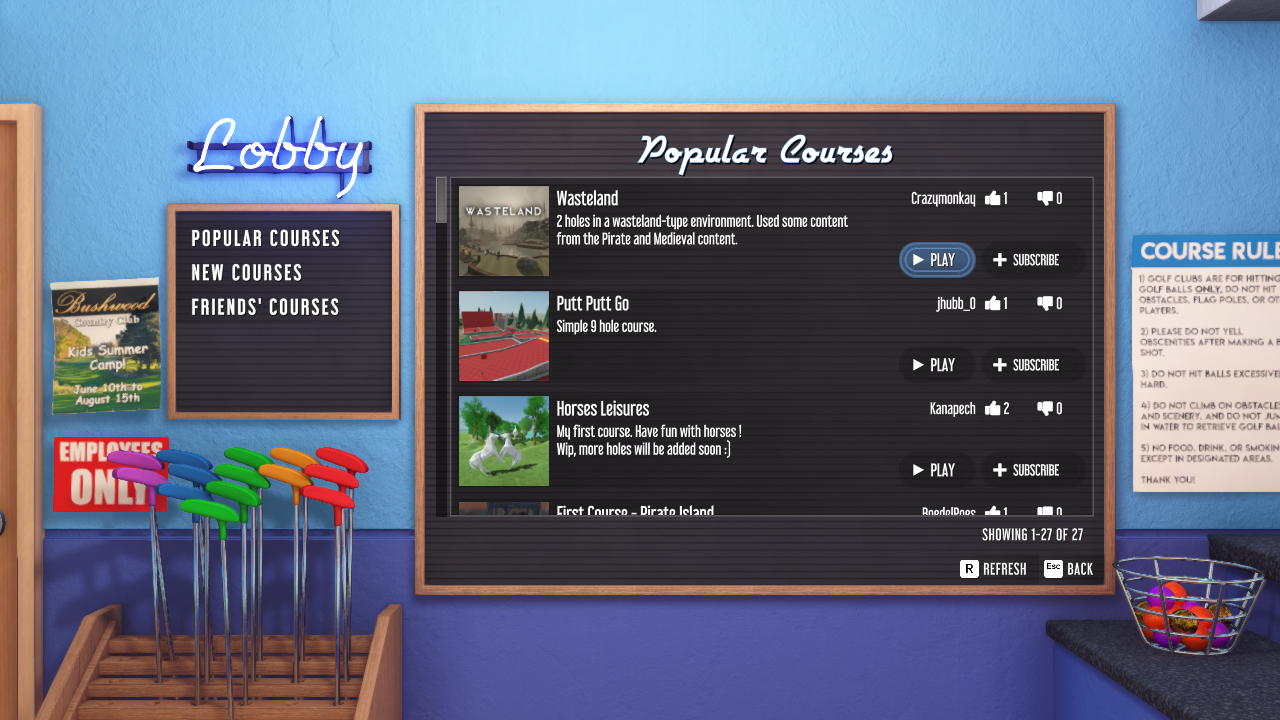
Workshop browser now goes ahead and shows results before preview images are fully loaded.
Began redesigning the main menu background (work in progress)
There is a new forum section for Development Builds where you can post things like feedback about new features or reports for major bugs you encounter. You are also free to talk about development builds in the Discord.
The development build will be regularly updated at least every other week with any new features and bug fixes I was able to work on, and will continue being updated until the official release. There is still much work to do, but after so much time working on this update I believe I can finally see the light at the end of the tunnel!
- Kevin
June Development Update
Happy Steam Summer Sale everyone!
In the last update I had mentioned that I wanted to have the Arcade update ready by the end of June, specifically for the Summer Sale, but I hate to say that this unfortunately will not be happening. So I wanted to give another update about what is being worked on.
Course Creator
As I said in the last development update, I am overhauling the Course Creator, rewriting many parts of it from scratch and drastically improving all of the other parts.
I am building the Arcade course at the same time I am working on the Course Creator itself. As I am building the course, if I come across anything that needs fixing or improving, I fix it or improve it right there, even if it is a minor issue. I feel like this is a good way to ensure that no part is left forgotten.
Some of the improvements that I currently have done or will be working on are:
Green pieces will automatically join together when placed next to each other. Green piece edges and points will also join together automatically when moved.
The ability to undo and redo is being expanded to all aspects of the Course Creator.
Behavior editing is being improved to include helpful gizmos and handles to make editing behaviors easier.
An in-game Course Creator tutorial will be created.
You will be able to select a pre-made environment when creating a new course, such as snowy, tropical island, etc. There will still be the option of a "Blank Canvas", which is the same as what loads for a new course now.
Across-the-board visual improvements, including updated UI graphics (like I showed in the last development update) and more visual and sound effects.
Gameplay
The gameplay won't be receiving as much love as the Course Creator, however there are still some things that I am improving:
Updates to our netcode to a much newer version that should be more stable.
Ability to select a power control scheme: Two Clicks (current style), Hold & Release, and Hold & Drag.
Ability to freely move the camera around the course on your first shot.
If I am feeling frisky I might add a new power-up or two, of course not doing anything that would delay the update too much.
Arcade
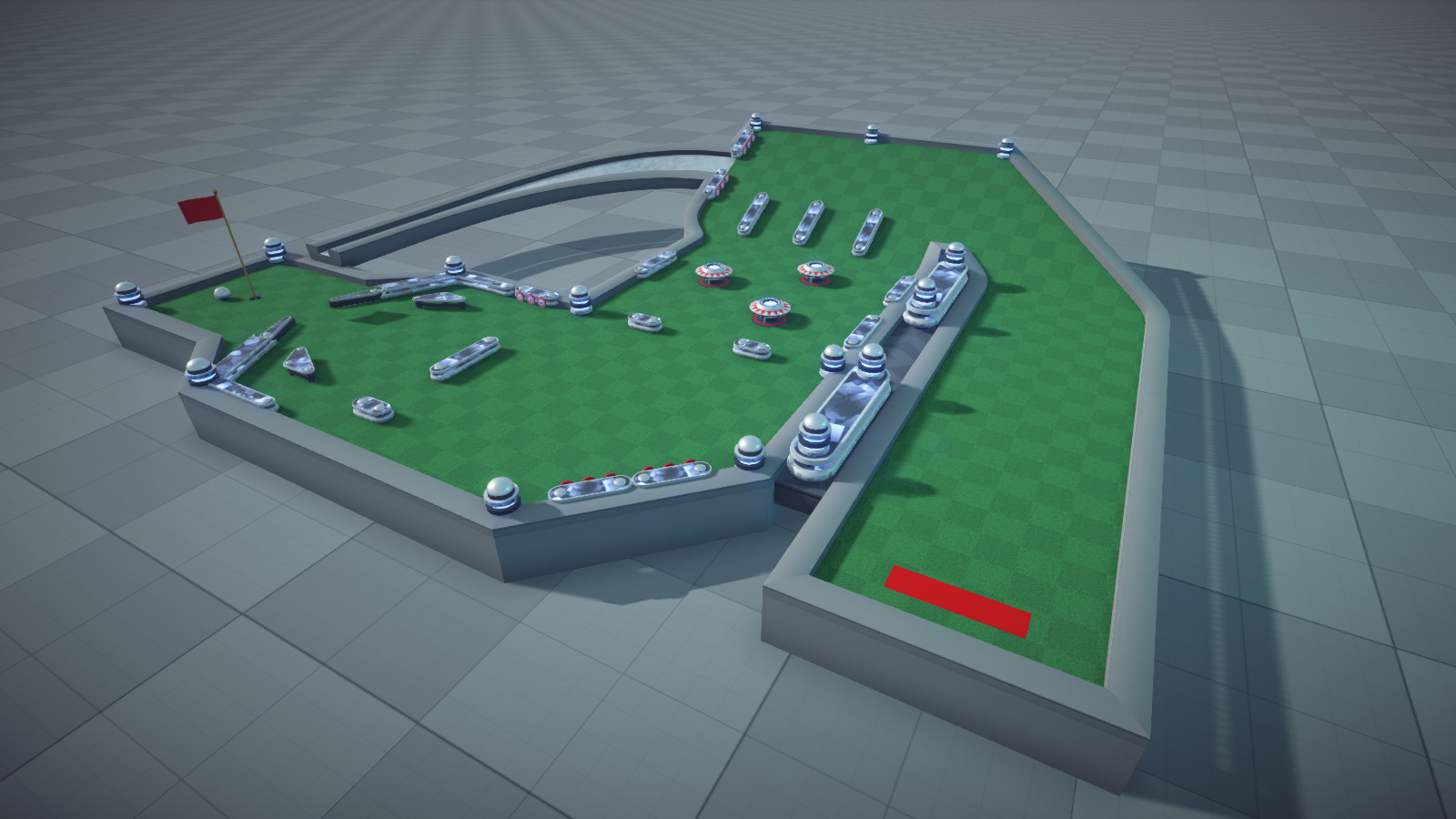
Finally, I don't want to leave without posting something to look at, so here's screenshots of some of the Arcade course holes in their very early prototype stages:
At this point, I don't feel comfortable giving a time estimate for when this update will be done because I don't want to make more promises that I don't keep. What I can promise is that this update will be worth the wait.
- Kevin
Development Update
Hello everyone,
I know it has been really quiet around here as of late, so I wanted to do a post on what exactly I have been working on and what I will be working on.
Course Creator Rewrite
The biggest thing that has been eating up my time is that I have rewritten a large chunk of the Course Creator code to clean things up a lot, make things more stable, and make things easier to work on.
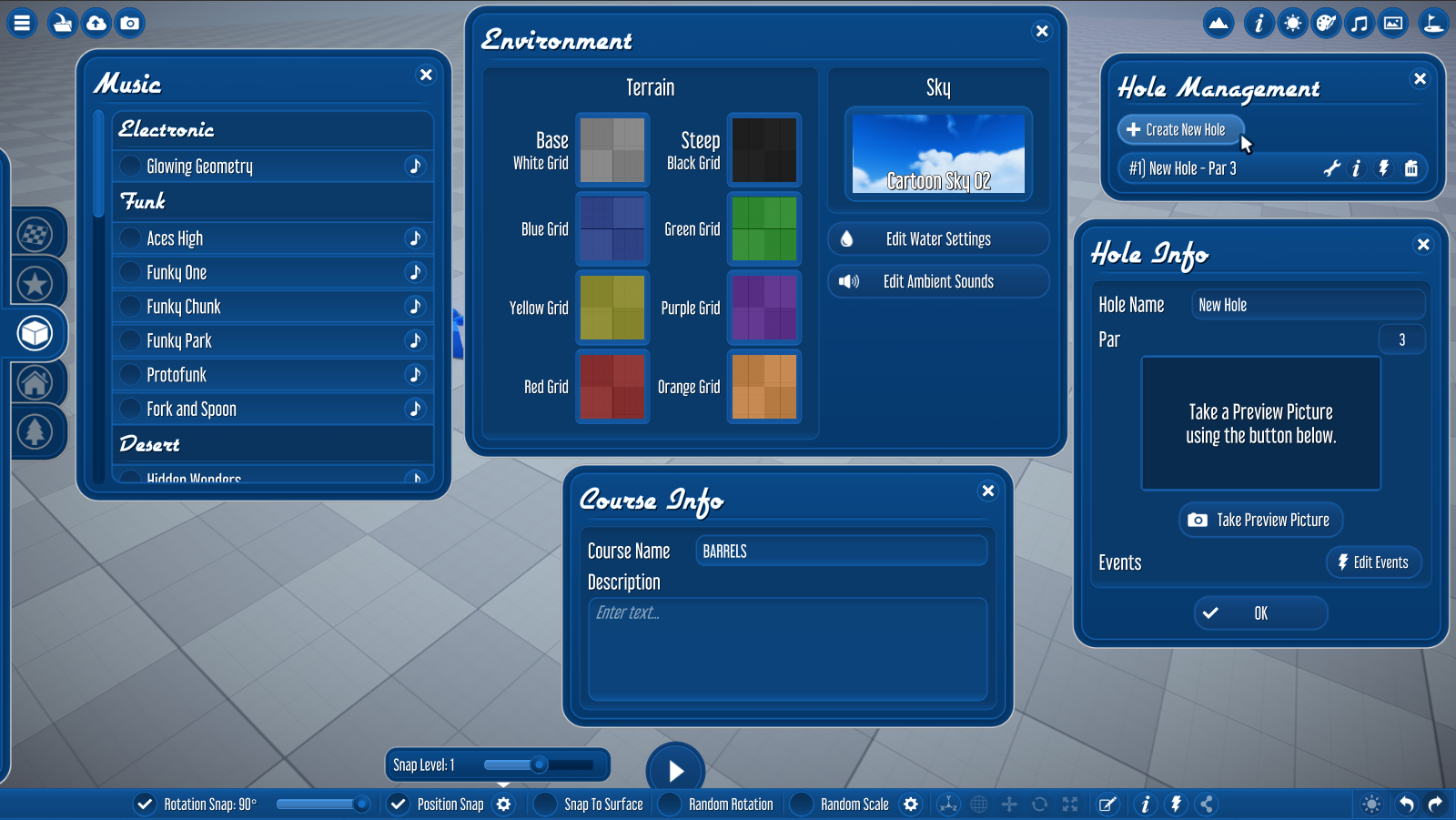
Most of this has been boring behind-the-scenes programming stuff that you won't notice, but there have been some improvements that make the Course Creator feel less utilitarian. One thing in particular is an update to the style of the UI. It's a subtle change, but I think overall it has a fresh new look:
Another big improvement is with the context menu, which has been redone into a fancy radial menu (still a work in progress):
Arcade and Other New Content
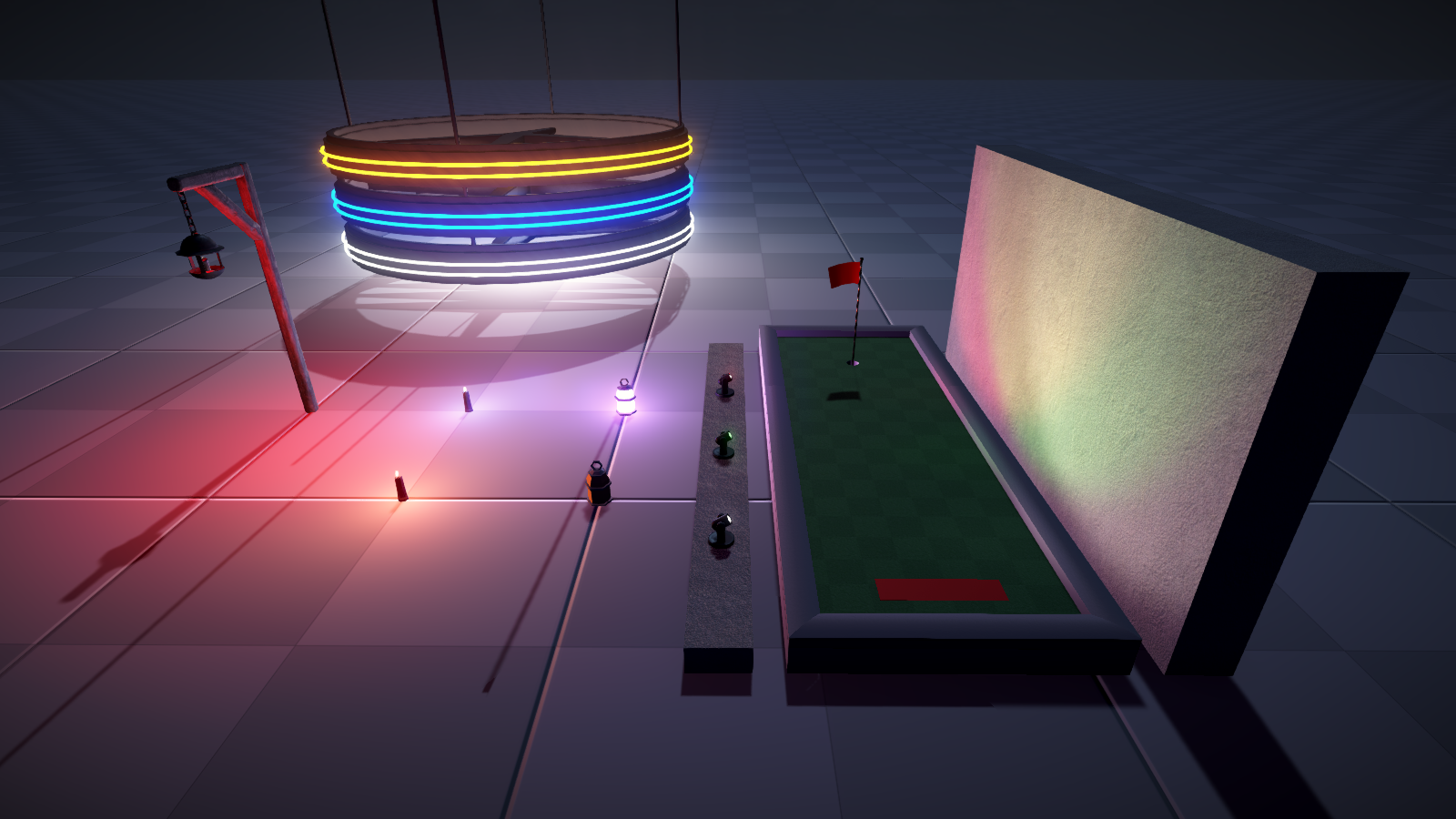
I have also been spending a lot of time preparing Arcade themed content, and finally finished brainstorming the 18-holes for the Arcade course. For the Arcade content, here's a look at most of the objects that will be a part of the Arcade theme:
I've also added a bunch of generic shapes that you will be able to use as obstacles or scenery: (These shapes will be recolorable too!)
The Next Update
I am very much hoping that the next update will be released sometime in June.
My priority at the moment is finishing the rewrite of the Course Creator. At the moment a fair bit of functionality is working, but there still are a lot of things that need to be done. The UI style update also spills over into the gameplay UI, which needs to be updated. At the same time I am working on these I will be working on actually building the Arcade course. Building the Arcade course will serve as a good test of the freshly rewritten Course Creator which is a bonus for me.
Once this update is done and released I will try by best to return to normalcy with updating the existing official courses (Dreamscape, Medieval, and Polyworld being the remaining courses), as well as getting around to things like an in-game tutorial, achievements and unlockables, public lobbies...
Thank you all for your patience and I hope things will be ramping back up real soon! Also, I hope everyone out there is staying safe and healthy through the current pandemic.
- Kevin
Mini-March Update
Hello everyone!
In the last update I said that I was going to be adding all-new Arcade content with an 18-hole Arcade course, however unfortunately I do not have that ready for this update. Some of the updates to the behaviors and events system took longer than expected, and I also ran into complications with some of the arcade assets. So, the Arcade content will be coming in April.
That being said I still have some things done that are worth an update, so let's check out the new stuff!
Lights
Lighting props got some love this month. You can now change the brightness and color of every light in the Properties window. You can also change light properties with the Light behavior.
Ball Traps
A new course element, the Ball Trap, has been added for you to play with. You can find it in the Special category of the object list. This trigger area will trap any ball that enters it at its center and can fire off events when a ball is trapped and released. You need to use the Ball Trap behavior to release it. You can of course move the ball trap around with behaviors while a ball is trapped for some interesting holes!
Modding Package
Modding support received a significant update to its architecture, and with that comes an update to the modding package. For those of you interested in modding I strongly recommend downloading the updated package. The updated package also contains new scripts for the new lighting functionality.
Warning: The updates will cause your assets to have missing scripts that you will need to re-assign.
Next Update
As I mentioned above, the new Arcade content and course will be coming in the next update. I will also be focusing more on the gameplay side of the game, but I am also working on the behind-the-scenes of the Course Creator to massively clean things up and hopefully make things a lot better moving forward (at least for development).
Changelog - 2020.3.0
Features
Added ability to change light Brightness, Range, and Color from the Properties window.
Added Light behavior to control light properties from behaviors.
Added Animation behavior to control object animations from behaviors.
Added Graphics option to enable and disable water transparency.
Added Graphics option to enable and disable realtime shadows for lights (WARNING: This option is intensive!)
Added Ball Trap trigger that traps and releases balls.
Added Ball Trap behavior for releasing balls from the Ball Trap.
Added events for Pipe entering and exiting.
Added ability to play courses when offline.
Updated Pipe, Event, and Ball Trap graphics to seamlessly tile over the trigger cube instead of being stretched.
Updated Event link lines to be dashed lines.
Updated Event Editor window to have a dropdown for the various event types so that it is more compact.
Updated artwork for intro splash and loading screens.
Updated selection highlighting graphics.
The Reset option for events no longer resets an object's position, it now only resets the sequence.
Bug Fixes
Fixed Behavior icons showing up for deleted objects.
Fixed some UI "spinners" being able to be dragged with the mouse.
Fixed some objects not saving sequences correctly.
Fixed some lighting issues.
Fixed errors when loading old Blueprints.
Fixed Course Creator inputs not being disabled when in menus.
MiniGolf Maker Modding Update
Hello everyone!
Apologies for being a few days late with this update. I was getting hung up on some critical things that needed to be addressed. But enough about that, lets get into the update!
Modding Support
The main feature of the update is the introduction of modding support. You can now mod in custom objects, green styles, flag styles, music, and ambient sounds!
The main menu and game lobby have been given an all-new Workshop browser menu, which you can use to browse and play Workshop courses without having to use the Steam Overlay! Courses (and their mods) will automatically be downloaded when you choose to play a course from the in-game Workshop browser.
New Course Creator Features
The Course Creator has also received several new features:
New Object List
The object list as recieved a major overhaul. Objects have been re-categorized and there are now additional filters that allow you to filter by Themes and Tags as well as the existing custom search.
New Green Pieces
The existing library of pre-made green pieces has been expanded, including a brand new type of green piece that has a hole in it!
Other Course Creator Features
Objects can now be moved to different holes.
Holes can now be reordered by dragging and dropping holes in the Hole Management window. The Behavior Editor has also been updated to use drag-and-drop to reorder behaviors.
A new button has been added to the bottom toolbar to show the ball's path from the last test mode run.
Next Update - The Arcade Update
I'm going to be taking it easy with next month's update so that I (hopefully) won't have to delay it. Since I have gotten requests for it, I am going to be adding a somewhat re-imagined version of MiniGolf Mania's Arcade course! This course will include the same original 9 holes, plus 9 more holes to make it a full 18-hole Arcade course with additional content far beyond what was in MiniGolf Mania.
Changelog - 2020.2.0
Features
Added Mod Manager to Course Creator for uploading mods to the Workshop.
Added View Used Mods button to Publish Course window so that you can view the mods a course uses and upload them if needed.
Added option to course publishing window to automatically upload hole previews to the Workshop.
Added Workshop course browser to main menu and the lobby so you can browse and play workshop courses without using the Steam Overlay.
Added ability to move objects to a different hole.
Added ability to reorder holes via drag-and-drop.
Ball path from the previous test mode run can now be viewed in the Course Creator to help with hole designing.
Reworked object list categorization to allow for better categorization and more detailed filtering.
Created a larger set of green pieces with pre-added walls that can be spawned in.
Added new Green prefab with an adjustable hole in the middle.
The selected sequence name is now shown on event list item headers.
Added "Move With Object" option to Move To Position and Path behaviors so that positions will move when the object moves.
Updated Behavior Editor to use drag-and-drop Behavior ordering.
Objects that don't have collisions (such as bushes) now have a white dot as a selectable element in the Course Creator so that they are easily identifiable as not having collisions.
Added progress bars to many loading screens.
Updated Dreamscape assets to look much nicer.
Bug Fixes & Behind-The-Scenes Improvements
Fixed Steam avatars sometimes not loading correctly in the game lobby.
Fixed mouse aiming sensitivity being very high at low FPS.
Fixed camera animations when returning to the lobby from a game.
Fixed object list not correctly adding & removing Blueprint list items.
Improved green and barrier generation optimization.
Fixed course not being added to the Load Course dialog after saving.
Fixed hole previews not being deleted when a hole is deleted.
Fixed ball color selection not working after returning to the lobby.
Fixed Gridify not working if Position Snap is turned off.
Fixed course name not showing on the Whole Course Select lobby menu if the course has no banner.
Fixed banner selection from the Publish Course window not updating the banner in the Edit Banner window.
Upgraded Unity version to 2018.2.21.
Improved many parts of the code to better handle unexpected errors, especially for Steam integration.
Reorganized and removed unnecessary assets to reduce build size.
Improved memory usage by unloading all Course Creator content when loading a course, so that used memory doesn't accumulate as much over time.
January Update Delayed
Hi everyone,
I just wanted to let you all know that I unfortunately am going to have to delay the next update until February. I was hoping to get an update out for the new year, but there are still things that need to be polished up and I don't want to rush a release out the door.
So with that said, the next update will be on February 7th, 2020, and will contain:
Modding Support - The ability to mod in custom objects, green styles, flag styles, music, and ambient sounds.
Dreamscape Course - The Dreamscape Course will be receiving a major overhaul into a full 18-hole course.
Workshop Integration Improvements - Including an in-game Workshop browser, the ability to automatically upload hole preview images as Workshop previews, and more!
Additional Course Creator Features - Like the ability to re-order holes and move objects to different holes.
I hope you all have a happy new year!
- Kevin
MiniGolf Maker December Update
Hi everyone!
The time has finally come for the December (combined with the November) update! Let's get right to what's new.
Blitz Game Mode
Now available in addition to the Classic game mode is the new game mode Blitz! In Blitz, all players go at the same time rather than taking turns, making for a much more chaotic experience, especially when power-ups are thrown into the mix.
You can change the game mode from the lobby in the Game Options menu. When playing Blitz mode, you can also set a time limit for holes.
Snow and Ice Course
Replacing the old "Winter Course" is the new 18-hole course Snow and Ice. Check it out!
[previewyoutube="xk8V4QIJp40;full"]
Main Menu Redesign
The main menu has been completely redone from the ground up with new 3D graphics. In addition, in-game menus have been added for joining friends' lobbies and inviting friends to your lobby.
Coming Soon
In the next update, I am going to be focusing on a big thing that I think is overdue: modding support. I am anticipating that this will take up all of my time over the next month, so I won't be working on anything else for the next update.
You can definitely expect the ability to import custom objects into the Course Creator, and it is possible that I may be able to add support for importing other things like Music, Styles, Ambient Sound Effects, etc.
Changelog - 2019.12.0
Features
Added new Blitz game mode to Game Options.
Added hole time limit game option when in Blitz mode.
Added a lobby browser menu to the main menu that shows friends' lobbies.
Added Invite Friends menu to the lobby.
Added several new objects to the Winter theming: Ice rocks, Icicles, Igloos, and a Snowball
Added several new snowy terrain textures.
Added Ice green style.
Added option for Position Snap Level in Course Creator.
Added ability to move between previous shots in test mode.
Added ability to move ball freely around the course in test mode.
Ball now has special crash-test-dummy like skin in test mode.
Added graphics option for Realtime Ball Reflections.
Added graphics option for Depth of Field.
Renamed "Desert Wind" ambient sound effect to "Light Wind".
Slightly modified the input scheme for Chat. Closing chat no longer has special inputs for sending messages and closing the chat, it now uses the bindings for Submit and Cancel.
Fixed some issues with the see-through part of green handles, it now looks much better.
UI elements now play subtle sounds.
Added animations to some of the "spinner" UI elements.
Bug Fixes
Fixed green pieces not being generated when duplicating a group.
Fixed Behavior icons not showing up on duplicated objects.
Fixed glitched green pieces when a hole is created outside of the editable area.
Fixed power ups getting enabled on inactive holes during play.
Fixed walls sometimes appearing completely black when at 45 degree angles.
Fixed fire and ice trails being projected vertically when next to a vertical wall or underneath an object.
Fixed the Punch power up not showing effects for non-host players.
Fixed the round start event being triggered for inactive holes.
Fixed wall generation sometimes glitching if the wall is below the terrain.
Objects are now bound to the editable area as a group rather than individually.
- Kevin
Missing the November Update
Hi everyone,
I'm just posting a quick announcement to let you guys know that I have decided to skip the November update due to the main features still needing a good amount of work. The main menu overhaul and new game mode "Blitz" (name subject to change) have taken longer than expected, and I want to make sure everything is in tip-top shape!
So, the next update will be the December update, and here's what you can expect:
The previously teased main menu redesign and new game mode "Blitz" (name subject to change).
Winter Course Overhaul - Continuing overhauling the standard courses into full 18 hole courses.
Course Creator Testing Improvements - Including being able to go back to the previous shot and move the ball freely around the green.
- Kevin
MiniGolf Maker October Update
Hi everyone,
October is upon us, and that means a new MiniGolf Maker update! Let's check it out:
Halloween Content and the Grimbrooke Hollow Course
It's that spoooky time of year, and to celebrate, new Halloween content has been added to MiniGolf Maker! Enjoy new objects, new music, new terrain textures and skies, and new ambient sounds.
Along with the new content is the 18-hole Halloween-themed course: Grimmbrooke Hollow. Check out the trailer for it!
[previewyoutube="3M72K0lWJag;full"]
New Power-Ups
Coming at you next are 3 new power-ups for you to enjoy!
Punch Slap other players silly with the Punch power-up. Use it on your turn, and any ball that gets too close will get walloped!
Ghost Turn your ball into a spooky spectre with the Ghost power-up. You become impervious to other power-ups, can pass right through other balls, and become slightly floaty.
Free Stroke Pass through the Free Stroke power-up, and 1 stroke will be subtracted from your score on your next turn!
Coming Soon
November Update Coming in the November update are 2 major additions:
Blitz Game Mode - Think the current turn-based play mode is too slow? Well then Blitz will be for you. All players go at the same time, and chaos will most likely follow.
Main Menu Overhaul - The main menu will be getting a huge update to be a lot more fun and dynamic. I've wanted to do this since I started working on MiniGolf Maker, so I'm really excited to finally be able to work on it, and I think it will be really cool!
I'm also going to be taking a quick break this month from creating courses. The next new course overhaul will be in the December update with the Winter course (as you could have probably guessed!)
Changelog - 2019.10.0
Features
New Power-Up - Punch: Punch away all balls that get too close. Only active on your turn.
New Power-Up - Ghost: You can pass through other balls, and makes you invulnerable to the affects of power ups. Also slightly lowers gravity for your ball and makes it roll farther.
New Power-Up - Free Stroke: When you pass through it, subtracts 1 stroke form your score on your next turn.
Terrain - You can now select 8 textures for painting the terrain.
Terrain - Added a new terrain shader that has better-looking blending between terrain textures.
Improved shading of trees in Pirate content. Improvements to other content will come as I do the course overhauls.
Added a small area with a slight downward force directly above the hole to make bouncing out less common.
Bug Fixes
Fixed errors that could occur when a player leaves while their power up is active.
Fixed log files not copying to the correct location.
Fixed deleting a course from the Load Course dialog not immediately removing the course list item.
Fixed Auto-Paint texture name always starting saying "Grass".